How to Break Down PRDs Into Tasks
A practical guide to turning approved PRDs into vertical slices, tracer-bullet tasks, dependencies, and issue proposals.

Founder, Task Machine
Breaking down a PRD into tasks is the process of turning an approved product requirement into buildable slices of work. The important word is slices. A useful breakdown produces epics, user stories, and tracer-bullet tasks that deliver observable value in small increments, with dependencies and acceptance criteria visible before engineering starts.
This matters because most backlog breakdowns fail in predictable ways. They split by technical layer, hide dependencies until mid-sprint, or create issues that are too vague for an engineer or agent to pick up independently. A PRD is only ready for execution when the first releasable slice is clear.
A good PRD can still lose weeks in planning
A team can approve a good PRD and still lose weeks in planning. "Build backend", "create UI", and "wire analytics" look organized, but they do not create anything demoable until the last issue lands. If the API task slips, the UI task blocks. If the UI changes, the tests move. Progress exists in the board, not in the product.
Vertical slicing fixes that by making each unit thin and complete. A first issue might support a simple happy path across schema, API, UI, and tests. Later issues add rules, edge cases, data types, or integrations. Each one can be reviewed on its own.
What the manual process looks like
Done by hand, a PRD breakdown is a product and engineering planning pass:
- Read the approved PRD and extract outcomes, scope, acceptance criteria, and constraints.
- Group work into epics by outcome, not technical layer.
- Validate story candidates with INVEST, especially whether each story delivers user value.
- Apply split patterns in order: workflow steps, operations, business rules, data variations, entry methods, major effort, simple versus complex, performance, and discovery.
- Turn the smallest work units into tracer-bullet tasks with what to build, acceptance criteria, and blockers.
- Sequence blockers first and name the smallest first-releasable slice.
- Review the breakdown before creating issues in the tracker.
The discipline is to split without stripping away value. If a task cannot be tested or demoed on its own, it is probably a layer, not a slice.
What an agent can automate
The PRD-to-Task Breakdown playbook gives the PM agent a decomposition method:
- Read the approved PRD. The agent extracts outcomes, scope, and acceptance criteria. If a repository is connected, it reads for vocabulary and prior decisions.
- Group by outcome. Epics are organized around what changes for the user, not by frontend, backend, or data layer.
- Apply split patterns. The agent uses epic-breakdown and user-story-splitting skills to find vertical slices, business-rule variations, data variations, dependency boundaries, and discovery spikes when needed.
- Frame tracer-bullet tasks. Each issue has what to build, testable acceptance criteria, and a blocked-by field. The smallest path should cut through all required layers.
- Self-review before publishing. The agent checks for horizontal slicing, oversized stories, missing acceptance criteria, and unclear dependencies before asking for approval.
Publishing waits until after approval. If no repository or issue tracker is connected, the agent outputs the breakdown as a draft proposal instead of creating issues.
The guardrails that make it safe
The main risk is turning a PRD into a pile of tickets that look precise but encode the wrong plan. The playbook keeps a human approval step between the proposed backlog and issue creation.
The reviewer should look for the same failures the agent checks: horizontal slices, vague tasks, hidden blockers, stories that fail INVEST, and first slices that do not deliver value. Approval means the team accepts the decomposition, not only the wording of the issues.
Set it up in Task Machine
The Product requirements breakdown playbook provides a starting point for the method above. You need an active Task Machine workspace with Chat, workspace-management and Playbook-installation access (workspace owners have it). The playbook can draft a backlog from a PRD without tracker access. Publishing issues waits until a tracker is connected and the human approves.
1. Find the playbook
Open Search in your workspace and enter "Product requirements breakdown". The command center lists Set up Product requirements breakdown under Playbook setup.
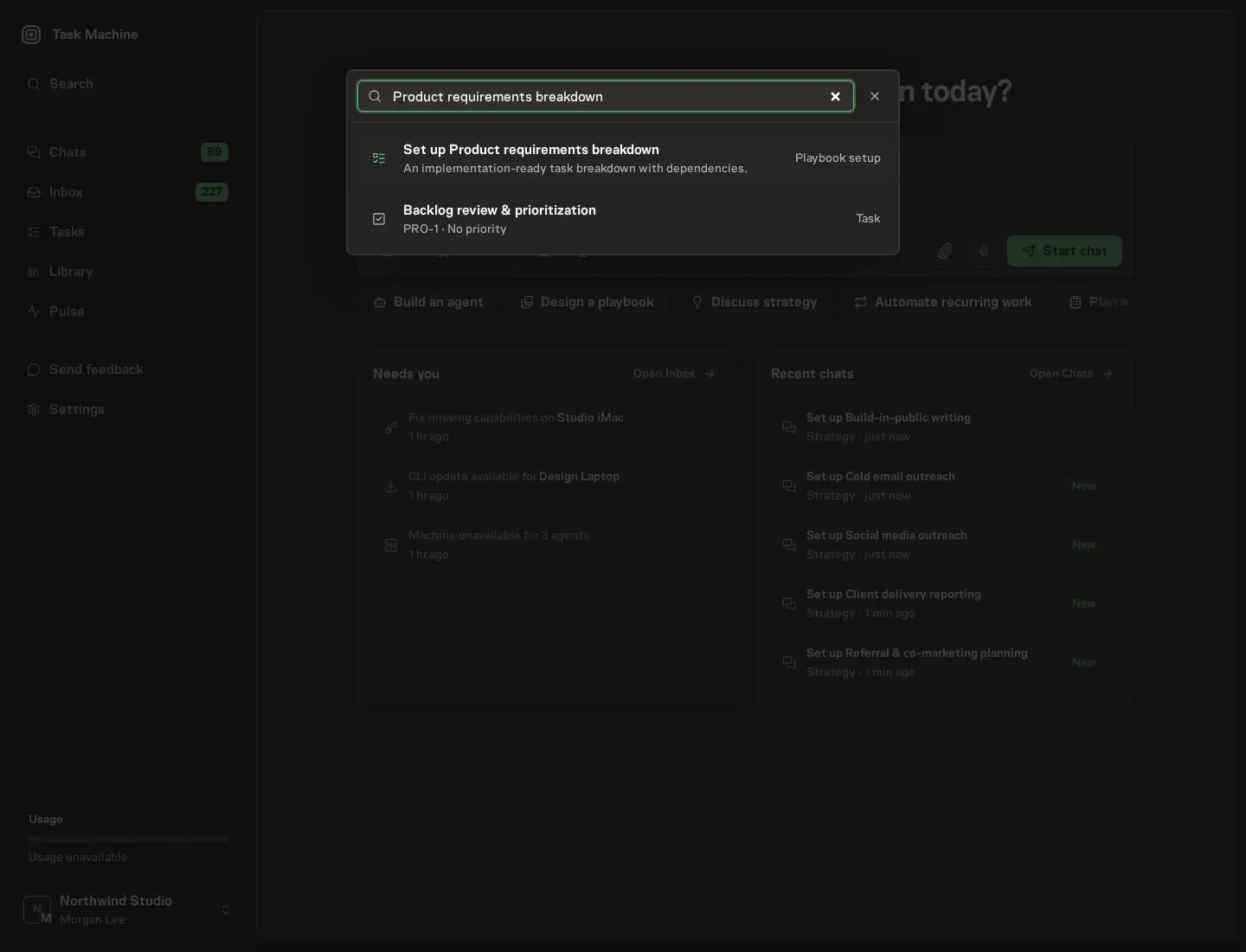
2. Start the conversation
Choose Set up Product requirements breakdown. Task Machine opens a dedicated Chat with the Playbook card and an editable, unsent request. Read the intended job and outcome. Add your situation and send it when ready. Opening the draft does not install anything or start work. This walkthrough uses settings that require approval of the proposed Playbook.
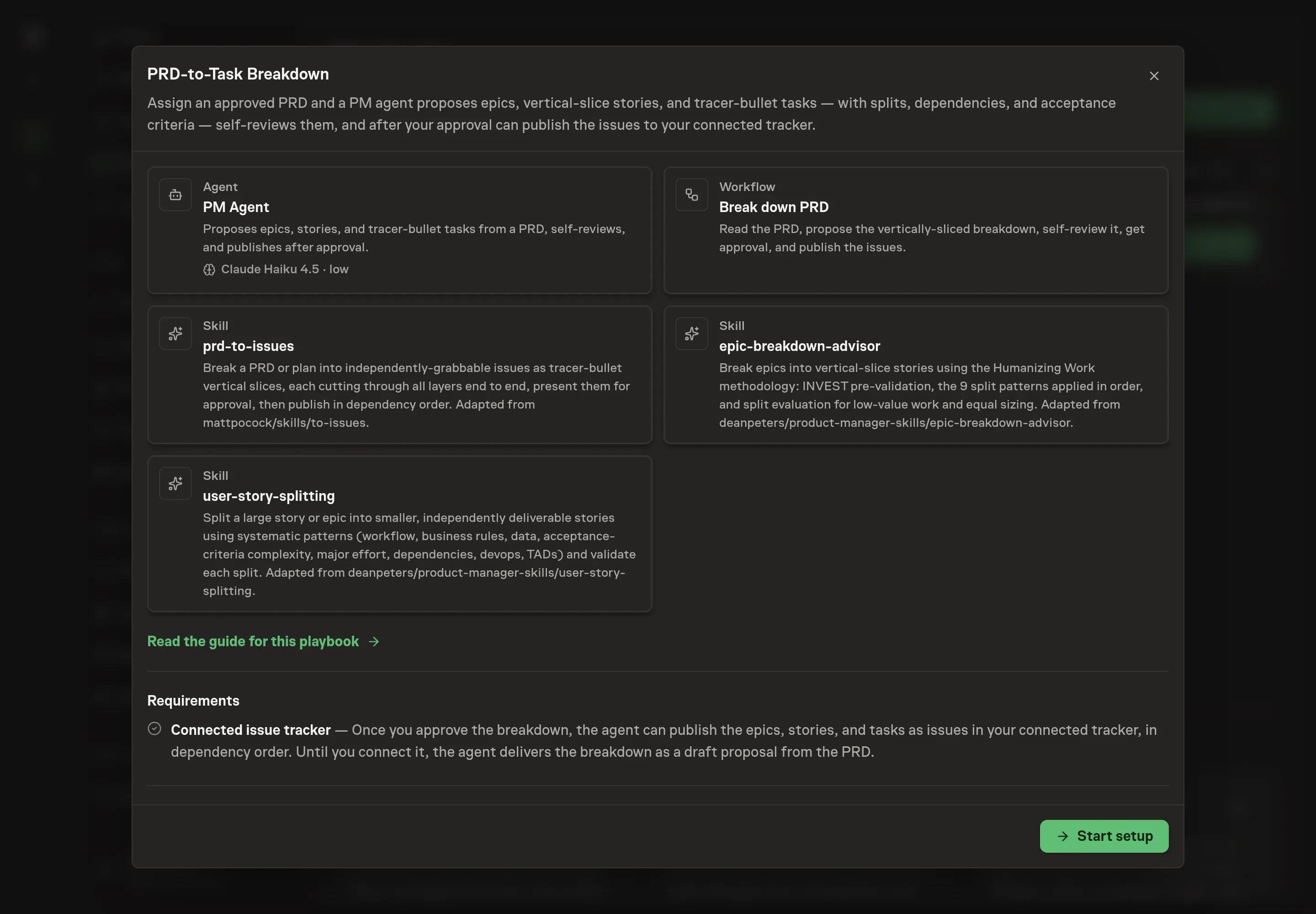
3. Agree the working brief
Use Chat to agree the inputs, expected output and limits before asking for a proposal. The Agent needs a repository, the PRD summary or link, engineering constraints, and a verification command. If the repository is not connected yet, describe the repo and constraints anyway so the draft backlog uses the right domain language.
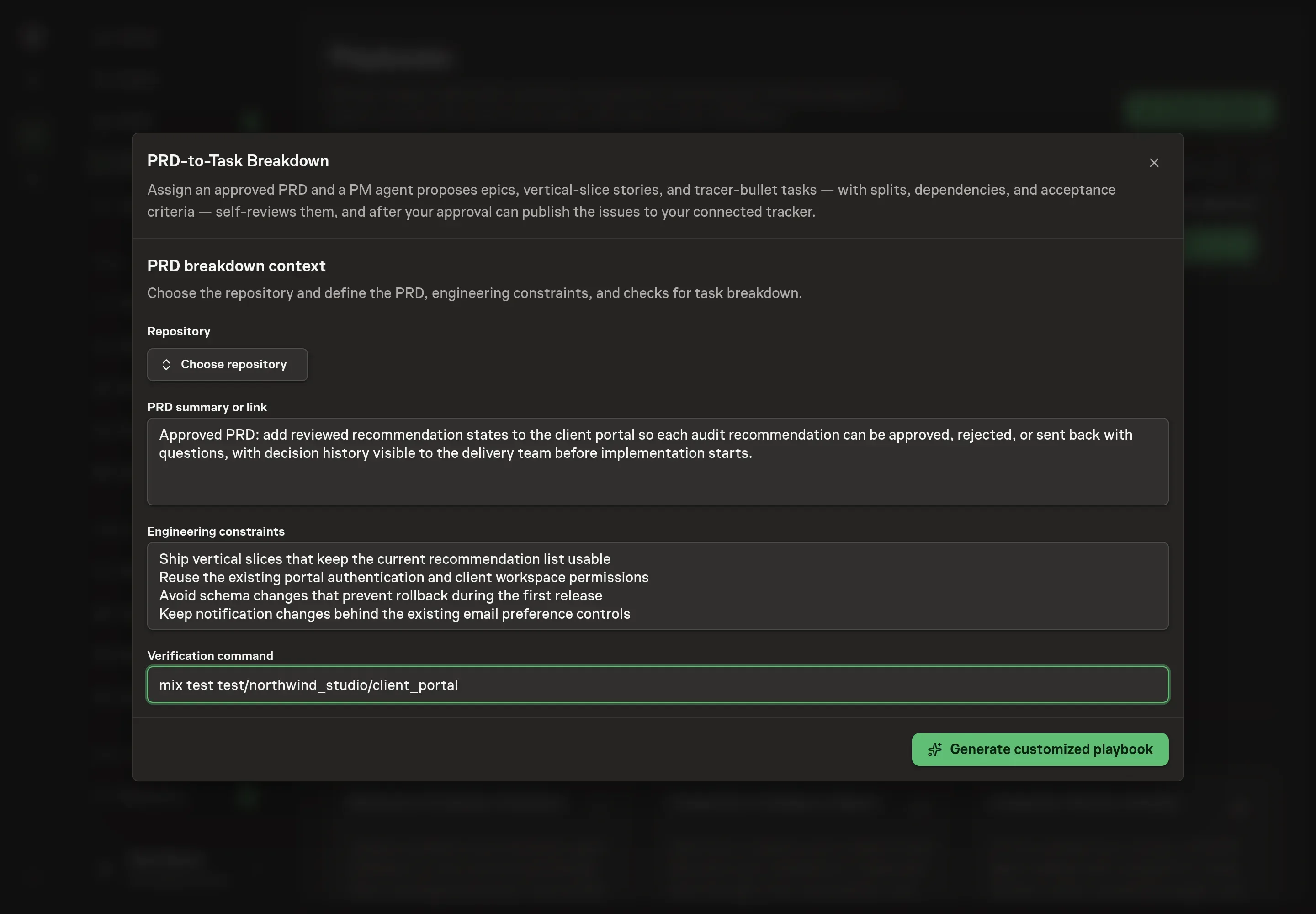
4. Review the proposed Playbook
Ask the Agent to generate the Playbook from the agreed brief. Open its proposal in Chat and check the instructions and resources it will install, which carry more detail than the conversational summary. Confirm the approval comes before publishing issues and that the publish step falls back to a draft proposal when no tracker is connected. Ask for a revised proposal if anything is missing or changes the job.
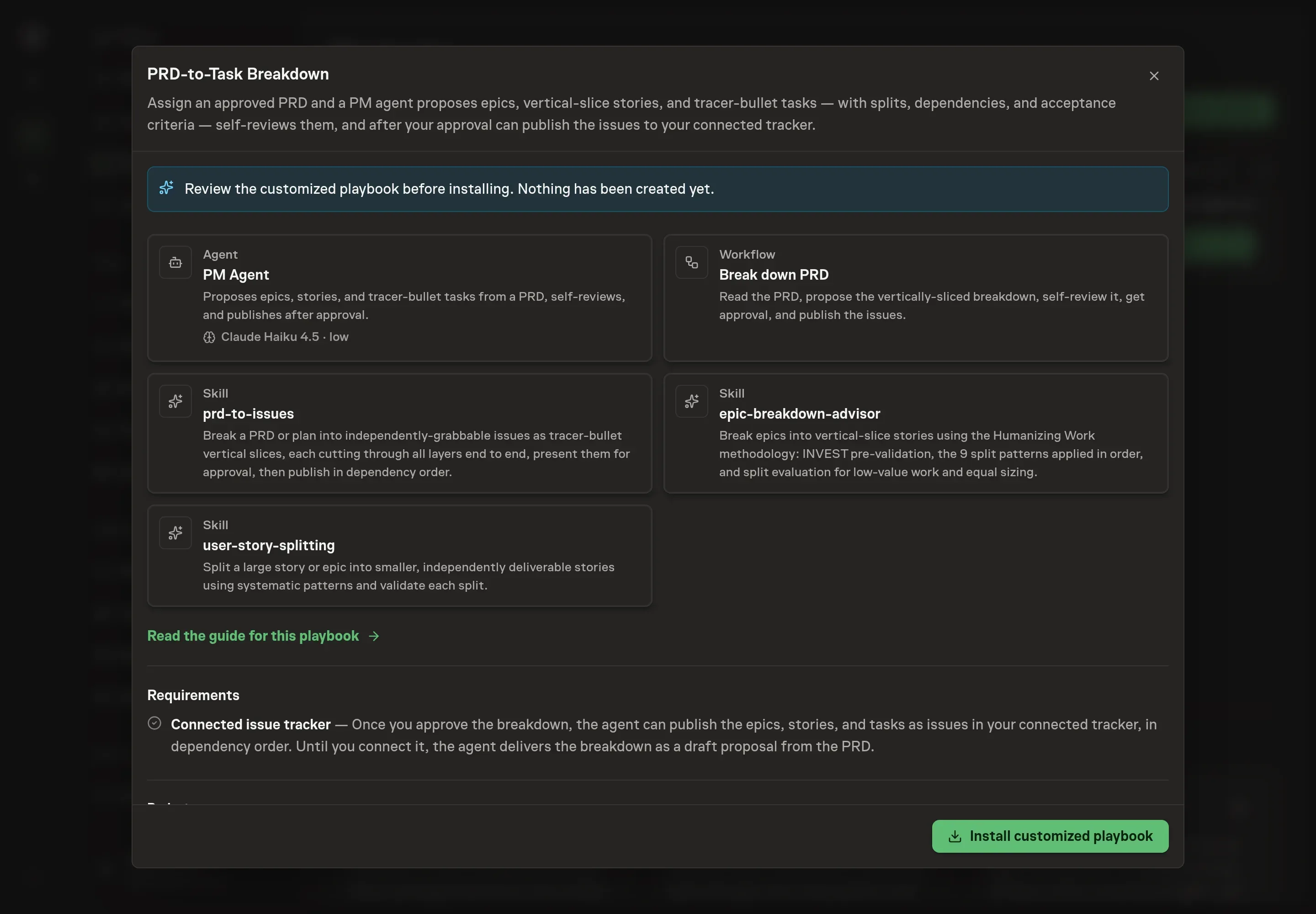
5. Approve and prepare the first work
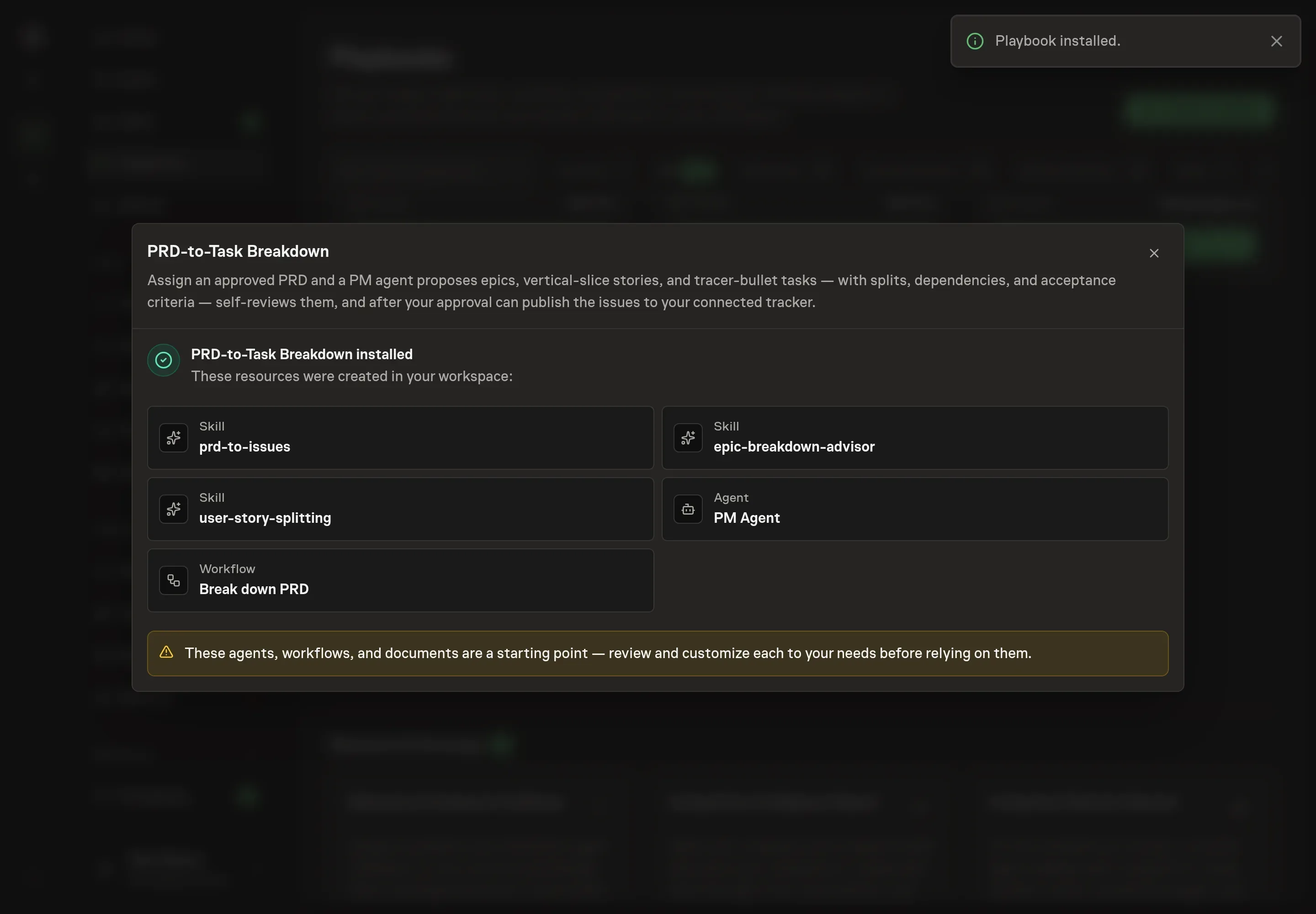
Choose Approve on the proposal in Chat when the configuration matches your brief. Task Machine installs that reviewed configuration. The approved item retains its review details. If your autonomy settings allow direct installation, this approval may not be required. Check the resulting configuration in that case too.
Complete any remaining secure service setup from the installation details in Chat. Inbox keeps those setup items available if you return later. Prepare the source documents and inputs before starting the first Task or Workflow. Installation does not authorize sending, publishing or changing an external service beyond the boundaries you agreed.
What good looks like
Review the proposed backlog against three tests:
- Every story is vertical. It cuts through the required layers and produces observable value.
- Dependencies are explicit. Blockers are mapped, and the smallest first-releasable slice is named.
- Acceptance criteria are testable. Each issue gives a reviewer or agent a concrete pass/fail check.
Common questions
Should PRDs always become issues automatically? No. The useful automation is drafting the breakdown and checking it. Publishing should wait for approval because the split strategy determines how the team will build.
What if the PRD is ambiguous? The agent should stop and ask when scope or acceptance criteria are unclear enough that any breakdown would be guesswork.
Can the agent split technical tasks? It should reframe them. The playbook's skills treat horizontal technical tasks as a smell and push toward user-visible slices.
What happens without a connected tracker? The workflow still produces the breakdown as a draft proposal. Issue publishing waits until the tracker is connected and the human approves.