How to Build a PR Media Outreach Kit
A practical guide to turning one announcement into a press release, journalist list, pitch drafts, and approval workflow.

Founder, Task Machine
A PR media outreach kit is the working pack behind an earned-media push: the press release, approved company facts, journalist target list, personalized pitch drafts, embargo plan, and assets a reporter needs to cover the story. The job is to turn one announcement into a story a specific journalist can judge quickly.
The value comes from selectivity. A small, well-matched list with a clear angle beats a mass pitch because journalists cover beats, readers, and timing, not company milestones in isolation. When the kit is prepared before outreach starts, the team can move fast without sending unsupported claims or the same generic message to every outlet.
Weak PR outreach burns more than launch day
Bad outreach burns more than a launch day. It trains relevant journalists to ignore the sender, wastes founder time on copy that has no real hook, and leaves high-authority backlinks and category proof to competitors with sharper stories.
The common failure is ownership. The announcement lives in one doc, approved numbers in another, screenshots in a folder, quotes in a thread, and the media list in someone's head. By the time someone writes the pitch, nobody can tell whether the stat is approved, whether the reporter covers the beat, or whether the same exclusive was offered elsewhere.
What the manual process looks like
Done by hand, a useful PR kit is a five-part ritual:
- Confirm that the announcement has a real story: data, a milestone, a customer change, a timely take, or a clear conflict the reporter's readers care about.
- Pull approved facts from the press kit: boilerplate, quotes, product links, screenshots, founder headshots, prior coverage, and press contact details.
- Write the press release in the format journalists expect: headline, dateline, 25- to 35-word 5W1H lead, supporting data, quote, context, boilerplate, and media contact.
- Research journalists by recent work, not outlet logo, then tier the list by reach, vertical fit, and community relevance.
- Draft one pitch per journalist, stage exclusives one at a time, and wait for approval before anything is sent.
None of those steps is difficult alone. The risk is that teams skip the gating step, make the release sound like an advertisement, or build a long list of names without a recent relevant article attached to each one.
What an agent can automate
The mechanical parts of the PR desk are repetitive enough for an agent, as long as the human keeps the final call:
- Gate the story before drafting. The agent checks whether the announcement has a real angle and tells the team when the news is too weak to pitch. That prevents effort from moving into copy before the story earns it.
- Keep facts tied to the press kit. The agent drafts from the maintained press kit and flags conflicts instead of inventing numbers, quotes, or asset links.
- Write in the expected format. The PR writer uses the inverted pyramid, proposes headline hooks first, preserves the 5W1H lead, and keeps the release out of product-ad language.
- Research by beat. The media researcher searches recent articles, records the journalist, outlet, beat, relevant piece, email, and reason to care, then keeps the list short enough to pitch well.
- Draft personalized pitches. Each pitch ties the first line to the journalist's recent work, stays under the length bar, links to the press kit, and carries one clear ask.
The agent does not decide that the company has news, offer the same exclusive to two competitors, or send a pitch. Those are approval decisions.
The guardrails that make it safe
PR outreach is public, relationship-heavy work. The safe shape is a desk that prepares the kit, criticizes its own work against the pitch bar, and then stops.
Human approval sits after the release, media list, and pitch drafts are assembled. The reviewer sees the story angle, the approved facts used, the journalist rationale, and every pitch before anything goes out. The workflow also keeps the press kit and media list as editable documents, so the next announcement starts from a known source instead of a stale spreadsheet.
Set it up in Task Machine
The PR & media outreach playbook provides a starting point for the method above. You need an active Task Machine workspace with Chat, workspace-management and Playbook-installation access (workspace owners have it). Web research and email access can be authorized later. Until then, the desk drafts from attached inputs and prepares outreach for manual sending.
1. Find the playbook
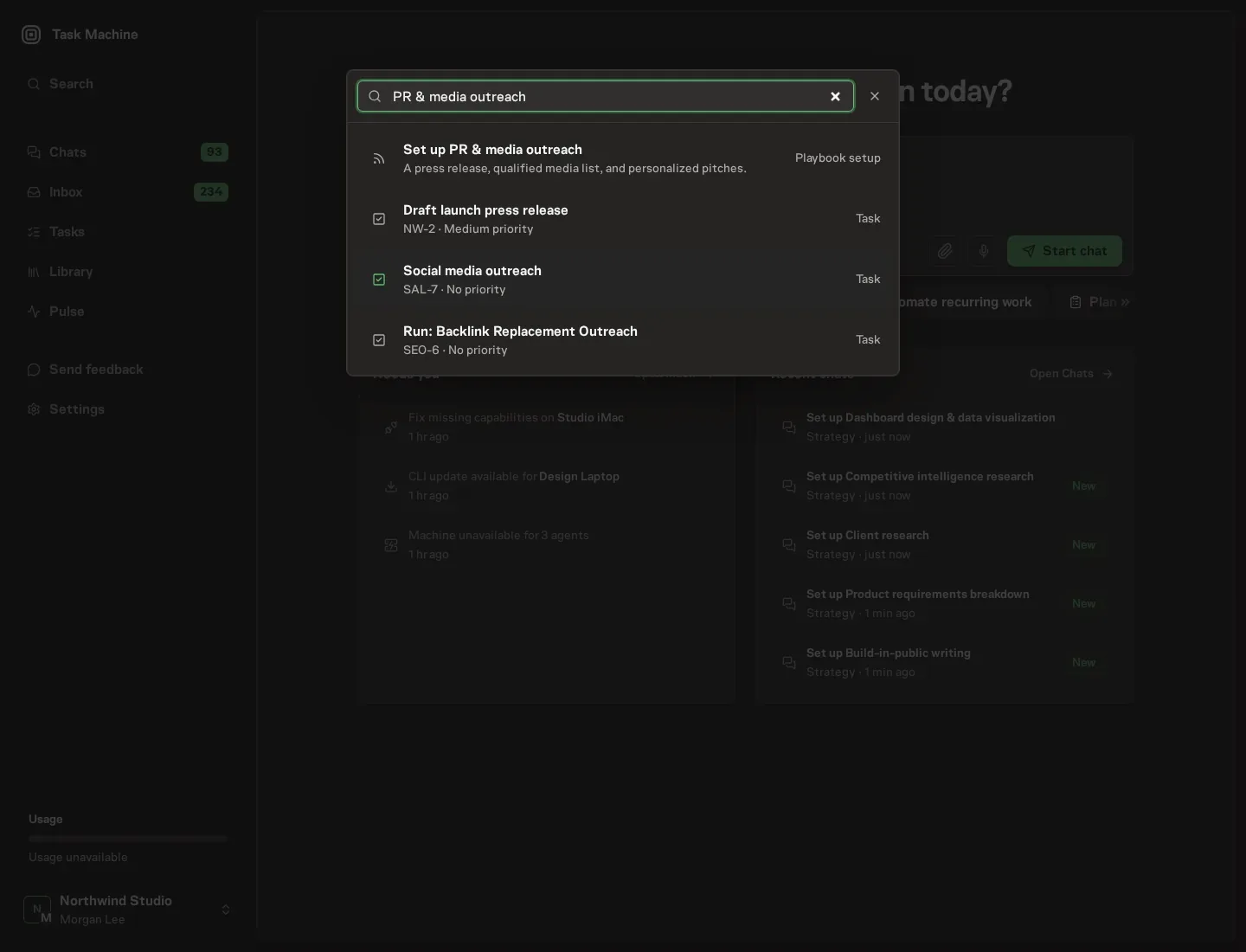
Open Search in your workspace and enter "PR & media outreach". The command center lists Set up PR & media outreach under Playbook setup.
2. Start the conversation
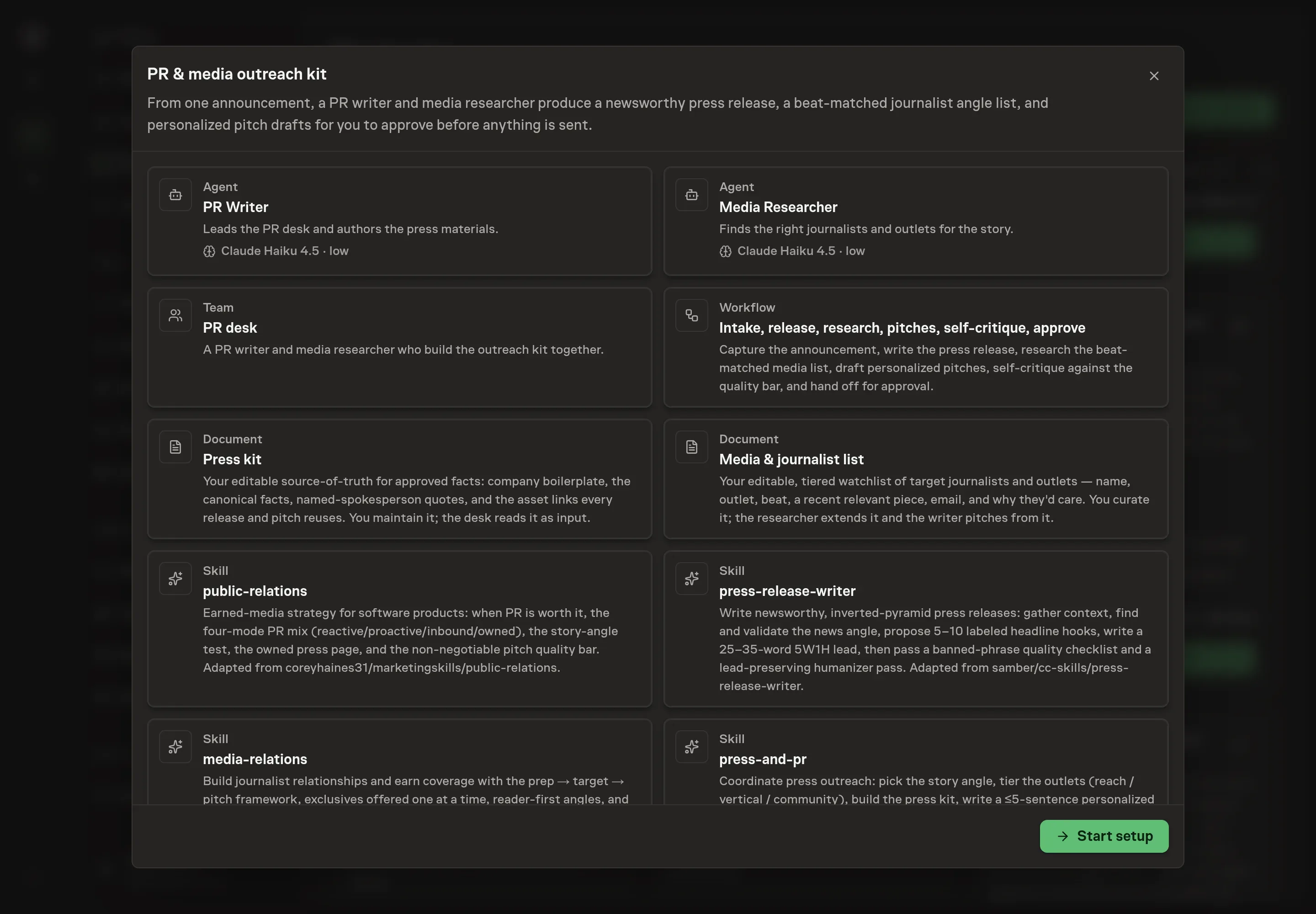
Choose Set up PR & media outreach. Task Machine opens a dedicated Chat with the Playbook card and an editable, unsent request. Read the intended job and outcome. Add your situation and send it when ready. Opening the draft does not install anything or start work. This walkthrough uses settings that require approval of the proposed Playbook.
3. Agree the working brief
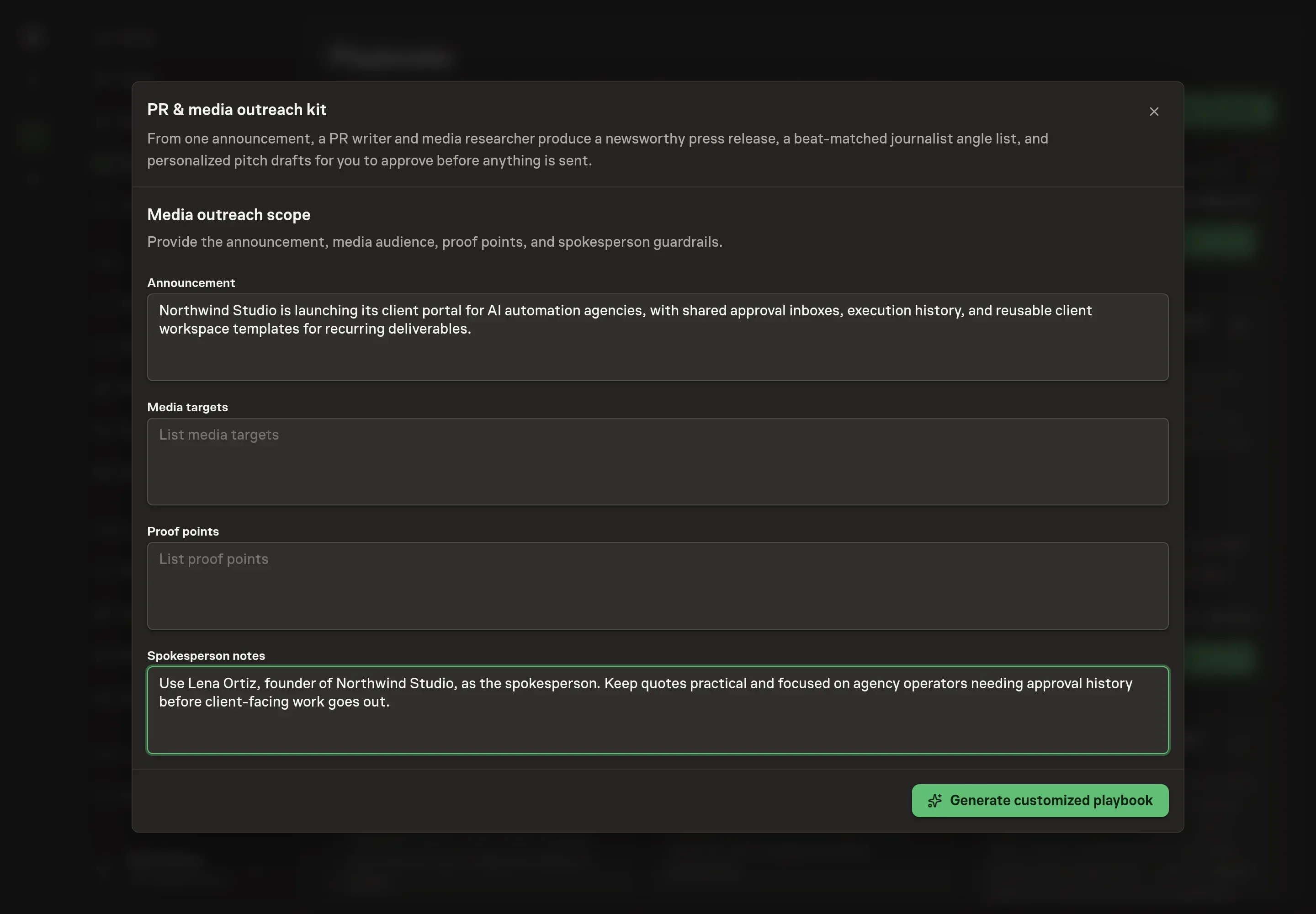
Use Chat to agree the inputs, expected output and limits before asking for a proposal. The Agent needs the announcement, media targets, proof points, and spokesperson notes. Use this step to give the agent the facts it may use and the boundaries it must preserve: what is being announced, which audiences matter, which proof points are approved, and who can be quoted.
4. Review the proposed Playbook
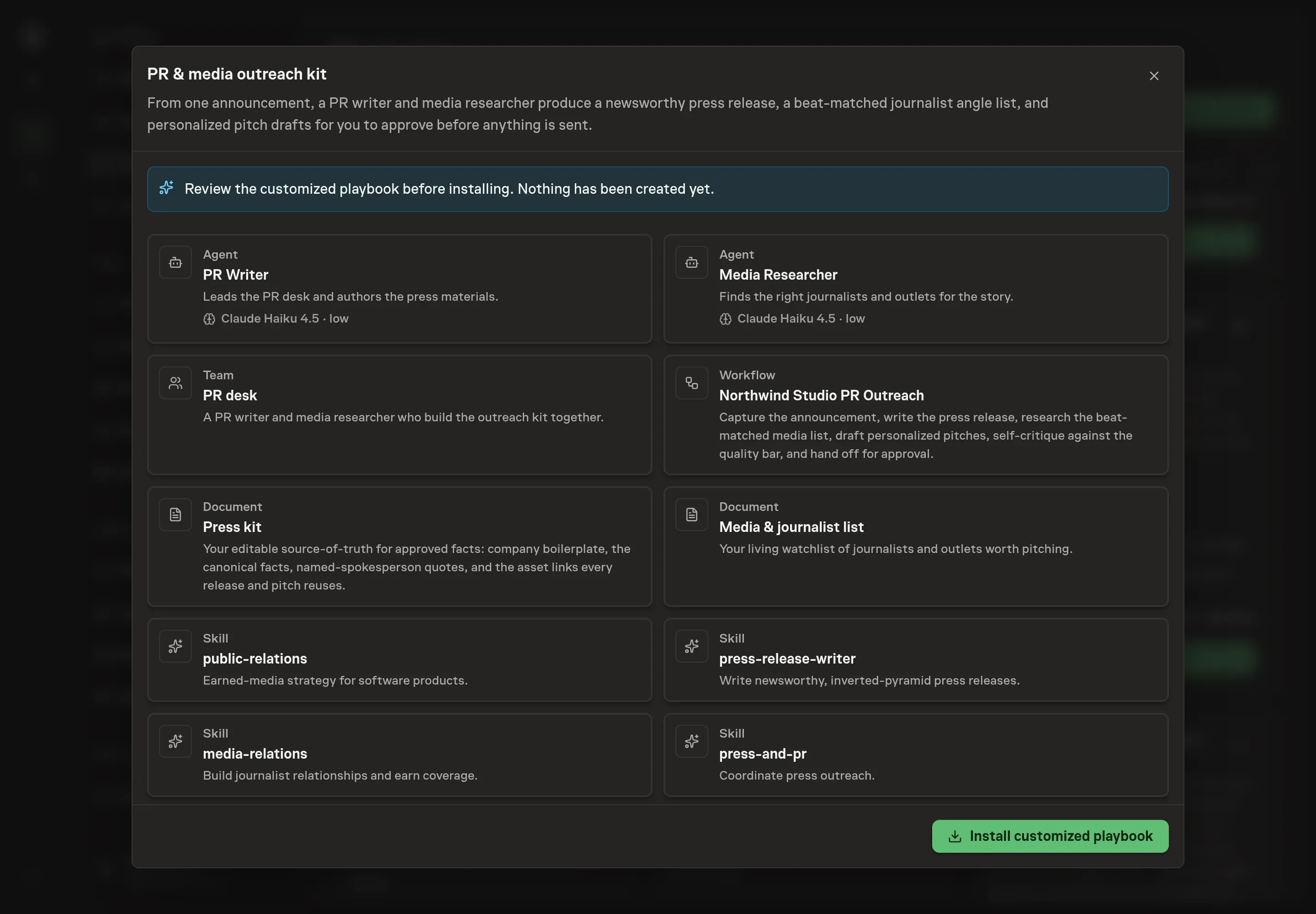
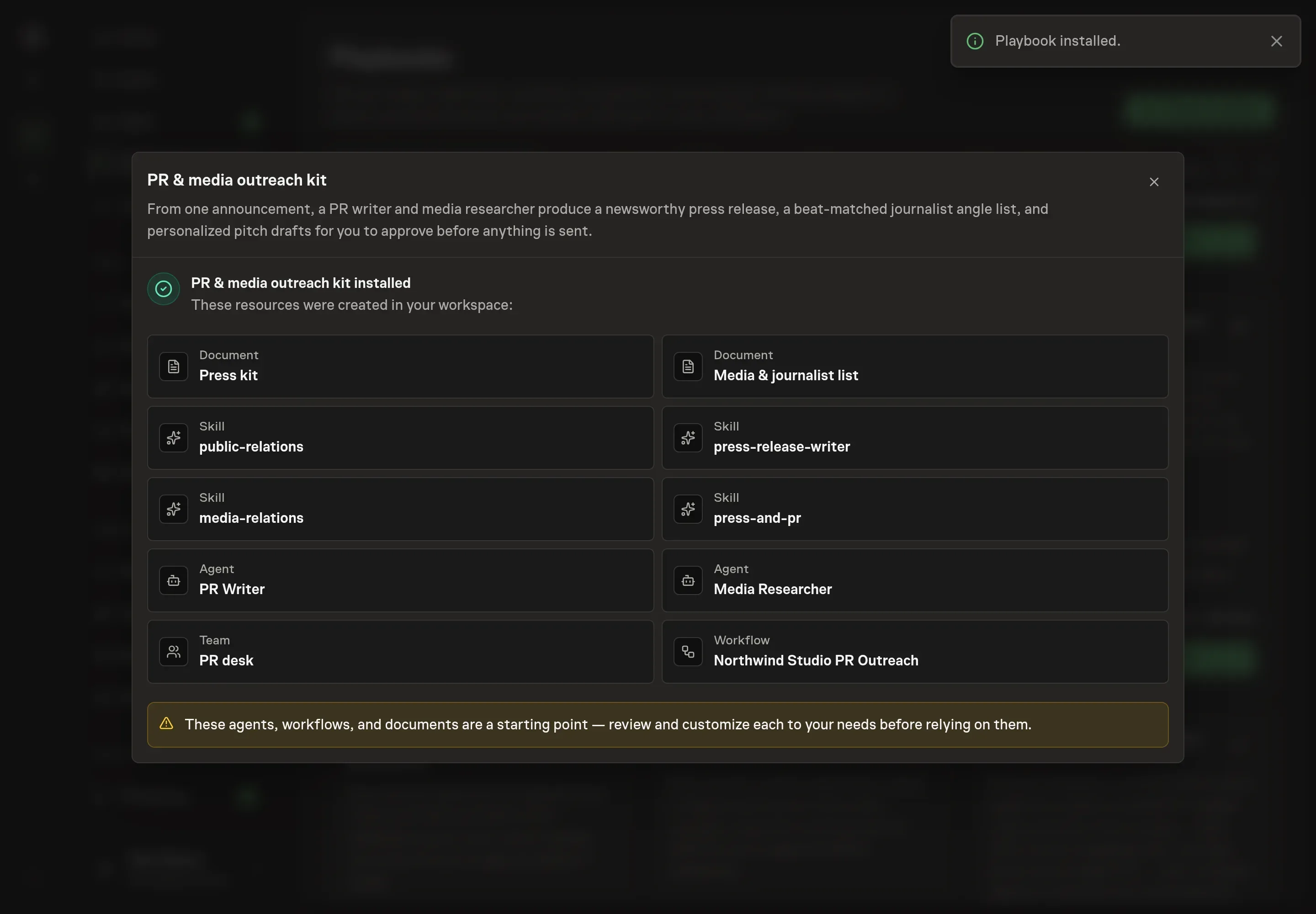
Ask the Agent to generate the Playbook from the agreed brief. Open its proposal in Chat and check the instructions and resources it will install, which carry more detail than the conversational summary. Read the customized workflow cards before install: the story gate should happen first, the release should precede media research, the researcher should capture recent relevant work per journalist, and the final node should be an approval. Ask for a revised proposal if anything is missing or changes the job.
5. Approve and prepare the first work
Choose Approve on the proposal in Chat when the configuration matches your brief. Task Machine installs that reviewed configuration. The approved item retains its review details. If your autonomy settings allow direct installation, this approval may not be required. Check the resulting configuration in that case too.
Complete any remaining secure service setup from the installation details in Chat. Inbox keeps those setup items available if you return later. Prepare the source documents and inputs before starting the first Task or Workflow. Installation does not authorize sending, publishing or changing an external service beyond the boundaries you agreed.
What good looks like
Three checks tell you whether the kit is ready:
- Every contact has a reason to care. A journalist row without a recent relevant piece and a beat-specific angle should not be pitched.
- The release reads like news. The lead answers the 5W1H questions in 25 to 35 words, uses approved facts, and avoids unsupported superlatives.
- The outreach is sequenced. Exclusives are offered one at a time, follow-ups are planned, and the press kit is linked rather than attached.
Common questions
Should a PR kit start with the press release or the media list? Start by gating the story and confirming the facts, then write the release and research the list. The release clarifies the angle, and the list proves whether that angle fits real journalists.
How many journalists should be in the first outreach batch? Small is better. A few Tier 1 targets with recent relevant work are worth more than a long list of outlet names. Expand only after the exclusive sequence and first follow-ups are handled.
Can the agent send pitches automatically? No. The playbook prepares the release, list, and pitches, then waits for human approval. Sending, embargo management, and relationship judgment stay with the owner.
What if the announcement is not newsworthy yet? The workflow should say so before drafting. Strengthen the angle with data, a customer story, a sharper trend connection, or a clearer timing hook before asking anyone for coverage.