How to Build Features With TDD
A practical guide to turning feature specs into failing tests, minimal code, green refactors, and reviewable PRs.

Founder, Task Machine
TDD feature building is the practice of turning a feature spec into tests before production code, then using those tests to drive the smallest implementation that satisfies the acceptance criteria. The important part is not that tests exist by the end. The important part is that each test failed for the right reason before the code was written.
That order protects the team from the most common failure in agent-assisted development: code appears quickly, tests are added afterward, and nobody knows whether the tests prove the behavior or mirror the implementation. A test-first loop makes the spec, edge cases, and review evidence visible.
Why feature work drifts without TDD
Feature specs usually look clear until implementation starts. Acceptance criteria hide edge cases. Existing code has conventions the spec does not name. A coding agent can produce a plausible patch fast, but speed creates risk when no one saw a failing test describe the behavior first.
The drift shows up late: a PR with broad changes, tests that passed immediately, missing error cases, and a description that says what changed without proving why it is correct. Reviewers then have to reverse-engineer the spec from the diff. That is slow work, and it misses regressions.
What the manual process looks like
A disciplined human TDD loop has a clear ritual:
- Read the feature brief and acceptance criteria.
- Map the files and conventions before writing code.
- Break the feature into bite-sized steps, each with its own behavior and test.
- Write one minimal failing test and run it.
- Confirm the failure is the expected failure, not a setup error.
- Write the smallest code that makes it pass, then refactor only while green.
- Repeat for error and boundary cases, run the full suite once, and draft the PR.
It is a dull ritual, and it separates a patch that looks done from a patch whose behavior is locked in.
What an agent can automate
The Feature development & testing playbook turns that ritual into a controlled workflow:
- Plan from the spec. The agent scope-checks the feature, maps the touched files, and turns the spec into a bite-sized plan with no placeholder steps.
- Translate criteria into tests. Each acceptance criterion becomes a behavioral test, including important error and boundary cases.
- Verify red before green. The agent runs each new test and confirms it fails for the right reason before touching production code.
- Implement minimally. It writes the smallest code that passes, avoids speculative options, and refactors only after the tests are green.
- Prepare review evidence. It runs the full suite once at the end, self-reviews against the spec, and drafts a PR that names the tests covering each criterion.
The agent is doing engineering labor, not making the merge decision. The workflow stops at approval.
The guardrails that make it safe
The hard rule is simple: no production code without a failing test first. If production code appears ahead of its test, the agent must delete it and re-implement from the test. Exceptions such as generated code, config, or throwaway prototypes require a human decision.
The second guardrail is failure verification. A test that passes instantly proves nothing. A test that errors because the setup is broken also proves nothing. The workflow forces the agent to watch the test fail for the behavior it is meant to protect.
The final guardrail is the PR approval step. The agent drafts the PR and lists the coverage, but a human reviews the feature, the tests, and the proof that the suite is green before anything merges.
Set it up in Task Machine
The Feature development & testing playbook provides a starting point for the method above. You need an active Task Machine workspace with Chat, workspace-management and Playbook-installation access (workspace owners have it). Repository access can be connected after install. Until then, the agent works from code and context attached to the run and drafts the PR for you to open.
1. Find the playbook
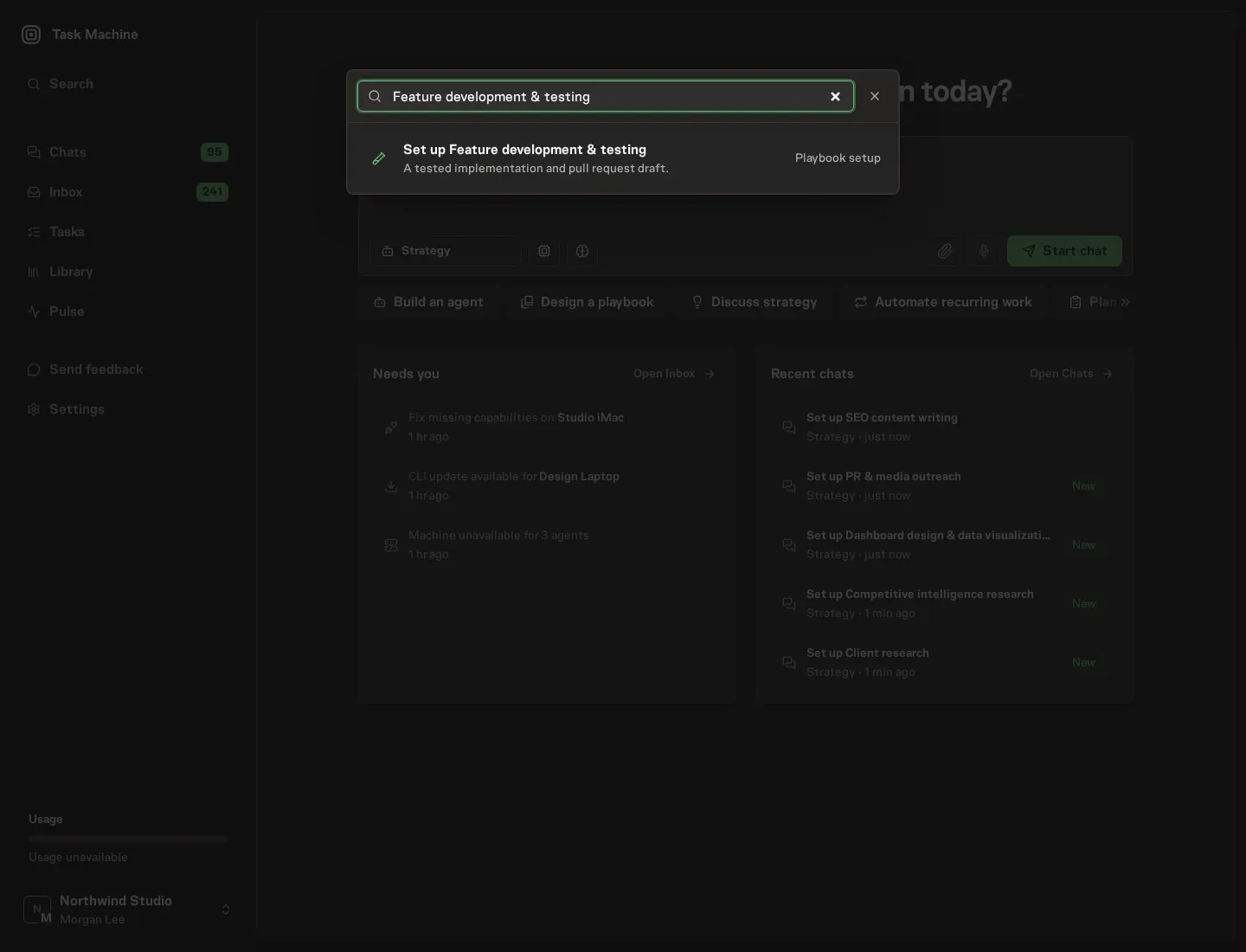
Open Search in your workspace and enter "Feature development & testing". The command center lists Set up Feature development & testing under Playbook setup.
2. Start the conversation
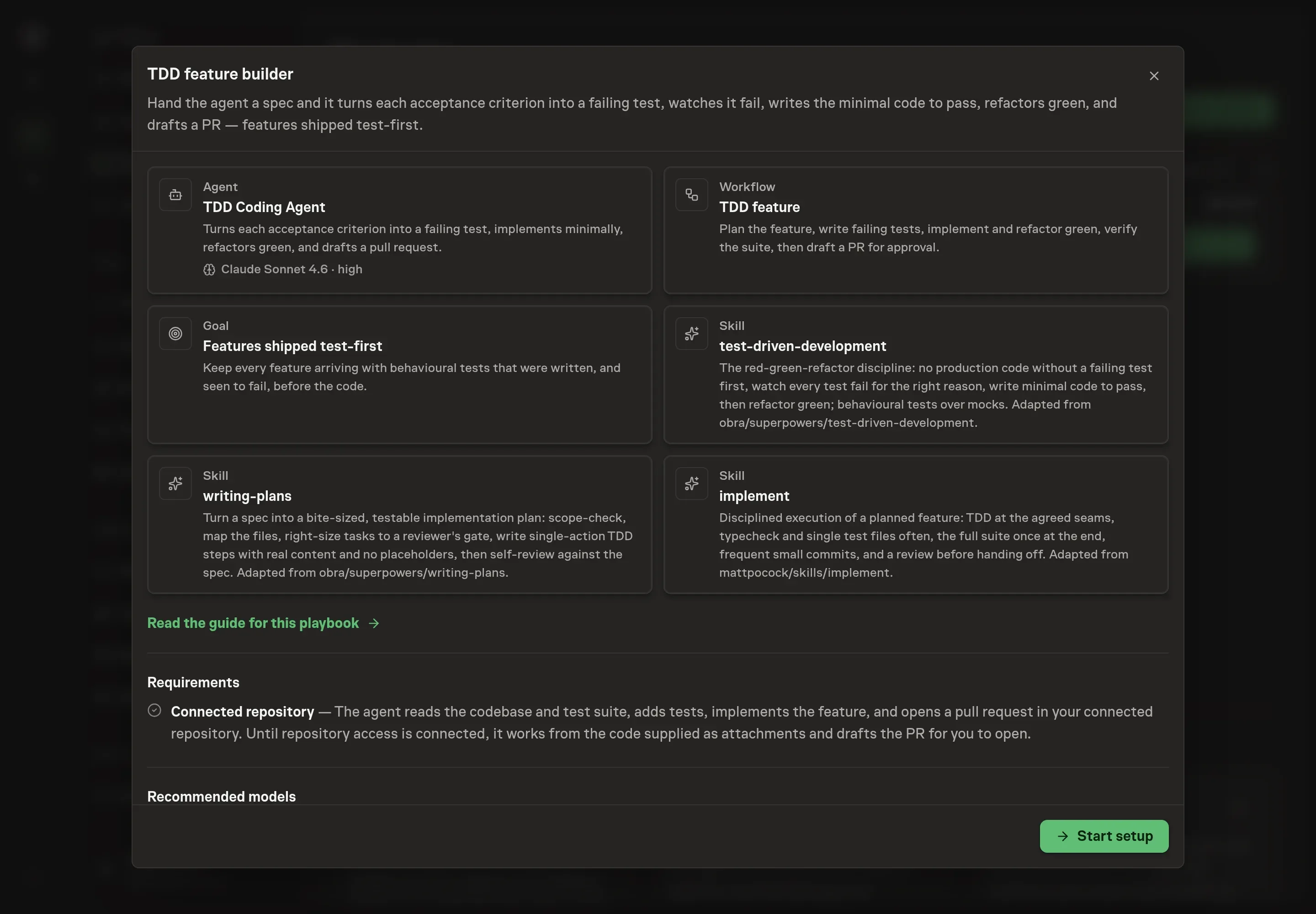
Choose Set up Feature development & testing. Task Machine opens a dedicated Chat with the Playbook card and an editable, unsent request. Read the intended job and outcome, add your situation, and send it when ready. Opening the draft does not install anything or start work. This walkthrough uses settings that require approval of the proposed Playbook.
3. Agree the working brief
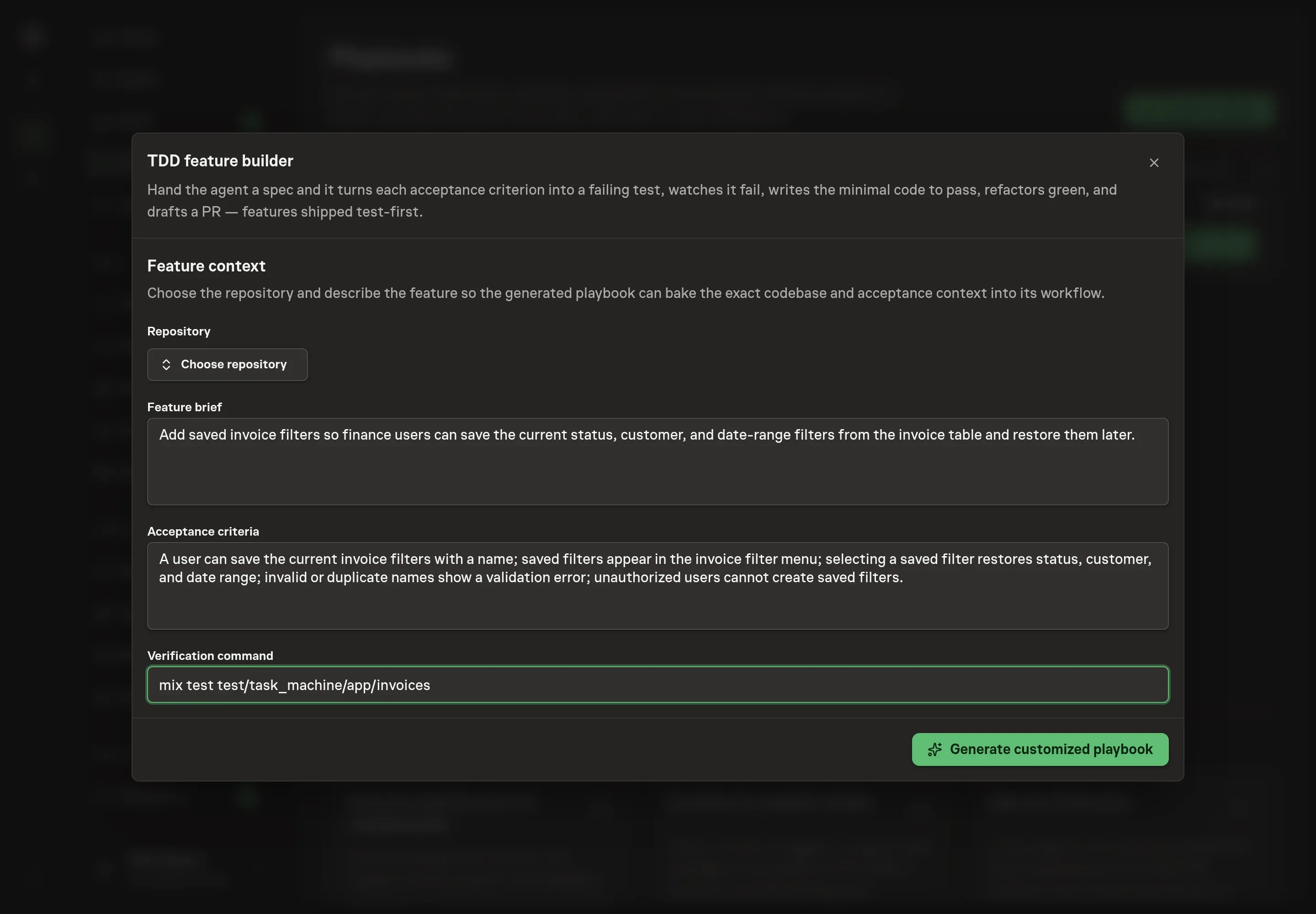
Use Chat to agree the inputs, expected output and limits before asking for a proposal. The Agent needs the repository, feature brief, acceptance criteria, and verification command. Repository access can remain pending during the initial discussion if you plan to connect it later, but the feature brief and acceptance criteria should be concrete enough for tests.
4. Review the proposed Playbook
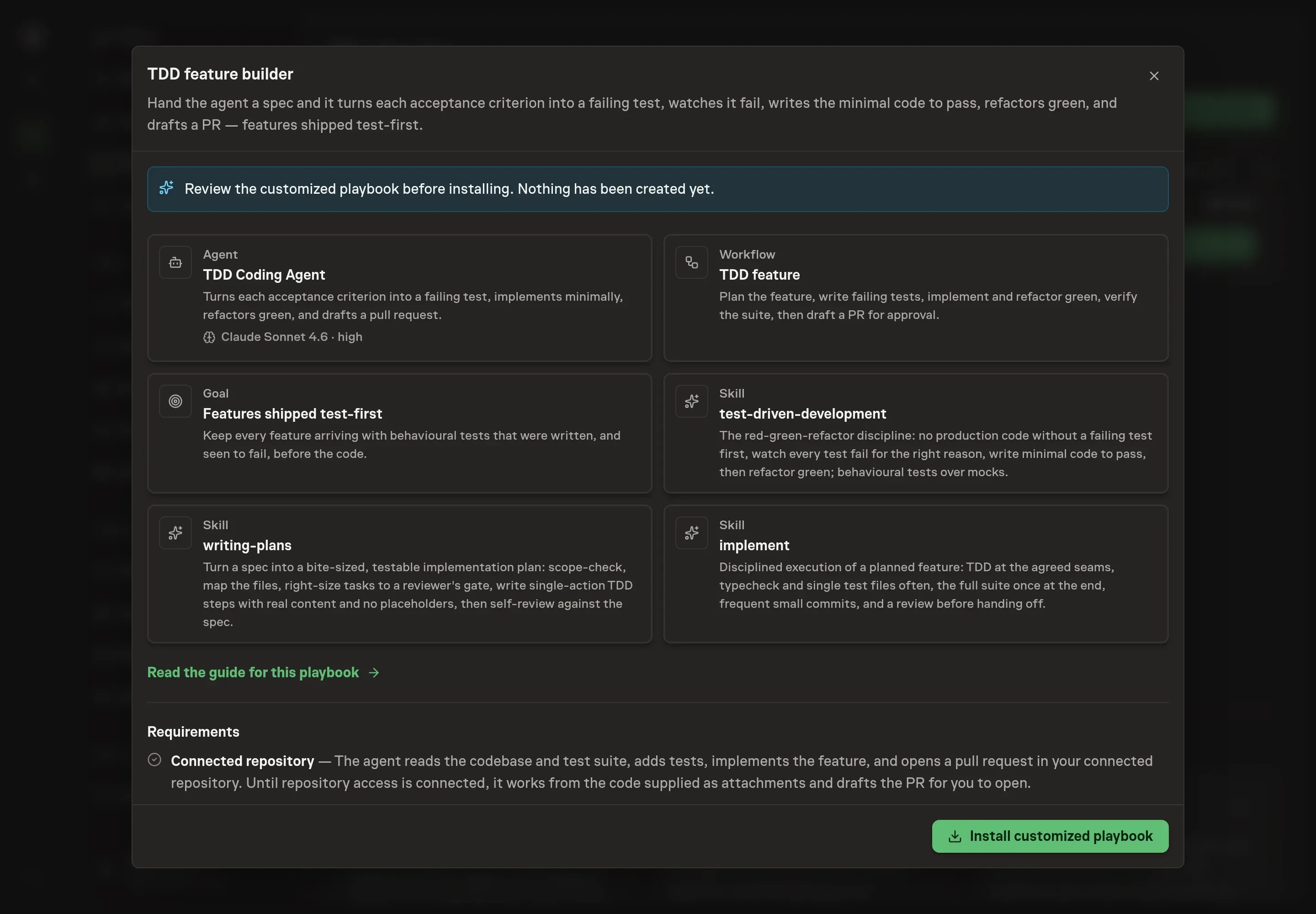
Ask the Agent to generate the Playbook from the agreed brief. Open its proposal in Chat and check the instructions and resources it will install, which carry more detail than the conversational summary. Review the generated playbook for the iron law, failure verification, edge-case coverage, full-suite check, PR draft, and human approval gate. Ask for a revised proposal if anything is missing or changes the job.
5. Approve and prepare the first work
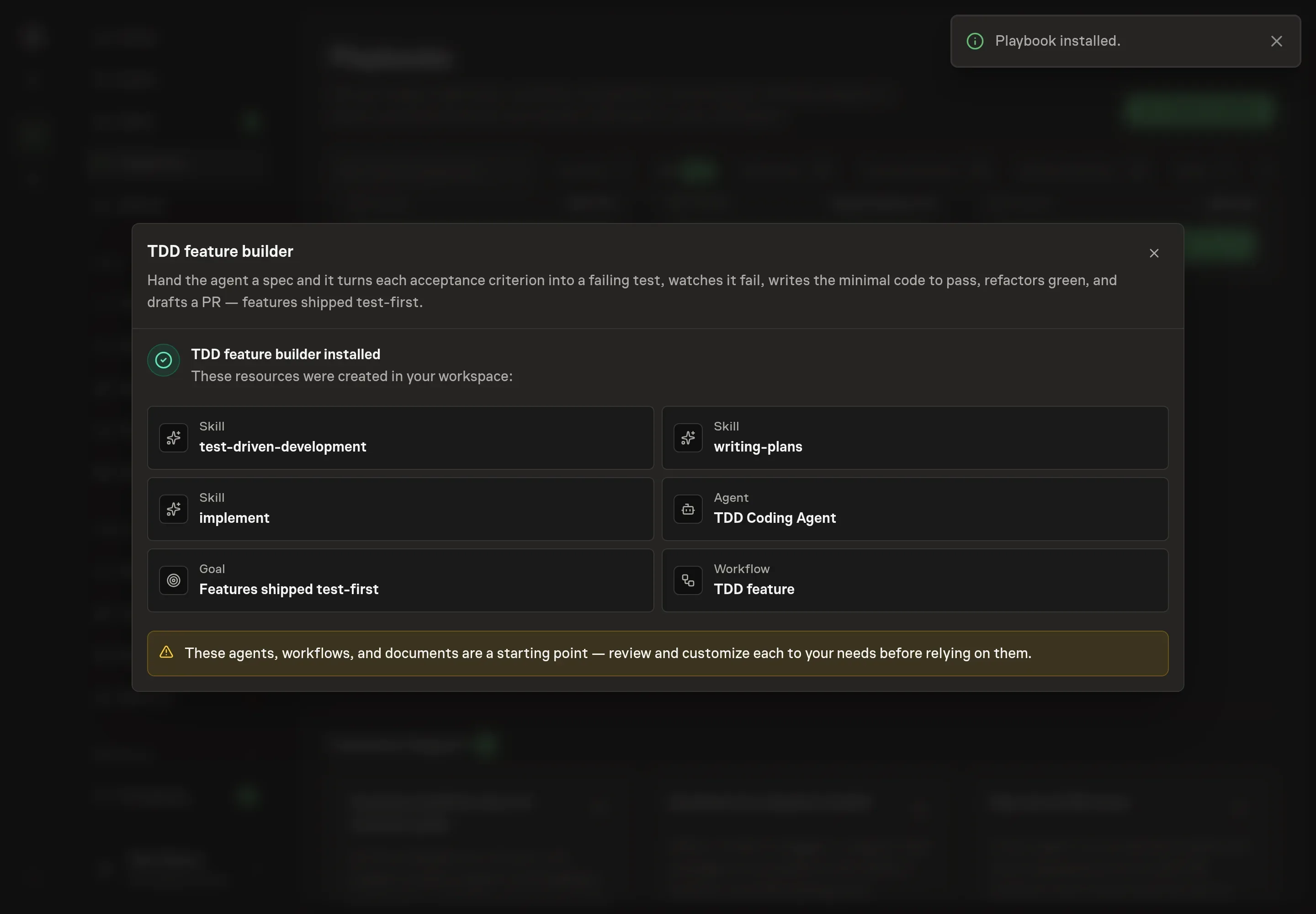
Choose Approve on the proposal in Chat when the configuration matches your brief. Task Machine installs that reviewed configuration. The approved item retains its review details. If your autonomy settings allow direct installation, this approval may not be required. Check the resulting configuration in that case too.
Complete any remaining secure service setup from the installation details in Chat. Inbox keeps those setup items available if you return later. Prepare the source documents and inputs before starting the first Task or Workflow. Installation does not authorize sending, publishing or changing an external service beyond the boundaries you agreed.
What good looks like
The workflow is healthy when these are true:
- Every acceptance criterion has a behavioral test. The PR description maps criteria to tests instead of saying "tests added" in bulk.
- Each new test was seen red first. The failure reason matches the behavior being protected.
- The suite is green once at the end. Short loops run during the work, and the full test suite runs before the PR is handed off.
Common questions
Can this run without repository access? Yes. The agent can work from attached code and context, then draft the PR for you to open. Connecting repository access lets it read the codebase and prepare the PR in place.
What if a test passes as soon as it is written? That usually means the test describes existing behavior or the wrong behavior. The agent should revise the test until it fails for the intended reason before implementing.
Does the agent merge the PR? No. The workflow drafts the PR and waits for human approval. Merge remains a human decision.
Does TDD slow down small features? It adds a visible test loop, but it removes review ambiguity. For agent-built features, that tradeoff is usually worth it because the reviewer gets behavior evidence instead of only a diff.