How to Build Landing Pages With an Agent
A practical guide to building reviewed landing pages from briefs, design plans, accessibility checks, and approval.

Founder, Task Machine
Landing page building is the process of turning an offer, audience, and conversion goal into a page a real visitor can understand and act on. A useful agent-built page is not a generic layout with new copy. It has a subject-specific design direction, real content, responsive behavior, accessible states, and a review step before shipping.
The work matters because landing pages are easy to draft and hard to make trustworthy. A page can look finished while hiding weak hierarchy, vague copy, poor contrast, broken mobile layout, or a design that could belong to any other product.
Component-first landing pages look like every other page
Landing pages become generic when the build starts with components instead of a point of view. The agent chooses a familiar centered hero, a safe color palette, stock sections, and placeholder wording. The page looks like a page, but it does not express the offer.
The bundle's method starts with a design plan. It pins the subject, audience, single job, token system, layout, and one signature element before building. Then it audits the result for accessibility, keyboard focus, contrast, motion, responsiveness, states, and React performance before approval.
What the manual process looks like
Done by hand, a serious landing-page build has a clear sequence:
- Define the offer, target audience, and conversion goal.
- Read existing brand materials, repository tokens, components, and page patterns where they exist.
- Draft a compact design plan: color, type, layout, motion, and the one memorable element.
- Critique the plan for generic choices before writing code.
- Build the page or interactive artifact with real content and responsive behavior.
- Audit accessibility, focus, contrast, motion, empty and error states, and performance.
- Revise, remove one unnecessary decoration, and hand the page to a human for approval.
The missed step is often critique. Without it, the page inherits the agent's defaults instead of the subject's needs.
What an agent can automate
An agent can handle the design and implementation loop while a human keeps control over brand and shipping:
- Pin the page brief. The agent names the subject, audience, and single job before it designs.
- Reuse existing code where connected. If a repository is available, it reads existing tokens and components instead of inventing a parallel system.
- Plan before building. It creates a token and layout plan, critiques the plan, and revises default-looking choices before writing code.
- Build the artifact. It uses React, TypeScript, Tailwind, and component primitives for interactive work, or semantic HTML and CSS when a simpler page is better.
- Audit and revise. It checks accessibility, keyboard and focus behavior, contrast, motion, responsiveness, states, waterfalls, bundle size, and re-render risk, then fixes issues before approval.
The agent prepares a page or pull request. The human approves the page and decides whether to ship it.
The guardrails that make it safe
The first guardrail is the design plan. It gives the reviewer something to judge before code exists: palette, typography, layout, signature element, and rationale tied to the offer.
The second guardrail is self-critique. The agent reports design and implementation findings, fixes them, and removes one accessory that does not serve the brief. If shipping touches a connected repository, the workflow prepares a pull request but never merges it without human approval.
Set it up in Task Machine
The Landing page design & development playbook provides a starting point for the method above. You need an active Task Machine workspace with Chat, workspace-management and Playbook-installation access (workspace owners have it). A connected repository lets the agent reuse tokens and prepare a pull request. Without one, it still delivers a self-contained artifact draft for review.
1. Find the playbook
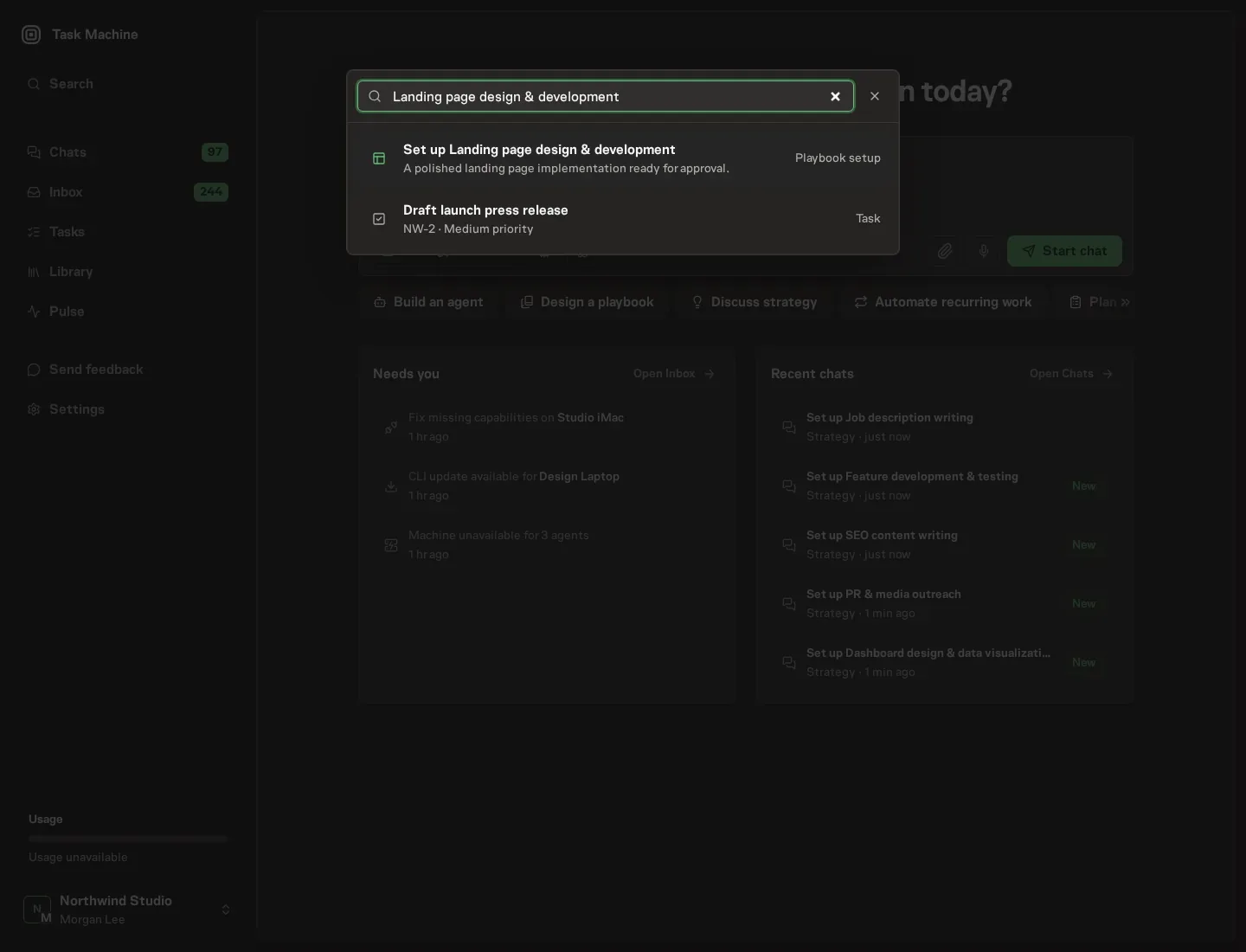
Open Search in your workspace and enter "Landing page design & development". The command center lists Set up Landing page design & development under Playbook setup.
2. Start the conversation
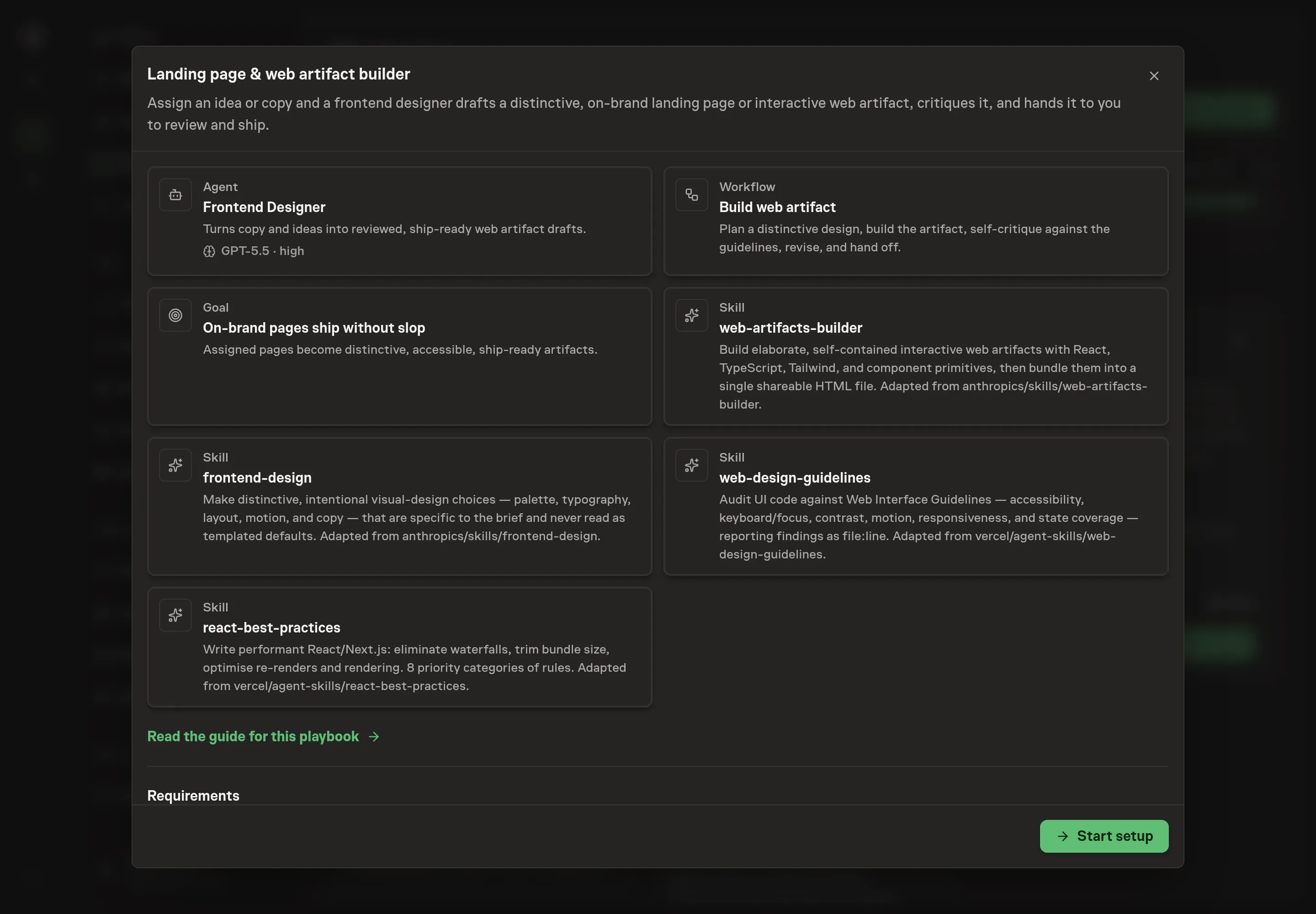
Choose Set up Landing page design & development. Task Machine opens a dedicated Chat with the Playbook card and an editable, unsent request. Read the intended job and outcome. Add your situation and send it when ready. Opening the draft does not install anything or start work. This walkthrough uses settings that require approval of the proposed Playbook.
3. Agree the working brief
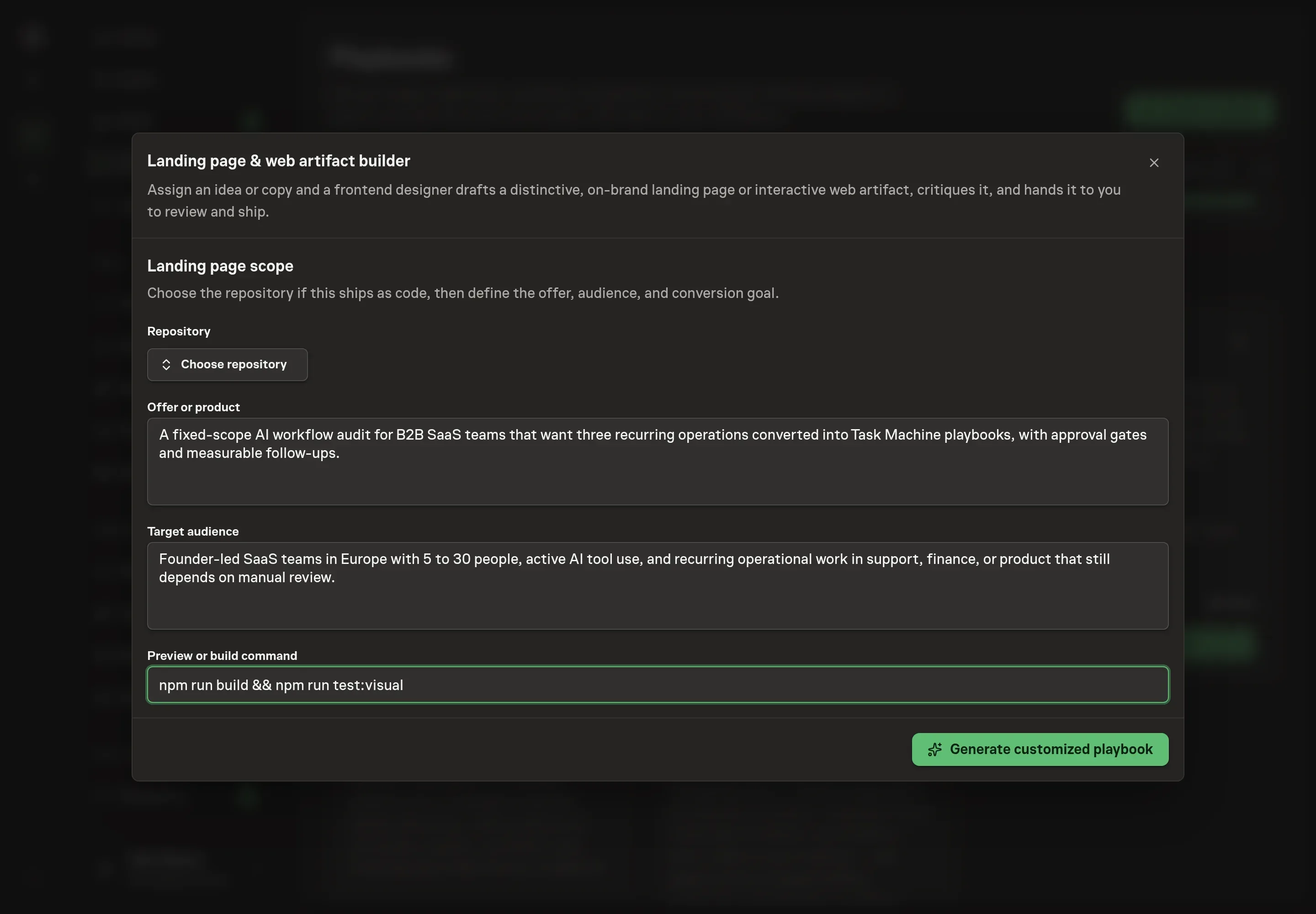
Use Chat to agree the inputs, expected output and limits before asking for a proposal. The Agent needs the repository, offer or product, target audience, and preview or build command. If the page ships as code, choose the repository and provide the command reviewers should use to see the page locally.
4. Review the proposed Playbook
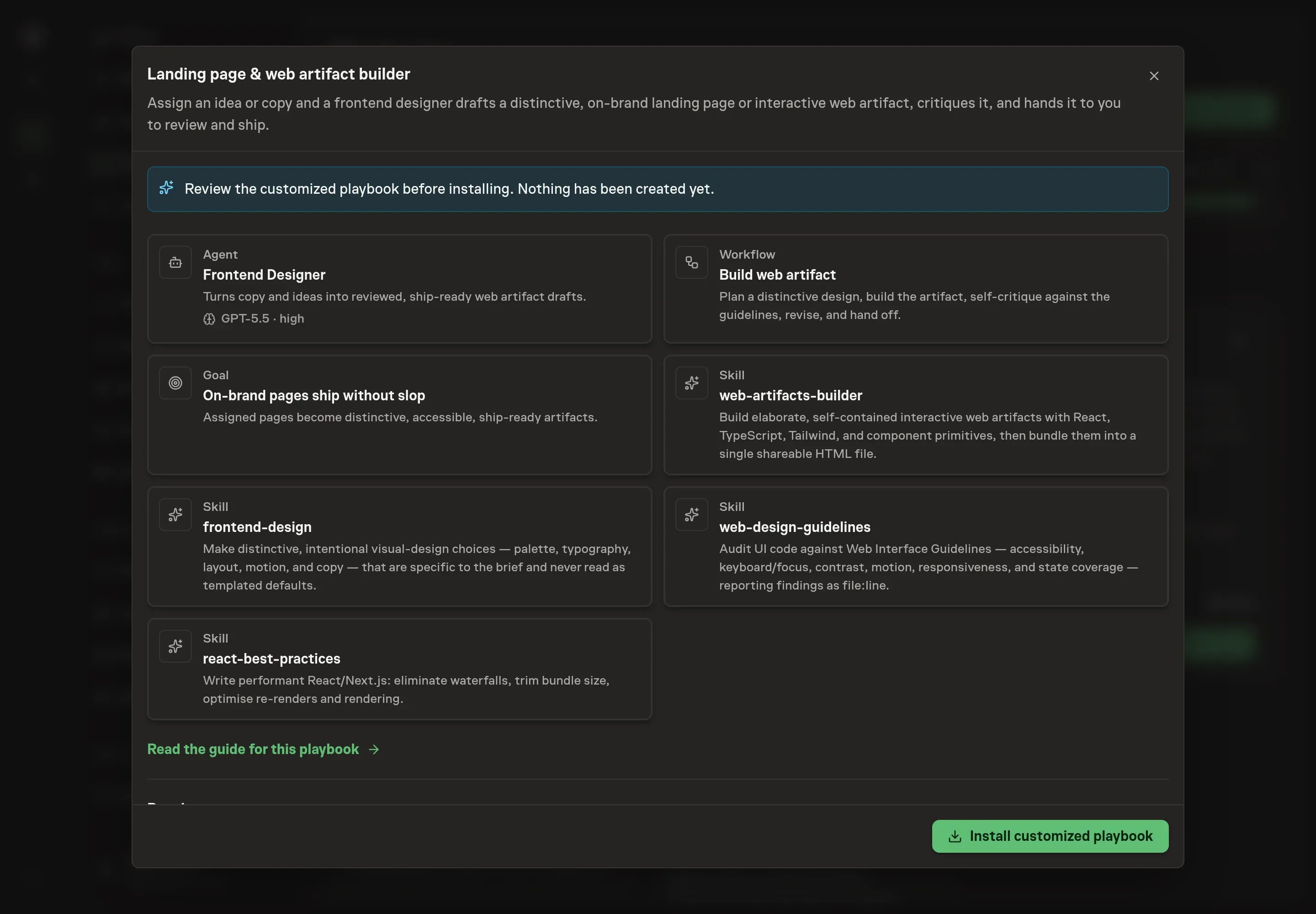
Ask the Agent to generate the Playbook from the agreed brief. Open its proposal in Chat and check the instructions and resources it will install, which carry more detail than the conversational summary. Check that the workflow plans the design, builds the artifact, self-critiques, revises, and waits for approval before anything ships. Ask for a revised proposal if anything is missing or changes the job.
5. Approve and prepare the first work
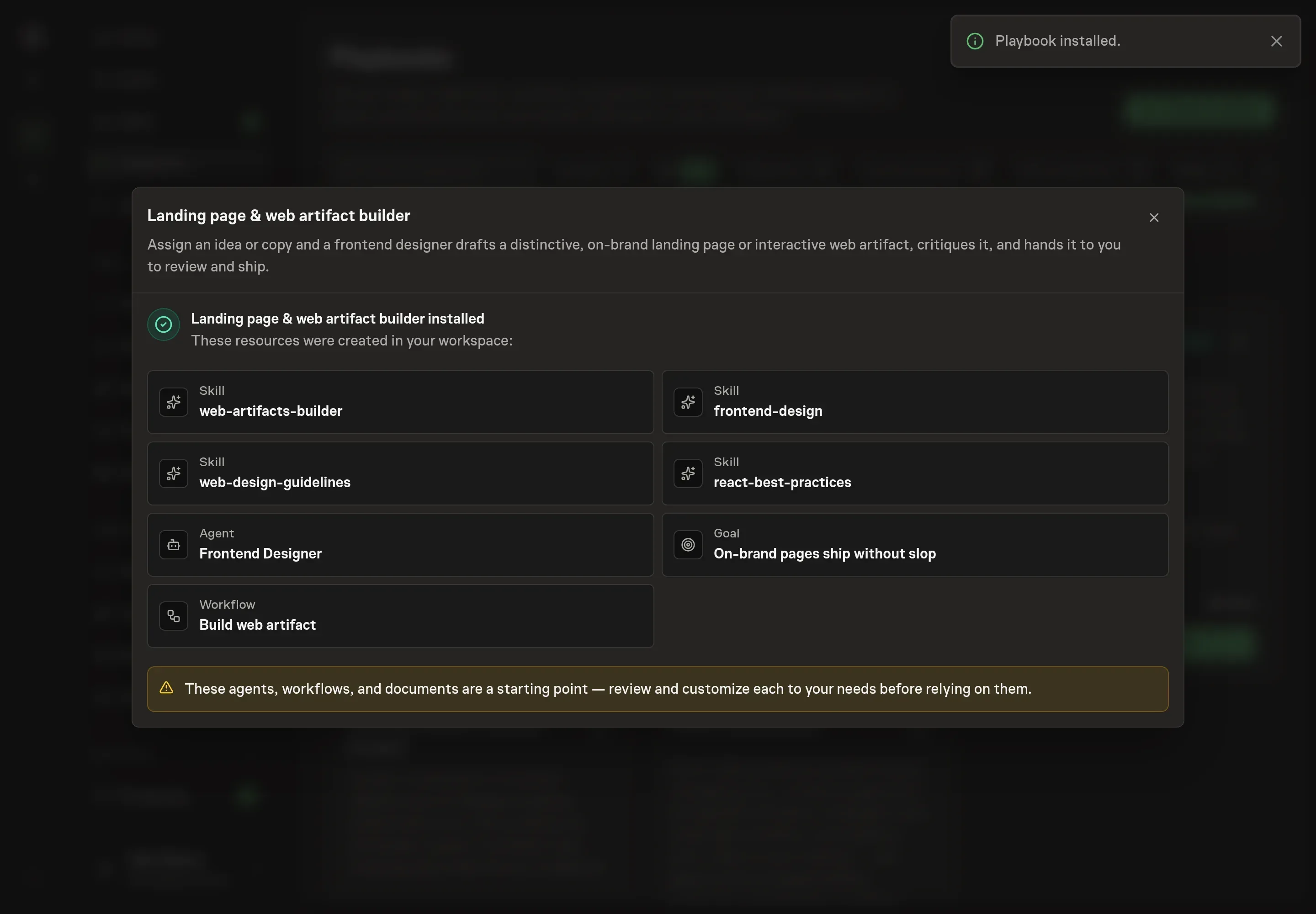
Choose Approve on the proposal in Chat when the configuration matches your brief. Task Machine installs that reviewed configuration. The approved item retains its review details. If your autonomy settings allow direct installation, this approval may not be required. Check the resulting configuration in that case too.
Complete any remaining secure service setup from the installation details in Chat. Inbox keeps those setup items available if you return later. Prepare the source documents and inputs before starting the first Task or Workflow. Installation does not authorize sending, publishing or changing an external service beyond the boundaries you agreed.
What good looks like
A landing page draft is ready for review when it is specific and inspectable:
- The page has one job. The offer, audience, and primary action are clear.
- The design choices fit the subject. Color, type, layout, and motion come from the brief or existing brand system.
- The artifact passes the floor. Responsive layout, contrast, keyboard focus, reduced motion, and states are checked.
- Shipping is reviewable. If code is prepared, it comes with rationale and a preview path, and waits for approval.
Common questions
Can the agent build without a repository? Yes. It can deliver a self-contained artifact draft. A repository is needed when the approved page should land as code in an existing app.
Does it always use React? No. The bundle prefers React, TypeScript, and Tailwind for interactive work, but a simple page can be better as semantic HTML and CSS.
Can it merge the page automatically? No. It can prepare a pull request when a repository is connected, but the human decides whether to ship.
What makes this different from asking a chat tool for a page? The workflow includes a design plan, critique, implementation, accessibility and performance audit, revision, and approval record rather than a one-off draft.