How to Build Mobile App Features With an Agent
A practical guide to assigning mobile features to an agent while preserving native UX, performance checks, and review-ready delivery.

Founder, Task Machine
Mobile app feature development is the work of changing an iOS, Android, React Native, Expo, Flutter, Swift, or Kotlin app while respecting the platform it runs on. A feature is not finished because the happy path renders. It must handle safe areas, gestures, keyboard behavior, offline states, lifecycle changes, list performance, permissions, and the build or simulator path the team uses.
Agents can help with mobile work when the assignment is scoped and the verification path is explicit. They perform poorly when "make this screen" is treated like responsive web work and the mobile constraints are left for review.
Mobile bugs hide in context the issue missed
Mobile bugs often come from context the issue did not name. A list works with five rows and janks with five hundred. A modal ignores safe areas. A keyboard covers the submit button. A feature works online but loses state after backgrounding. A React Native change passes TypeScript but breaks a native module boundary.
Those problems are expensive because they appear late. Reviewers then have to reconstruct the platform rules, run the app, test device states, and decide whether the implementation fits the product. A better process makes the platform bar part of the assignment.
What the manual process looks like
Done by hand, a mobile feature assignment should follow a specific ritual:
- Identify the repository, stack, target platforms, navigation model, state system, styling system, and build commands.
- Turn the feature request into platform-specific behavior: loading, empty, error, offline, retry, permission, keyboard, gesture, and background states.
- Implement using existing app conventions rather than importing web assumptions.
- Verify on the supported simulator, device, Expo path, or test command.
- Draft a PR that names platforms covered, states tested, commands run, and remaining device or store caveats.
The important detail is that the review checklist is not separate from the build. Mobile quality has to be described before implementation starts.
What an agent can automate
The agent is useful when it has the repository and the platform contract:
- Read the app before changing it. It inspects navigation, state management, styling, native modules, data fetching, build setup, and tests before choosing an implementation path.
- Implement platform states. It treats safe areas, gestures, keyboard behavior, permissions, loading, error, retry, and offline handling as part of the feature, not polish.
- Respect performance constraints. It checks list virtualization, startup cost, animation thread behavior, memory leaks, and bridge or native-module boundaries where the stack makes them relevant.
- Prepare review evidence. It runs the documented verification command when available and drafts a PR with platform coverage notes.
Judgment stays with the human reviewer. The agent turns a scoped mobile assignment into a reviewable change.
The guardrails that make it safe
Mobile agents should not publish builds, submit to stores, or ship updates without approval. The safe boundary is a connected repository, a clear feature spec, a verification command, and a review-ready PR.
The workflow should also record what the agent could not verify. If the simulator path is missing, a native dependency blocks local execution, or a store policy question comes up, the agent should say that in the PR rather than hiding uncertainty behind a green code check.
Set it up in Task Machine
The Mobile app development playbook provides a starting point for the method above. You need an active Task Machine workspace with Chat, workspace-management and Playbook-installation access (workspace owners have it). You also need a connected mobile or cross-platform repository and the build, simulator, or verification command the agent should use.
1. Find the playbook
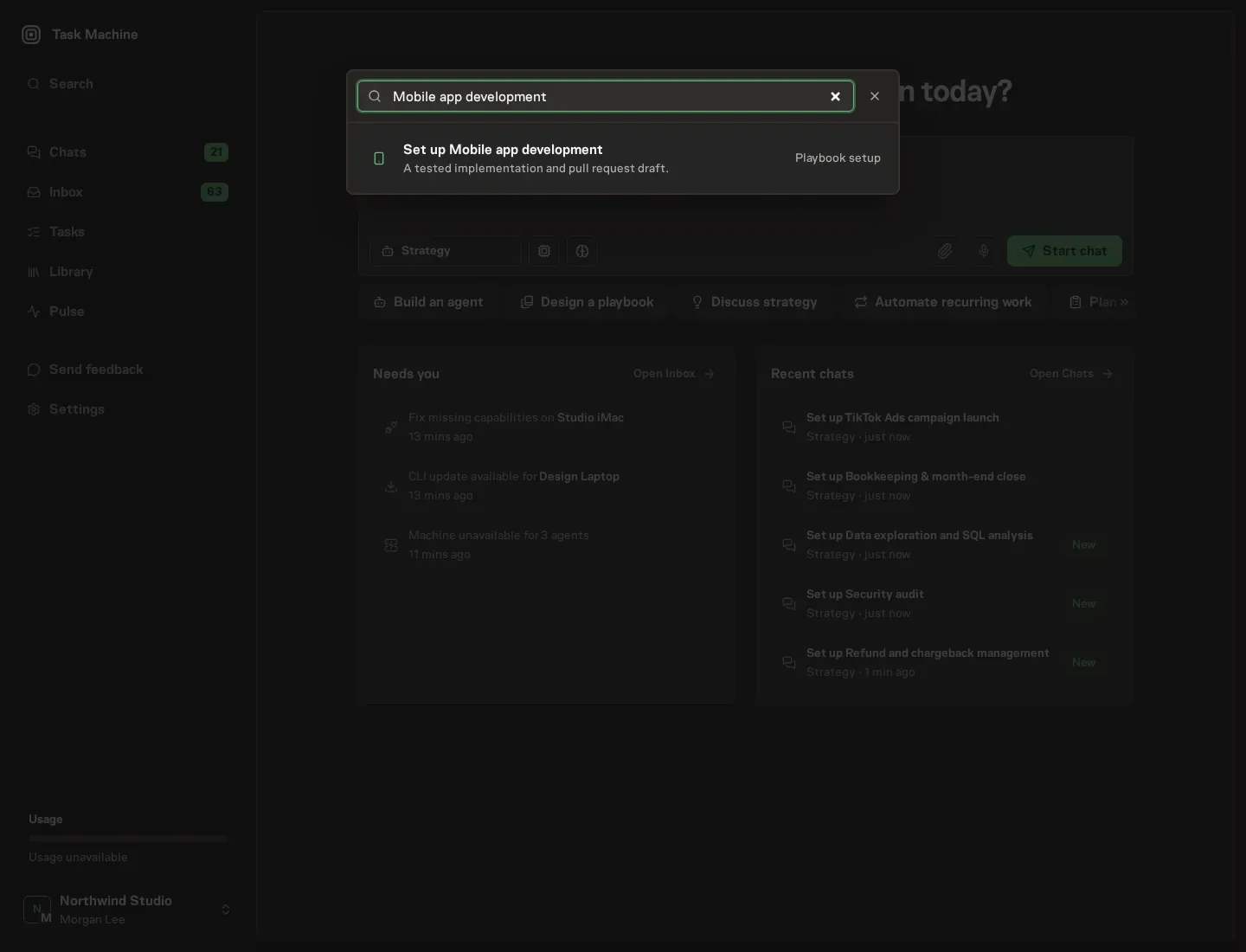
Open Search in your workspace and enter "Mobile app development". The command center lists Set up Mobile app development under Playbook setup.
2. Start the conversation
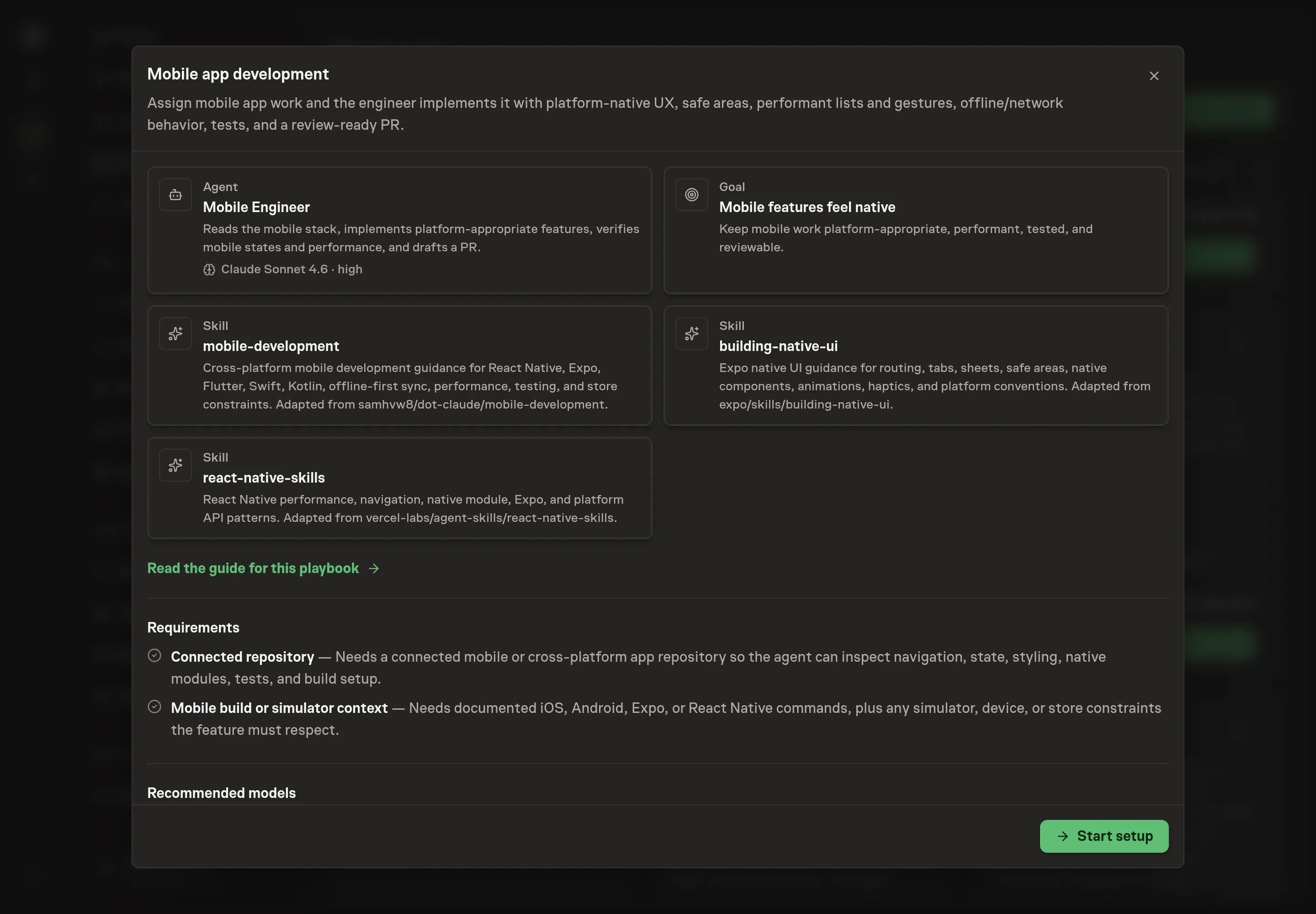
Choose Set up Mobile app development. Task Machine opens a dedicated Chat with the Playbook card and an editable, unsent request. Read the intended job and outcome. Add your situation and send it when ready. Opening the draft does not install anything or start work. This walkthrough uses settings that require approval of the proposed Playbook.
3. Agree the working brief
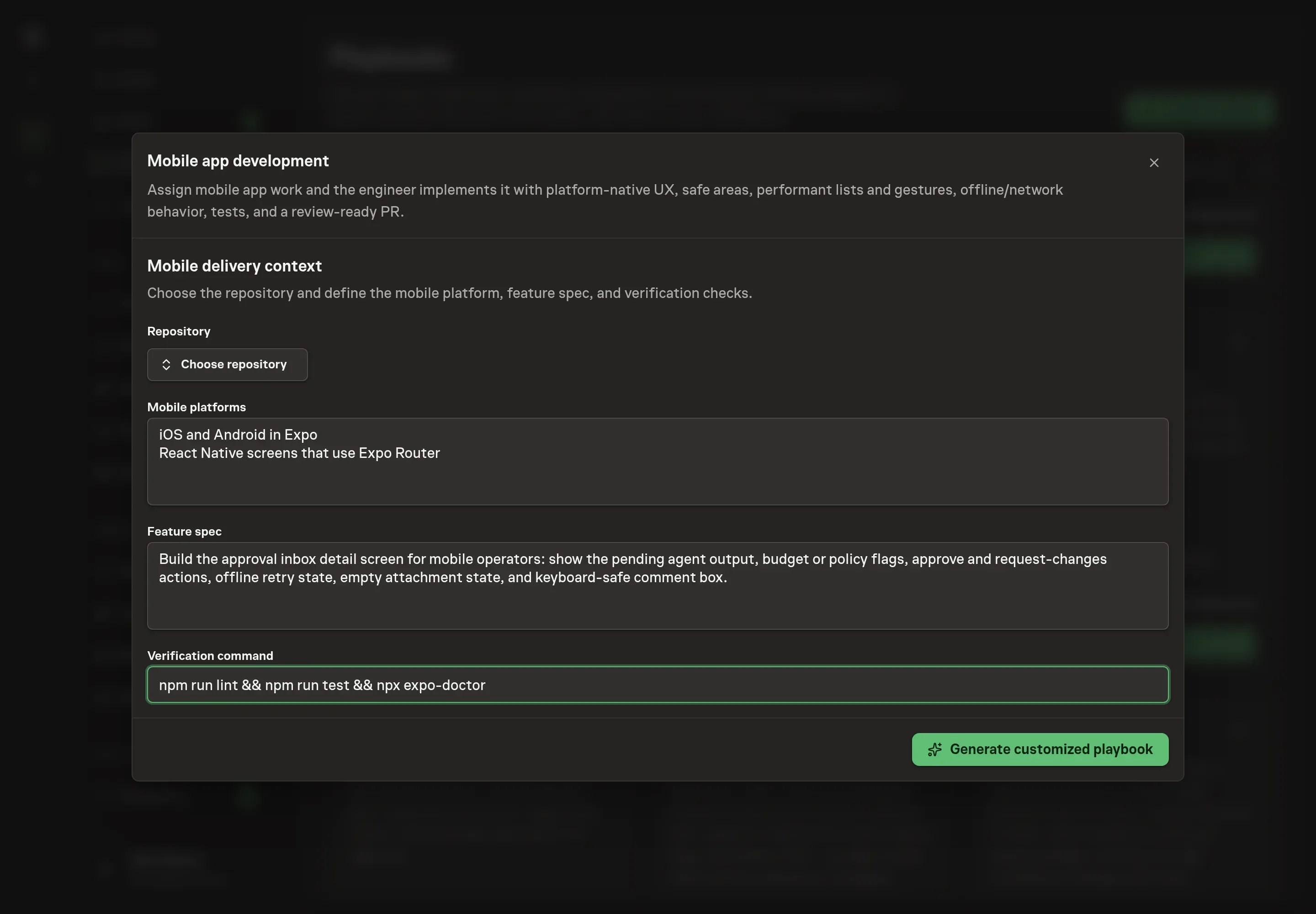
Use Chat to agree the inputs, expected output and limits before asking for a proposal. The Agent needs the repository, mobile platforms, feature spec, and verification command. Name the platform explicitly, such as iOS and Android in Expo, instead of saying "mobile". The feature spec should include the user state, offline or retry behavior, and the screen or flow that owns the change.
4. Review the proposed Playbook
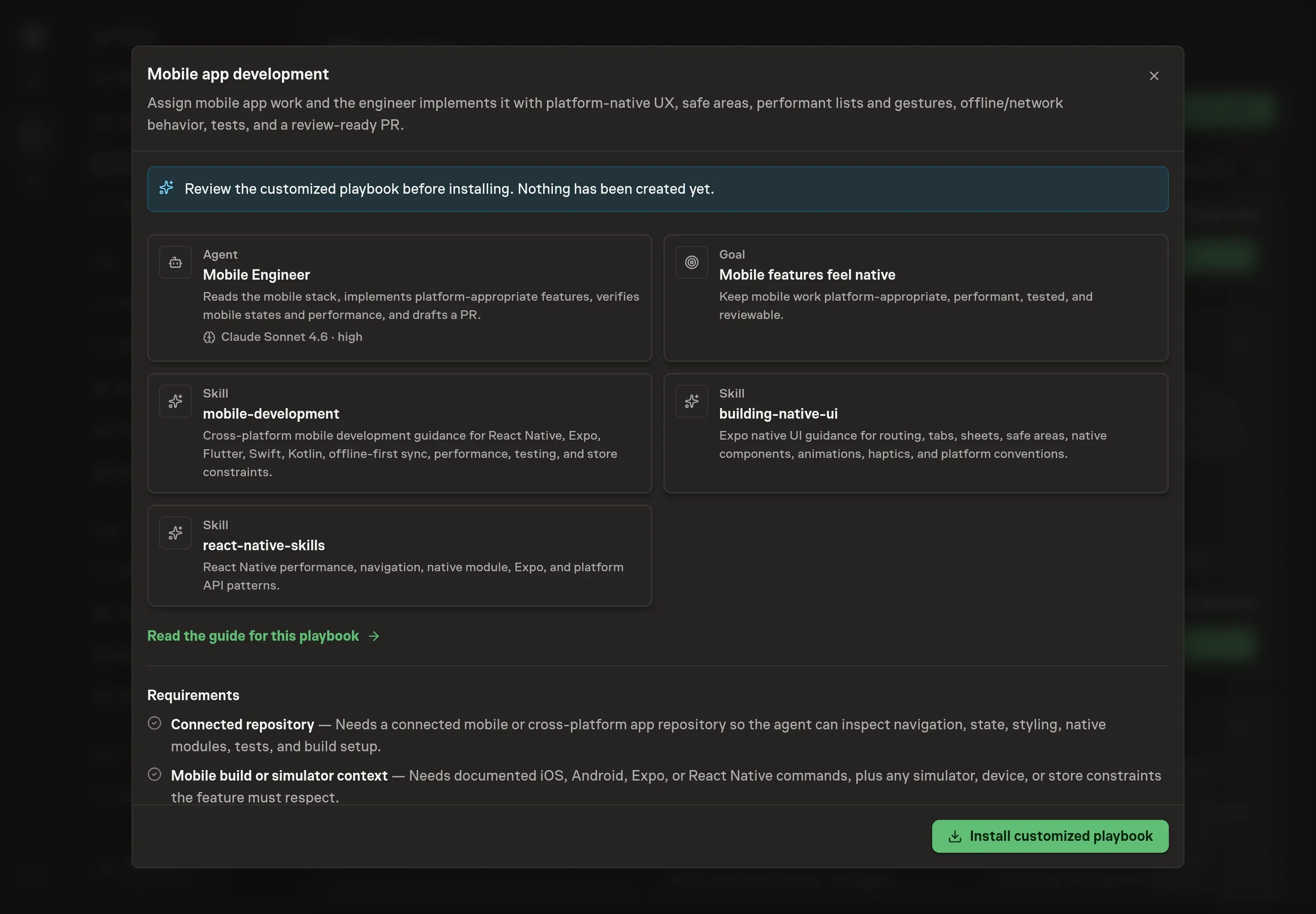
Ask the Agent to generate the Playbook from the agreed brief. Open its proposal in Chat and check the instructions and resources it will install, which carry more detail than the conversational summary. Confirm the repository context is correct, the platforms are named, and the verification command is included. If the command is missing, the first assignment should ask the agent to inspect and propose one before making a risky change. Ask for a revised proposal if anything is missing or changes the job.
5. Approve and prepare the first work
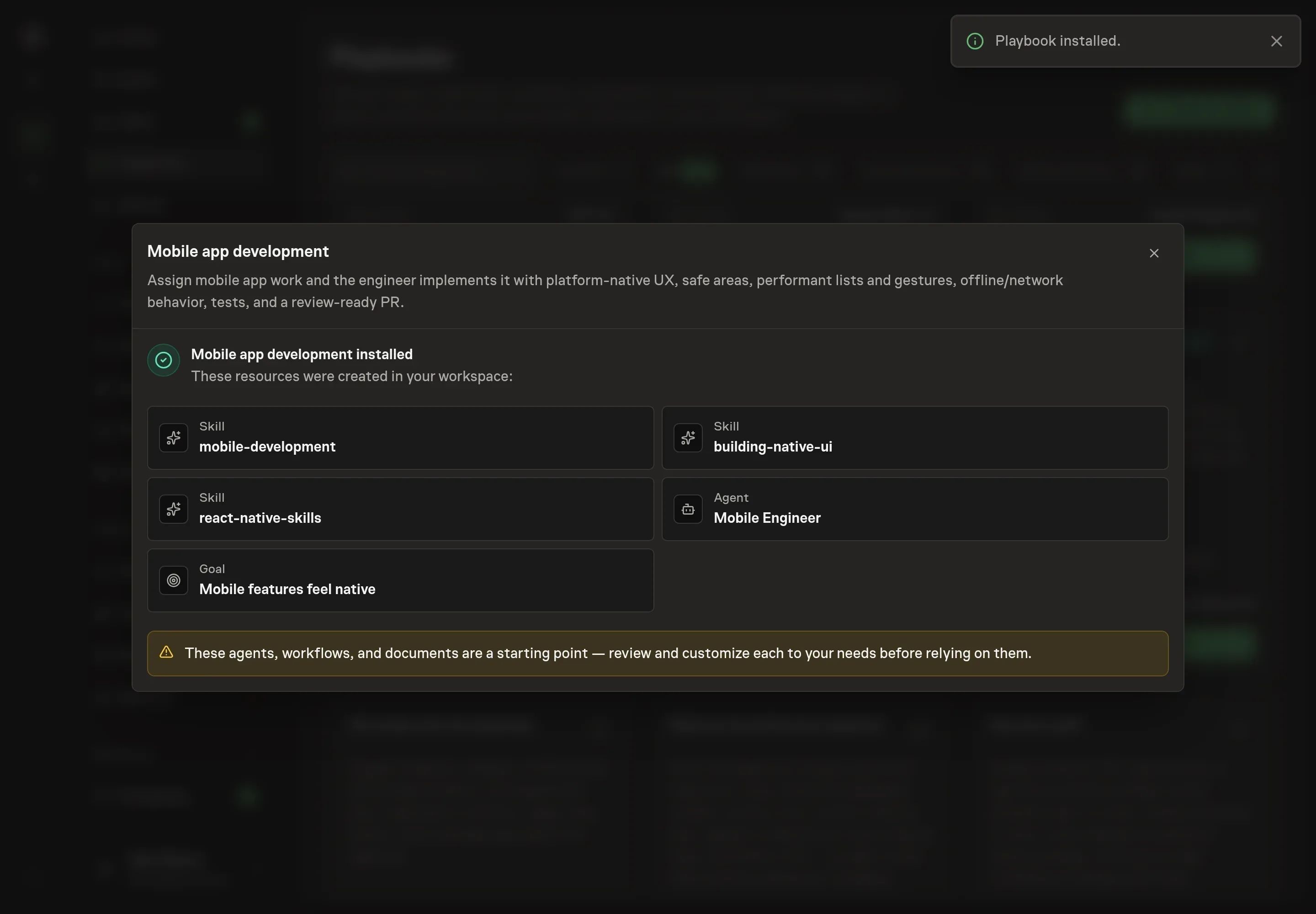
Choose Approve on the proposal in Chat when the configuration matches your brief. Task Machine installs that reviewed configuration. The approved item retains its review details. If your autonomy settings allow direct installation, this approval may not be required. Check the resulting configuration in that case too.
Complete any remaining secure service setup from the installation details in Chat. Inbox keeps those setup items available if you return later. Prepare the source documents and inputs before starting the first Task or Workflow. Installation does not authorize sending, publishing or changing an external service beyond the boundaries you agreed.
What good looks like
Good mobile agent work is easy to review:
- The PR names platform coverage. It says whether iOS, Android, Expo Go, simulator, device, or only static checks were covered.
- Mobile states are implemented. Loading, empty, error, retry, offline, keyboard, permission, and background behavior are handled where the feature needs them.
- Verification is honest. Commands run, failures, skipped simulator checks, and remaining caveats are listed in the PR.
Common questions
Is this only for React Native? No. The playbook covers iOS, Android, React Native, Expo, Flutter, Swift, Kotlin, and cross-platform mobile work. React Native and Expo get extra guidance when the repository uses them.
Can the agent submit an app-store build? No. The playbook is for implementation and review-ready delivery. Publishing, store submission, and production release require human approval.
What should the feature spec include? Include the user goal, target platforms, affected screen or flow, data states, offline behavior, permissions, performance constraints, and the acceptance checks a reviewer will use.
What if there is no verification command yet? Use the field to say which command should be discovered or proposed. The first task can ask the agent to inspect the repository and recommend the supported mobile check path before implementing the feature.