How to Build Outcome Roadmaps With an Agent
A practical guide to turning goals, bets, constraints, and feature requests into an outcome roadmap with human approval.

Founder, Task Machine
An outcome roadmap is a product roadmap organized around the measurable changes a team wants, not the features it plans to ship. It connects each bet to a customer or business outcome, sequences work by confidence, and makes the reasoning visible enough for stakeholders to challenge.
That matters because feature lists create false certainty. A roadmap that says "build advanced search" hides the real bet. A roadmap that says "help customers find the right item faster so activation improves" gives the team a target, a metric, and room to choose the best implementation.
Feature roadmaps move the argument to the wrong level
Feature roadmaps feel concrete, but they often move the argument to the wrong level. Stakeholders debate dates and scope while nobody checks whether each item ladders up to the strategy, whether the metric is real, or whether several features are trying to solve the same problem.
The cost shows up later as a backlog full of commitments with weak reasoning. Teams ship the item and still do not know whether the outcome moved. Planning becomes a contract about output instead of a communication tool about bets, assumptions, dependencies, and tradeoffs.
What the manual process looks like
Done by hand, outcome-roadmap planning is a product-management ritual:
- Gather company goals, product goals, stakeholder requests, customer problems, technical constraints, and current initiatives.
- Rewrite output-shaped requests into outcome statements: enable a segment to reach an outcome so that a business metric changes.
- Group bets under the outcomes they serve, including the assumption behind each bet.
- Sequence the bets across now, next, and later by confidence and dependencies, not fixed dates.
- Add the not-doing list so the roadmap explains what was cut, deferred, or left as exploration.
- Review the draft for mixed altitudes, missing metrics, untested assumptions, and bets that do not ladder up to a stated goal.
This work is judgment-heavy, but much of the assembly is mechanical. The same checks need to happen every time a roadmap is rewritten.
What an agent can automate
The Outcome-based roadmap planning playbook gives a PM agent a specific method for that assembly work:
- Extract the planning inputs. The agent reads the goals and bets document, identifies outcomes, candidate bets, assumptions, horizons, and constraints, and flags goals that lack a measurable outcome.
- Rewrite outputs as outcomes. Feature-shaped items are pushed up to outcome altitude with the pattern "enable [segment] to [outcome] so that [business impact]."
- Group and sequence bets. Bets are grouped under measurable outcomes and placed into now, next, and later based on confidence and dependencies.
- Make reasoning explicit. The roadmap includes success metrics, assumptions, dependency notes, sequencing rationale, and the not-doing list.
- Self-critique before approval. The agent checks whether every item is an outcome, each horizon is confidence-based, each bet ladders up to a goal, and un-ladderable bets are flagged.
The human still owns product judgment. The agent does the consistency work that keeps a roadmap from drifting back into a feature list.
The guardrails that make it safe
Roadmaps steer real teams, so the agent should not silently decide what to build. The safe pattern is a draft-and-approve workflow: the agent prepares the roadmap, critiques it, and hands it to a human reviewer before it becomes the plan.
The playbook also defines stop conditions. If a goal lacks a measurable outcome, if a bet cannot ladder up to any stated goal, or if constraints and ambitions conflict, the agent asks for human judgment rather than inventing a strategy.
Set it up in Task Machine
The Outcome-based roadmap planning playbook provides a starting point for the method above. You need an active Task Machine workspace with Chat, workspace-management and Playbook-installation access (workspace owners have it). No outside service authorization is required for the install.
1. Find the playbook
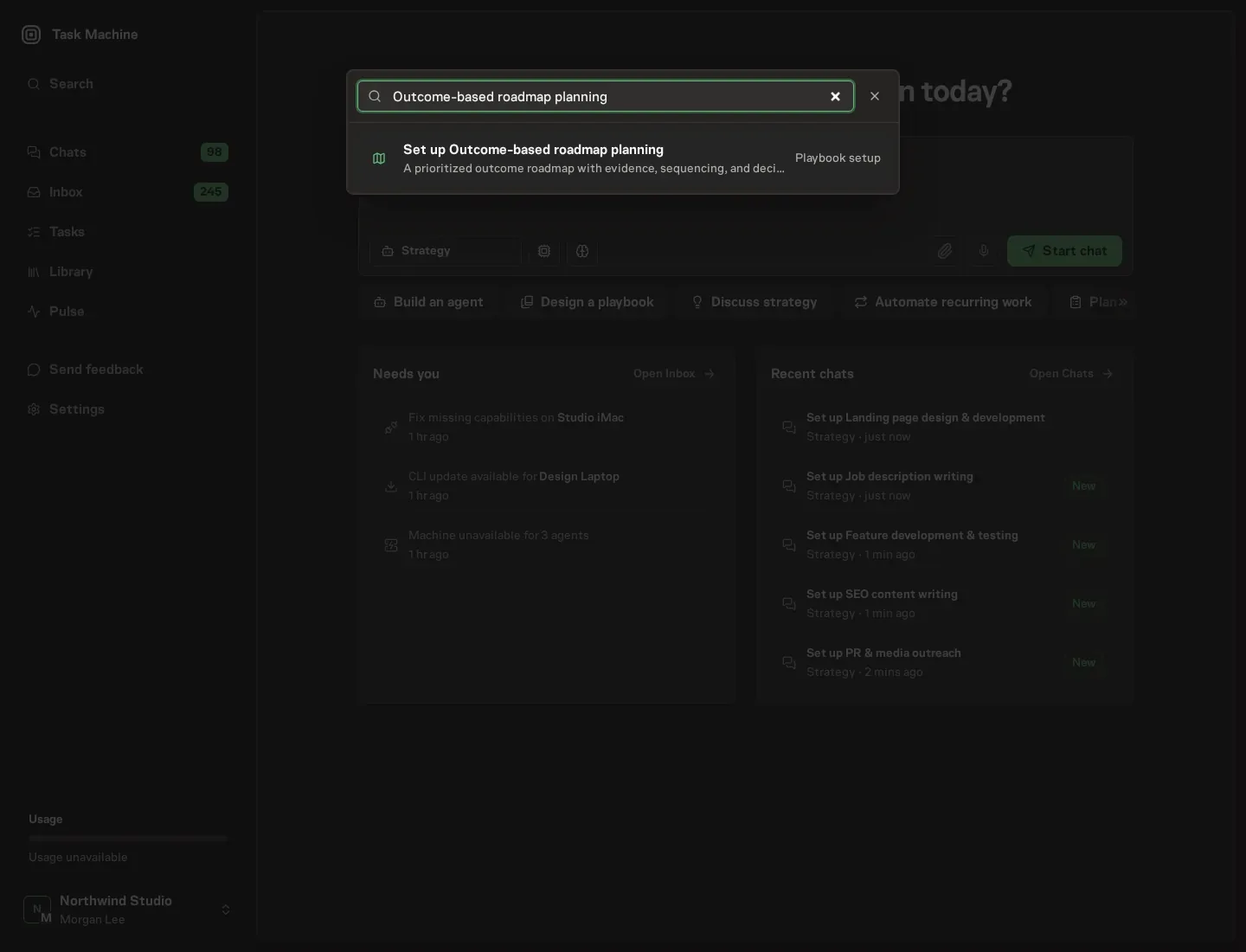
Open Search in your workspace and enter "Outcome-based roadmap planning". The command center lists Set up Outcome-based roadmap planning under Playbook setup.
2. Start the conversation
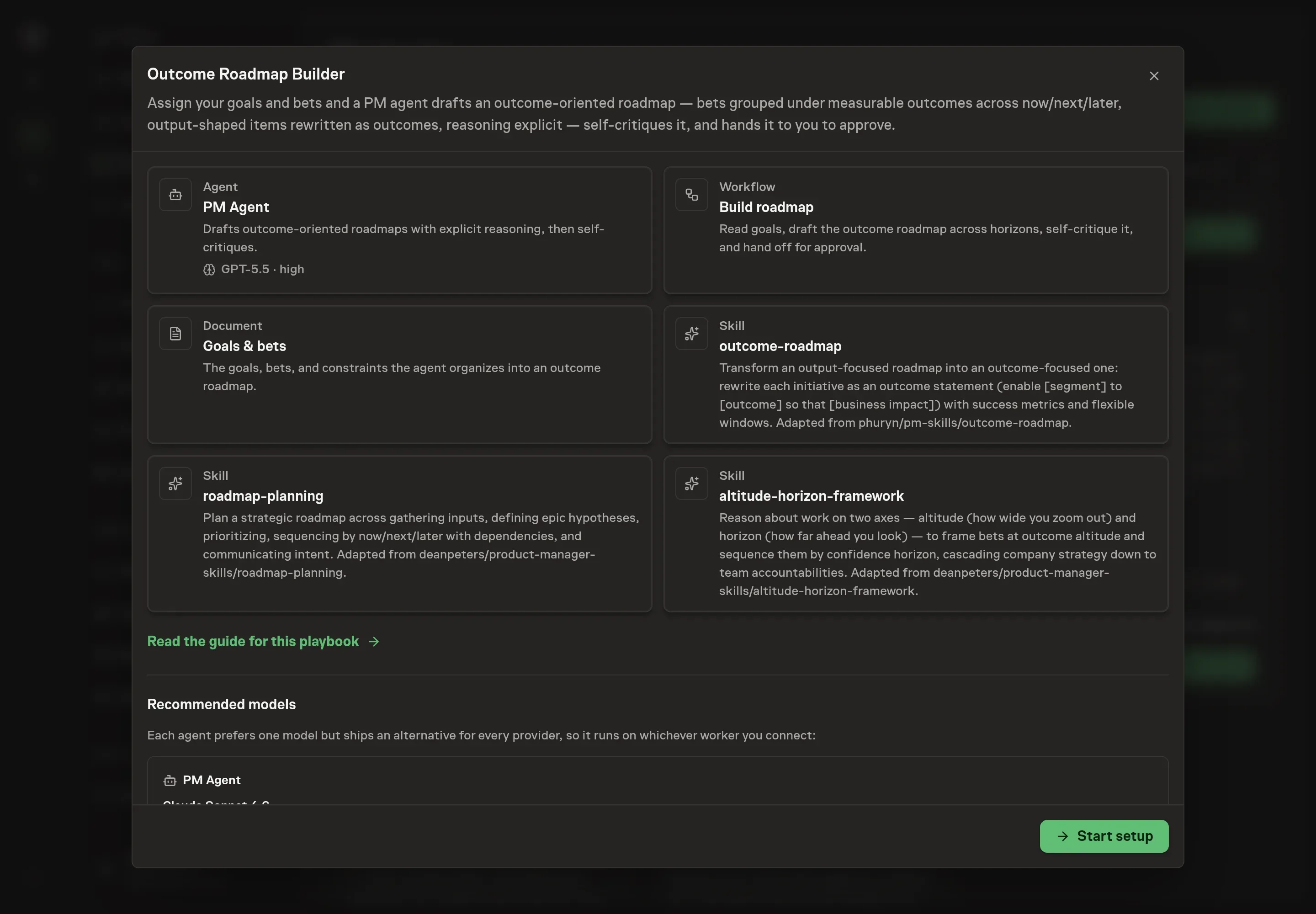
Choose Set up Outcome-based roadmap planning. Task Machine opens a dedicated Chat with the Playbook card and an editable, unsent request. Read the intended job and outcome. Add your situation and send it when ready. Opening the draft does not install anything or start work. This walkthrough uses settings that require approval of the proposed Playbook.
3. Agree the working brief
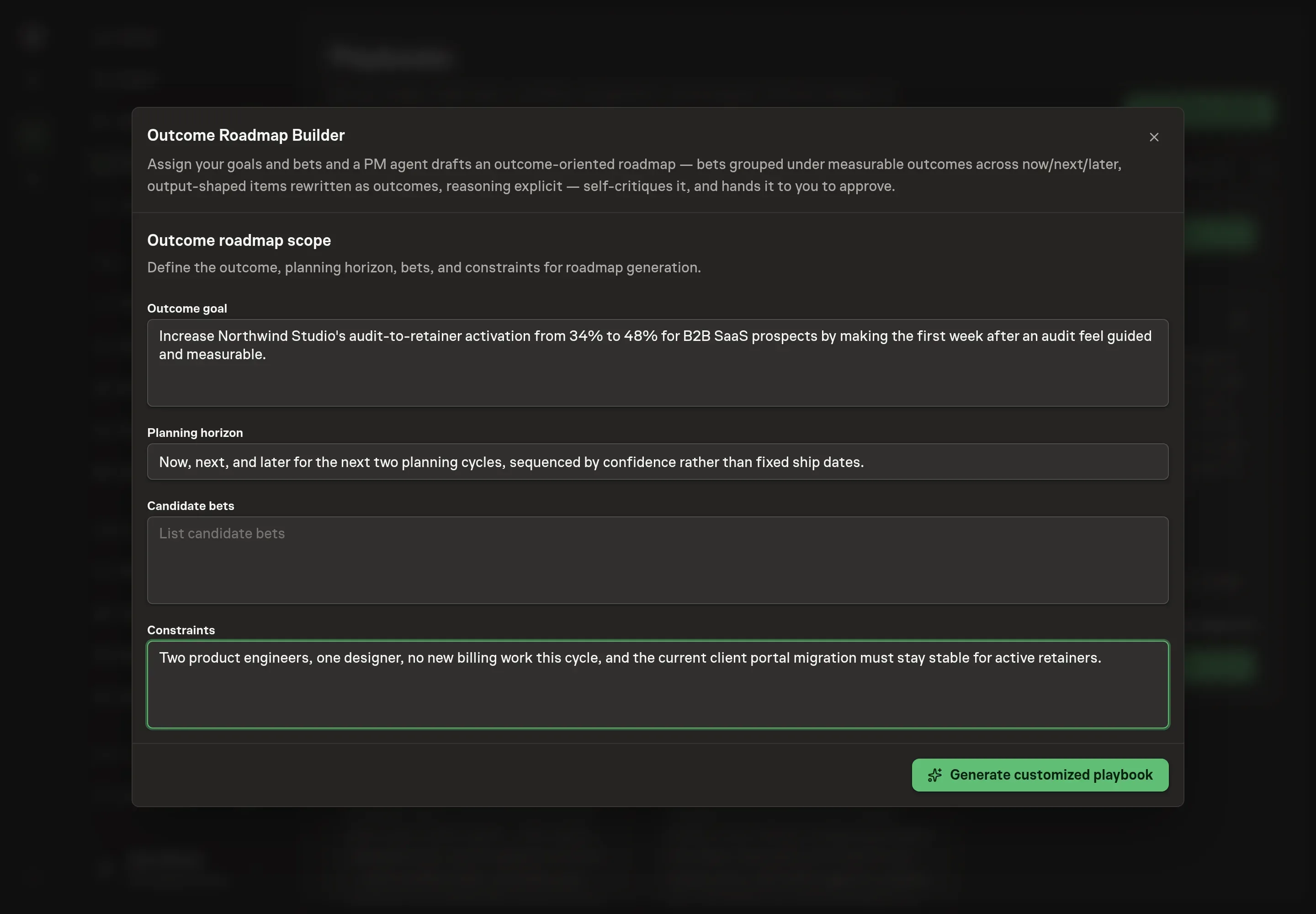
Use Chat to agree the inputs, expected output and limits before asking for a proposal. The Agent needs the outcome goal, planning horizon, candidate bets, and constraints. Use the setup answers to force the first draft toward measurable outcomes instead of a backlog import. Candidate bets can still be rough. The agent will test whether each one earns a place.
4. Review the proposed Playbook
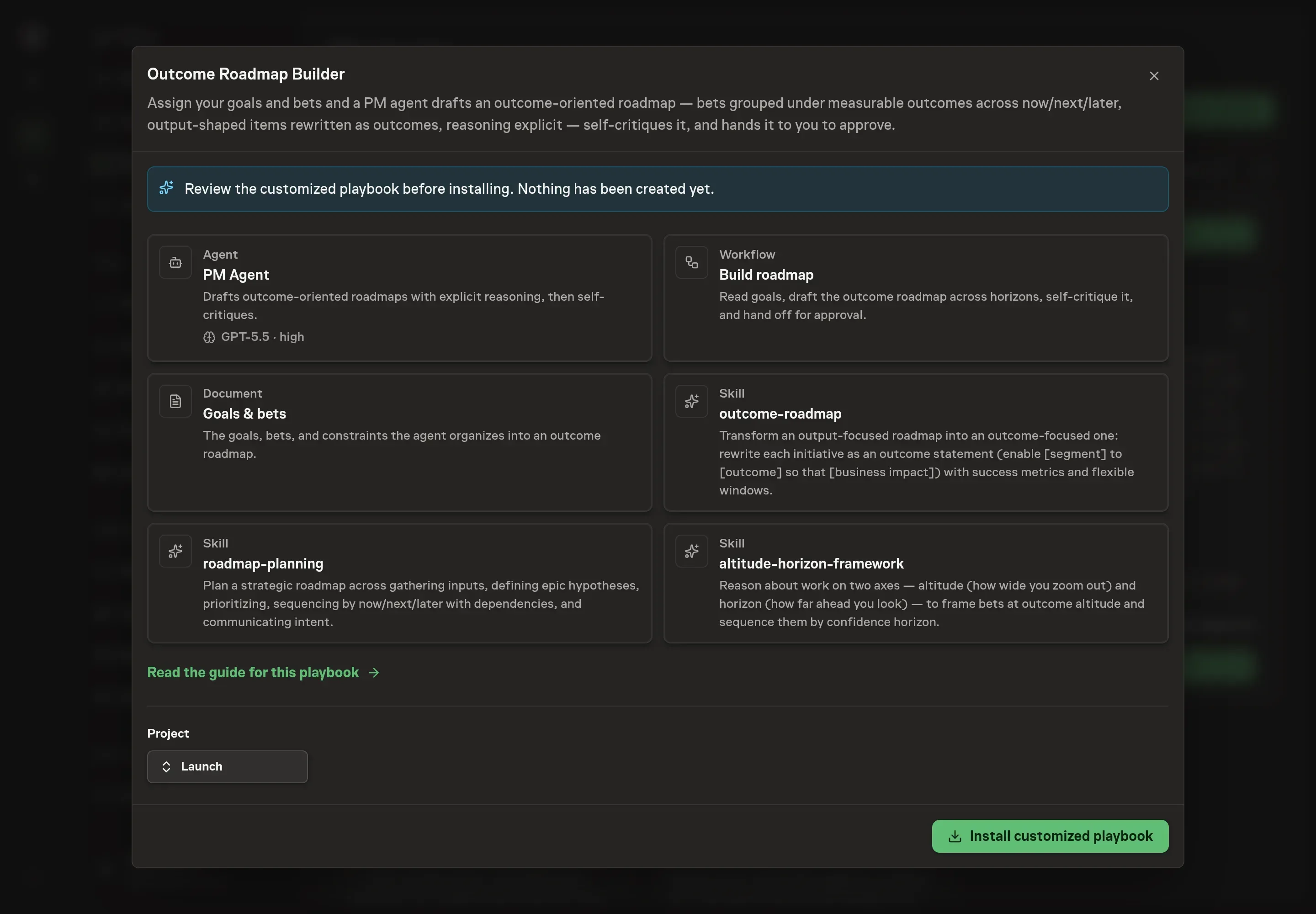
Ask the Agent to generate the Playbook from the agreed brief. Open its proposal in Chat and check the instructions and resources it will install, which carry more detail than the conversational summary. Confirm that the agent will sequence by confidence, rewrite outputs into outcome statements, and include the not-doing list. Ask for a revised proposal if anything is missing or changes the job.
5. Approve and prepare the first work
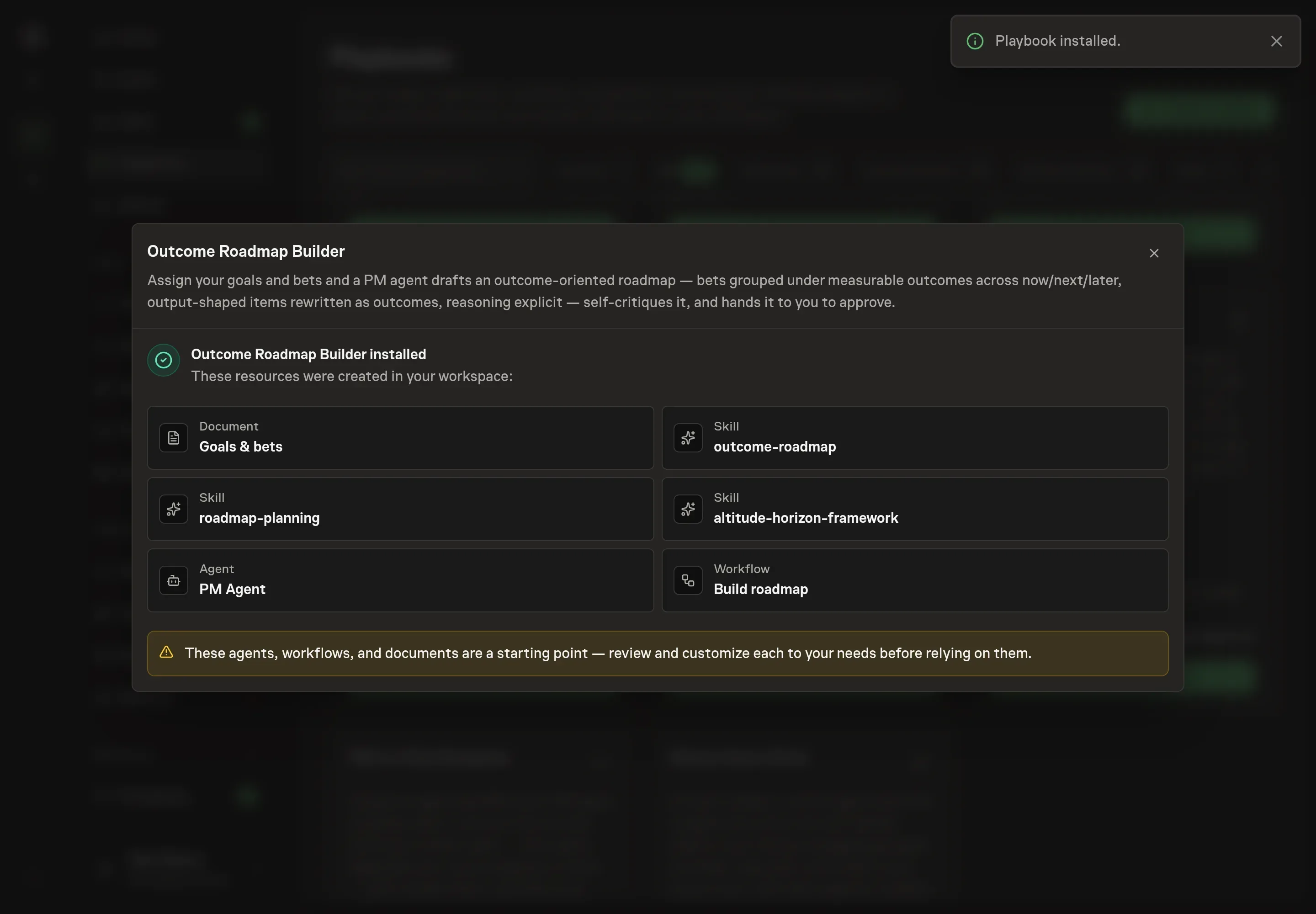
Choose Approve on the proposal in Chat when the configuration matches your brief. Task Machine installs that reviewed configuration. The approved item retains its review details. If your autonomy settings allow direct installation, this approval may not be required. Check the resulting configuration in that case too.
Complete any remaining secure service setup from the installation details in Chat. Inbox keeps those setup items available if you return later. Prepare the source documents and inputs before starting the first Task or Workflow. Installation does not authorize sending, publishing or changing an external service beyond the boundaries you agreed.
What good looks like
A useful outcome roadmap has a few visible properties:
- Every item has an outcome and a metric. A feature name alone is not enough.
- Horizons show confidence. Now is committed and high-confidence. Later is exploration or lower-confidence work, not a disguised date promise.
- The reasoning is inspectable. Each bet has an assumption, a dependency note where needed, and a clear link to a goal.
- The not-doing list exists. A roadmap that does not say what was left out is still hiding part of the decision.
Common questions
Can an agent decide the roadmap for us? No. The agent can draft, structure, rewrite, and critique. Product leadership still approves the roadmap and decides what tradeoffs are acceptable.
What if our inputs are mostly feature requests? That is a normal starting point. The workflow rewrites output-shaped items into outcome statements and flags any item whose outcome or metric is unclear.
Should now, next, and later use dates? The playbook frames those horizons by confidence. Dates can exist elsewhere for delivery planning, but the outcome roadmap should make uncertainty visible instead of pretending every future bet is equally firm.
What happens to bets that do not ladder up to a goal? They are flagged for cutting or review. The agent should not force an orphaned bet into the roadmap just because it was requested.