How to Document SOPs and Runbooks
A practical guide to turning messy process knowledge into approved SOPs and runbooks an operator can follow.

Founder, Task Machine
SOP and runbook documentation is the work of turning a process that lives in someone's head into a reference another person can follow. An SOP explains a business process with owners, handoffs, exceptions, and success measures. A runbook explains a repeatable operational procedure with prerequisites, exact steps, expected results, rollback, and escalation.
The difference matters because teams often document too late. A founder, ops lead, or senior engineer carries the real process in memory until onboarding, vacation, an incident, or a client handoff exposes the gap. A useful document preserves the messy reality of the process, then makes it specific enough that a new hire can run it without guessing.
Undocumented process creates hidden queues
Undocumented work creates hidden queues. People wait for the one person who knows the exception path. New hires ask the same questions. Client delivery depends on Slack memory. On-call work depends on who happened to be present last time the incident happened.
Bad documentation can be just as expensive. A vague SOP says "review the request" without naming who reviews it, what they check, or what happens when it fails. A vague runbook says "run the sync script" without the command, directory, expected output, verification step, rollback, or escalation path. The document exists, but the operator still needs the expert.
What the manual process looks like
Done by hand, documenting a process takes five passes:
- Capture the current state from the person who runs it today, including rough notes, old docs, screenshots, and exceptions.
- Choose the format: SOP for a business process with people and handoffs, runbook for an operational procedure with exact actions.
- Map owners, inputs, outputs, decision points, waits, rework, and manual steps.
- Draft the document to the right structure, then add every known exception and edge case.
- Test the draft against the new-hire bar: could someone unfamiliar run this correctly on the first try?
The hard part is refusing to smooth over the messy parts, because those are usually the parts that make the document valuable.
What an agent can automate
An agent helps because the work is structured, repetitive, and checklist-heavy:
- Choose the right artifact. The agent decides whether the input should become an SOP or a runbook based on the job, not the title someone gave it.
- Map the current process. It turns notes into steps, owners, handoffs, inputs, outputs, decisions, waits, rework, and manual work.
- Preserve exceptions. It asks for and records the "usually X, but sometimes Y" paths instead of flattening the process into a clean but false happy path.
- Draft to the right template. SOPs get purpose, scope, RACI, process flow, detailed steps, exceptions, metrics, and related documents. Runbooks get purpose, prerequisites, exact procedure, expected results, failure branches, verification, troubleshooting, rollback, escalation, and history.
- Self-critique. The agent checks its own draft against the new-hire bar and revises vague steps, missing expected results, missing failure branches, and unowned handoffs before asking for approval.
The agent can also propose streamlining, but the proposal stays separate from the reference. A cleaner process that removes an important safeguard is worse than a clunky process the team can trust.
The guardrails that make it safe
Documentation changes can alter how a team works. That is why the approval gate matters. The agent can draft the SOP or runbook and propose before-and-after improvements, but it should not overwrite a live team reference or remove a safeguard without sign-off.
The other guardrail is specificity. Every step must have enough detail to run: exact commands, paths, values, expected results, and failure branches where relevant. If the agent cannot verify a decision or an exception, it should ask the human instead of guessing. The approval item should make those open questions visible.
Set it up in Task Machine
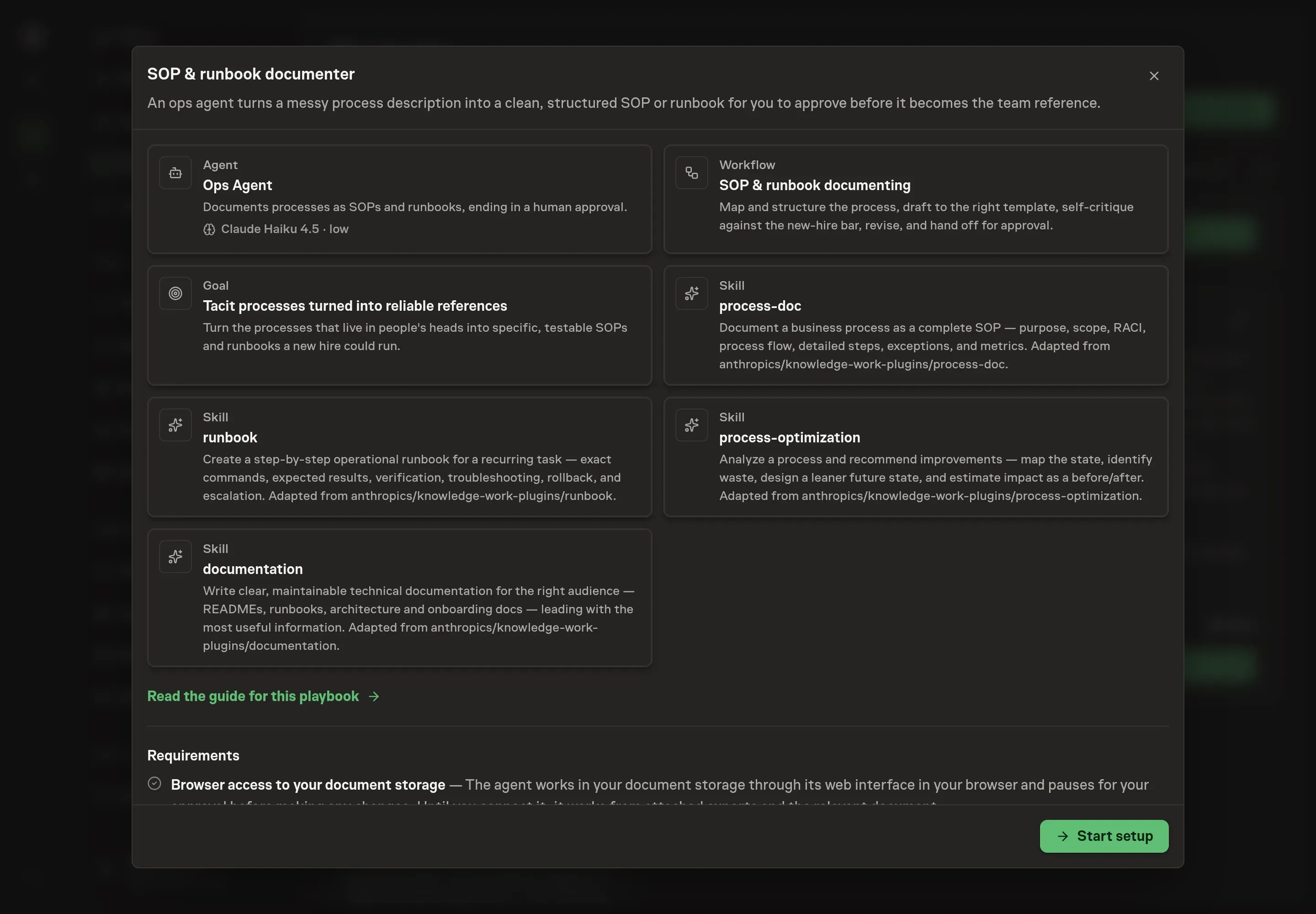
The SOP and runbook documentation playbook provides a starting point for the method above. You need an active Task Machine workspace with Chat, workspace-management and Playbook-installation access (workspace owners have it). Document storage access is not required up front. Until it is connected, the agent works from attached exports and process notes.
1. Find the playbook
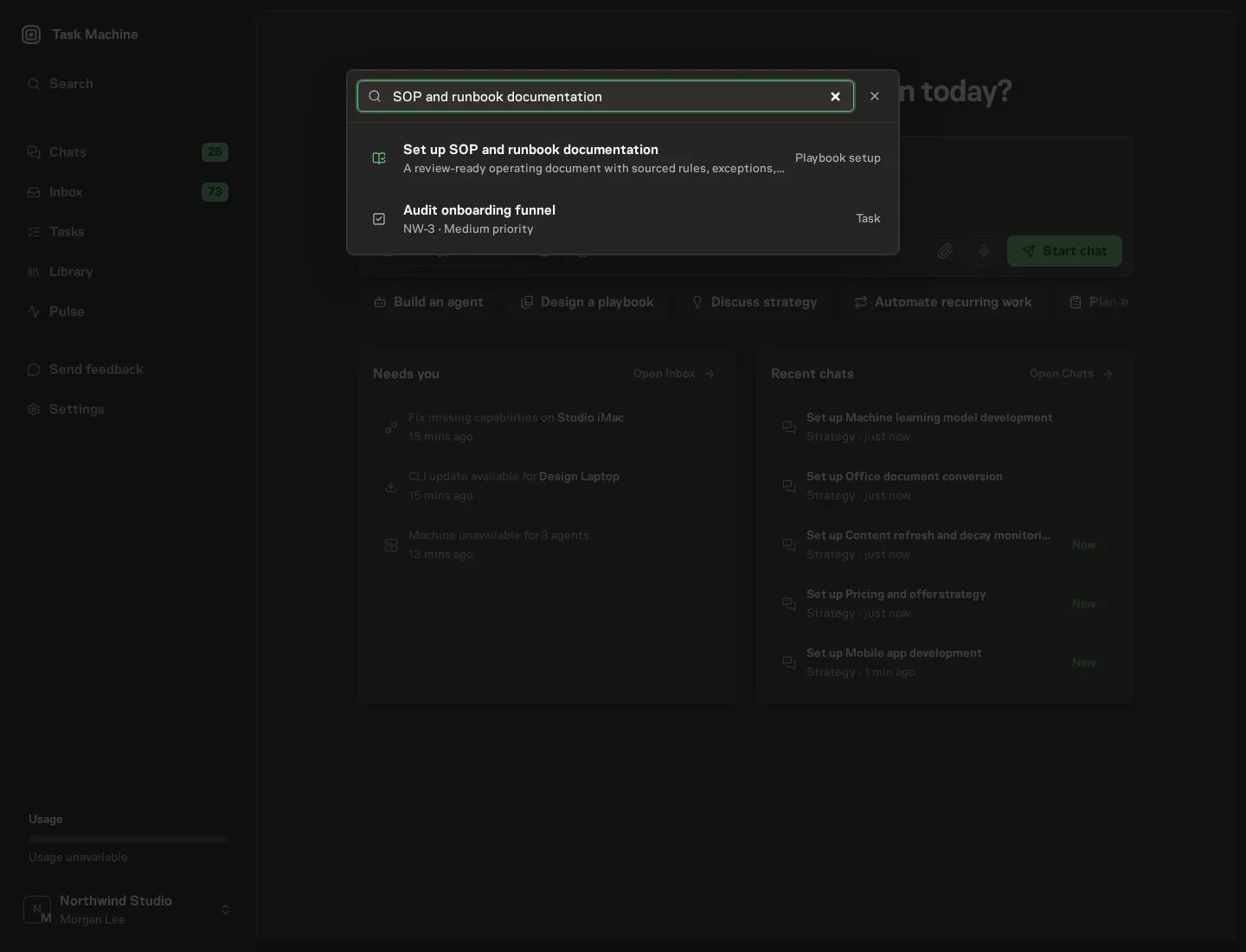
Open Search in your workspace and enter "SOP and runbook documentation". The command center lists Set up SOP and runbook documentation under Playbook setup.
2. Start the conversation
Choose Set up SOP and runbook documentation. Task Machine opens a dedicated Chat with the Playbook card and an editable, unsent request. Read the intended job and outcome. Add your situation and send it when ready. Opening the draft does not install anything or start work. This walkthrough uses settings that require approval of the proposed Playbook.
3. Agree the working brief
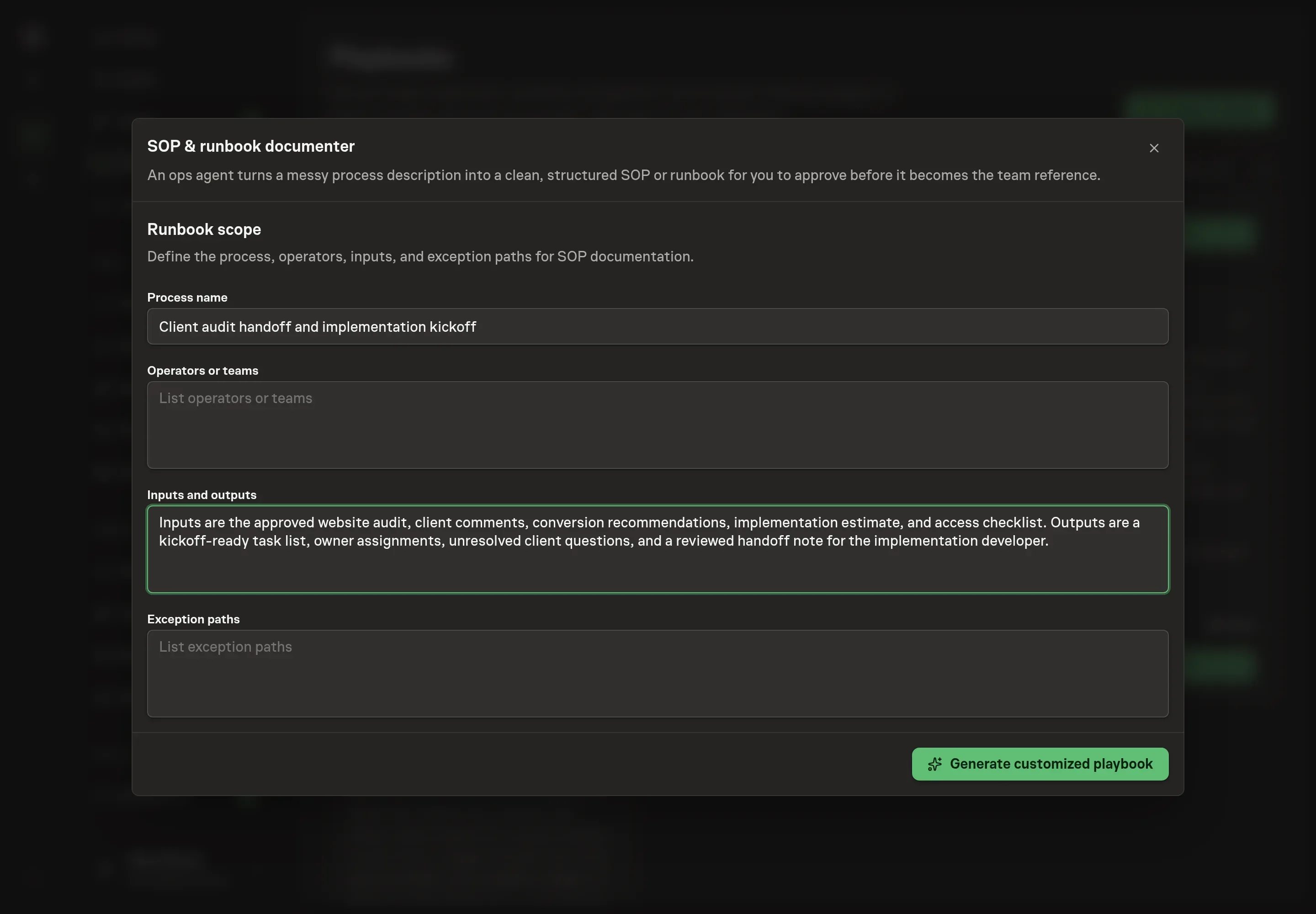
Use Chat to agree the inputs, expected output and limits before asking for a proposal. The Agent needs the process name, operators or teams, inputs and outputs, and exception paths. Name the process the way your team does. Add the people who run it today and the exceptions that usually derail handoffs.
4. Review the proposed Playbook
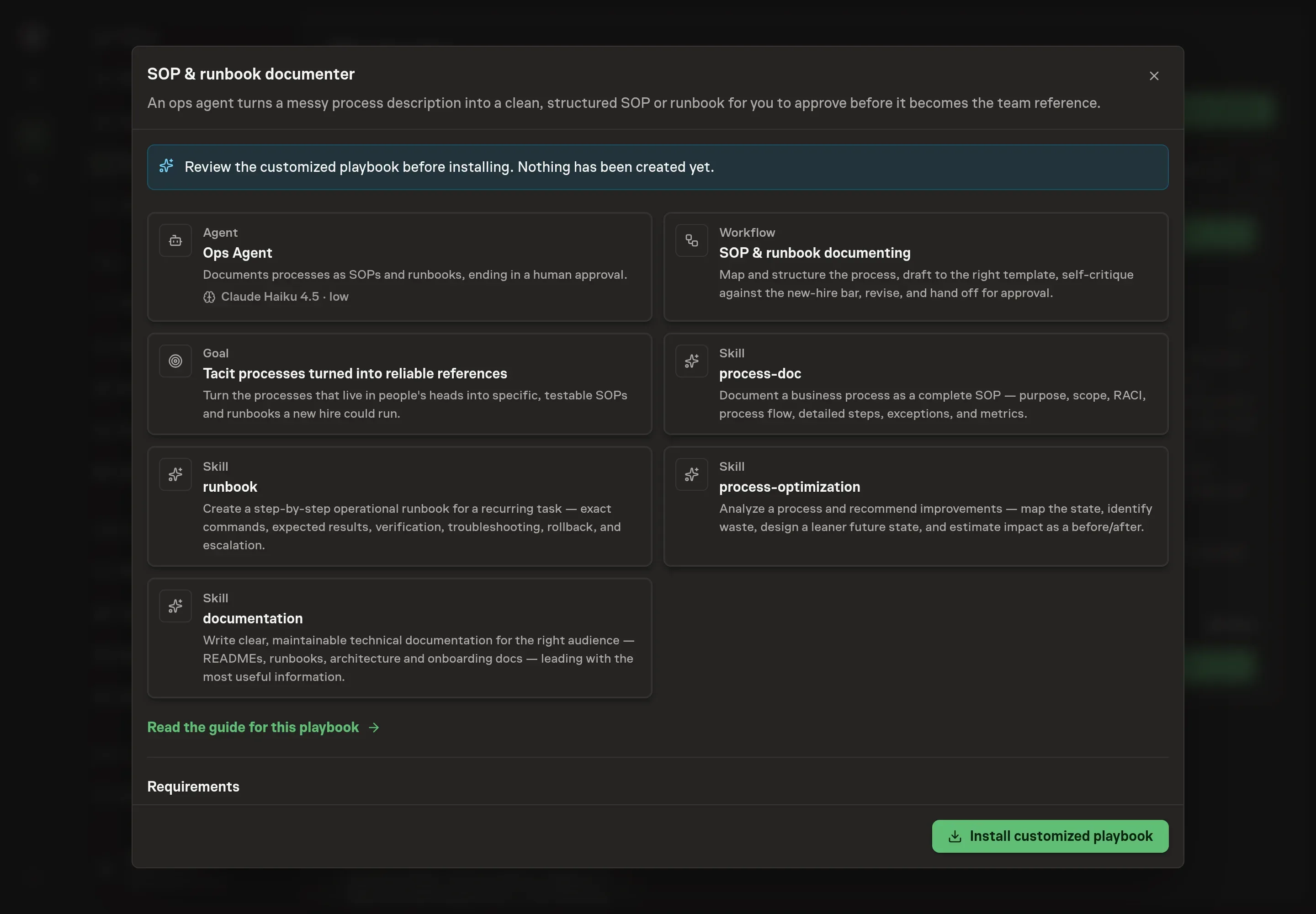
Ask the Agent to generate the Playbook from the agreed brief. Open its proposal in Chat and check the instructions and resources it will install, which carry more detail than the conversational summary. Review the generated setup for the correct process name, operators, inputs, outputs, and exception paths before installing. Ask for a revised proposal if anything is missing or changes the job.
5. Approve and prepare the first work
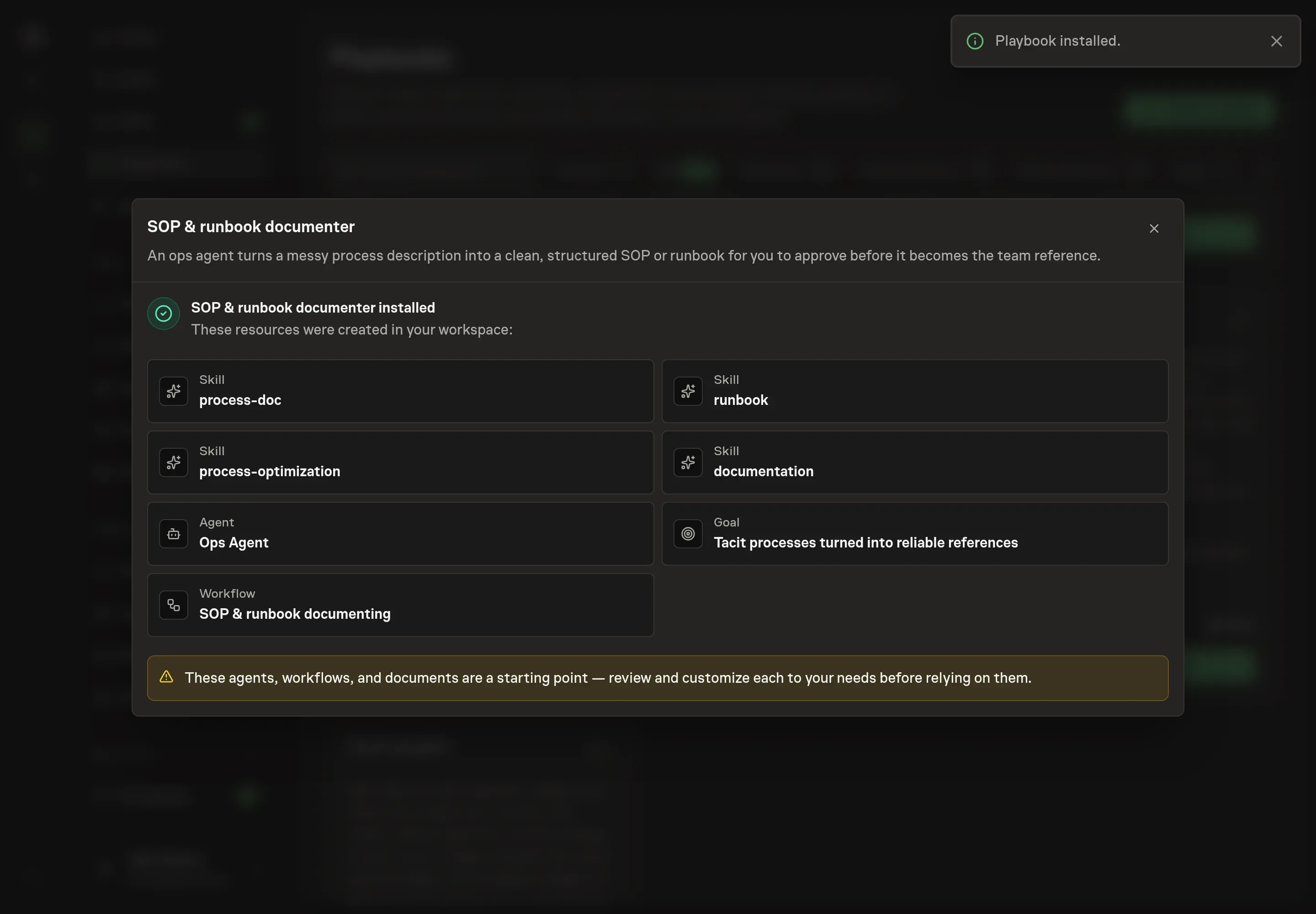
Choose Approve on the proposal in Chat when the configuration matches your brief. Task Machine installs that reviewed configuration. The approved item retains its review details. If your autonomy settings allow direct installation, this approval may not be required. Check the resulting configuration in that case too.
Complete any remaining secure service setup from the installation details in Chat. Inbox keeps those setup items available if you return later. Prepare the source documents and inputs before starting the first Task or Workflow. Installation does not authorize sending, publishing or changing an external service beyond the boundaries you agreed.
What good looks like
Use three checks before trusting the new document:
- New-hire pass. Someone unfamiliar can follow the draft without asking what a step means.
- Exception coverage. The document includes the common edge cases, not only the happy path.
- Owner clarity. SOPs name responsible, accountable, consulted, and informed roles. Runbooks name escalation paths and rollback steps.
Common questions
When should a process become an SOP instead of a runbook? Use an SOP when the work is a business process with people, handoffs, ownership, and decisions. Use a runbook when the work is a repeatable operational procedure that needs exact steps, verification, troubleshooting, rollback, and escalation.
Should the agent improve the process while documenting it? It can propose improvements, but those should be reviewable before-and-after changes. The approved reference should never silently remove a step, safeguard, or owner.
What source material does the agent need? Rough notes are enough to start. Better inputs include old docs, screenshots, sample requests, recent handoffs, command history, and a list of known exceptions.
Can this work before document storage is connected? Yes. The agent can draft from attached notes and exports. Connecting document storage lets it search for an existing reference to update instead of creating a duplicate.