How to Draft Employee Handbook Policies
A practical guide to drafting employee handbook sections with sourced model policies, review flags, ripple checks, and approval.

Founder, Task Machine
Drafting employee handbook policies is the process of turning company context, jurisdictions, existing policies, and model policy sources into a handbook draft for review. The output should be clearly marked as a draft, full of review flags where humans must decide, and checked for ripple effects before anyone treats it as adopted policy.
Handbooks are risky because they look finished when they are not. A clean paragraph about PTO, conduct, onboarding, or benefits can hide a jurisdiction issue, contradict another section, reduce a promise, or omit a supplement. The work needs sourcing, scoping, and review discipline more than polished prose.
Employees read the handbook as the source of truth
People policies affect employment expectations. A section can create confusion even when the intent is harmless: one paragraph says managers approve remote work, another names People Ops, and a state supplement changes the rule again. Employees read the handbook as the source of truth.
The risk grows when teams paste from old templates. Model policies can help, but they must be adapted to the company's scope, jurisdiction, and actual practices. Every judgment call belongs in front of HR or legal review, not buried inside agent-generated copy.
What the manual process looks like
Done by hand, handbook drafting is a controlled drafting and review loop:
- Decide whether the work is a new handbook or an update to an existing one.
- Scope the exact sections in the handbook outline.
- Gather jurisdiction notes, current policies, benefits promises, reviewer constraints, and source material.
- Source each policy section from published model policies and relevant operative law where available.
- Draft only the in-scope sections with a clear draft header, sources block, and
[review]flags on thresholds, named tools, leave amounts, consequences, and open questions. - Run a ripple check for cross-references, supplements, benefit reductions, versioning, acknowledgements, and adoption steps.
- Send the draft to human HR or legal review before adoption.
The process is slow because the safest answer is often "flag this for review", not "write a confident policy."
What an agent can automate
An agent can make the drafting pass complete while leaving policy authority with people:
- Scope before drafting. The agent reads the handbook outline, confirms which sections are in scope, and separates new handbook work from updates to an existing version.
- Source the policy language. It searches current published model policies and operative law where tools are available, records sources, and flags when sources could not be verified.
- Draft with review flags. Every threshold, named tool, disclosure trigger, leave amount, consequence, or other decision point is marked
[review]. - Check the ripples. A reviewer agent looks for broken cross-references, obsolete or newly needed supplements, benefit reductions, and missing adoption steps.
- Hand off for approval. The workflow stops at human review. It does not adopt the policy, communicate it to employees, or track acknowledgements.
The agent's job is to prepare a draft that makes decisions visible.
The guardrails that make it safe
The first guardrail is the header: "DRAFT FOR HR/LEGAL REVIEW - NOT FOR ADOPTION" or the bundle's configured equivalent. A handbook draft should never look like a finished policy by accident.
The second guardrail is review marking. Every judgment call is flagged, and the HR/legal reviewer checks cross-references, state supplements, and promise reductions before the human approval step. Where a call turns on jurisdiction-specific law, the reviewer flags that it needs research or counsel and stops rather than guessing.
Set it up in Task Machine
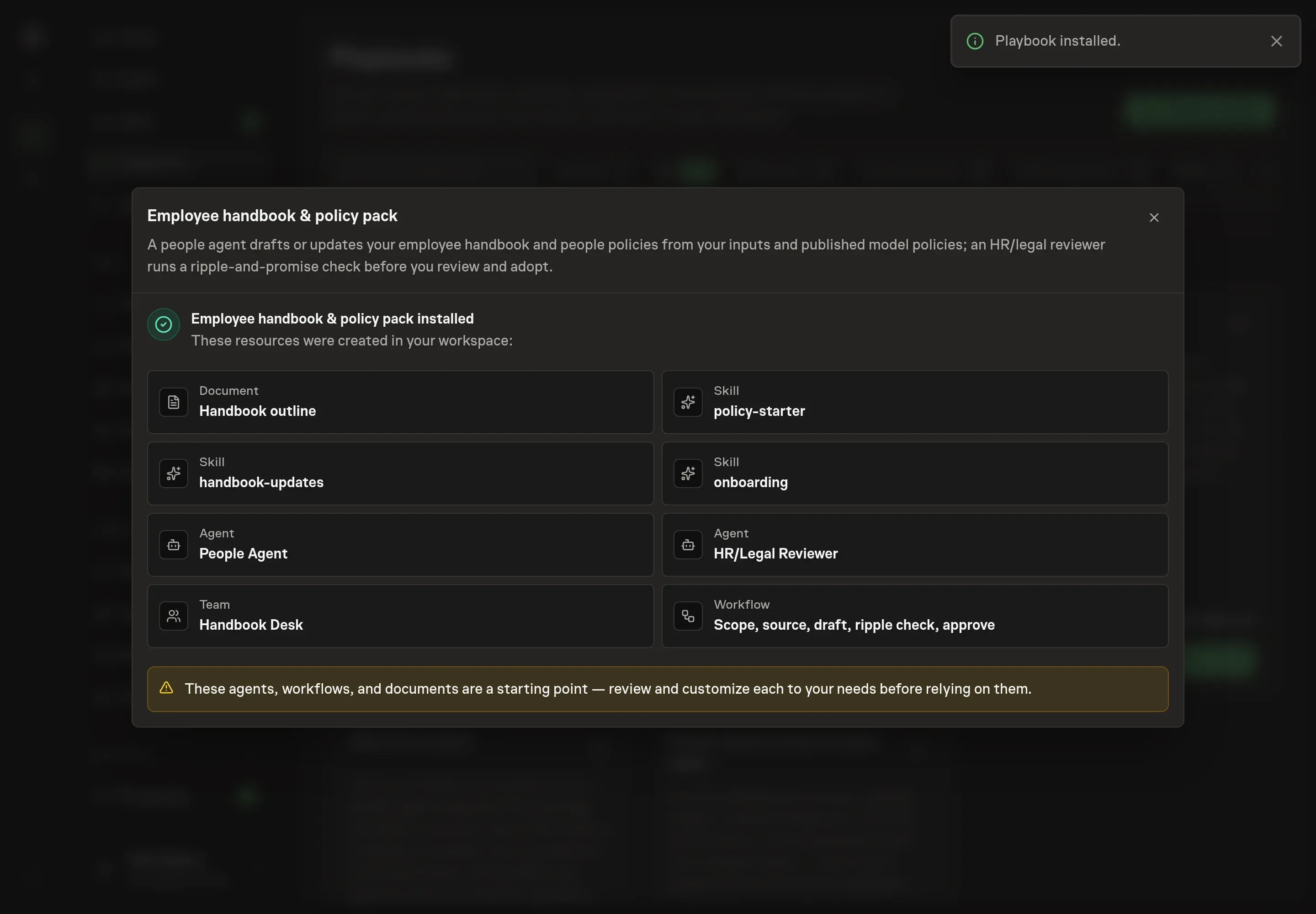
The Employee handbook & policy writing playbook provides a starting point for the method above. You need an active Task Machine workspace with Chat, workspace-management and Playbook-installation access (workspace owners have it). Web search and document-storage browser access can be authorized after install. Until then, the agent works from attached handbook exports and marks any source gaps.
1. Find the playbook
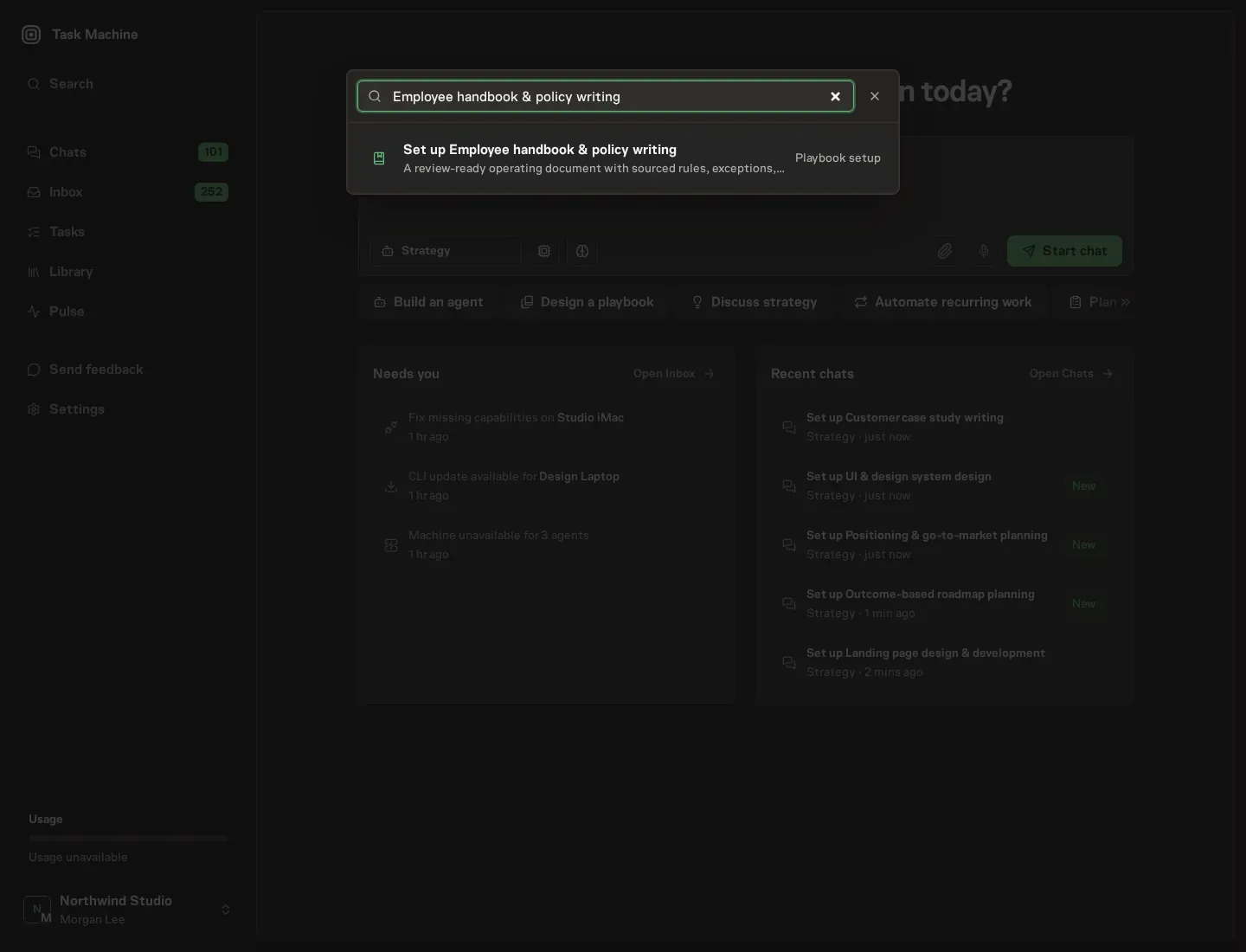
Open Search in your workspace and enter "Employee handbook & policy writing". The command center lists Set up Employee handbook & policy writing under Playbook setup.
2. Start the conversation
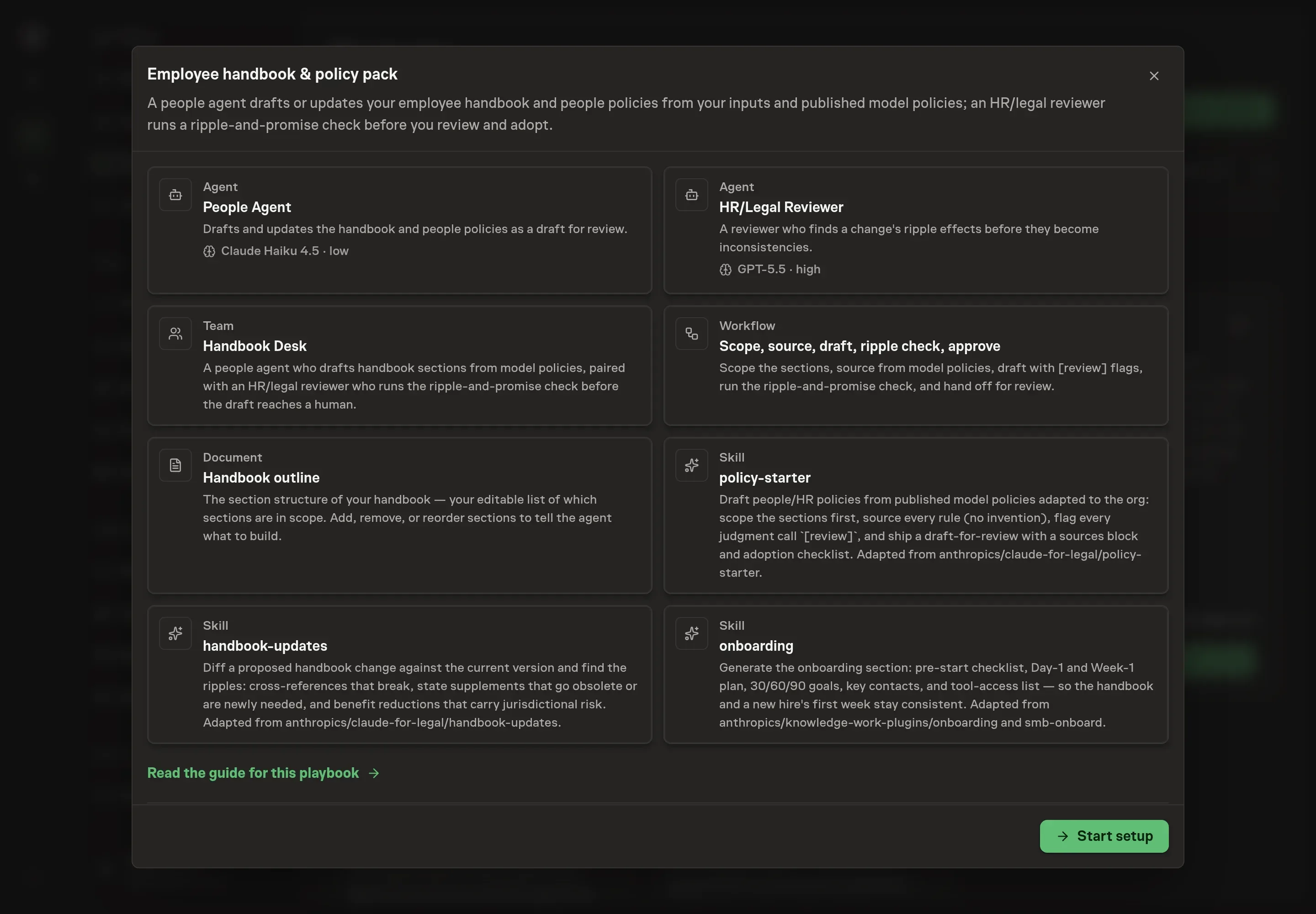
Choose Set up Employee handbook & policy writing. Task Machine opens a dedicated Chat with the Playbook card and an editable, unsent request. Read the intended job and outcome. Add your situation and send it when ready. Opening the draft does not install anything or start work. This walkthrough uses settings that require approval of the proposed Playbook.
3. Agree the working brief
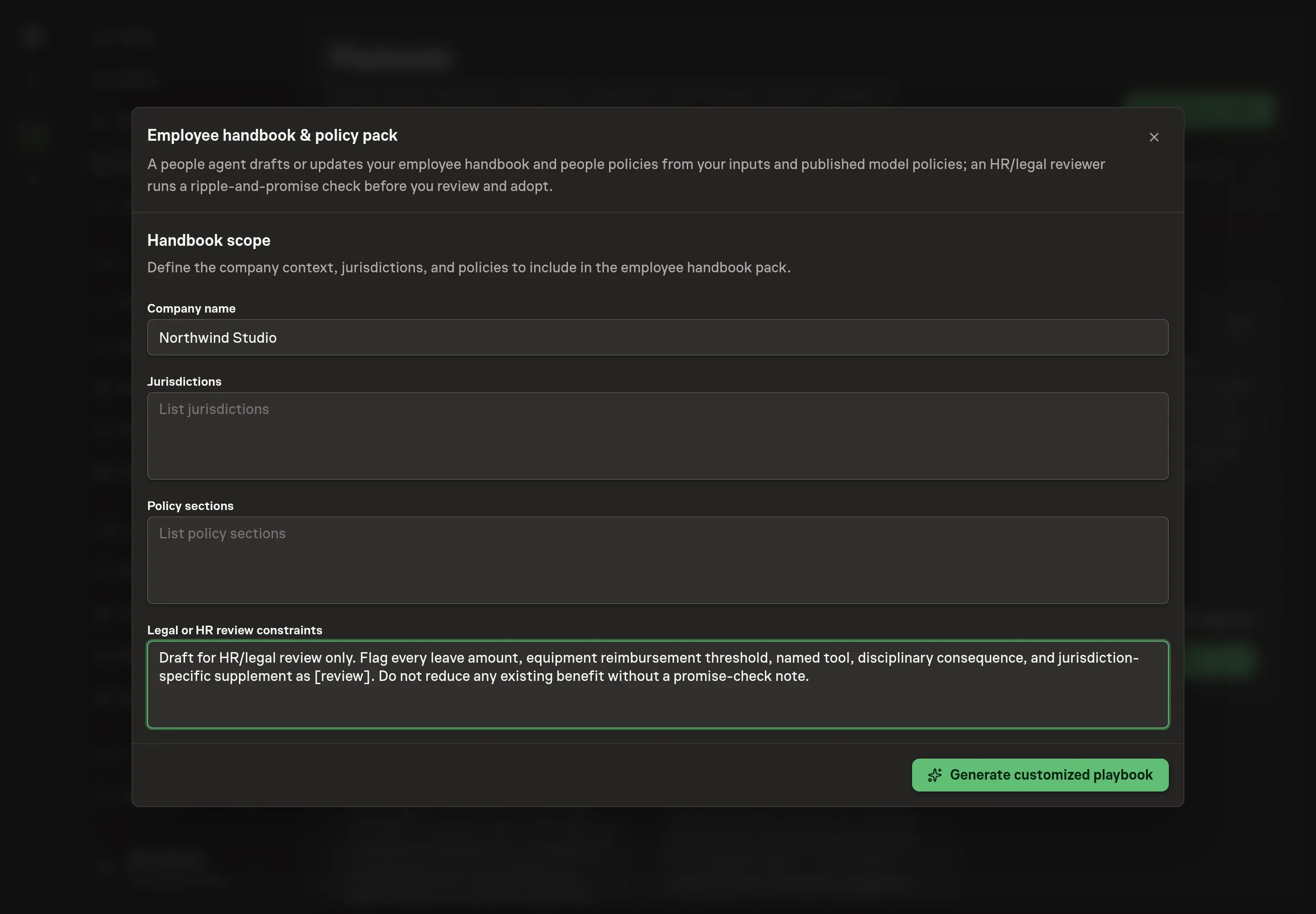
Use Chat to agree the inputs, expected output and limits before asking for a proposal. The Agent needs company name, jurisdictions, policy sections, and legal or HR review constraints. Keep the sections concrete. The agent drafts only the scope you define and carries review constraints into the approval handoff.
4. Review the proposed Playbook
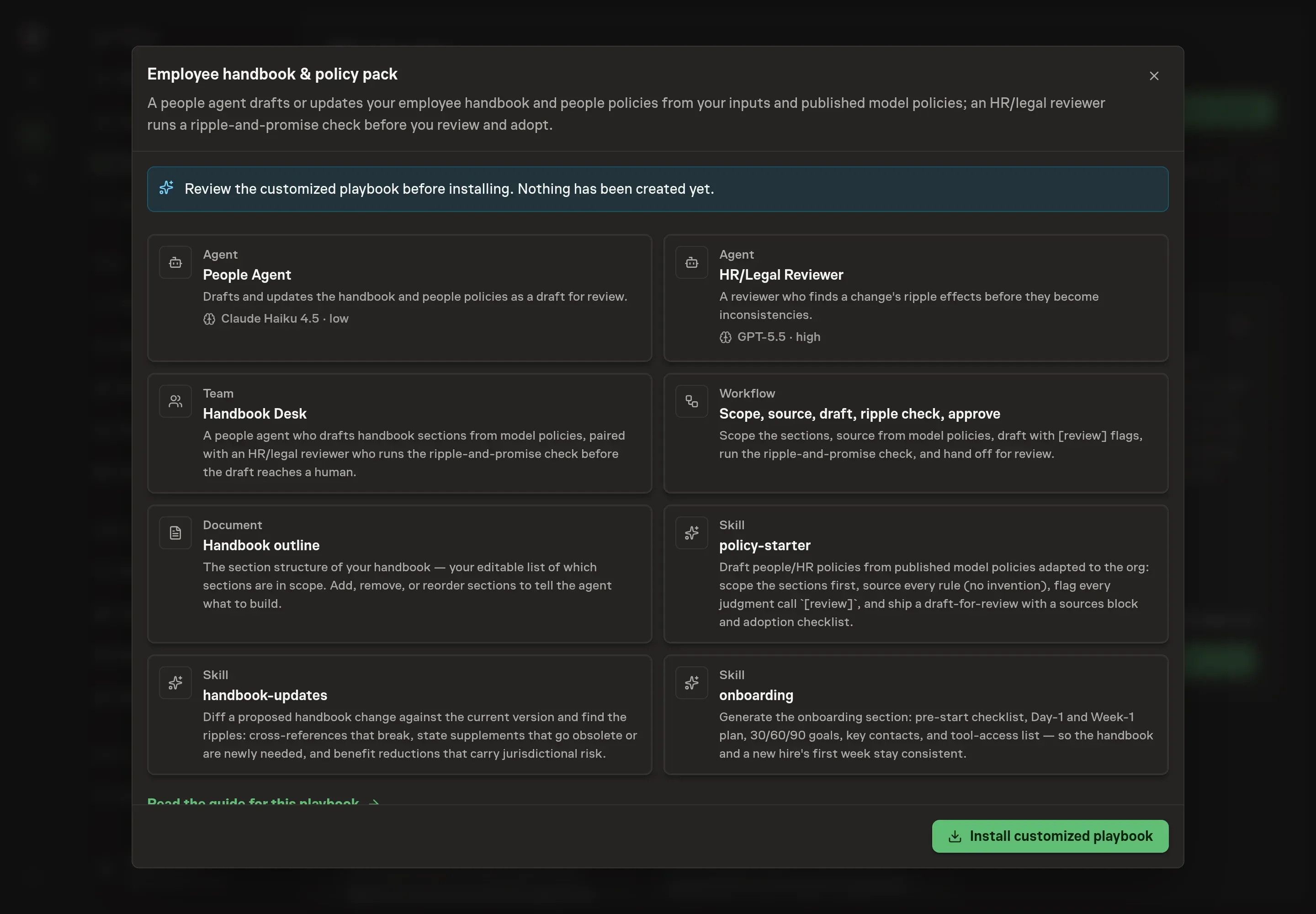
Ask the Agent to generate the Playbook from the agreed brief. Open its proposal in Chat and check the instructions and resources it will install, which carry more detail than the conversational summary. Review the result before install. Confirm that the draft header, [review] discipline, ripple check, and human approval are still central. Ask for a revised proposal if anything is missing or changes the job.
5. Approve and prepare the first work
Choose Approve on the proposal in Chat when the configuration matches your brief. Task Machine installs that reviewed configuration. The approved item retains its review details. If your autonomy settings allow direct installation, this approval may not be required. Check the resulting configuration in that case too.
Complete any remaining secure service setup from the installation details in Chat. Inbox keeps those setup items available if you return later. Prepare the source documents and inputs before starting the first Task or Workflow. Installation does not authorize sending, publishing or changing an external service beyond the boundaries you agreed.
What good looks like
Three signs show the draft is review-ready:
- Every rule is sourced or flagged. The draft should not hide unsourced policy language inside finished-looking prose.
- Review decisions are visible. Thresholds, leave amounts, named tools, consequences, and open questions carry
[review]markers. - Ripple effects are named. Cross-references, supplements, benefit reductions, version/date updates, and acknowledgement steps appear in the reviewer handoff.
Common questions
Does this replace HR or legal review? No. The playbook creates a draft for HR/legal review. It is built to surface decisions, not to approve or adopt policy.
Can it update an existing handbook? Yes. The workflow starts by deciding whether the job is a new handbook or an update, then uses the current handbook export or document-storage access as the base.
What happens when web research is unavailable? The agent drafts from your inputs and the outline, then flags that sources could not be verified. That draft needs extra review before adoption.
Why include onboarding in a handbook pack? The bundle includes an onboarding skill so the handbook's onboarding section matches a new hire's actual pre-start, Day 1, Week 1, and 30/60/90 plan.