How to Draft Incident Postmortems
A practical guide to drafting blameless incident postmortems from severity, timeline evidence, 5-whys, and owned actions.

Founder, Task Machine
An incident postmortem is the record of what happened, who was affected, why the system allowed it, and what changes next. The useful version is blameless, evidence-tied, and specific enough that a person outside the incident can understand the timeline and the follow-up work.
The postmortem usually competes with recovery work. Once the service is back, the team wants to move on. That is when the details disappear: the alert time, the first bad deploy, the moment impact started, the workaround, the decision that fixed it, and the gap that made the incident possible.
Why incident writeups lose the lesson
Incidents produce scattered evidence. Monitoring graphs sit in one place, chat decisions in another, deploy logs somewhere else, and customer updates in a separate channel. If nobody reconstructs the timeline while the evidence is fresh, the postmortem becomes a story instead of an operating record.
The other failure is blame. "Human error" feels like a root cause because it names the last visible action. It usually explains nothing. A good postmortem asks why the system made that action possible, why detection took as long as it did, why mitigation required the path it did, and what change would reduce recurrence.
What the manual process looks like
A careful postmortem process has six steps:
- Classify severity from impact evidence and name affected systems, users, and roles.
- Draft factual stakeholder updates for engineering, leadership, and customers without speculation.
- Reconstruct the UTC timeline from monitoring, incident chat, war-room notes, deploy logs, and change logs.
- Drive root cause through 5-whys until it reaches a systemic, addressable condition.
- Write the postmortem: summary, impact, timeline, root cause, what went well, what went poorly, action items, and lessons.
- Review for blamelessness, causal soundness, evidence, and owned action items before approval.
The ritual is how the team turns incident memory into future prevention.
What an agent can automate
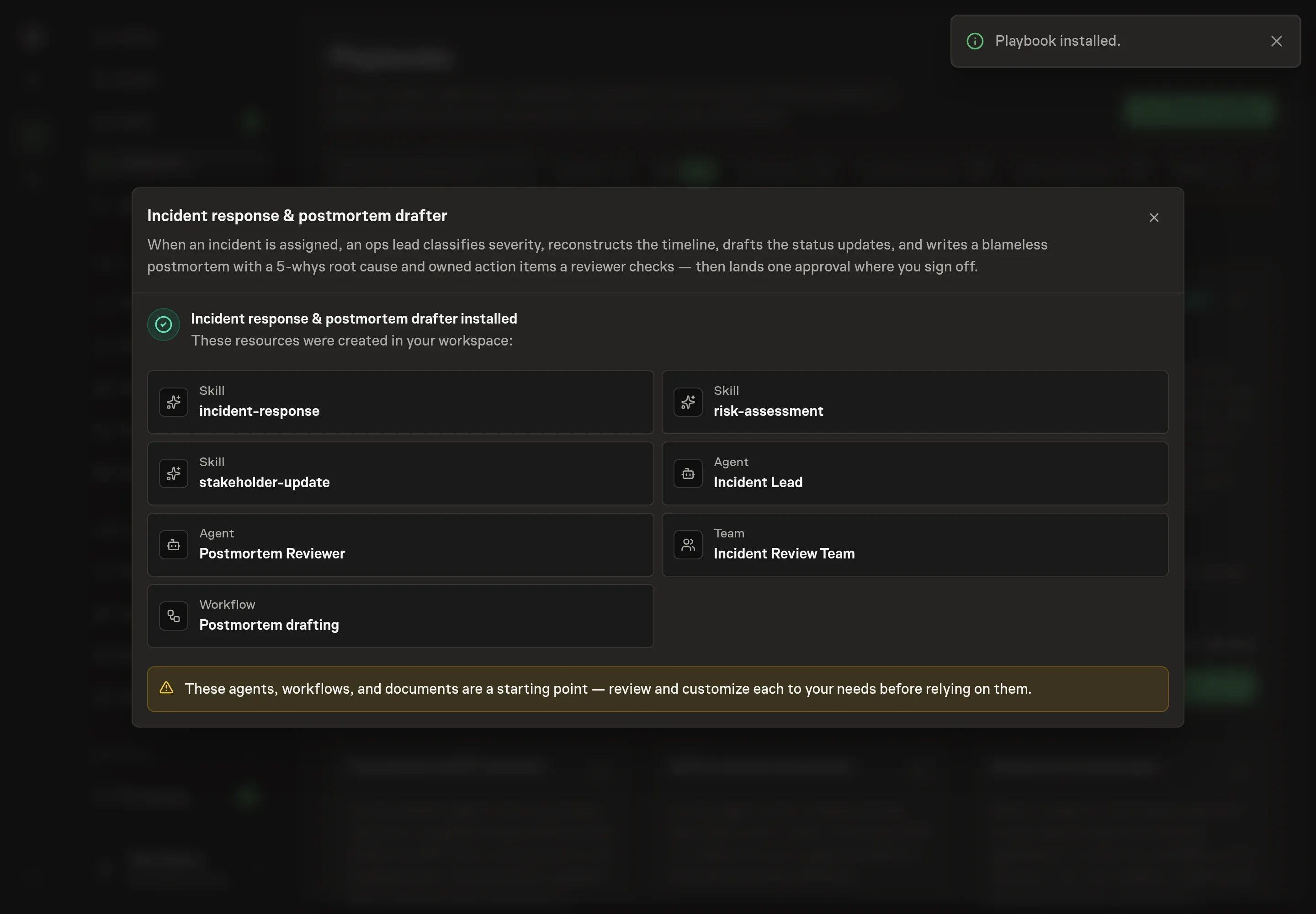
The Incident response & postmortem drafter playbook splits the work between a lead and an independent reviewer:
- Classify and communicate. The Incident Lead classifies severity from evidence and drafts updates for engineering, leadership, and customers. Customer-facing messages stay factual and avoid unconfirmed causes or ETAs.
- Rebuild the timeline. The agent pulls together monitoring, chat, deploy logs, and on-call notes into a UTC timeline. Every entry ties to evidence.
- Find a systemic root cause. It uses 5-whys and a severity by likelihood lens to move past individual blame and prioritize the contributing factors that matter.
- Draft owned actions. The postmortem includes concrete action items with owners, priorities, and due dates.
- Review before approval. The Postmortem Reviewer checks for blameless framing, causality, populated "what went well", evidence-tied timeline entries, and action items that can be assigned.
The agents prepare the writeup and the review note. The human owner still approves the final postmortem.
The guardrails that make it safe
Postmortems affect team trust. The workflow should never name an individual as the cause, never call "human error" a root cause, and never publish or file the writeup before a person approves it.
The independent review is the second guardrail. It checks whether the root cause explains the timeline end to end. If the timeline shows a detection gap, mitigation delay, or unresolved contributing factor that the root cause does not explain, the draft goes back. That review makes the postmortem more than a polished incident summary.
Set it up in Task Machine
The Incident response and postmortems playbook provides a starting point for the method above. You need an active Task Machine workspace with Chat, workspace-management and Playbook-installation access (workspace owners have it). Incident tooling access is not required up front. The workflow can work from attached alert details, monitoring screenshots, chat exports, deploy logs, and on-call notes.
1. Find the playbook
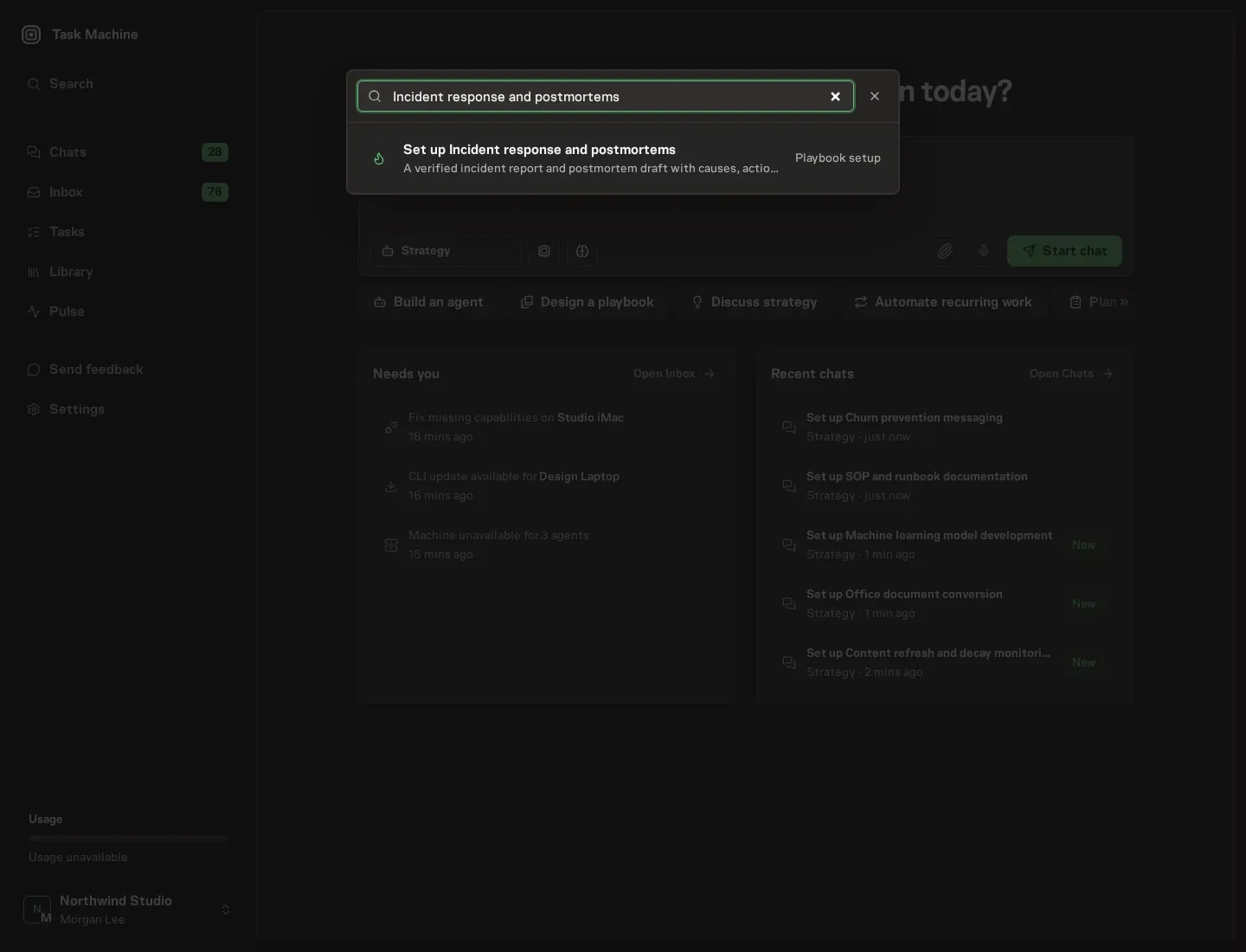
Open Search in your workspace and enter "Incident response and postmortems". The command center lists Set up Incident response and postmortems under Playbook setup.
2. Start the conversation
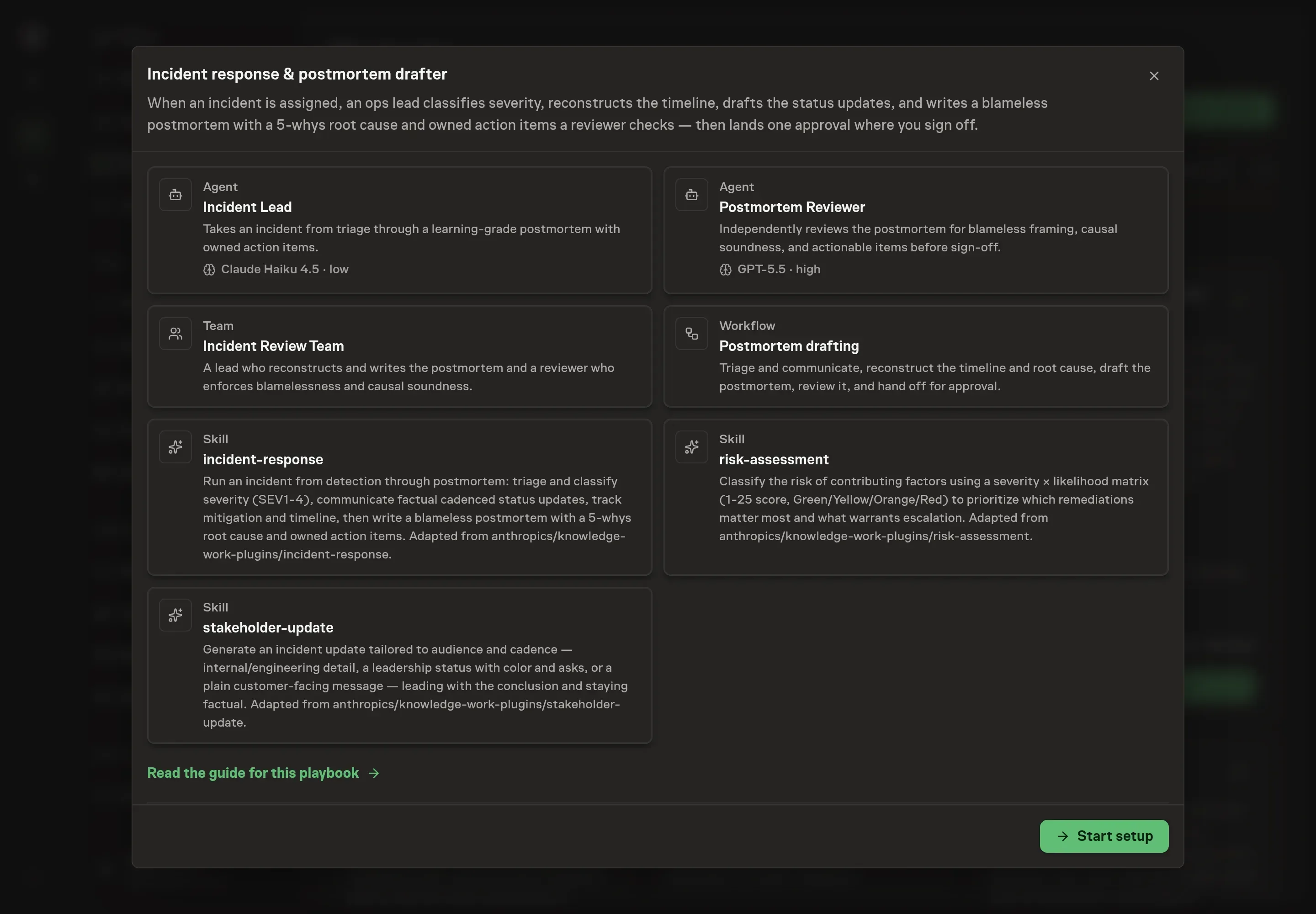
Choose Set up Incident response and postmortems. Task Machine opens a dedicated Chat with the Playbook card and an editable, unsent request. Read the intended job and outcome. Add your situation and send it when ready. Opening the draft does not install anything or start work. This walkthrough uses settings that require approval of the proposed Playbook.
3. Agree the working brief
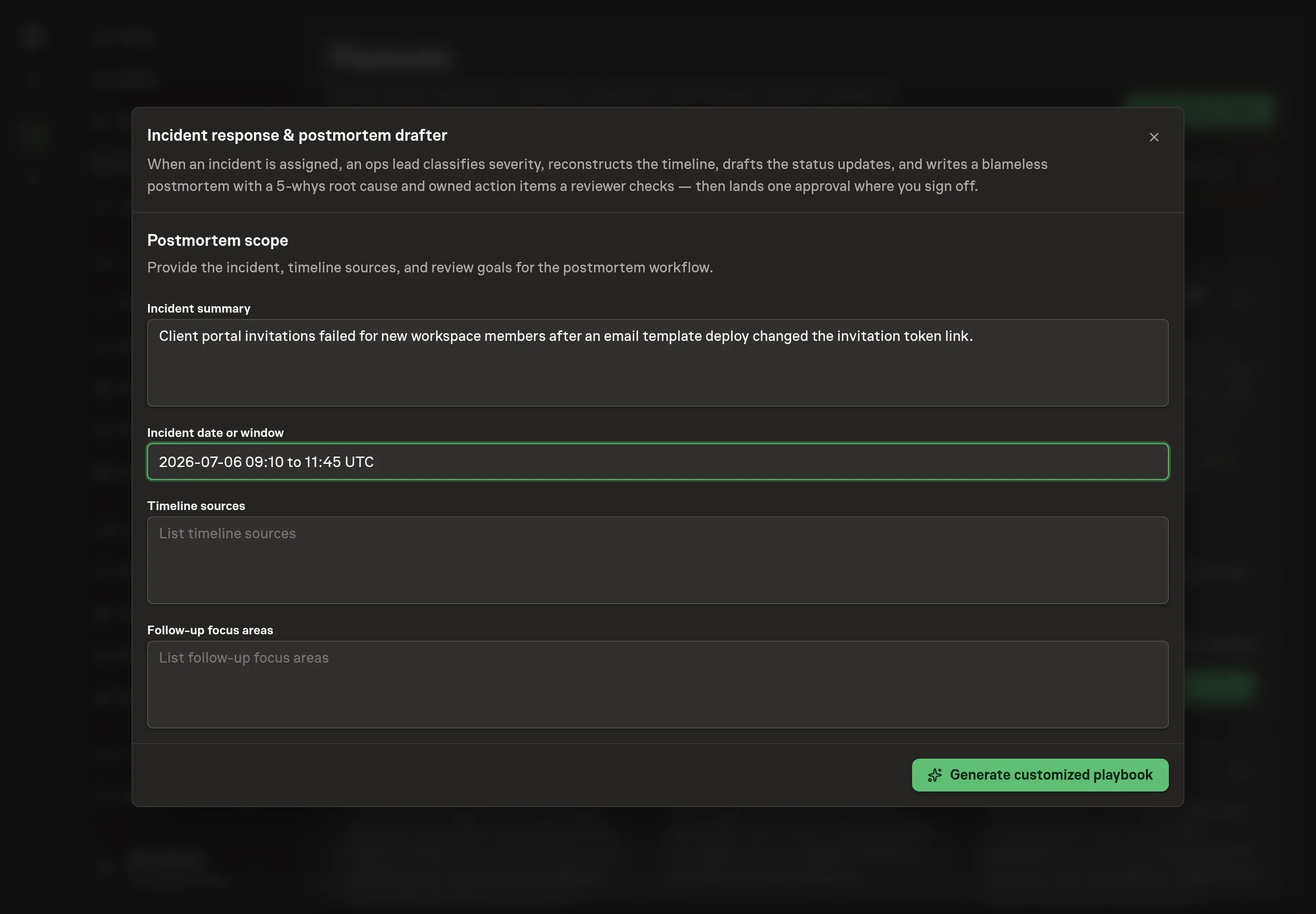
Use Chat to agree the inputs, expected output and limits before asking for a proposal. The Agent needs the incident summary, incident date or window, timeline sources, and follow-up focus areas. List the evidence sources the agent should reconcile: alerts, dashboards, incident chat, deploy logs, customer reports, and on-call notes.
4. Review the proposed Playbook
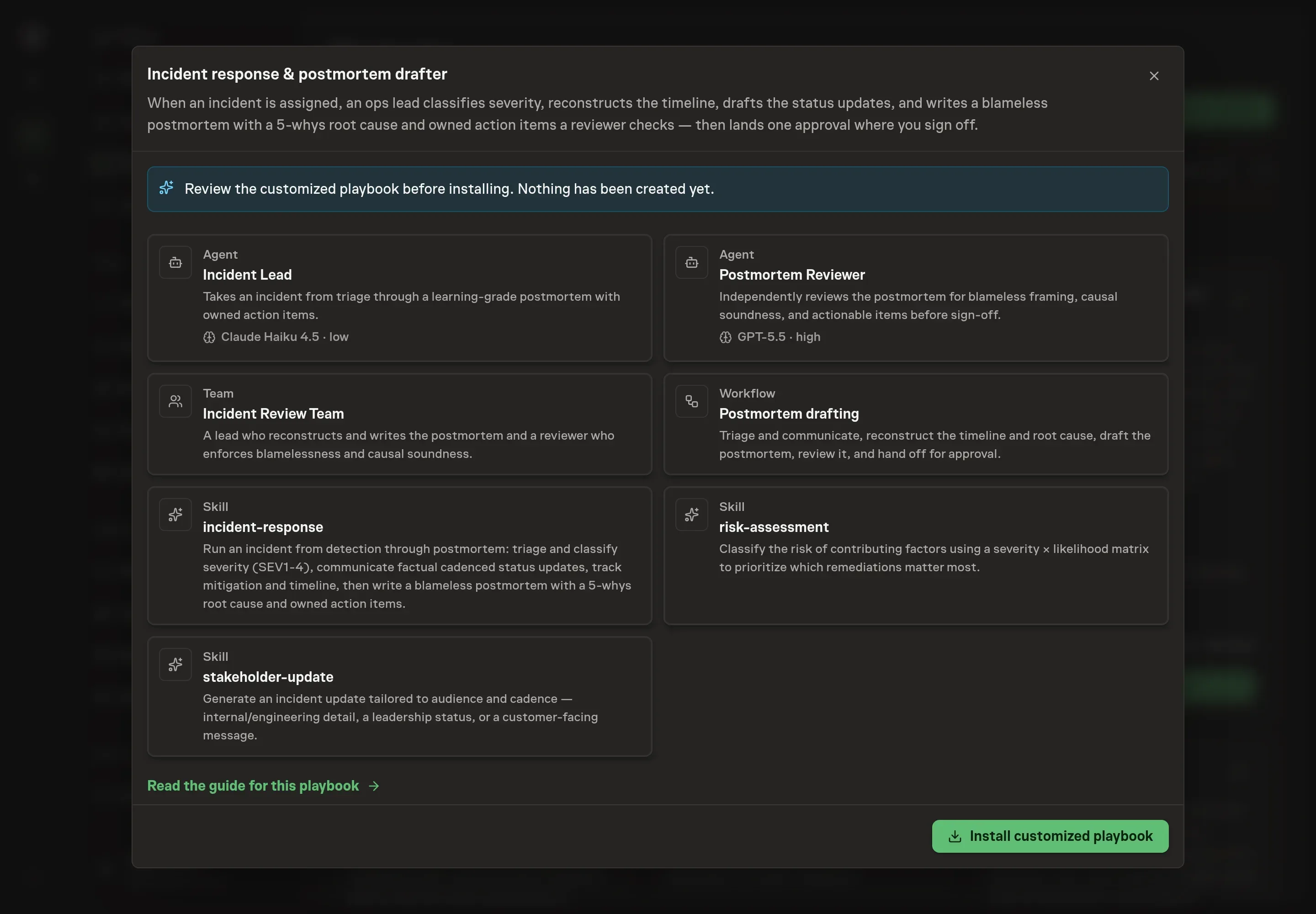
Ask the Agent to generate the Playbook from the agreed brief. Open its proposal in Chat and check the instructions and resources it will install, which carry more detail than the conversational summary. Review the generated records before installation. Confirm that the reviewer is present, the workflow has a human approval step, and the instructions require blameless root cause and owned action items. Ask for a revised proposal if anything is missing or changes the job.
5. Approve and prepare the first work
Choose Approve on the proposal in Chat when the configuration matches your brief. Task Machine installs that reviewed configuration. The approved item retains its review details. If your autonomy settings allow direct installation, this approval may not be required. Check the resulting configuration in that case too.
Complete any remaining secure service setup from the installation details in Chat. Inbox keeps those setup items available if you return later. Prepare the source documents and inputs before starting the first Task or Workflow. Installation does not authorize sending, publishing or changing an external service beyond the boundaries you agreed.
What good looks like
A useful postmortem has three visible qualities:
- The timeline is evidence-tied. Every important event has a timestamp and a source, including detection and mitigation.
- The cause is systemic. The 5-whys chain explains why the system allowed the incident, not which person touched the last step.
- The actions are owned. Each follow-up has an owner, priority, due date, and clear verification path.
Common questions
Should customer updates include the root cause during the incident? Only when it is confirmed and appropriate for that audience. Mid-incident customer updates should state impact, status, workaround, and next update time without speculation.
Why require a separate postmortem reviewer? The writer is close to the incident narrative. A reviewer can catch blame language, weak causality, missing evidence, and action items that are too vague to own.
Can the workflow publish the postmortem automatically? No. The workflow ends at human approval. Publishing or filing the postmortem remains a human decision.
What if the timeline has gaps? Gaps are findings. The draft should name them rather than smoothing over them, because missing detection or logging is often part of the root cause.