How to Draft Legal Demand and Response Letters
A practical guide to drafting legal letters with privilege checks, fact verification, structural critique, and attorney approval.

Founder, Task Machine
Legal demand and response letter drafting is the process of turning a matter intake into a reviewed letter that states the posture, uses verified facts, makes the right ask, and avoids creating new legal risk. The work covers demand letters, cease-and-desist letters, routine client letters, and plain-language correspondence.
It is worth treating as a controlled workflow because the dangerous mistakes happen before the writing looks polished. A letter can waive privilege, overstate a fact, misquote a document, make an admission, or include a review label that should never reach the recipient.
Routine-looking legal letters change by matter
Legal letters often look routine because the format repeats. That repetition is deceptive. The posture changes by matter: tone, response window, marking, signer, jurisdiction, relationship to the recipient, and settlement-communication context all affect what the letter should say.
The visible draft is only one artifact. A safe drafting process also needs a pre-draft gate, a record of unverified facts, a list of exact quotes that need confirmation, and a clear attorney approval step. Without those controls, a clean-looking letter can carry the wrong risk into the record.
What the manual process looks like
Done by hand, a careful legal letter workflow has five stages:
- Confirm the matter posture: tone, response window, marking, signer, prior correspondence, and letter type.
- Run the pre-draft gate for privilege, admission risk, accord and satisfaction, settlement posture, waiver, tone, and factual accuracy.
- Draft to the right structure: demand, cease-and-desist, routine client letter, or plain-language letter.
- Check record fidelity: exact quotes are exact, pinpoints support the whole proposition, and unverified facts are flagged.
- Self-critique the draft, compile the verification list, strip internal labels from the outgoing version, and route it to an attorney for approval.
The work covers evidence handling, risk surfacing, and approval discipline as much as writing.
What an agent can automate
An agent can do the assembly and critique work while leaving legal judgment and sending authority with the attorney:
- Confirm posture before drafting. The agent asks for the matter-specific tone, response window, marking, signer, and letter type rather than relying on a practice default.
- Run the pre-draft gate. It checks privilege, settlement-communication posture, admission risk, waiver risk, accord and satisfaction, tone, and factual accuracy before a draft exists.
- Draft to the letter type. Demand letters, cease-and-desist letters, routine client letters, and plain-language letters each have different conventions. The agent follows the relevant structure.
- Preserve record fidelity. It refuses to invent quotes, flags
[VERIFY]items, and marks any exact quote that still needs confirmation. - Critique before approval. It checks structure, analysis depth, clarity, citation form, and every uncertain substantive call before the attorney review.
The agent drafts and prepares. It does not give legal advice, make strategic legal calls, or send without approval.
The guardrails that make it safe
The safe boundary is explicit attorney approval. The workflow stops if the pre-draft gate is not engaged, if facts cannot be verified, or if a weak argument needs a strategic call.
The outgoing letter also needs label discipline. Internal review labels and work-product headers belong on internal drafts and checklists, not in recipient-facing copy. The workflow should surface the verification list to the attorney, then prepare the approved version in the email or document tool only after sign-off, with another pause before anything is sent.
Set it up in Task Machine
The Legal demand & response letter drafting playbook provides a starting point for the method above. You need an active Task Machine workspace with Chat, workspace-management and Playbook-installation access (workspace owners have it). Email or document-tool access is optional at setup. Until it is authorized, the agent drafts from the matter intake and hands work to the attorney for review.
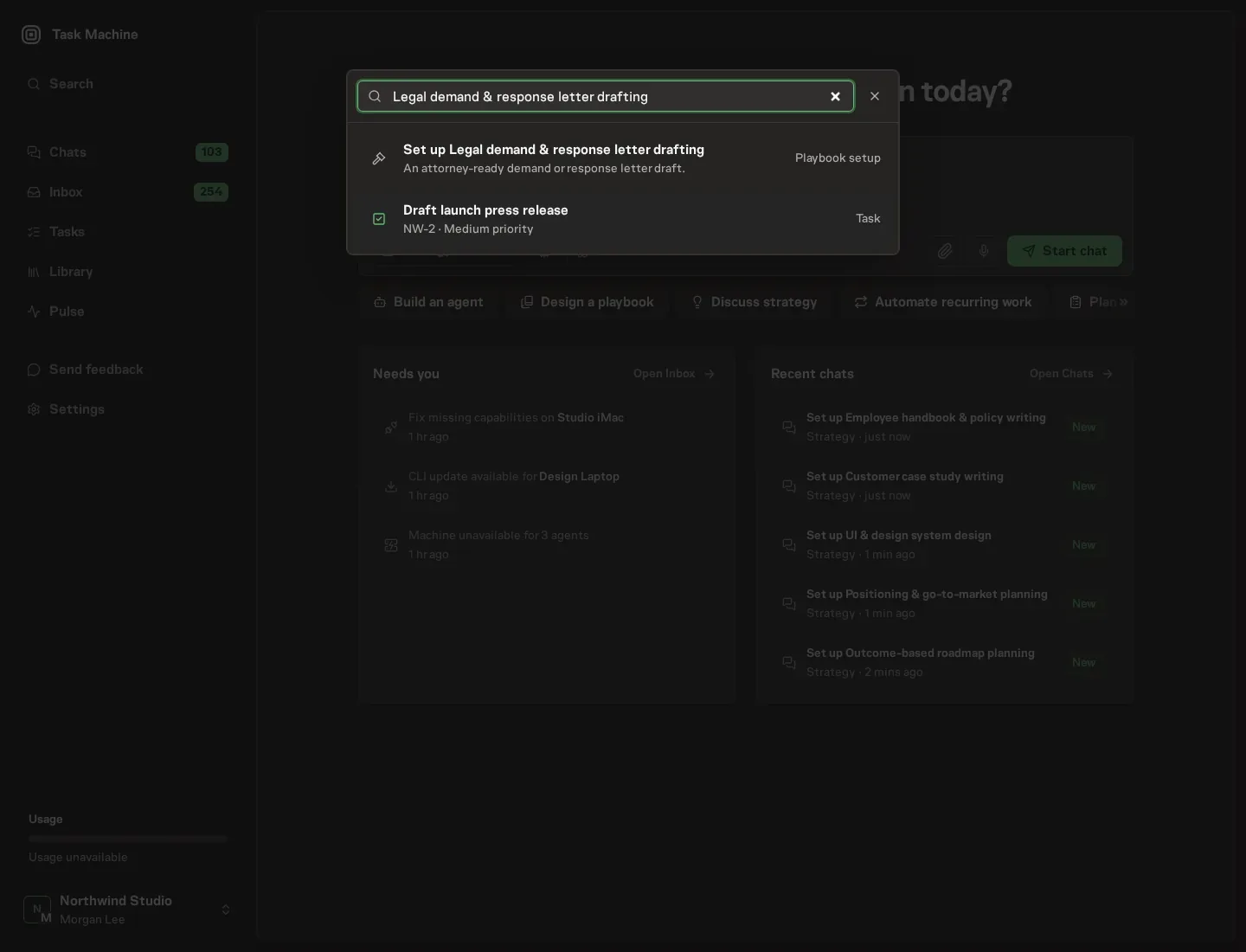
1. Find the playbook
Open Search in your workspace and enter "Legal demand & response letter drafting". The command center lists Set up Legal demand & response letter drafting under Playbook setup.
2. Start the conversation
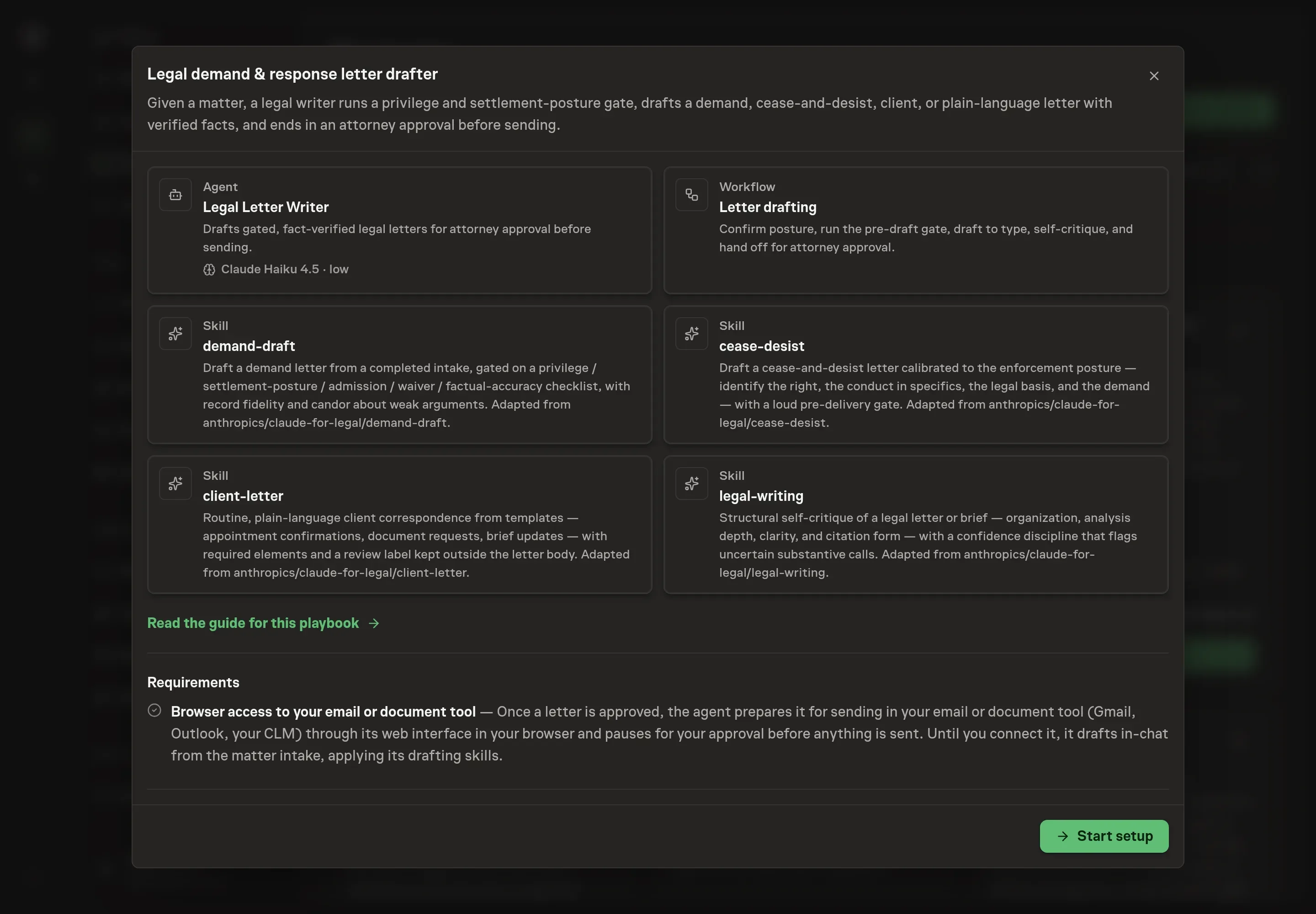
Choose Set up Legal demand & response letter drafting. Task Machine opens a dedicated Chat with the Playbook card and an editable, unsent request. Read the intended job and outcome. Add your situation and send it when ready. Opening the draft does not install anything or start work. This walkthrough uses settings that require approval of the proposed Playbook.
3. Agree the working brief
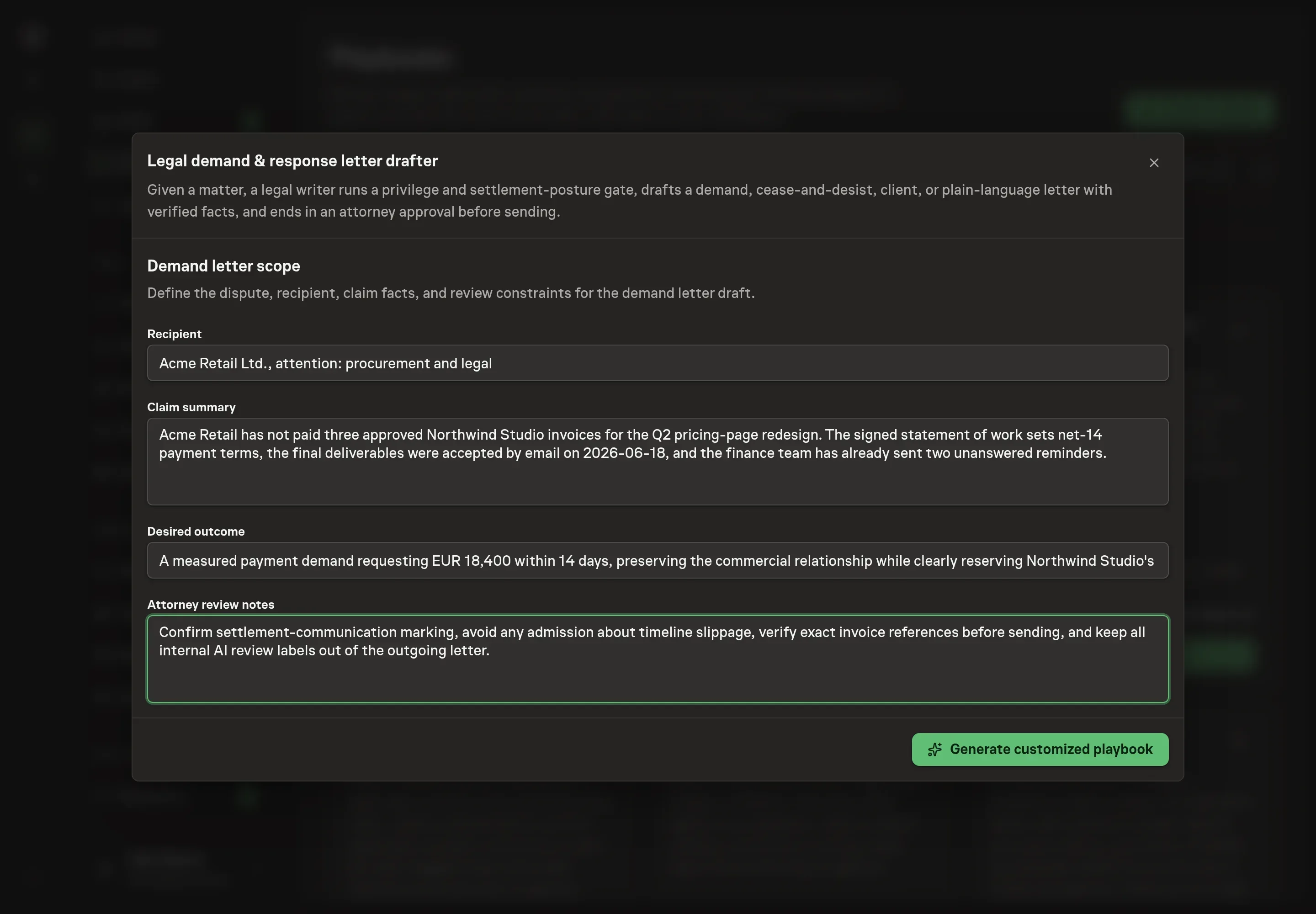
Use Chat to agree the inputs, expected output and limits before asking for a proposal. The Agent needs the recipient, claim summary, desired outcome, and attorney review notes. Keep the inputs matter-specific: who receives the letter, what facts support the claim or response, what result the letter should seek, and what the reviewing attorney wants surfaced.
4. Review the proposed Playbook
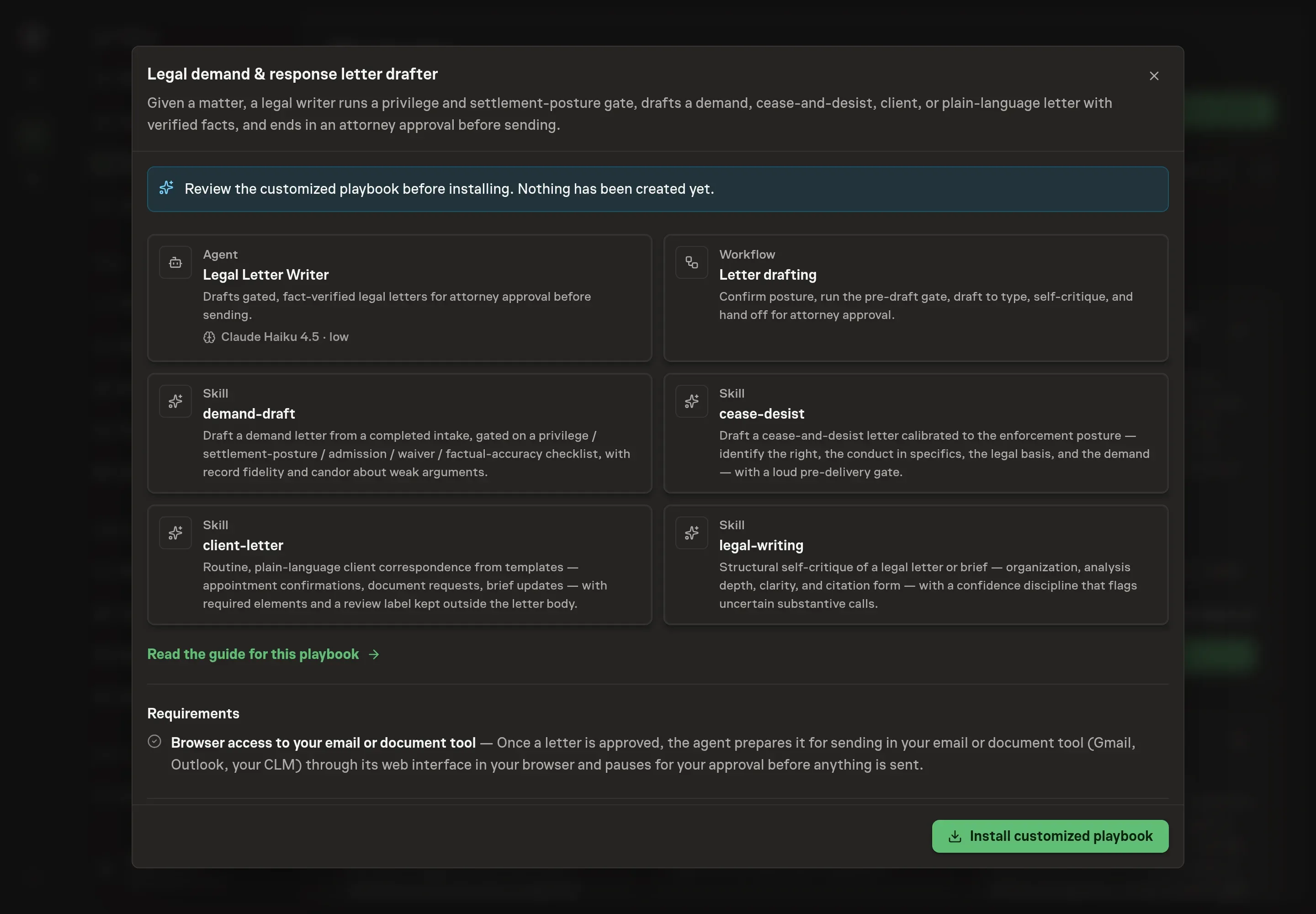
Ask the Agent to generate the Playbook from the agreed brief. Open its proposal in Chat and check the instructions and resources it will install, which carry more detail than the conversational summary. Review the workflow cards carefully: the posture and pre-draft gate comes before drafting, the self-critique compiles the verification list, and the attorney approval gate sits before sending. Ask for a revised proposal if anything is missing or changes the job.
5. Approve and prepare the first work
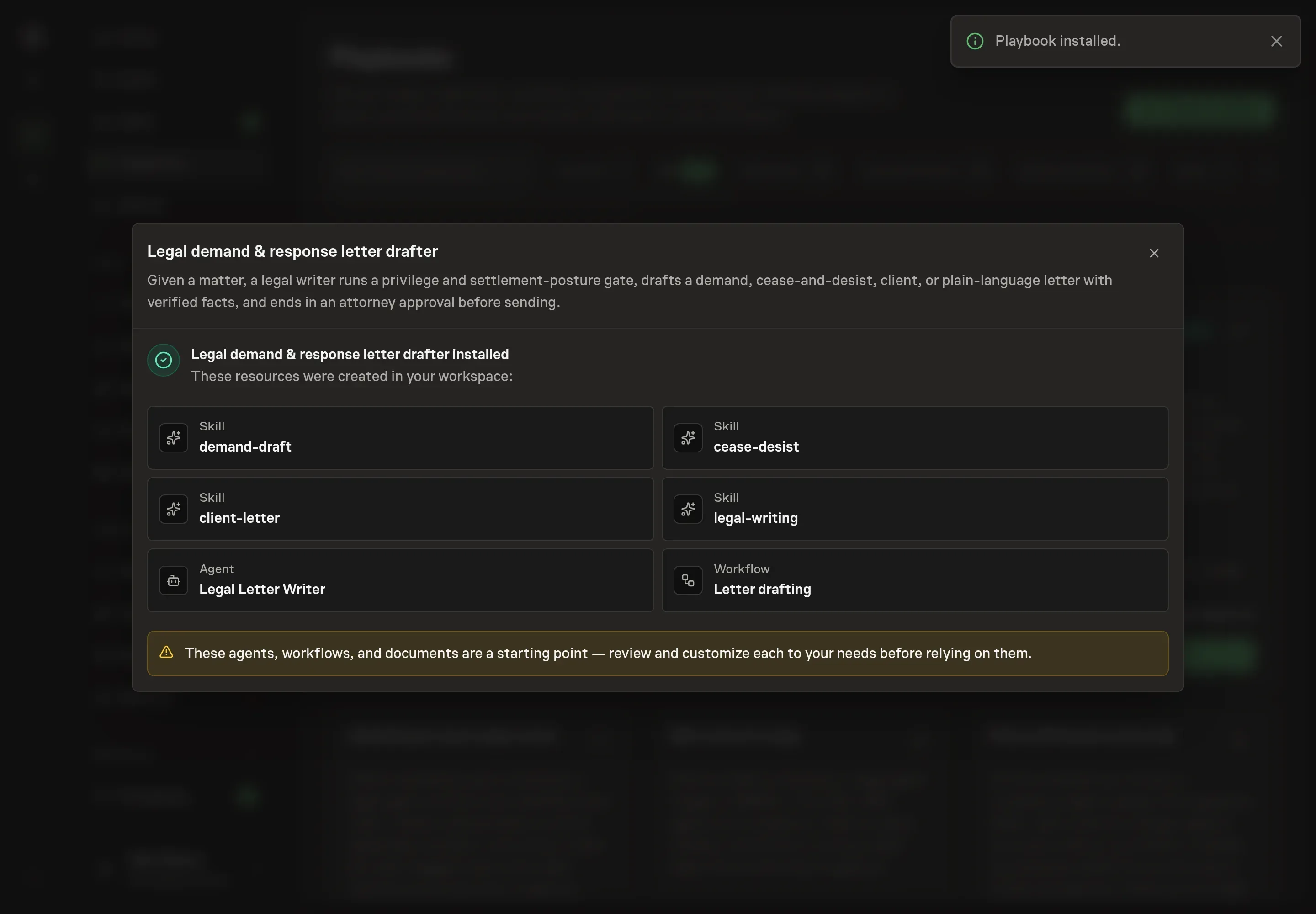
Choose Approve on the proposal in Chat when the configuration matches your brief. Task Machine installs that reviewed configuration. The approved item retains its review details. If your autonomy settings allow direct installation, this approval may not be required. Check the resulting configuration in that case too.
Complete any remaining secure service setup from the installation details in Chat. Inbox keeps those setup items available if you return later. Prepare the source documents and inputs before starting the first Task or Workflow. Installation does not authorize sending, publishing or changing an external service beyond the boundaries you agreed.
What good looks like
Three checks matter more than raw drafting speed:
- Gate completion. The draft should not exist until posture, privilege, waiver, settlement context, admissions, and factual accuracy have been addressed.
- Verification clarity. Every unverified fact, uncertain citation, exact quote, and strategic call should be visible to the attorney.
- Clean outgoing copy. Recipient-facing text should have no internal review label, no work-product header, and no unapproved claim.
Common questions
Can an agent draft a legal demand letter? It can draft a letter for attorney review from matter inputs and drafting rules. It should not give legal advice, decide strategy, or send the letter without an attorney approval step.
What happens when facts are missing? The draft should flag missing facts instead of filling gaps. The playbook uses [VERIFY] and exact-quote placeholders so the attorney can confirm what must be checked before approval.
Should routine client letters use the same process? They can use a lighter version, but routine letters still need required elements and label discipline. A review note belongs outside the letter body, never in the client-facing text.
Can this work without an email or document tool connected? Yes. The workflow can draft from the matter intake and return the letter plus verification list. A connected email or document tool only helps prepare the approved version for sending.