How to Draft Offer Letters With an Agent
A practical guide to drafting offer letters with total compensation, jurisdiction checks, compliance review, and approval before send.

Founder, Task Machine
Offer letter drafting is the process of turning agreed candidate terms into a warm, precise employment offer that can be reviewed and sent. The letter has to welcome the person and behave like a contract: role, start date, location, employment type, compensation, equity, bonuses, benefits, contingencies, expiry, and acceptance block all need to be clear.
The work is repetitive, but the risk is not. A missing equity detail, wrong classification, misplaced at-will language, or unsupported restrictive covenant can turn a happy hiring moment into legal cleanup.
Offer letters must be fast and precise
Offer letters sit between hiring momentum and legal precision. Move too slowly and the candidate cools off. Move too quickly and the team sends a letter with missing terms, invented placeholders, or jurisdiction language copied from the last hire.
The cost is usually rework: HR asks for missing compensation details, legal flags a covenant, the hiring manager rewrites the tone, and the candidate waits. A structured process separates assembly, drafting, compliance review, and final approval.
What the manual process looks like
Done by hand, offer drafting has five steps:
- Confirm candidate name, role, level, manager, work location, employment type, start date, compensation, equity, bonuses, benefits, contingencies, expiry, and approval notes.
- Assemble the total-comp package, including base, pay schedule, equity count and vesting, bonus terms, and first-year compensation context.
- Draft the letter from a template with a warm opening, precise terms, next steps, and acceptance block.
- Run compliance review for work jurisdiction, classification, at-will language, restrictive covenants, contingencies, and any research gaps.
- Approve the letter before signature routing or candidate email.
The workflow is short, but each step owns a different failure mode. Combining them into one drafting pass hides the checks that matter.
What an agent can automate
An agent can prepare the offer package and draft while keeping the sensitive decisions visible:
- Assemble terms. It confirms the candidate, role, start date, manager, location, base, equity, bonuses, benefits, contingencies, and expiry. Missing values stay bracketed instead of invented.
- Draft the letter. It uses the offer template to write a warm opening, position details, compensation, benefits, contingencies, next steps, and acceptance block.
- Run compliance review. A separate reviewer checks work jurisdiction, classification, at-will treatment, covenant issues, and research gaps before the human sees the final draft.
- Prepare approval evidence. The workflow returns the letter, compliance flags, and action items so HR, legal, or the hiring manager can approve deliberately.
The agent does not make the hire, set compensation, give legal advice, send the email, or route an envelope without explicit confirmation.
The guardrails that make it safe
Offer letters need strict placeholder discipline. If a number, date, manager, jurisdiction, or equity detail is missing, the agent should show [BRACKETED] placeholders rather than filling the gap from memory or a prior offer.
The compliance review is a second guardrail. Jurisdiction-specific rules need current research. If coverage is thin, the reviewer should stop and flag the gap rather than produce a confident conclusion. The final approval step keeps HR or legal in control before anything is sent or routed for signature.
Set it up in Task Machine
The Offer letter drafting playbook provides a starting point for the method above. You need an active Task Machine workspace with Chat, workspace-management and Playbook-installation access (workspace owners have it). Browser access to e-signature and email tools is useful later, but the playbook can deliver a document and draft email before those tools are authorized.
1. Find the playbook
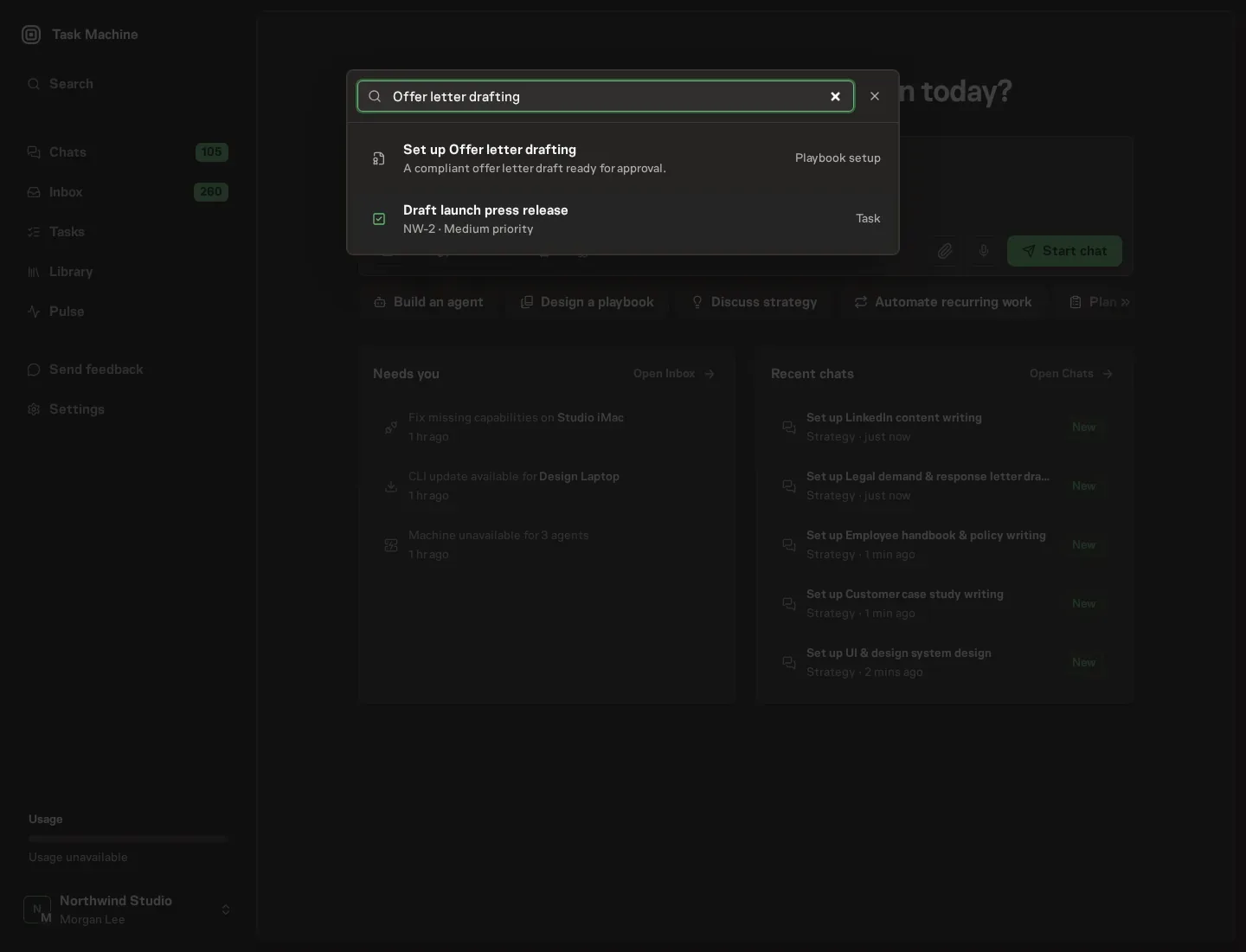
Open Search in your workspace and enter "Offer letter drafting". The command center lists Set up Offer letter drafting under Playbook setup.
2. Start the conversation
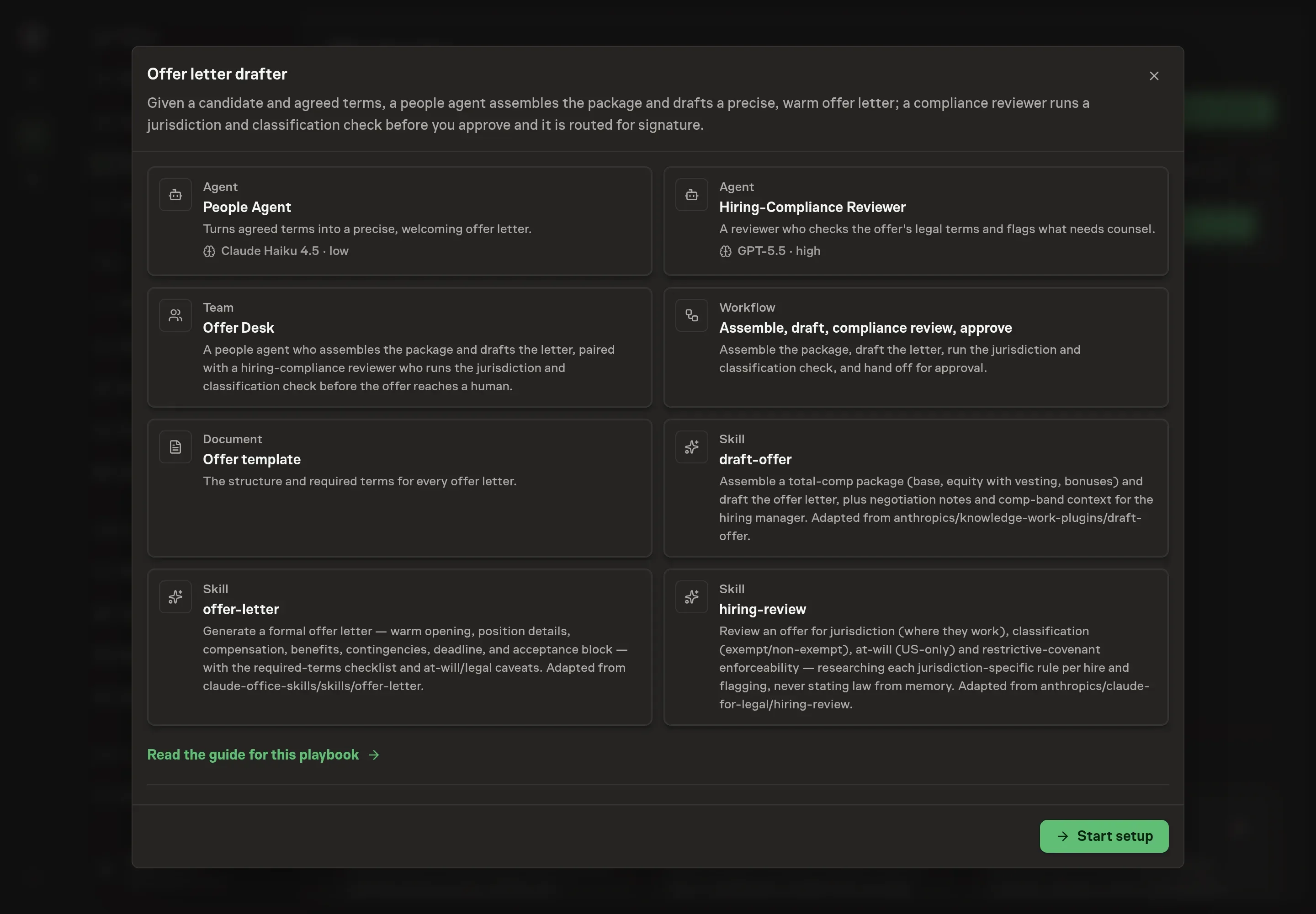
Choose Set up Offer letter drafting. Task Machine opens a dedicated Chat with the Playbook card and an editable, unsent request. Read the intended job and outcome. Add your situation and send it when ready. Opening the draft does not install anything or start work. This walkthrough uses settings that require approval of the proposed Playbook.
3. Agree the working brief
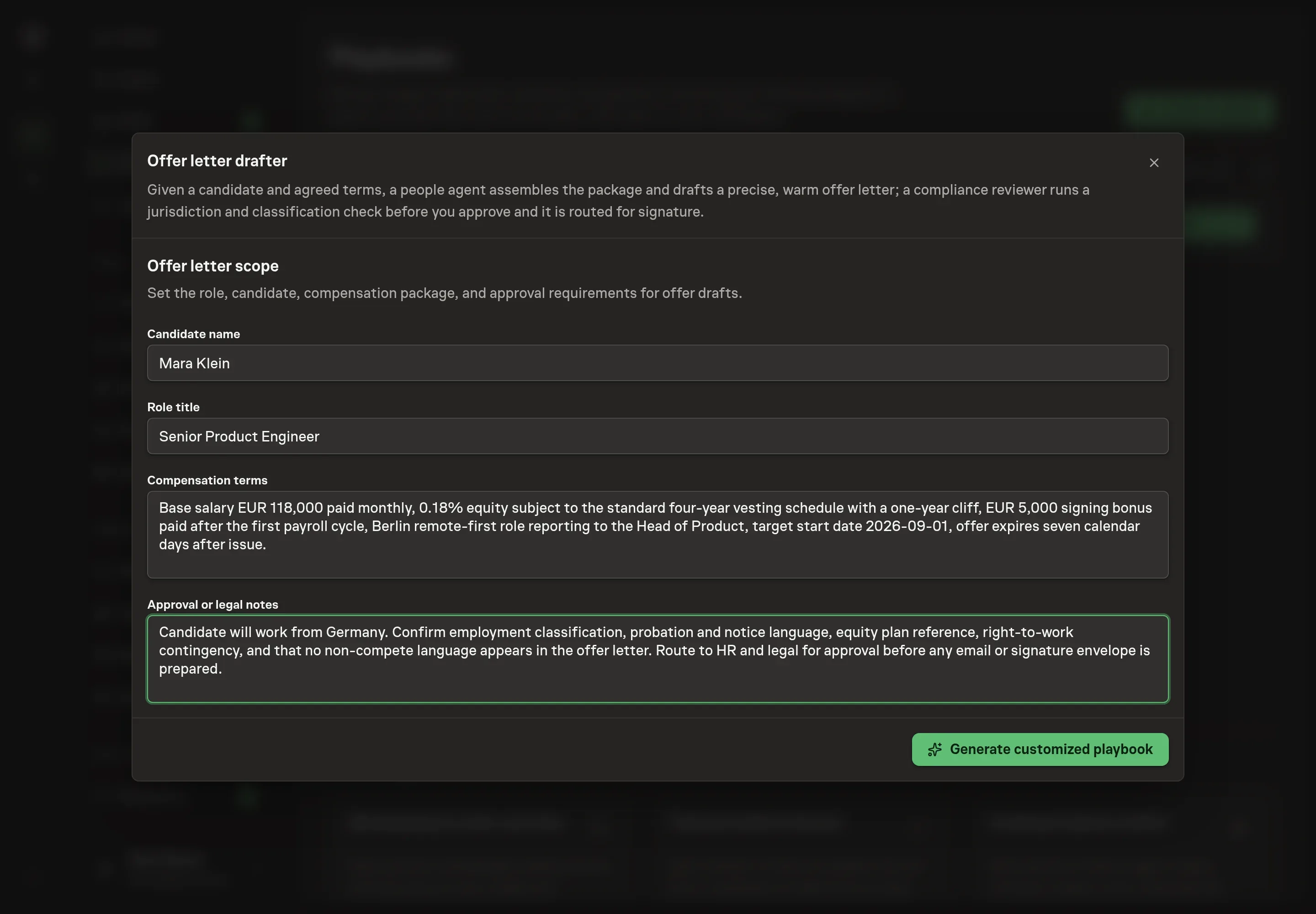
Use Chat to agree the inputs, expected output and limits before asking for a proposal. The Agent needs candidate name, role title, compensation terms, and approval or legal notes. Put the agreed terms here, not aspirational ranges. If a detail is not final, say that it is pending so the agent preserves a placeholder.
4. Review the proposed Playbook
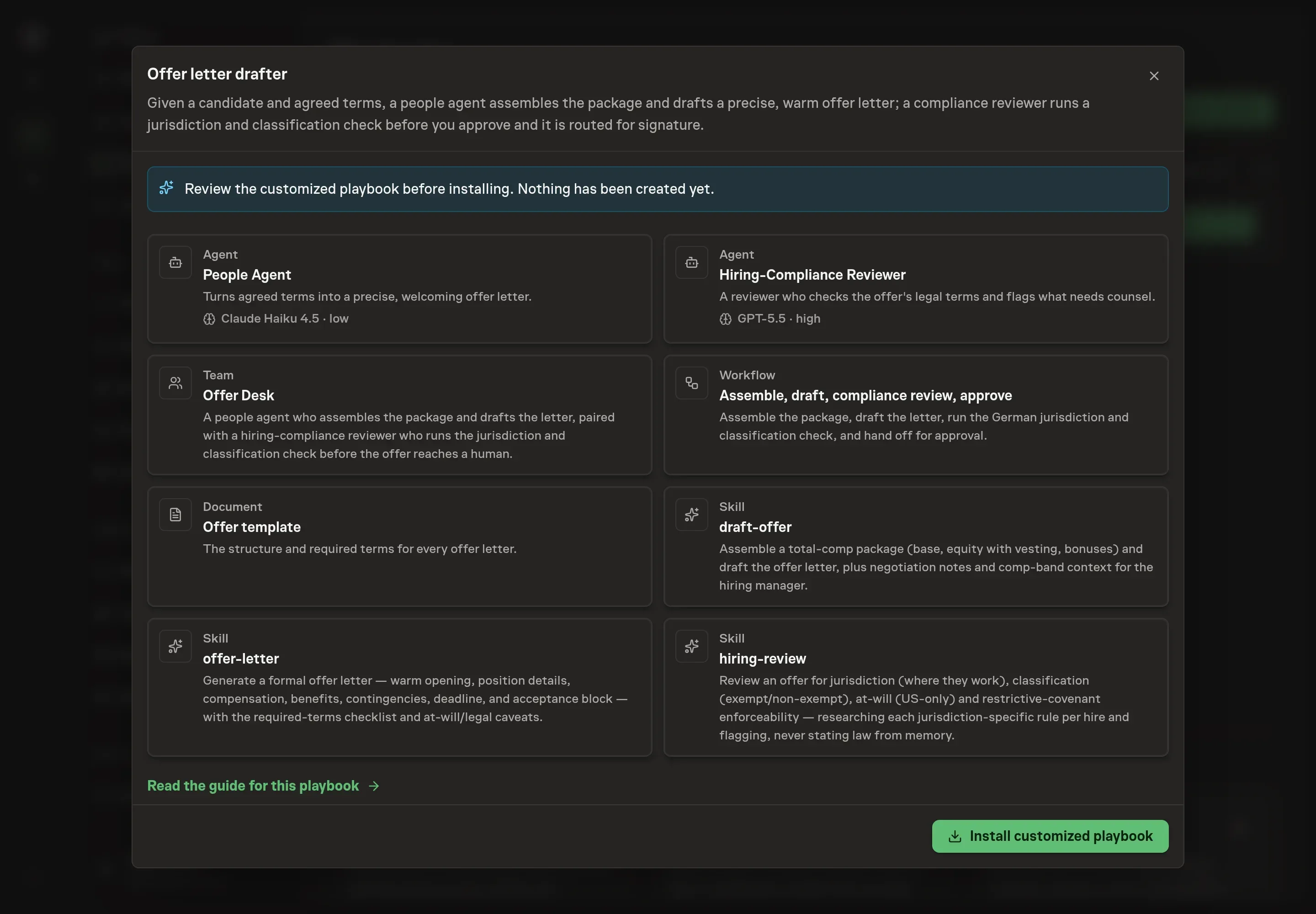
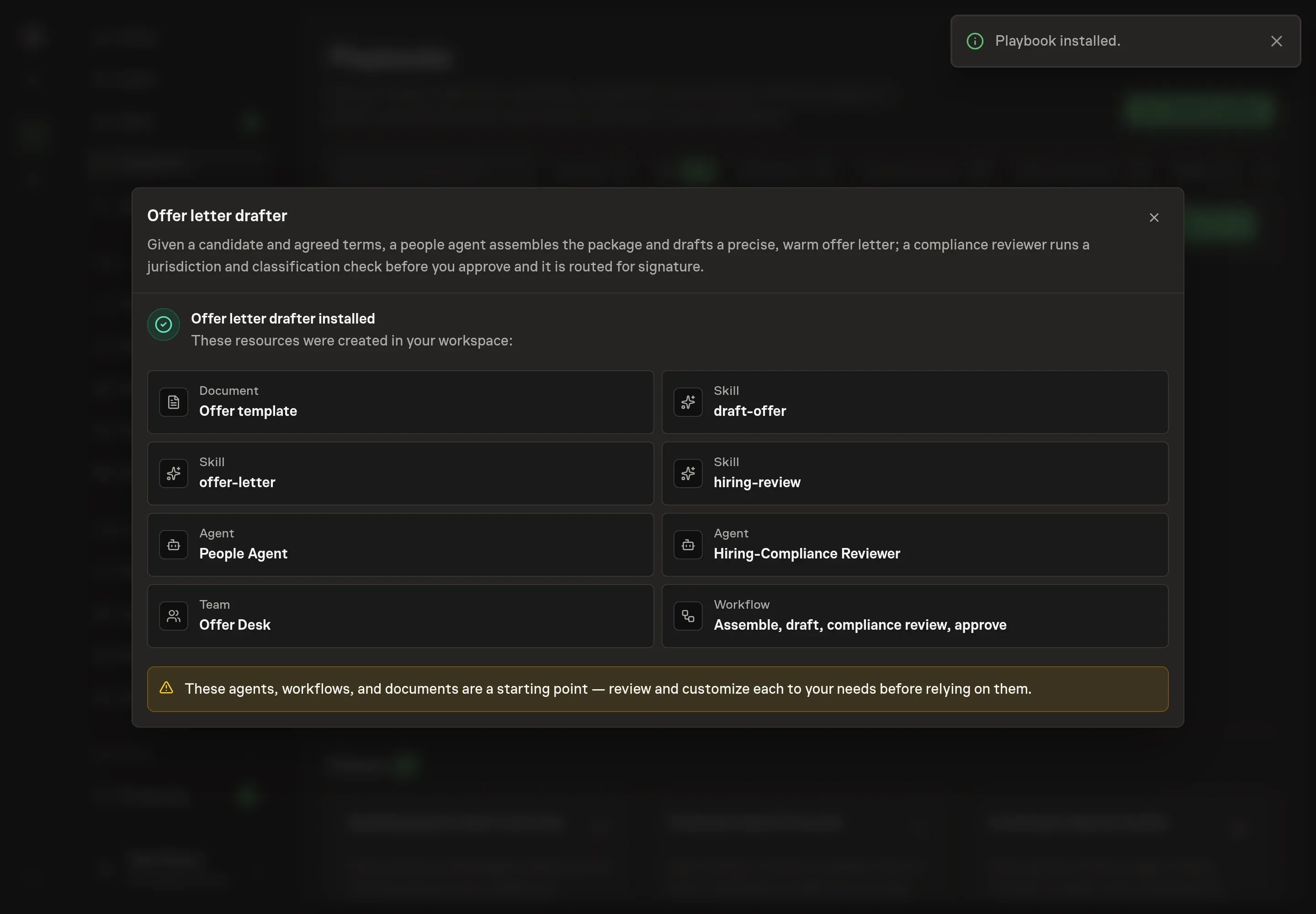
Ask the Agent to generate the Playbook from the agreed brief. Open its proposal in Chat and check the instructions and resources it will install, which carry more detail than the conversational summary. Confirm that the compliance reviewer is installed, the approval step remains before any send or signature routing, and the offer template reflects your required sections. Ask for a revised proposal if anything is missing or changes the job.
5. Approve and prepare the first work
Choose Approve on the proposal in Chat when the configuration matches your brief. Task Machine installs that reviewed configuration. The approved item retains its review details. If your autonomy settings allow direct installation, this approval may not be required. Check the resulting configuration in that case too.
Complete any remaining secure service setup from the installation details in Chat. Inbox keeps those setup items available if you return later. Prepare the source documents and inputs before starting the first Task or Workflow. Installation does not authorize sending, publishing or changing an external service beyond the boundaries you agreed.
What good looks like
A good offer-letter workflow is fast without being casual:
- No invented terms. Missing values are bracketed and routed for decision.
- Total compensation is explicit. Base, pay schedule, equity, bonus, benefits, and first-year context are visible before approval.
- Compliance flags are separate from tone edits. Jurisdiction, classification, at-will, covenant, and research gaps are reviewed before the letter goes out.
Common questions
Can the agent send the offer to the candidate? No. It drafts and can prepare routing after approval, but email and signature steps require explicit human confirmation.
What happens when compensation is incomplete? The agent should use bracketed placeholders and flag the missing value. It should not copy a value from another candidate or invent a number.
Does the compliance reviewer replace legal review? No. It helps surface jurisdiction, classification, at-will, covenant, and research issues. HR or legal still approves the offer before send.
Can this handle non-US offers? Yes, but the review has to be jurisdiction-specific. The playbook explicitly avoids adding US at-will language to non-US offers and flags required written-statement or notice-period questions for review.