How to Draft PRDs With an Agent
A practical guide to turning feature briefs into PRDs with evidence, stories, metrics, risks, and human approval.

Founder, Task Machine
A product requirements document is the artifact that turns a product idea into a shared engineering brief. A useful PRD states the problem, the target users, the strategic context, the high-level product behavior, the success metric, the user stories, the out-of-scope boundaries, the risks, and the open questions.
Drafting a PRD is a good agent job because most of the work is synthesis. The agent should not invent the strategy or start implementation. It should read the brief, organize what is already known, expose what is missing, and hand the result to a person who can approve or revise it.
Teams pay for weak PRDs later
Teams usually pay for weak PRDs later. Engineering asks the same context questions in planning. Design discovers the target user was never named. QA finds acceptance criteria only after build starts. Product learns that the success metric was assumed, not agreed.
The other failure is the oversized specification. A PRD that dictates pixels, file paths, and implementation details can freeze collaboration before it starts. The right artifact gives engineering enough context to build and test the behavior, while keeping design and technical choices open where they should remain open.
What the manual process looks like
Done by hand, PRD drafting is a structured synthesis pass:
- Read the feature brief, discovery synthesis, or rough idea end to end.
- Extract the problem from the user's perspective, the audience, the intended outcome, and any evidence.
- Identify the smallest point where the feature can be tested end to end.
- Write the PRD sections: executive summary, problem, target users, strategic context, high-level behavior, success metrics, stories, out of scope, dependencies, risks, and open questions.
- Turn the requirements into user stories with 4 to 6 testable acceptance criteria each.
- Self-critique the draft against a quality bar before asking anyone to approve it.
Product judgment stays with the team. The agent makes the first structured draft cheap enough that the team can review substance instead of formatting.
What an agent can automate
The Product requirements writing playbook is narrow by design:
- Synthesize the brief. The PM agent reads the supplied context and turns what is already known into a PRD. It should not re-interview the user when the answer is already in the brief.
- Use a complete PRD structure. The draft includes executive summary, evidence-backed problem, target users, strategic context, solution overview, success metrics, user stories, out-of-scope, dependencies and risks, and open questions.
- Write testable stories. The agent applies the user-stories skill, using the 3 C's and INVEST, with acceptance criteria that include edge cases and error paths.
- Keep the solution high-level. The PRD should not hardcode pixel-level UI or stale file paths.
- Self-critique before approval. The agent revises anything that fails the quality bar: missing evidence, vague user stories, no primary metric, unclear out-of-scope, or hidden open questions.
The strongest PRD makes the underlying bet legible enough to approve, cut down, or reject, whatever its length.
The guardrails that make it safe
The playbook ends at human approval. It does not kick off engineering, create implementation tasks, or pretend a thin brief is enough. If the problem, target persona, scope boundary, or success metric is ambiguous, the agent should stop and ask.
That approval step matters because PRDs encode product commitments. A person decides whether the problem is worth solving, whether the success metric is the right one, and whether the out-of-scope boundary is acceptable.
Set it up in Task Machine
The Product requirements writing playbook provides a starting point for the method above. You need an active Task Machine workspace with Chat, workspace-management and Playbook-installation access (workspace owners have it). The playbook does not require a connected service before it can draft from an attached brief.
1. Find the playbook
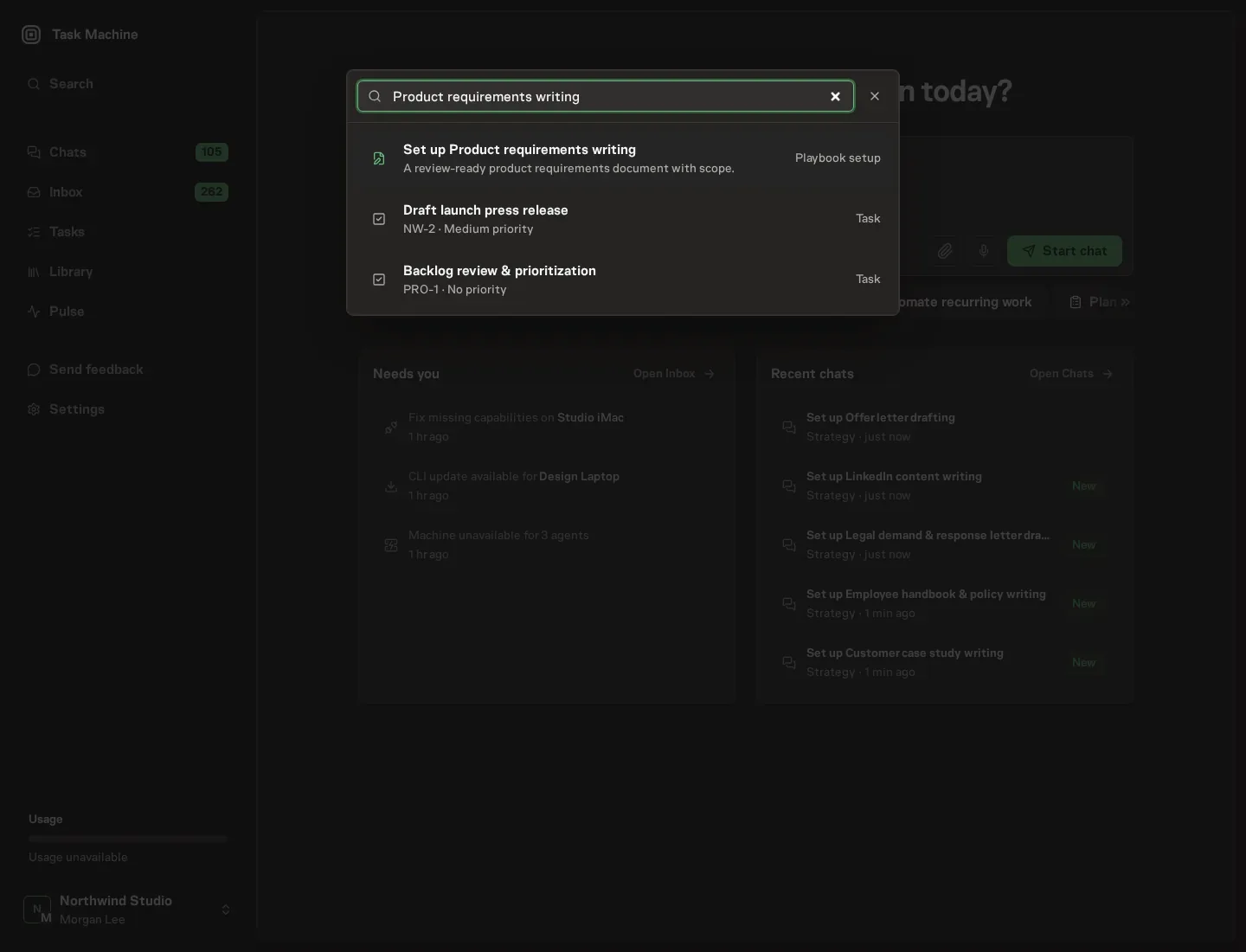
Open Search in your workspace and enter "Product requirements writing". The command center lists Set up Product requirements writing under Playbook setup.
2. Start the conversation
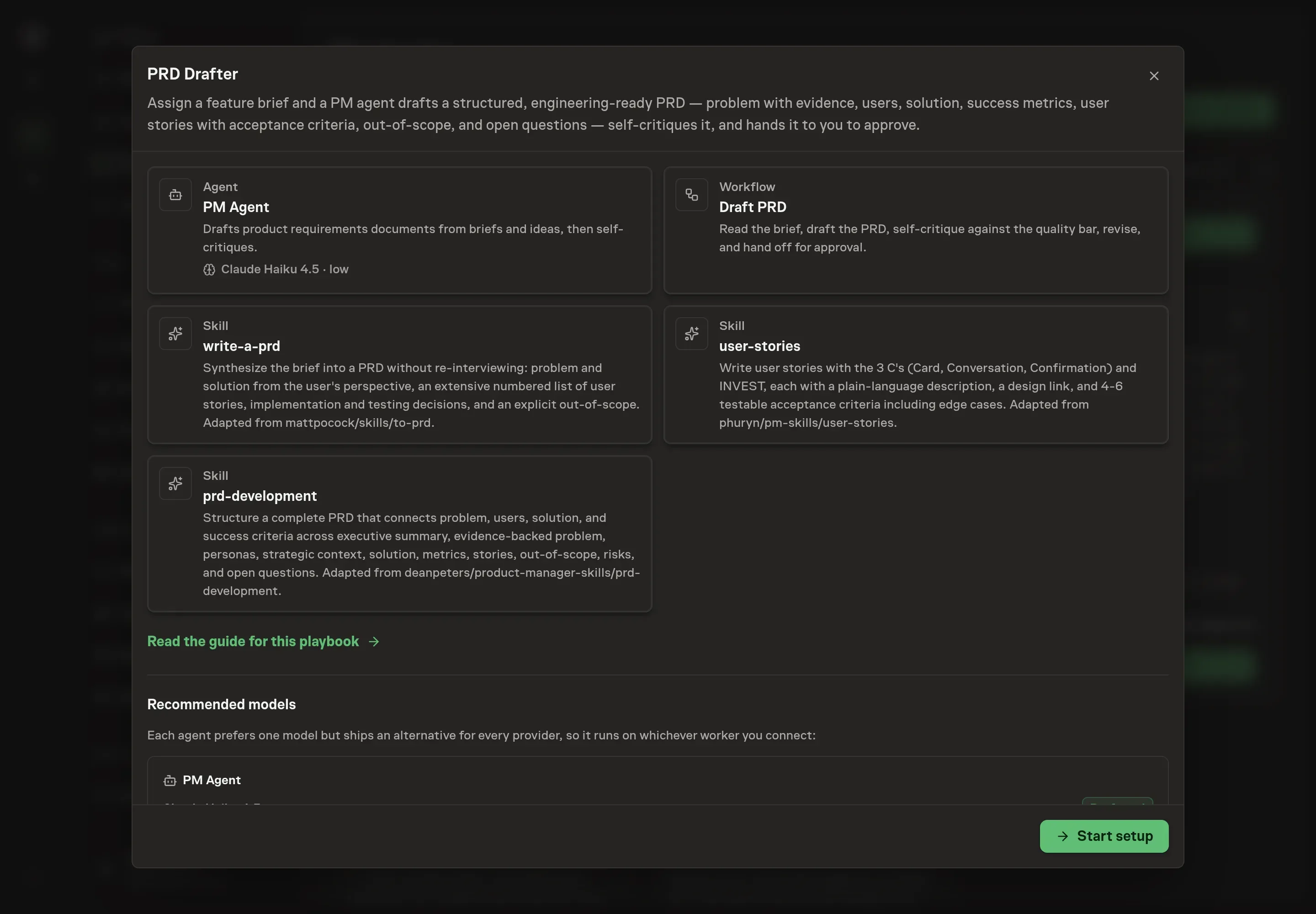
Choose Set up Product requirements writing. Task Machine opens a dedicated Chat with the Playbook card and an editable, unsent request. Read the intended job and outcome. Add your situation and send it when ready. Opening the draft does not install anything or start work. This walkthrough uses settings that require approval of the proposed Playbook.
3. Agree the working brief
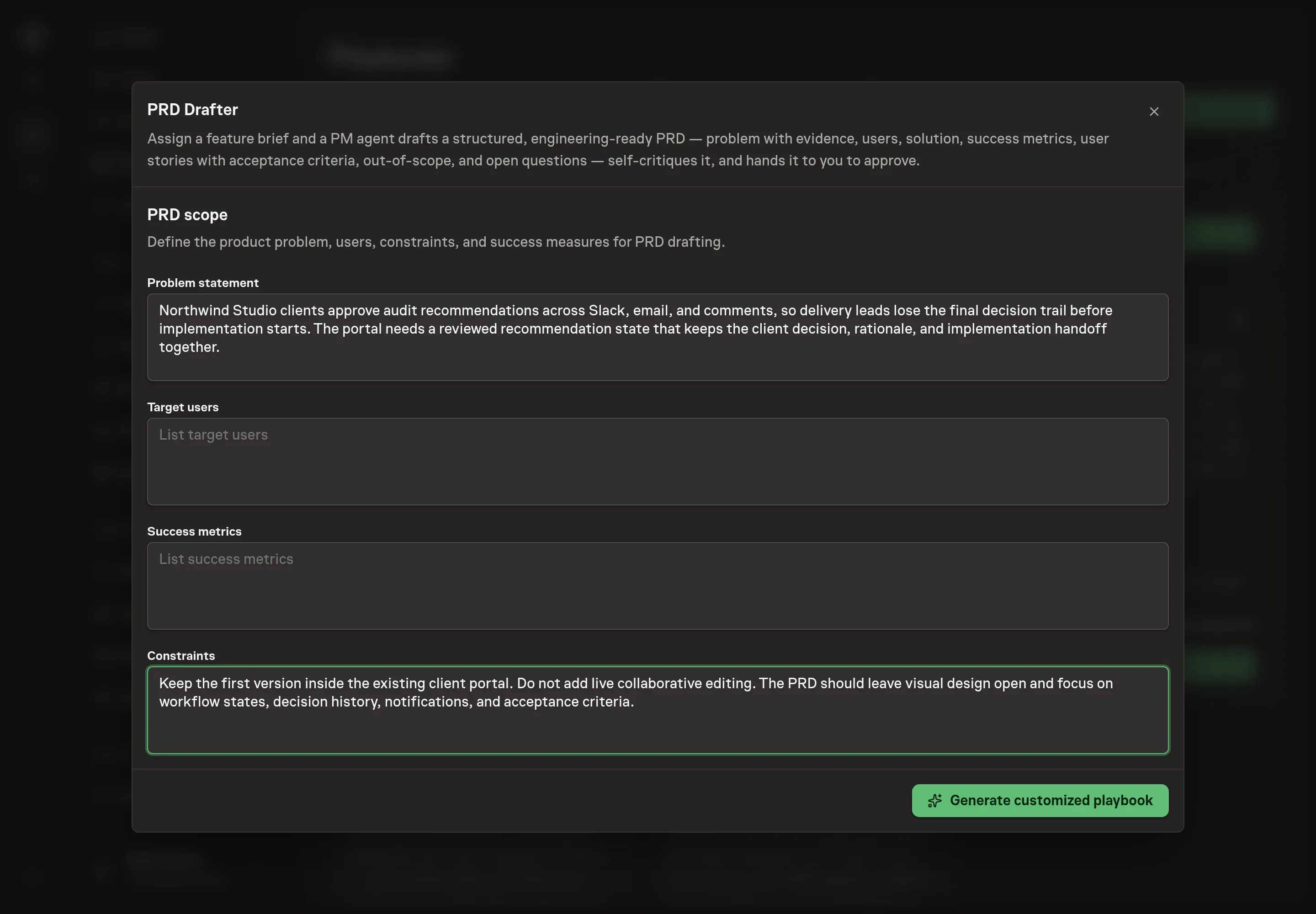
Use Chat to agree the inputs, expected output and limits before asking for a proposal. The Agent needs the problem statement, target users, success metrics, and constraints. Treat these as the first guardrails for the draft. If the brief has evidence, mention it. If a metric is still a hypothesis, say so.
4. Review the proposed Playbook
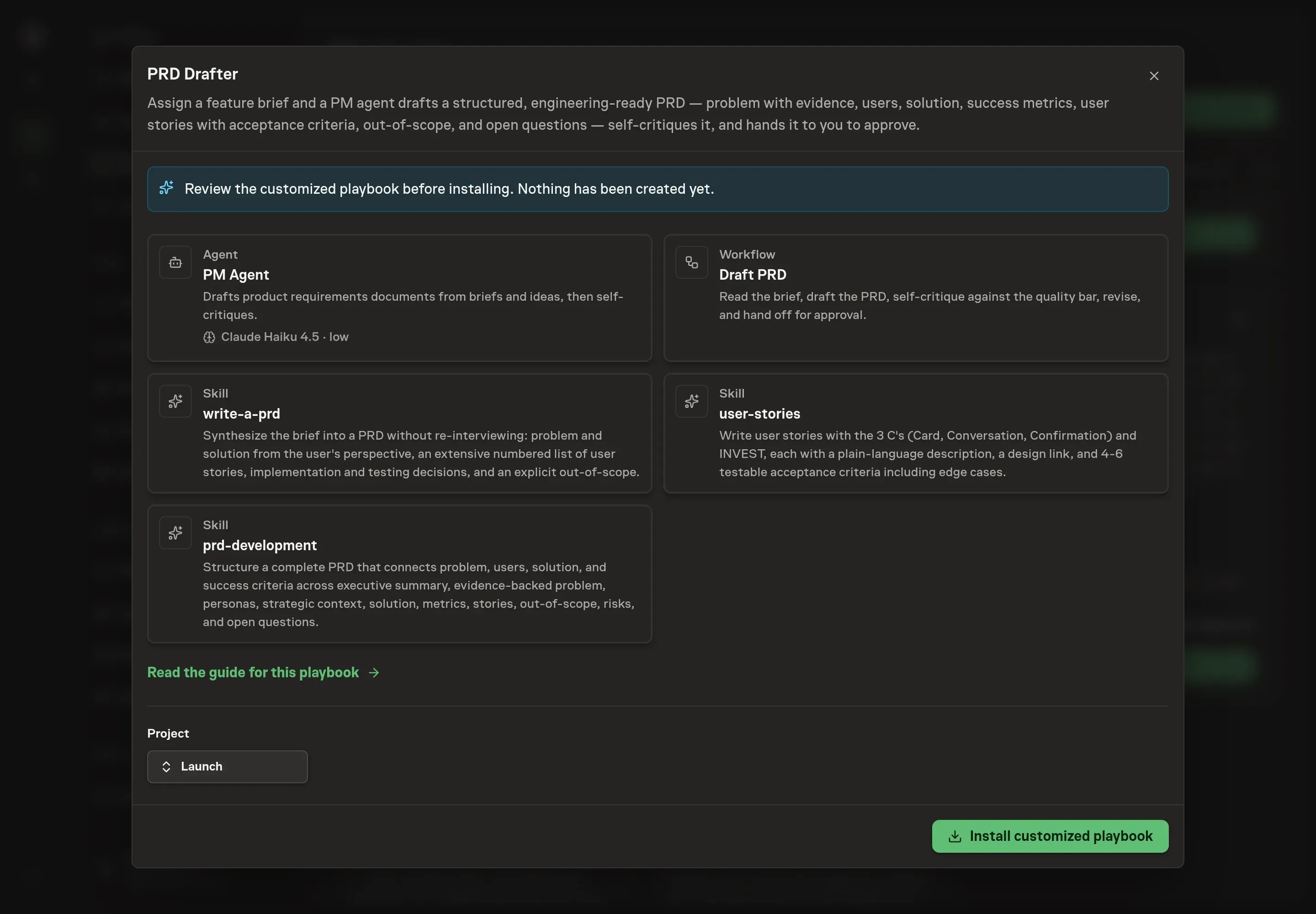
Ask the Agent to generate the Playbook from the agreed brief. Open its proposal in Chat and check the instructions and resources it will install, which carry more detail than the conversational summary. Review the generated workflow before installing. Confirm it includes a self-critique step and a human approval step before engineering begins. Ask for a revised proposal if anything is missing or changes the job.
5. Approve and prepare the first work
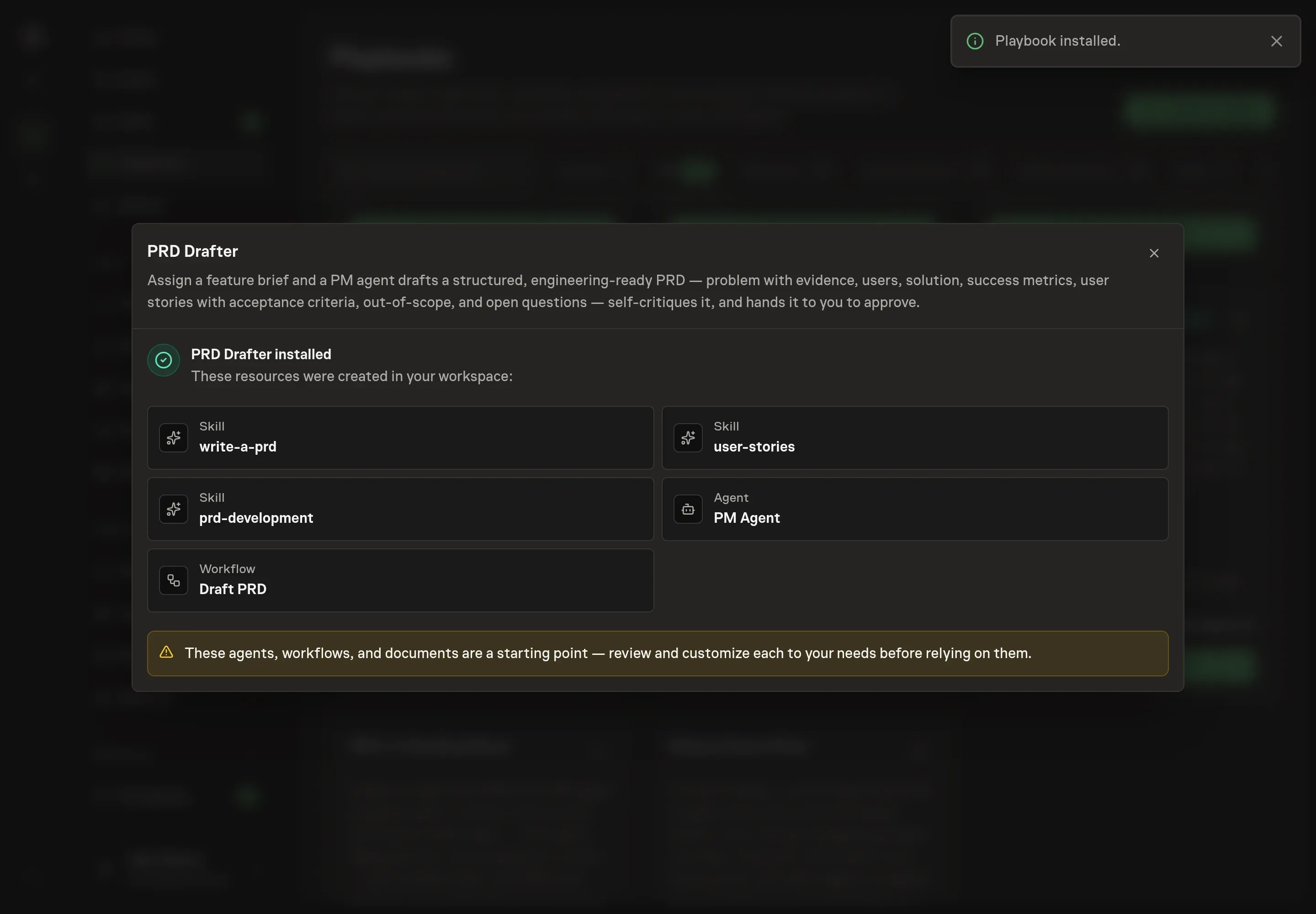
Choose Approve on the proposal in Chat when the configuration matches your brief. Task Machine installs that reviewed configuration. The approved item retains its review details. If your autonomy settings allow direct installation, this approval may not be required. Check the resulting configuration in that case too.
Complete any remaining secure service setup from the installation details in Chat. Inbox keeps those setup items available if you return later. Prepare the source documents and inputs before starting the first Task or Workflow. Installation does not authorize sending, publishing or changing an external service beyond the boundaries you agreed.
What good looks like
A strong PRD draft has three checks:
- The problem is evidenced or clearly labeled as an assumption. The agent should never invent data to make the problem sound stronger.
- The stories are testable. Each story has acceptance criteria that let engineering and QA decide whether the behavior works.
- The scope boundary is explicit. Out-of-scope items are named with rationale, so review can challenge the boundary before build starts.
Common questions
Should an agent ask follow-up questions before drafting? Only when a core decision is missing. If the brief already answers the problem, user, outcome, and constraints, the agent should synthesize rather than re-interview.
Can this replace product management? No. It creates a structured draft and highlights gaps. Product judgment still decides whether the problem, scope, and metric are right.
What if the feature is small? A full PRD may be too much. The PRD development skill says trivial fixes or already-aligned changes may only need user stories.
Does the playbook start implementation after approval? No. It stops at PRD approval. Use a separate breakdown or build workflow when the approved PRD is ready for engineering planning.