How to Draft Proposals and Estimates
A practical guide to drafting scoped proposals and estimates with priced options, assumptions, exclusions, and approval.

Founder, Task Machine
A proposal and estimate turn a client brief into a document the buyer can approve: what will be done, why it fits, what it costs, when it happens, what is excluded, and which assumptions the numbers depend on. A good proposal makes the scope and decision path clear without making the work sound larger than it is.
The value is risk reduction on both sides. The client gets a priced plan they can compare and approve. The seller gets fewer disputes later because the proposal names assumptions, exclusions, validity window, and open questions before the work starts.
Why proposals create delivery problems
Proposal work often fails by being too persuasive and not precise enough. The executive summary sounds polished, the pricing table looks complete, and the timeline feels reasonable, but the assumptions are missing, the exclusions are vague, and one important number came from memory instead of the pricing document.
Those gaps become delivery problems. A client expects an item that was never included, an internal team inherits a timeline that depends on missing access, or the seller discounts a scope change because the proposal did not state the boundary. The earlier the proposal names gaps, the cheaper they are to fix.
What the manual process looks like
Done by hand, proposal drafting has five steps:
- Read the brief and attached context, then synthesize the client's situation, goals, requirements, constraints, and open questions.
- Check the services and pricing source before writing any number into the estimate.
- Draft the proposal structure: executive summary, understanding of needs, proposed approach, deliverables, priced options, timeline, relevant experience, terms, and next steps.
- Make assumptions, exclusions, validity window, payment terms, and unanswered questions explicit.
- Review the draft for traceability, audience fit, and unsupported claims before sending.
The proposal should help the buyer say yes, but it should also make the no-go points visible. If an open question blocks a firm number, the document should say that rather than hide the uncertainty.
What an agent can automate
A proposal agent is useful when it drafts from sources and refuses to invent missing details:
- Scope the brief first. The agent scans the brief and attached context, then produces a structured intake with summary, background, current state, key considerations, gaps, and next steps.
- Draft from a standard spine. It uses the same proposal structure each time, so client-facing deliverables stay consistent across opportunities.
- Ground numbers in pricing. Every price and figure must trace to the services-and-pricing document. If the brief asks for unpriced work, the agent flags the gap.
- Offer priced options. The draft can present options, anchor with the higher option first, and mark one recommended when the pricing source supports it.
- Pressure-test before approval. A reviewer checks traceability, assumptions, exclusions, validity, open questions, executive summary quality, and audience fit.
The agent does not guarantee the deal closes, invent pricing, or replace legal review for terms. It prepares the proposal for human approval.
The guardrails that make it safe
Proposal automation needs source discipline. A confident unsupported number is worse than an empty row because it becomes a promise.
The safe shape is a workflow where the proposal agent scopes the brief, drafts the proposal, and then a reviewer tests every number and term before the human sees it. The approval request should include the proposal, estimate, and flagged open questions. Anything that blocks a firm price should remain visible until the owner resolves it.
Set it up in Task Machine
The Proposal writing & estimates playbook provides a starting point for the method above. You need an active Task Machine workspace with Chat, workspace-management and Playbook-installation access (workspace owners have it). No connected service is required. The workflow runs from the brief and context you attach.
1. Find the playbook
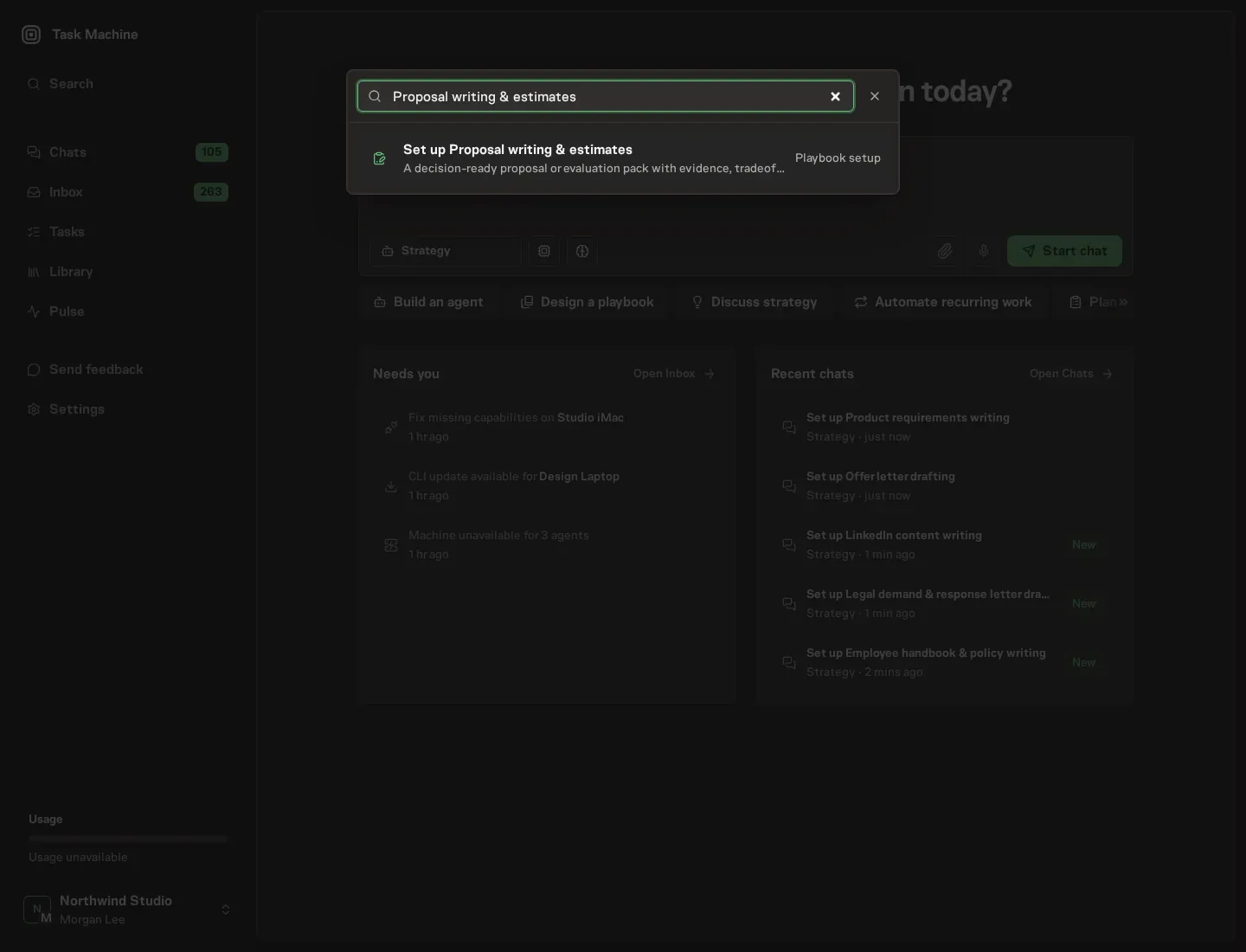
Open Search in your workspace and enter "Proposal writing & estimates". The command center lists Set up Proposal writing & estimates under Playbook setup.
2. Start the conversation
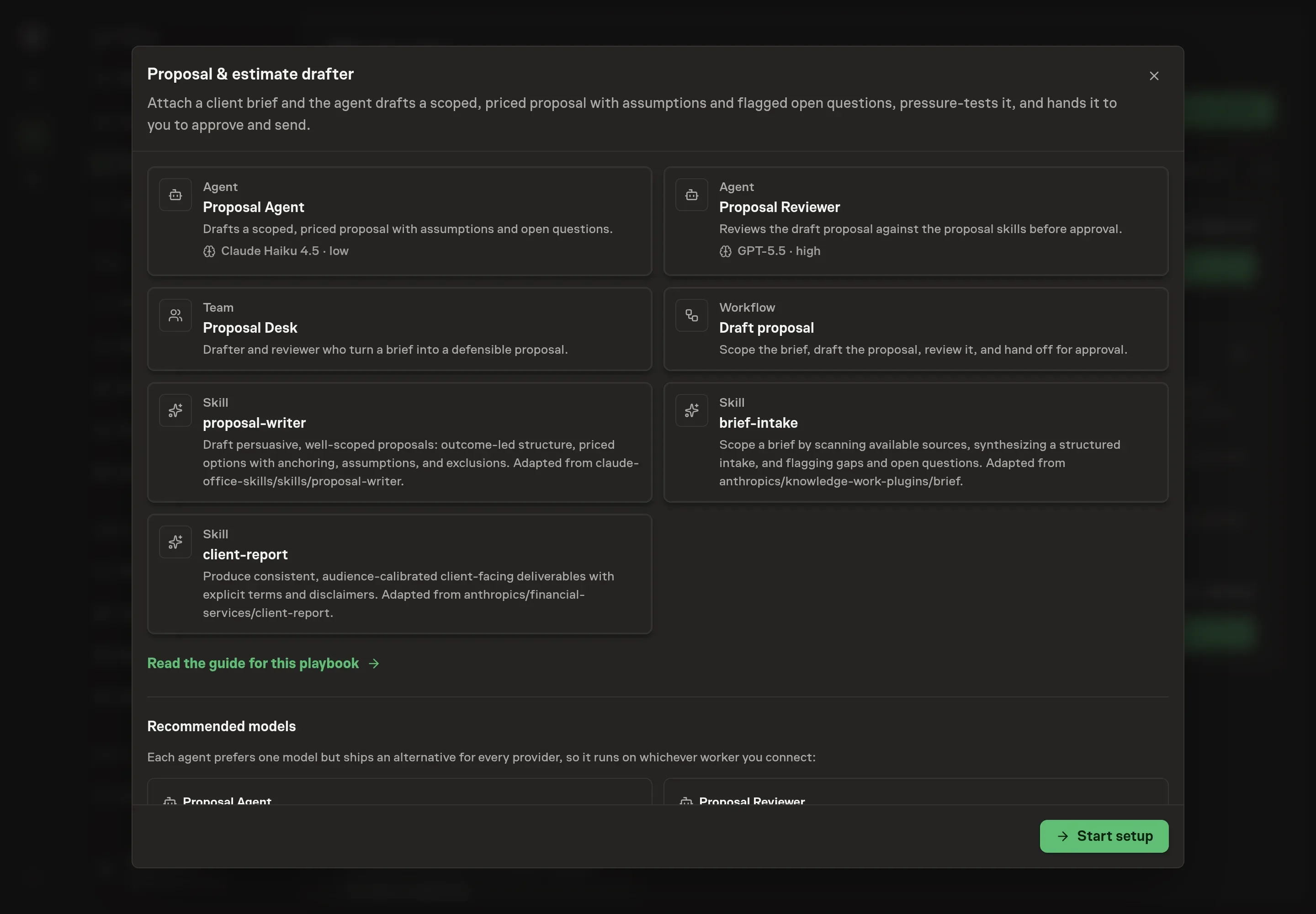
Choose Set up Proposal writing & estimates. Task Machine opens a dedicated Chat with the Playbook card and an editable, unsent request. Read the intended job and outcome. Add your situation and send it when ready. Opening the draft does not install anything or start work. This walkthrough uses settings that require approval of the proposed Playbook.
3. Agree the working brief
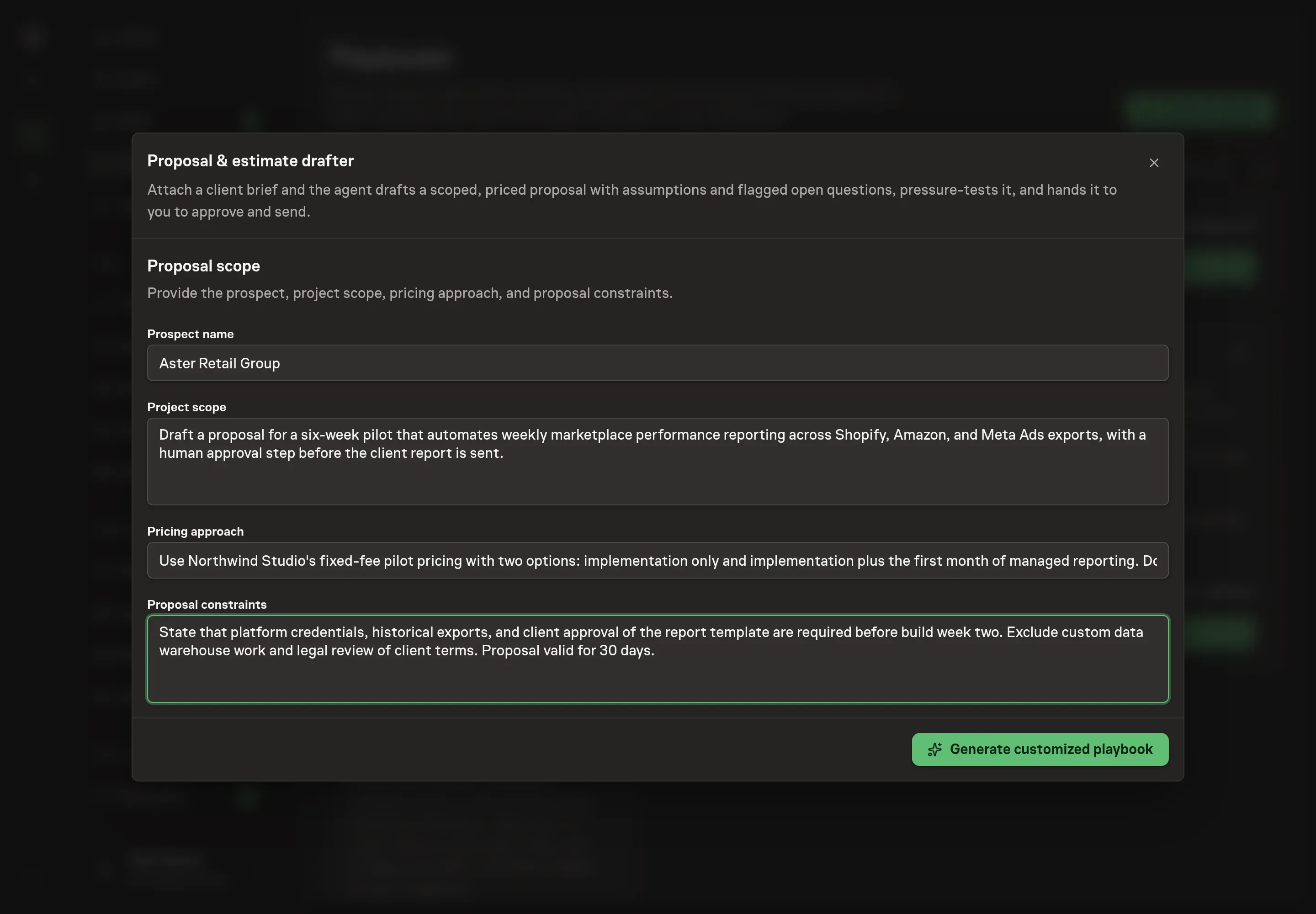
Use Chat to agree the inputs, expected output and limits before asking for a proposal. The Agent needs the prospect name, project scope, pricing approach, and proposal constraints. Use this step to name the buyer, summarize the work, explain how pricing should be framed, and state boundaries such as validity window, excluded work, or required approvals.
4. Review the proposed Playbook
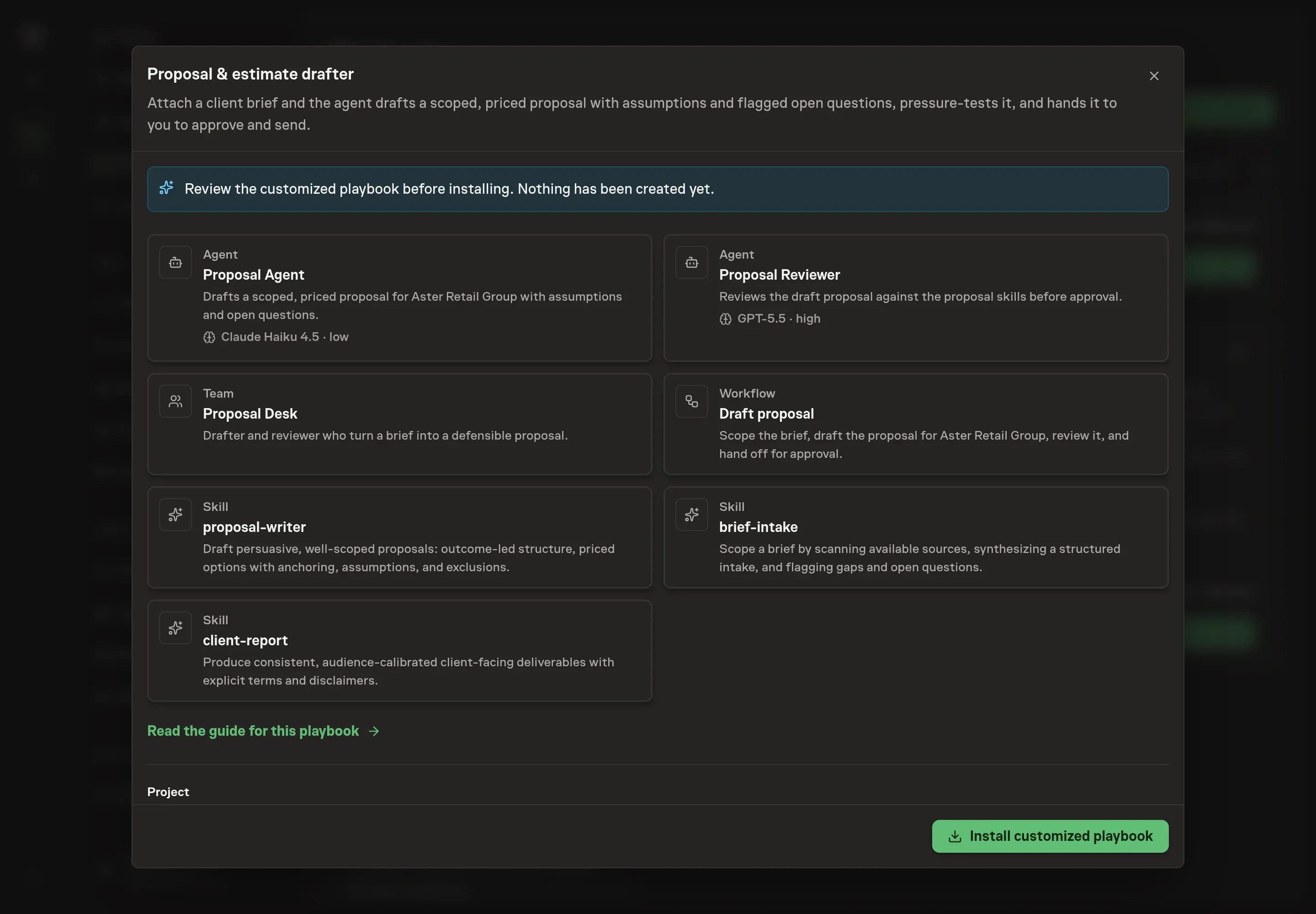
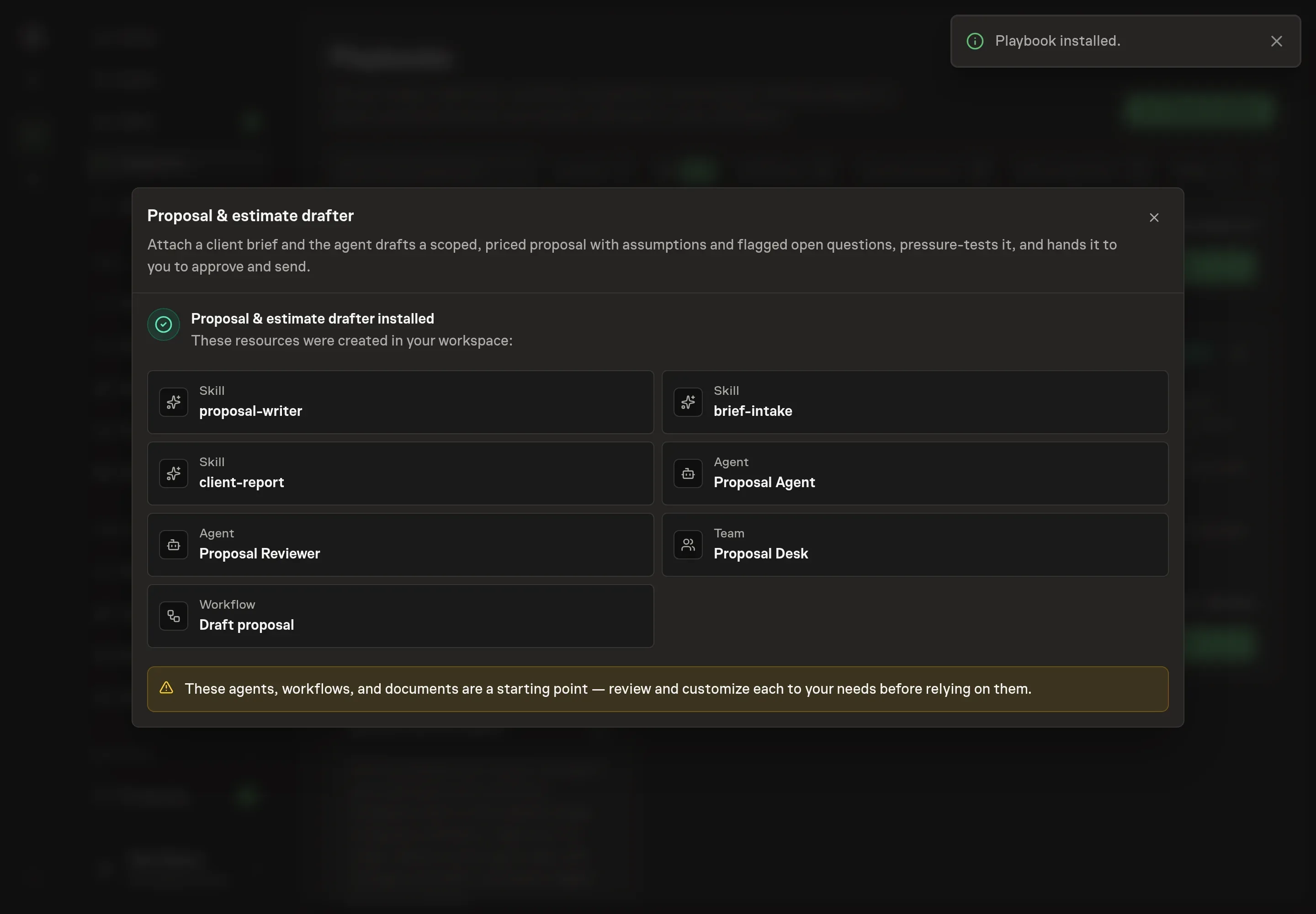
Ask the Agent to generate the Playbook from the agreed brief. Open its proposal in Chat and check the instructions and resources it will install, which carry more detail than the conversational summary. Review the cards before install. The workflow should scope the brief first, draft the proposal second, review the draft third, and then wait for approval. Ask for a revised proposal if anything is missing or changes the job.
5. Approve and prepare the first work
Choose Approve on the proposal in Chat when the configuration matches your brief. Task Machine installs that reviewed configuration. The approved item retains its review details. If your autonomy settings allow direct installation, this approval may not be required. Check the resulting configuration in that case too.
Complete any remaining secure service setup from the installation details in Chat. Inbox keeps those setup items available if you return later. Prepare the source documents and inputs before starting the first Task or Workflow. Installation does not authorize sending, publishing or changing an external service beyond the boundaries you agreed.
What good looks like
Three checks tell you whether the proposal is ready:
- Every number has a source. Prices, timelines, and quantities trace to the brief or pricing document.
- Boundaries are explicit. Assumptions, exclusions, validity window, payment terms, and open questions are visible.
- The summary can stand alone. A buyer can read the executive summary and understand the need, the recommended path, and the decision requested.
Common questions
Should a proposal include multiple options? Often, yes. Options help the buyer choose scope and budget level, as long as each option is priced from a real pricing source and the recommended option is justified.
What should happen when the brief is incomplete? The proposal should flag the gap prominently. If the missing detail blocks a firm price or timeline, the workflow should ask the human rather than guessing.
Can the agent send the proposal automatically? No. The playbook drafts and reviews the proposal, then waits for human approval before anything is sent.
How detailed should exclusions be? Detailed enough to prevent a reasonable misunderstanding. If an item is commonly assumed by clients but not included in the price, name it in the exclusions.