How to Draft Substack Newsletters
A practical guide to drafting Substack issues from notes, links, voice guides, title options, hooks, and approval gates.

Founder, Task Machine
Substack newsletter drafting is the recurring work of turning an author's notes, links, voice, and open threads into one issue ready to review. A good draft is not a generic article. It has a subject line, preview text, hook, body, takeaway, reply prompt, share prompt, and Notes teaser that all sound like the author and continue the archive.
The hard part is cadence without sameness. Most founders and operators have enough raw material: client lessons, product notes, research links, and opinions from calls. The bottleneck is turning those fragments into one issue that has a clear angle, preserves the author's voice, and waits for approval before it sends.
Why newsletter cadence breaks
Newsletter work often fails at the intake step. Notes live in a doc, links sit in browser tabs, old issues are not reread, and the author starts drafting before deciding whether the piece is an issue, a web post, a paid note, or a free growth piece.
Voice drift is the other cost. A ghostwriter can write something polished and still make it sound wrong. The fix is to treat voice as evidence: preferred words, banned words, sentence rhythm, structure, signature moves, recurring sections, and prior issues. Without that archive, each draft starts from memory.
What the manual process looks like
Done by hand, a reliable issue draft has six steps:
- Gather the period's notes, links, prior issue archive, and voice guide.
- Run intake: topic, angle, audience, objective, series context, and length.
- Draft several title or subject variants and several distinct hooks before writing the body.
- Write the issue with one idea per section, short email-friendly paragraphs, a takeaway, and a real call to reply or share.
- Add growth elements: preview text, reply prompt, share prompt, and Notes teaser.
- Run a de-slop pass to remove filler, inflated language, predictable cadence, and voice drift before approval.
The writing step is only one part of the job. The surrounding structure is what keeps the issue focused.
What an agent can automate
An agent can do the repeatable editorial assembly while the author keeps final judgment:
- Gather source material. The agent reads the period's notes and links, the voice guide, and the issue archive from the connected folder or from attached material.
- Detect the mode. It distinguishes issue from web post, own voice from ghostwriting, and free growth piece from paid depth or access.
- Build or apply the voice guide. It uses examples to capture lexicon, syntax, rhythm, structure, voice markers, and words to avoid.
- Shape title and hook options. It produces five subject variants and three distinct hooks before selecting the strongest direction.
- Draft the full issue. The output includes subject, alternatives, preview text, markdown body, image suggestions, reply prompt, share prompt, and Notes teaser.
- De-slop before handoff. The agent scrubs filler, over-hedging, hollow transitions, and inflated language while preserving the chosen hook and title.
The agent should ask when the objective, audience, or source claim is unclear. Guessing creates polished drafts that are hard to repair.
The guardrails that make it safe
The approval gate is simple: the agent never sends or schedules the issue on its own. It drafts the complete issue and lands it for review. The author approves, edits, schedules, or sends.
The quality guardrail is the voice guide and archive. A draft should carry the author's terms, pacing, recurring segments, open threads, and forbidden phrases. If the author has fewer than enough examples, the first run should build a voice guide and ask for approval before treating it as durable input.
Set it up in Task Machine
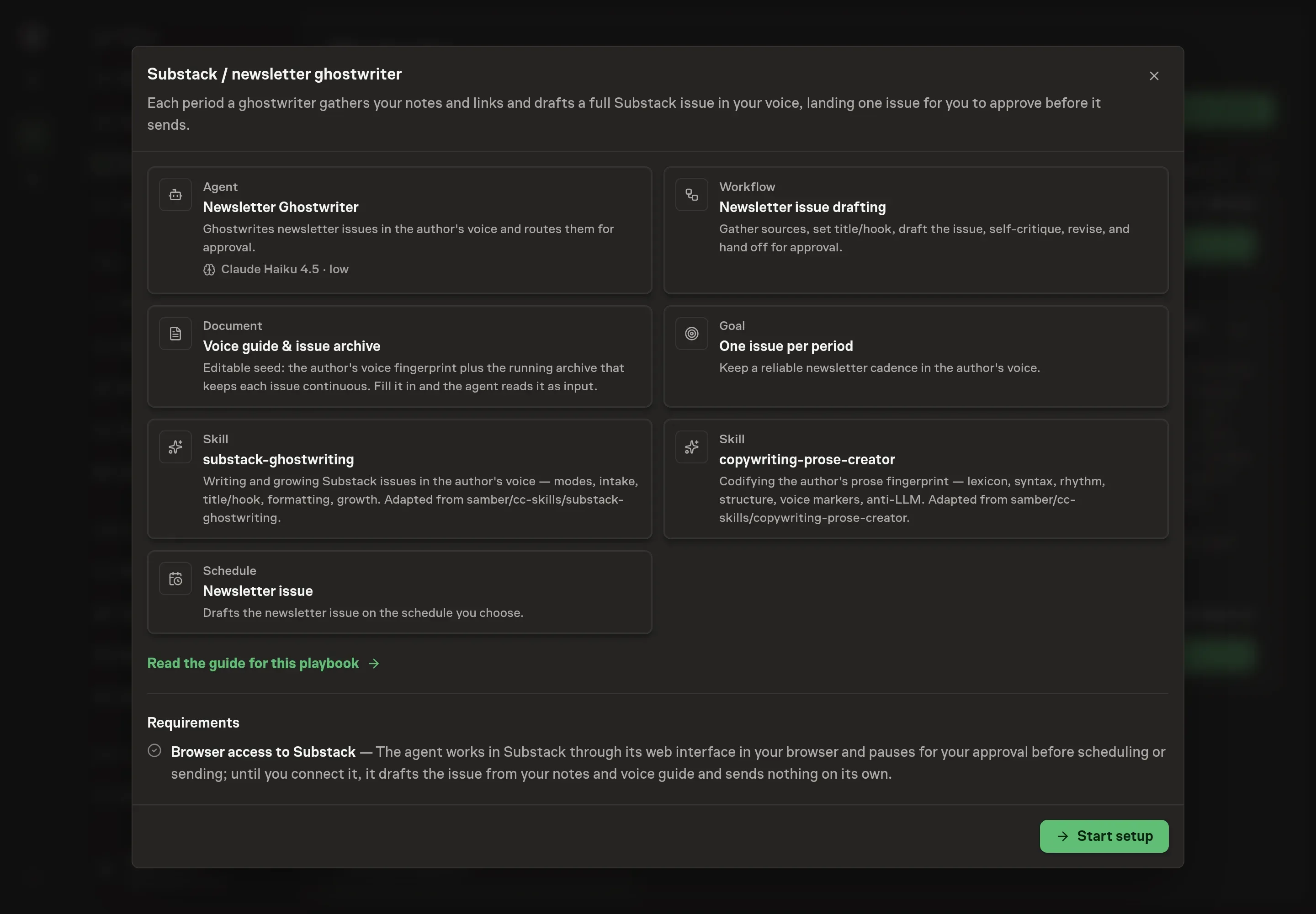
The Substack & newsletter writing playbook provides a starting point for the method above. You need an active Task Machine workspace with Chat, workspace-management and Playbook-installation access (workspace owners have it). Substack and folder access are not required up front. Until connected, the ghostwriter drafts from attached notes and your voice guide and sends nothing.
1. Find the playbook
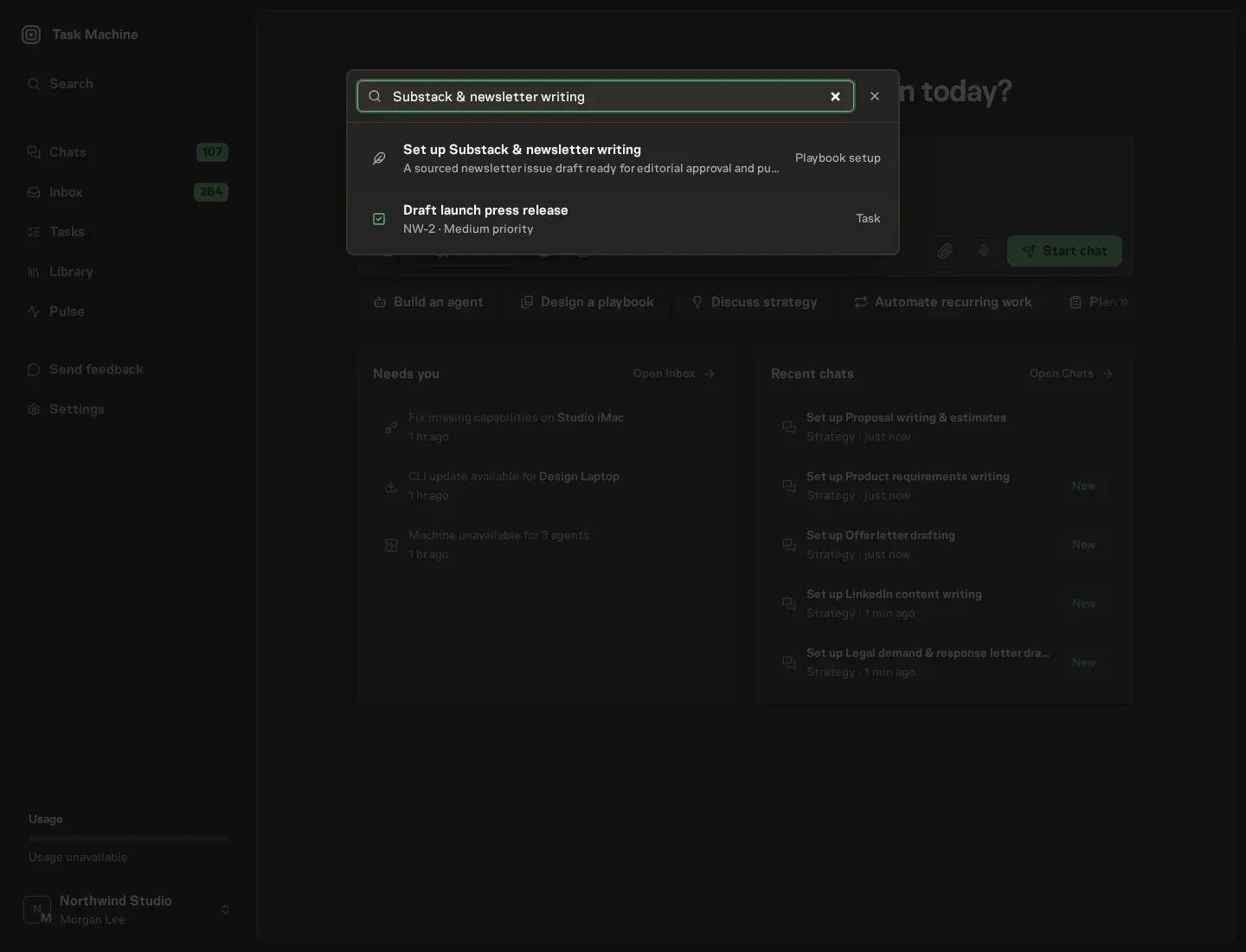
Open Search in your workspace and enter "Substack & newsletter writing". The command center lists Set up Substack & newsletter writing under Playbook setup.
2. Start the conversation
Choose Set up Substack & newsletter writing. Task Machine opens a dedicated Chat with the Playbook card and an editable, unsent request. Read the intended job and outcome. Add your situation and send it when ready. Opening the draft does not install anything or start work. This walkthrough uses settings that require approval of the proposed Playbook.
3. Agree the working brief
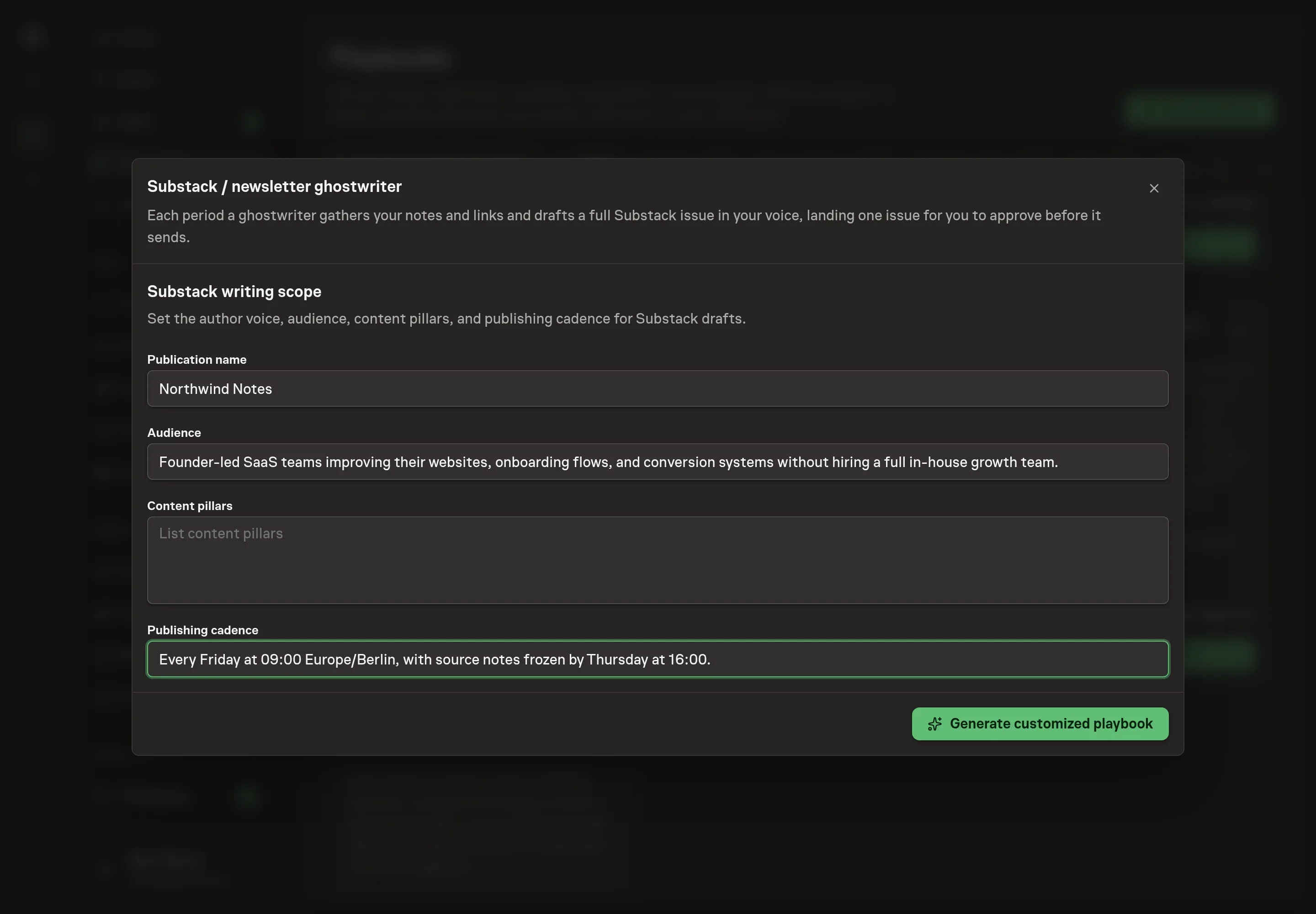
Use Chat to agree the inputs, expected output and limits before asking for a proposal. The Agent needs the publication name, audience, content pillars, and publishing cadence. Use the content pillars to teach the ghostwriter what belongs in the issue and what should be left out.
4. Review the proposed Playbook
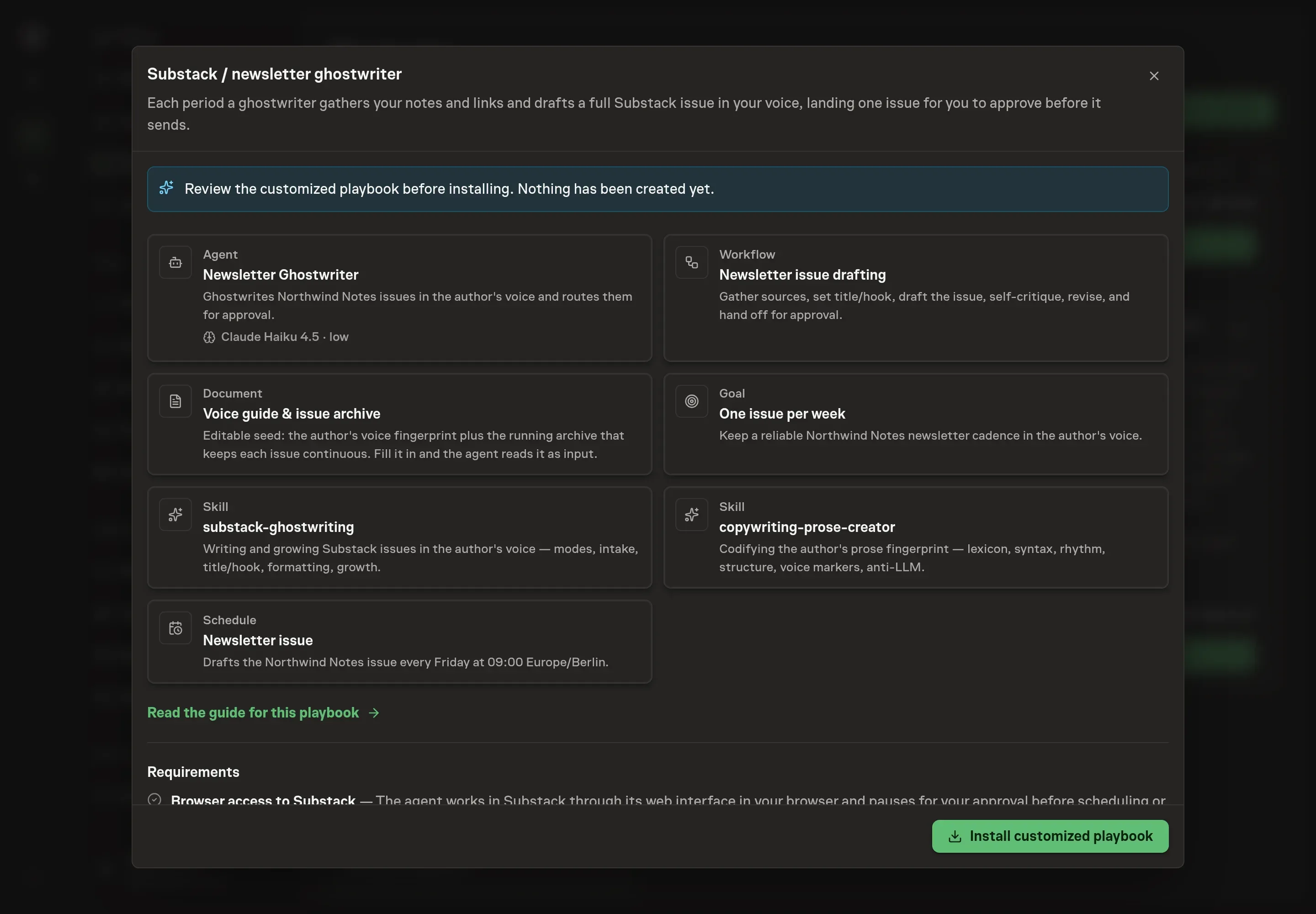
Ask the Agent to generate the Playbook from the agreed brief. Open its proposal in Chat and check the instructions and resources it will install, which carry more detail than the conversational summary. Review the generated playbook before installing. Confirm the audience and cadence match how the issue should be drafted and approved. Ask for a revised proposal if anything is missing or changes the job.
5. Approve and prepare the first work
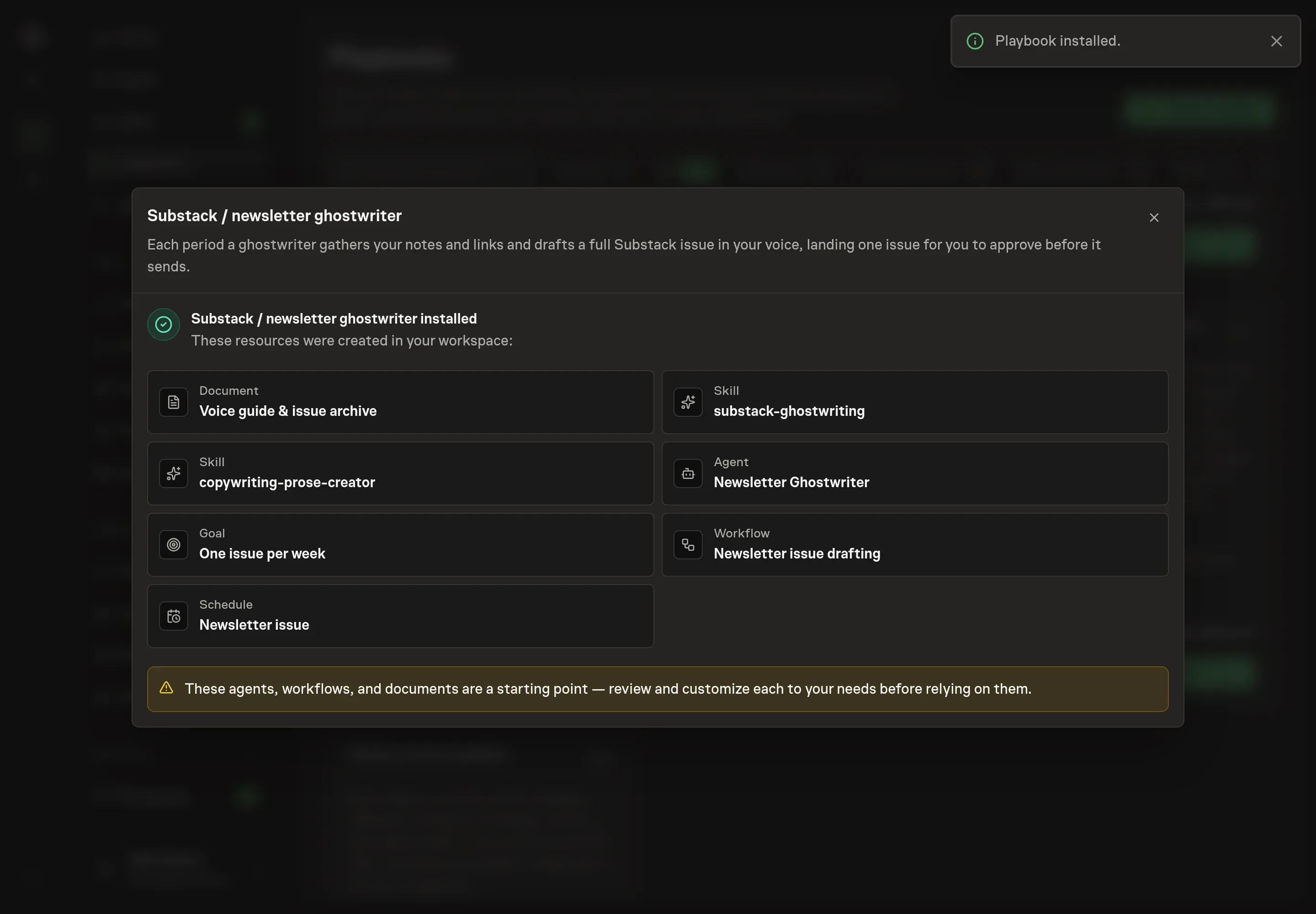
Choose Approve on the proposal in Chat when the configuration matches your brief. Task Machine installs that reviewed configuration. The approved item retains its review details. If your autonomy settings allow direct installation, this approval may not be required. Check the resulting configuration in that case too.
Complete any remaining secure service setup from the installation details in Chat. Inbox keeps those setup items available if you return later. Prepare the source documents and inputs before starting the first Task or Workflow. Installation does not authorize sending, publishing or changing an external service beyond the boundaries you agreed. Confirm each schedule's cadence and timezone, and resolve any pending schedule setup before it starts. A readback must wait for its agreed observation window and source data. Check the reviewed tracker or results document before the first cycle so evidence and human decisions have a durable home.
What good looks like
Use these checks before approving an issue:
- Voice match. The draft uses the author's vocabulary, sentence rhythm, structure, and recurring segments without overusing any one marker.
- One clear angle. The issue develops one idea instead of becoming a link roundup with transitions.
- Complete handoff. The approval item includes subject, alternatives, preview text, full markdown, image suggestions, reply prompt, share prompt, and Notes teaser.
Common questions
Can an agent write in the author's voice? It can get close when it has examples and a maintained voice guide. The author still approves the guide and the issue, because voice judgment is the point of the workflow.
Should the agent choose the subject line? It can propose five options and select a direction, but the approval item should still include alternatives. Subject choice affects open rate and promise, so it deserves review.
Can this work without Substack access? Yes. The agent drafts from notes, links, and the voice guide. Browser access to Substack is only needed when you want it to stage the issue through the web interface before approval.
What should go into the voice guide first? Add prior issues, preferred terms, words to avoid, recurring sections, signature transitions, typical paragraph length, and open threads from earlier issues.