How to Draft Technical Articles With an Agent
A practical guide to researching, drafting, fact-checking, editing, and approving developer-facing technical articles.

Founder, Task Machine
Technical article drafting is the work of turning a specific engineering topic into a researched, structured, accurate long-form article for a developer audience. The hard parts are choosing one objective, finding the real angle, gathering primary sources, checking every claim, and editing out prose that sounds confident but says little.
That makes the job a good fit for an agent with strict gates. The agent can research, propose titles, draft, verify, and edit, while a human keeps control of the thesis, technical judgment, and publishing decision.
Why technical articles fail
Developer readers have a low tolerance for vague claims. One unsupported benchmark, outdated API name, or generic opening can make the whole article feel untrustworthy. Most weak technical posts fail before the body because they bury the lede, mix content types, or promise more than the evidence supports.
The operational problem is that a good article needs several different passes. Research wants primary sources. Drafting wants structure and examples. Verification wants an adversarial read. Editing wants a different eye again. When one busy person tries to do all of that in one sitting, the fact-checking pass is usually the first thing to disappear.
What the manual process looks like
A careful technical article workflow looks like this:
- Sharpen the idea into one topic, one audience, one objective, one content type, and one thesis.
- Check whether the angle is worth reading: counterintuitive, hard-won, unusually clear, or grounded in a real struggle.
- Gather primary sources first, such as official docs, source repositories, RFCs, release notes, and maintainer writing.
- Draft the title, hook, structure, body, conclusion, and image suggestions.
- Verify every factual claim, number, and code snippet against current sources.
- Cut or soften anything that cannot be verified, then edit the prose for clarity.
- Send the draft to a human for approval before publishing.
The manual process is slow because it is supposed to be. Technical credibility comes from the verification work that readers never see directly.
What an agent can automate
The technical article drafter playbook makes those passes explicit:
- Sharpen the idea. The agent asks for the topic, target reader, source material, code-example needs, objective, and thesis, then pushes weak angles toward a clearer reader problem.
- Research from sources. It uses web search and fetch tools to gather primary sources first, capture URLs and quotes for claims, and collect the tradeoffs.
- Engineer the hook and title. It proposes distinct title and opening options suited to developers, not generic marketing hooks.
- Draft the article. It writes one idea per section, uses show-then-tell structure, keeps examples concrete, and names limitations.
- Verify the claims. It produces a verification report for each claim, source, and verdict, then fixes or cuts anything unsupported.
- Edit the prose. It removes filler, inflated language, predictable cadence, and unsupported certainty before handing off.
The agent never publishes. It prepares a draft, alternatives, meta description, verification report, and image suggestions for review.
The guardrails that make it safe
The strongest guardrail is source discipline. The workflow tells the agent to gather primary sources first and to treat unsourced claims as problems to fix, soften, or remove. A technical article should not smuggle a guess into the final draft because it sounds plausible.
The second guardrail is the verification pass. It runs after drafting, when the prose is tempting to accept. The agent re-checks numbers, snippets, current docs, version-sensitive behavior, and tradeoffs before the article reaches approval.
The final guardrail is publication control. Task Machine routes the finished draft to a human approval step. The human chooses whether the article is technically sound, strategically useful, and ready to publish.
Set it up in Task Machine
The Technical article drafting playbook provides a starting point for the method above. You need an active Task Machine workspace with Chat, workspace-management and Playbook-installation access (workspace owners have it). Web search and fetch access improve the research pass. Without it, the agent drafts from supplied notes and labels research gaps.
1. Find the playbook
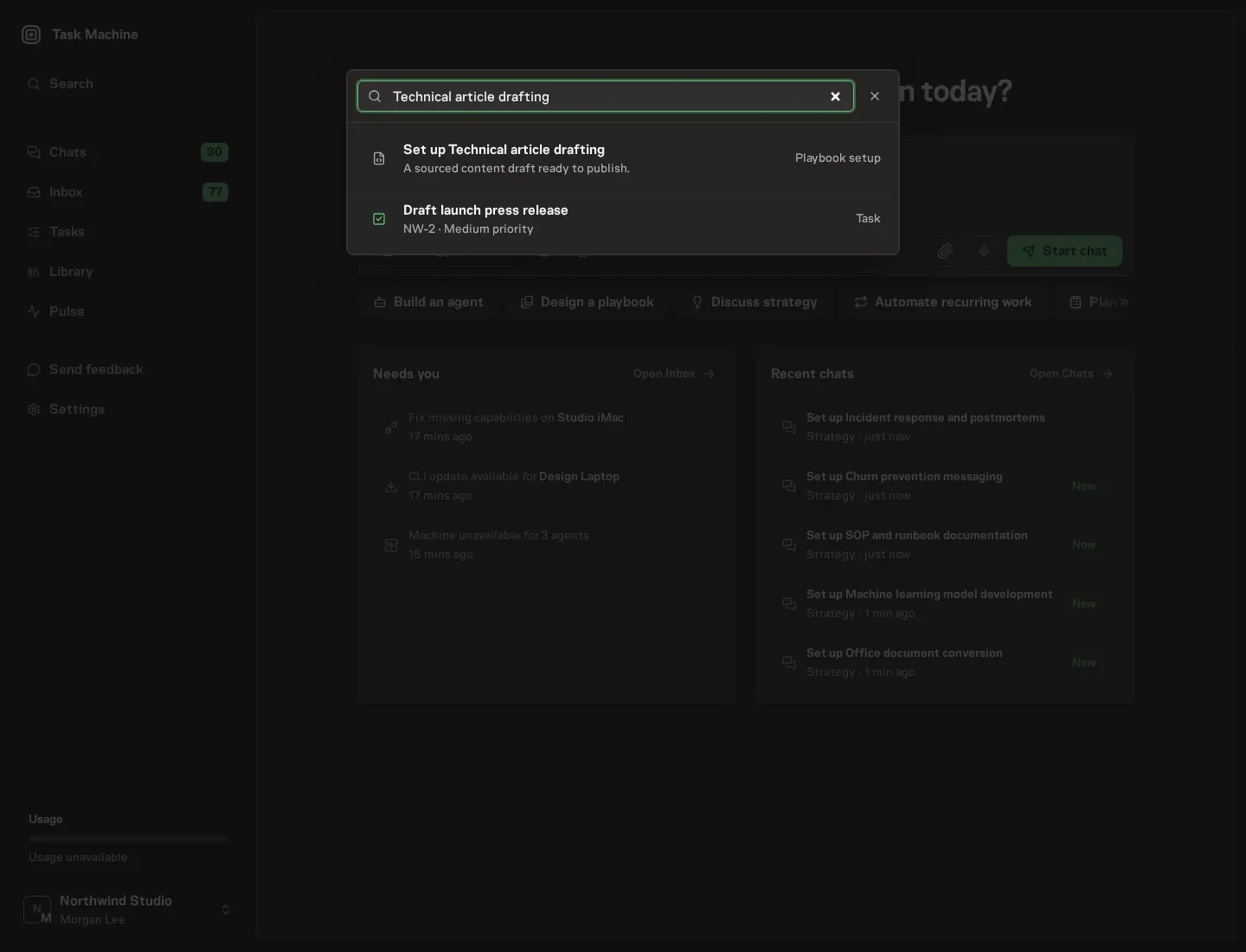
Open Search in your workspace and enter "Technical article drafting". The command center lists Set up Technical article drafting under Playbook setup.
2. Start the conversation
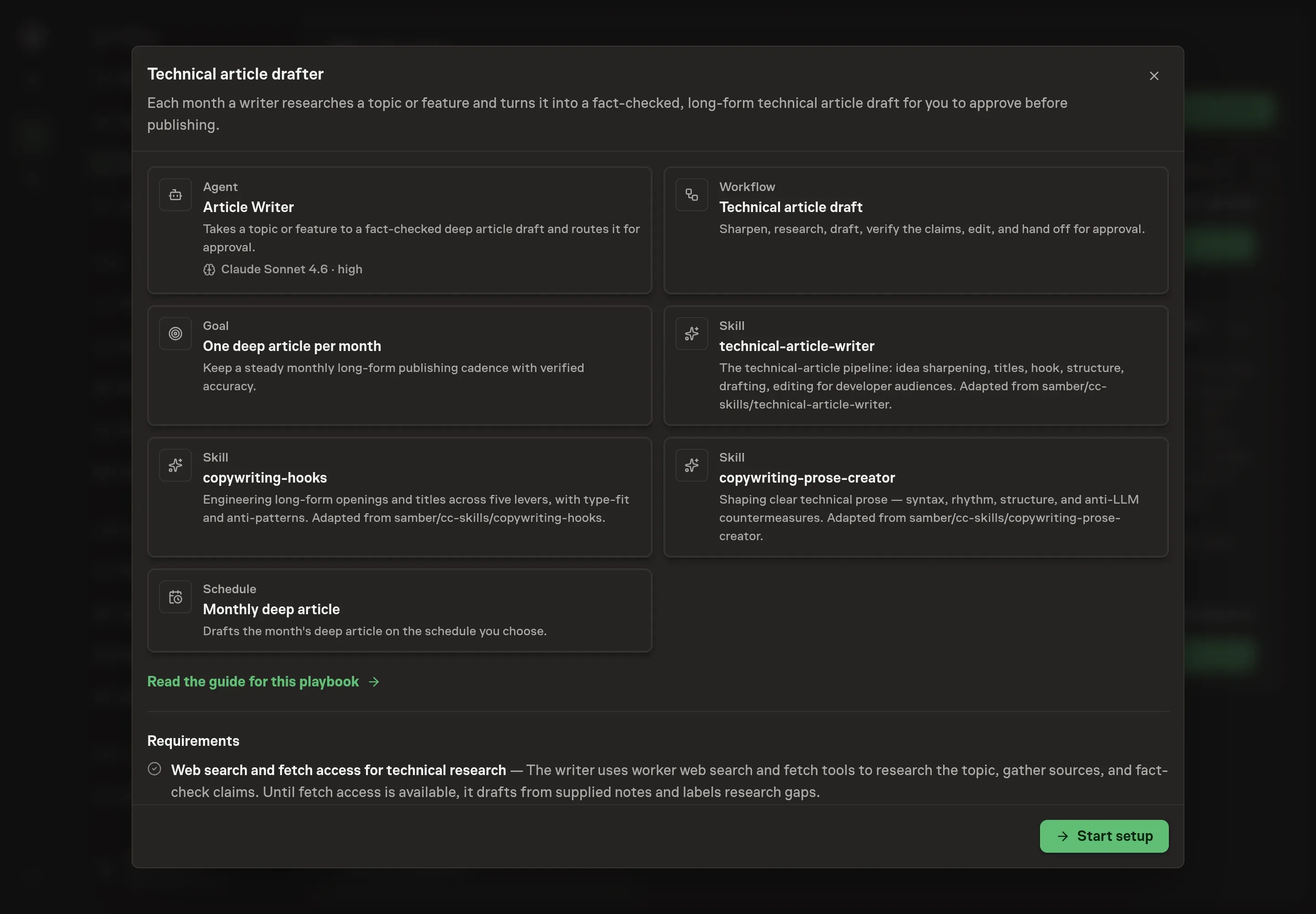
Choose Set up Technical article drafting. Task Machine opens a dedicated Chat with the Playbook card and an editable, unsent request. Read the intended job and outcome. Add your situation and send it when ready. Opening the draft does not install anything or start work. This walkthrough uses settings that require approval of the proposed Playbook.
3. Agree the working brief
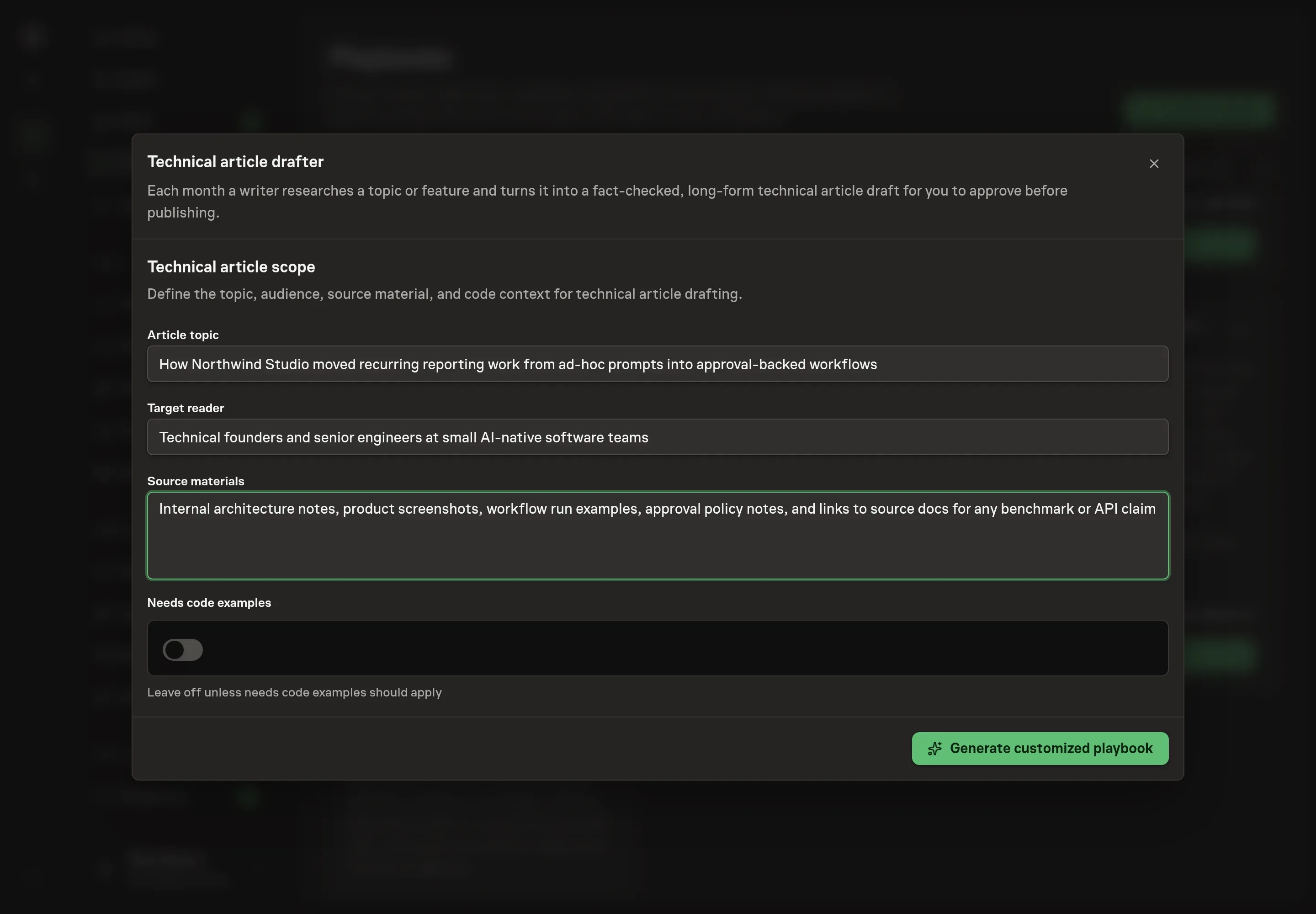
Use Chat to agree the inputs, expected output and limits before asking for a proposal. The Agent needs the article topic, target reader, source materials, and whether code examples are needed. Give the agent a narrow topic and concrete sources, such as product notes, docs, repository links, benchmark notes, or customer questions.
4. Review the proposed Playbook
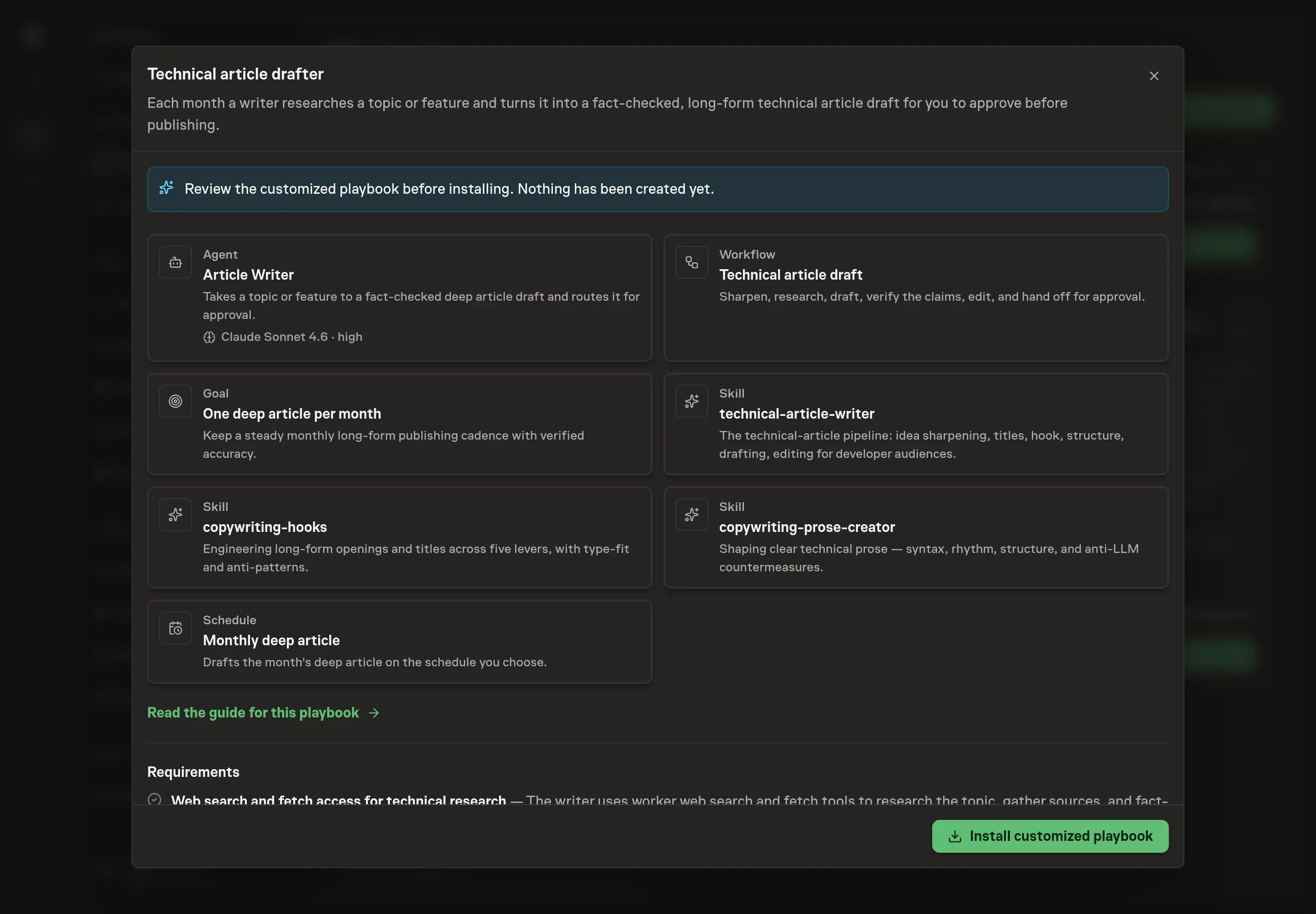
Ask the Agent to generate the Playbook from the agreed brief. Open its proposal in Chat and check the instructions and resources it will install, which carry more detail than the conversational summary. Review for the idea-sharpening pass, primary-source research, claim verification report, de-slop edit, and human approval step. Ask for a revised proposal if anything is missing or changes the job.
5. Approve and prepare the first work
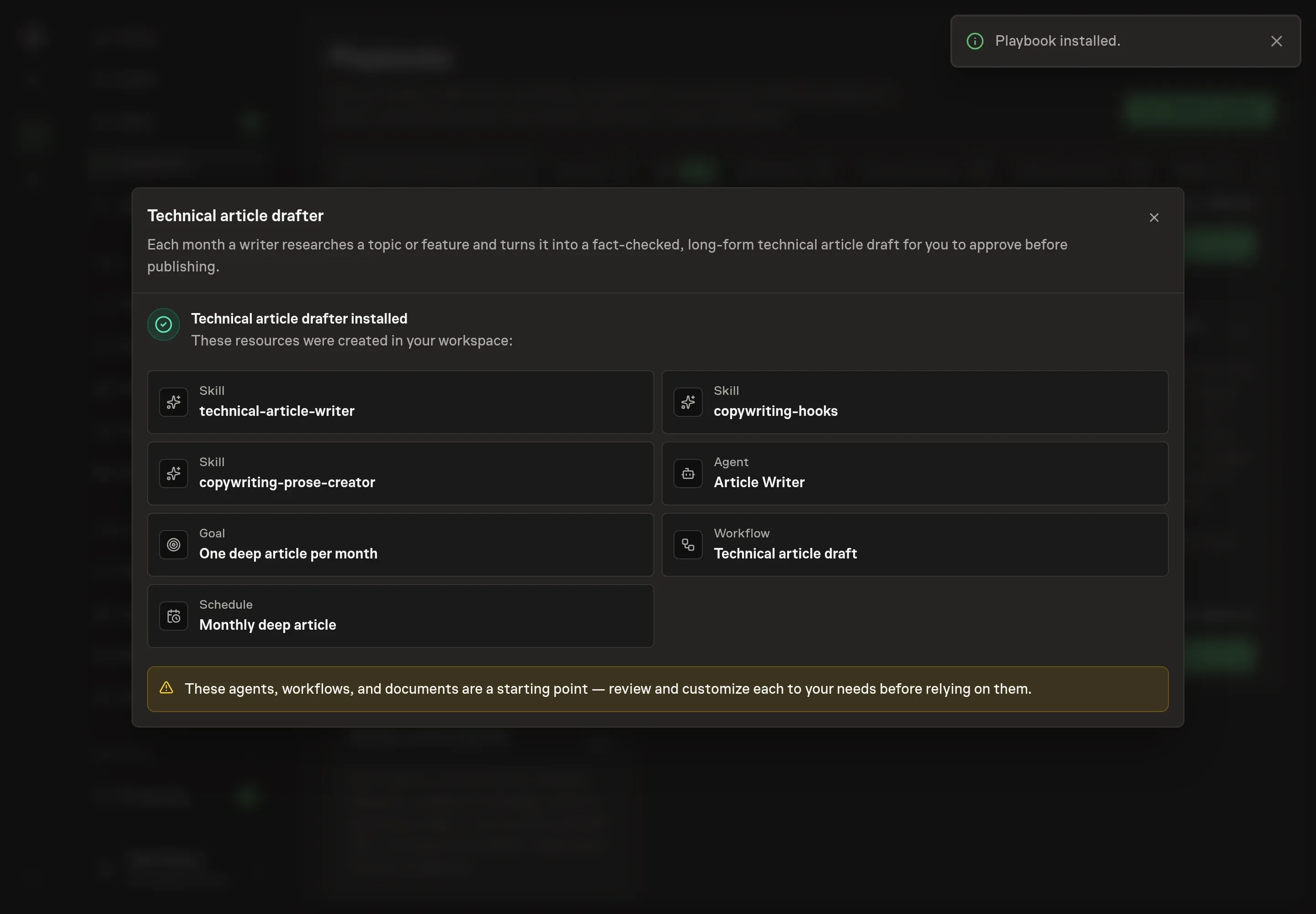
Choose Approve on the proposal in Chat when the configuration matches your brief. Task Machine installs that reviewed configuration. The approved item retains its review details. If your autonomy settings allow direct installation, this approval may not be required. Check the resulting configuration in that case too.
Complete any remaining secure service setup from the installation details in Chat. Inbox keeps those setup items available if you return later. Prepare the source documents and inputs before starting the first Task or Workflow. Installation does not authorize sending, publishing or changing an external service beyond the boundaries you agreed. Confirm each schedule's cadence and timezone, and resolve any pending schedule setup before it starts. A readback must wait for its agreed observation window and source data.
What good looks like
Three outputs matter more than word count:
- A single thesis. The draft has one objective and one target reader, not a pile of related ideas.
- A claim ledger. Important claims have sources, and unsupported claims are fixed or cut.
- A publishable approval packet. The human receives title options, meta description, full markdown draft, verification report, and image suggestions.
Common questions
Can the agent write from internal notes only? Yes, but it should label research gaps when web research is unavailable. Claims that cannot be verified should not be presented as facts.
Does the playbook publish the article? No. The workflow ends at human approval. Publishing remains a human-controlled step.
Should every article include code? No. The setup field asks whether code examples are needed because some technical articles are architecture, tradeoff, or process pieces. Code should appear only when it helps the reader verify the point.
What makes this different from asking a chat tool for a blog post? The workflow separates idea sharpening, research, drafting, verification, editing, and approval. That structure is the value because technical articles fail when those steps blur together.