How to Fill Test Gaps With an Agent
A practical guide to finding untested behavior, writing scenarios, backfilling coverage, and drafting reviewable PRs.

Founder, Task Machine
Test-gap filling is the recurring work of finding important behavior that lacks coverage, turning that behavior into scenarios, and adding tests in the project's own style. It is different from chasing a coverage percentage. The goal is to protect critical paths, edge cases, and failure modes that would hurt if they regressed.
That makes the job a good fit for an agent when the workflow is narrow and reviewable. The agent can survey the repository, rank gaps by blast radius, write scenarios, backfill one vertical slice at a time, and draft a PR. A human still approves the tests and any production bug the tests reveal.
Untested code never announces itself as risky
Untested code rarely announces itself as "risky". It looks like a branch nobody touches, an error path that only fails in production, an authorization rule covered by shape tests, or a recently changed flow that was manually checked once. Coverage reports can help, but they do not tell you which missing test matters most.
The cost is review debt. Every future change in that area requires a human to remember the behavior, inspect the implementation, and hope the manual path still works. The longer a critical path stays uncovered, the more expensive each change becomes.
What the manual process looks like
A careful test-gap pass follows this sequence:
- Read the source and neighboring tests to learn the domain vocabulary and existing conventions.
- Identify unprotected behavior, not only uncovered lines.
- Rank gaps by blast radius: auth, payments, data writes, error paths, edge cases, recent changes, and complex logic first.
- Write a scenario for each selected behavior with objective, starting conditions, role, steps, and expected outcomes.
- Backfill tests one behavior at a time through public interfaces.
- Match the existing framework, layout, naming, fixtures, and assertion style.
- Run the relevant checks, self-review against the test quality bar, and draft a PR.
The discipline is in selecting the right gaps. A small PR that protects a critical error path is better than a large PR that tests trivial getters.
What an agent can automate
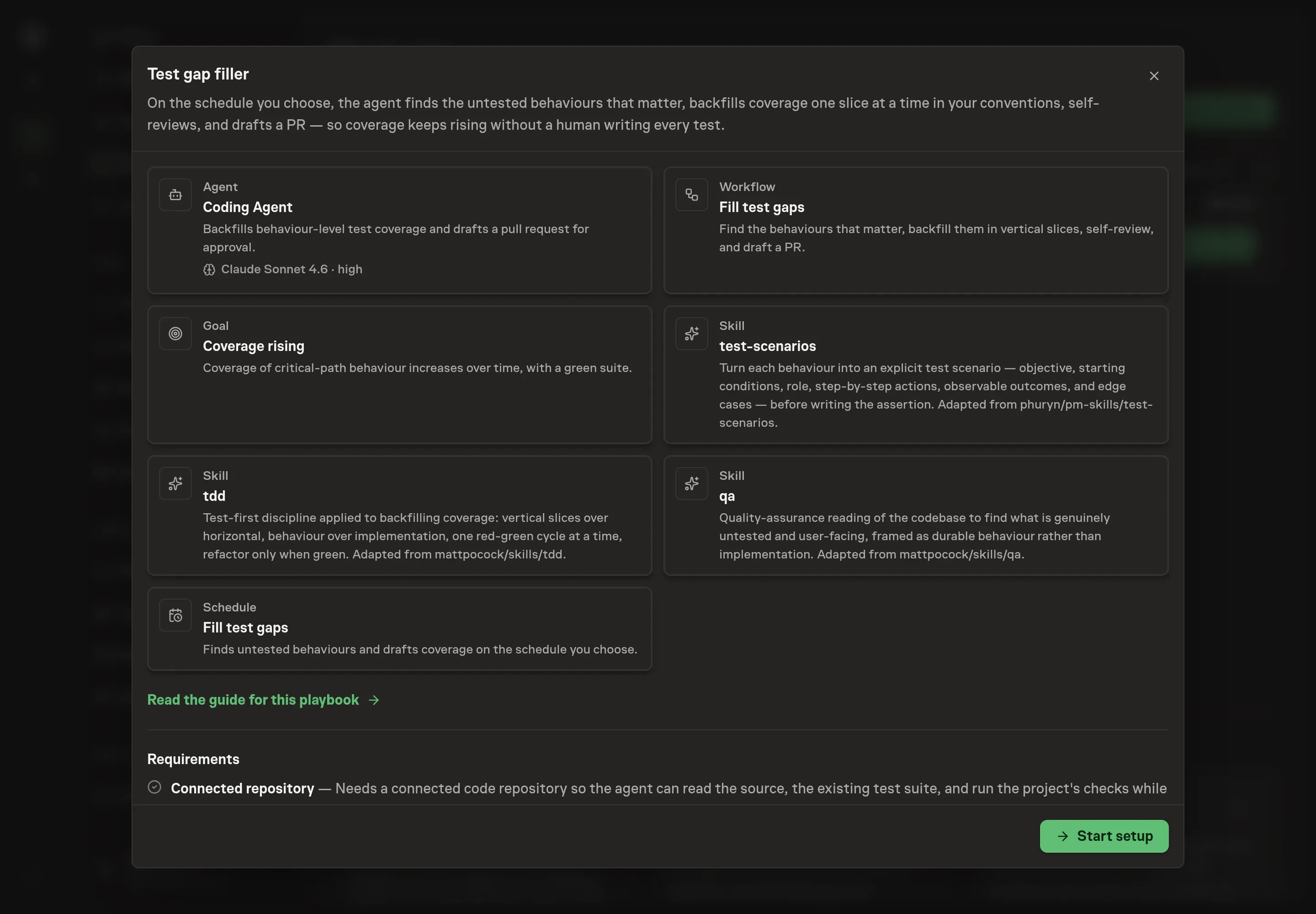
The Test coverage improvement playbook gives the agent a recurring coverage workflow:
- Find behavior gaps. The agent reads the repository and existing tests, then produces a durable list of untested behaviors without depending on file paths or line numbers.
- Prioritize by risk. It puts critical paths, error handling, recently changed code, and complex state ahead of low-value coverage.
- Write scenarios first. Before any assertion, it writes the objective, starting conditions, role, steps, expected outcomes, and matching edge cases.
- Backfill in vertical slices. It adds one behavior test at a time, confirms it passes, then moves to the next behavior instead of bulk-writing imagined tests.
- Match house style. It copies the existing test framework, naming, fixtures, helpers, and assertion style rather than introducing a new convention.
- Draft the PR. It names the protected behaviors, the gaps closed, and any findings the tests surfaced.
If a backfilled test reveals production code is wrong, the agent should surface the finding. It should not weaken the assertion to make the PR easier.
The guardrails that make it safe
The first guardrail is behavior-level scope. The agent describes gaps by what the system should do, not by private functions or implementation details. That keeps tests useful after refactors.
The second guardrail is the scenario step. A scenario written before the assertion prevents the agent from reading the implementation and then testing that the implementation does what it already does.
The final guardrail is human approval. The workflow drafts a PR and waits. A human reviews the tests, self-review notes, and any production finding before merging.
Set it up in Task Machine
The Test coverage improvement playbook provides a starting point for the method above. You need an active Task Machine workspace with Chat, workspace-management and Playbook-installation access (workspace owners have it). A connected repository is best. Until it is connected, the agent needs code and test context attached to the run.
1. Find the playbook
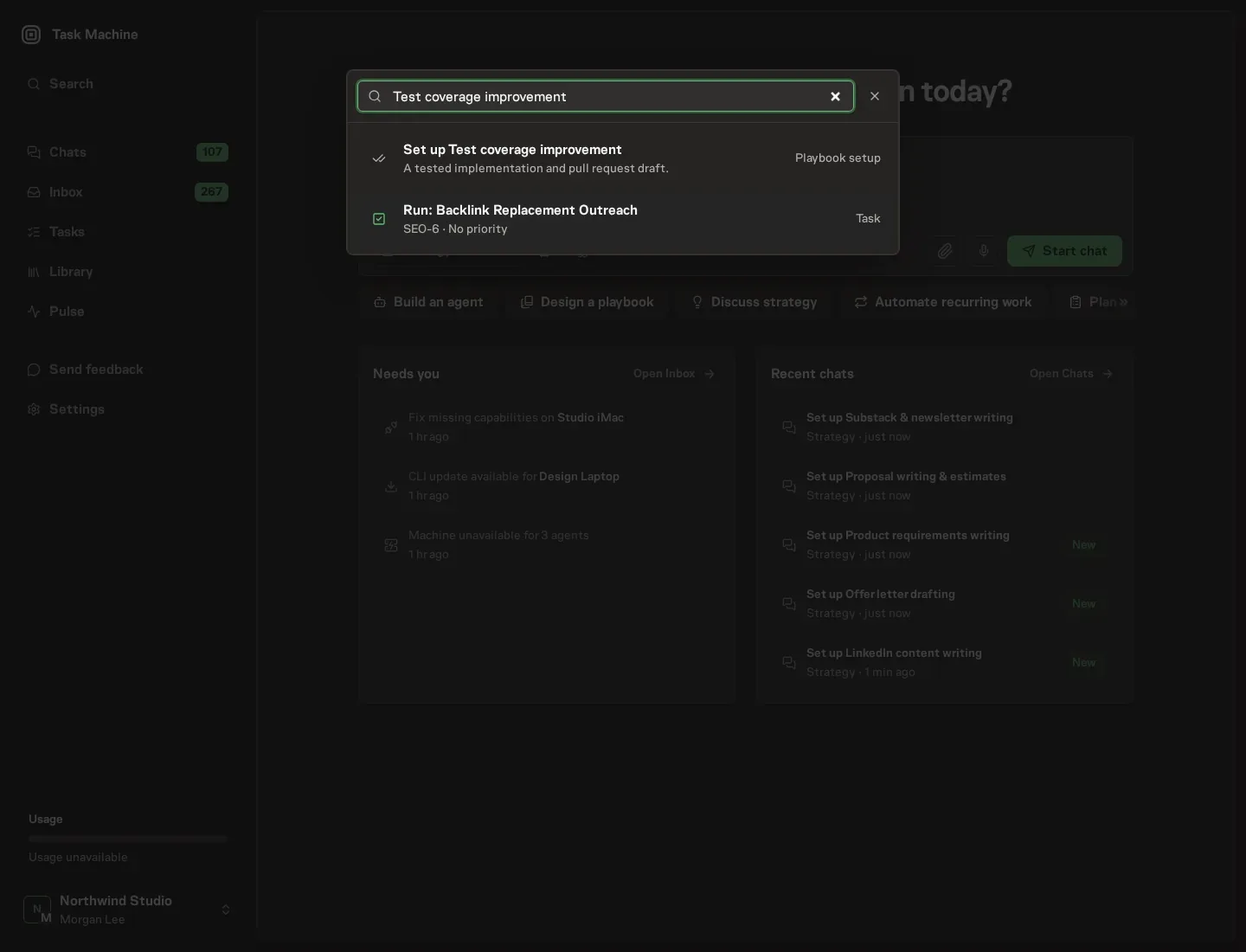
Open Search in your workspace and enter "Test coverage improvement". The command center lists Set up Test coverage improvement under Playbook setup.
2. Start the conversation
Choose Set up Test coverage improvement. Task Machine opens a dedicated Chat with the Playbook card and an editable, unsent request. Read the intended job and outcome. Add your situation and send it when ready. Opening the draft does not install anything or start work. This walkthrough uses settings that require approval of the proposed Playbook.
3. Agree the working brief
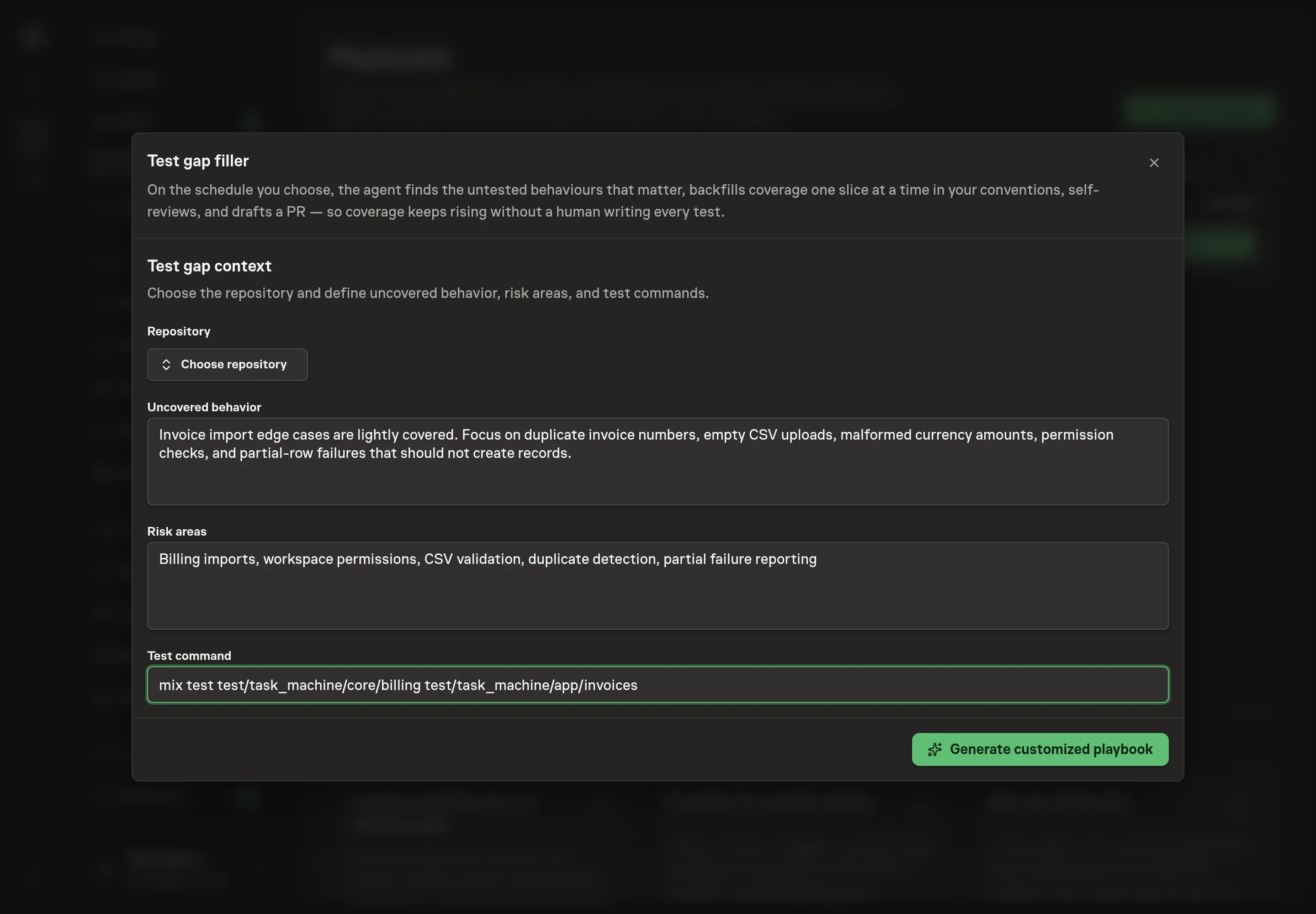
Use Chat to agree the inputs, expected output and limits before asking for a proposal. The Agent needs the repository, uncovered behavior, risk areas, and test command. For risk areas, describe the parts of the product where a missed regression would hurt most.
4. Review the proposed Playbook
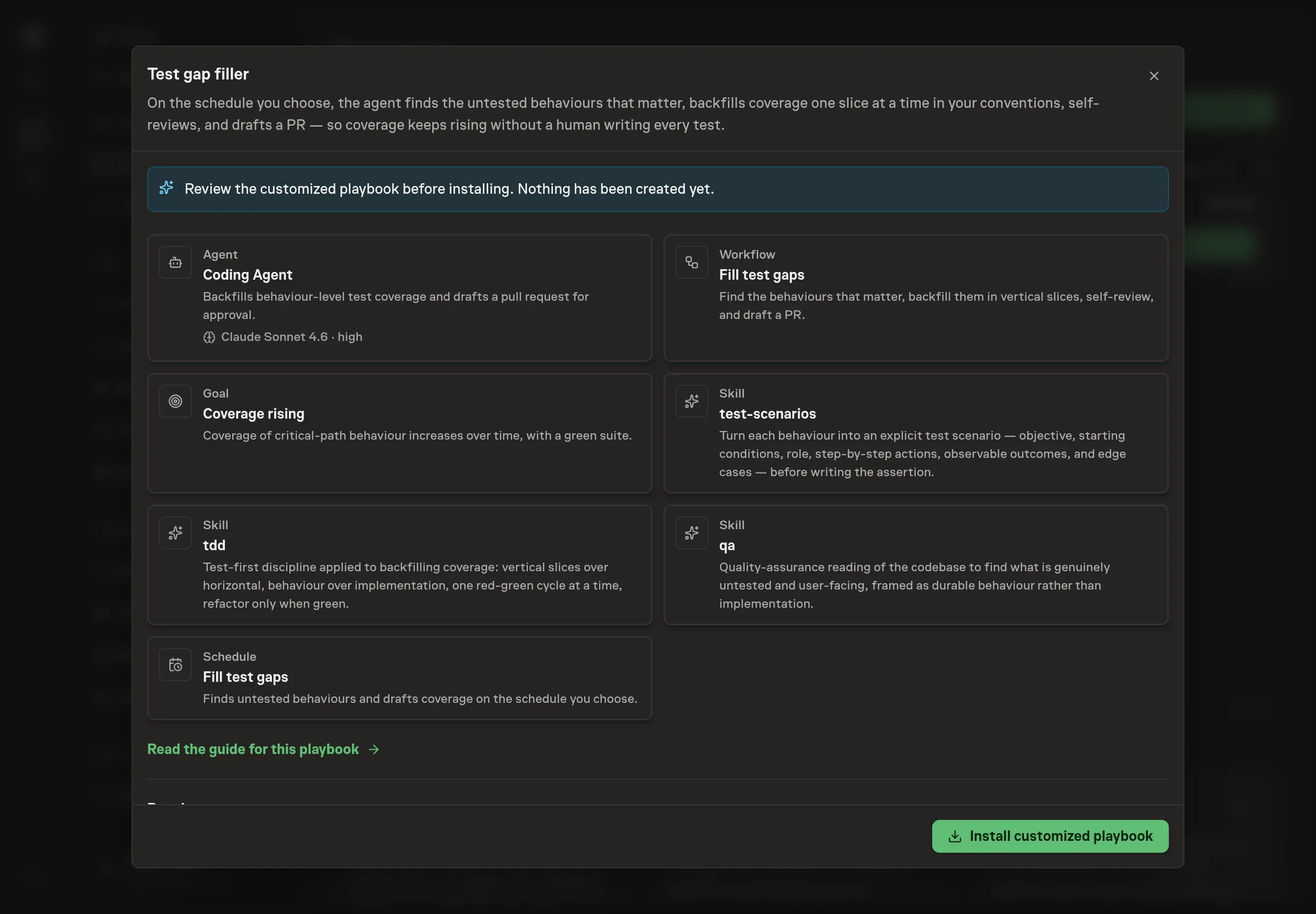
Ask the Agent to generate the Playbook from the agreed brief. Open its proposal in Chat and check the instructions and resources it will install, which carry more detail than the conversational summary. Review for the QA pass, scenario-writing step, vertical-slice backfill, self-review bar, draft PR, and approval gate. Ask for a revised proposal if anything is missing or changes the job.
5. Approve and prepare the first work
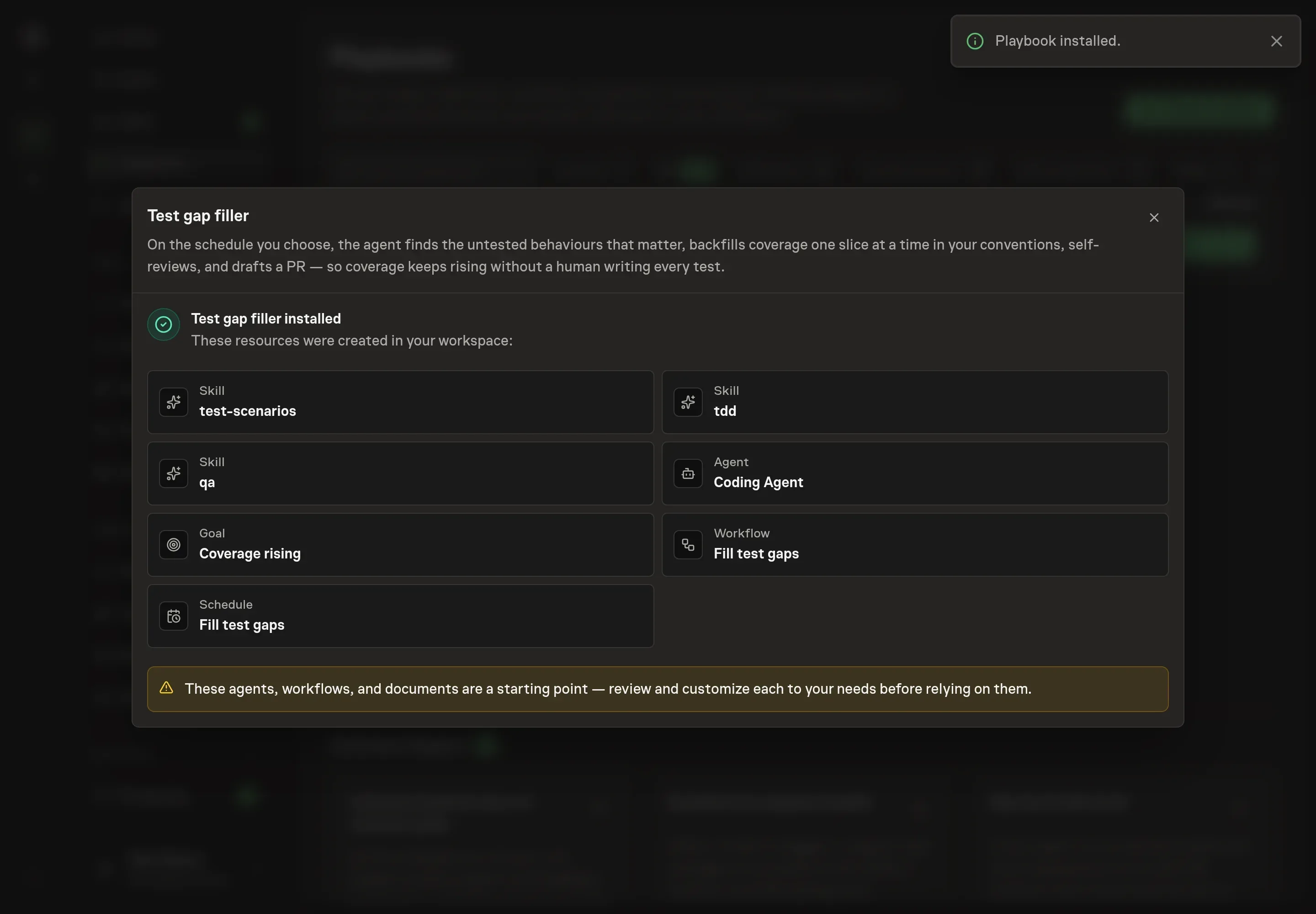
Choose Approve on the proposal in Chat when the configuration matches your brief. Task Machine installs that reviewed configuration. The approved item retains its review details. If your autonomy settings allow direct installation, this approval may not be required. Check the resulting configuration in that case too.
Complete any remaining secure service setup from the installation details in Chat. Inbox keeps those setup items available if you return later. Prepare the source documents and inputs before starting the first Task or Workflow. Installation does not authorize sending, publishing or changing an external service beyond the boundaries you agreed. Confirm each schedule's cadence and timezone, and resolve any pending schedule setup before it starts. A readback must wait for its agreed observation window and source data.
What good looks like
Healthy gap filling has three signs:
- Gaps are behavior names. The PR says which behavior is now protected, not only which file gained tests.
- The highest-risk paths move first. Auth, payments, data writes, edge cases, and recent changes outrank easy coverage wins.
- The tests fit the codebase. New tests look like neighboring tests and use public interfaces.
Common questions
Is this the same as raising coverage percentage? No. Coverage can guide exploration, but the playbook prioritizes behavior risk. A lower-count test that protects a critical branch is more valuable than many tests over trivial code.
What if a new test exposes a production bug? The agent should flag it as a finding in the PR and stop weakening the test. The human decides whether to fix it in the same PR or split the work.
Does the agent create new test conventions? No. The workflow tells the agent to match the existing framework, layout, naming, fixtures, helpers, and assertion style.
Does it merge the PR? No. The agent drafts the PR and waits for human approval.