How to Generate Programmatic SEO Pages
A practical guide to generating programmatic SEO pages from structured data without shipping thin pages.

Founder, Task Machine
Programmatic SEO is the process of creating many search-targeted pages from a repeatable template and a structured data set. Each page uses the same system, but it must still answer a real query with page-specific value.
The work is worth automating only when the data can support useful pages. One hundred defensible pages can compound through search, internal links, and directory backlinks. Ten thousand swapped-variable pages create crawl waste, cannibalization, and thin-content risk.
Why programmatic SEO fails
Programmatic SEO fails when the team treats the template as the product. They find a keyword pattern, generate every possible row, publish all variations, and discover later that many pages had no demand, no unique data, no internal links, or the same answer repeated with a new noun.
The cost shows up slowly. Google ignores the pages, Search Console fills with discovered-but-not-indexed URLs, important pages compete with each other, and the team cannot tell which rows deserved a page in the first place. The fix is a quality gate before generation, not a cleanup after launch.
What the manual process looks like
Done by hand, a reliable pSEO build has seven steps:
- Identify the repeatable keyword pattern and validate aggregate demand, head terms, long-tail terms, and trend.
- Map the pattern to the right playbook: locations, integrations, personas, comparisons, examples, glossary, profiles, directory, or a related model.
- Audit the data source for fields, coverage, defensibility, refresh ownership, and row-quality rules.
- Design the page template: H1, URL, title and meta pattern, unique intro, data block, conditional sections, FAQ, schema needs, and internal links.
- Generate drafts only for rows with enough unique value, skipping thin, duplicate, demand-less, or cannibalizing rows.
- Plan hub-and-spoke links, breadcrumbs, sitemaps, and noindex handling for weak variations.
- Review page drafts and directory targets before anything goes live or gets submitted.
The hardest part is saying no to rows. The page count should be the result of the quality bar, not the goal.
What an agent can automate
A pSEO builder can take over the repeatable parts while keeping launch behind approval:
- Validate the pattern and data. The agent researches keyword patterns, demand, competitors, and the data source, then labels any demand figures as measured, user-provided, or estimated.
- Choose the page model. It maps the data to the right pSEO playbook, such as integration pages, comparison pages, profile pages, or directory pages.
- Draft with row-level judgment. The agent fills the template per record, adds conditional sections and per-page insight, and skips rows that would produce thin pages.
- Plan indexation and links. It wires hub-and-spoke internal links, avoids orphaned pages, separates sitemaps by type, and marks weak variations for noindex instead of indexing everything.
- Build the distribution list. It researches directory targets that fit and writes different positioning variants per tier, so backlink work points to real destination pages.
The agent never publishes pages, submits directories, or promises rich-result display. It prepares drafts and targets for review.
The guardrails that make it safe
Programmatic SEO needs a rejection path. Without one, every row becomes a page and every page looks equally approved.
The safe shape is a workflow with a self-check before human approval. The agent confirms each draft has unique value, no orphaned pages, a clear indexation plan, and a directory target list with distinct positioning. Thin rows and weak targets are cut. The human reviews the drafts, skipped-row reasoning, and directory targets before anything goes live.
Set it up in Task Machine
The Programmatic SEO content creation playbook provides a starting point for the method above. You need an active Task Machine workspace with Chat, workspace-management and Playbook-installation access (workspace owners have it). Search Console access can be authorized later. Until then, the builder works from attached exports and documents.
1. Find the playbook
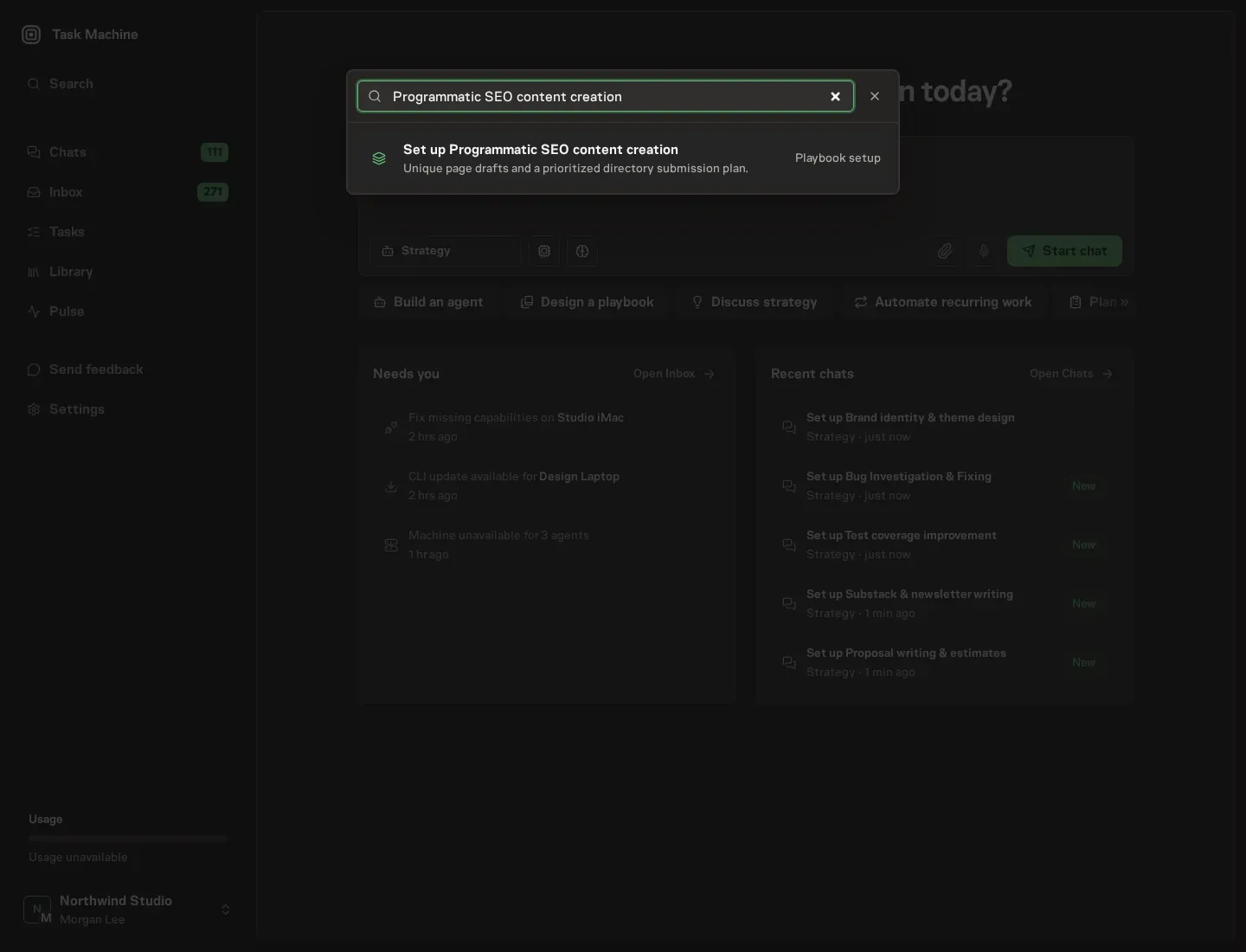
Open Search in your workspace and enter "Programmatic SEO content creation". The command center lists Set up Programmatic SEO content creation under Playbook setup.
2. Start the conversation
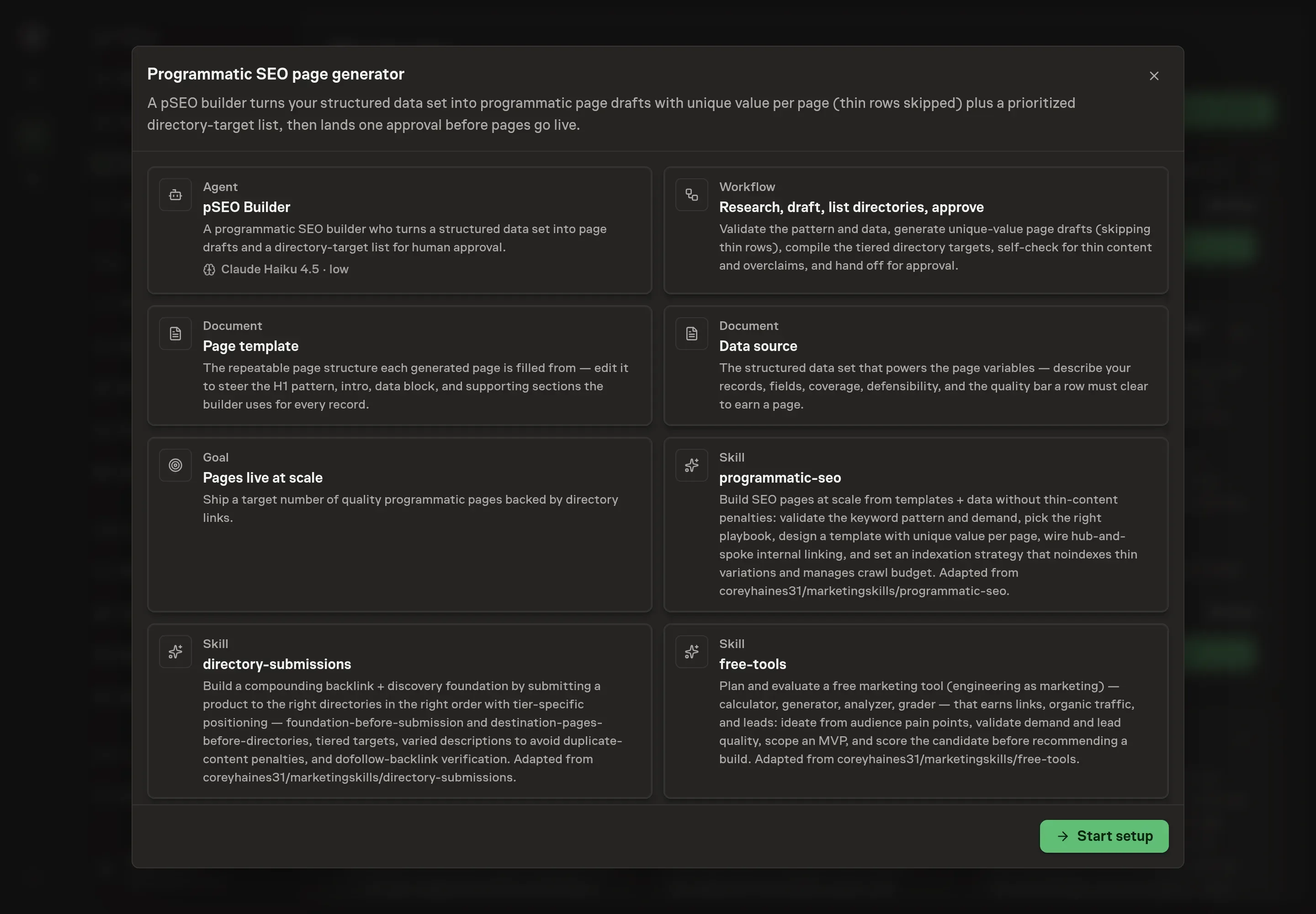
Choose Set up Programmatic SEO content creation. Task Machine opens a dedicated Chat with the Playbook card and an editable, unsent request. Read the intended job and outcome. Add your situation and send it when ready. Opening the draft does not install anything or start work. This walkthrough uses settings that require approval of the proposed Playbook.
3. Agree the working brief
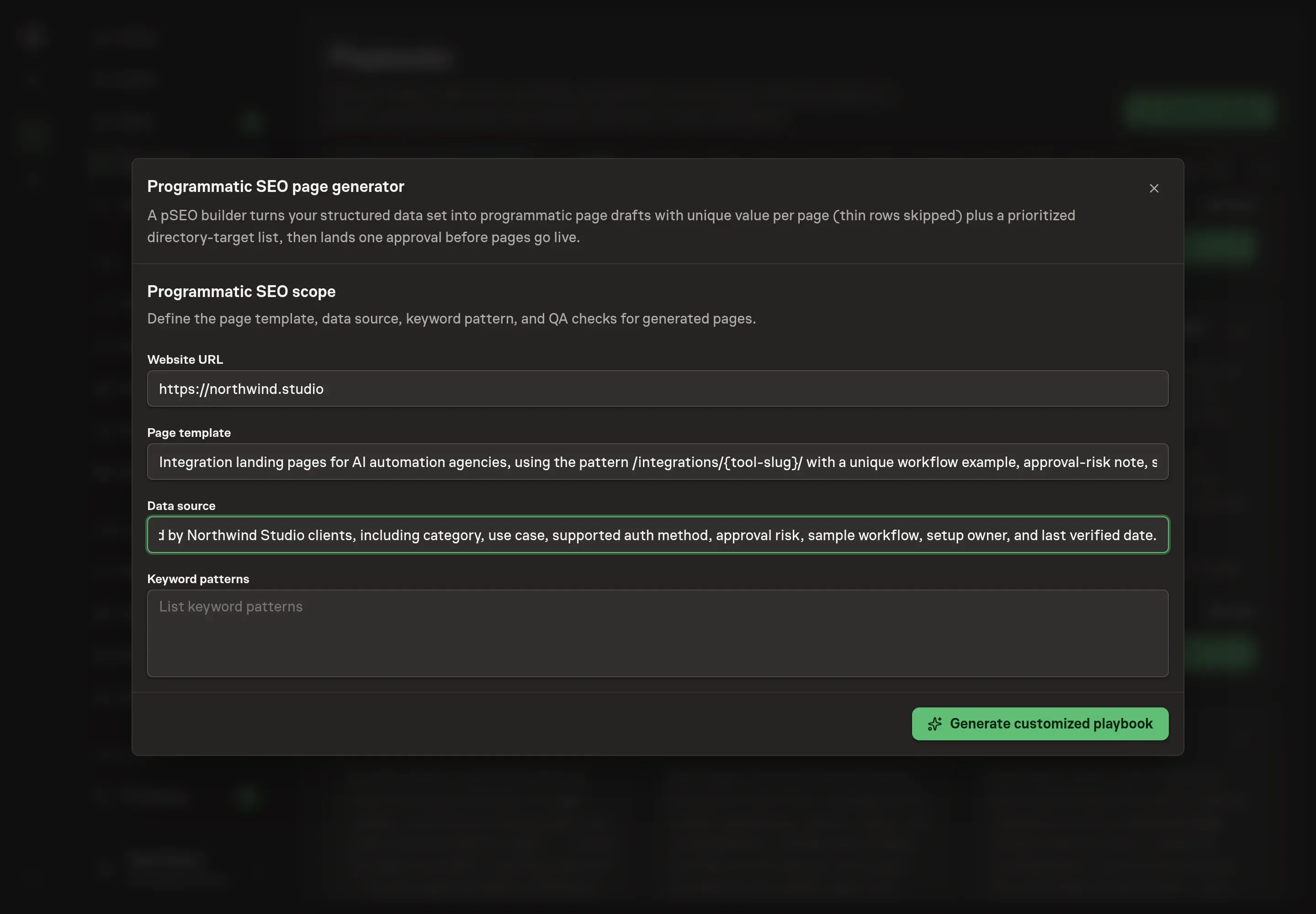
Use Chat to agree the inputs, expected output and limits before asking for a proposal. The Agent needs the website URL, page template, data source, and keyword patterns. Give the builder a real URL, the page type you want to generate, where the structured data comes from, and the repeating query patterns to validate.
4. Review the proposed Playbook
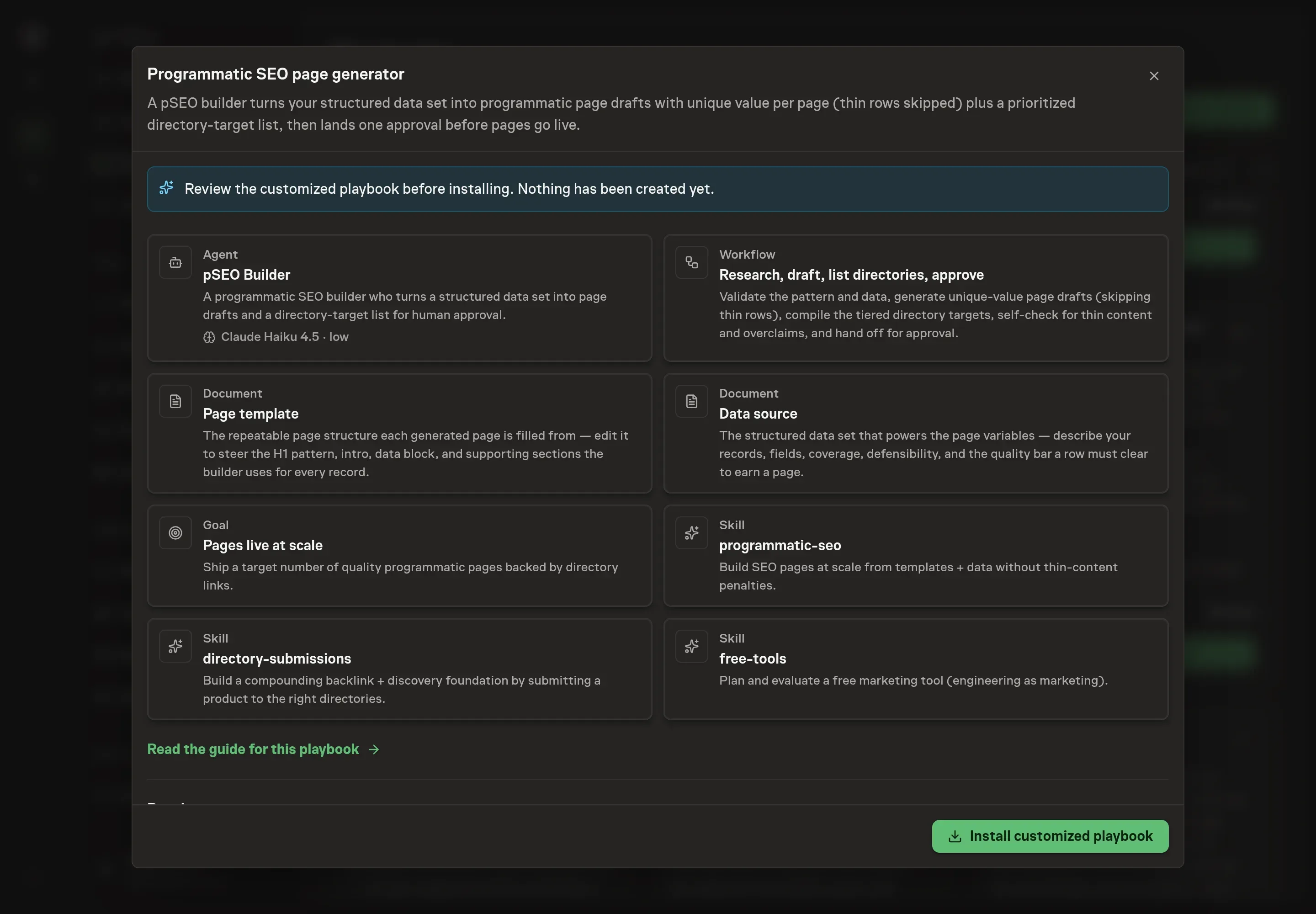
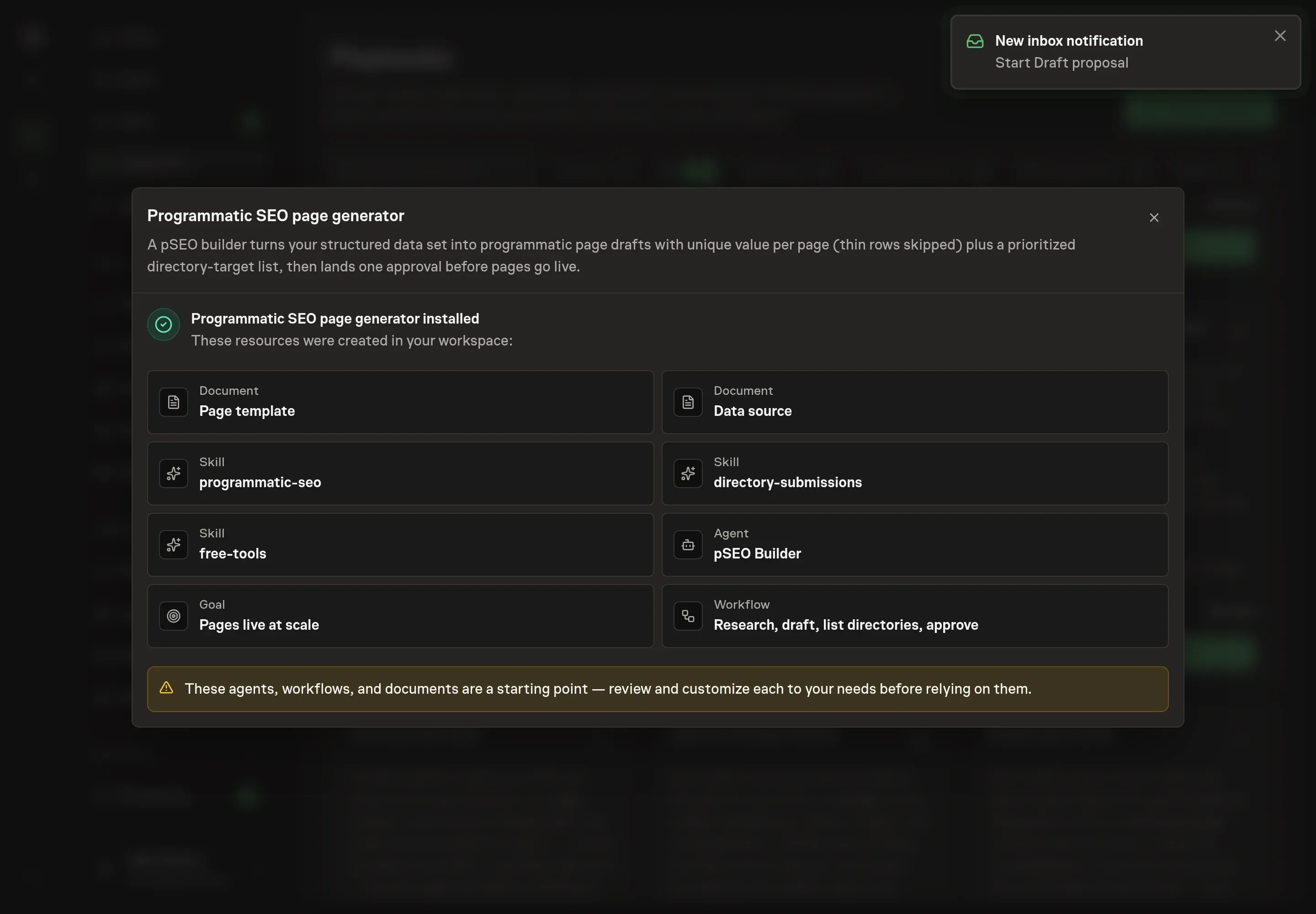
Ask the Agent to generate the Playbook from the agreed brief. Open its proposal in Chat and check the instructions and resources it will install, which carry more detail than the conversational summary. Review the cards before install. The workflow should validate the pattern and data first, draft pages second, build the directory list third, self-check for thin content and overclaims fourth, and then wait for approval. Ask for a revised proposal if anything is missing or changes the job.
5. Approve and prepare the first work
Choose Approve on the proposal in Chat when the configuration matches your brief. Task Machine installs that reviewed configuration. The approved item retains its review details. If your autonomy settings allow direct installation, this approval may not be required. Check the resulting configuration in that case too.
Complete any remaining secure service setup from the installation details in Chat. Inbox keeps those setup items available if you return later. Prepare the source documents and inputs before starting the first Task or Workflow. Installation does not authorize sending, publishing or changing an external service beyond the boundaries you agreed.
What good looks like
Three checks tell you whether the program is healthy:
- The accepted page count is smaller than the raw row count. Rows without enough data are skipped rather than published thin.
- Every page has page-specific value. Unique data, conditional sections, original insight, and internal links make the page useful beyond a variable swap.
- Indexation is intentional. High-value patterns are prioritized, weak variations are noindexed, and no page is orphaned from the hub.
Common questions
How many programmatic pages should be generated first? Start with the rows that clear the quality bar. The right first batch is the set with demand, unique data, and a clear internal-link path, not the maximum number the data can produce.
Can public data work for pSEO? It can, but proprietary or product-derived data is stronger. Public data needs a clear reason your page adds value beyond the same source everyone else can scrape.
Should thin variations be published and improved later? No. Skip thin rows or mark weak variations noindex until they have enough value. Publishing weak pages first can waste crawl budget and create quality problems.
Can the agent publish pages automatically? No. The playbook drafts pages and directory targets, runs a self-check, and waits for human approval before anything goes live or gets submitted.