How to Keep Docs Current
A practical guide to reconciling documentation with shipped code through scheduled diffs, API checks, draft PRs, and approval.

Founder, Task Machine
Keeping docs current means reconciling documentation with what the code does. Beyond the writing, it is a recurring check for stale claims, missing behavior, drifted examples, changed parameters, altered defaults, and API reference types that no longer match real responses.
Docs drift because code changes are reviewed as code, while the public explanation is often reviewed only when someone complains. A scheduled docs gardening loop makes documentation part of the shipped-change cycle instead of a cleanup project that waits until trust has already been lost.
Stale docs create hidden support load
Stale docs create hidden support load. A customer follows an old example, a developer calls an endpoint with the wrong shape, or a teammate searches the README and makes a decision from behavior that no longer exists. The failure looks like user error until someone traces it back to the documentation.
API docs are especially fragile. Response fields change, nullable values drift, legacy reference pages overlap with newer docs, and examples keep passing review because they read plausibly. The only reliable process starts from shipped changes and verifies the docs against reality.
What the manual process looks like
Done by hand, docs gardening is a repository ritual:
- Read what shipped since the docs last moved.
- Build a list of doc deltas: stale claims, missing behavior, and drifted examples, types, or defaults.
- Prioritize stale claims first because they mislead readers today.
- For API reference changes, confirm the real endpoint behavior and type the docs to the actual response.
- Draft the documentation changes, linking to the canonical source instead of duplicating text.
- Edit for structure and clarity, then open a draft PR with exactly what was reconciled.
- Wait for human approval before merging.
The work is repetitive, but it asks for care. A correct update in the wrong section, a duplicated explanation, or a type copied from memory can create the next drift problem.
What an agent can automate
An agent can own the recurring pass while keeping the merge decision with a person:
- Diff shipped changes against docs. The agent reads what changed and classifies each documentation delta as stale, missing, or drifted.
- Type API docs against real behavior. For endpoint reference work, it checks the actual response, corrects type drift, handles nullability explicitly, and reuses canonical response types.
- Draft the reconciling update. It writes the smallest doc change that makes the current claim true, and links rather than duplicates where a single source should exist.
- Edit the prose. It orders sections so dependencies appear before they are used, tightens paragraphs, and keeps headings scannable.
- Open a draft PR. The agent stops at a draft pull request that lists what was reconciled, which sections were stale, and any findings that imply the code itself may be wrong.
The agent should not merge. A docs PR can still need product, engineering, or support judgment.
The guardrails that make it safe
Docs gardening is safe when the workflow treats every claim as something to verify. The agent traces each change back to shipped work, flags code behavior that looks wrong instead of hiding it with prose, and stops when it cannot confirm an endpoint's real behavior.
The draft PR is the control point. Reviewers can see the stale sections, the reconciling edits, the API reference assumptions, the clarity pass, and the self-review notes before approving a merge. The schedule keeps the loop recurring, but human approval decides when documentation changes land.
Set it up in Task Machine
The Documentation and API reference maintenance playbook provides a starting point for the method above. You need an active Task Machine workspace with Chat, workspace-management and Playbook-installation access (workspace owners have it). A connected repository is needed for full operation. Until repository access is ready, use supplied diffs or attachments for a supervised run.
1. Find the playbook
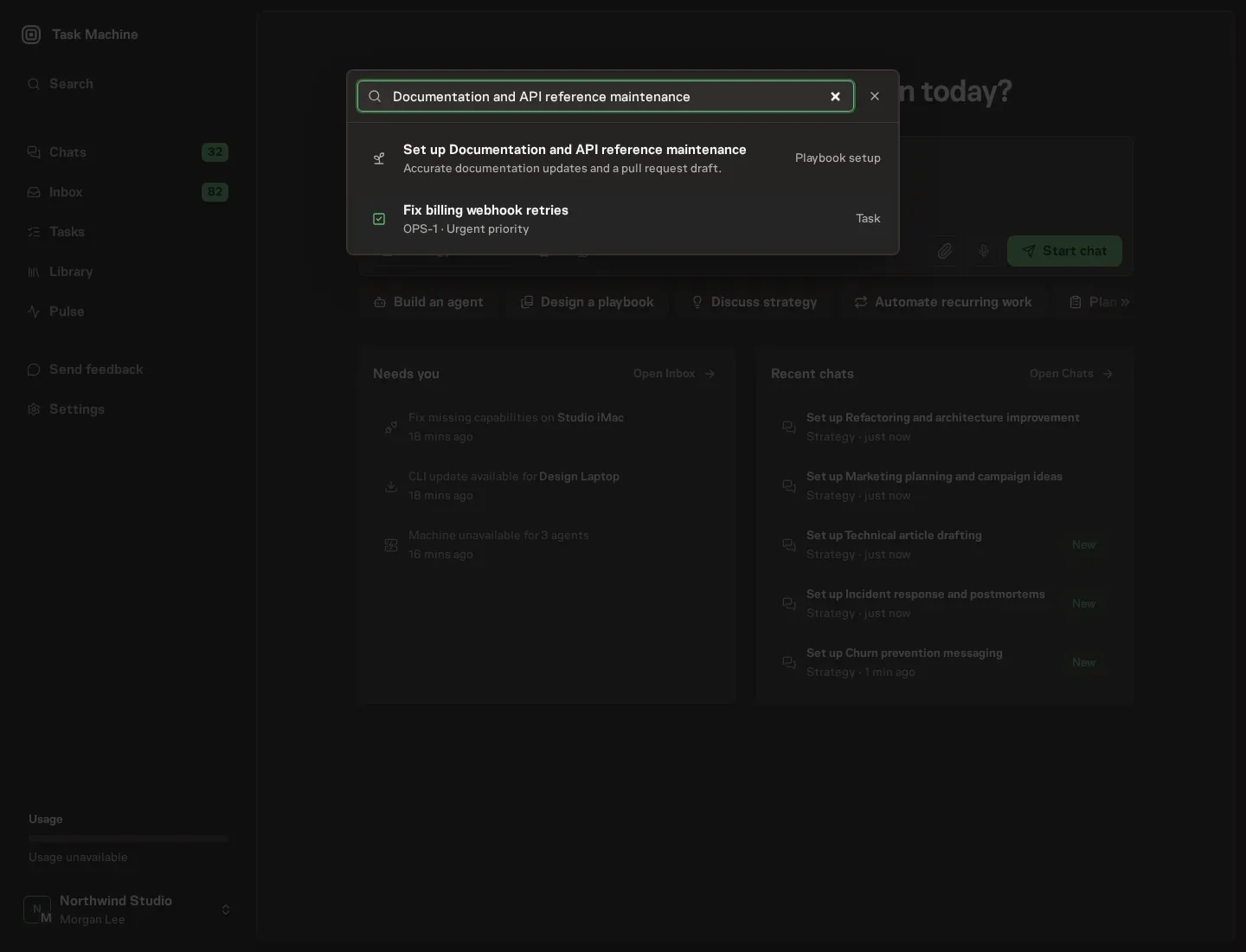
Open Search in your workspace and enter "Documentation and API reference maintenance". The command center lists Set up Documentation and API reference maintenance under Playbook setup.
2. Start the conversation
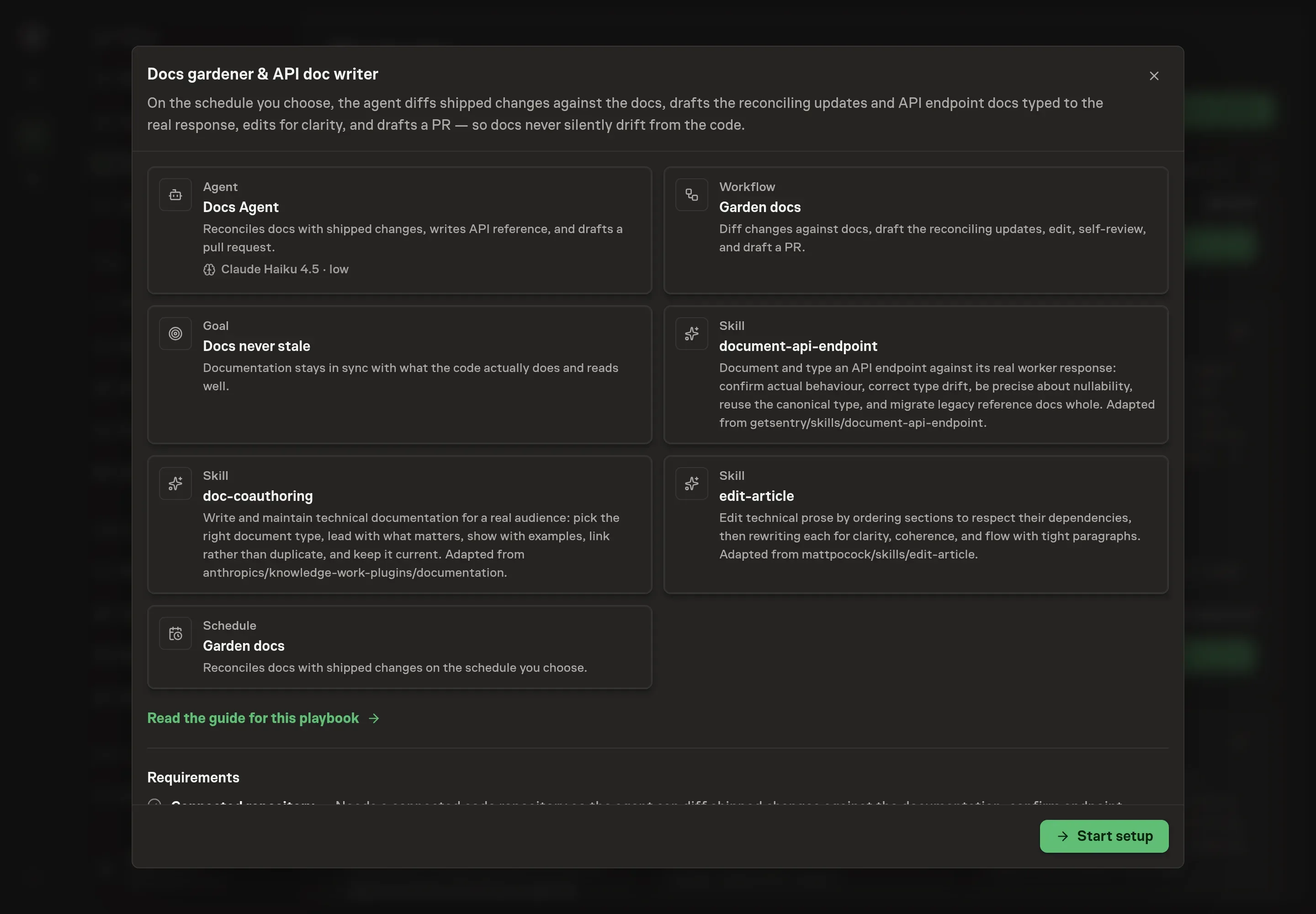
Choose Set up Documentation and API reference maintenance. Task Machine opens a dedicated Chat with the Playbook card and an editable, unsent request. Read the intended job and outcome. Add your situation and send it when ready. Opening the draft does not install anything or start work. This walkthrough uses settings that require approval of the proposed Playbook.
3. Agree the working brief
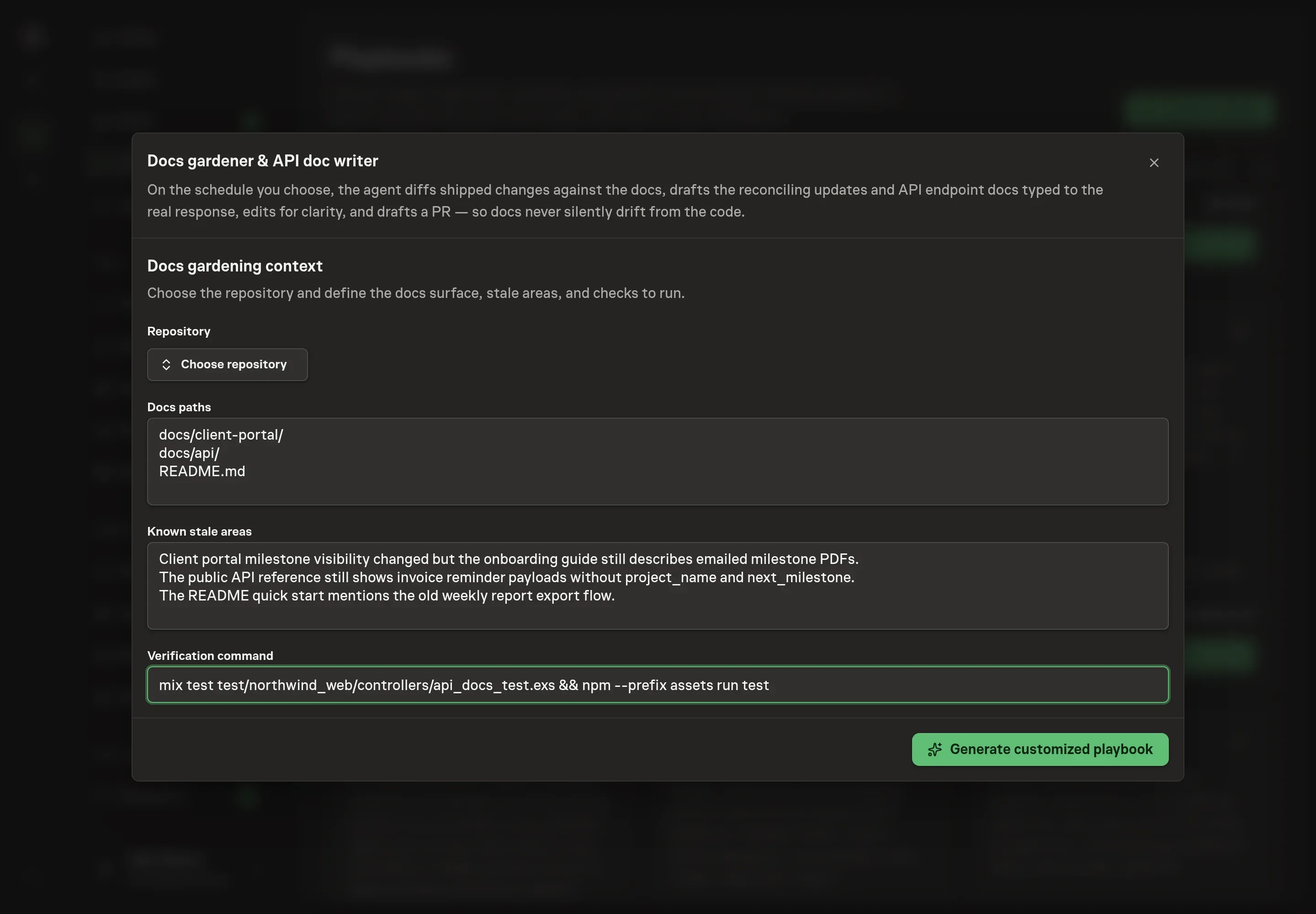
Use Chat to agree the inputs, expected output and limits before asking for a proposal. The Agent needs the repository, docs paths, known stale areas, and verification command. Use the paths your team maintains, and name stale areas bluntly so the first run starts where trust is already weakest.
4. Review the proposed Playbook
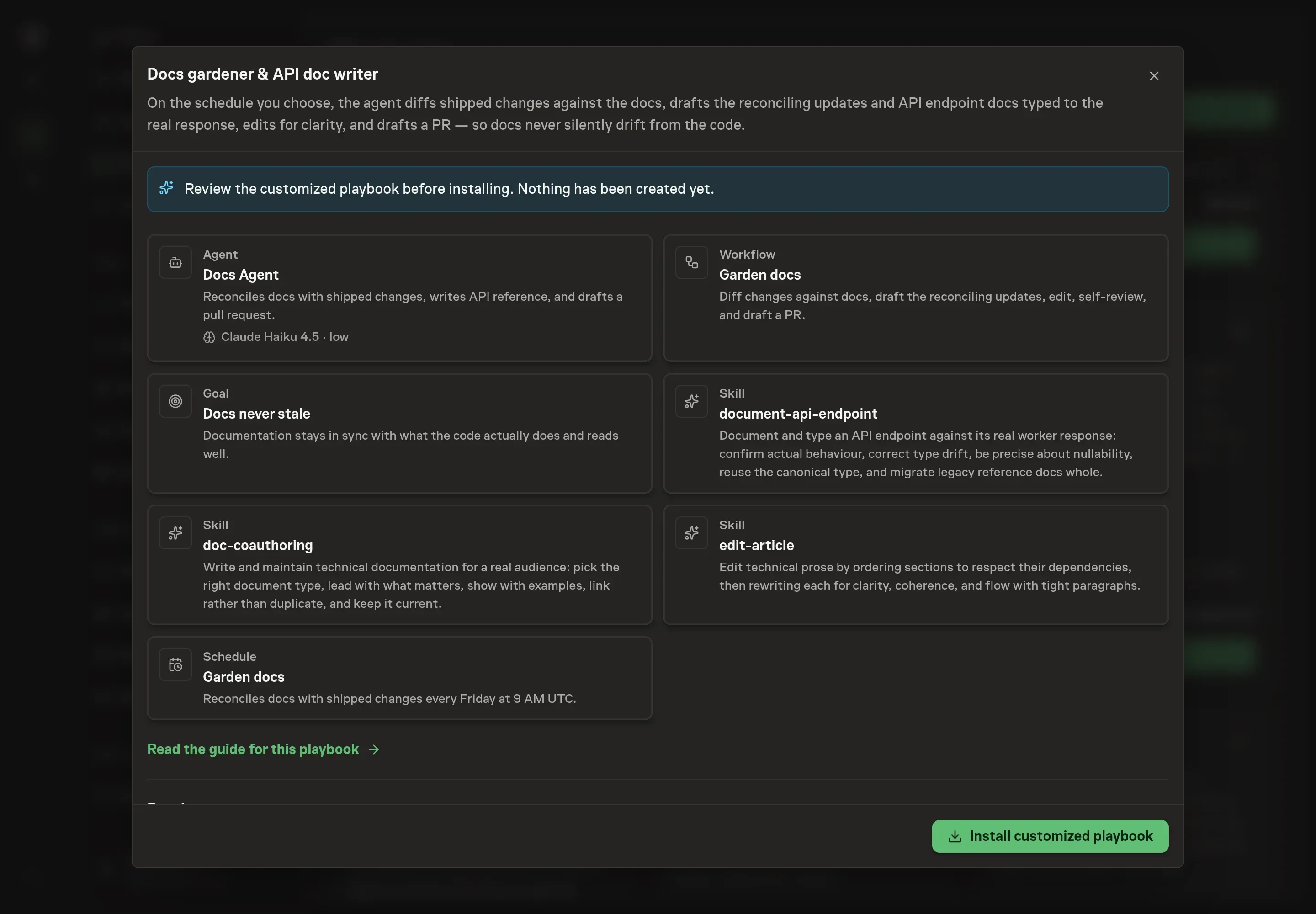
Ask the Agent to generate the Playbook from the agreed brief. Open its proposal in Chat and check the instructions and resources it will install, which carry more detail than the conversational summary. Review the result before install. Confirm that the workflow diffs first, edits after drafting, opens a draft PR, and waits for approval. Ask for a revised proposal if anything is missing or changes the job.
5. Approve and prepare the first work
Choose Approve on the proposal in Chat when the configuration matches your brief. Task Machine installs that reviewed configuration. The approved item retains its review details. If your autonomy settings allow direct installation, this approval may not be required. Check the resulting configuration in that case too.
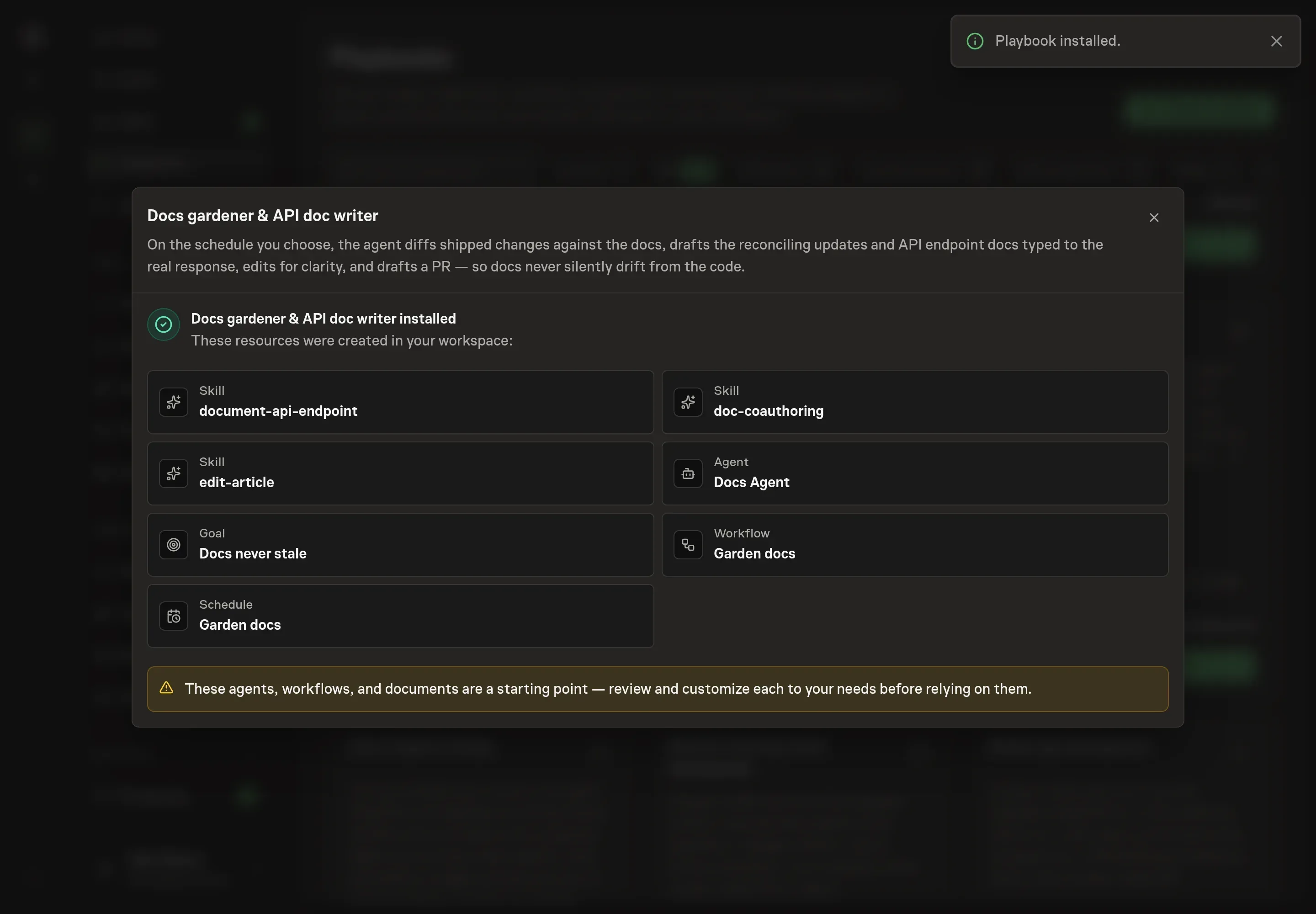
Complete any remaining secure service setup from the installation details in Chat. Inbox keeps those setup items available if you return later. Prepare the source documents and inputs before starting the first Task or Workflow. Installation does not authorize sending, publishing or changing an external service beyond the boundaries you agreed. Confirm each schedule's cadence and timezone, and resolve any pending schedule setup before it starts. A readback must wait for its agreed observation window and source data.
What good looks like
Good docs gardening is visible in the PR:
- Each edit traces to shipped behavior. Reviewers can see why the docs changed and which code or release caused it.
- Stale claims are removed, not buried. The PR should not add a fresh paragraph while leaving an old contradiction nearby.
- API reference matches real responses. Nullability, field types, shared parameters, and examples are checked against the behavior the endpoint returns.
Common questions
Should docs updates happen in the same PR as code changes? When the team can do it, yes. The gardener is for recurring reconciliation, missed updates, API drift, and release batches where docs need a dedicated pass.
Can the agent merge the docs PR? No. The playbook drafts the PR and waits for human approval. A doc change can still expose a product decision or code bug that needs owner judgment.
What if the agent finds behavior that looks wrong? It should surface the finding instead of rewriting the docs to hide the problem. The bundle explicitly stops when a doc delta implies the code itself may be wrong.
Does this replace a technical writer? No. It handles the recurring reconciliation pass and draft assembly. Human reviewers still decide accuracy, product framing, and merge readiness.