How to Launch Amazon Ads Campaigns
A practical guide to launching Amazon Ads campaigns with an agent: retail readiness, keyword targeting, ACOS targets, and approval before any spend.

Founder, Task Machine
Launching an Amazon Ads campaign is the work of taking a product from a live listing to paid placement in Amazon search results and product pages. It covers confirming the listing is ready to convert, researching the terms and products shoppers search, structuring Sponsored Products, Sponsored Brands, and Sponsored Display campaigns, setting bids and budgets, and harvesting what the campaign learns after launch.
Amazon is retail-intent advertising. Shoppers there are closest to purchase, which makes the channel worth running well and expensive to run badly. Profitability depends on retail readiness and margin math as much as on targeting, so the launch process decides most of the outcome before the first click.
Every Amazon Ads launch mistake spends real money
Every mistake in an Amazon Ads launch spends real money. A campaign pointed at a listing without a Buy Box, stock, or credible reviews buys clicks that cannot convert. An automatic campaign left running without negatives keeps paying for irrelevant searches. A campaign managed to clicks or CPC instead of ACOS, TACOS, and margin can look busy while losing money on every sale.
None of this announces itself. Amazon serves the impressions, the dashboard fills with activity, and the only signal that the launch was wrong arrives later, in margin that never materializes. When nobody owns the launch checklist, the ad account becomes the place where listing problems get discovered at full price.
What the manual process looks like
Done by hand, a disciplined Amazon Ads launch is a sequence most sellers recognize:
- Check retail readiness: images, title, bullets, reviews, rating, price, Buy Box, and stock. A listing that fails this check is not ready for traffic.
- Pin down the economics: margin, target ACOS, target TACOS, inventory constraints, and the goal of the campaign, whether that is launch, rank, profit, defensive brand, competitor conquest, or liquidation.
- Research targets by shopper intent: brand terms, category terms, long-tail problem and use-case terms, competitor ASINs, and complementary products, plus the negatives that keep irrelevant searches out.
- Structure the campaigns: automatic discovery kept separate from manual keyword and product-targeting campaigns, with exact, phrase, and broad match types, and Sponsored Brands or Sponsored Display added when the brand assets exist.
- Set bids and budgets so the worst case stays inside a named cap, then launch.
- Harvest search terms weekly: graduate winners into manual exact or phrase campaigns, negate losers, adjust bids by placement and profitability, and pause spend where stock or Buy Box problems make conversion impossible.
No single step is hard. The difficulty is that the sequence rewards consistency, and the weekly harvest is exactly the step that slips once the campaign is live and attention moves elsewhere.
What an agent can automate
Most of that sequence is method rather than judgment, which makes it a good fit for an agent working from a written brief:
- Run the readiness check. The agent confirms Buy Box, stock, rating, reviews, and listing quality before anything spends, and does not build on a listing that fails the check.
- Research targets by intent. Brand terms for defense, category terms where the listing is strong enough to compete, long-tail use-case terms for efficiency, and competitor ASINs and complementary products for product targeting. Targets are grouped tightly so every bid decision stays meaningful.
- Structure the build. Automatic, manual keyword, and product-targeting campaigns stay separate, negatives protect clean data, and Sponsored Brands headlines or video only enter the plan when the creative supports purchase confidence: a clear benefit, the product shown fast, and claims that match the listing.
- Do the margin math. Bids and budgets are set against ACOS and TACOS targets rather than clicks or CPC, and every plan states its worst-case spend against the named cap.
- Harvest and adjust. After launch, the agent monitors spend, ACOS, TACOS, CPC, conversion rate, search terms, stock, Buy Box status, and placement performance, then proposes the weekly graduations, negatives, and bid changes.
What stays with you is judgment: whether the product should be advertised at all, what the cap is, and whether each build and each change is worth the money.
The guardrails that make it safe
A campaign launcher spends real money, so the drafting and the spending are kept apart.
The safe shape uses two agents and one human. An ad operator builds the campaign from the brief. A separate spend reviewer, working independently, verifies retail readiness, campaign structure, target groups, negatives, ACOS and TACOS assumptions, and worst-case spend against the cap, then writes a go/no-go memo. Only after that does the build reach your inbox, and nothing launches without your sign-off.
The same rule covers everything after launch. Bid changes, budget changes, and scale-ups each need their own approval, and every approval request states the ACOS or TACOS target, the worst-case spend, and the headroom left under the cap. The budget itself is a named hard cap, so the worst case is a number you chose rather than one you discover.
Set it up in Task Machine
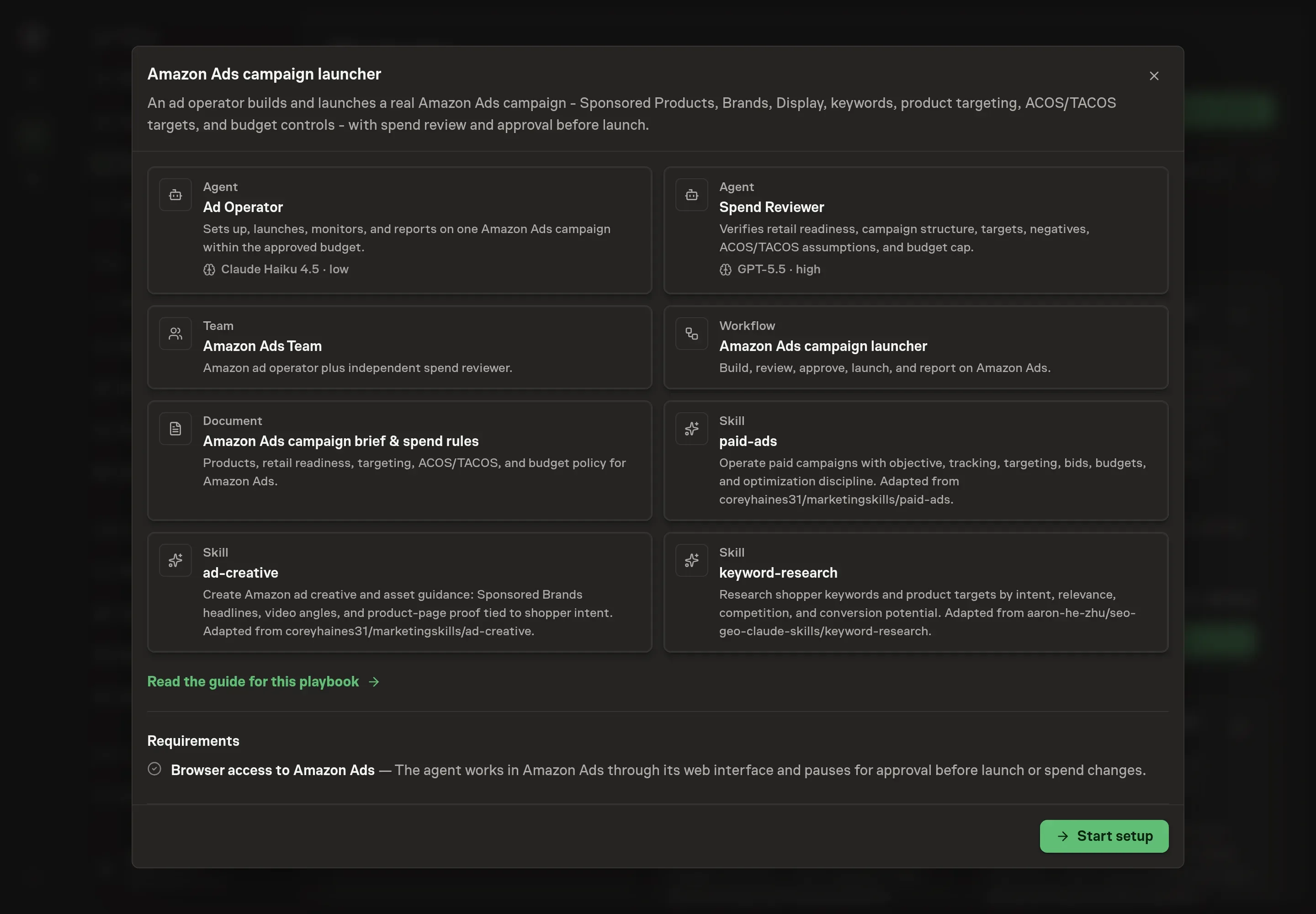
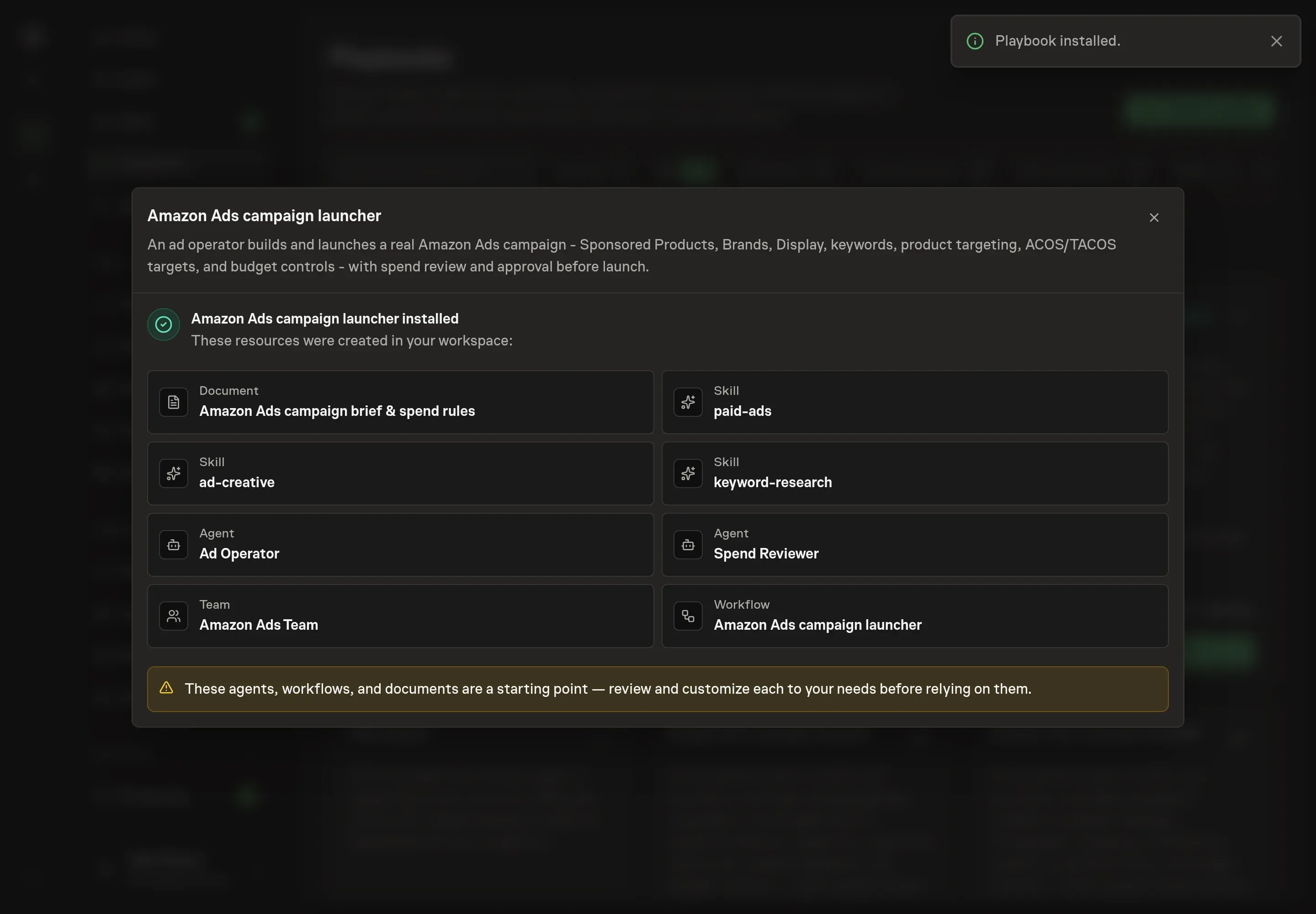
The Amazon Ads campaign launch playbook provides a starting point for the method above. You need an active Task Machine workspace with Chat, workspace-management and Playbook-installation access (workspace owners have it). The agent works in Amazon Ads through its web interface and pauses for your approval before launch or any spend change.
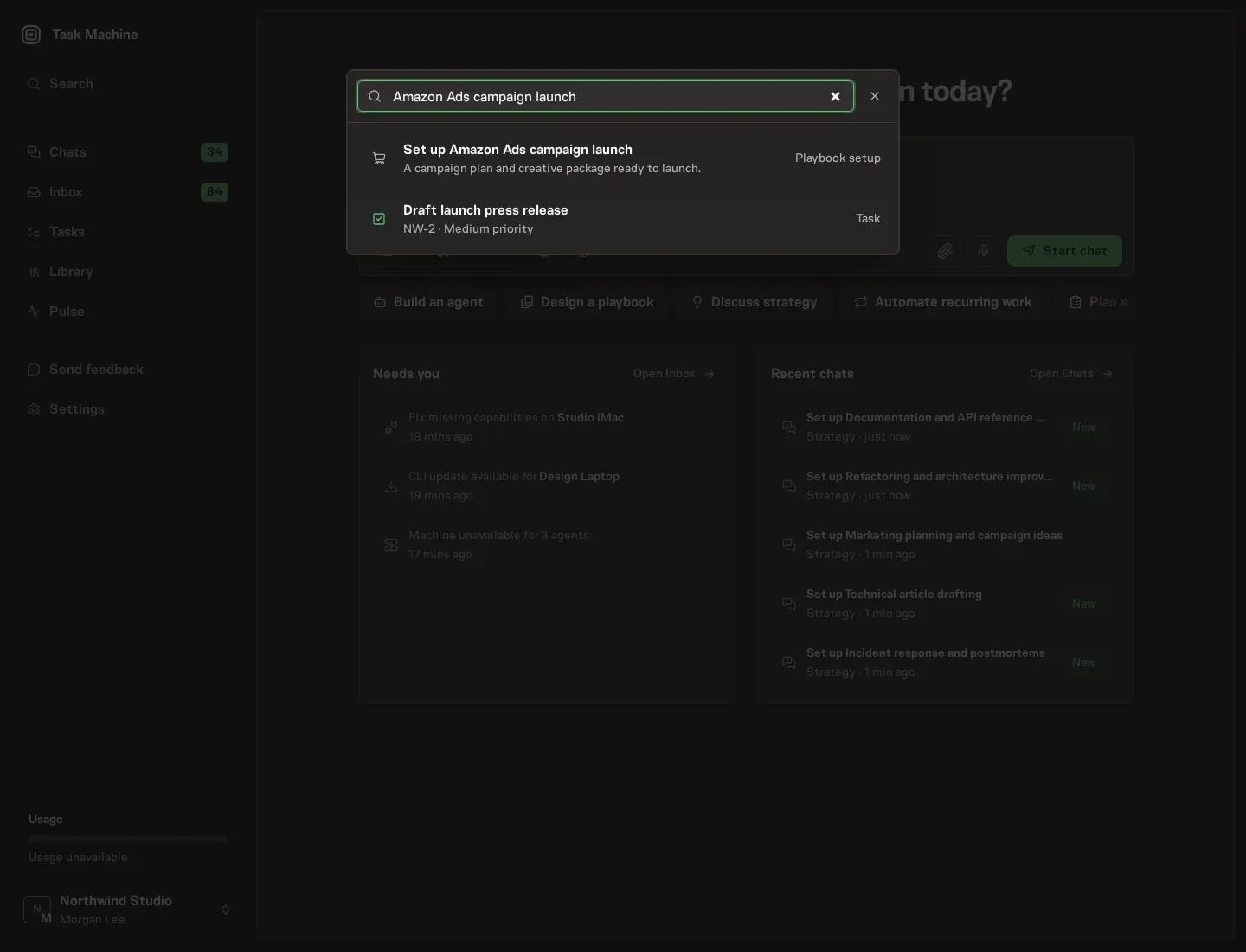
1. Find the playbook
Open Search in your workspace and enter "Amazon Ads campaign launch". The command center lists Set up Amazon Ads campaign launch under Playbook setup.
2. Start the conversation
Choose Set up Amazon Ads campaign launch. Task Machine opens a dedicated Chat with the Playbook card and an editable, unsent request. Read the intended job and outcome. Add your situation and send it when ready. Opening the draft does not install anything or start work. This walkthrough uses settings that require approval of the proposed Playbook.
3. Agree the working brief
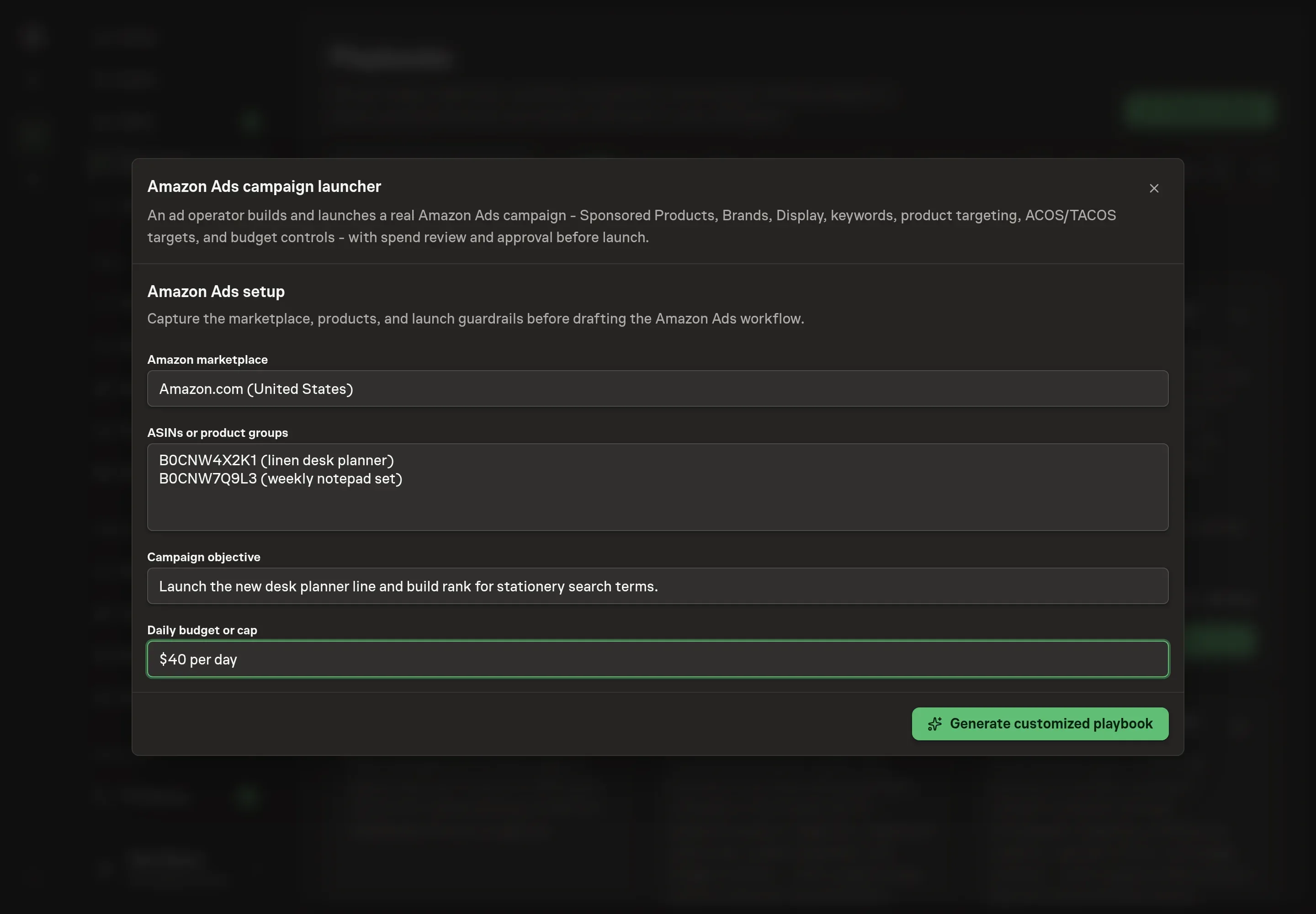
Use Chat to agree the inputs, expected output and limits before asking for a proposal. The Agent needs the details that shape the build. Amazon marketplace names the storefront the campaign runs in. ASINs or product groups lists the products to advertise and takes several entries. Campaign objective states what the campaign is for, such as launching a product, ranking, profit, defending the brand, competitor conquest, or liquidation. Daily budget or cap sets the number every worst-case calculation is checked against.
4. Review the proposed Playbook
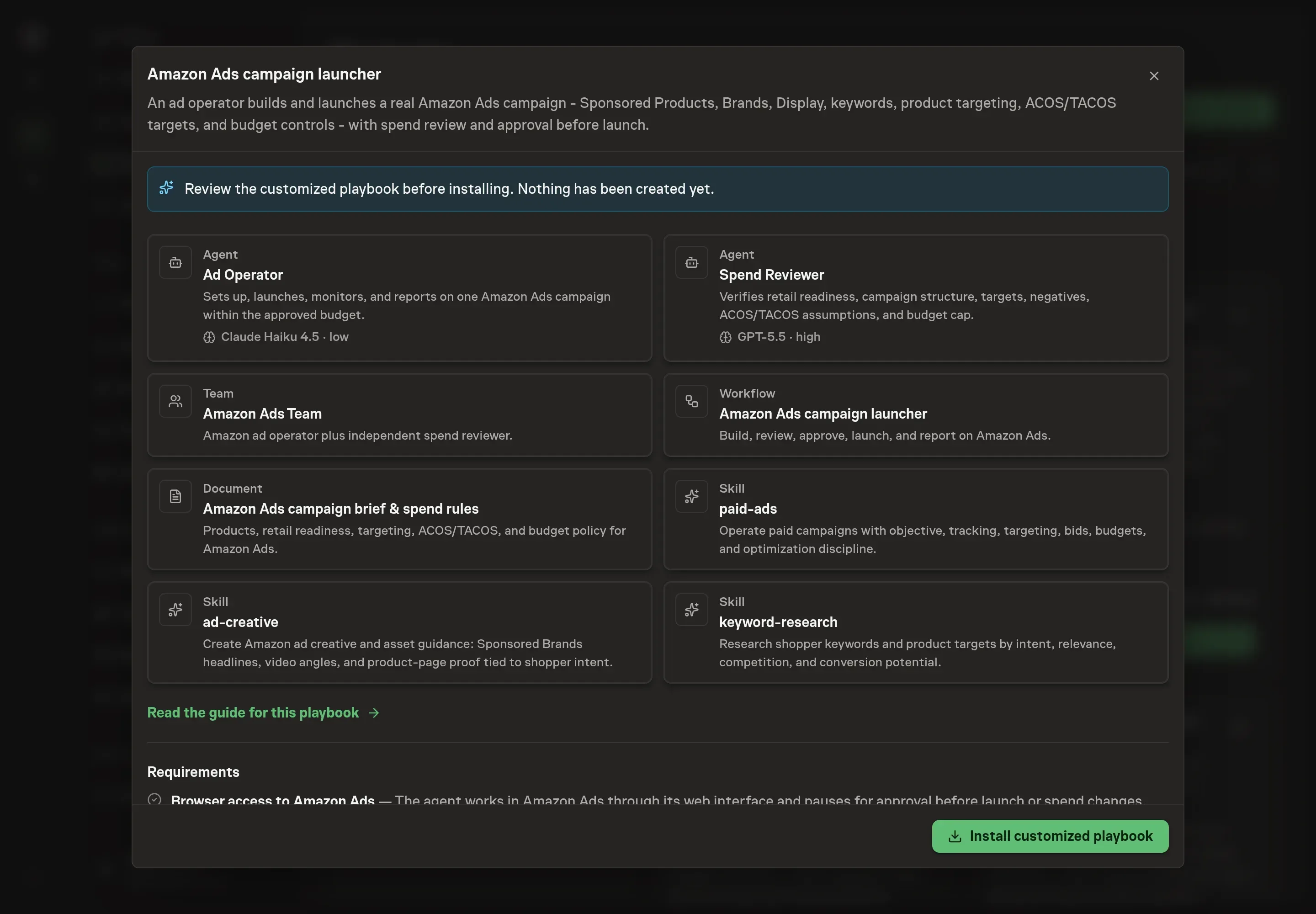
Ask the Agent to generate the Playbook from the agreed brief. Open its proposal in Chat and check the instructions and resources it will install, which carry more detail than the conversational summary. Read the agent and workflow cards and confirm the marketplace, products, objective, and cap all match what you agreed. Ask for a revised proposal if anything is missing or changes the job.
5. Approve and prepare the first work
Choose Approve on the proposal in Chat when the configuration matches your brief. Task Machine installs that reviewed configuration. The approved item retains its review details. If your autonomy settings allow direct installation, this approval may not be required. Check the resulting configuration in that case too.
Complete any remaining secure service setup from the installation details in Chat. Inbox keeps those setup items available if you return later. Prepare the source documents and inputs before starting the first Task or Workflow. Installation does not authorize sending, publishing or changing an external service beyond the boundaries you agreed.
What good looks like
Three signals tell you whether the launch process works:
- ACOS and TACOS hold the targets in the brief. The point of managing to those targets instead of clicks or CPC is that every report either confirms the economics or shows exactly where they broke.
- The automatic campaigns keep producing graduates. A healthy account moves winning search terms into manual exact or phrase campaigns every week and negates the losers, so waste falls while the target list sharpens.
- Live spend matches the approved cap. Every launch confirmation and every report should show worst-case spend inside the named cap, with the remaining headroom stated rather than implied.
Common questions
Can an agent be trusted to spend money in Amazon Ads? Only with the spending kept behind approval. In this setup the agent builds and calculates, an independent reviewer checks the math, and the campaign waits in your inbox. Nothing launches, and no bid or budget moves afterward, without your explicit sign-off against a hard cap.
What if the product is not ready for ads? Then the right move is not to launch. The build rules refuse a campaign for a listing without a Buy Box, stock, a credible rating and reviews, or basic retail readiness, because sending traffic to a listing that cannot convert is the most expensive way to find listing problems.
Are automatic campaigns a waste of money? They are the discovery engine when they are contained. Automatic campaigns exist to mine the search terms shoppers use. The waste appears when nobody harvests: winners should graduate into manual exact or phrase campaigns and losers should become negatives, week after week.
Why manage to ACOS and TACOS instead of clicks? Clicks and CPC measure activity, not profit. ACOS ties ad spend to the sales it produced, and TACOS ties it to total sales, so both connect the campaign to margin. A campaign can win on CPC and still lose money on every order.
Does this need any special access to Amazon? The agent works in Amazon Ads through its web interface, the same one you use, and pauses for approval before launch or any spend change.