How to Launch Meta Ads Campaigns
A practical guide to launching Meta Ads campaigns with audience planning, creative variants, budget review, and approval before spend.

Founder, Task Machine
Meta Ads campaign launch is the work of turning an offer, audience, creative angle, tracking setup, and budget cap into a real Facebook or Instagram campaign. Beyond writing ads, the job includes account structure, audience exclusions, Pixel and conversion-event checks, budget pacing, launch approval, and the first performance report.
Small teams often treat this as a creative task and leave the operational checks until the end. That is how spend leaks happen: a campaign launches before tracking is verified, a test fragments budget across too many ad sets, or a daily budget creates more worst-case spend than anyone approved.
Meta will spend the budget either way
Meta is good at spending the budget you give it. That is useful only when the campaign has a clear objective, a tested conversion event, audiences that do not waste impressions on existing customers, and creative sets that can teach you something.
Besides failed ads, the hidden cost is unclear responsibility. One person writes the angles, another checks the Pixel, someone else approves spend in chat, and nobody can later prove which budget was approved before launch. A controlled launch process keeps the creative work and the money decision separate.
What the manual process looks like
Done by hand, a disciplined Meta launch has six steps:
- Gather the offer, landing page, target audience, exclusion rules, conversion goal, Pixel status, and daily or lifetime budget.
- Choose the objective and campaign structure without fragmenting spend across too many campaigns or ad sets.
- Build core, lookalike, and retargeting audiences with the right exclusions.
- Prepare image, video, or carousel creative variants with primary text, headlines, descriptions, and character limits checked.
- Verify the Pixel, conversion event, UTMs, mobile landing page, and budget math.
- Get approval before launch, then monitor spend, ROAS, CPA, frequency, and landing-page conversion.
None of those steps is hard in isolation. The failure mode is sequence drift: teams jump from creative to launch and remember tracking or budget headroom only after money is already moving.
What an agent can automate
The useful role for an agent is campaign assembly and review preparation, not unsupervised media buying:
- Build from the brief. The agent uses the landing page, audience notes, creative angles, and spend cap to plan the objective, audiences, exclusions, placements, and creative sets.
- Keep creative testable. It separates angles instead of writing five versions of the same ad, checks Meta text limits, and organizes copy so the first round can show which message moved people.
- Check tracking and budget before launch. The agent confirms the Pixel and conversion event, computes worst-case spend from the proposed budget, and states remaining headroom against the named external-costs budget.
- Create the review memo. A second reviewer checks the build, creative, tracking, and budget math before the human spend approval step.
The human still decides whether money can be spent. The agent does the assembly, checks, and reporting work that makes that decision easier.
The guardrails that make it safe
Paid ads need a hard boundary around money. The safe workflow has a named external-costs budget, an independent spend review, and a human approval gate before launch. No campaign launch, budget increase, bid change, or scale-up happens without sign-off.
The same rule applies after launch. If ROAS falls below target or spend approaches the cap, the agent pauses and asks for a decision instead of continuing to optimize with real money. The approval record matters because it separates "the agent prepared this" from "the business approved this spend."
Set it up in Task Machine
The Meta Ads campaign launch playbook provides a starting point for the method above. You need an active Task Machine workspace with Chat, workspace-management and Playbook-installation access (workspace owners have it). The playbook can prepare from attached briefs before Meta Ads is authorized, but browser access to Meta Ads Manager is required to build and launch the real campaign.
1. Find the playbook
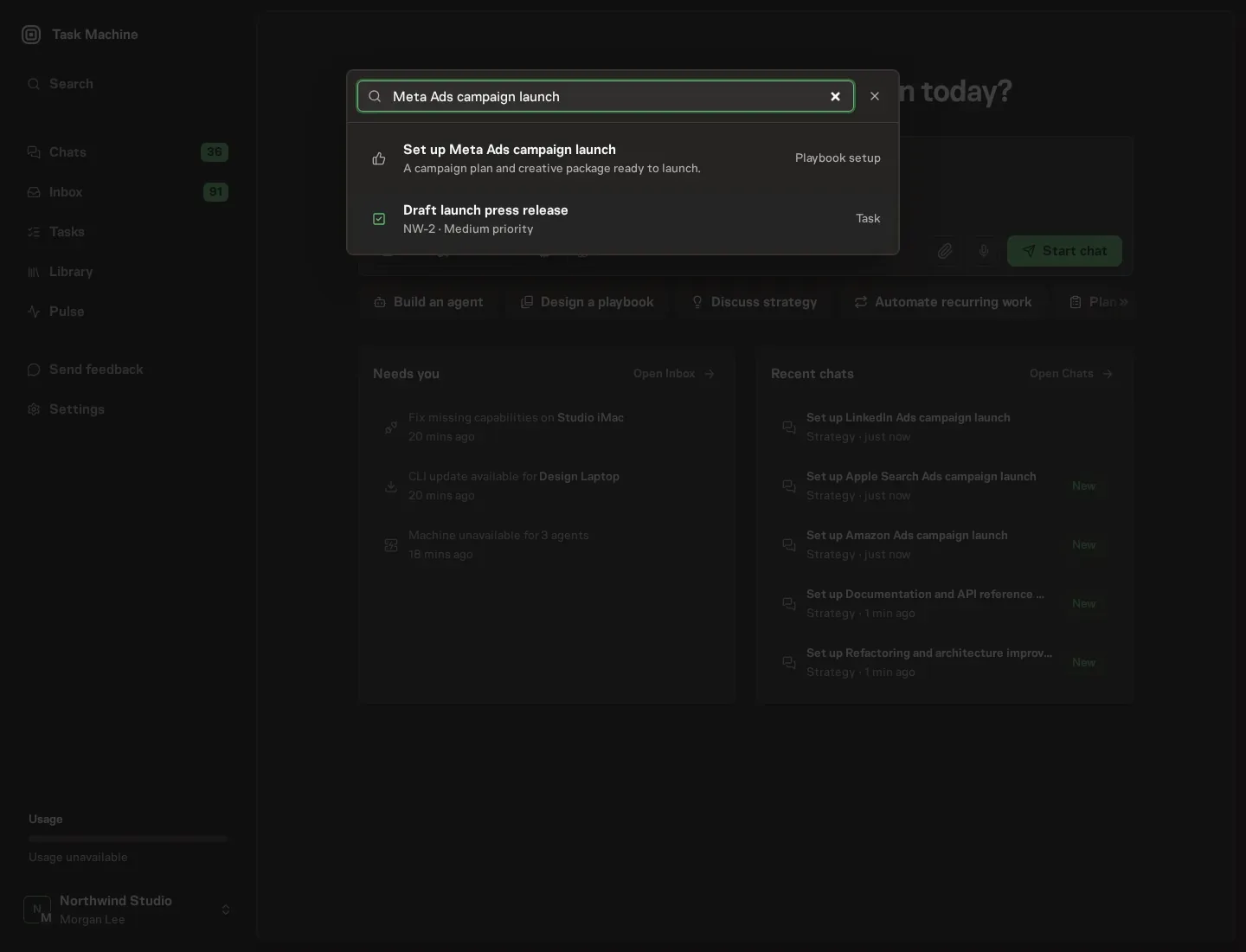
Open Search in your workspace and enter "Meta Ads campaign launch". The command center lists Set up Meta Ads campaign launch under Playbook setup.
2. Start the conversation
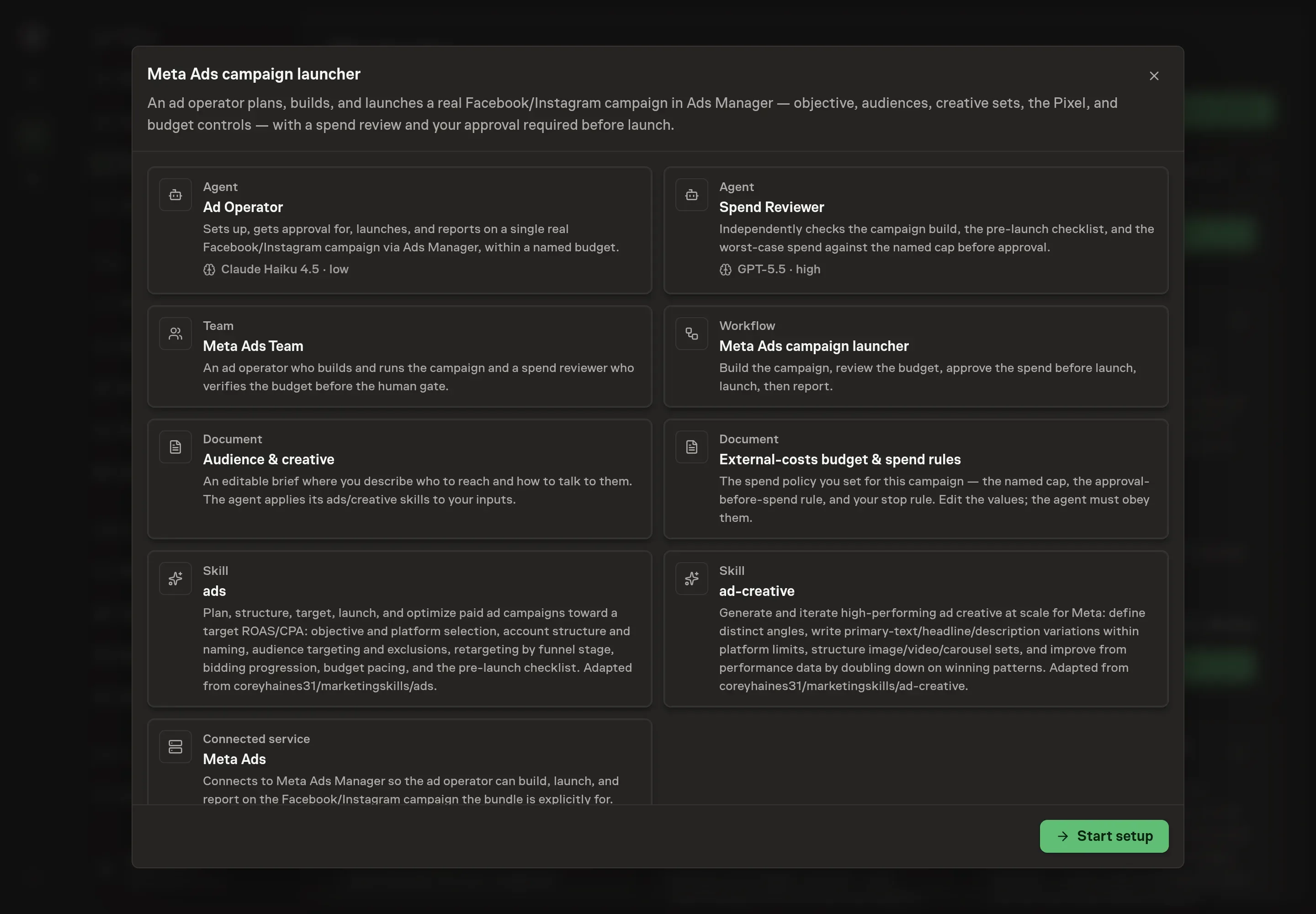
Choose Set up Meta Ads campaign launch. Task Machine opens a dedicated Chat with the Playbook card and an editable, unsent request. Read the intended job and outcome. Add your situation and send it when ready. Opening the draft does not install anything or start work. This walkthrough uses settings that require approval of the proposed Playbook.
3. Agree the working brief
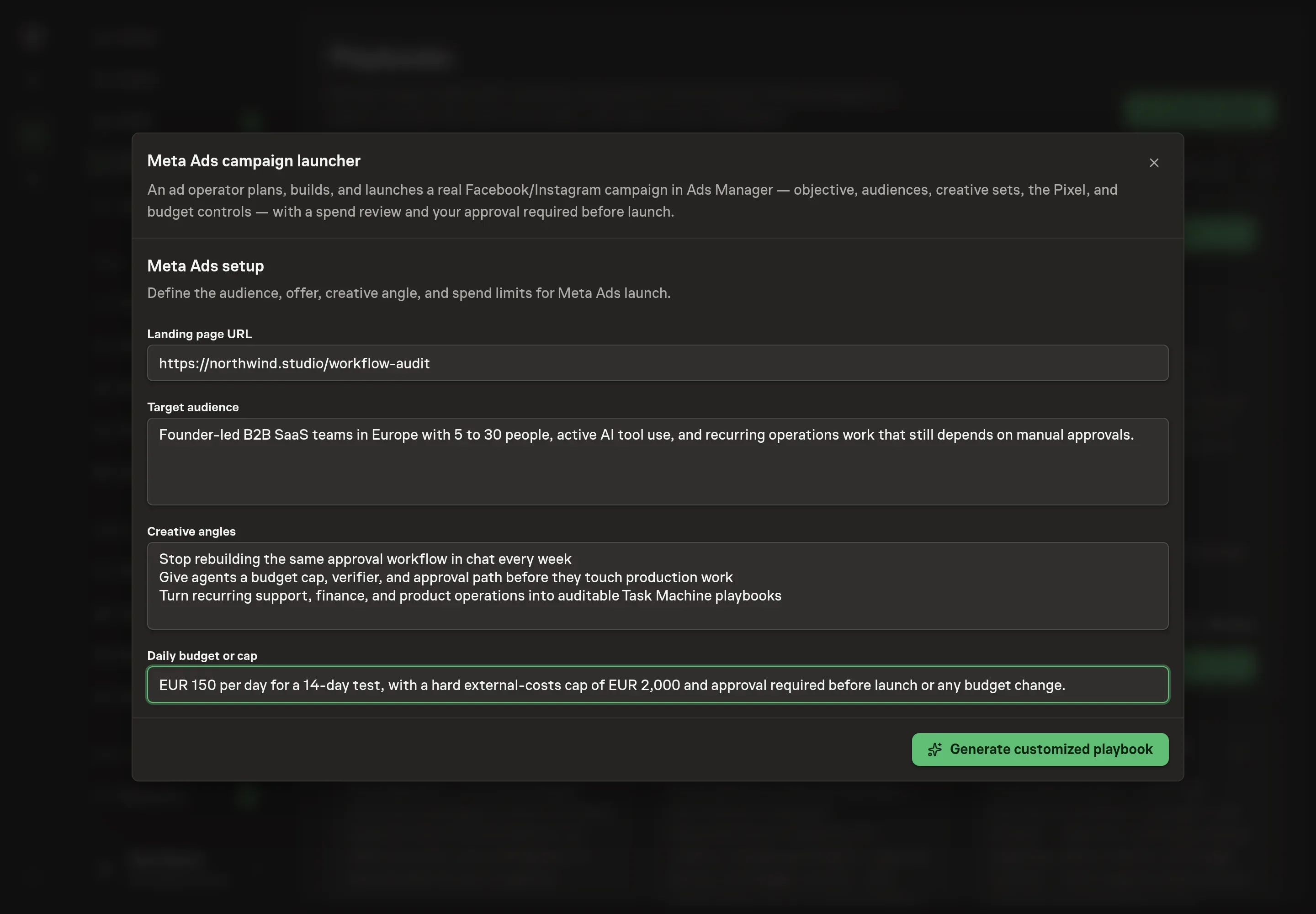
Use Chat to agree the inputs, expected output and limits before asking for a proposal. The Agent needs the landing page URL, target audience, creative angles, and daily budget or cap. Use operational language, not slogans: who should see the ads, which audiences to exclude, which angle each creative set should test, and the maximum spend allowed before launch or adjustment needs approval.
4. Review the proposed Playbook
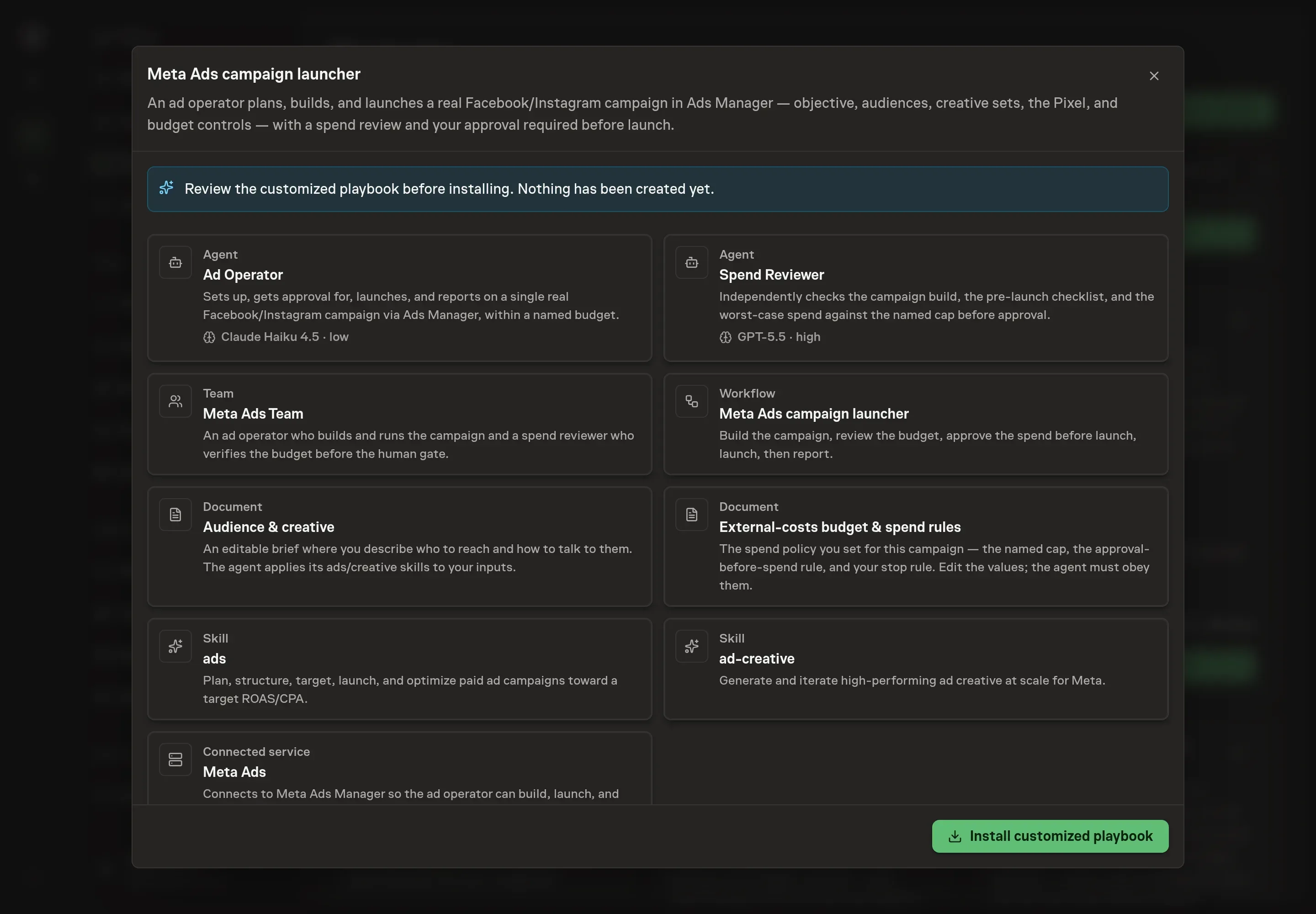
Ask the Agent to generate the Playbook from the agreed brief. Open its proposal in Chat and check the instructions and resources it will install, which carry more detail than the conversational summary. Read the proposal for three things: the Meta Ads service is included, the budget rule is explicit, and the workflow still routes through Approve spend before launch before the launch node. Ask for a revised proposal if anything is missing or changes the job.
5. Approve and prepare the first work
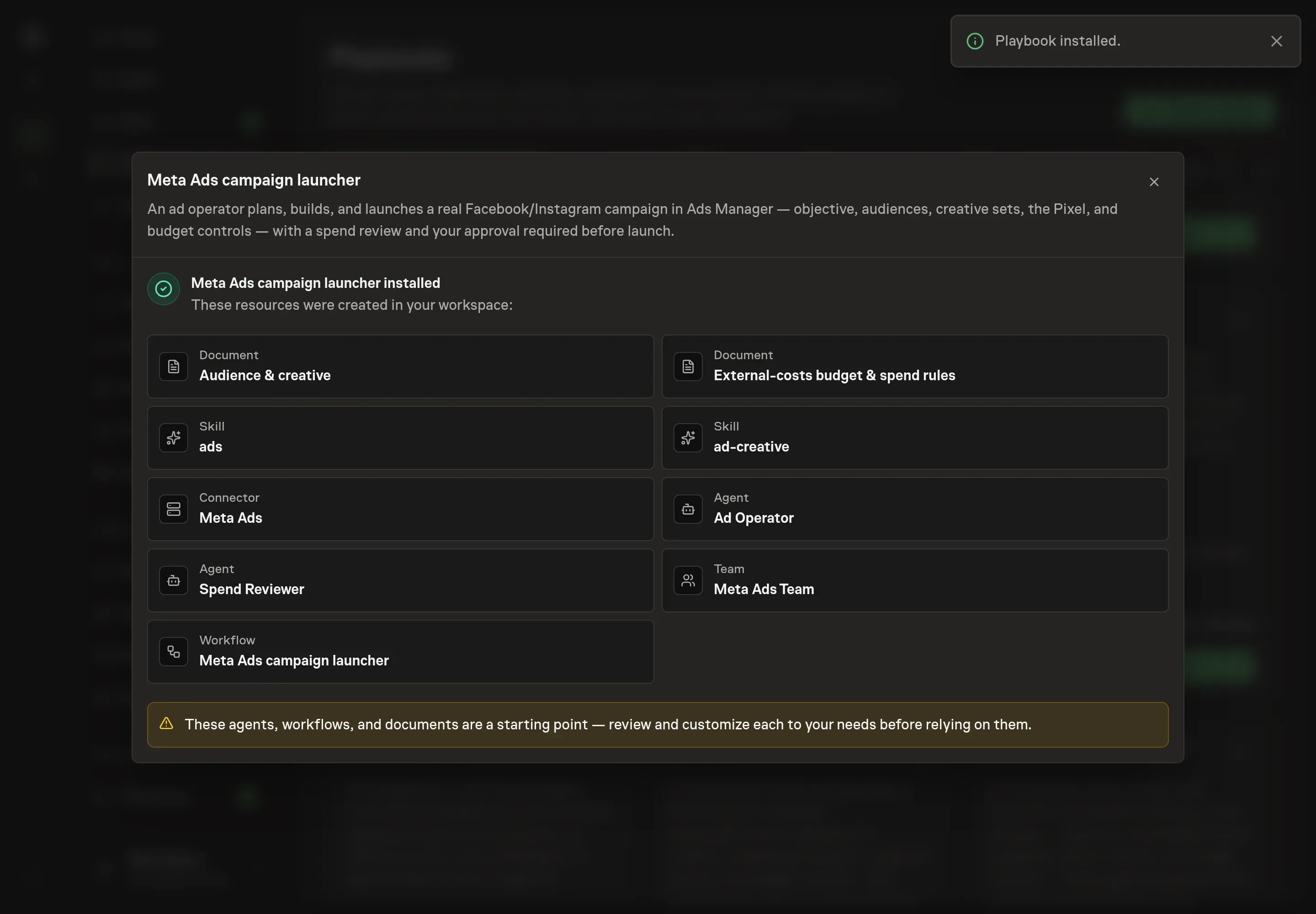
Choose Approve on the proposal in Chat when the configuration matches your brief. Task Machine installs that reviewed configuration. The approved item retains its review details. If your autonomy settings allow direct installation, this approval may not be required. Check the resulting configuration in that case too.
Complete any remaining secure service setup from the installation details in Chat. Inbox keeps those setup items available if you return later. Prepare the source documents and inputs before starting the first Task or Workflow. Installation does not authorize sending, publishing or changing an external service beyond the boundaries you agreed.
What good looks like
Good Meta launch automation produces fewer surprises, not more campaigns:
- Every spend has a prior approval. The approval request states the proposed budget, worst-case spend, and headroom against the cap.
- Tracking is tested before launch. Pixel, conversion event, UTMs, and mobile landing-page behavior are checked before money moves.
- Creative tests one variable at a time. The first round separates audience and angle choices enough that the report can say what worked and what to retire.
Common questions
Can an agent launch Meta ads without approval? No. This playbook builds and reviews the campaign, but the workflow requires human approval before launch, budget increases, bid changes, or scale-up spend.
What should go in the creative angles field? Use three to five distinct reasons to click: pain point, outcome, social proof, comparison, urgency, identity, or a specific objection. Do not enter minor wording variants as separate angles.
Does this replace a media buyer? No. It handles the repeatable setup, checks, and reporting loop. Strategy, offer quality, budget ownership, and final launch decisions stay with the business.
What happens if tracking is not ready? The spend reviewer should return a no-go memo. A campaign without a tested conversion event should not reach the launch approval step.