How to Launch Microsoft Advertising Campaigns
Build Microsoft Advertising search campaigns with UET checks, keywords, RSAs, budget review, and approval before launch.

Founder, Task Machine
Launching a Microsoft Advertising campaign means building a paid search campaign for Microsoft inventory with tracking, keyword intent, negatives, ad creative, targeting overlays, and spend controls in place before launch. It should not be treated as a blind Google Ads import.
That last point is where many campaigns waste money. Microsoft search can be useful, especially for B2B and desktop-heavy intent, but imported settings, partner inventory, LinkedIn profile targeting, UET conversion tracking, and negatives all need their own review.
Why Microsoft campaigns waste spend
Paid search waste usually comes from small decisions made before the first click: tracking that was never tested, imported match types that no longer fit, missing negatives, audience network inventory mixed into a search test, or responsive search ads that make claims the landing page cannot prove.
The campaign may still launch cleanly in the UI. The problem appears later as spend that cannot be trusted, because nobody can tell whether the result came from search intent, partner inventory, a tracking gap, or broad terms that should have been excluded.
What the manual process looks like
A careful Microsoft Advertising launch has six steps:
- Confirm the landing page, conversion goal, UET tag, and conversion event.
- Decide whether any Google Ads import should be cleaned up or rebuilt.
- Research keyword themes, search intent, match types, and negative keywords.
- Decide on LinkedIn profile targeting overlays, search partners, and audience network stance.
- Write responsive search ads and assets that match query intent and proof on the page.
- Review worst-case spend against the cap before launch.
The review step is not optional. This campaign spends real money, so launch authority needs to be separate from build authority.
What an agent can automate
An agent can prepare the build and the review packet while leaving spend approval to a person:
- Build the campaign structure. The ad operator sets up or cleans up the Microsoft search campaign, including keyword groups, negatives, RSAs, UTMs, and budget settings.
- Check Microsoft-specific choices. The agent calls out import hygiene, UET status, LinkedIn overlays, partner inventory, and audience network decisions instead of copying another platform's assumptions.
- Review the budget independently. A spend reviewer verifies tracking, keywords, negatives, RSAs, targeting, and worst-case spend against the cap.
- Launch only after approval. The workflow gates launch behind a human approval step, then monitors spend, CPA or ROAS, search terms, assets, and pacing.
The agent does the setup work in the browser. The human approves the spend.
The guardrails that make it safe
The main guardrail is independent review before launch. The ad operator can build the campaign, but the spend reviewer checks it before the approval request reaches the human.
Every approval should state the conversion goal, tracking status, campaign structure, partner and audience stance, keyword and negative plan, RSA coverage, daily or lifetime budget, worst-case spend, and remaining headroom. Budget changes, bid changes, and scale-ups need their own approval later.
Set it up in Task Machine
The Microsoft Advertising campaign launch playbook provides a starting point for the method above. You need an active Task Machine workspace with Chat, workspace-management and Playbook-installation access (workspace owners have it). Browser access to Microsoft Advertising is required for live launch work.
1. Find the playbook
Open Search in your workspace and enter "Microsoft Advertising campaign launch". The command center lists Set up Microsoft Advertising campaign launch under Playbook setup.
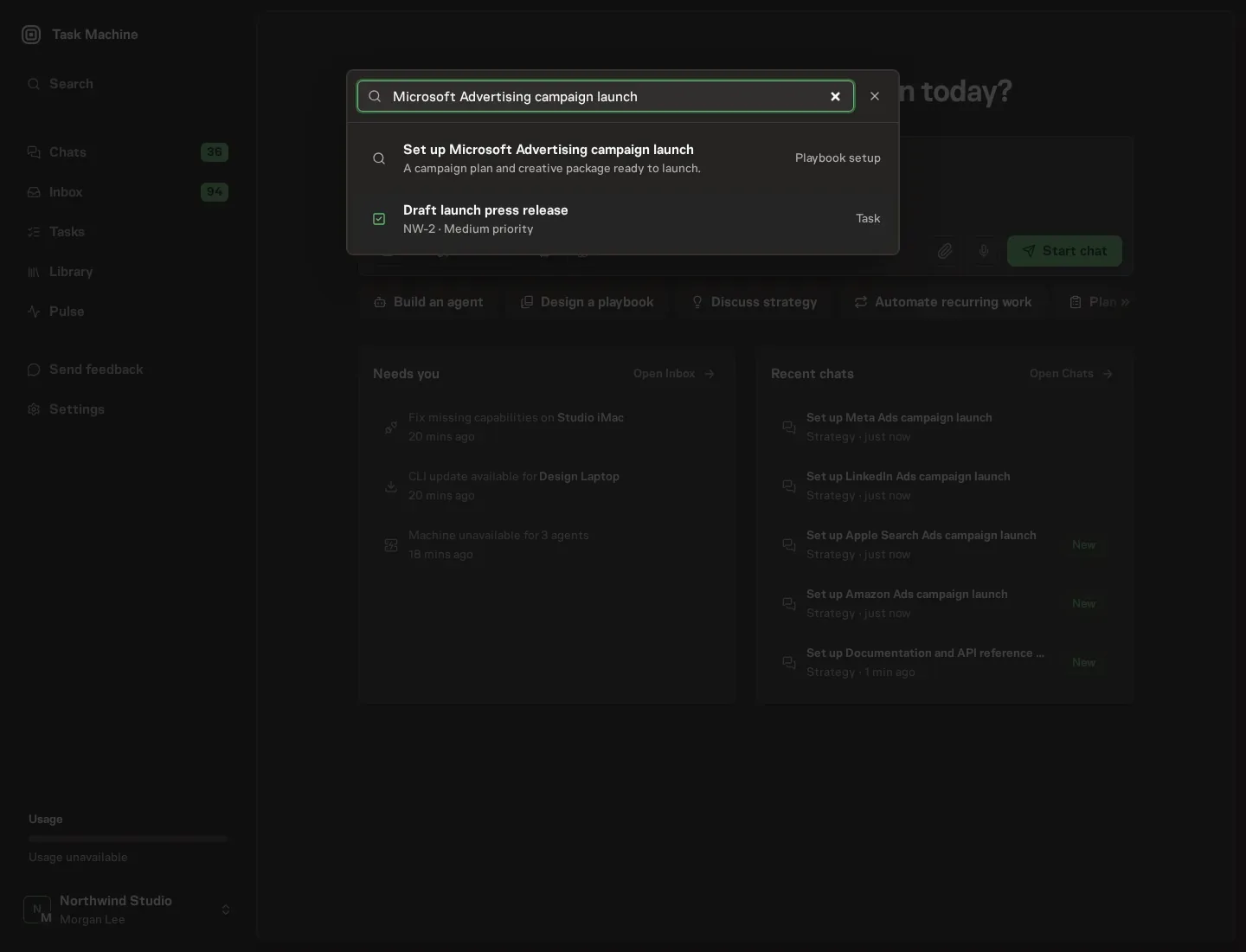
2. Start the conversation
Choose Set up Microsoft Advertising campaign launch. Task Machine opens a dedicated Chat with the Playbook card and an editable, unsent request. Read the intended job and outcome. Add your situation and send it when ready. Opening the draft does not install anything or start work. This walkthrough uses settings that require approval of the proposed Playbook.
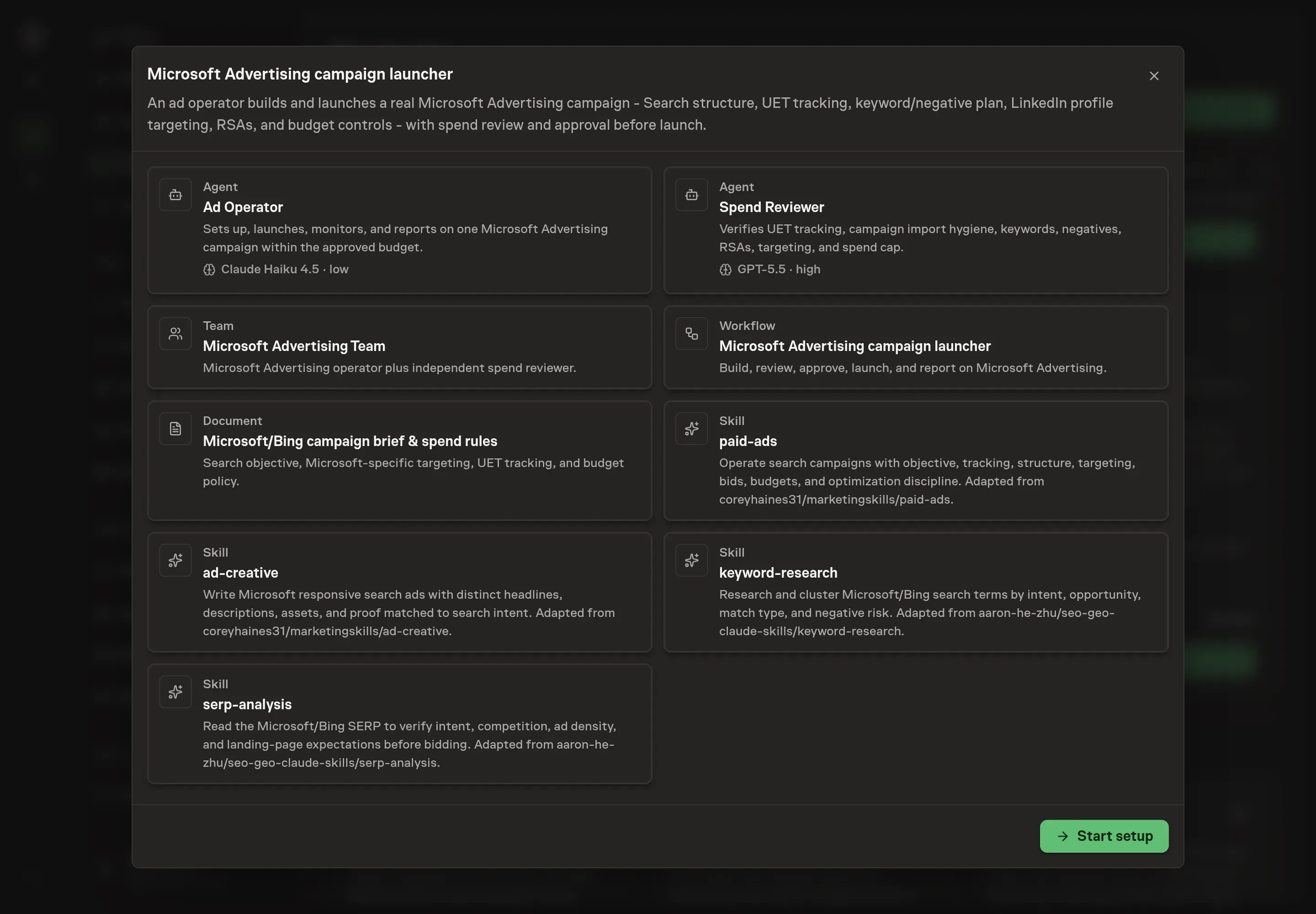
3. Agree the working brief
Use Chat to agree the inputs, expected output and limits before asking for a proposal. Discuss the landing page URL, conversion goal, keyword themes, and daily budget or cap. For budget, name the hard spend boundary for the first test.
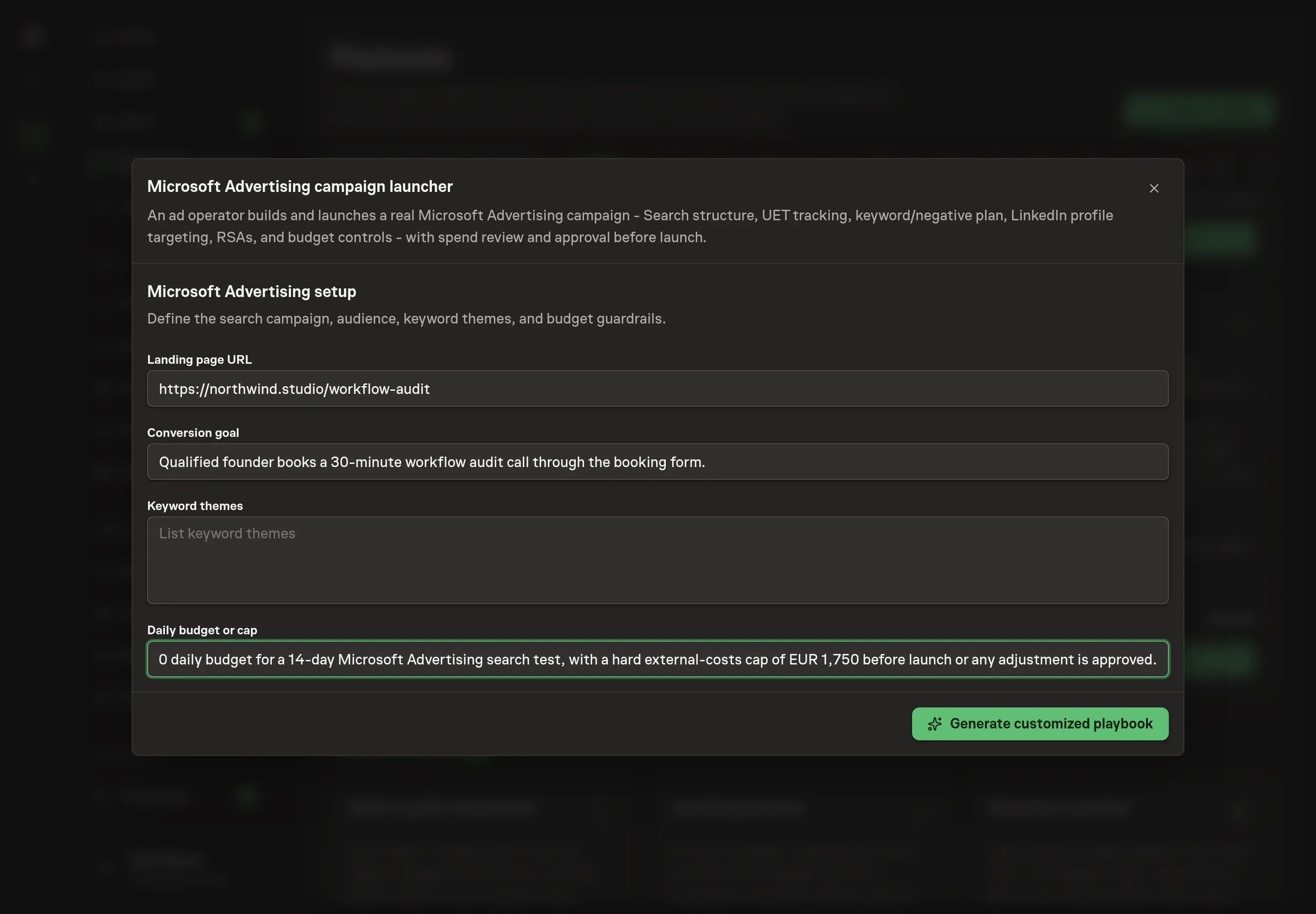
4. Review the proposed Playbook
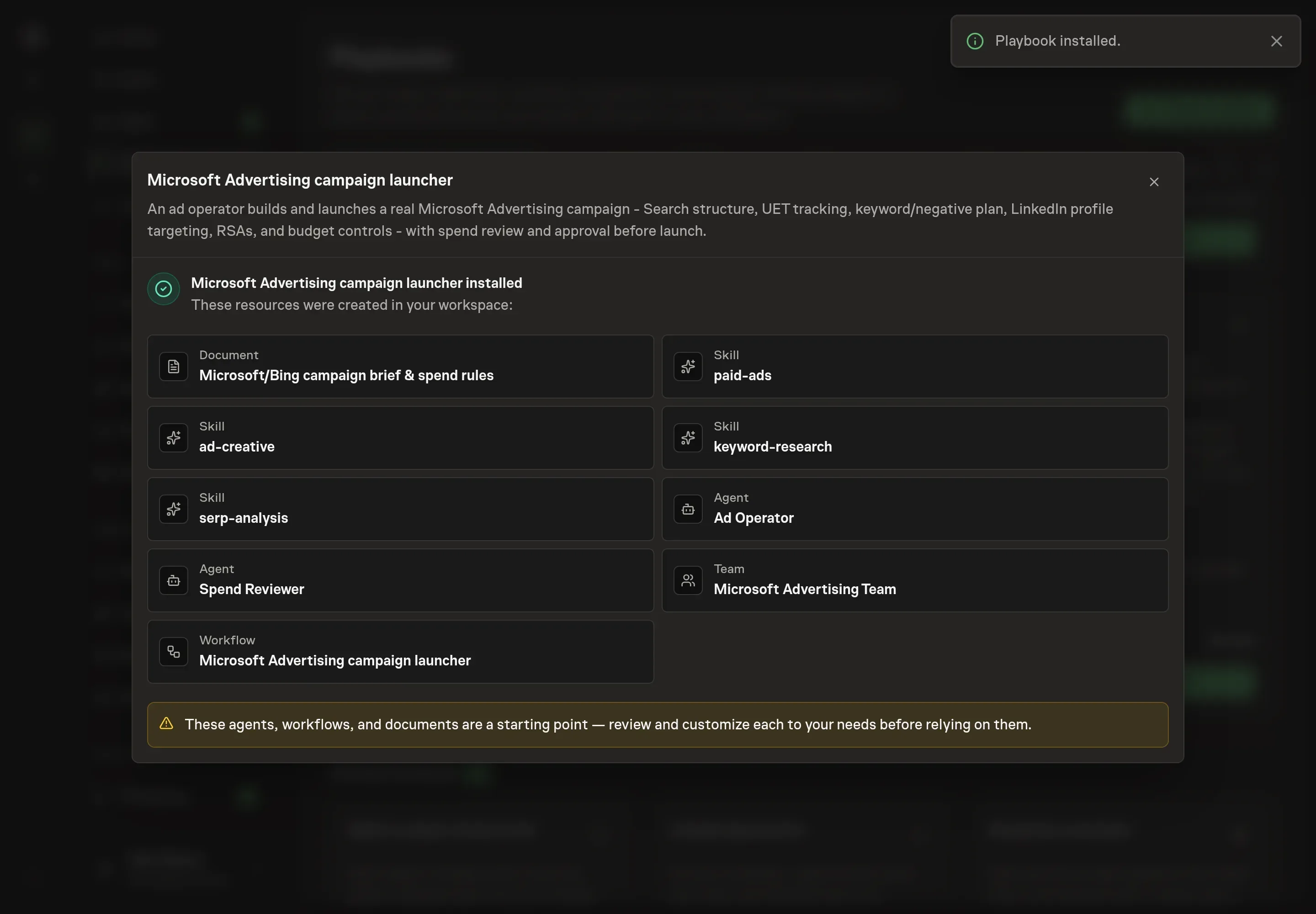
Ask the Agent to generate the Playbook from the agreed brief. Open its proposal in Chat and check the instructions and resources it will install, which carry more detail than the conversational summary. Review the generated agents, workflow, campaign brief, and skills. Confirm the brief names UET status, import hygiene, negatives, LinkedIn overlays, partner inventory stance, and approval thresholds. Ask for a revised proposal if anything is missing or changes the job.
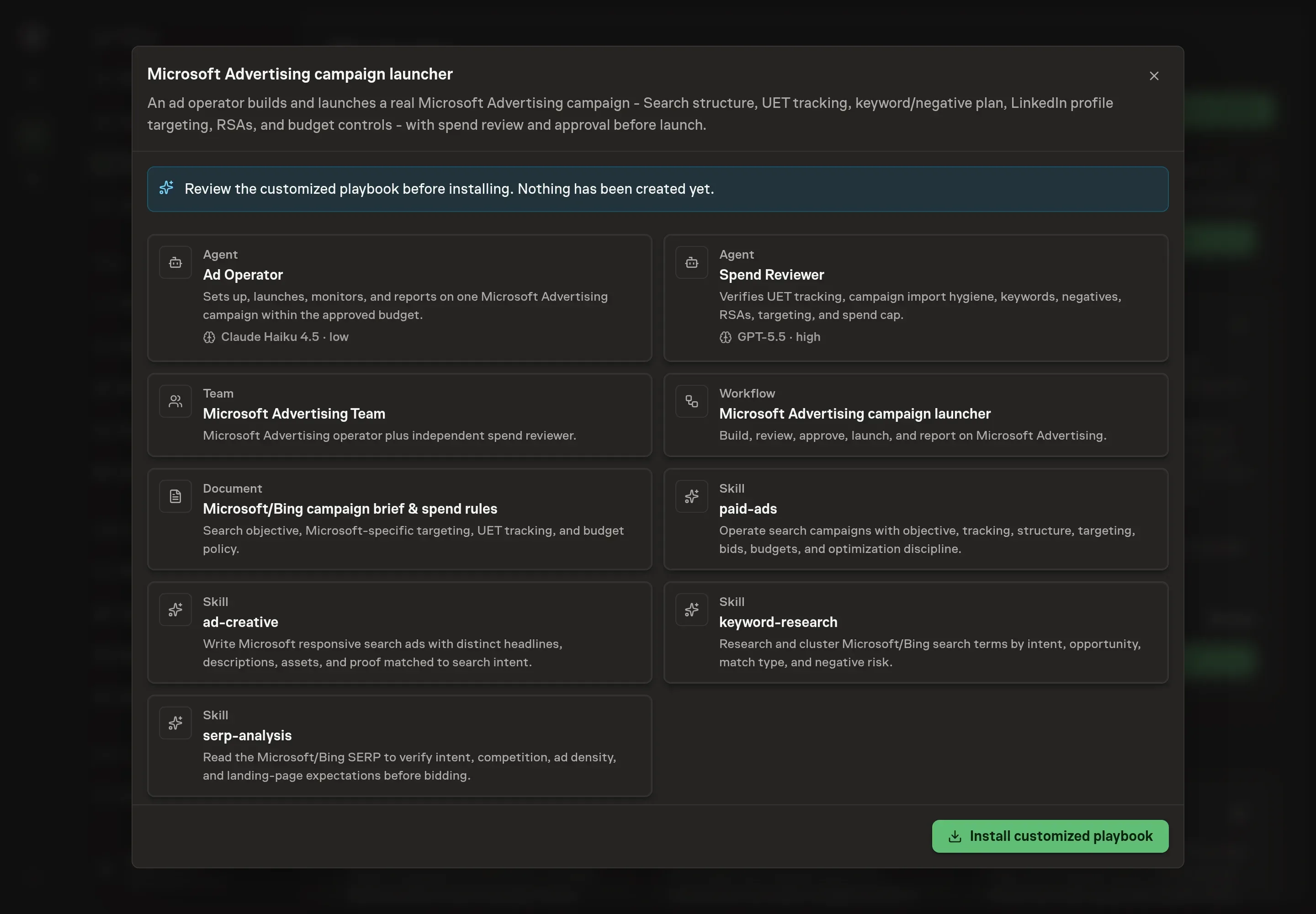
5. Approve and prepare the first work
Choose Approve on the proposal in Chat when the configuration matches your brief. Task Machine installs that reviewed configuration. The approved item retains its review details. If your autonomy settings allow direct installation, this approval may not be required. Check the resulting configuration in that case too.
Complete any remaining secure service setup from the installation details in Chat. Inbox keeps those setup items available if you return later. Prepare the source documents and inputs before starting the first Task or Workflow. Installation does not authorize sending, publishing or changing an external service beyond the boundaries you agreed.
What good looks like
Before launch, the campaign should have tested UET tracking, tight keyword groups, explicit negatives, RSAs with distinct headlines and descriptions, and a clear partner inventory stance.
After launch, watch spend versus cap, CPA or ROAS versus target, search terms added or excluded, RSA asset performance, and whether partner or audience inventory is changing the result.
Common questions
Should a Google Ads campaign be imported into Microsoft Advertising? Sometimes, but not blindly. Imported locations, match types, budgets, assets, negatives, and bid strategies need Microsoft-specific review.
Does the agent launch the campaign without approval? No. The launch step is gated behind spend approval.
Why include a separate spend reviewer? The reviewer recomputes budget risk and checks tracking, keywords, negatives, creative, and targeting before a human approves launch.
Can the campaign run without UET tracking? The workflow should flag that as a no-go for conversion campaigns. Tracking must be confirmed before launch.