How to Launch Pinterest Ads Campaigns
A practical guide to building Pinterest Ads campaigns with keyword themes, Pin creative, catalog checks, budget review, and approval.

Founder, Task Machine
A Pinterest Ads campaign is a paid acquisition workflow built around planning intent and visual discovery. The campaign has to match how people use Pinterest: they search, save, compare, plan ahead, and return when they are ready to buy or act.
That makes Pinterest different from a generic ad launch. Beyond choosing a budget and uploading creative, the work is matching keyword themes, interest themes, Pin formats, landing pages, catalog readiness, seasonal timing, and spend controls before any money is committed.
Pinterest punishes repackaged social ads
Pinterest spend gets wasted when the campaign is treated like a repackaged social ad. The creative may look fine, but the targeting misses search-style intent, the Pin copy is unreadable on mobile, the catalog feed is stale, or the campaign launches too close to the buying date for a planning-heavy audience.
The second failure is approval discipline. A daily budget can look small while the run window, bid settings, and scaling changes create more exposure than the team meant to approve. Paid campaigns need one place where worst-case spend, conversion tracking, catalog checks, and creative fit are reviewed before launch.
What the manual process looks like
Done by hand, a Pinterest Ads launch has six steps:
- Define the objective: consideration, conversions, catalog sales, app installs, or another campaign goal.
- Confirm the Pinterest tag, conversion event, landing page, product feed, or catalog source before buildout.
- Group keyword themes and interest themes around how the buyer plans, searches, and saves.
- Prepare vertical Pin creative with clear focal points, readable overlays, product or use-case visibility, and variants by theme.
- Set the budget, cap, run window, bid approach, UTMs, and reporting fields.
- Review the campaign build and spend math before launch, then monitor saves, outbound CTR, conversion rate, CPA or ROAS, catalog health, and creative fatigue.
The steps are ordinary, but missing one of them can turn spend into a learning bill with no usable result.
What an agent can automate
An ad operator can handle the setup work if spend remains behind approval:
- Translate the brief into a campaign build. The agent takes the landing page, audience interests, creative assets, and daily budget or cap, then builds a campaign plan around the right Pinterest objective.
- Map search and discovery demand. It turns audience interests into keyword themes, interest themes, seasonal timing, and Pin angles.
- Check tracking and catalog readiness. The workflow verifies the Pinterest tag, conversion event, feed health, product groups, and landing page fit before launch.
- Draft Pin concepts. The agent proposes vertical creative variants: product close-up, lifestyle use case, comparison, seasonal angle, and checklist or how-to.
- Review spend math independently. A spend reviewer checks objective, tracking, creative, targeting, seasonal timing, and worst-case spend against the named cap.
The agent can launch only after approval. Budget changes, bid changes, and scale-ups need separate approval because they affect external spend.
The guardrails that make it safe
Paid ads are one of the clearest places for a human approval gate. The agent may build the campaign, but the owner should approve the final state that can spend money.
The safe shape is a workflow where the Ad Operator builds the campaign, the Spend Reviewer produces a go or no-go memo, and the human approves before launch. The approval request should state the objective, conversion event, creative set, targeting, seasonal logic, daily cap, run window, and worst-case spend. After launch, monitoring can continue, but spend changes come back for approval.
Set it up in Task Machine
The Pinterest Ads campaign launch playbook provides a starting point for the method above. You need an active Task Machine workspace with Chat, workspace-management and Playbook-installation access (workspace owners have it). Pinterest Ads Manager access can be authorized later. Until then, the agent prepares the build and review pack for manual execution.
1. Find the playbook
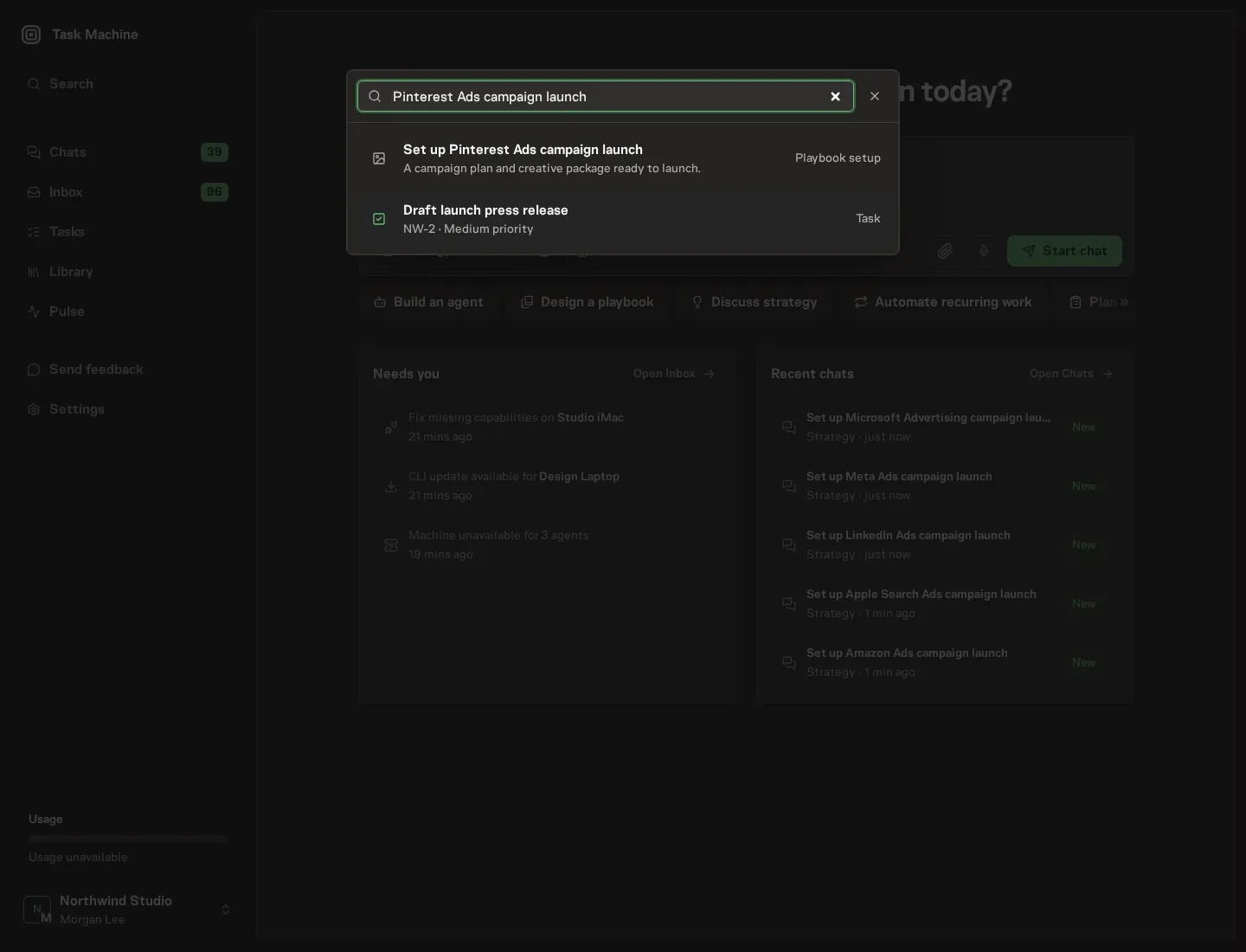
Open Search in your workspace and enter "Pinterest Ads campaign launch". The command center lists Set up Pinterest Ads campaign launch under Playbook setup.
2. Start the conversation
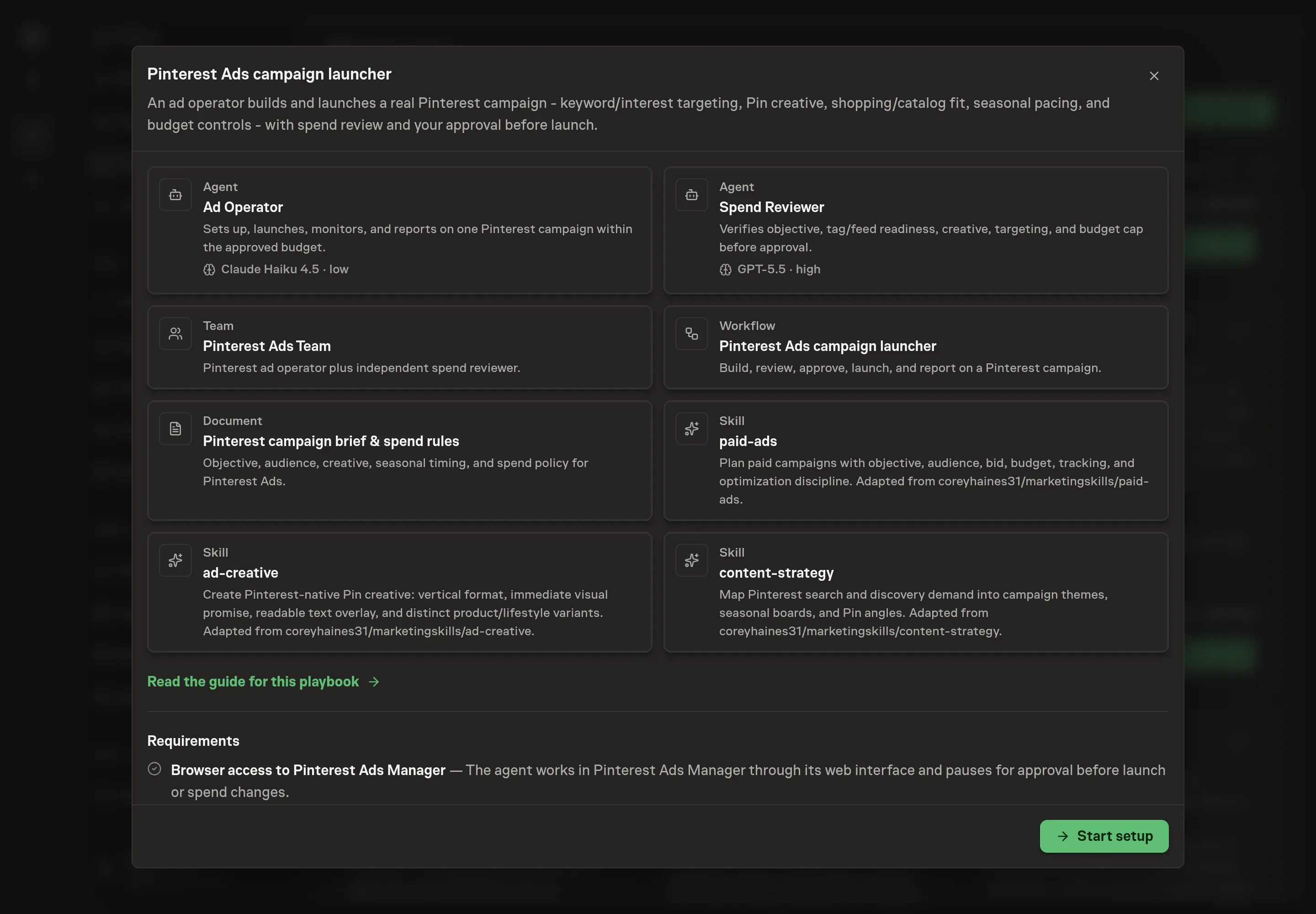
Choose Set up Pinterest Ads campaign launch. Task Machine opens a dedicated Chat with the Playbook card and an editable, unsent request. Read the intended job and outcome. Add your situation and send it when ready. Opening the draft does not install anything or start work. This walkthrough uses settings that require approval of the proposed Playbook.
3. Agree the working brief
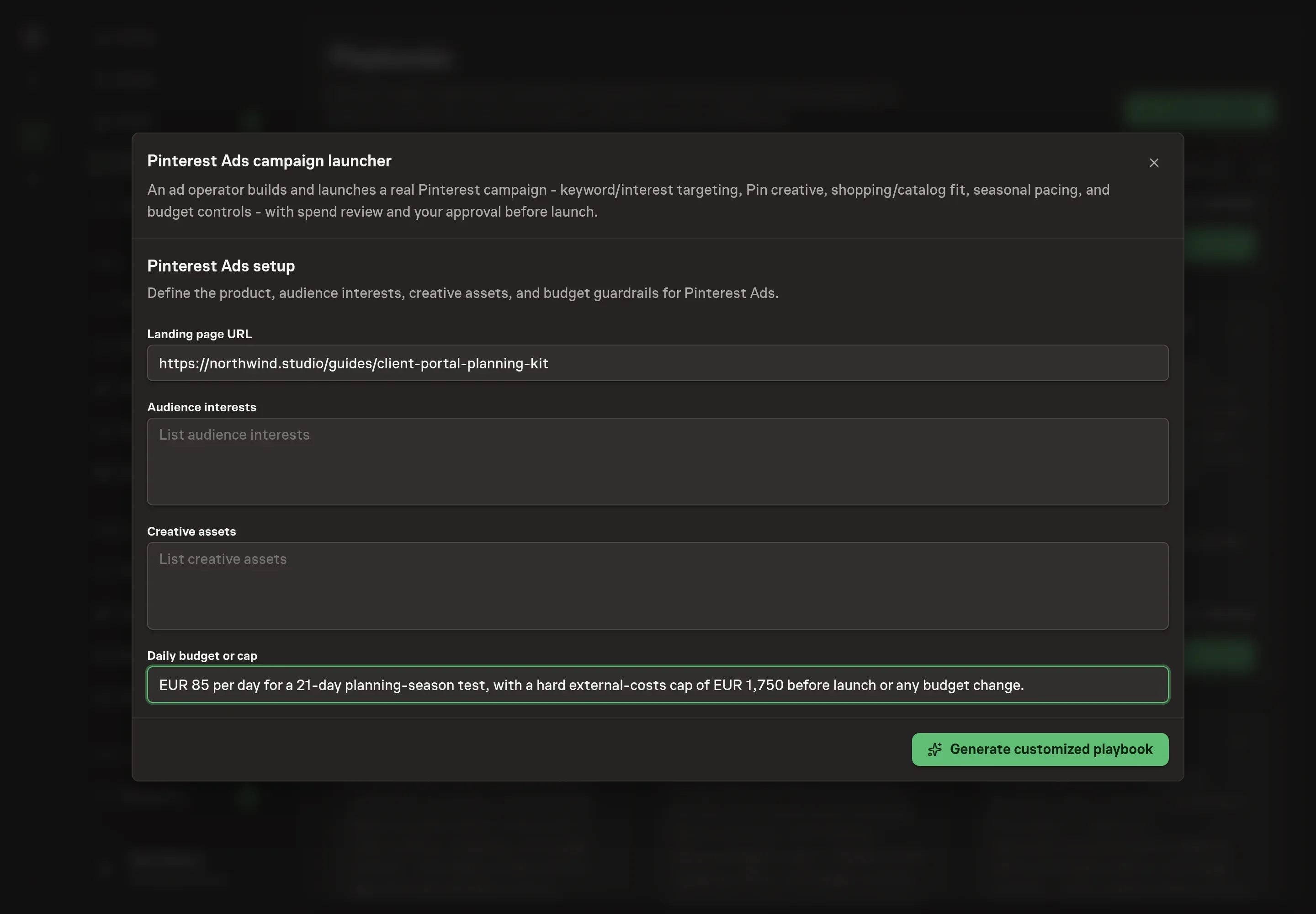
Use Chat to agree the inputs, expected output and limits before asking for a proposal. The Agent needs the landing page URL, audience interests, creative assets, and daily budget or cap. Use real asset locations and a hard budget boundary so the spend reviewer has something concrete to check.
4. Review the proposed Playbook
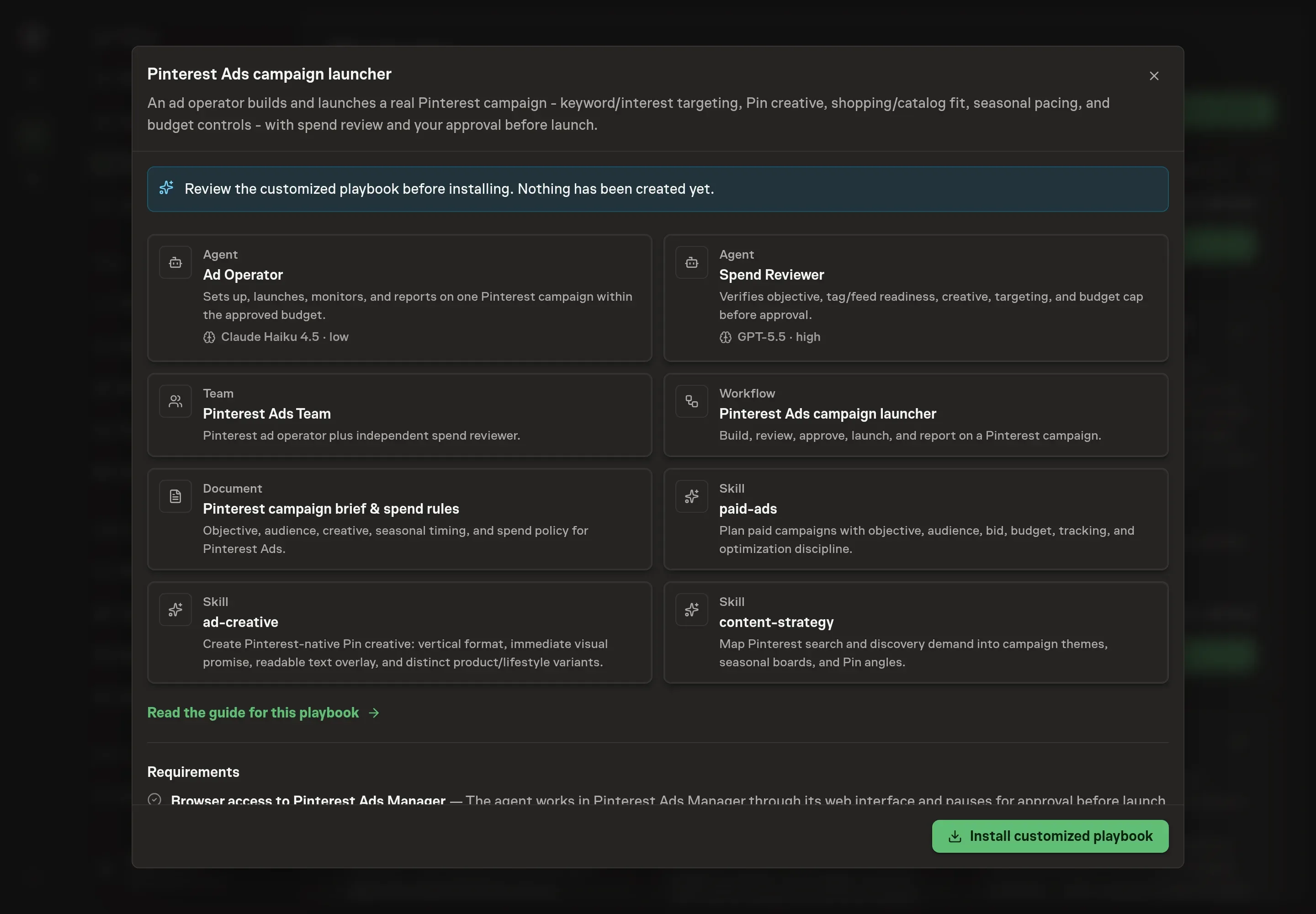
Ask the Agent to generate the Playbook from the agreed brief. Open its proposal in Chat and check the instructions and resources it will install, which carry more detail than the conversational summary. Review the customized cards before install. The workflow should build the campaign, review build and budget, wait for approval, launch only after approval, and then monitor and report. Ask for a revised proposal if anything is missing or changes the job.
5. Approve and prepare the first work
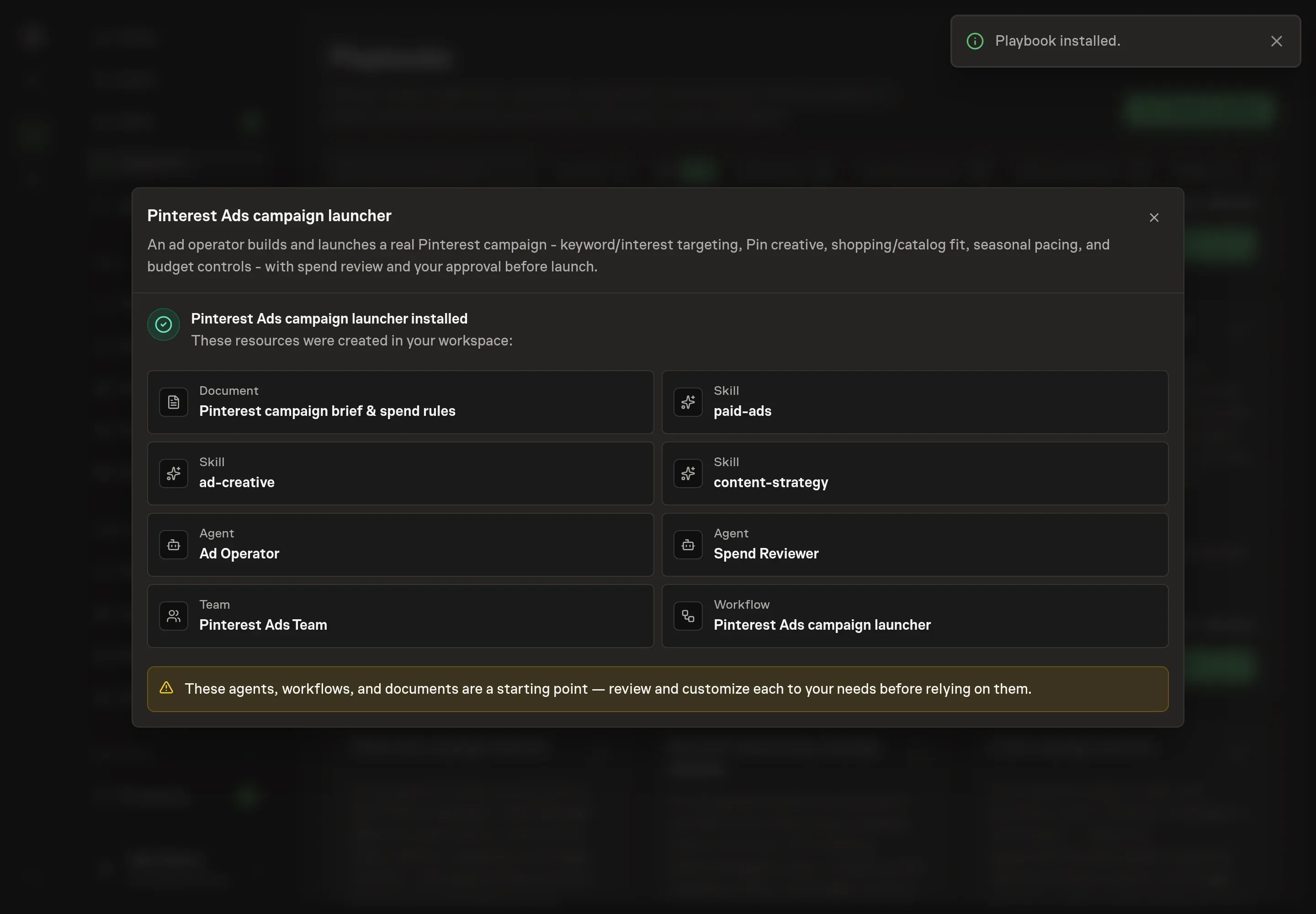
Choose Approve on the proposal in Chat when the configuration matches your brief. Task Machine installs that reviewed configuration. The approved item retains its review details. If your autonomy settings allow direct installation, this approval may not be required. Check the resulting configuration in that case too.
Complete any remaining secure service setup from the installation details in Chat. Inbox keeps those setup items available if you return later. Prepare the source documents and inputs before starting the first Task or Workflow. Installation does not authorize sending, publishing or changing an external service beyond the boundaries you agreed.
What good looks like
Three checks tell you whether the launch is controlled:
- Tracking is verified before launch. The tag, conversion event, landing page, and catalog or feed state are checked before spend starts.
- Creative matches Pinterest behavior. Pins are vertical, readable, visually clear, and tied to search or planning themes rather than generic brand copy.
- Spend exposure is explicit. The approval request states the daily cap, run window, and worst-case spend before launch.
Common questions
How is Pinterest targeting different from other paid channels? Pinterest combines search-style keyword intent with interest-based discovery. A good campaign covers both what people search for and what they save while planning.
Do Pinterest Ads need seasonal lead time? Often, yes. Pinterest users plan ahead, so seasonal campaigns should start before the purchase moment rather than only on the deadline week.
Can the agent change budgets after launch? Not without approval. The playbook asks for separate approval before launch, budget changes, bid changes, or scale-ups.
What creative should be prepared first? Start with vertical Pins that make the product or use case clear at a glance. Build variants for product detail, lifestyle use, comparison, seasonal planning, and checklist or how-to angles.