How to Launch X Ads Campaigns
Plan, build, review, and launch X Ads campaigns with native creative, Pixel checks, budget caps, and approval before spend.

Founder, Task Machine
Launching an X Ads campaign means turning an audience, offer, creative angle, and budget into a real campaign in the X ads UI. The campaign needs native promoted creative, keyword or interest targeting, follower look-alikes where they fit, conversion tracking, and a spend cap that is checked before launch.
On X, campaigns work best when the creative reads like something the account could have posted organically: timely, direct, conversational, and clear about the next step.
Why X Ads campaigns fail before launch
The most common failure is creative that looks like an ad in a feed where people expect posts. Another is targeting that mixes too many ideas into one ad group, so nobody can tell whether keywords, interests, or look-alikes drove the result.
The risk is bigger because the campaign spends real money. A budget field in the ads UI is not enough. The campaign needs a named cap, tested Pixel events, a worst-case spend calculation, and an approval before launch or later changes.
What the manual process looks like
A careful X Ads launch has five steps:
- Define the objective, target audience, landing page, budget cap, and conversion event.
- Choose targeting groups with one idea per ad group: keywords, interests, follower look-alikes, or tailored audiences.
- Write feed-native creative with a strong first line, one clear CTA, and variants that change one variable at a time.
- Confirm the X Pixel and conversion events, then set daily or lifetime budgets inside the cap.
- Run a spend review and approve before launch.
After launch, the campaign still needs monitoring. CPA drift, spend nearing the cap, or creative fatigue should trigger a decision instead of silent scaling.
What an agent can automate
An agent can prepare the campaign and review packet without taking spend authority:
- Build the campaign. The ad operator plans objective, account structure, targeting, exclusions, creative variants, tracking, UTMs, and budget settings in the browser.
- Write native creative. The agent drafts promoted posts that fit the X feed, stay inside character limits, and match the landing page promise.
- Verify spend math. The spend reviewer checks the build against the external-costs budget document and recomputes worst-case spend.
- Monitor after launch. After approval and launch, the agent reports spend, CPA, target performance, and adjustment recommendations. Any change that affects spend goes back for approval.
The agent can move quickly through setup. The approval boundary stays explicit.
The guardrails that make it safe
Every campaign starts with the External-costs budget and spend rules document. That document names the cap, target CPA or CPC, stop threshold, and approval rules.
The workflow then requires independent review before launch. If tracking is not tested, creative violates policy, targeting is incoherent, or the worst-case spend can exceed the cap, the reviewer sends it back. Launch, budget increases, bid changes, and scale-ups all require human approval.
Set it up in Task Machine
The X Ads campaign launch playbook provides a starting point for the method above. You need an active Task Machine workspace with Chat, workspace-management and Playbook-installation access (workspace owners have it). Browser access to X Ads is required for live campaign work.
1. Find the playbook
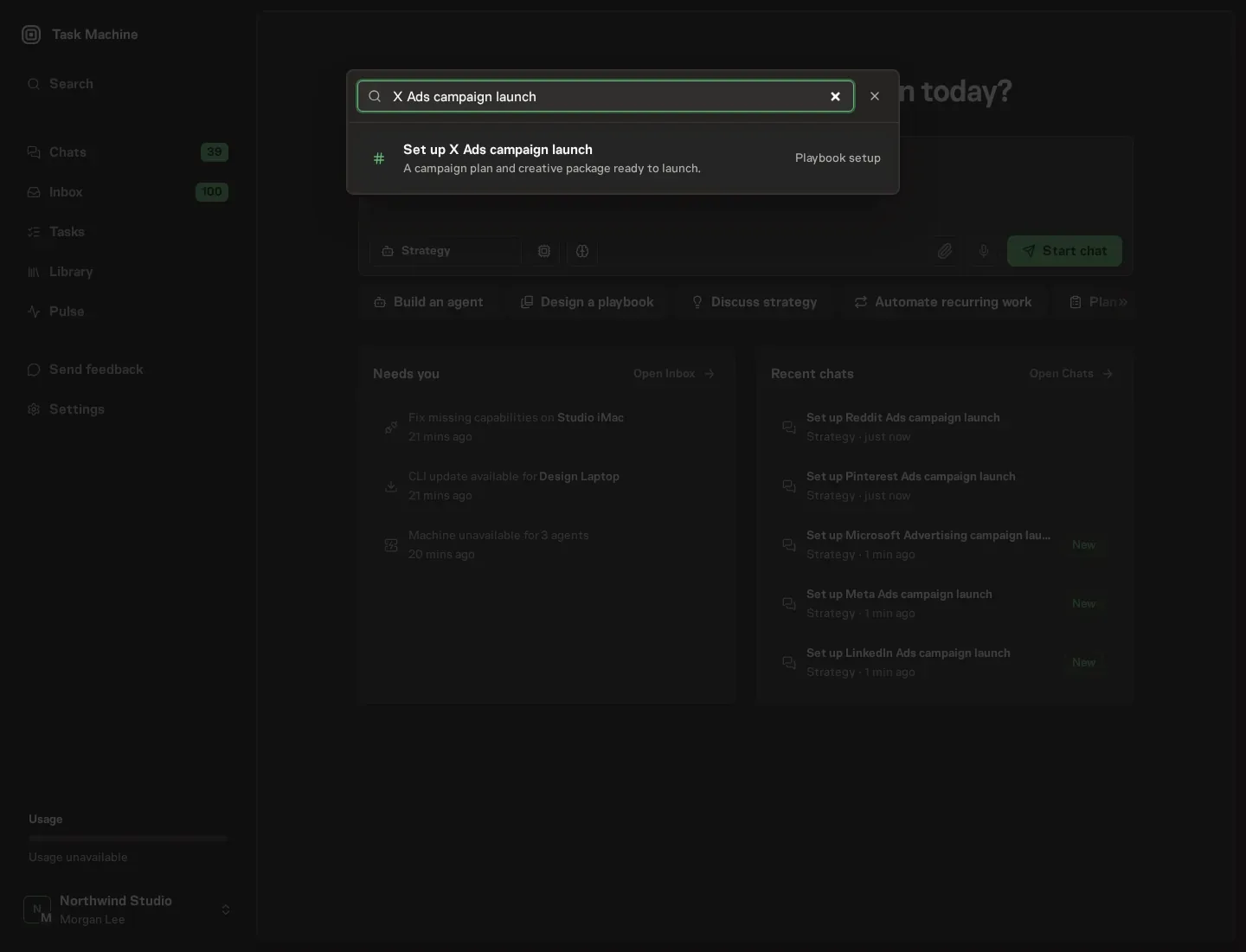
Open Search in your workspace and enter "X Ads campaign launch". The command center lists Set up X Ads campaign launch under Playbook setup.
2. Start the conversation
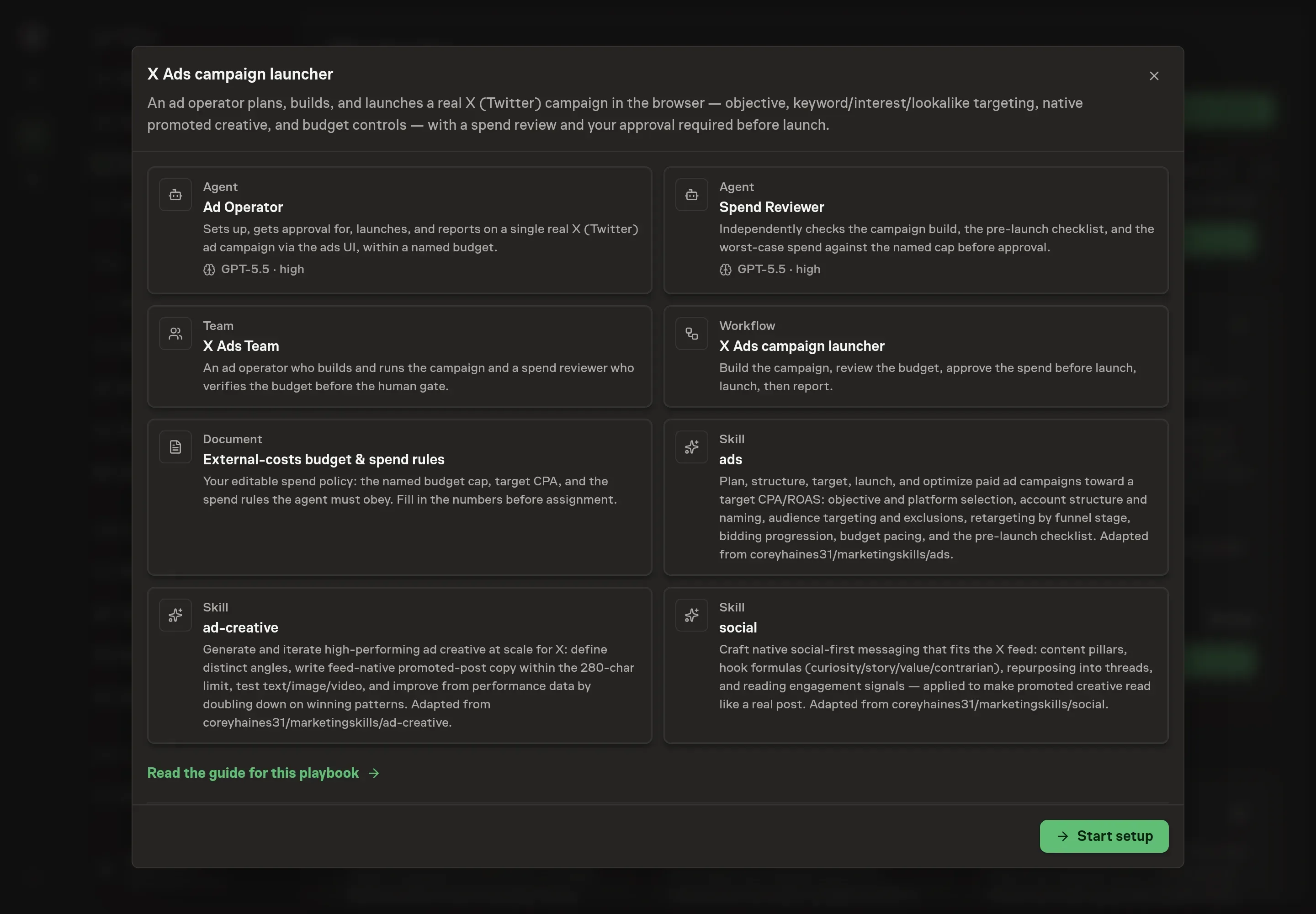
Choose Set up X Ads campaign launch. Task Machine opens a dedicated Chat with the Playbook card and an editable, unsent request. Read the intended job and outcome. Add your situation and send it when ready. Opening the draft does not install anything or start work. This walkthrough uses settings that require approval of the proposed Playbook.
3. Agree the working brief
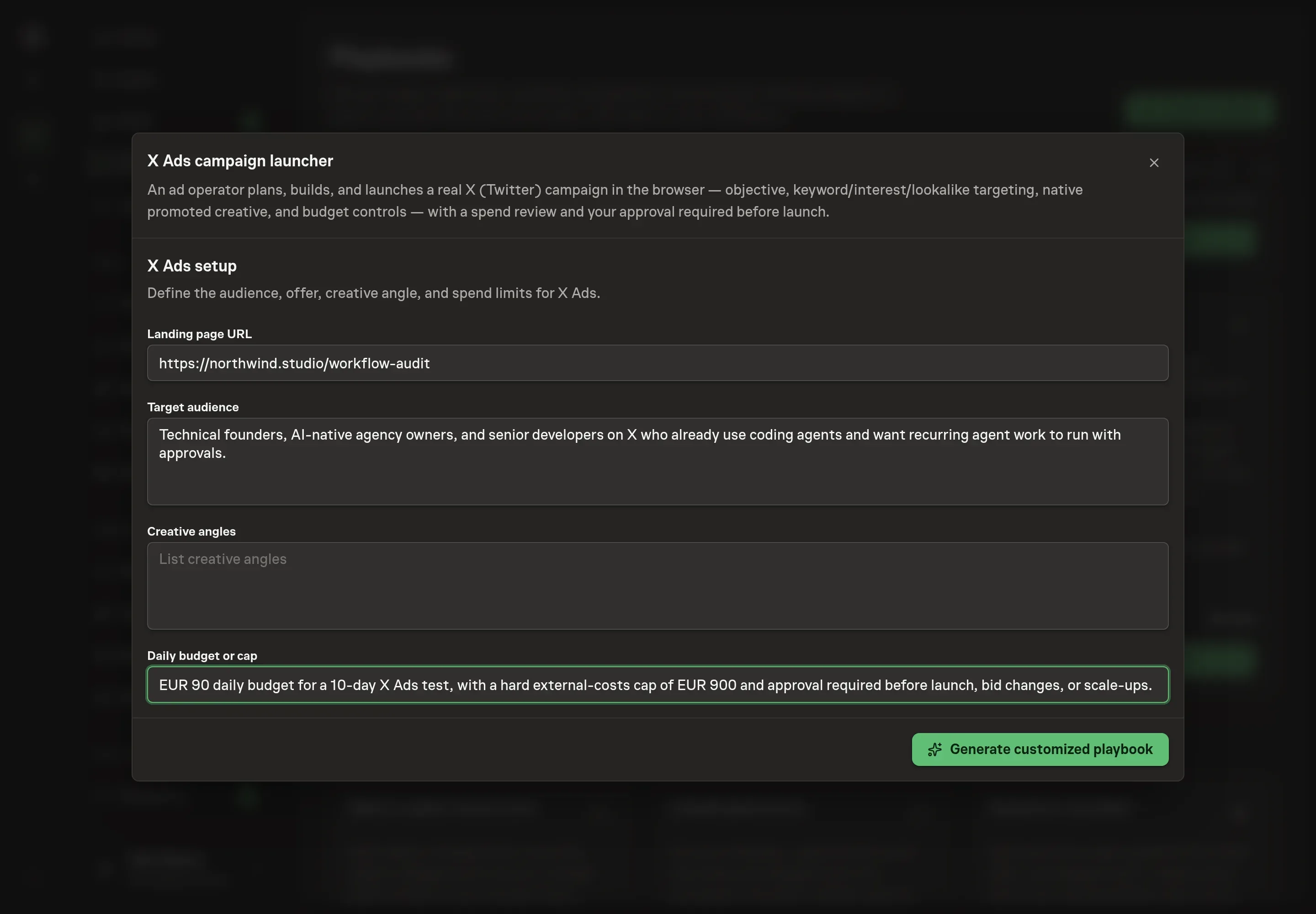
Use Chat to agree the inputs, expected output and limits before asking for a proposal. Discuss the landing page URL, target audience, creative angles, and daily budget or cap. Use concrete creative angles so the agent can produce variants that test different motivations.
4. Review the proposed Playbook
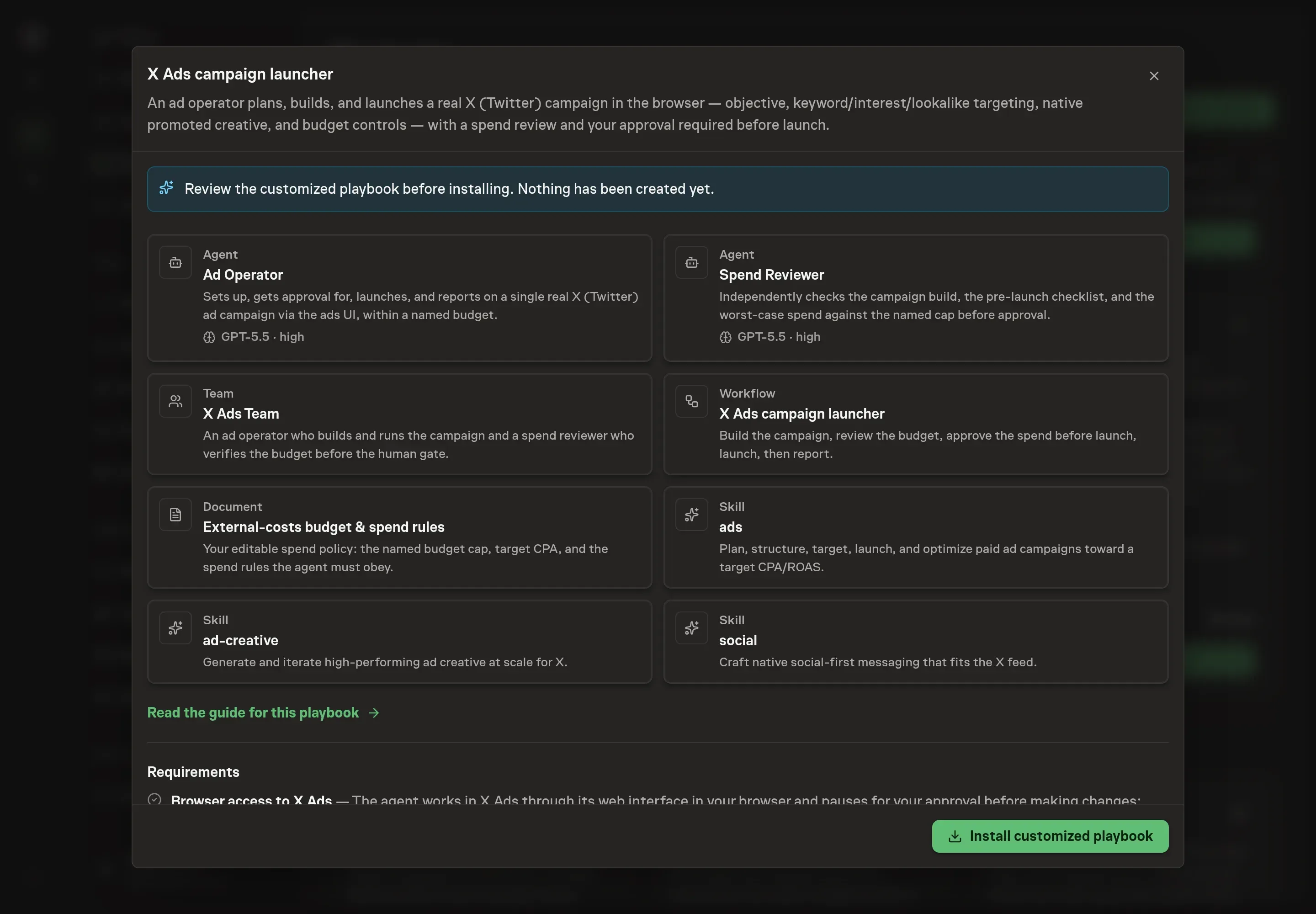
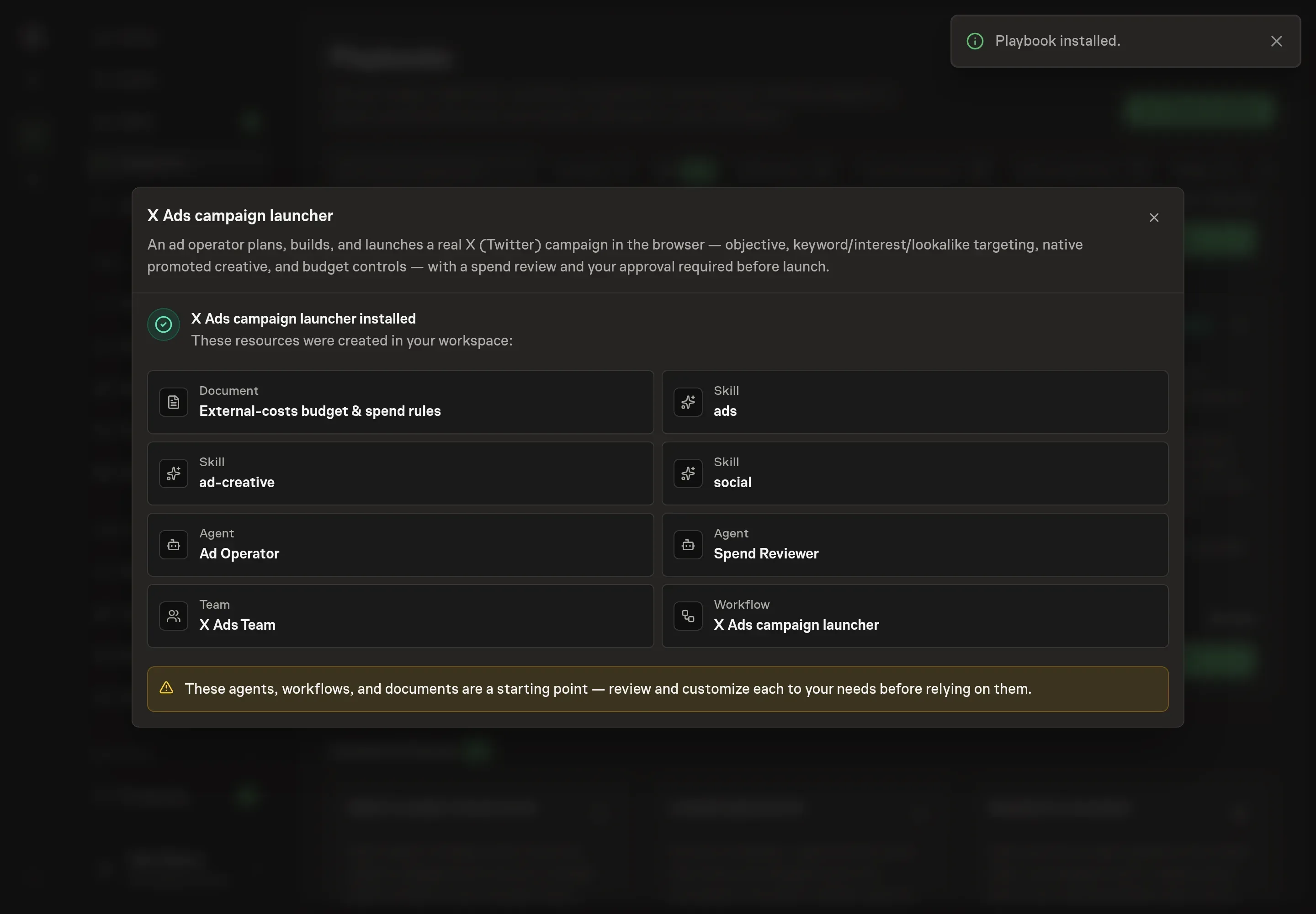
Ask the Agent to generate the Playbook from the agreed brief. Open its proposal in Chat and check the instructions and resources it will install, which carry more detail than the conversational summary. Review the agents, workflow, budget document, team, and skills. Confirm that the spend rules require approval before launch and before any later budget or bid changes. Ask for a revised proposal if anything is missing or changes the job.
5. Approve and prepare the first work
Choose Approve on the proposal in Chat when the configuration matches your brief. Task Machine installs that reviewed configuration. The approved item retains its review details. If your autonomy settings allow direct installation, this approval may not be required. Check the resulting configuration in that case too.
Complete any remaining secure service setup from the installation details in Chat. Inbox keeps those setup items available if you return later. Prepare the source documents and inputs before starting the first Task or Workflow. Installation does not authorize sending, publishing or changing an external service beyond the boundaries you agreed.
What good looks like
Before launch, the campaign should have tested Pixel events, one targeting idea per ad group, two or three native creative variants per ad group, exclusions for existing customers, and a cap that the reviewer can recompute.
After launch, watch spend versus cap, CPA or CPC versus target, CTR by creative angle, conversion event quality, and whether performance drift requires a pause decision.
Common questions
Should promoted creative sound like normal X posts? Yes. The playbook is built around feed-native creative because polished banner-style copy often feels out of place on X.
Can the agent increase budget after launch? No. Budget increases, bid changes, launch, and scale-ups all require approval.
What if the X Pixel is not installed? The reviewer should flag the campaign as a no-go for conversion tracking until the Pixel and event are tested.
How many creative variants should start in each ad group? The bundle's method starts with two or three variants per ad group and changes one variable per test.