How to Monitor Backlinks and Domain Authority
A practical guide to monitoring backlinks with an agent: lost-link deltas, toxic-link checks, authority trends, and approval before any disavow.

Founder, Task Machine
Backlink and authority monitoring is the practice of checking your site's link profile on a fixed cadence: which domains link to you, which links appeared or vanished since the last check, how much of the profile looks toxic, and which way your domain authority is trending against competitors. The unit of work is the delta, the difference between today's profile and a known baseline, not the raw list of links.
It is worth doing because backlinks are earned slowly and lost silently. A linking page gets redesigned, redirected, or de-indexed, and nothing notifies you. The reclaim window is short: outreach within two weeks of a loss converts far better than a cold attempt months later, so a loss you notice next quarter is usually a loss for good.
Lost links show up in rankings weeks later
Nobody owns this job by default. Rankings move weeks after the links that support them move, so by the time a traffic dip makes someone look at the link profile, the trail is cold and the linking site has moved on. The links that matter most, editorial mentions from high-authority domains and resource-page placements, are exactly the ones that are hardest to earn twice.
The other side of the ledger is quieter still. Low-quality links accumulate without anyone building them, and a profile whose toxic share creeps up starts to look manipulated whether or not it is. Anchor-text spikes and sudden bursts of suspicious new domains are early manipulation signals, and they only show up if someone is diffing the profile on a regular cadence.
What the manual process looks like
Done by hand, a backlink sweep is a recurring ritual with six steps:
- Export current backlink and referring-domain data from your SEO tool or Google Search Console.
- Diff it against the last snapshot to find lost and new referring domains.
- Work out why each lost link disappeared and judge each new one healthy, neutral, or suspicious.
- Check the anchor-text mix and dofollow/nofollow ratio for manipulation signals, and estimate the toxic share.
- Compare your authority trend against your own history and two or three competitors.
- Write it up and decide what to reclaim, what to disavow, and what to ignore.
Each step is mechanical except the last. Together they take a chunk of a morning, reward consistency over cleverness, and get skipped whenever real client work is louder, which is most weeks.
What an agent can automate
Everything up to the reclaim and disavow decisions is diffing, scoring, and formatting, which makes it a good fit for an agent running a fixed workflow:
- Pull and diff against a baseline. The agent reads current backlink and referring-domain data from your SEO data source or from Google Search Console exports, then diffs it against a durable baseline document. Lost links get a likely cause (page removed, redirected, de-indexed, nofollowed, site down) and a reclaim path where one exists. New links get judged healthy, neutral, or suspicious so a burst of low-quality links is caught early.
- Score quality and toxicity. A link's value rises with the linking domain's authority, topical relevance, dofollow status, editorial placement, and real referral traffic. A link is flagged toxic only when it shows two or more risk indicators, and the toxic share is reported as a labeled percentage. When that ratio clears 15%, the agent recommends a formal authority audit before any link building.
- Tag every number by its source. Each figure is marked Measured, User-provided, or Estimated, and anything unavailable is marked N/A rather than invented. An estimate is never presented as measured.
- Apply alert thresholds. Findings come back as prioritized alerts rather than an undifferentiated list. Losing 15% of referring domains in one sweep is Critical, losing any link that drives real referral traffic is Critical, and a toxic ratio above 10% is a warning. Thresholds are tuned to each metric's normal volatility, because a noisy alert that fires every week gets ignored.
- Self-critique before handoff. Before the report reaches you, the agent checks its own work: every metric source-tagged, the toxic ratio a labeled figure, each delta tied to the right baseline date, and reclaiming lost high-value links ranked ahead of chasing new ones.
The judgment calls stay with you: whether a reclaim email goes out, and whether a link lands in the disavow file.
The guardrails that make it safe
A disavow filed on a false positive can hurt more than the toxic link it targets, and reclaim outreach sent under your name is still your name. Both belong behind a person.
The safe shape is a workflow that ends in an explicit approval step. The agent sweeps, scores, and drafts the delta report, then the whole thing waits in your inbox. It never disavows a link or contacts a linking site on its own, and it never recommends a disavow on a single weak signal, because a healthy editorial link can look odd. When there is no backlink data to measure against, it stops and asks instead of guessing, and the source tags on every figure mean you can always tell a measured number from an inference.
Set it up in Task Machine
The Backlink authority monitoring playbook provides a starting point for the method above. You need an active Task Machine workspace with Chat, workspace-management and Playbook-installation access (workspace owners have it). Google Search Console access is not required up front. Until you connect it, the analyst works from link exports you attach to each run and from the link profile baseline document.
1. Find the playbook
Open Search in your workspace and enter "Backlink authority monitoring". The command center lists Set up Backlink authority monitoring under Playbook setup.
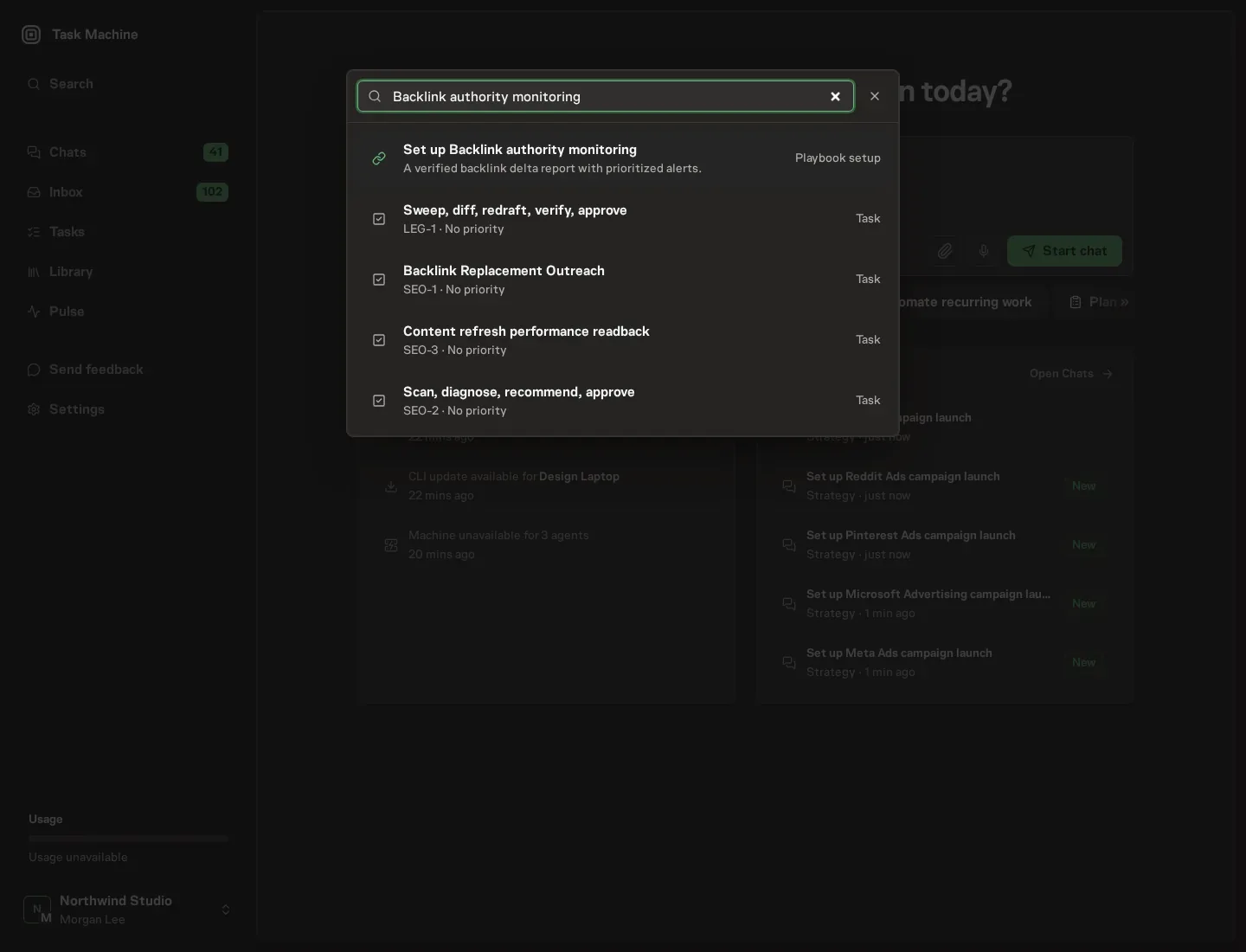
2. Start the conversation
Choose Set up Backlink authority monitoring. Task Machine opens a dedicated Chat with the Playbook card and an editable, unsent request. Read the intended job and outcome. Add your situation and send it when ready. Opening the draft does not install anything or start work. This walkthrough uses settings that require approval of the proposed Playbook.
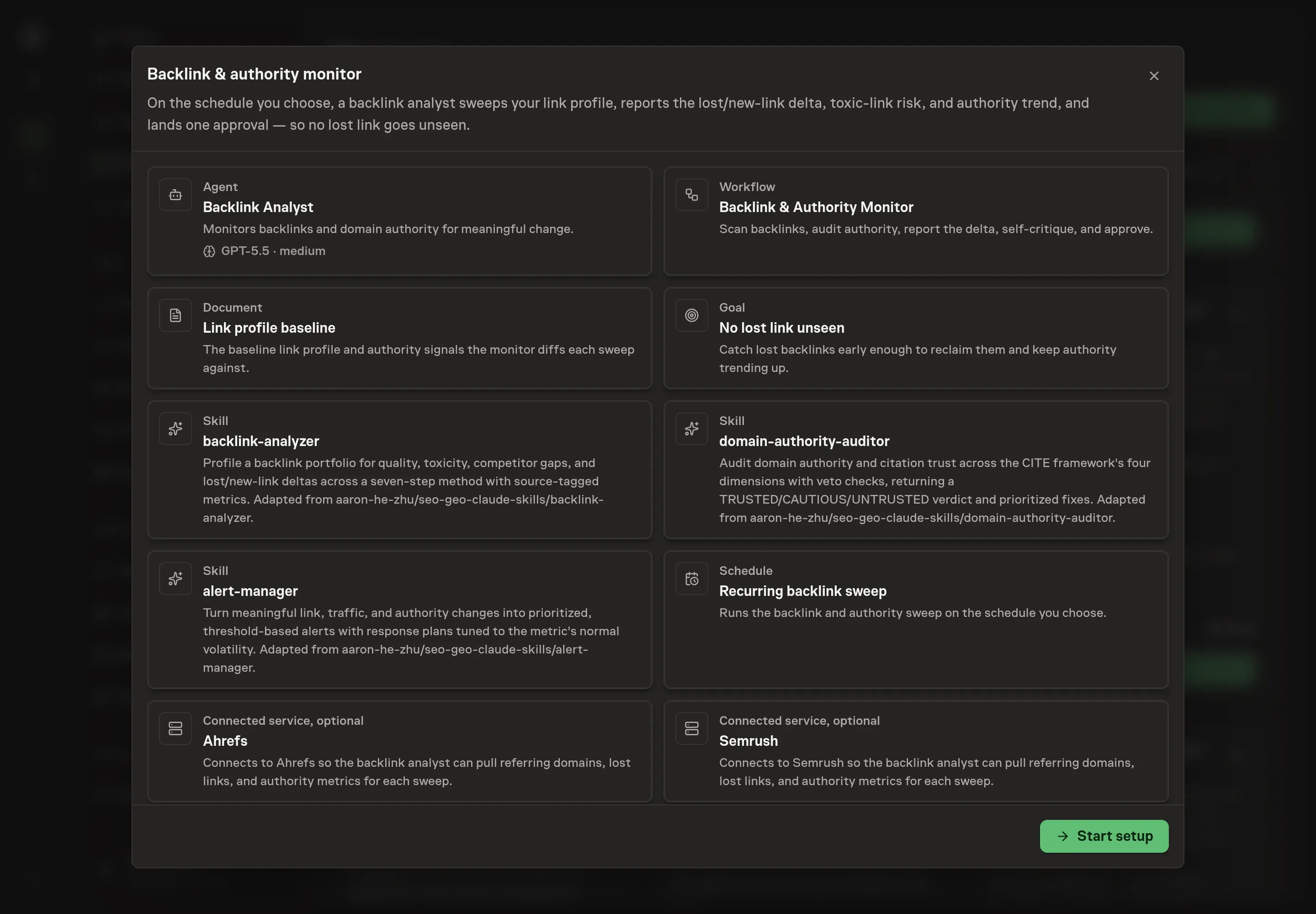
3. Agree the services
Tell the Agent which services you use. The catalog offers these starting choices:
- SEO data providers: Ahrefs, Semrush. Optional.
Discuss any missing access or export-based alternative before generation. Check the exact proposal includes only the services you agreed. Enter credentials only through secure setup, never in Chat.
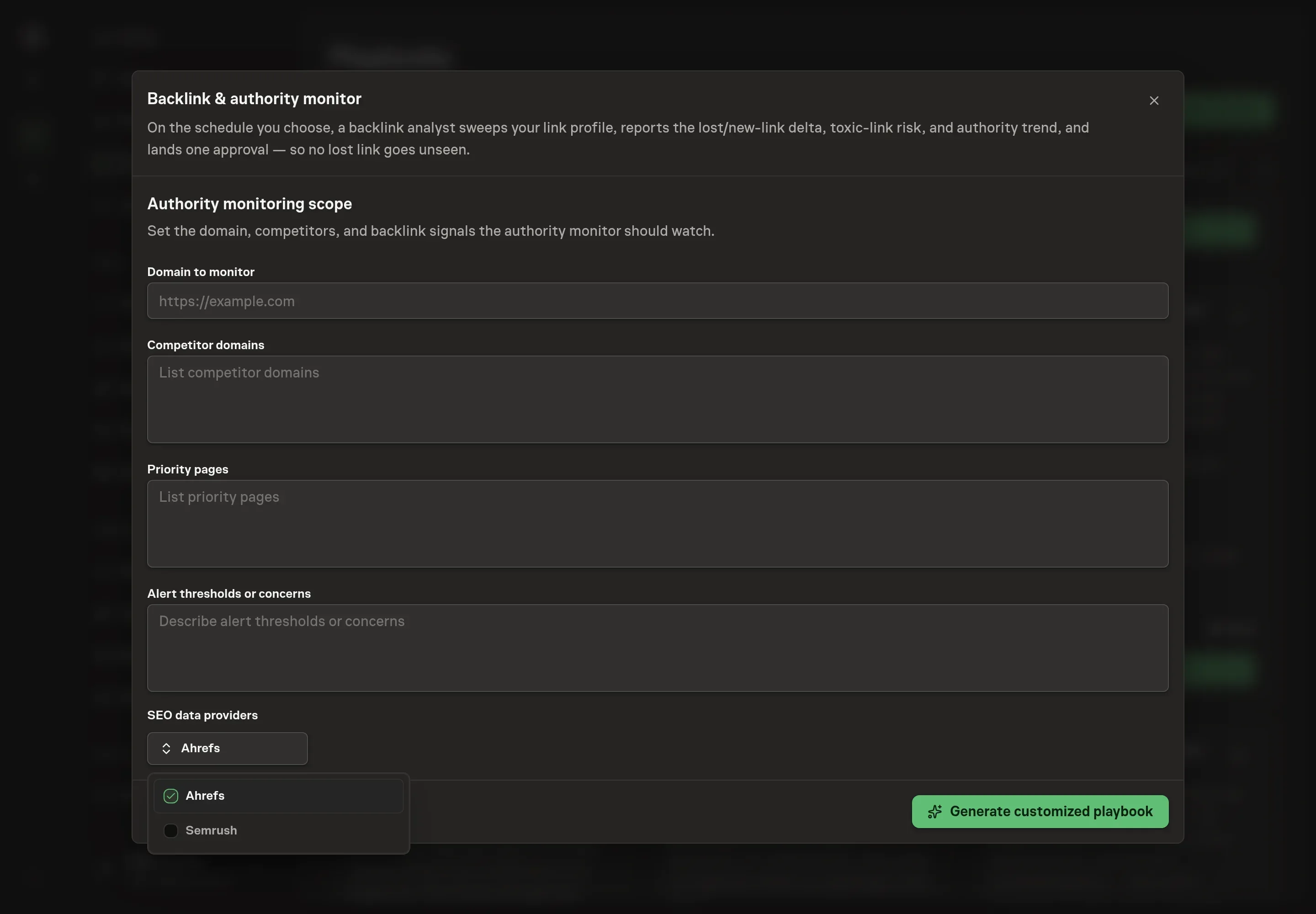
4. Agree the working brief
Use Chat to agree the inputs, expected output and limits before asking for a proposal. Four details shape every sweep: the domain to monitor (the site the whole profile is diffed for), competitor domains (the comparison set for the authority trend and link-gap analysis), priority pages (the pages whose links the analyst treats as the ones to protect), and alert thresholds or concerns (what should count as urgent for your site, tuned to how much your metrics normally move).
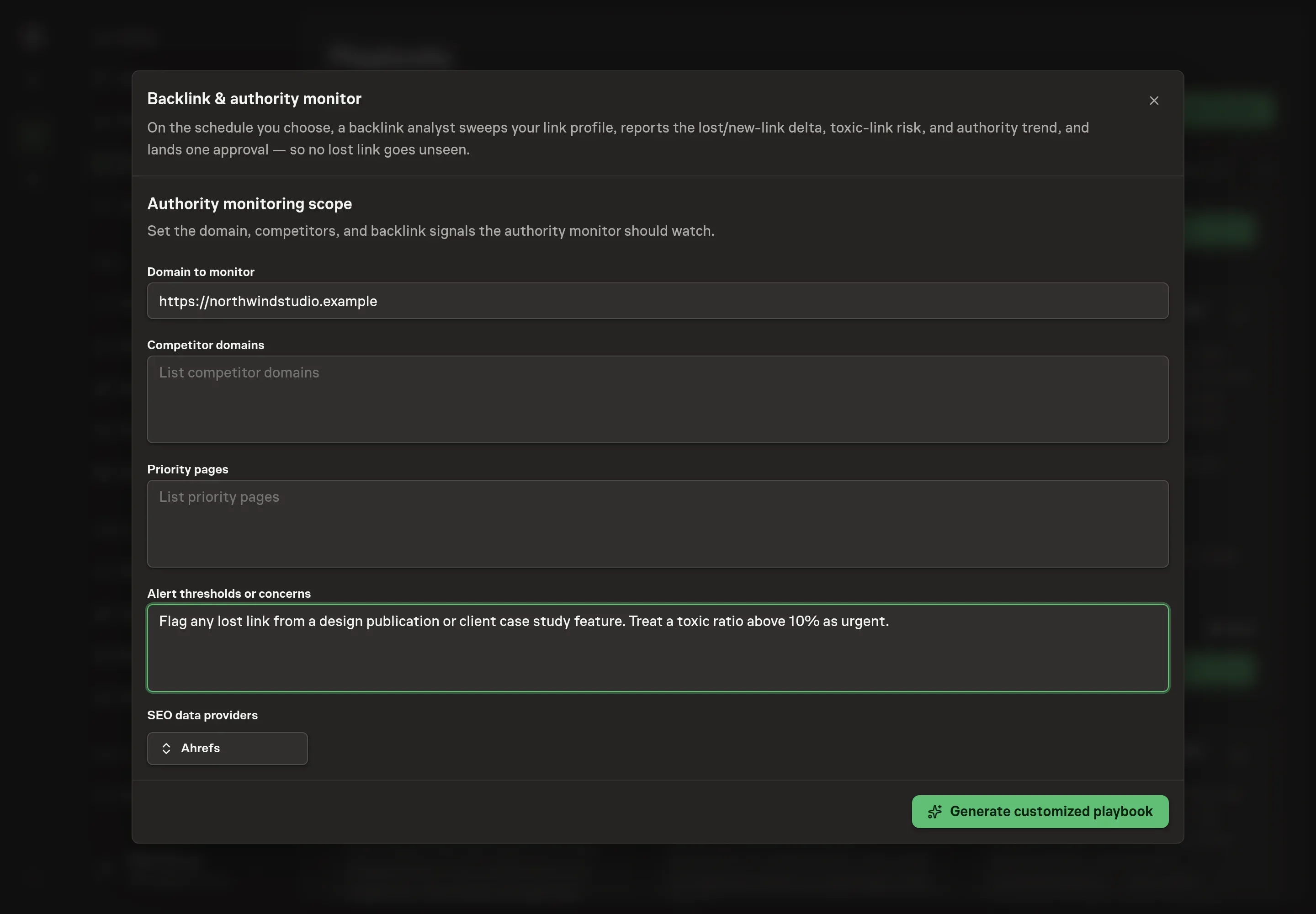
5. Review the proposed Playbook
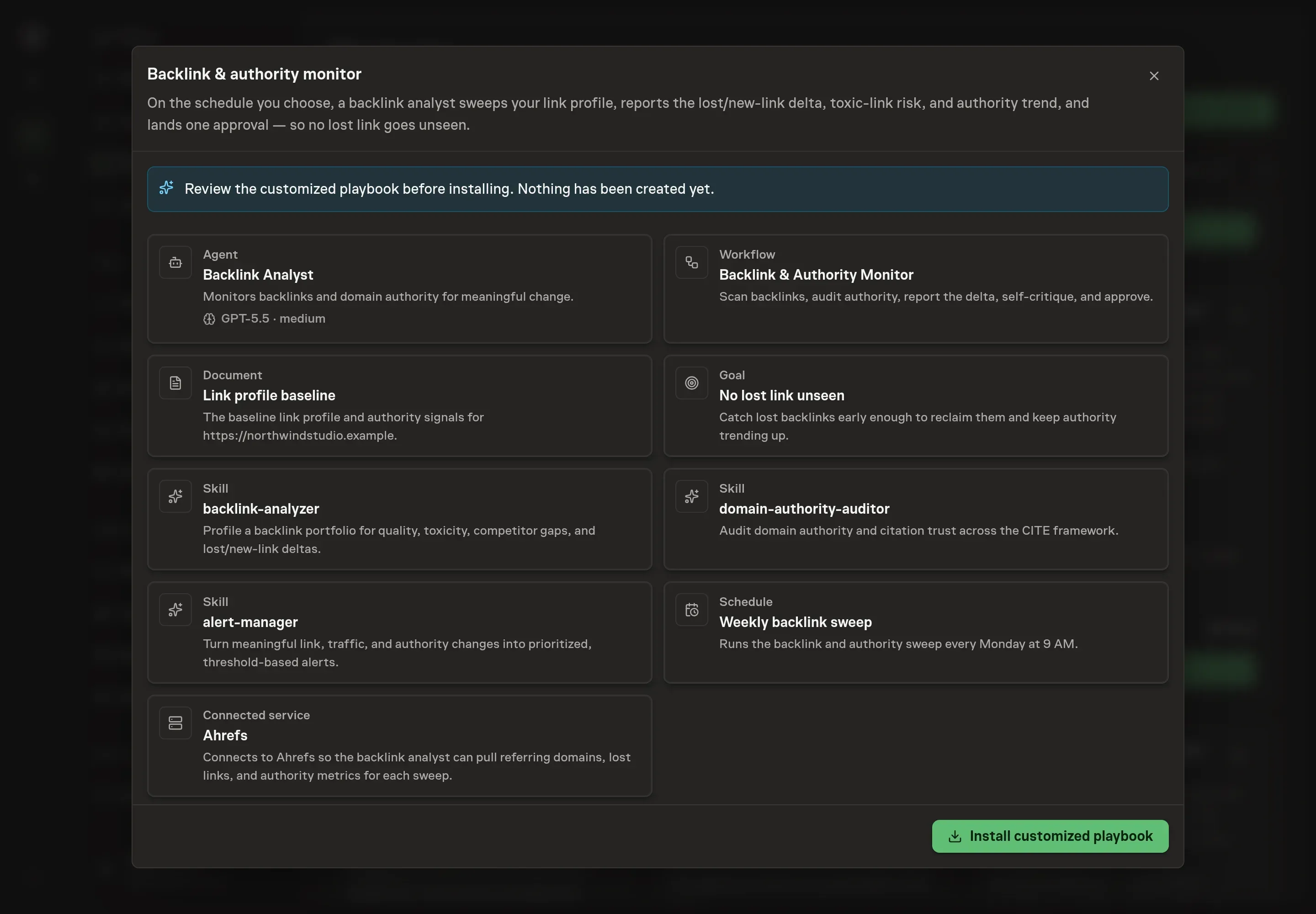
Ask the Agent to generate the Playbook from the agreed brief. Open its proposal in Chat and check the instructions and resources it will install, which carry more detail than the conversational summary. Read through the agent and workflow cards, confirm the domain and competitors are the ones you named, and check that only the data sources you requested appear as connected services. Ask for a revised proposal if anything is missing or changes the job.
6. Approve and prepare the first work
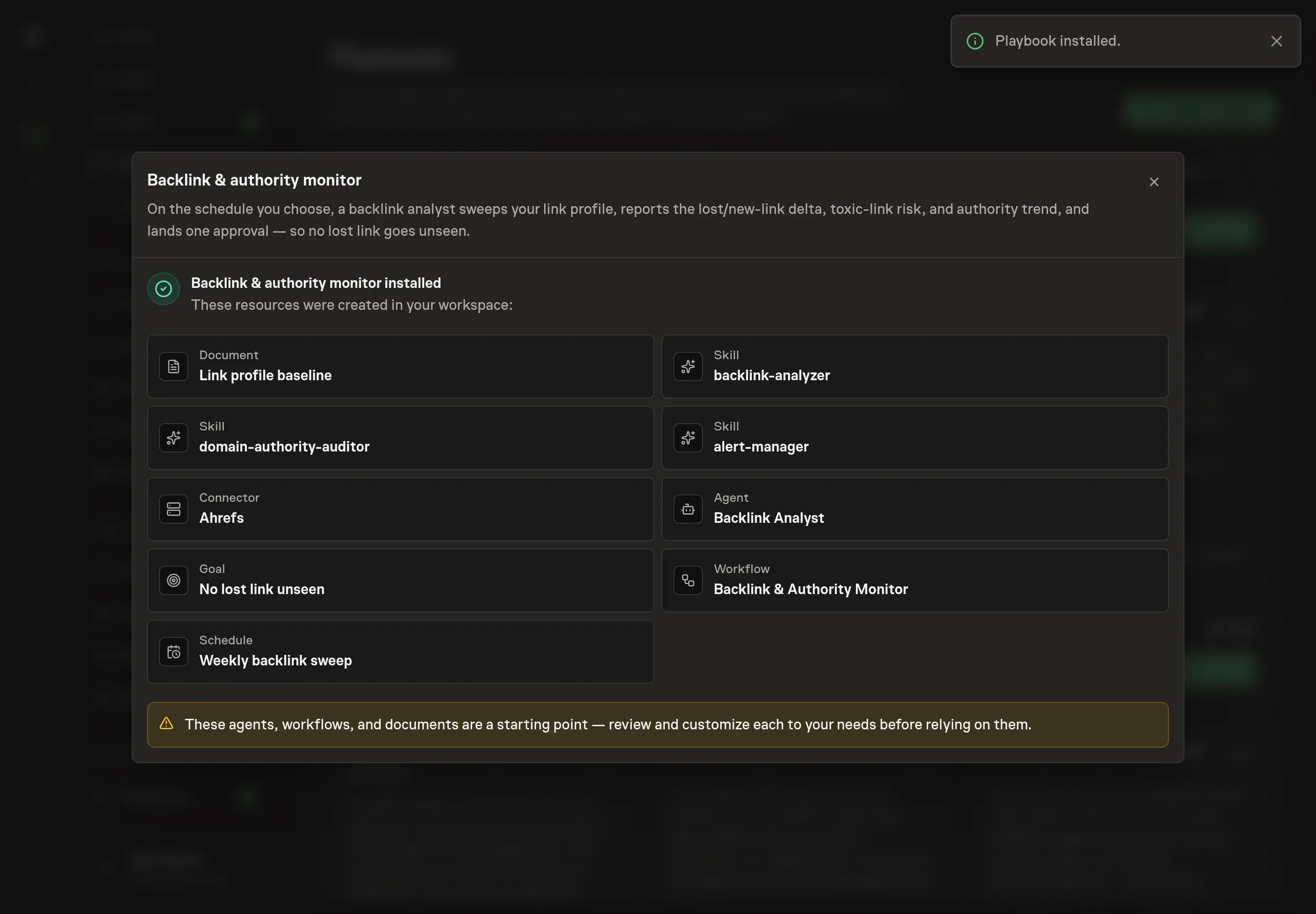
Choose Approve on the proposal in Chat when the configuration matches your brief. Task Machine installs that reviewed configuration. The approved item retains its review details. If your autonomy settings allow direct installation, this approval may not be required. Check the resulting configuration in that case too.
Complete any remaining secure service setup from the installation details in Chat. Inbox keeps those setup items available if you return later. Prepare the source documents and inputs before starting the first Task or Workflow. Installation does not authorize sending, publishing or changing an external service beyond the boundaries you agreed. Confirm each schedule's cadence and timezone, and resolve any pending schedule setup before it starts. A readback must wait for its agreed observation window and source data.
What good looks like
Three signals tell you whether the process works:
- Every figure carries a source tag. A report where measured numbers, your own inputs, and the agent's estimates are indistinguishable is a report you cannot act on. N/A is an acceptable answer, an invented number is not.
- Toxic ratio stays at or below 10%. Above 10% is a warning worth watching, and above 15% the right move is a formal authority audit before any new link building.
- Lost high-value links get a reclaim path within one sweep. The reclaim window is roughly two weeks, so a loss surfaced with a named cause and a next step in the very next report is the whole point of running this on a schedule.
Common questions
How often should backlinks be checked? On a regular cadence, tuned to how fast your profile moves. The playbook's schedule defaults to a weekly sweep, and the thresholds are stated per sweep, so the cadence you pick becomes the unit the alerts are measured in. Monitoring only when rankings drop means monitoring after the reclaim window has closed.
Should toxic links be disavowed as soon as they appear? No. Disavow cautiously. A link is only flagged when it shows two or more risk indicators, and the agent never recommends a disavow on a single weak signal, because a healthy editorial link can look odd. Every disavow waits for your approval, and a rising toxic ratio above 15% is a reason for a full authority audit, not a bulk disavow.
Can this run without Ahrefs or Semrush? Yes. The analyst works from Google Search Console exports, link exports you attach to each run, and the baseline document. Anything it cannot measure from those is marked N/A instead of estimated. Connecting a data source removes the manual export and widens what counts as Measured.
What counts as a high-value link worth protecting? Editorial links from high-authority domains, resource-page placements, and links that drive real referral traffic. The baseline document keeps a named list of them, and losing one is a Critical event in the very next report regardless of how the aggregate numbers look.
What does the authority verdict mean? When the toxic ratio breaches the audit threshold, the analyst states a plain-language verdict of TRUSTED, CAUTIOUS, or UNTRUSTED for the domain. UNTRUSTED means a critical trust check failed, such as a link profile that does not match real organic traffic, and names the specific fix, because until that is repaired other optimization work is wasted.