How to Monitor Index Coverage
A practical guide to monitoring index coverage with Search Console triage, URL verification, root-cause clusters, and approval.

Founder, Task Machine
Index coverage monitoring is the recurring process of checking whether search engines can still crawl, index, and show the pages that matter. It watches for new 404s, coverage errors, sudden deindexing, redirect chains, canonical mistakes, and pages that compete with each other for the same query.
The risk is quiet because many coverage problems do not break the website for humans. A page can load in the browser and still be noindexed, canonicalized away, missing from the sitemap, buried behind a redirect chain, or dropped from search after a template change.
Why index coverage loses search traffic
Search Console reports are useful, but raw counts are not a workflow. A few old 404s may be normal churn. A batch of new 404s on one key template is an incident. "Crawled, currently not indexed" can be harmless on thin new pages and serious on established pages that used to bring impressions.
The team needs a baseline and a change-point habit. What should the index look like? Which sitemaps matter? Which templates should stay indexed? What migrations are expected this week? Without that context, every report is either ignored as noise or escalated as a mystery.
What the manual process looks like
A careful weekly coverage sweep has six steps:
- Read the coverage baseline: sitemaps, key templates, expected indexed counts, intentionally unindexed sections, and planned changes.
- Check Search Console reports one metric at a time, looking for trend breaks rather than isolated counts.
- Correlate changes with releases, CMS edits, redirects, server changes, and expected migrations.
- Verify candidate incidents by fetching real URLs and checking status codes, redirect chains, canonicals, noindex tags, robots rules, and sitemap membership.
- Cluster verified findings by root cause so one fix clears each cluster.
- Write the weekly report and fix tasks, then approve which fixes proceed.
Beyond finding errors, the manual job is separating routine churn from real regressions and making each fix owner-ready.
What an agent can automate
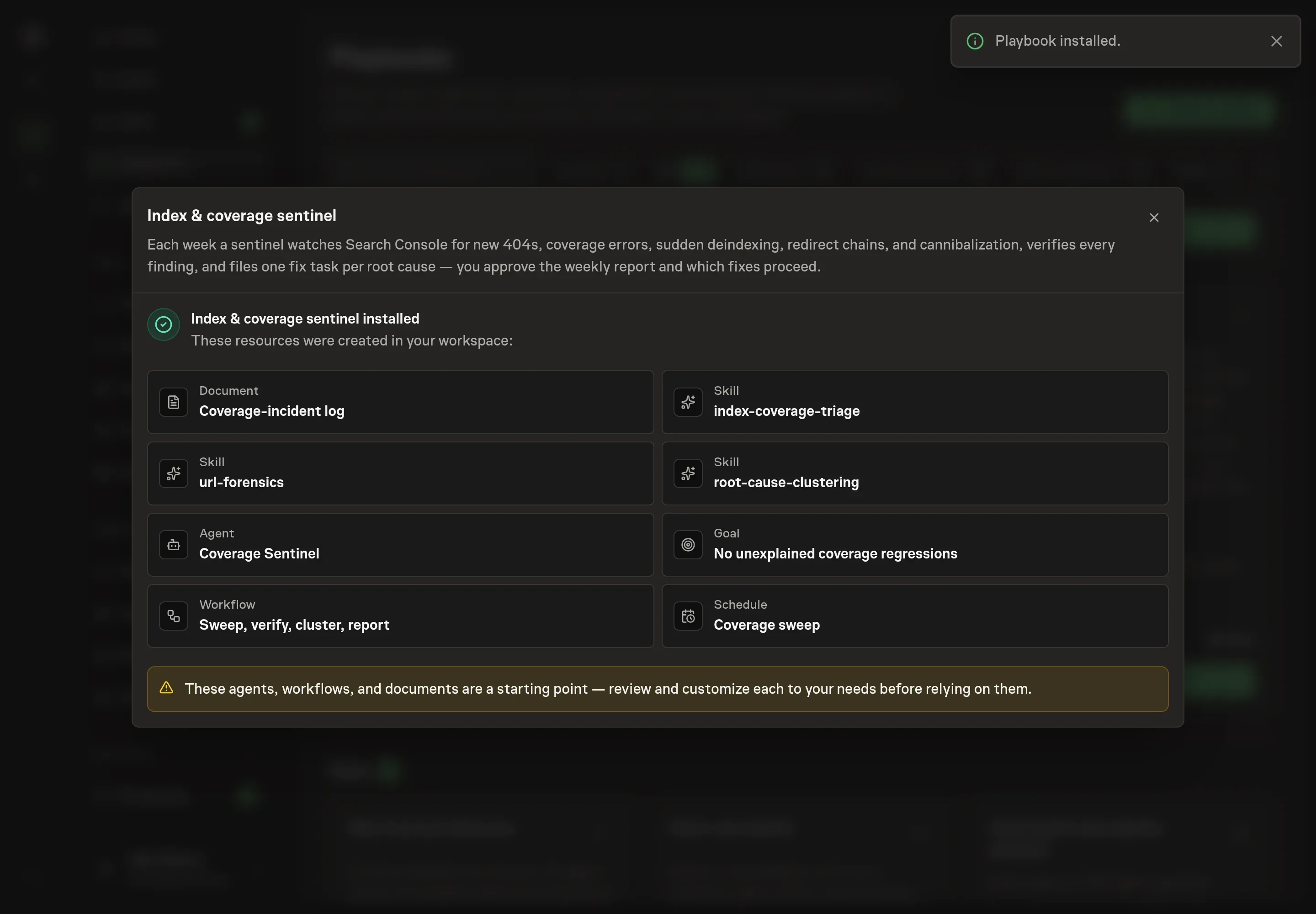
The Index & coverage sentinel playbook turns the weekly sweep into a scheduled workflow:
- Read the baseline first. The sentinel starts from the coverage-incident log, so expected migrations and intentionally unindexed sections do not become false alarms.
- Triage Search Console changes. It watches page indexing reasons, indexed counts per key template, performance cliffs, cannibalization signals, and low-CTR pages with high impressions.
- Verify every candidate. It fetches representative URLs and records the real status code, redirect chain, canonical state, noindex state, robots state, and sitemap state before reporting.
- Cluster by root cause. It groups findings so one fix clears the cluster, such as a template canonical bug or a missing redirect map.
- File owner-ready tasks. Each task carries affected URLs, evidence, suggested fix, severity, and a verification step for a later sweep.
The agent does not change the site. It detects, verifies, clusters, drafts fix tasks, and waits for approval.
The guardrails that make it safe
The main guardrail is evidence. Nothing should be reported on Search Console's word alone. Search Console can lag, and a reported URL may already return a healthy 200. The sentinel drops stale reports, labels unfetchable URLs as unverified, and names root causes as hypotheses when the evidence does not prove them.
The second guardrail is approval. The weekly report and fix tasks wait for a person to decide which fixes proceed. That matters because index changes often overlap with planned migrations, deleted sections, and content strategy decisions that the agent should not override.
Set it up in Task Machine
The Search index coverage monitoring playbook provides a starting point for the method above. You need an active Task Machine workspace with Chat, workspace-management and Playbook-installation access (workspace owners have it). Google Search Console access is not required up front. Until it is available, the sentinel works from attached exports, public URL fetches, and the incident log.
1. Find the playbook
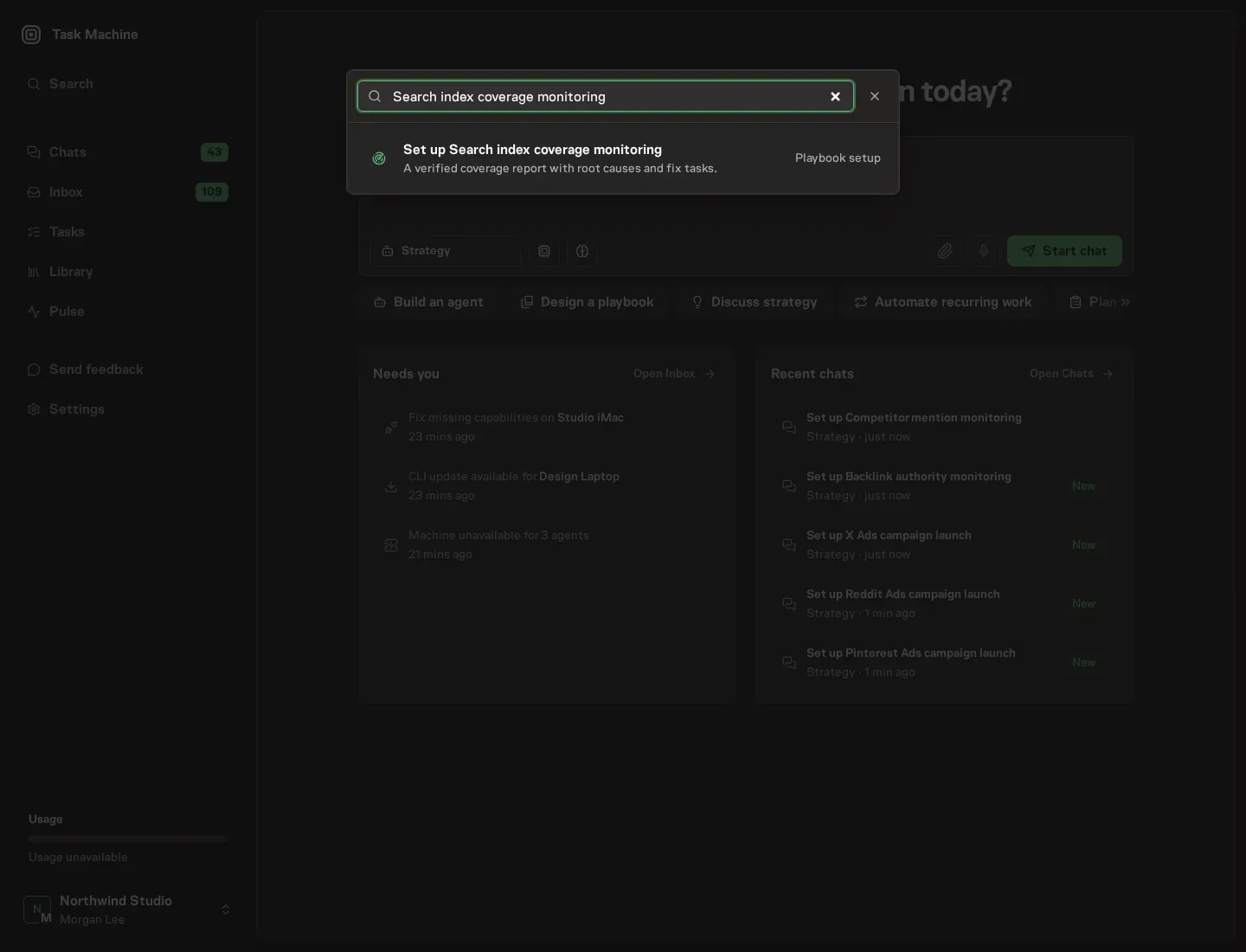
Open Search in your workspace and enter "Search index coverage monitoring". The command center lists Set up Search index coverage monitoring under Playbook setup.
2. Start the conversation
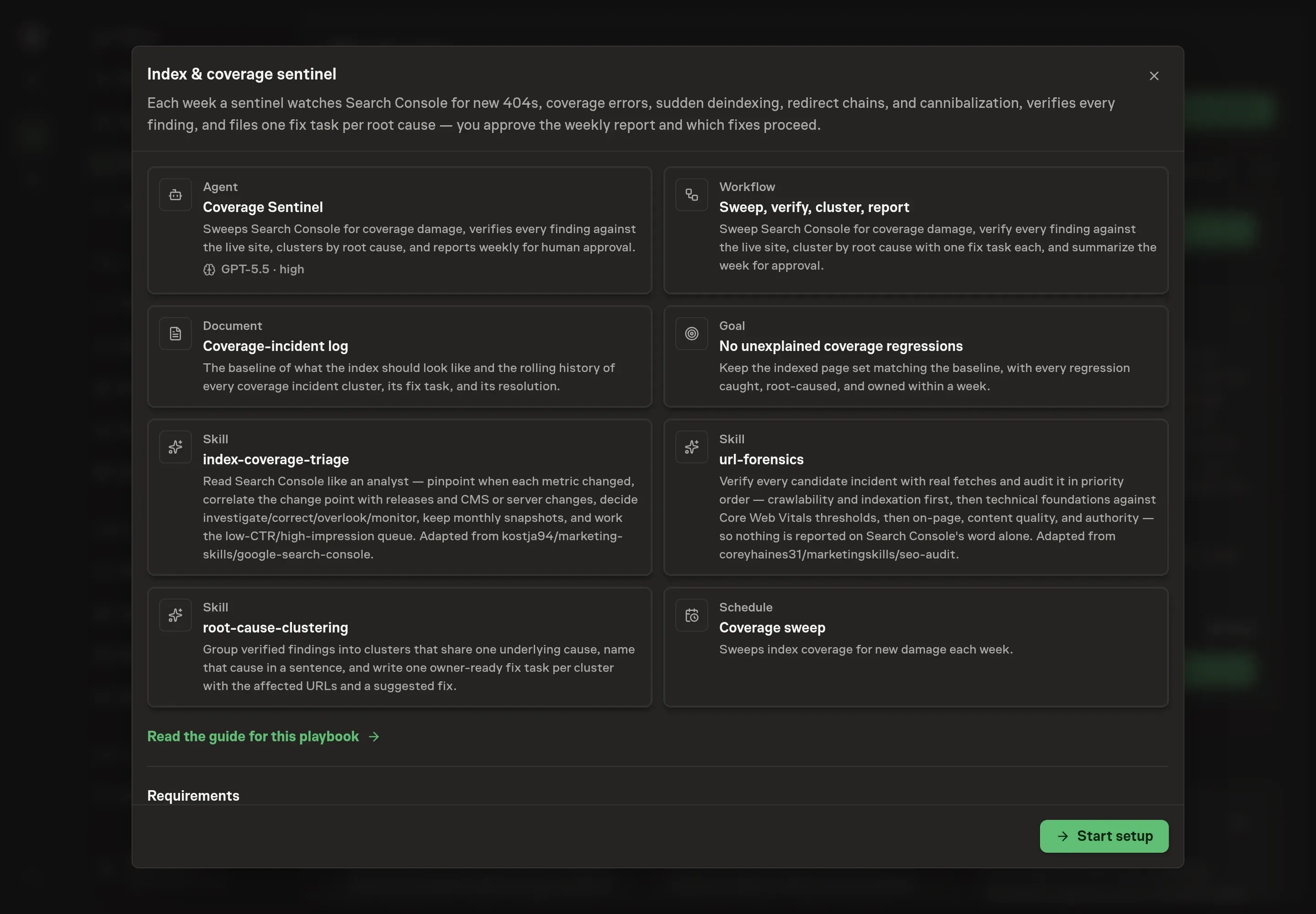
Choose Set up Search index coverage monitoring. Task Machine opens a dedicated Chat with the Playbook card and an editable, unsent request. Read the intended job and outcome. Add your situation and send it when ready. Opening the draft does not install anything or start work. This walkthrough uses settings that require approval of the proposed Playbook.
3. Agree the working brief
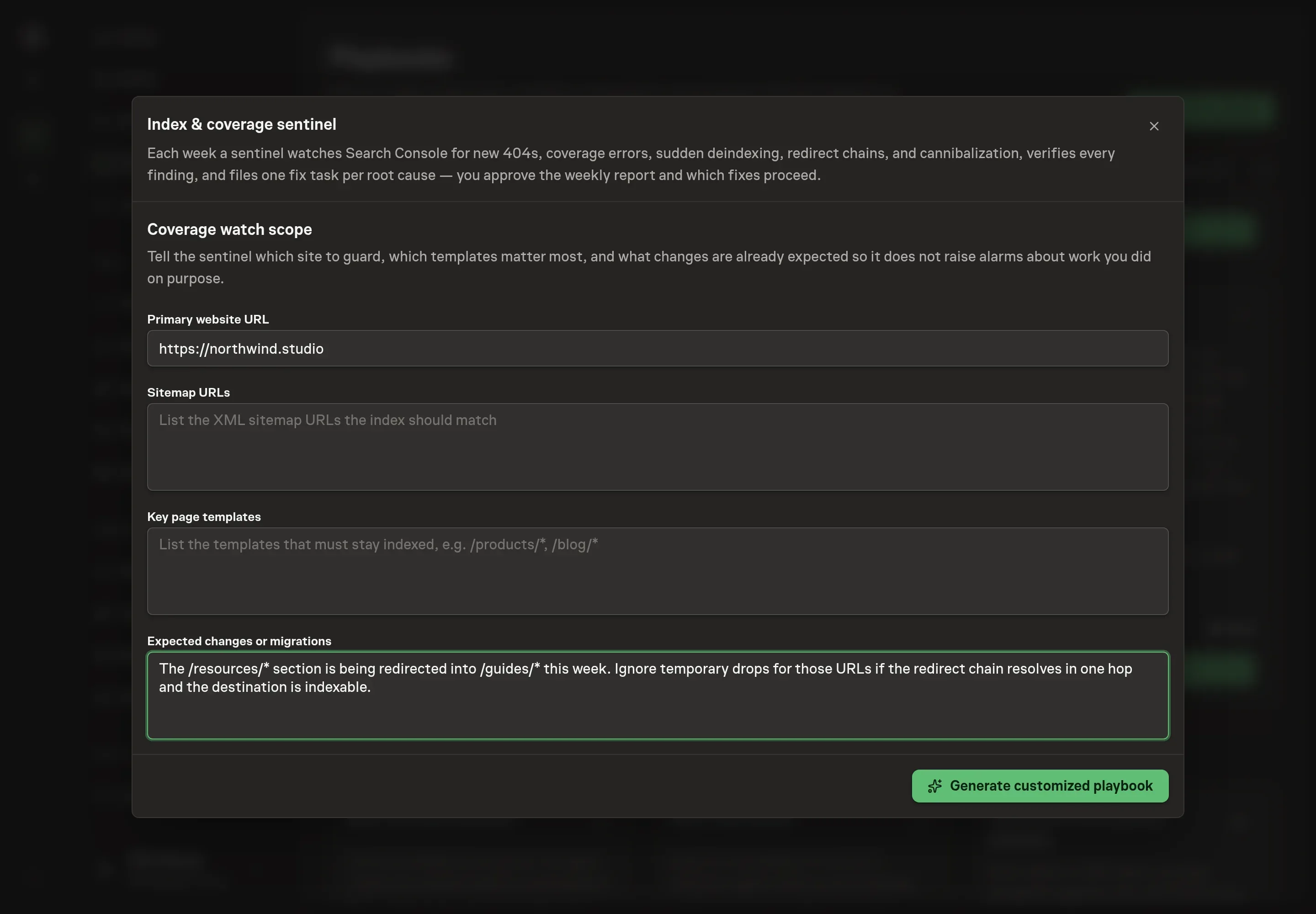
Use Chat to agree the inputs, expected output and limits before asking for a proposal. The Agent needs the primary website URL, sitemap URLs, key page templates, and expected changes or migrations. For expected changes, describe planned redirects, deleted sections, or launches that should not trigger incident reports.
4. Review the proposed Playbook
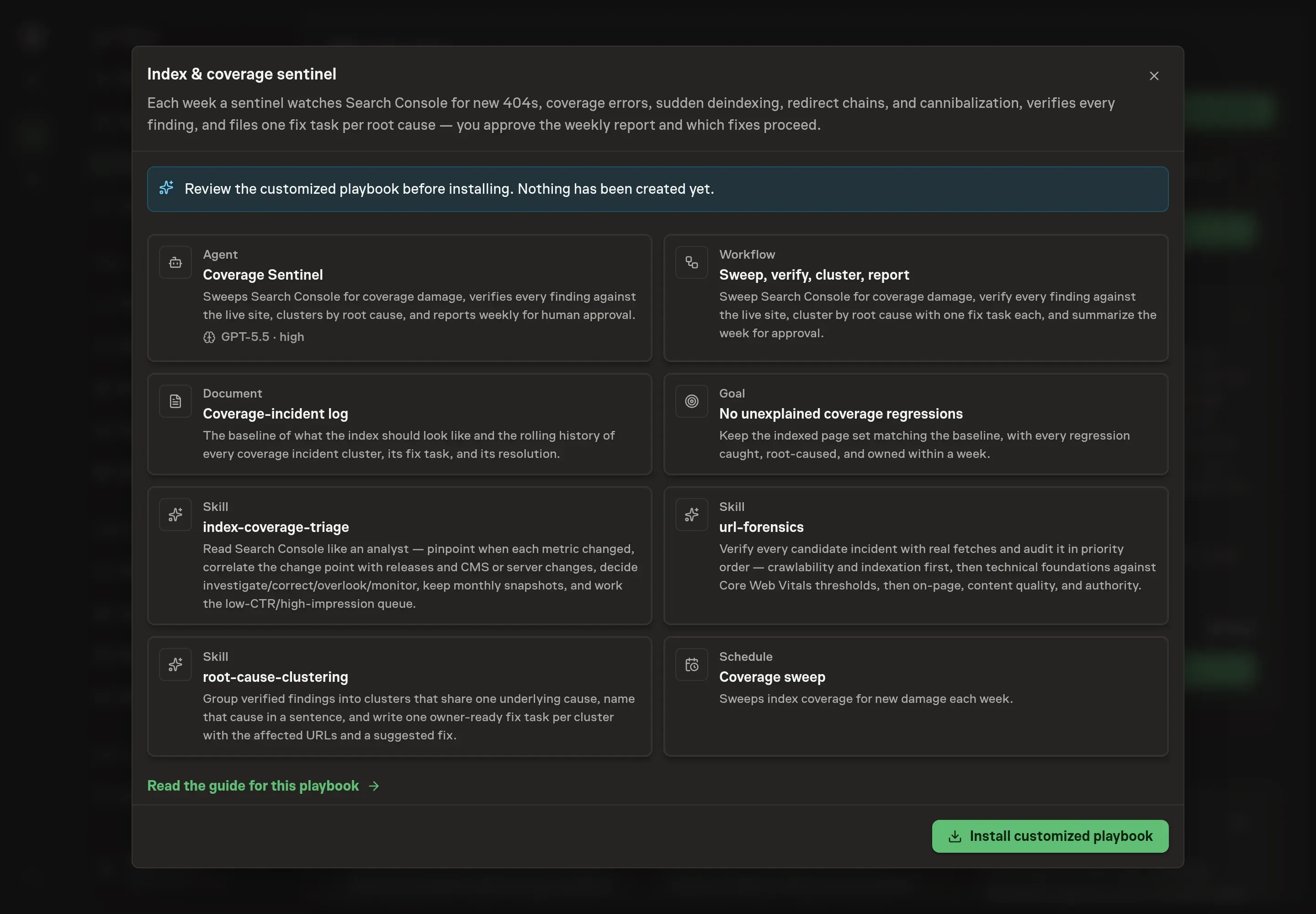
Ask the Agent to generate the Playbook from the agreed brief. Open its proposal in Chat and check the instructions and resources it will install, which carry more detail than the conversational summary. Review the generated records before installation. Confirm that the baseline fields match the site and that the weekly report ends in approval before fixes proceed. Ask for a revised proposal if anything is missing or changes the job.
5. Approve and prepare the first work
Choose Approve on the proposal in Chat when the configuration matches your brief. Task Machine installs that reviewed configuration. The approved item retains its review details. If your autonomy settings allow direct installation, this approval may not be required. Check the resulting configuration in that case too.
Complete any remaining secure service setup from the installation details in Chat. Inbox keeps those setup items available if you return later. Prepare the source documents and inputs before starting the first Task or Workflow. Installation does not authorize sending, publishing or changing an external service beyond the boundaries you agreed. Confirm each schedule's cadence and timezone, and resolve any pending schedule setup before it starts. A readback must wait for its agreed observation window and source data. Check the reviewed tracker or results document before the first cycle so evidence and human decisions have a durable home.
What good looks like
Three signs show the sweep is useful:
- Every incident is verified. Surviving findings include live fetch evidence, not only Search Console labels.
- Each task maps to one root cause. The report avoids URL-by-URL noise and groups fixes by the defect that clears them.
- The baseline stays current. Planned migrations, intentionally unindexed sections, and key template counts are updated before the sentinel judges the next sweep.
Common questions
Does the sentinel need direct Search Console access? It works best with browser access to Search Console. Until then, it can work from attached coverage exports, the incident log, and public URL fetches.
Why verify Search Console findings with live fetches? Search Console can lag. A URL reported as broken may be fixed already, and a live page can still carry a noindex or wrong canonical that needs separate evidence.
Can the workflow fix SEO issues automatically? No. It drafts fix tasks and weekly reports. A human approves which fixes proceed.
How often should the sweep run? Weekly is the default. During migrations or launches, tighten the cadence because coverage can move fastest when templates, redirects, and sitemaps are changing.