How to Plan an App Launch Campaign
A practical guide to planning an app launch with an agent: the dated timeline, featuring prep, paid UA plan, attribution stack, and human approval.

Founder, Task Machine
An app launch campaign is the coordinated plan that takes a new app, or a major update, from store submission to sustained installs. It covers the store listing and screenshots, the beta, press and community outreach, the day-one push across free channels, the paid user acquisition that follows, and the measurement that says whether any of it worked.
It is worth planning because a launch happens once. Day-one visibility compounds into rankings, reviews, and editorial attention, and none of it can be rerun a week later when someone notices the screenshots were stale or the ad spend was untraceable. A good plan turns launch day from a scramble into a checklist.
Launch damage comes from ordering mistakes
The damage rarely comes from one big miss. It comes from ordering mistakes. Ad spend that starts before attribution is wired produces installs nobody can trace back to a campaign, and on iOS the gap is structural: skipping the Apple-provided attribution framework undercounts Apple Search Ads installs by 30 to 60%. An app submitted without a two-to-three-day review buffer can slip past its own press embargo. A featuring pitch sent right after a buggy update, or with a rating below 4.0, burns the shot with Apple's editorial team.
When nobody owns the plan, each piece lands with whoever has a spare hour. The timeline becomes a wish rather than a set of dates, the paid channels get picked on instinct, and the measurement question gets asked for the first time a month after the money went out.
What the manual process looks like
Done by hand, launch planning is a sequence of five jobs, each feeding the next:
- Frame the launch. Settle whether this is a new app or a major update, whether the date is fixed or flexible, what budget exists (organic only or paid available), what audience you already have, and which countries you launch in.
- Build the dated timeline. Eight weeks out: lock target keywords, craft the title and subtitle, design all screenshots and a short preview video, build the press kit, and identify 20 to 30 journalists and creators to pitch. Four weeks out: run a TestFlight beta with 50 to 200 users, write the launch post and a stack of launch-week social posts, and wire analytics and crash reporting. One week out: submit for review with a two-to-three-day buffer, schedule the press embargo for launch day, and stage the Apple Search Ads campaign.
- Prepare the featuring pitch. Score the app against what Apple's editors weigh: design quality, adoption of Apple technologies, quality signals like rating and stability, and the story. Fix the gaps first, then pick the pitch timing.
- Plan paid acquisition. Choose the channel mix for the budget, structure Apple Search Ads into separate Brand, Competitor, Category, and Discovery campaigns, set starting bids, map Custom Product Pages to each ad group so the landing page matches the search intent, and write creative briefs for Meta, Google, and TikTok if the budget reaches them.
- Design the attribution stack. SKAdNetwork 4, AdAttributionKit, a mobile measurement partner if you use one, a conversion-value schema that encodes the behaviors that predict revenue, deep links, and a testing plan for all of it.
Done end to end this is weeks of part-time work. The ordering carries most of the value, and the ordering is exactly what slips when the launch gets planned in stolen hours.
What an agent can automate
Most of that sequence is method applied to your specifics, which makes it a good fit for an agent that carries the method as skills:
- Frame the launch. The agent settles launch type, date, budget, audience, and target countries from what you give it, and lists the facts it needs you to confirm before it plans anything.
- Draft the dated timeline. Every task from eight weeks out through month one, anchored to your actual launch date rather than "week one" placeholders.
- Score featuring readiness. A readiness score across design, Apple technology adoption, quality signals, and story, with the critical gaps ranked so the blockers get fixed before the pitch, plus a recommended pitch timing and angle.
- Design the paid plan. The channel mix for your budget tier, the Apple Search Ads campaign structure split by intent, starting bids derived from your cost-per-install target, the Custom Product Page routing map, and per-channel briefs concrete enough to hand a designer.
- Spec the measurement stack. The recommended iOS and Android attribution stacks, a full conversion-value schema by postback window, and a testing plan that verifies each channel's installs show up.
- Critique its own draft. Before handing anything over, the agent re-reads the plan against its skills: are all dates real, is attribution wired before any spend, is every cost-per-install target below a third of lifetime value, and is there a free-channel plan even at zero budget.
The judgment stays with you. The launch date, the budget, and whether the story is honest are your calls, and so is execution: nothing in this plan runs by itself.
The guardrails that make it safe
The boundary that matters here sits between planning and execution. This process drafts campaigns that spend real money, so the safe shape keeps every budget line marked as planned, never committed, and ends the workflow at an explicit approval step. The agent frames, drafts, and critiques, then the complete plan waits in your inbox. You read it, adjust the parts only you can know, and approve. Launching a campaign or committing a dollar happens separately, through you or through whatever runs your ads.
Access follows the same principle. The agent can read App Store Connect through your browser to check listing readiness, Custom Product Pages, In-App Events, and release context, and it publishes nothing there. Until you grant that access, it works from exports you attach to each run.
Set it up in Task Machine
The App launch and user acquisition playbook provides a starting point for the method above. You need an active Task Machine workspace with Chat, workspace-management and Playbook-installation access (workspace owners have it). App Store Connect access is not required up front: until you connect it, the agent plans from exports you attach to the run and from its skills.
1. Find the playbook
Open Search in your workspace and enter "App launch and user acquisition". The command center lists Set up App launch and user acquisition under Playbook setup.
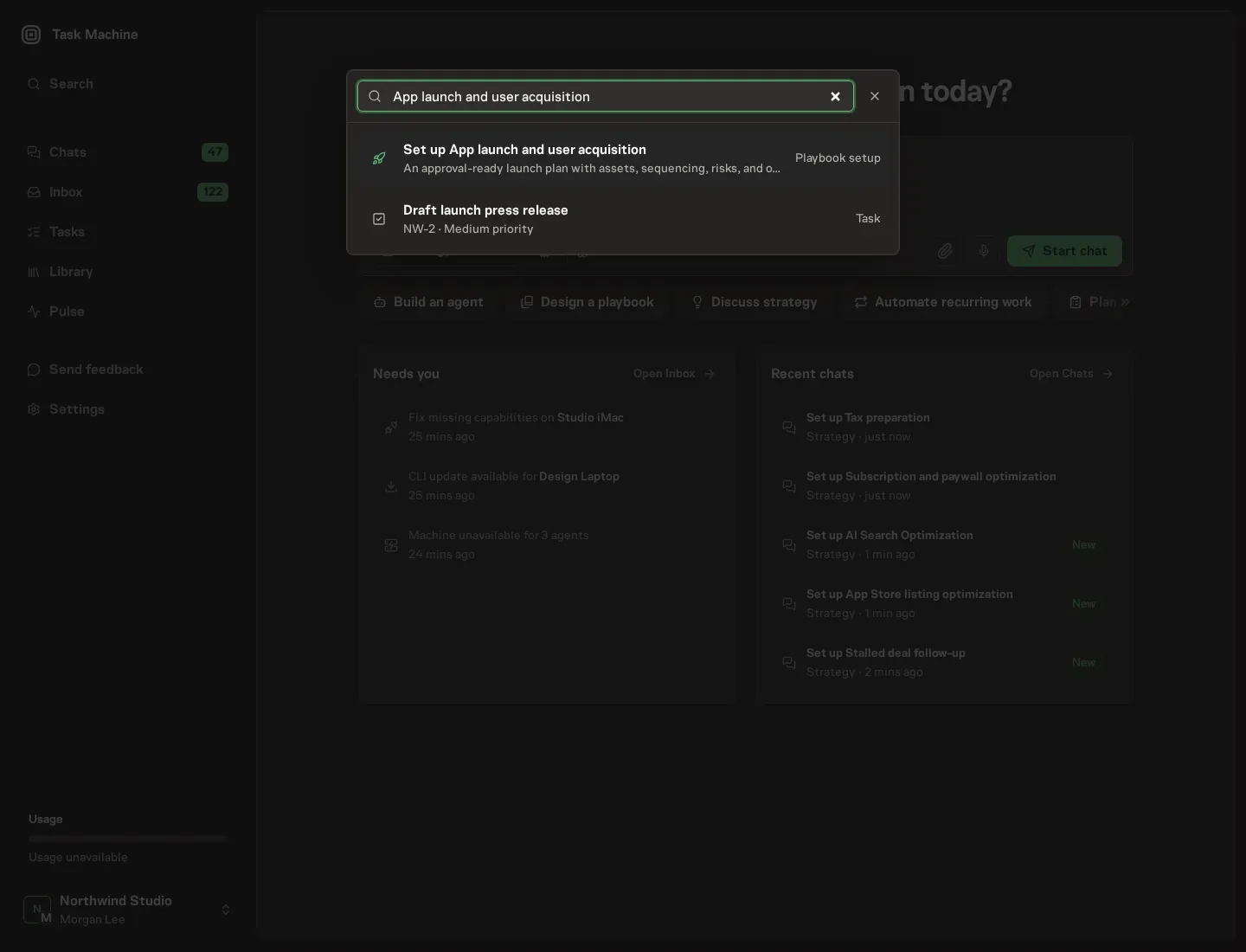
2. Start the conversation
Choose Set up App launch and user acquisition. Task Machine opens a dedicated Chat with the Playbook card and an editable, unsent request. Read the intended job and outcome. Add your situation and send it when ready. Opening the draft does not install anything or start work. This walkthrough uses settings that require approval of the proposed Playbook.
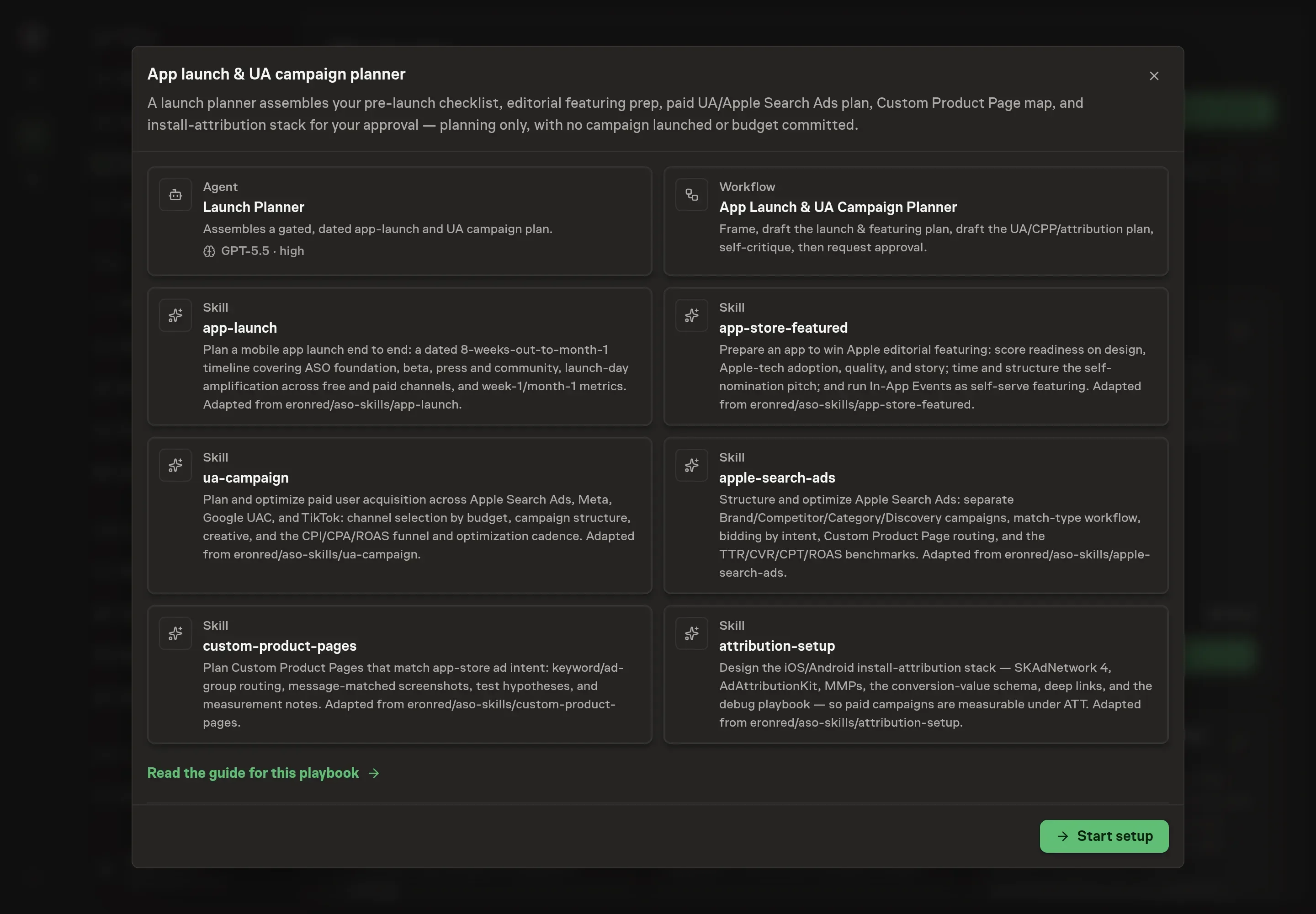
3. Agree the working brief
Use Chat to agree the inputs, expected output and limits before asking for a proposal. The Agent needs the details the plan is built around. Start with the app name and target users: the name anchors every document the agent drafts, and the target users shape the audience, channel, and Custom Product Page recommendations. The app store or landing page URL gives the agent a listing to assess, and the launch window anchors every date in the timeline.
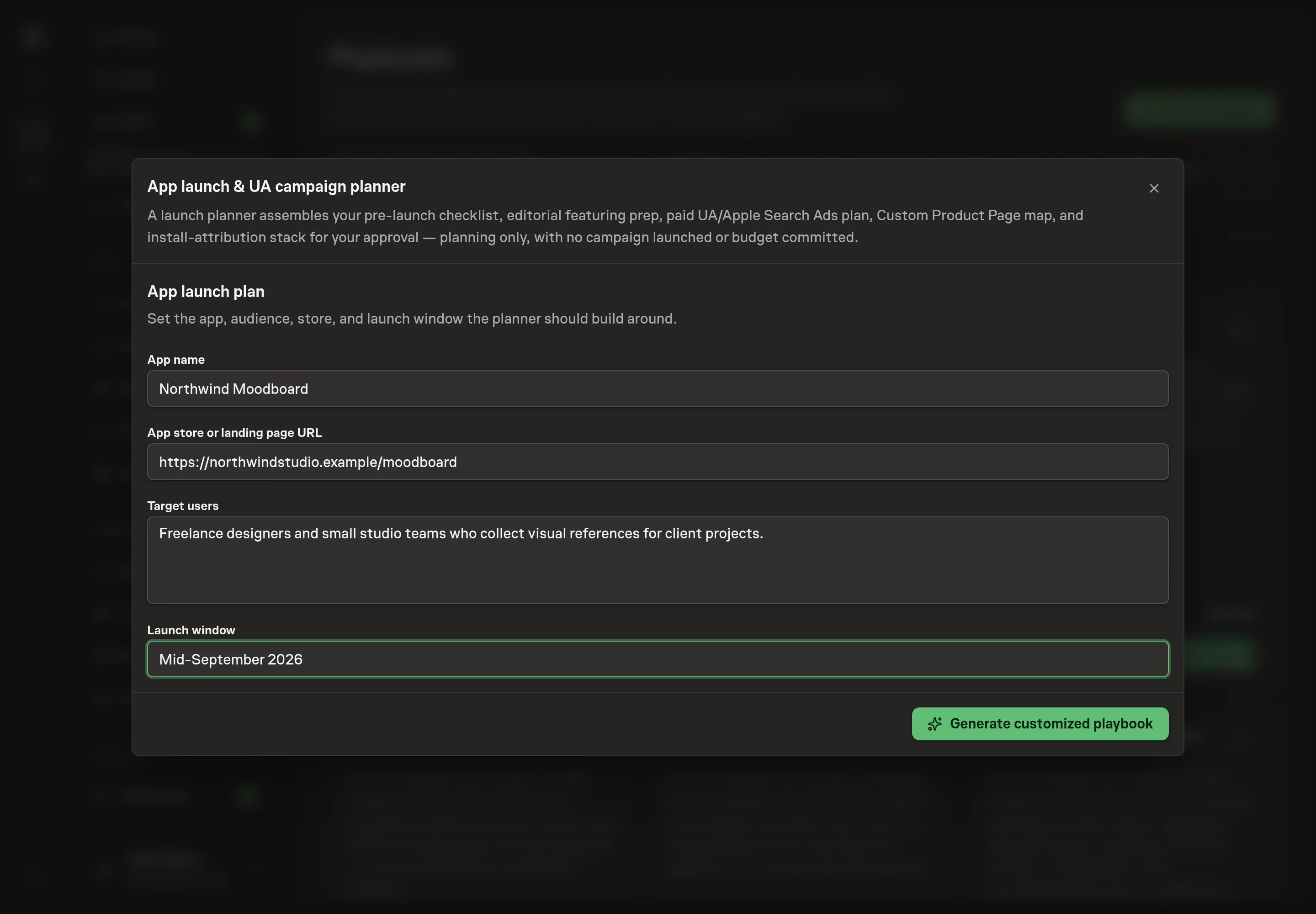
4. Review the proposed Playbook
Ask the Agent to generate the Playbook from the agreed brief. Open its proposal in Chat and check the instructions and resources it will install, which carry more detail than the conversational summary. Read through the agent and workflow cards and confirm the app, the audience, and the launch window landed the way you described them. Ask for a revised proposal if anything is missing or changes the job.
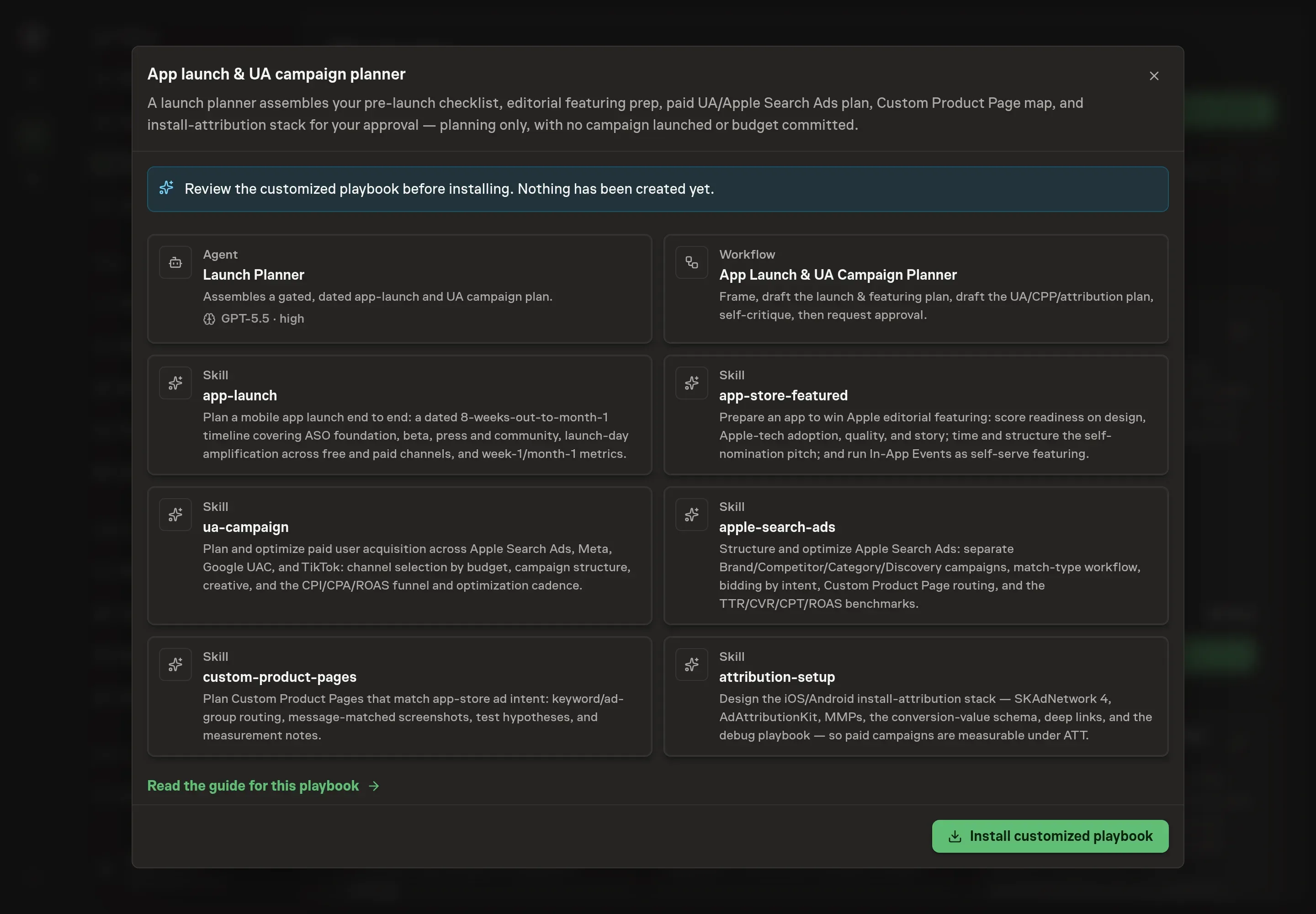
5. Approve and prepare the first work
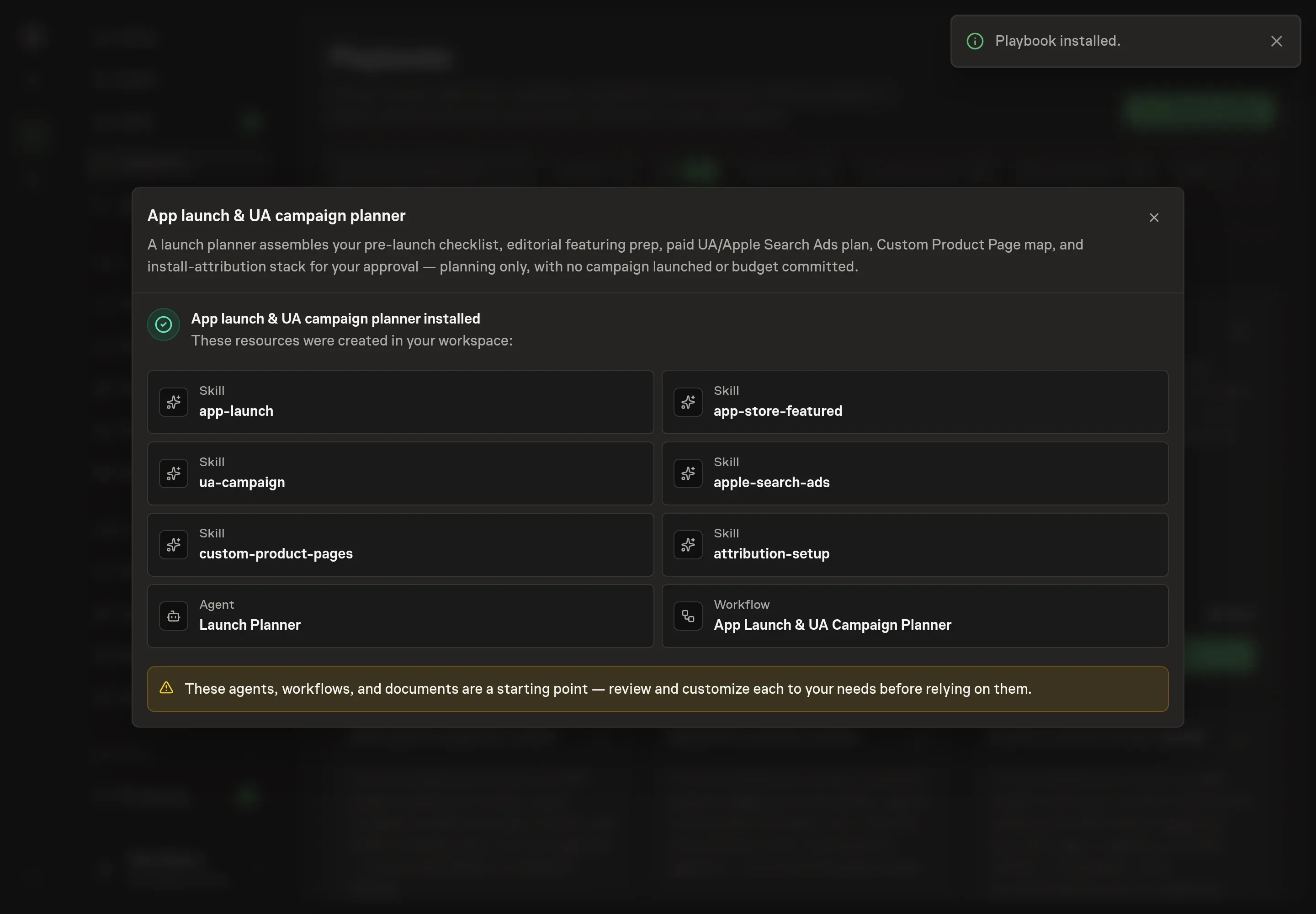
Choose Approve on the proposal in Chat when the configuration matches your brief. Task Machine installs that reviewed configuration. The approved item retains its review details. If your autonomy settings allow direct installation, this approval may not be required. Check the resulting configuration in that case too.
Complete any remaining secure service setup from the installation details in Chat. Inbox keeps those setup items available if you return later. Prepare the source documents and inputs before starting the first Task or Workflow. Installation does not authorize sending, publishing or changing an external service beyond the boundaries you agreed.
What good looks like
Three checks tell you whether a launch plan is sound before anyone executes it:
- Every paid target sits under an honest ceiling. Cost-per-install targets below a third of lifetime value on every channel, return on ad spend above 1.0 to break even and above 2.0 to call a channel good, with day-7 return as the early predictor.
- Apple Search Ads is healthy before it scales. Tap-through rate above 5%, conversion above 50%, and at least two Custom Product Page variants tested before any scale recommendation. Conversion below 30% means the product page needs work before the bids do.
- Featuring readiness comes before the pitch. A rating of 4.5 stars or better, no critical crashes, and a timely story angle. Below that bar, the right plan says fix first and pitch later.
Common questions
Does this playbook launch the campaigns? No. It produces the plan: the dated timeline, the featuring pitch, the channel budgets and briefs, and the attribution schema. Every budget is marked as planned, and execution happens separately through you or whoever runs your ads, after you approve the plan.
Do you need a paid budget to use it? No. The method includes a free-channel plan even at zero budget: Product Hunt, Show HN, communities, a build-in-public thread, and the press list. Paid channels enter when a budget exists, starting with Apple Search Ads because the intent is highest.
Why does attribution come before any spend? Because iOS attribution only measures what was configured ahead of time. Skipping the Apple-provided framework undercounts Apple Search Ads installs by 30 to 60%, and a conversion-value schema added after launch cannot explain the installs that already happened. Wiring measurement first is the difference between a paid plan and a paid guess.
When should you pitch Apple for featuring? Two to four weeks before a major update, around Apple events, or on seasonal and cultural moments that fit the app. The worst timing is right after a buggy update, with a rating below 4.0, or with no recent updates to point at.
Can this run without App Store Connect access? Yes. The agent plans from exports you attach to the run and from its skills. Granting browser access lets it check listing readiness, Custom Product Pages, and In-App Events directly, and even then it reads only and publishes nothing.