How to Plan QA Tests With an Agent
Turn a feature, release, or PR into a risk-based QA plan with scenarios, charters, coverage gaps, and approval.

Founder, Task Machine
QA test planning is the work of turning a feature, release, pull request, or product surface into a concrete list of checks before the change reaches users. A good plan starts from the user journey and the business risk, then breaks requirements into scenarios with setup, action, expected result, edge cases, and coverage gaps.
The value is knowing which failures matter, which checks can be automated now, which ones need exploratory testing, and which requirements are still too vague to release with confidence.
QA planned after the build misses the hard cases
QA planning fails in small teams for a simple reason: it happens after the build, when everyone wants the change shipped. The engineer remembers the happy path, the product owner remembers the acceptance criteria, and nobody has enough time left to ask how permissions, invalid input, state transitions, integrations, analytics, and recovery paths behave together.
That is how bugs slip through work that looked reviewed. The missing test was often easy, just never named. A risk-based plan makes those gaps visible early enough to fix, delegate, or accept explicitly.
What the manual process looks like
Done by hand, QA planning is a short review ritual:
- Gather the feature spec, release notes, pull request, acceptance criteria, and linked issue set.
- Name the critical user journeys and the business risks if each journey fails.
- Break requirements into functional cases: happy path, invalid input, boundaries, state transitions, permissions, integrations, and recovery.
- Add non-functional checks where relevant: accessibility, performance, compatibility, security-sensitive behavior, analytics, and observability.
- Write exploratory charters with a mission, data setup, and stop condition.
- Compare the plan to existing test coverage and mark each scenario as automate now, automate later, manual exploratory, or not worth testing.
The process is practical, but it is easy to skip the uncomfortable parts. The questions that find real defects are the ones people postpone: what happens with half-configured data, a different role, a retry, a timeout, a stale page, or a missing permission.
What an agent can automate
An agent is useful here because the first draft of QA thinking is repetitive, structured, and better when it is exhaustive:
- Map requirements into scenarios. The agent decomposes the spec or PR into atomic cases with setup, actor, action, and observable expected result.
- Start from risk. The plan is organized around critical journeys and failure impact, not a generic quality checklist.
- Surface edge cases. Boundaries, invalid input, state transitions, permissions, integration failures, and recovery paths get named before the release review.
- Draft exploratory charters. Each charter has a mission, test data, and a stop condition so manual testing has shape.
- Call out coverage gaps. If a repository is connected, the agent inspects existing tests before calling something missing. Without repository access, it still produces a plan from the supplied spec and artifacts.
The agent should not silently ship product changes. Its job is to plan and review test coverage, then stop with gaps and questions for a human to approve.
The guardrails that make it safe
QA planning is advisory work, but it still needs boundaries. A noisy agent can create a huge plan that nobody runs. A loose agent can invent product behavior that is not in the spec.
The safe shape is a scoped assignment: feature under test, known risk areas, verification command, and an optional repository. The agent drafts the plan, marks open questions, and classifies automation targets. A human decides what to test, what to automate, and what risk to accept before release.
Set it up in Task Machine
The QA review and test planning playbook provides a starting point for the method above. You need an active Task Machine workspace with Chat, workspace-management and Playbook-installation access (workspace owners have it). A connected repository is optional. Until repository access is connected, the agent works from the spec, PR notes, and artifacts you attach.
1. Find the playbook
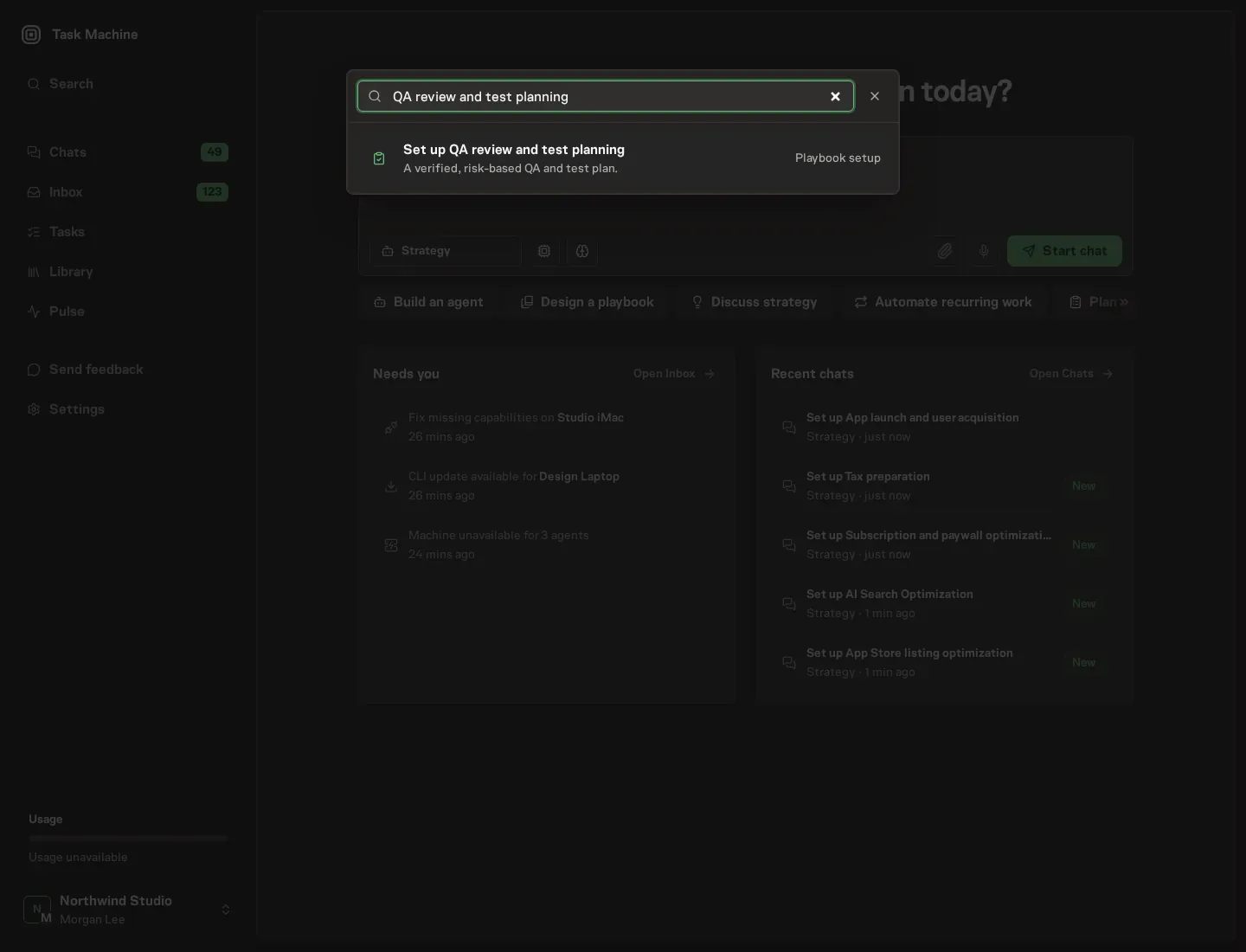
Open Search in your workspace and enter "QA review and test planning". The command center lists Set up QA review and test planning under Playbook setup.
2. Start the conversation
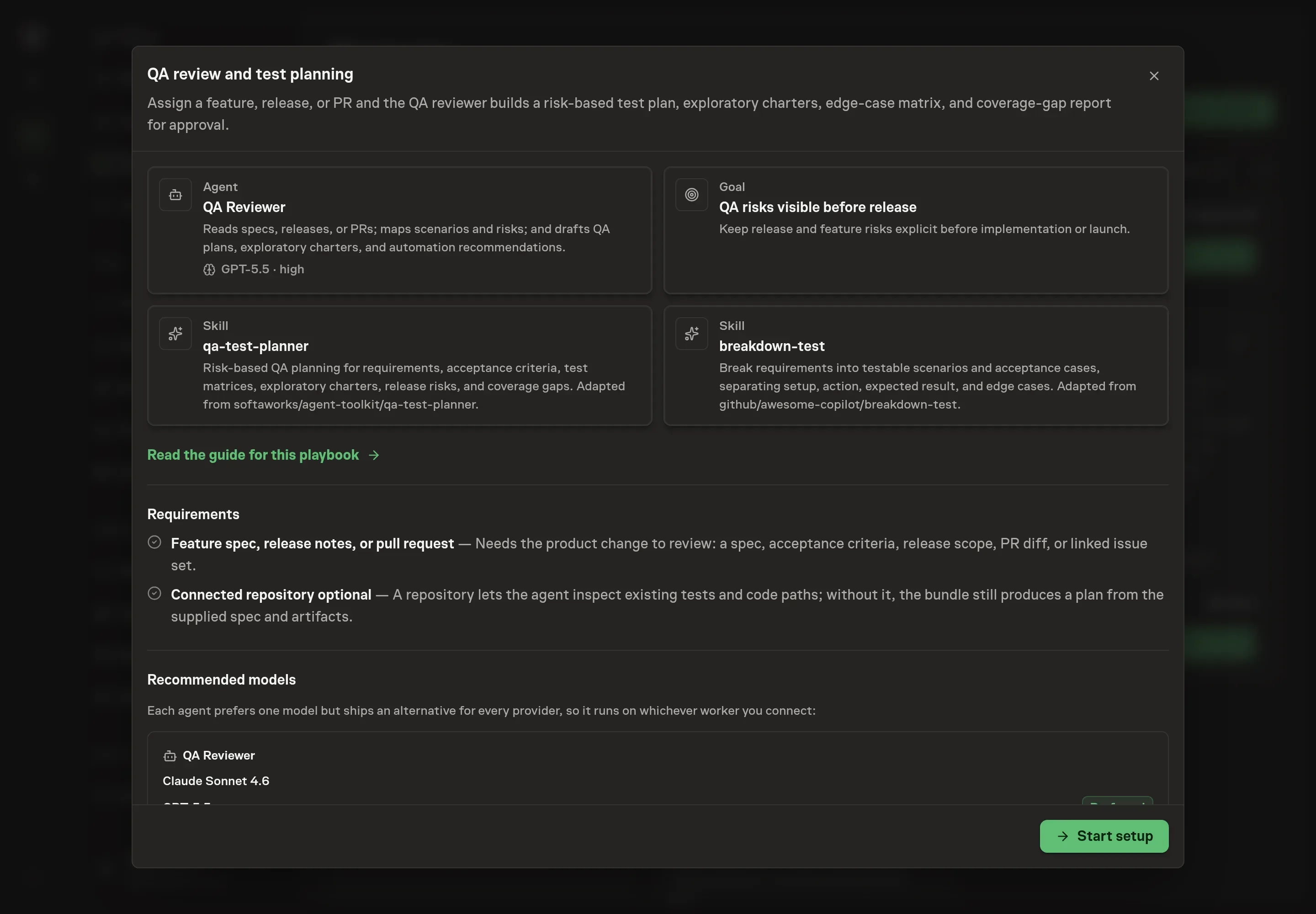
Choose Set up QA review and test planning. Task Machine opens a dedicated Chat with the Playbook card and an editable, unsent request. Read the intended job and outcome. Add your situation and send it when ready. Opening the draft does not install anything or start work. This walkthrough uses settings that require approval of the proposed Playbook.
3. Agree the working brief
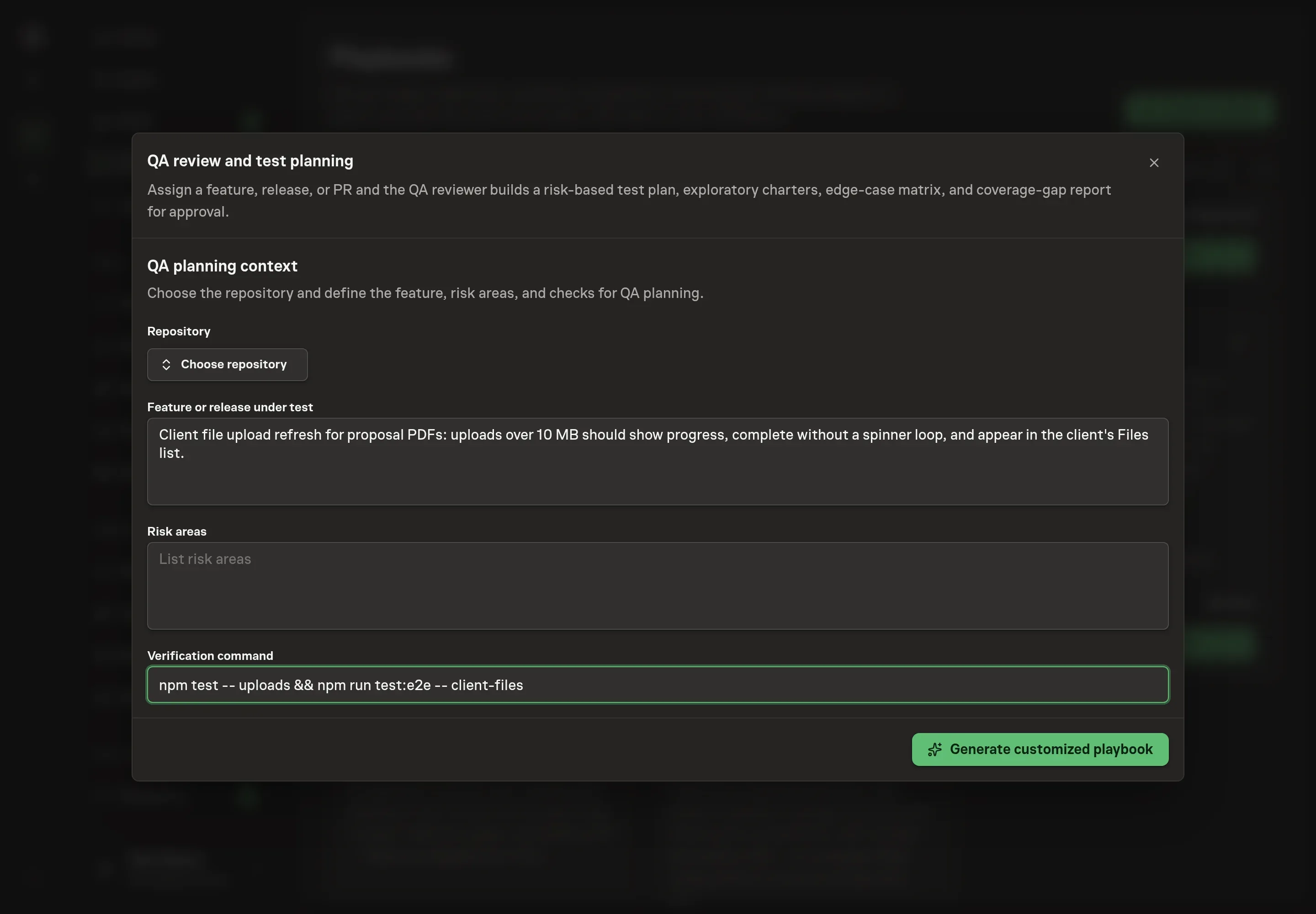
Use Chat to agree the inputs, expected output and limits before asking for a proposal. The Agent needs the repository, the feature or release under test, the risk areas, and the verification command. For feature, describe the concrete change, not a broad product area. Use risk areas for the failures you already worry about, such as permissions, billing state, or file uploads.
4. Review the proposed Playbook
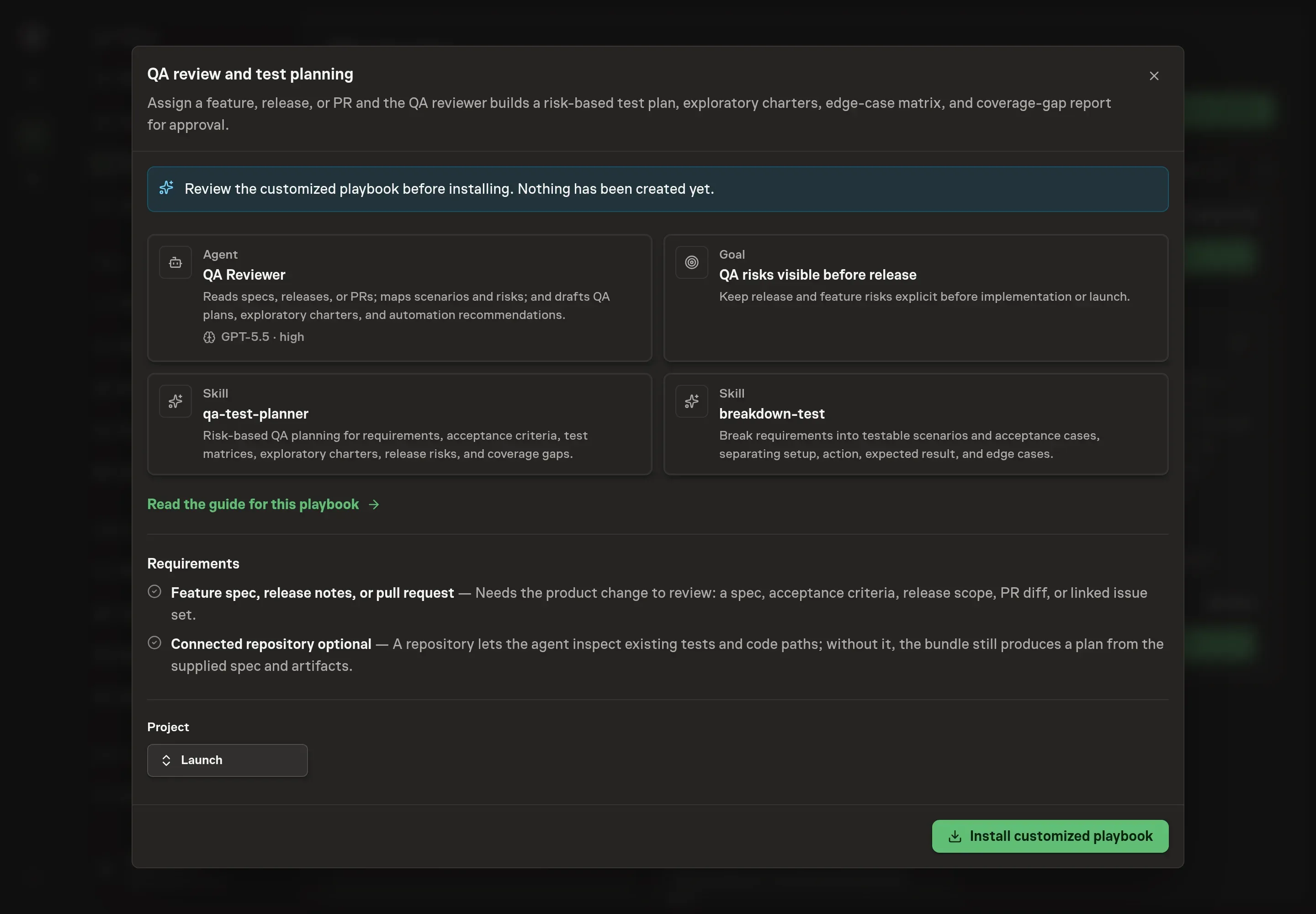
Ask the Agent to generate the Playbook from the agreed brief. Open its proposal in Chat and check the instructions and resources it will install, which carry more detail than the conversational summary. Review the result before creation. Confirm that the agent is scoped to planning and coverage review, that the repository context is right, and that the verification command matches the test surface. Ask for a revised proposal if anything is missing or changes the job.
5. Approve and prepare the first work
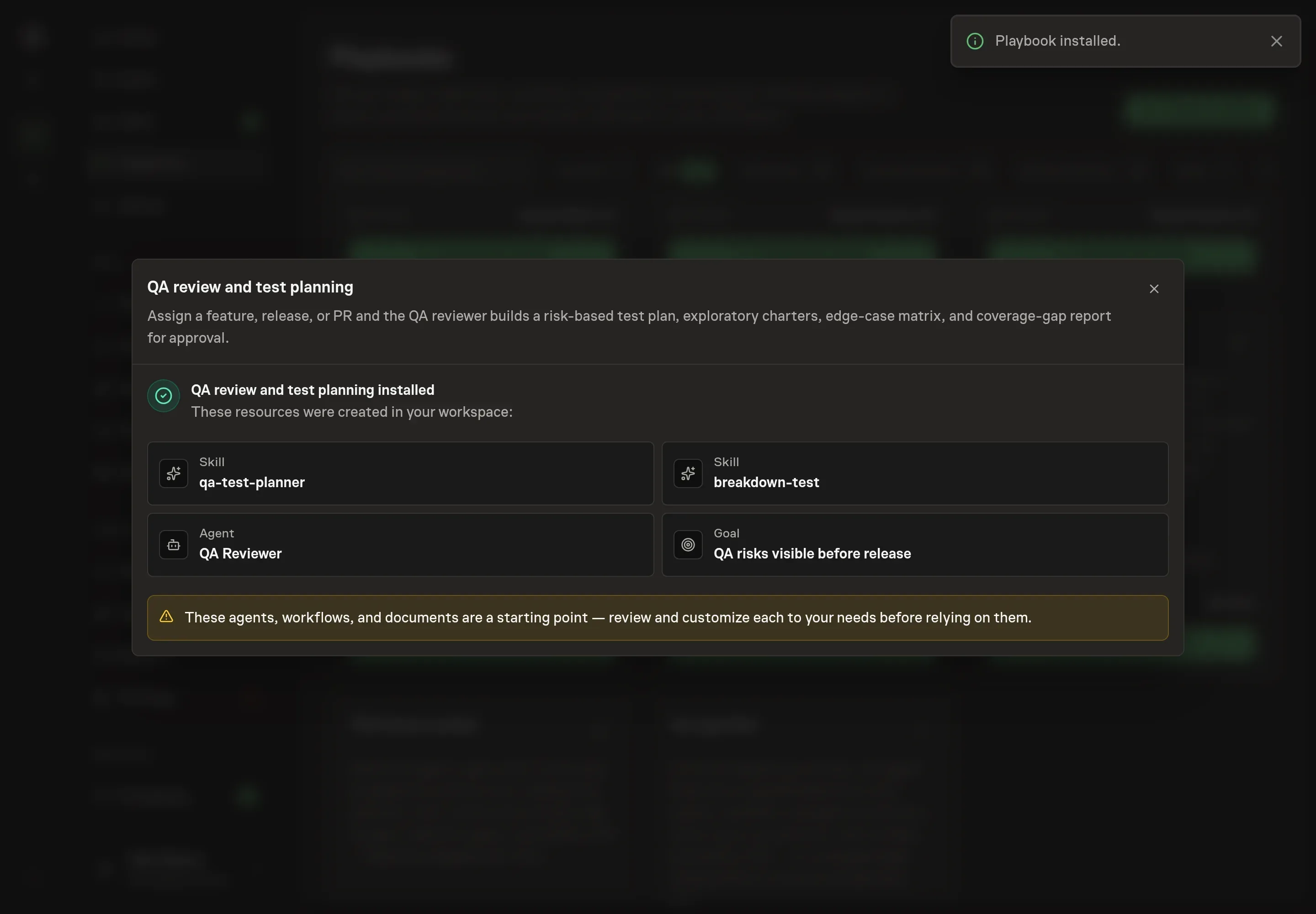
Choose Approve on the proposal in Chat when the configuration matches your brief. Task Machine installs that reviewed configuration. The approved item retains its review details. If your autonomy settings allow direct installation, this approval may not be required. Check the resulting configuration in that case too.
Complete any remaining secure service setup from the installation details in Chat. Inbox keeps those setup items available if you return later. Prepare the source documents and inputs before starting the first Task or Workflow. Installation does not authorize sending, publishing or changing an external service beyond the boundaries you agreed.
What good looks like
Three signs tell you the plan is doing its job:
- Every risky journey is named. The plan covers the paths that would hurt users or the business if they broke.
- Each scenario is testable. Setup, actor, action, and expected result are explicit enough for a human or implementation agent to run.
- Coverage gaps are actionable. A gap says what is missing, why it matters, and whether to automate now, automate later, test manually, or accept the risk.
Common questions
Can an agent replace a QA engineer? No. It can draft the test plan and find gaps, but release judgment stays with the human owner. The playbook is designed to stop at planning and approval.
What if there is no connected repository? The playbook still works from the supplied feature spec, release notes, pull request summary, or attached artifacts. Repository access improves coverage-gap analysis because the agent can inspect existing tests.
Should every scenario become an automated test? No. The plan should separate automate now, automate later, manual exploratory, and not worth testing. Some checks are better as short exploratory charters than permanent tests.
When should this run? Run it before implementation is considered done, not after release approval has already begun. The earlier the gaps are visible, the cheaper they are to fix.