How to Prepare Discovery Interview Kits
A practical guide to preparing non-leading discovery interview kits with personas, scripts, notes, and approval.

Founder, Task Machine
A discovery interview kit is the prep package a product team uses before talking to customers. It defines the research goal, the customer segment, the method, the personas, the non-leading script, the note-taking template, and the success criteria for learning.
The kit matters because interviews go wrong before the call starts. Teams ask about the future, pitch the idea, accept compliments, or write questions that steer the customer toward the answer they wanted. A good kit makes honest learning easier than accidental selling.
Interview scripts often reward agreement over evidence
Discovery research fails when the script rewards agreement instead of evidence. "Would you use this?" feels productive, but it asks the customer to predict a future behavior. "Is this painful?" invites politeness. "Would you pay?" often produces a compliment, not a buying signal.
The better pattern is behavioral: ask about what happened, what the customer tried, where the workaround broke, and what they paid for already. That takes prep. The interviewer needs a goal, a segment, constraints, and a script built around past-tense stories before the first call is booked.
What the manual process looks like
Done by hand, preparing an interview kit is a focused research-design exercise:
- Gather the problem hypothesis, support tickets, churn notes, prior research, competitor reviews, or any other attached material.
- Define the customer segment and the behavior that qualifies someone for an interview.
- Choose the method that fits the goal and constraints: Mom Test problem validation, JTBD, switch interviews, or journey mapping.
- Draft three distinct personas from the evidence, with jobs, pains, gains, unexpected insights, and product-fit notes.
- Write the interview script with opening, warm-up, JTBD core, probing questions, wrap-up, and a note-taking template.
- Audit every question for leading language, hypotheticals, yes/no framing, and pitching.
The hard part is resisting the questions that make the team feel right.
What an agent can automate
An agent can prepare the kit because the method is explicit and the review criteria are concrete:
- Plan the prep. The agent pins the research goal, names the segment, lists constraints, and chooses the interview method that fits goal, segment, and access.
- Ground the personas. It builds three distinct personas from the audience brief and attached material, and flags gaps instead of inventing missing evidence.
- Draft the script. It writes an opening, warm-up, JTBD core, probing techniques, wrap-up, and note-taking template.
- Rewrite weak questions. It audits the script against The Mom Test bar: no leading questions, no hypotheticals, no yes/no traps, no pitching, and no asking the customer to design the product.
- Surface ambiguity. It asks the human when the research goal is unclear, the data is too thin, or the method depends on a product decision.
The agent prepares the artifact. The human still decides whether the kit is good enough to use with customers.
The guardrails that make it safe
Discovery work needs a bias check because a confident bad script can create false certainty. The guardrail is a workflow that makes the critique a required step before approval.
The agent plans, drafts personas, writes the script, and then audits every question against the Mom Test rules. The approval step waits after the critique, so the team sees the prep plan, personas, script, note template, rewritten questions, and success criteria before any interview is scheduled. The workflow does not recruit participants or run interviews on its own.
Set it up in Task Machine
The Customer discovery interview planning playbook provides a starting point for the method above. You need an active Task Machine workspace with Chat, workspace-management and Playbook-installation access (workspace owners have it). Existing research can be attached later. Until then, the agent works from the brief and flags gaps.
1. Find the playbook
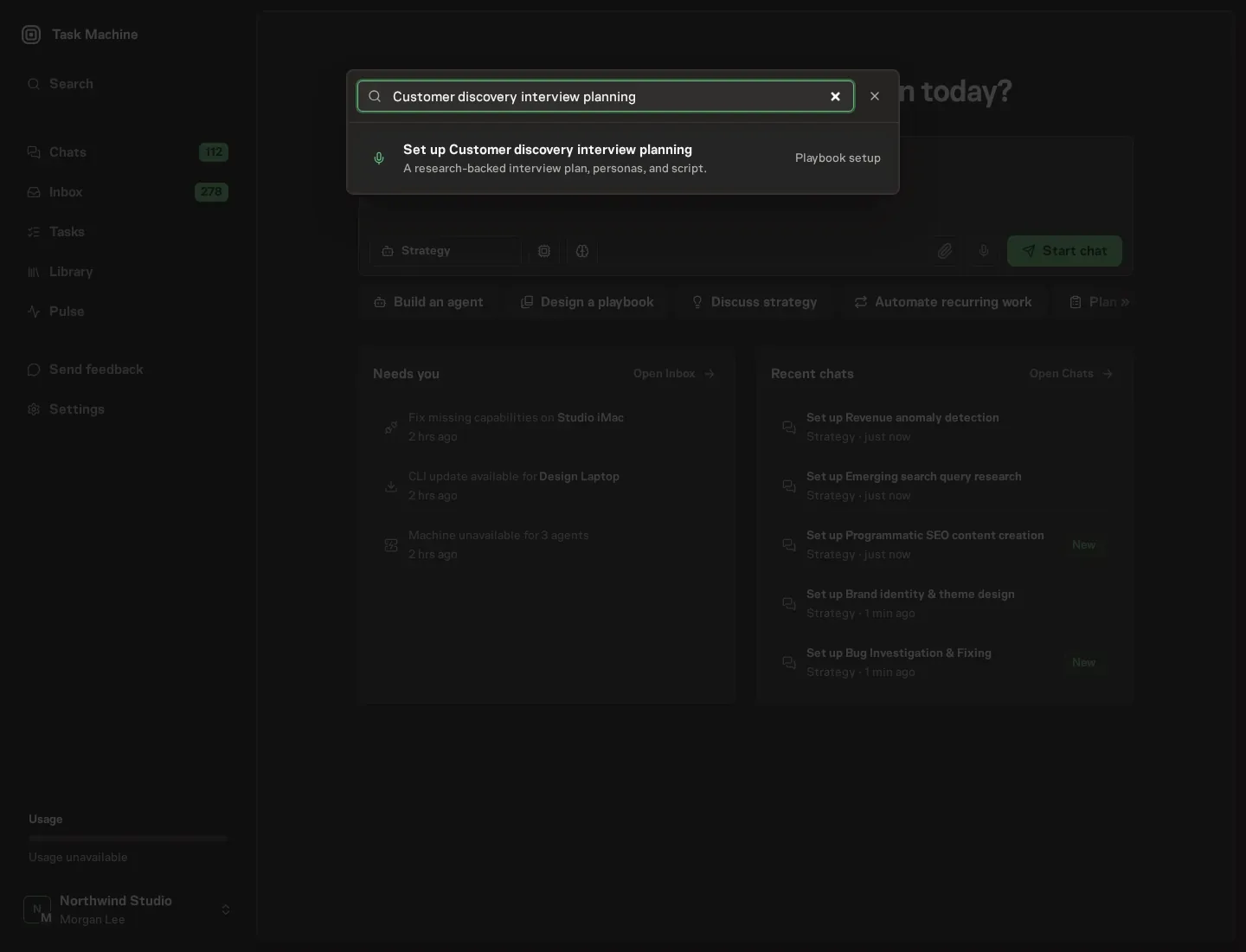
Open Search in your workspace and enter "Customer discovery interview planning". The command center lists Set up Customer discovery interview planning under Playbook setup.
2. Start the conversation
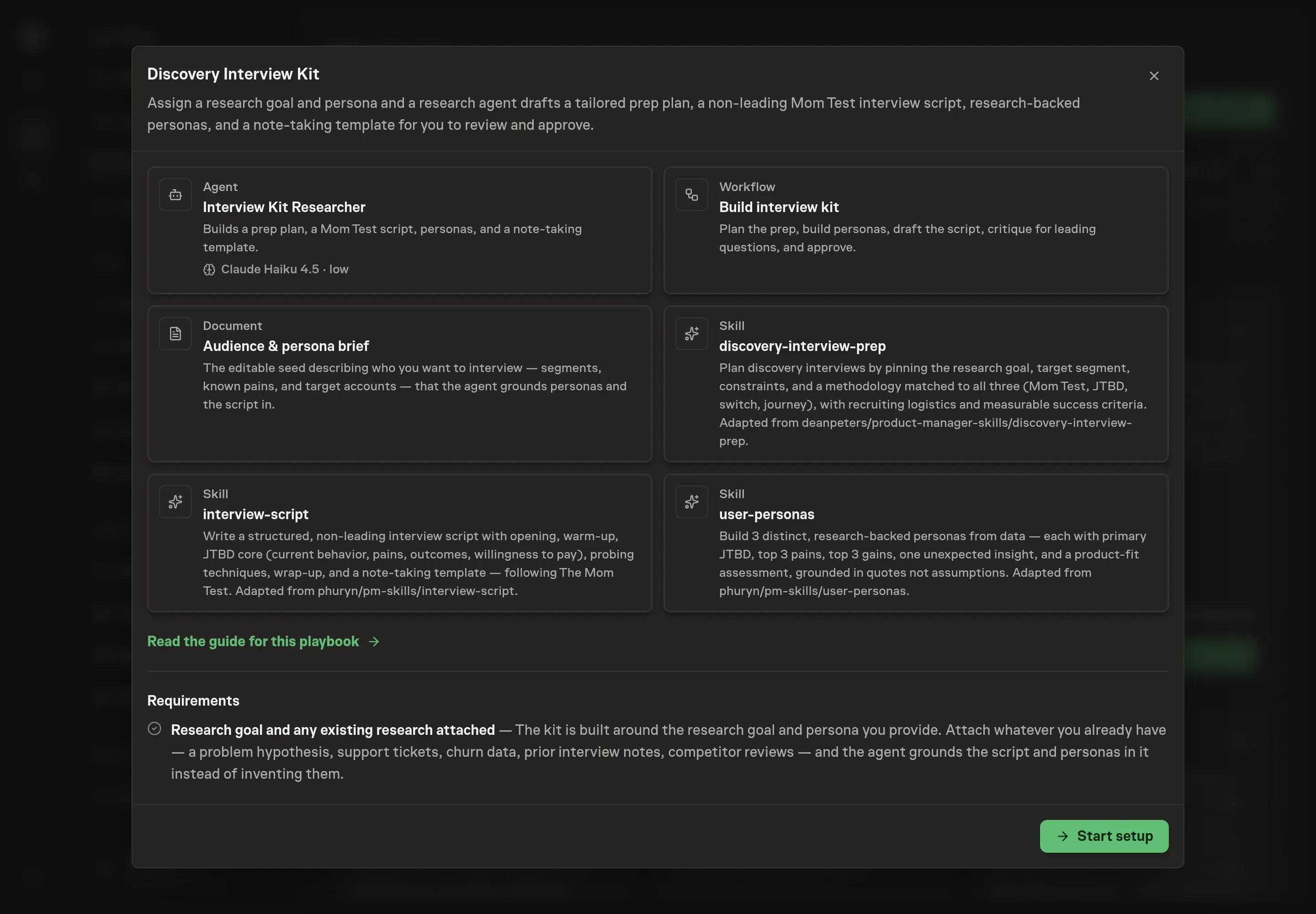
Choose Set up Customer discovery interview planning. Task Machine opens a dedicated Chat with the Playbook card and an editable, unsent request. Read the intended job and outcome. Add your situation and send it when ready. Opening the draft does not install anything or start work. This walkthrough uses settings that require approval of the proposed Playbook.
3. Agree the working brief
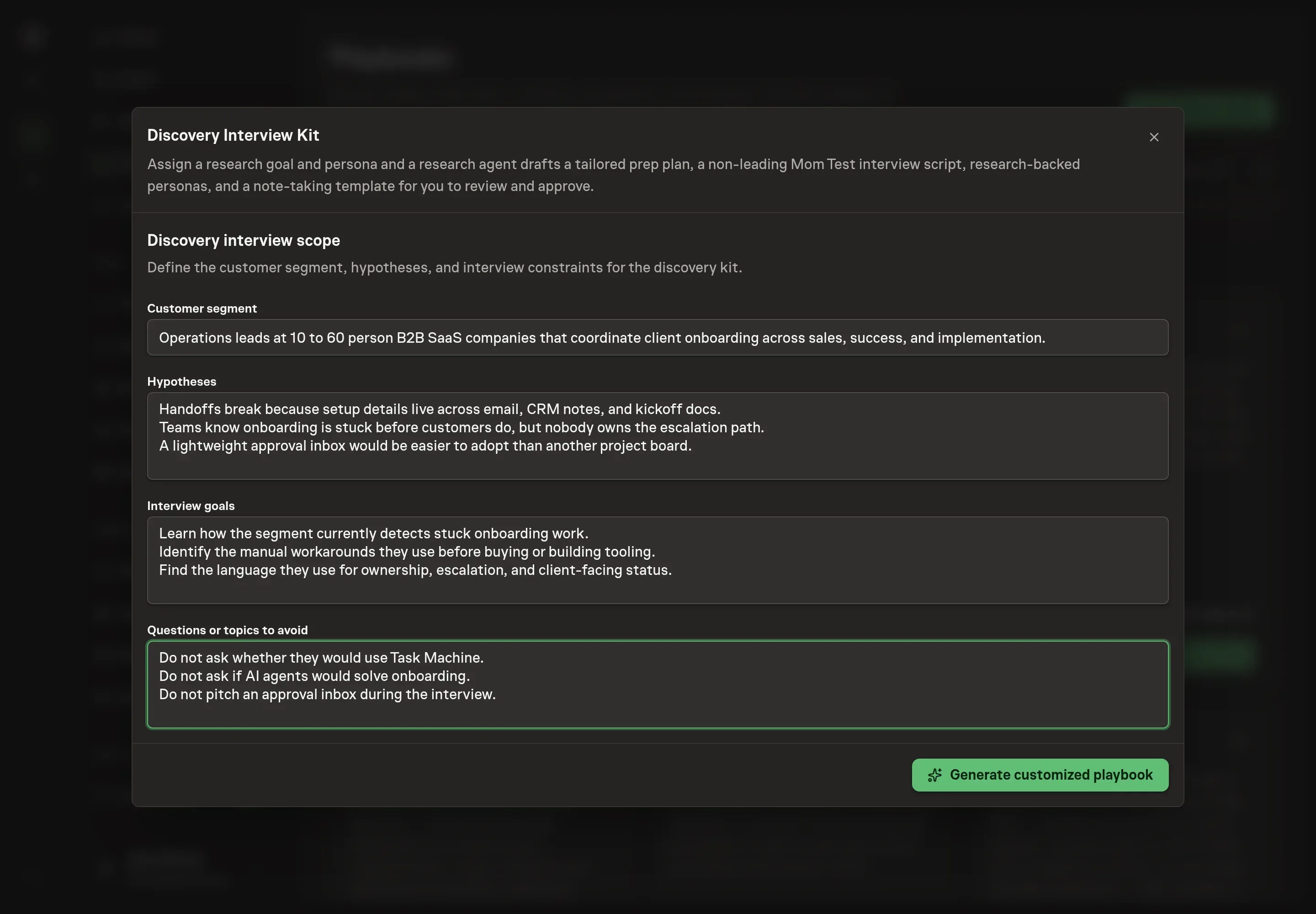
Use Chat to agree the inputs, expected output and limits before asking for a proposal. The Agent needs the customer segment, hypotheses, interview goals, and questions or topics to avoid. Write these as operating constraints, not polished research copy. They become the starting point for the prep plan and script critique.
4. Review the proposed Playbook
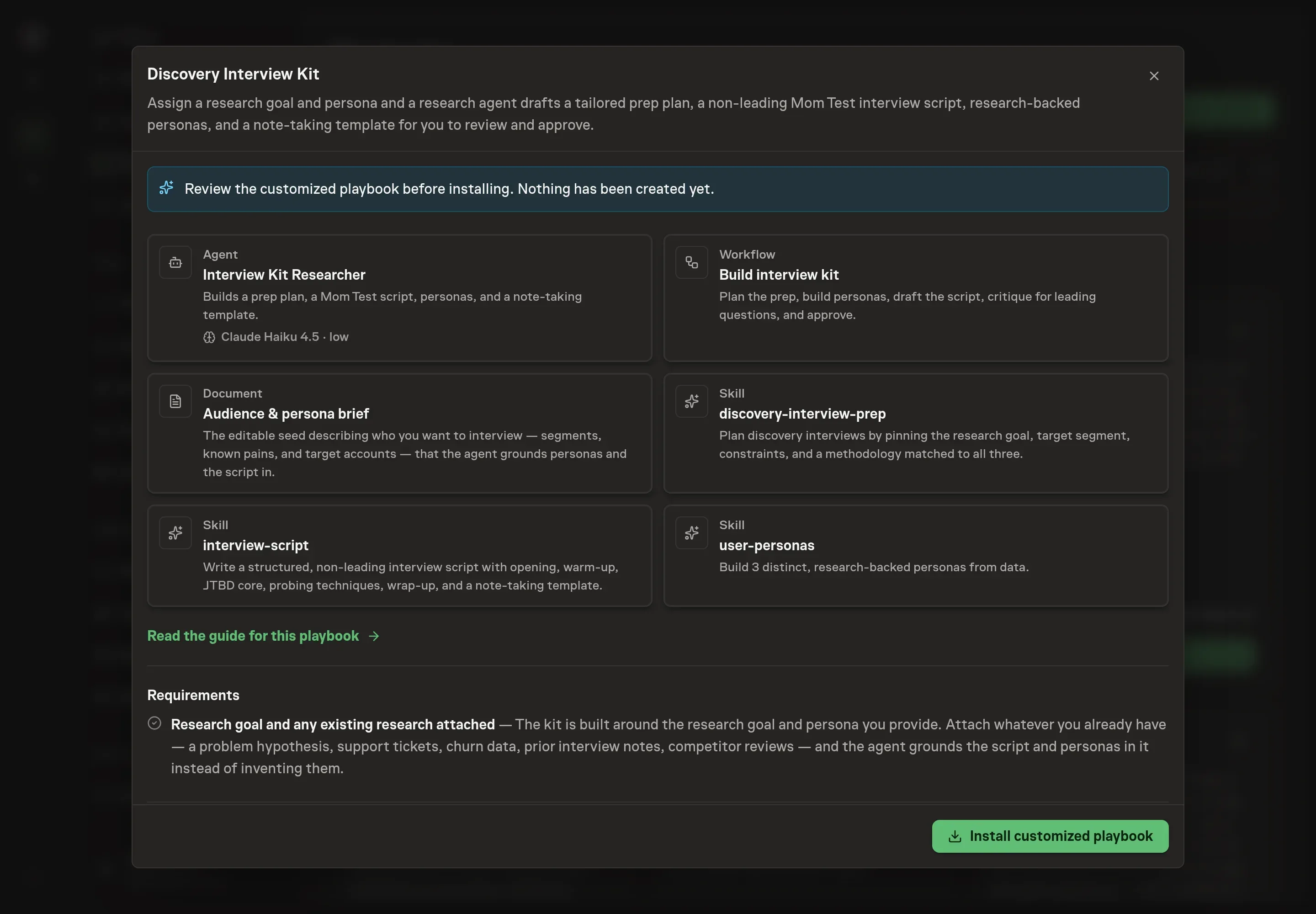
Ask the Agent to generate the Playbook from the agreed brief. Open its proposal in Chat and check the instructions and resources it will install, which carry more detail than the conversational summary. Review the result before install. The important checks are whether the agent has enough context to choose a method, whether it knows which topics to avoid, and whether the approval step remains after the critique. Ask for a revised proposal if anything is missing or changes the job.
5. Approve and prepare the first work
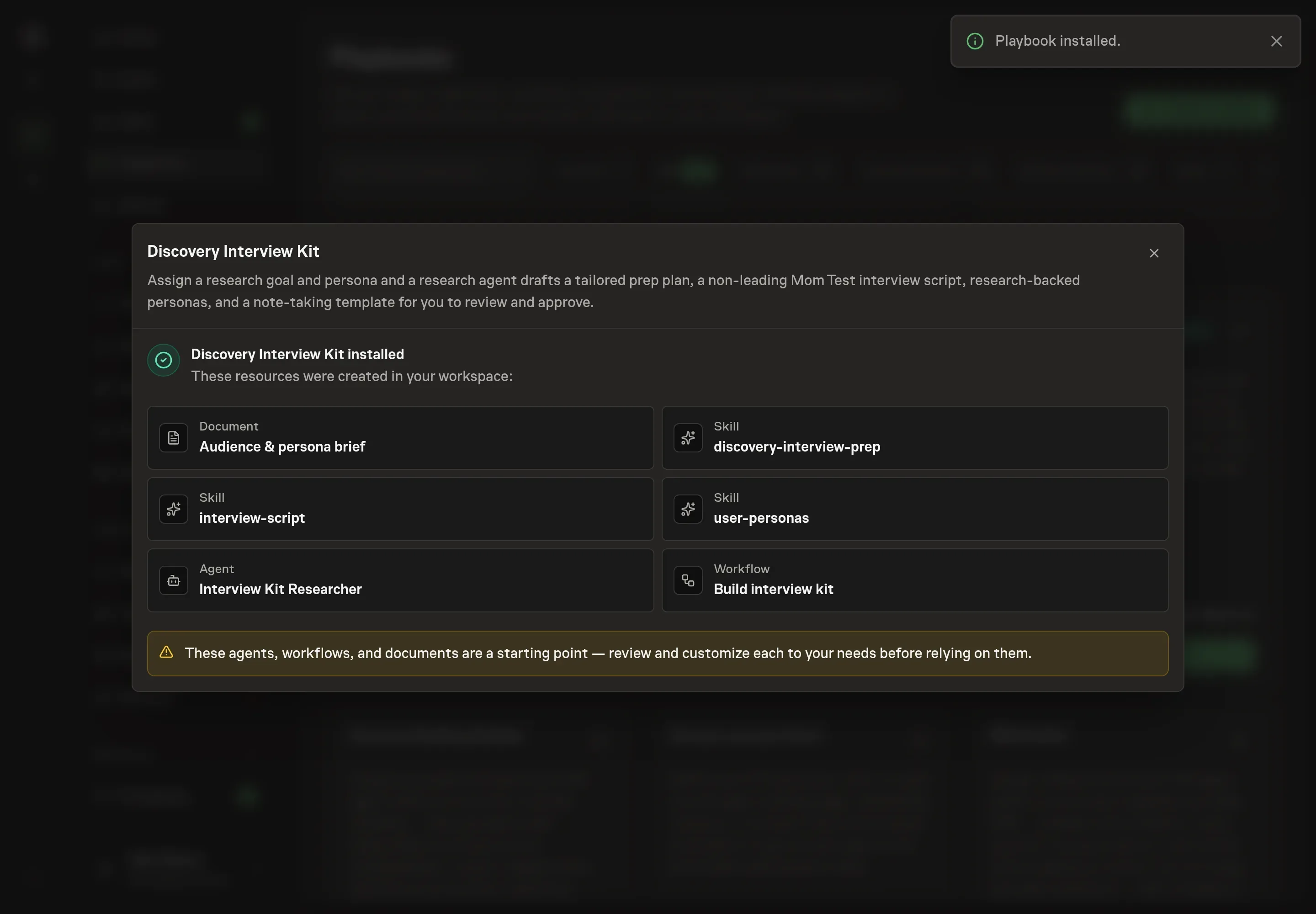
Choose Approve on the proposal in Chat when the configuration matches your brief. Task Machine installs that reviewed configuration. The approved item retains its review details. If your autonomy settings allow direct installation, this approval may not be required. Check the resulting configuration in that case too.
Complete any remaining secure service setup from the installation details in Chat. Inbox keeps those setup items available if you return later. Prepare the source documents and inputs before starting the first Task or Workflow. Installation does not authorize sending, publishing or changing an external service beyond the boundaries you agreed.
What good looks like
Three signals show that the kit is ready:
- The method matches the goal. Problem validation, JTBD, switch, and journey interviews are not interchangeable.
- The questions are behavioral. Core questions ask about past actions, current workarounds, real pains, and actual tradeoffs.
- The personas cite evidence or flag gaps. A weak persona reads like a stereotype. A useful persona is grounded in attached material and explicit about what is unknown.
Common questions
Does the playbook schedule interviews? No. It prepares the kit. Recruiting and scheduling stay with the team because participant access and consent need human handling.
Can it work before we have much research data? Yes, but the output should flag gaps. The playbook is designed to say when personas are under-grounded rather than inventing certainty.
Why does it create three personas? The bundle's persona skill builds three distinct, non-overlapping personas so the team can see different jobs, pains, gains, and product-fit risks inside the target audience.
What should reviewers look for before approving? Look for future-tense questions, yes/no questions, disguised pitching, and any question that tells the customer what answer would help the team. Those should be rewritten before the kit is used.