How to Produce Decks and Visual Documents with an Agent
A practical guide to turning briefs into designed decks, DOCX files, PDFs, or interactive slides with visual QA and approval.

Founder, Task Machine
Deck and visual-document production is the process of turning a brief, report, or source document into a designed artifact people can use: a presentation, formatted memo, PDF, or interactive slide file. The job includes narrative planning, format choice, layout, brand constraints, visual QA, and approval.
It is worth automating because the first draft of a deck is often mechanical work disguised as creative work. Someone has to pull out the argument, choose the format, build the slides or document, render it, find the obvious layout bugs, fix them, and package it for review. Human judgment still matters, but it should be spent on the message and tradeoffs, not on placeholder cleanup.
Document production is easy but detail-heavy
Small teams produce artifacts constantly: sales decks, client update decks, board narratives, launch recaps, research PDFs, polished briefs, and internal memos. The work is rarely hard once the source material exists, but it is detail-heavy.
The common failure is a draft that looks finished until it reaches a reader: overflowing text, uneven spacing, repeated layouts, low contrast, missing takeaway titles, broken lists, fake-looking charts, or a PDF form flattened instead of filled in real fields. The reviewer then becomes the QA system, which is a poor use of senior attention.
What the manual process looks like
A reliable producer runs a concrete sequence:
- Read the brief and decide what artifact the audience needs: PPTX, interactive slides, DOCX, or PDF.
- Plan the narrative before designing: one idea per slide or section, takeaway-first headings, and a clear arc.
- Choose visual constraints: palette, typography, motif, layout system, image treatment, and any brand rules.
- Assess the data. Charts use real numbers from the source, or the artifact uses qualitative layouts instead.
- Produce the file using the right mechanics for the format: PowerPoint structure, Word styles and lists, PDF handling, or a single-file interactive deck.
- Render the draft and inspect it visually for overlaps, overflow, contrast, alignment, margins, placeholders, and broken forms.
- Fix and re-verify the affected pages, because layout fixes often create new issues.
- Hand the artifact to a human for approval and content edits.
This is a workflow, not a prompt. The QA pass is part of the production job.
What an agent can automate
An agent can own the repeatable production loop when the brief and constraints are clear:
- Choose the right artifact type. It maps the audience and source material to PPTX, DOCX, PDF, or interactive slides instead of forcing every brief into a slide deck.
- Plan the narrative. It converts source material into a takeaway-first structure with one idea per slide or section.
- Apply format-specific rules. It uses PPTX, DOCX, PDF, or interactive-slide skills so the output follows the mechanics of the target file type.
- Refuse fabricated chart data. For data-driven artifacts, it checks whether real quantitative data exists. If not, it uses qualitative layouts rather than inventing chart values.
- Run visual QA as a bug hunt. It renders the artifact to images, checks for placeholders and layout problems, fixes issues, and re-verifies.
The human still approves the message, brand fit, and final artifact before it is used.
The guardrails that make it safe
The safety boundary is format correctness plus human approval. The agent can produce and inspect drafts, but the finished artifact reaches an approval step before anyone sends it to a client, publishes it, or presents it.
The playbook also gives the agent explicit stop conditions. It should ask when the source data is too thin to support requested charts, when the brief and requested format conflict, or when missing content would force it to invent a section.
Set it up in Task Machine
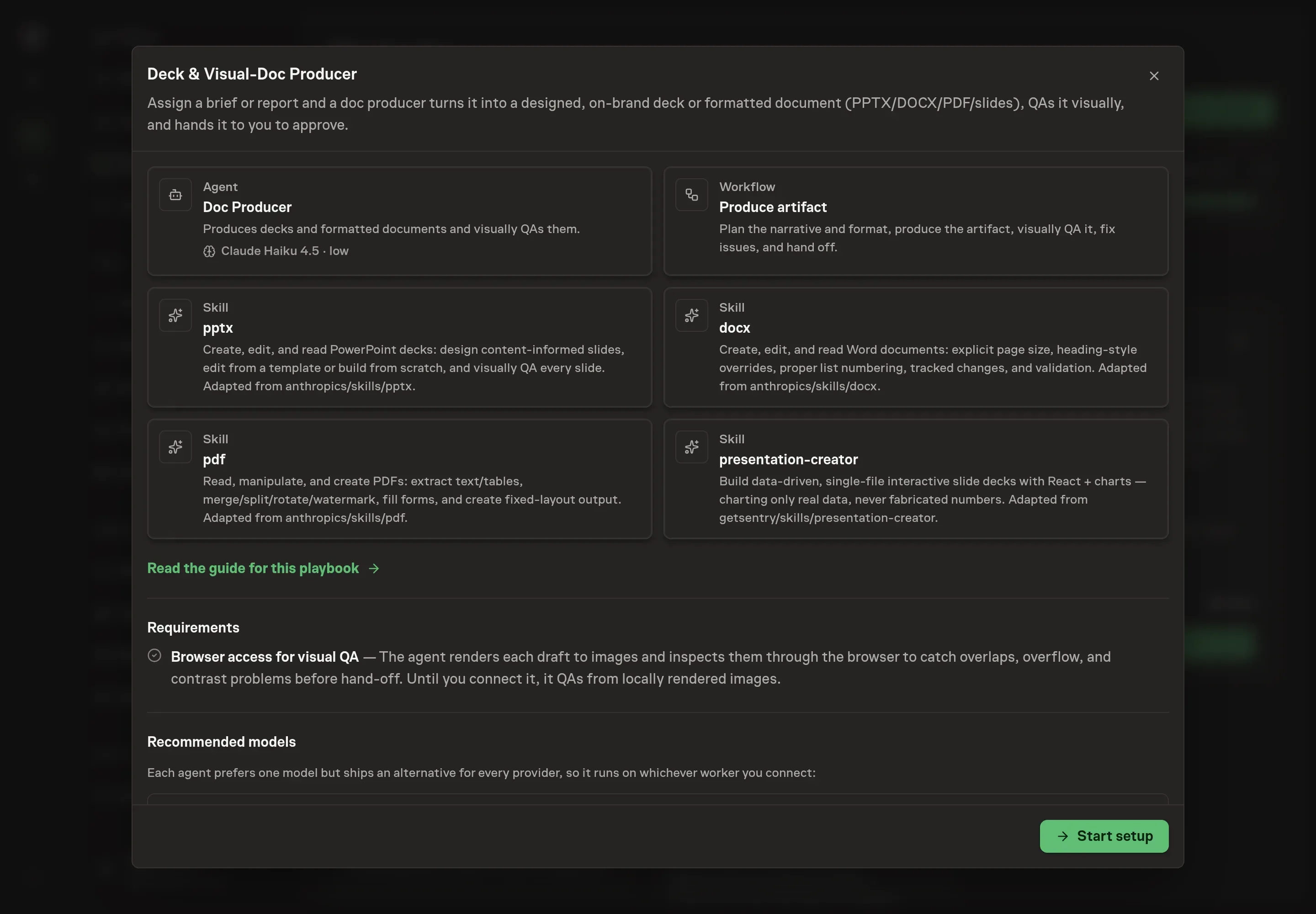
The Presentation & document design playbook provides a starting point for the method above. You need an active Task Machine workspace with Chat, workspace-management and Playbook-installation access (workspace owners have it). Browser access improves visual QA, but the playbook can still inspect locally rendered images until that access is connected.
1. Find the playbook
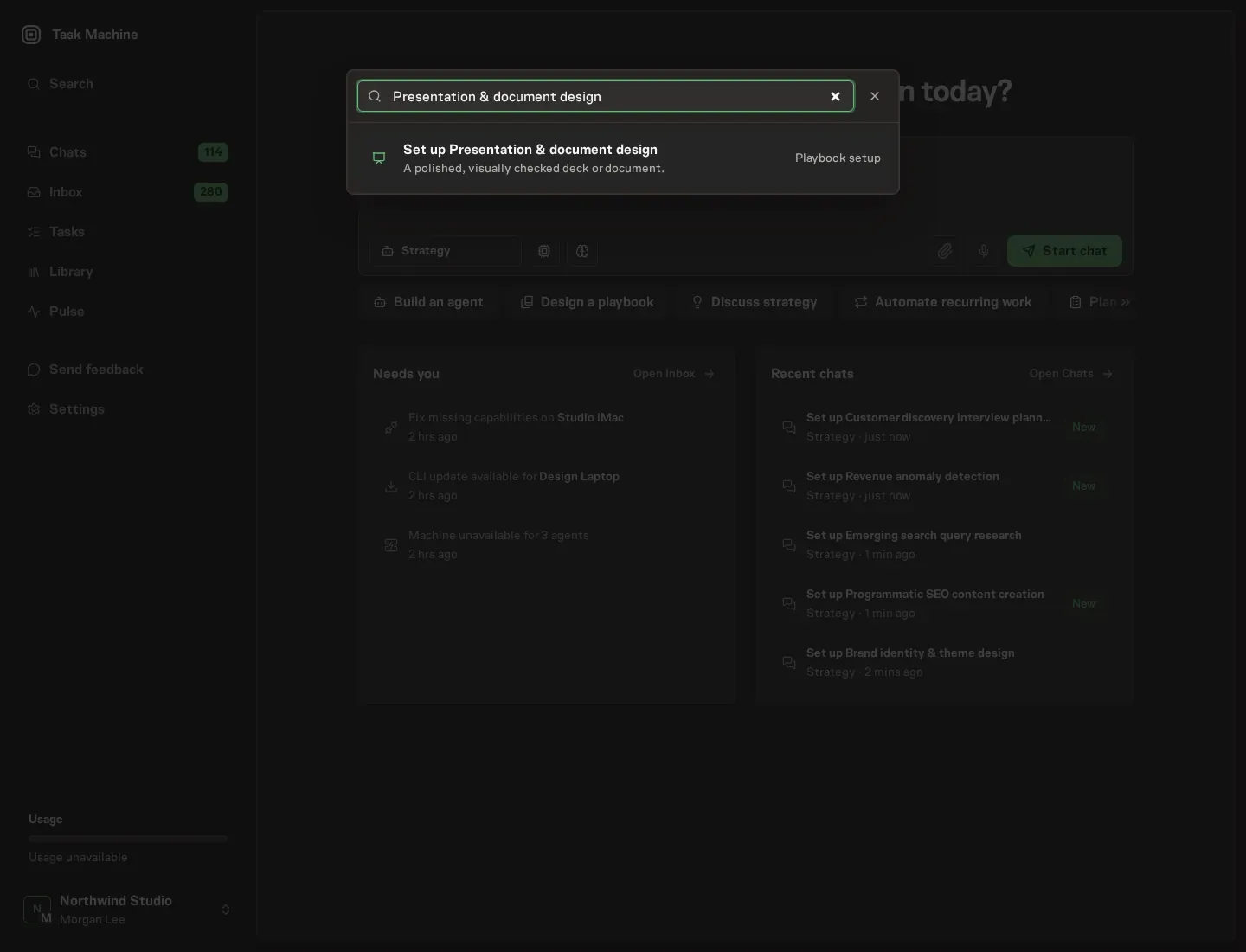
Open Search in your workspace and enter "Presentation & document design". The command center lists Set up Presentation & document design under Playbook setup.
2. Start the conversation
Choose Set up Presentation & document design. Task Machine opens a dedicated Chat with the Playbook card and an editable, unsent request. Read the intended job and outcome. Add your situation and send it when ready. Opening the draft does not install anything or start work. This walkthrough uses settings that require approval of the proposed Playbook.
3. Agree the working brief
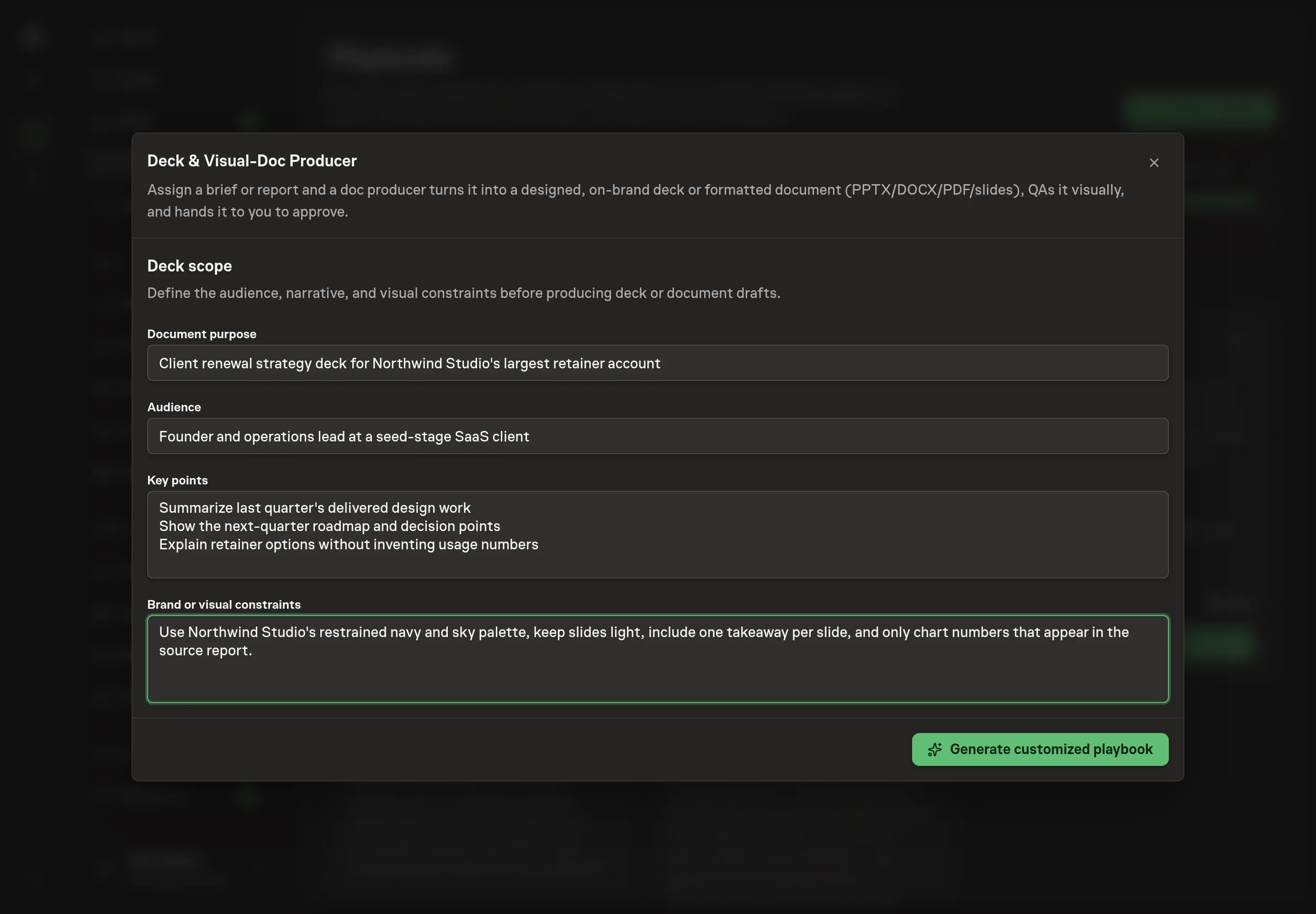
Use Chat to agree the inputs, expected output and limits before asking for a proposal. Discuss the document purpose, audience, key points, and brand or visual constraints. Give the agent material that affects the artifact: the audience's knowledge level, the desired format, must-cover points, brand colors, tone, and any chart rules.
4. Review the proposed Playbook
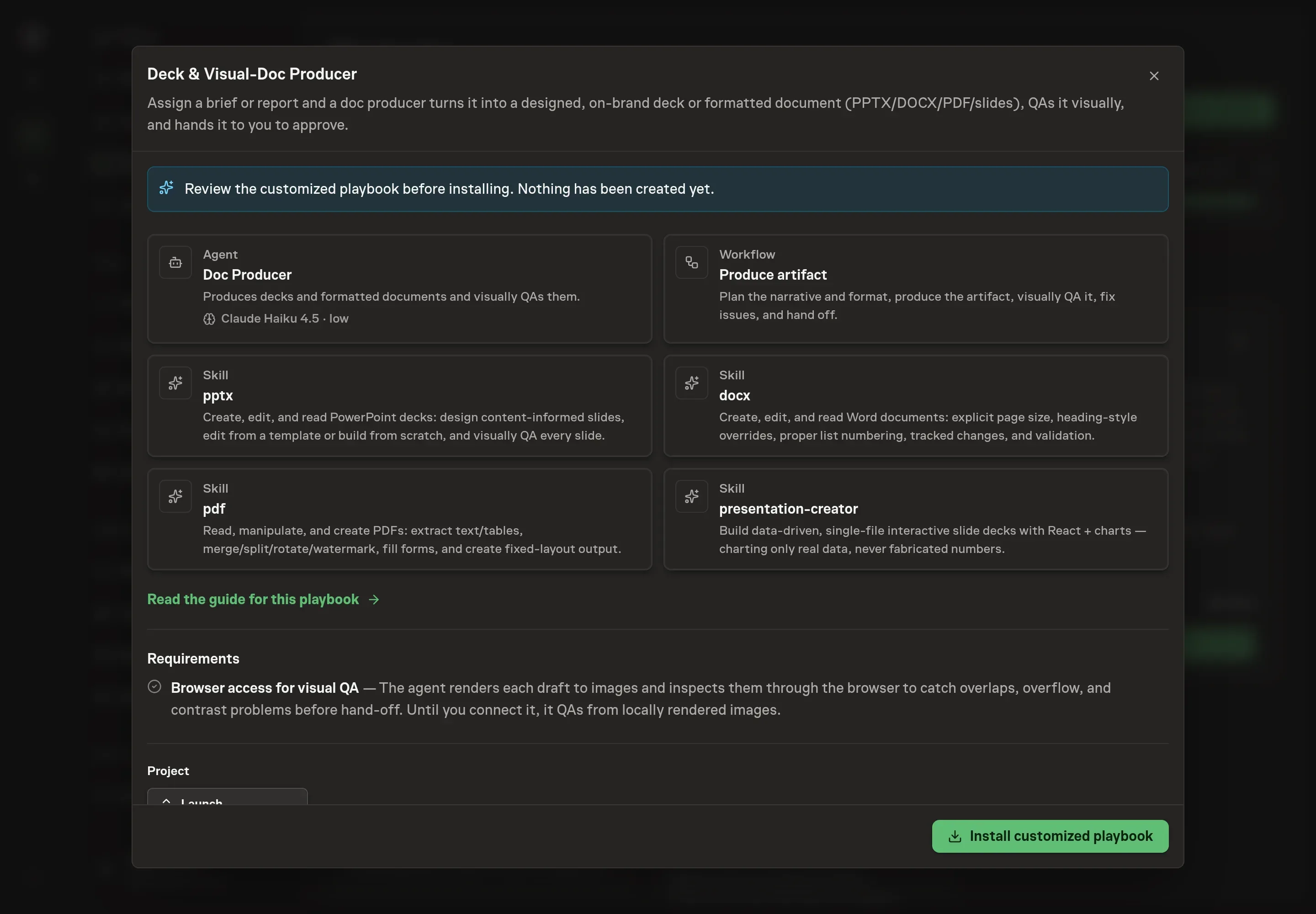
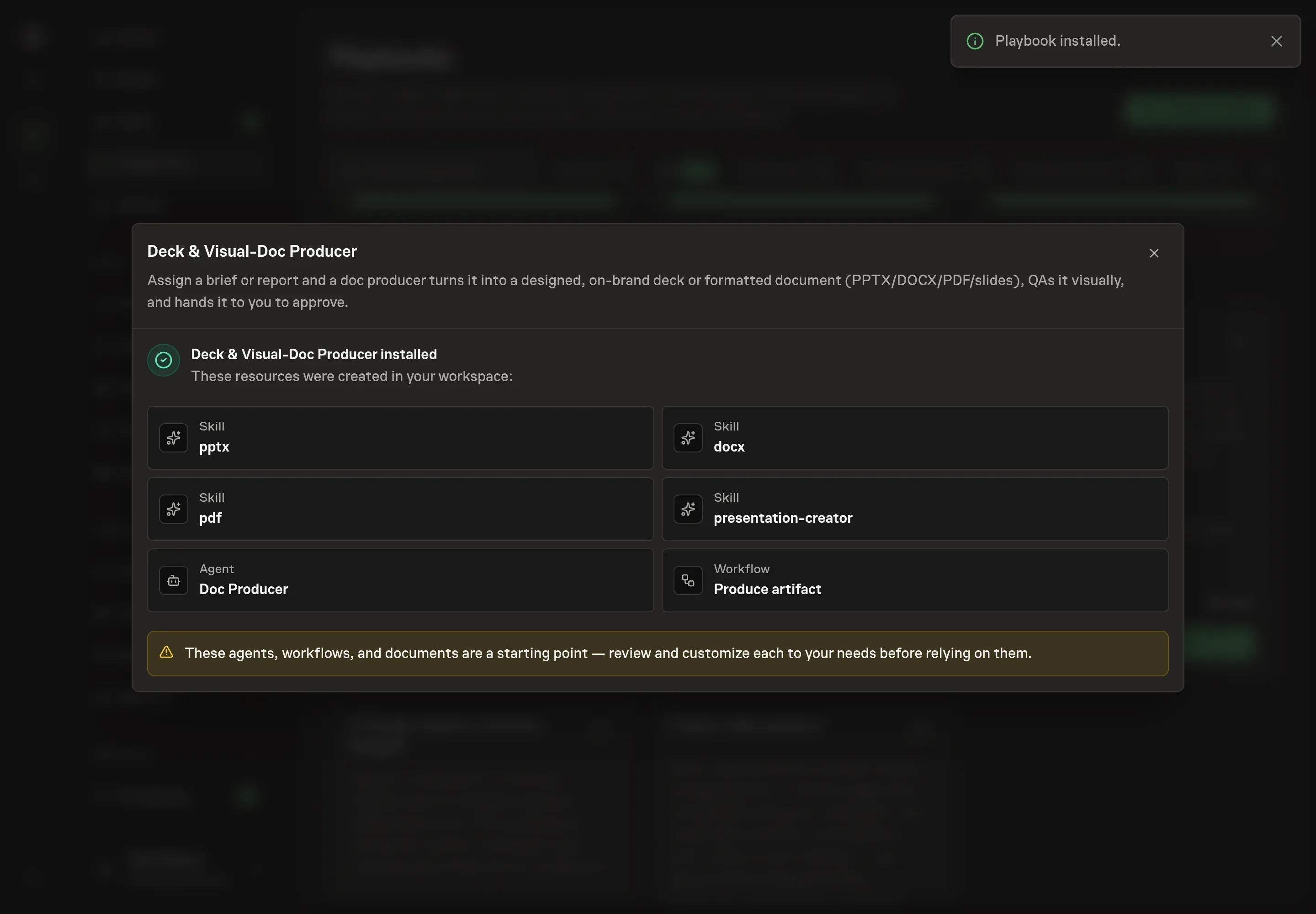
Ask the Agent to generate the Playbook from the agreed brief. Open its proposal in Chat and check the instructions and resources it will install, which carry more detail than the conversational summary. Review the generated Doc Producer instructions and workflow nodes: Plan artifact, Produce artifact, Visual QA, Fix and re-verify, and Approve artifact. Confirm that visual QA and approval are separate steps. Ask for a revised proposal if anything is missing or changes the job.
5. Approve and prepare the first work
Choose Approve on the proposal in Chat when the configuration matches your brief. Task Machine installs that reviewed configuration. The approved item retains its review details. If your autonomy settings allow direct installation, this approval may not be required. Check the resulting configuration in that case too.
Complete any remaining secure service setup from the installation details in Chat. Inbox keeps those setup items available if you return later. Prepare the source documents and inputs before starting the first Task or Workflow. Installation does not authorize sending, publishing or changing an external service beyond the boundaries you agreed.
What good looks like
A good output is ready for someone to review and approve.
Look for these signs:
- The artifact matches the audience. Format, narrative depth, and visual treatment fit the reader or meeting.
- The file mechanics are correct. Lists, tables, slide structure, PDF fields, page size, and generated files behave in the target format.
- Visual QA found and fixed issues. The run records placeholder checks, rendered inspection, fixes, and re-verification before approval.
Common questions
Can this create charts from a qualitative brief? No. The playbook says charts need real quantitative data. If the source has no real numbers, the agent should use qualitative layouts instead.
What formats does it handle? The bundle includes skills for PPTX, DOCX, PDF, and single-file interactive slides. The agent chooses based on the brief and configured default.
Does visual QA replace human design review? No. It catches mechanical layout failures before review. The human still approves the message, design taste, and final use.
What should I provide in the brief? Give the purpose, audience, key points, source material, preferred format, brand constraints, chart data if charts are needed, and any sections that must not change.