How to Reconcile Variances With an Agent
Run period reconciliation and variance analysis with ledger tie-outs, break tracing, flux commentary, review, and approval.

Founder, Task Machine
Reconciliation and variance analysis is the close-period work of proving that account balances tie to their source records, explaining every material break, and writing commentary for movements against prior period and budget. It connects the general ledger, subledgers, bank statements, payment-processor settlements, and the current period's operating story.
This job matters because the close package becomes the operating record. If an account ties only because someone carried forward an unexplained difference, or a variance says "timing" without naming the driver, the business is making decisions from a memo that looks finished but is not.
Unowned breaks age into permanent noise
Unowned breaks age into permanent noise. A deposit in transit, missing processor fee, subledger-only item, or mapping error might be immaterial in one period. If nobody classifies it, traces it, and names an owner, the same item reappears next month with less context and more pressure to close.
Variance commentary has the same failure mode. "Revenue up because revenue increased" is not analysis. A useful memo names the driver: price, volume, rate, mix, headcount, compensation, timing, discretionary spend, fixed contract, or one-time item. Without that discipline, finance leaders spend review time asking what moved instead of deciding what to do.
What the manual process looks like
Done by hand, the period workflow is a careful sequence:
- Pull the trial balance, general ledger detail, subledger aging or detail report, bank statements, prior-period reconciliation, and current budget.
- Normalize each side to a common key and match the general ledger to the source record.
- Bucket every difference as matched, amount break, quantity break, timing break, general-ledger only, or source only.
- Classify likely causes such as timing, foreign exchange, mapping, duplicate or missing post, fee or accrual, and data quality.
- Trace material breaks to source and write a one-sentence cause with owner, expected clear date, and action.
- Decompose material variances into real drivers and write commentary that explains why the line moved.
- Re-foot the package independently before the controller signs off.
The work is exacting, and anyone careful can do it. The risk is that close pressure turns traceable differences into vague explanations.
What an agent can automate
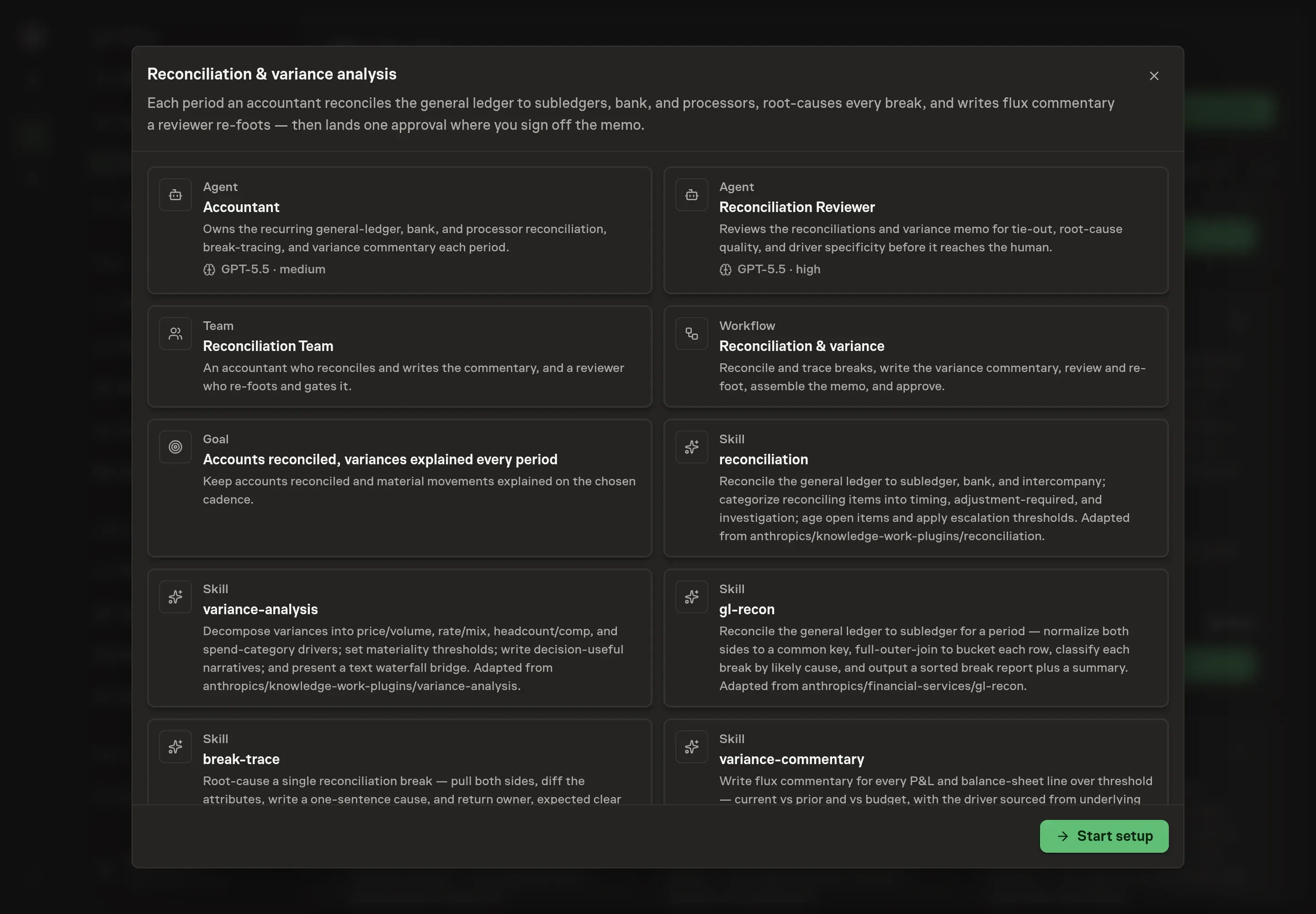
The bundle splits the job between an accountant agent and an independent reviewer agent:
- Normalize and match records. The accountant aligns identifiers, dates, amounts, quantities, and posting fields so matching is exact and repeatable.
- Classify breaks. Every difference lands in a named bucket with a likely cause, sorted by materiality so review starts where it matters.
- Trace the source. Material breaks get a root-cause sentence, owner, expected clear date, and action such as monitor, adjust, raise ticket, or suppress.
- Write flux commentary. The agent decomposes movements into price, volume, rate, mix, headcount, compensation, spend category, or timing drivers.
- Review before approval. The reviewer re-foots the recs, samples matched rows, checks material breaks, and rejects vague variance drivers before the package reaches a human.
The workflow does not post journal entries, void records, or close the period on its own. It prepares and reviews the memo so a human can sign off with the evidence in one place.
The guardrails that make it safe
Finance workflows need a bright line between analysis and authority. The agent can trace a break, but it cannot plug it. The agent can identify an adjustment, but the human posts it. The agent can write commentary, but the reviewer must reject circular or vague drivers.
Task Machine keeps that line visible. The workflow produces a reviewer-verified memo, then pauses at a human approval step. The schedule runs on the cadence you choose, the chosen payment providers are the only connected services installed, and the inbox follow-ups make the first run and schedule review explicit.
Set it up in Task Machine
The Reconciliation & variance analysis playbook provides a starting point for the method above. You need an active Task Machine workspace with Chat, workspace-management and Playbook-installation access (workspace owners have it). Accounting-tool browser access is used when authorized. Until then, the workflow runs from attached exports and the relevant close documents.
1. Find the playbook
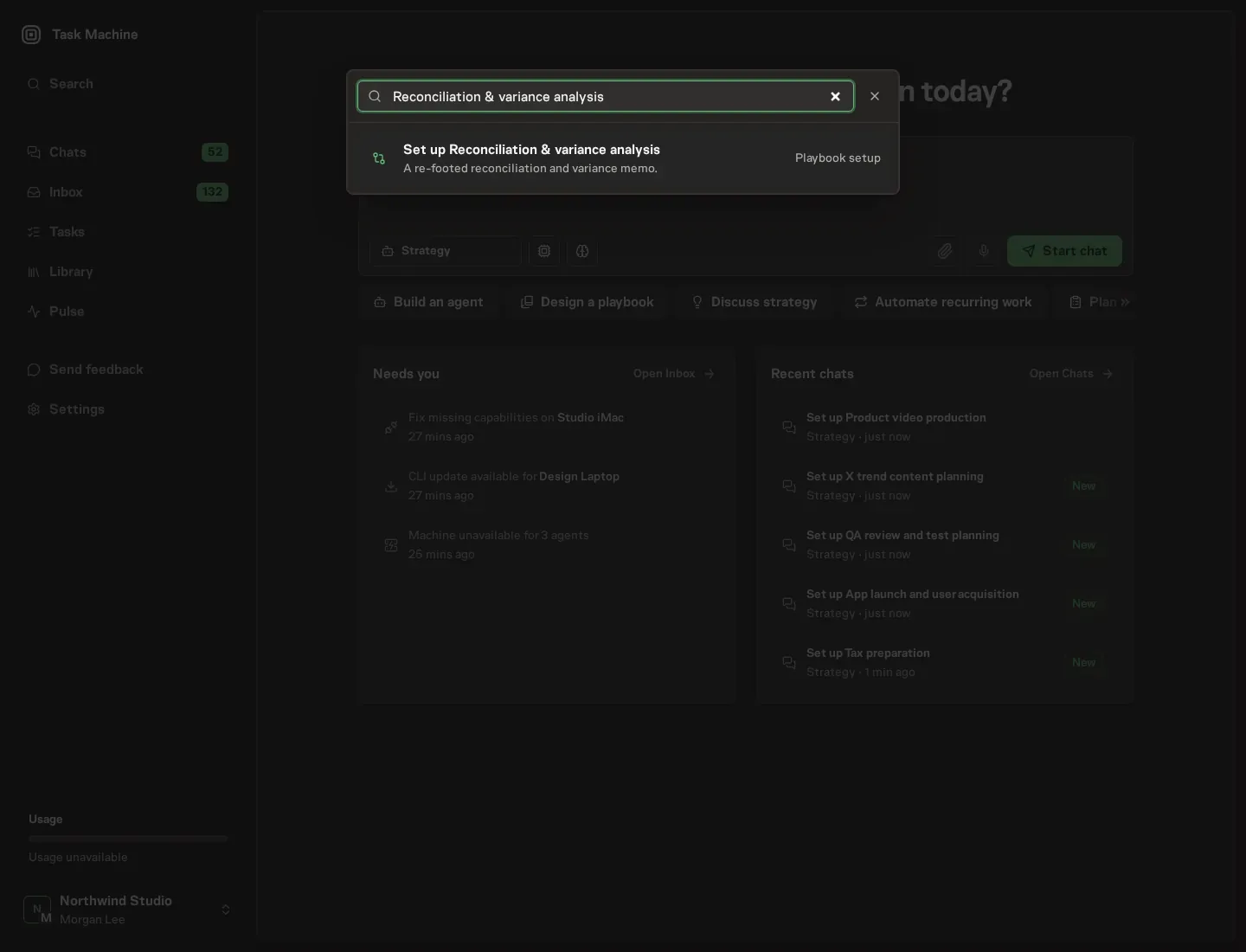
Open Search in your workspace and enter "Reconciliation & variance analysis". The command center lists Set up Reconciliation & variance analysis under Playbook setup.
2. Start the conversation
Choose Set up Reconciliation & variance analysis. Task Machine opens a dedicated Chat with the Playbook card and an editable, unsent request. Read the intended job and outcome. Add your situation and send it when ready. Opening the draft does not install anything or start work. This walkthrough uses settings that require approval of the proposed Playbook.
3. Agree the services
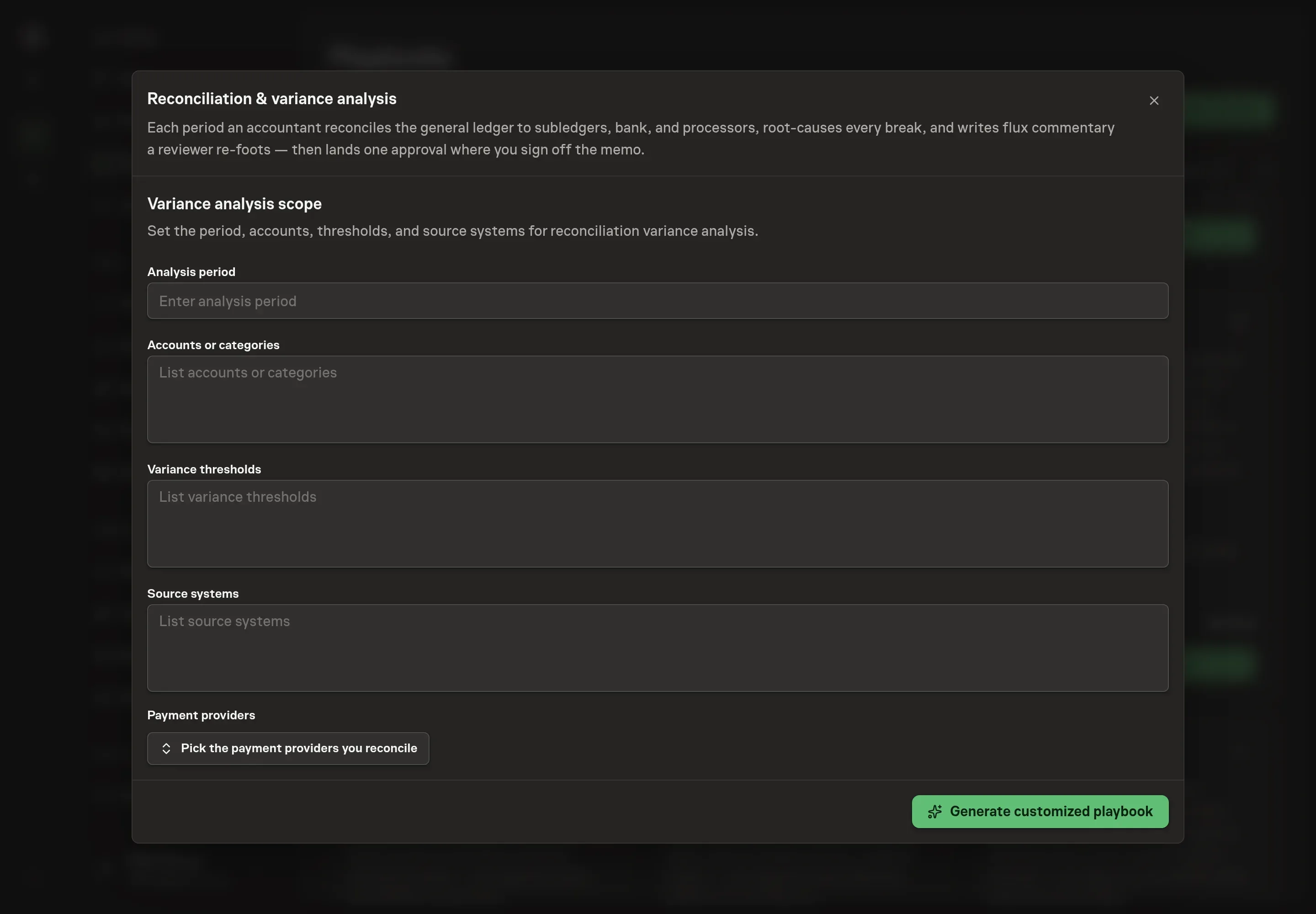
Tell the Agent which services you use. The catalog offers these starting choices:
- Payment providers: Stripe, Paddle, Polar, PayPal. Optional.
Discuss any missing access or export-based alternative before generation. Check the exact proposal includes only the services you agreed. Enter credentials only through secure setup, never in Chat.
4. Agree the working brief
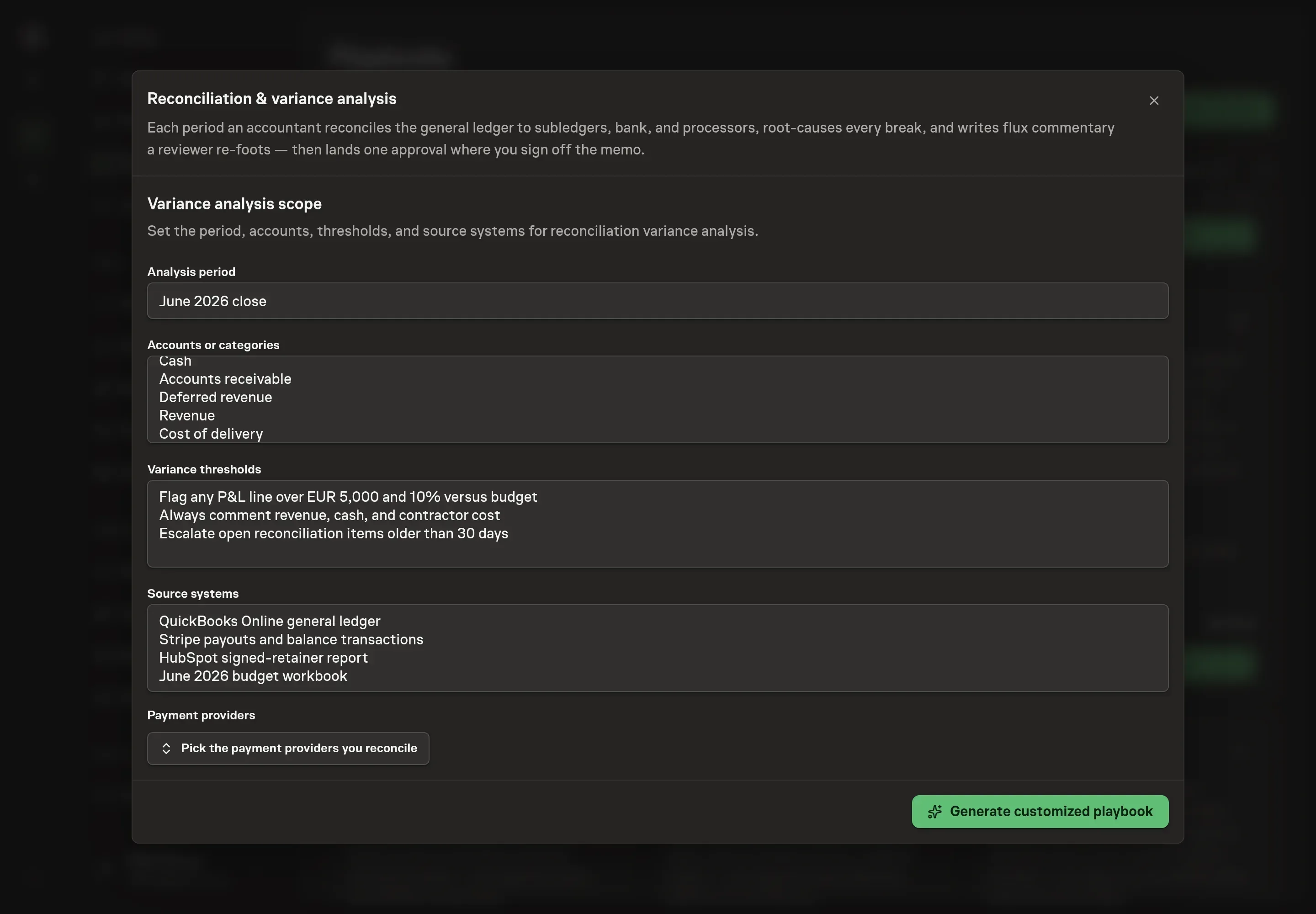
Use Chat to agree the inputs, expected output and limits before asking for a proposal. Discuss the analysis period, accounts or categories, variance thresholds, source systems, reconciliation schedule, and timezone. Be specific about the accounts under review and the threshold policy, since those answers shape what the accountant flags and what the reviewer gates.
5. Review the proposed Playbook
Ask the Agent to generate the Playbook from the agreed brief. Open its proposal in Chat and check the instructions and resources it will install, which carry more detail than the conversational summary. Review the package before creation. Confirm that the selected payment provider is the only connected service, the schedule matches the close calendar, and the workflow still pauses for memo approval. Ask for a revised proposal if anything is missing or changes the job.
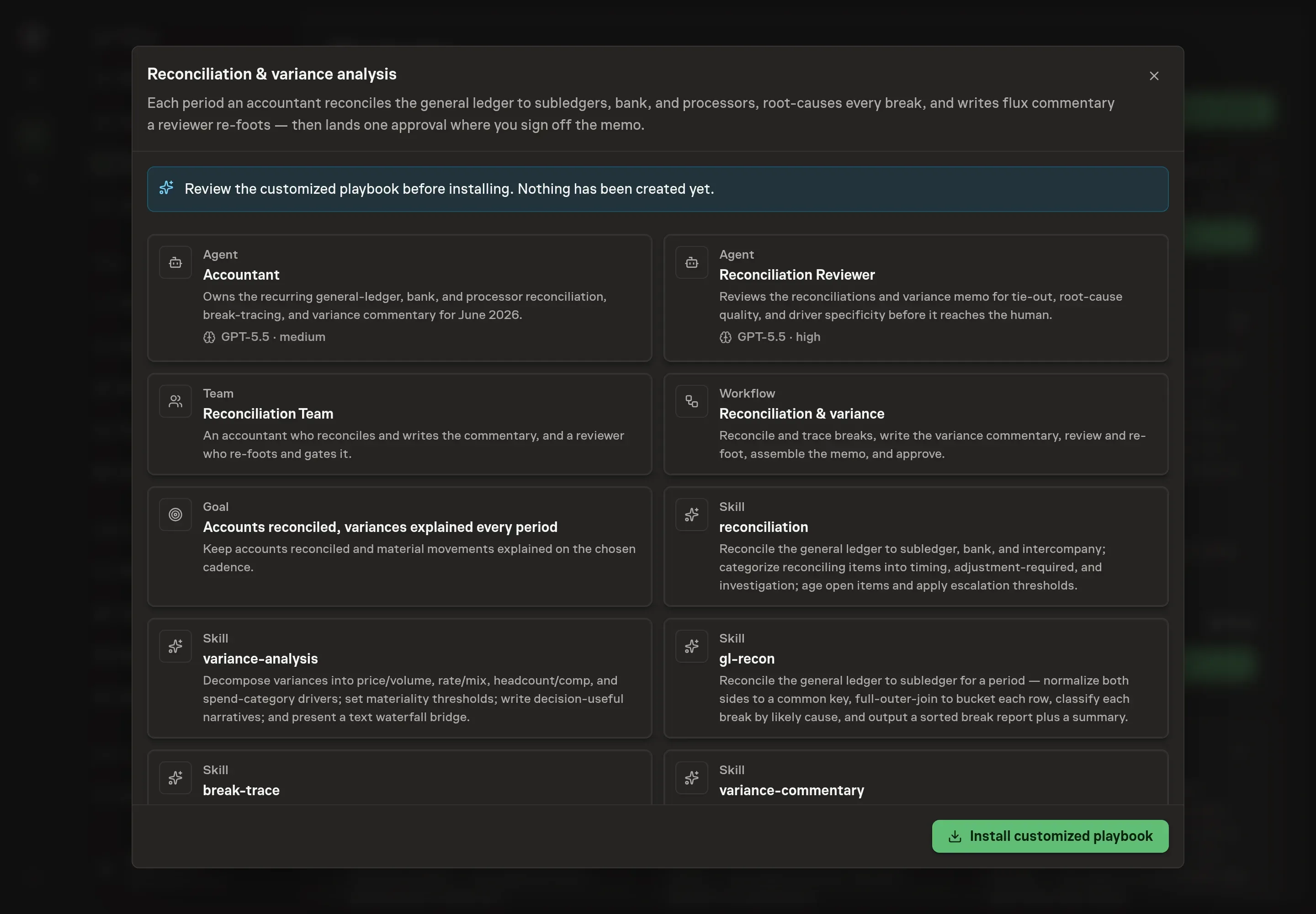
6. Approve and prepare the first work
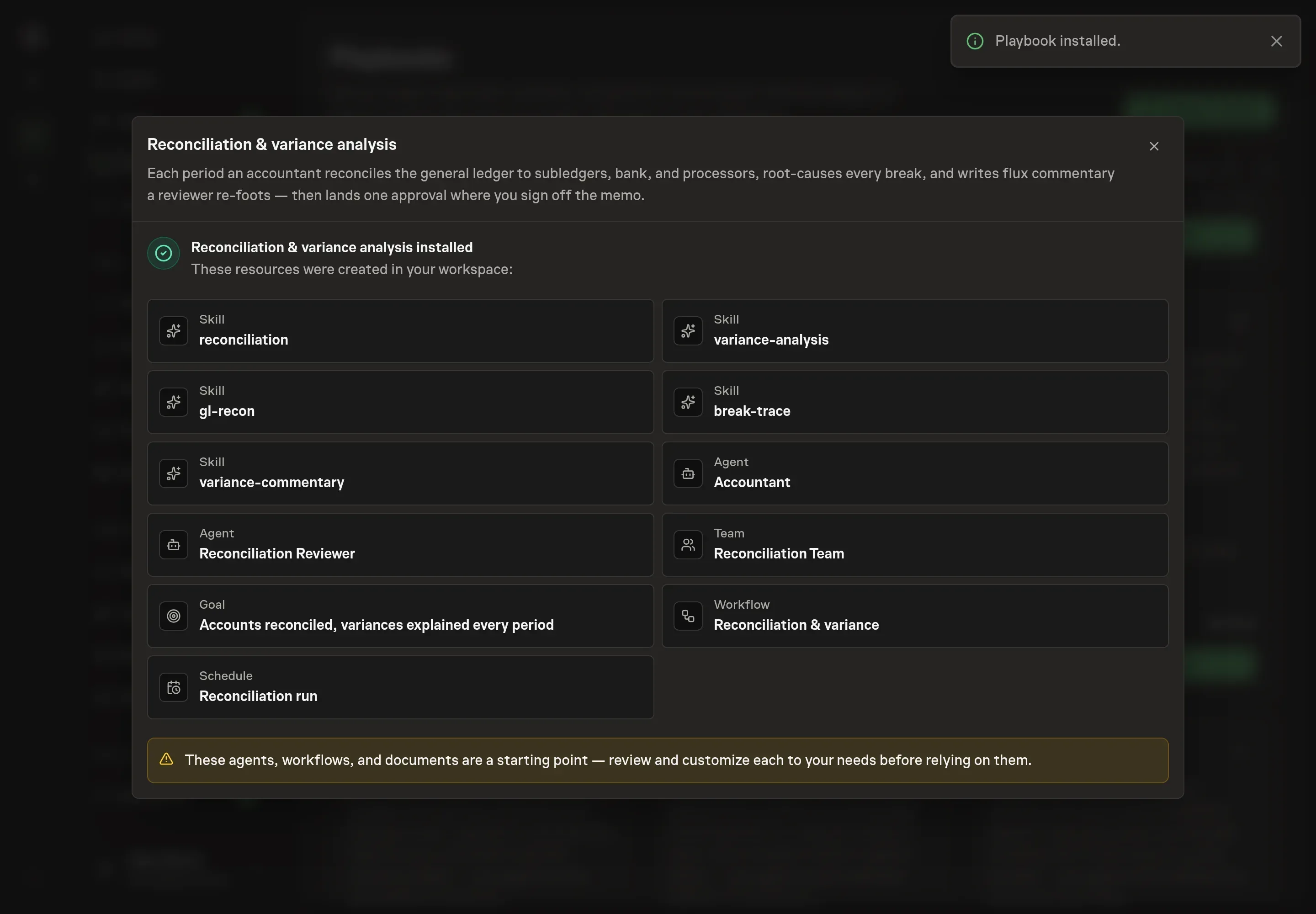
Choose Approve on the proposal in Chat when the configuration matches your brief. Task Machine installs that reviewed configuration. The approved item retains its review details. If your autonomy settings allow direct installation, this approval may not be required. Check the resulting configuration in that case too.
Complete any remaining secure service setup from the installation details in Chat. Inbox keeps those setup items available if you return later. Prepare the source documents and inputs before starting the first Task or Workflow. Installation does not authorize sending, publishing or changing an external service beyond the boundaries you agreed. Confirm each schedule's cadence and timezone, and resolve any pending schedule setup before it starts. A readback must wait for its agreed observation window and source data.
What good looks like
Three checks separate a useful close package from a tidy-looking one:
- Every account ties or has an owned open item. A residual difference without owner, age, and action is not finished.
- Every material variance names a driver. The commentary explains why the movement happened, not only that it happened.
- The reviewer can re-foot it. The package reconciles mathematically and the reviewer can trace the critical claims back to source records.
Common questions
Can the agent post journal entries? No. The playbook is designed to analyze, trace, write, and review. Posting, voiding, and adjusting ledger entries remain human-owned finance actions.
What source data does it need? It needs trial balance and general ledger detail, subledger aging or detail for each account, bank statements, prior-period recs, and the current budget. Processor settlement data is used when payment providers are in scope.
How should thresholds be set? Use the materiality policy your finance team already follows. The bundle can work with percent thresholds, fixed floors, and always-comment lines such as revenue, headcount cost, and cash.
What happens when the driver is unclear? The right answer is to flag it. The reviewer should reject invented drivers and require "driver unclear" with an owner or next action.