How to Review NDAs With an Agent
A practical guide to NDA triage with GREEN/YELLOW/RED routing, surgical redlines, and attorney approval.

Founder, Task Machine
NDA review triage is the process of deciding whether an inbound confidentiality agreement is routine, needs targeted legal review, or should stop before signature. The useful output is a fast GREEN, YELLOW, or RED routing call, with specific flags and surgical redlines where a mechanical fix is safe.
This work is easy to postpone because most NDAs look routine. The risk is that one document carries a non-solicit, broad residuals clause, hidden IP grant, unusual forum, or services-agreement obligation that should never be waved through as "just an NDA."
Slow NDA review delays deals and interrupts founders
Besides lawyer time, NDA review costs sales cycle delay, founder interruption, and inconsistent risk calls. One counterparty gets a broad residuals clause accepted because the reviewer was busy. Another waits three days for a clean mutual NDA because nobody knew it could route to signature.
A triage process keeps legal judgment focused. Routine documents move quickly, unusual terms are named precisely, and hard documents reach counsel with the issue already isolated.
What the manual process looks like
Done by hand, NDA triage has five steps:
- Confirm the document is an NDA and identify the company's side: disclosing, receiving, or mutual with a practical direction.
- Run a scope check for obligations beyond confidentiality, such as non-solicit, exclusivity, standstill, license grant, IP assignment, ROFR, MFN, or broad arbitration.
- Screen the ten categories: structure, confidential-information definition, receiving-party obligations, carve-outs, permitted disclosures, term, return and destruction, remedies, problematic provisions, and governing law.
- Classify the document GREEN, YELLOW, or RED against the team's positions, or against market-standard defaults when positions are missing.
- Draft only surgical redlines and route the report for attorney approval.
The discipline is in refusing to over-draft. If a fix needs new language, the right output is "route to Legal for review", not a speculative rewrite.
What an agent can automate
NDA triage is well-suited to an agent because the checklist is repeatable and the output format is structured:
- Run the scope check first. The agent looks for obligations that make the document more than an NDA before it spends time on term analysis.
- Apply GREEN/YELLOW/RED routing. It screens each category as PASS, FLAG, or FAIL and produces a routing call with the reason.
- Draft small fixes. It proposes word, phrase, or subclause redlines only when the fix is mechanical. Larger fixes route to counsel.
- Write the attorney-ready report. The report includes parties, type, term, governing law, review basis, flags, risk, suggested fix, and routing timeline.
The agent does not give legal advice. It prepares a draft triage for a qualified human to approve.
The guardrails that make it safe
Legal workflow safety depends on explicit limits. This playbook treats every output as a draft, never a final legal conclusion. It does not sign, send, or rely on the NDA without attorney approval.
It also avoids false certainty. The agent cannot issue GREEN against missing or default positions. If the team's playbook is silent, the document routes YELLOW so a human can set the position and make the next review consistent.
Set it up in Task Machine
The NDA review & triage playbook provides a starting point for the method above. You need an active Task Machine workspace with Chat, workspace-management and Playbook-installation access (workspace owners have it). No service authorization is required for setup. The first run starts from an attached NDA.
1. Find the playbook
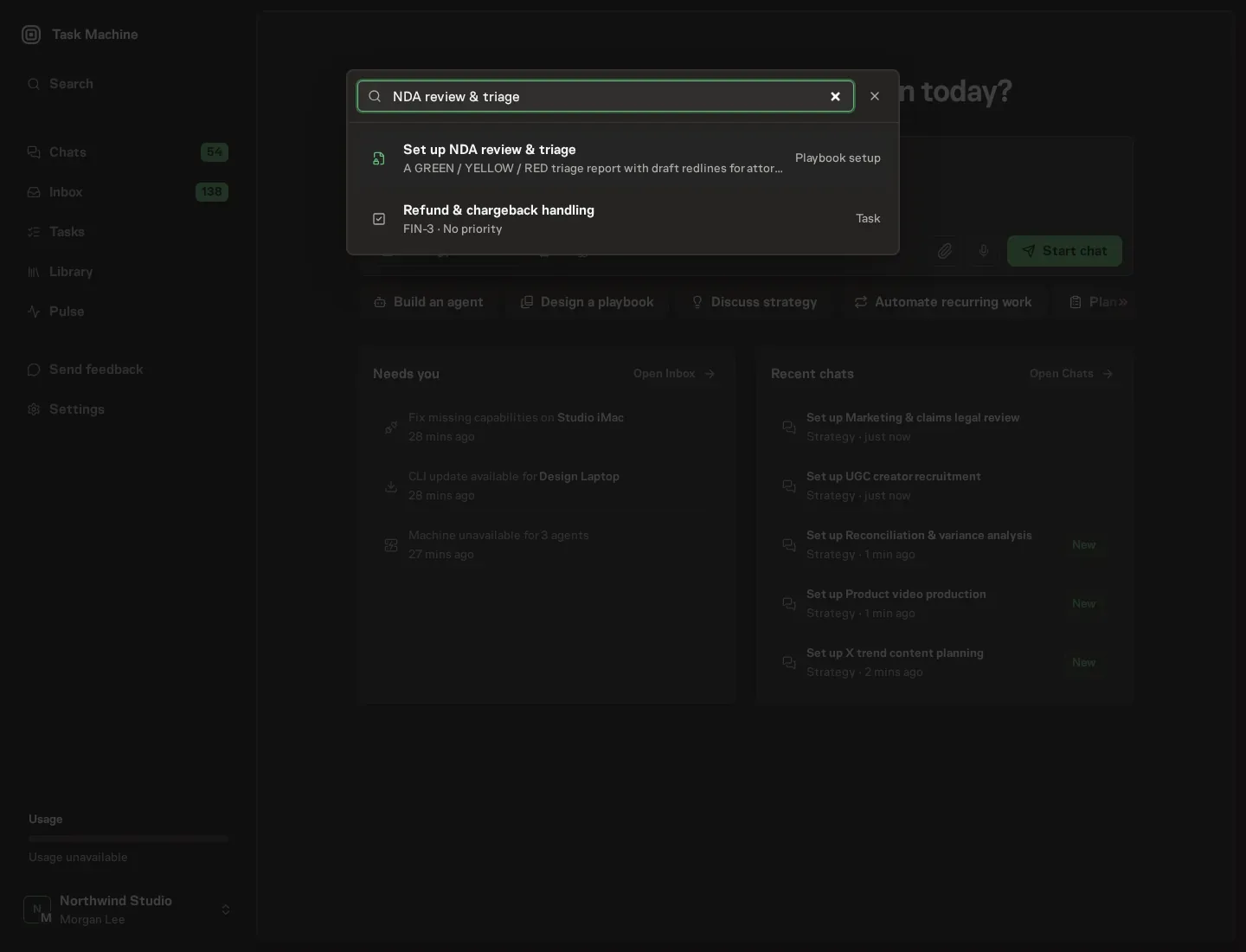
Open Search in your workspace and enter "NDA review & triage". The command center lists Set up NDA review & triage under Playbook setup.
2. Start the conversation
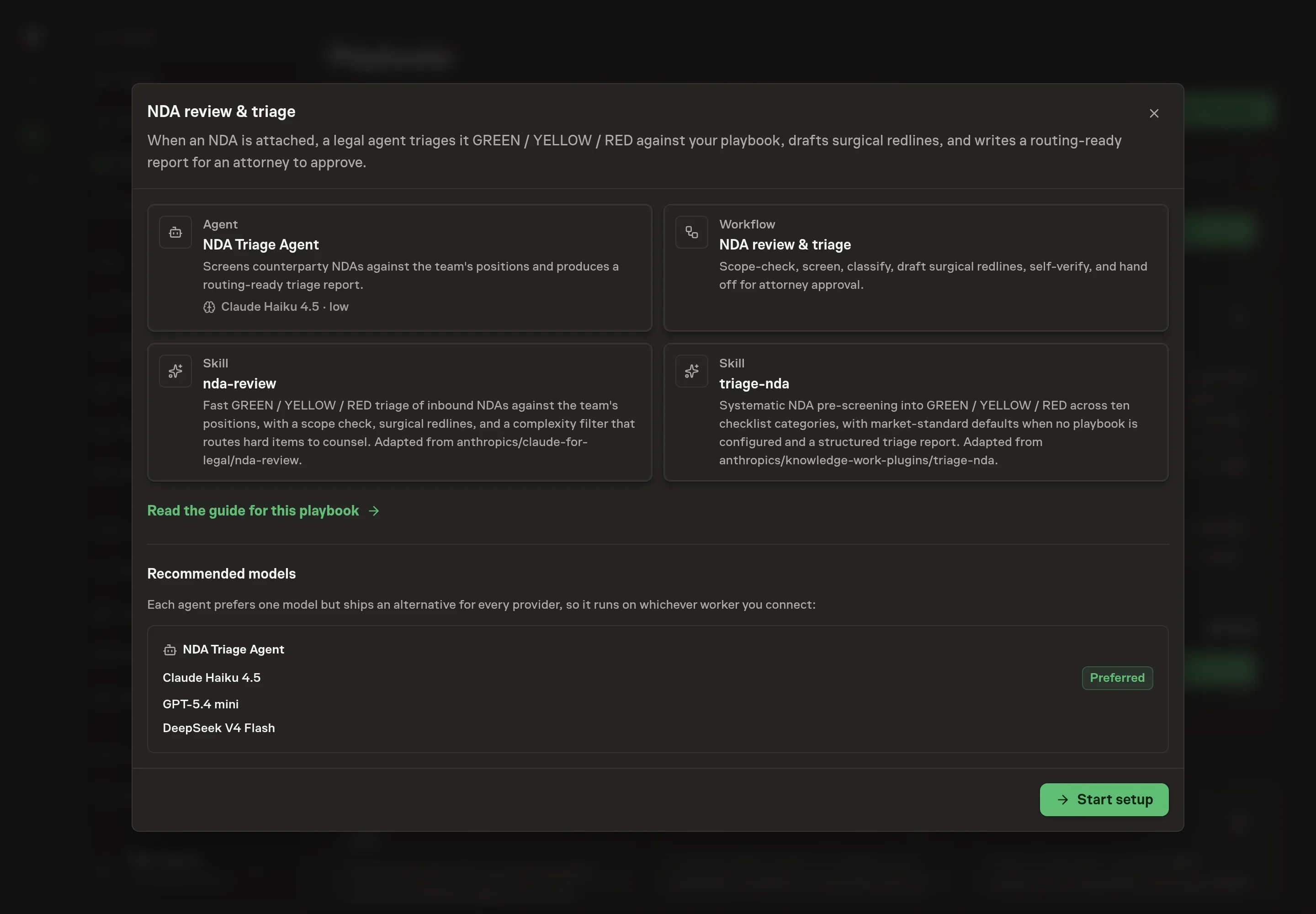
Choose Set up NDA review & triage. Task Machine opens a dedicated Chat with the Playbook card and an editable, unsent request. Read the intended job and outcome. Add your situation and send it when ready. Opening the draft does not install anything or start work. This walkthrough uses settings that require approval of the proposed Playbook.
3. Agree the working brief
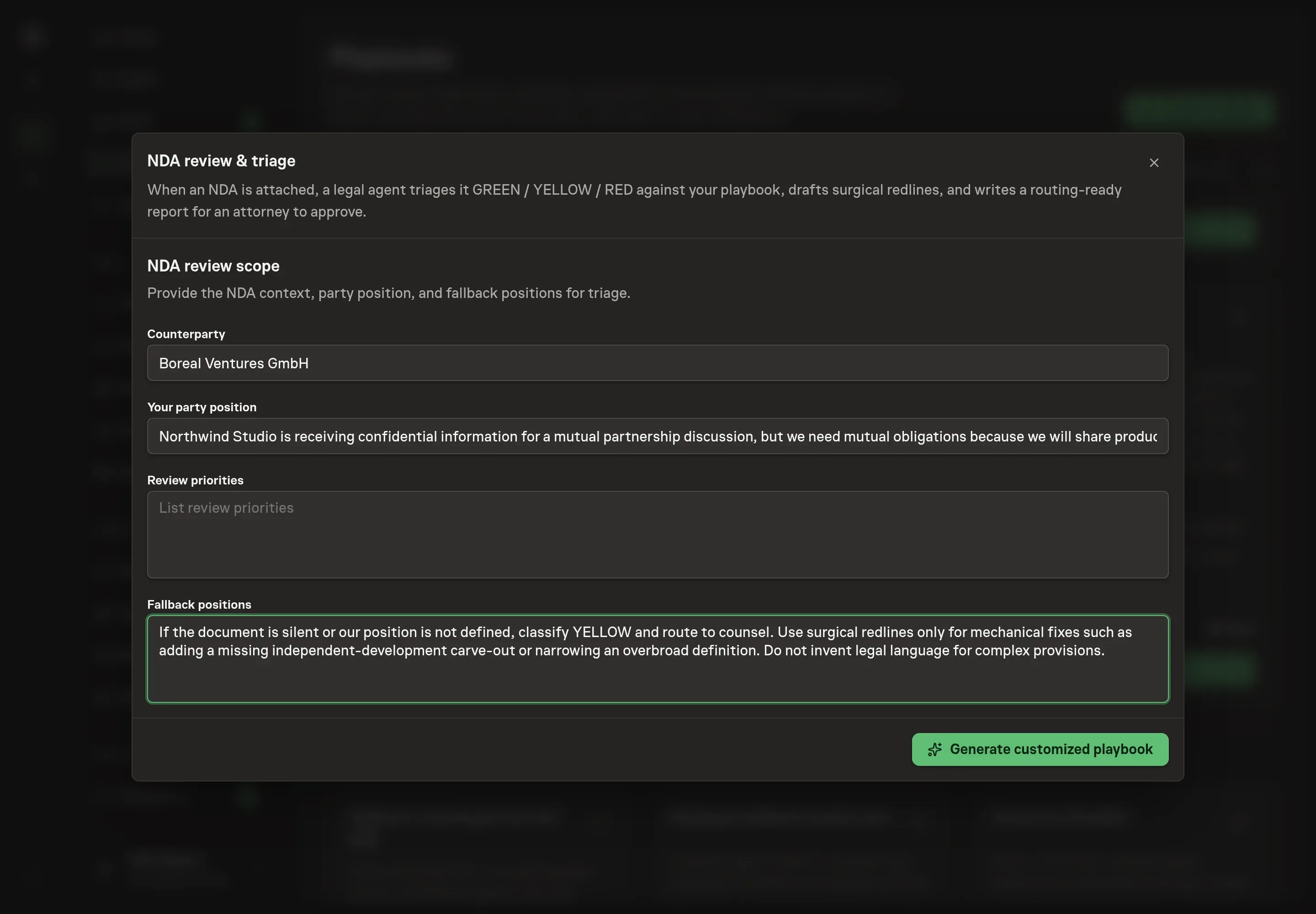
Use Chat to agree the inputs, expected output and limits before asking for a proposal. The Agent needs the counterparty, your party position, review priorities, and fallback positions. Use this to describe the usual deal shape and the issues that should be flagged, such as one-way obligations, missing independent-development carve-outs, broad residuals, or jurisdiction limits.
4. Review the proposed Playbook
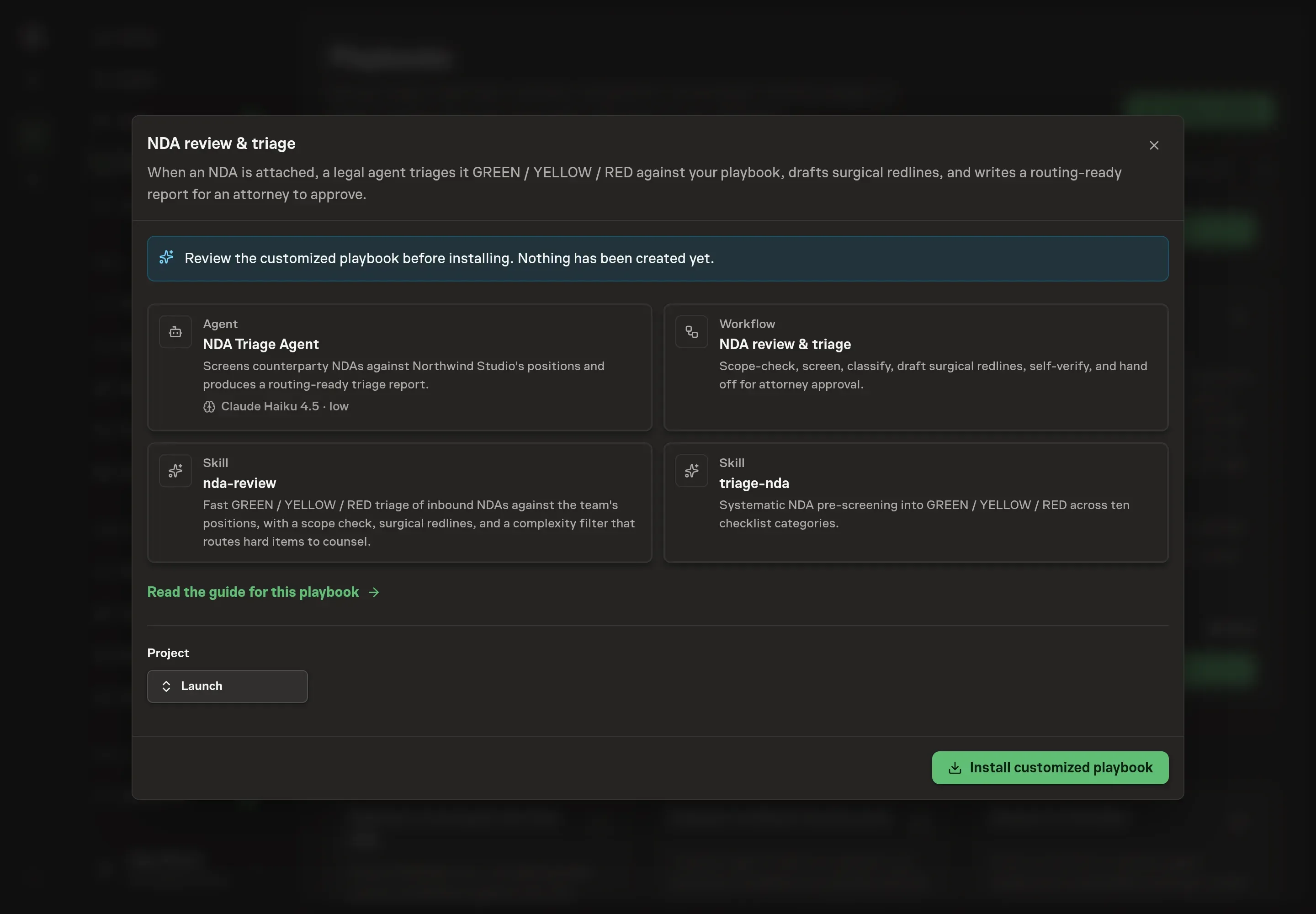
Ask the Agent to generate the Playbook from the agreed brief. Open its proposal in Chat and check the instructions and resources it will install, which carry more detail than the conversational summary. Confirm that the approval node is still Attorney approval, that the agent's output remains a draft, and that the workflow starts with scope and side checks before term analysis. Ask for a revised proposal if anything is missing or changes the job.
5. Approve and prepare the first work
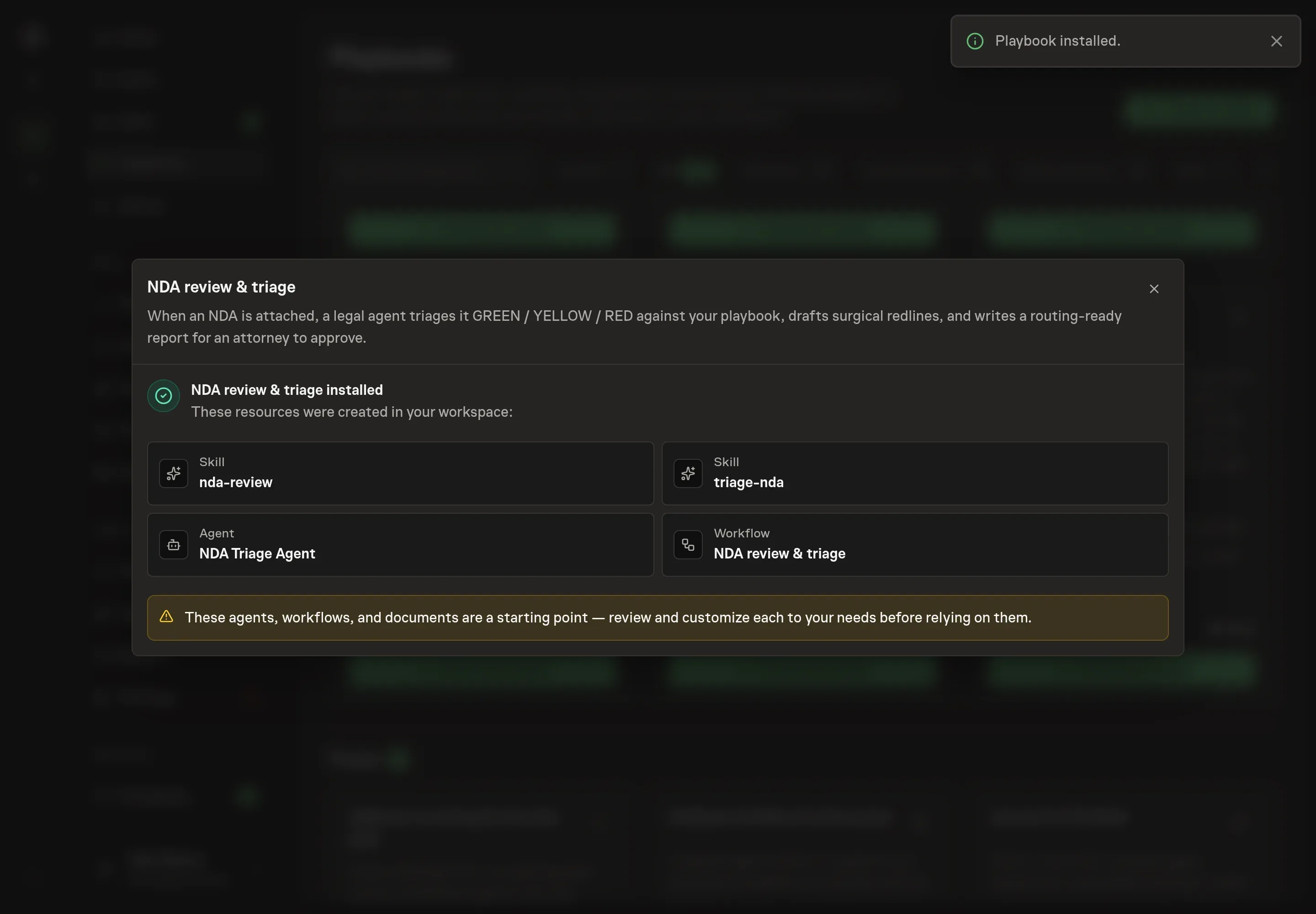
Choose Approve on the proposal in Chat when the configuration matches your brief. Task Machine installs that reviewed configuration. The approved item retains its review details. If your autonomy settings allow direct installation, this approval may not be required. Check the resulting configuration in that case too.
Complete any remaining secure service setup from the installation details in Chat. Inbox keeps those setup items available if you return later. Prepare the source documents and inputs before starting the first Task or Workflow. Installation does not authorize sending, publishing or changing an external service beyond the boundaries you agreed.
What good looks like
A good NDA triage process is measured by routing accuracy:
- Clean NDAs stay short. A true GREEN gets a one-line route-to-signature summary, not a long memo.
- YELLOW items are specific. Each flag names the term, the risk, and the likely resolution.
- RED items stop early. Non-NDA obligations, forbidden structures, missing critical carve-outs, or unsupported positions reach counsel before negotiation continues.
Common questions
Can an agent approve an NDA? No. The playbook drafts triage and redlines, then routes them to attorney approval. It does not provide final legal advice or sign anything.
What if the team has no NDA playbook yet? The agent may use market-standard defaults, but it must say so and cannot issue GREEN. Missing positions route to a human so the team can set a real default.
Should every NDA get a full report? No. A clean NDA should get a short GREEN summary. Long reports belong to flagged documents where the attorney needs the issue isolated.
What counts as a RED item? Examples include a unilateral NDA when mutual is required, missing critical carve-outs, embedded non-solicit or non-compete terms, perpetual confidentiality, broad residuals, hidden IP grants, or a document that is not an NDA.