How to Review Vendor Tools
A practical guide to vendor and tool reviews: agreement mapping, scorecards, TCO, risk, reviewer checks, and approval.

Founder, Task Machine
Vendor tool review is the process of deciding whether to buy, renew, replace, negotiate, or pass on a tool using evidence instead of sales momentum. The work includes mapping the existing agreement footprint, researching the candidate, scoring fit and risk, modeling total cost, checking security and compliance questions, and writing a recommendation that a human can approve or reject.
The job matters because vendor decisions create long tails. A rushed approval can add renewal traps, migration cost, data-residency questions, integration work, support risk, or exit cost that does not appear in the first quote. A good review makes those tradeoffs visible before anyone commits.
Urgent tool evaluations compare the wrong costs
Tool evaluations often start from urgency. A team needs a feature, a vendor runs a polished demo, and the buyer compares license prices instead of the full operating cost. The incumbent or "do nothing" option gets skipped. Agreement gaps stay hidden. Security and privacy questions move to a later review that may never happen.
Overpaying is one risk. Another is making a decision without knowing whether an MSA, DPA, SOW, SLA, or renewal term already exists, whether the candidate handles regulated data, whether implementation cost changes the business case, or whether the recommendation rests on unsourced claims.
What the manual process looks like
A disciplined vendor review has five steps:
- Resolve the vendor name, decision type, and scope: new purchase, renewal, replacement, comparison, or pass.
- Map the agreement footprint across CLM, procurement, document storage, email, and other sources, including gaps, status, auto-renewal terms, and expirations.
- Score the candidate on a weighted rubric: fit, security and compliance, total cost of ownership, integration, support, and viability.
- Build a total-cost model covering license, implementation, migration, training, support, maintenance, and exit cost.
- Draft the recommendation memo, stress-test the evidence and math, and approve the Proceed, Negotiate, or Pass call.
The manual process fails when the memo is a persuasive summary rather than an evidence trail. Each claim needs a source or an "unknown" label.
What an agent can automate
The Vendor & tool evaluation playbook is built for structured analysis rather than procurement action:
- Map the agreement footprint. The agent checks contract, procurement, document, and email sources when available, records active, expired, negotiated, and pending agreements, and flags missing coverage.
- Use a reusable scorecard. It scores fit, security and compliance, total cost, integration, and viability with weights and source-backed rationales.
- Model real cost. It builds Year-1 and multi-year total cost, including implementation, support, migration, training, ongoing maintenance, and exit.
- Run compliance checks. It surfaces applicable regulations, certifications to verify, required approvals, and open unknowns. It does not present legal or security sign-off as complete.
- Write a decision memo. The output is a Proceed, Negotiate, or Pass recommendation with strengths, concerns, negotiation points, risk grid, and open unknowns.
The human still owns the decision. The agent recommends. It never signs, purchases, or commits.
The guardrails that make it safe
Vendor review automation needs a reviewer because confident memos can still be wrong. The playbook includes a Memo Reviewer that checks whether every claim is sourced or labelled unknown, TCO includes exit cost, totals add up, security is assessed against named certifications and regulations, and the recommendation follows from the evidence.
The approval gate is the final boundary. Nothing is purchased, signed, or changed by the workflow. The memo reaches a human with the reviewer note, and the decision-maker approves the call or sends it back for more work.
Set it up in Task Machine
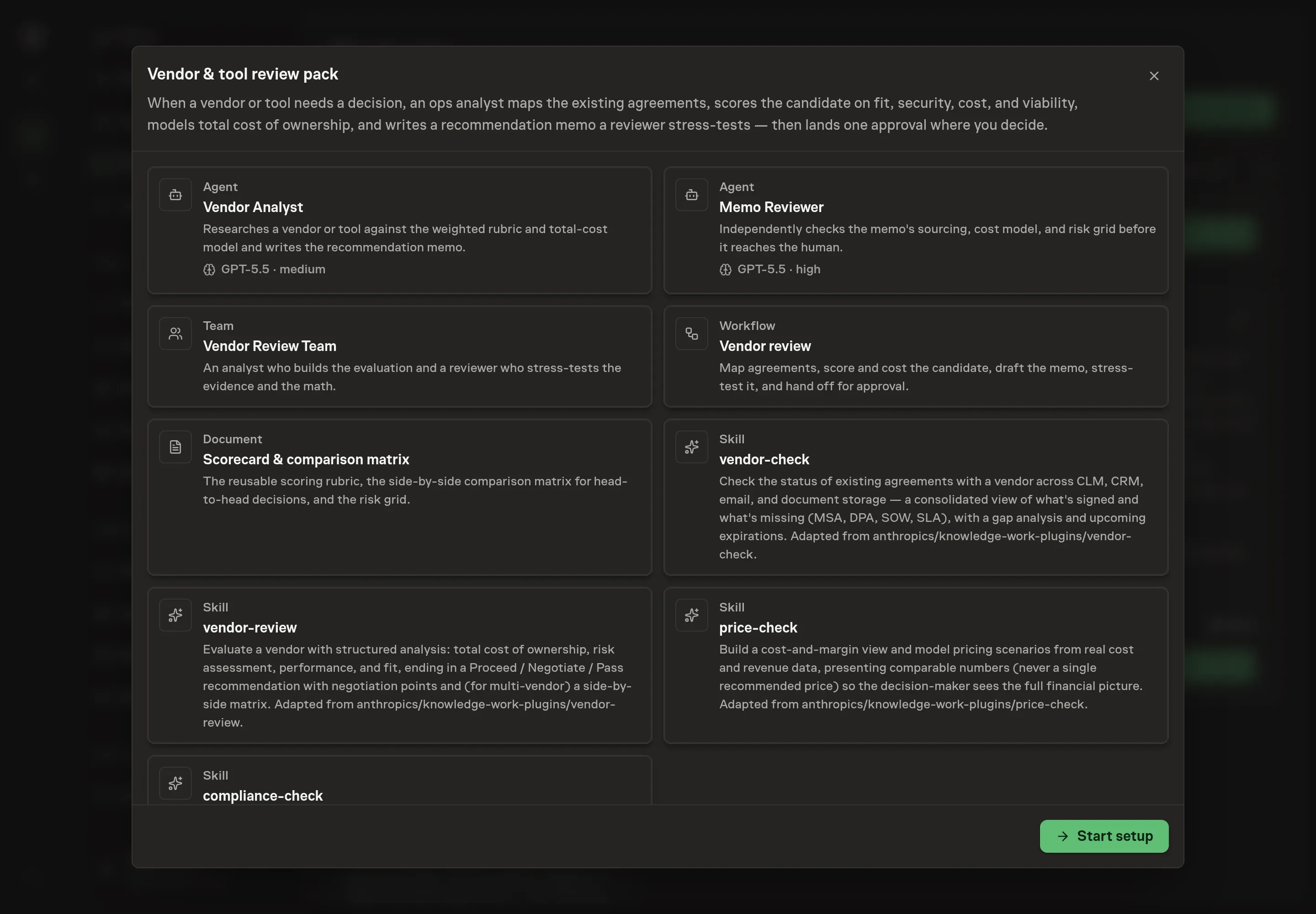
The Vendor & tool evaluation playbook provides a starting point for the method above. You need an active Task Machine workspace with Chat, workspace-management and Playbook-installation access (workspace owners have it). Contract and procurement access is not required up front. Until connected services are ready, the workflow can work from attached MSAs, SOWs, DPAs, proposals, and decision notes.
1. Find the playbook
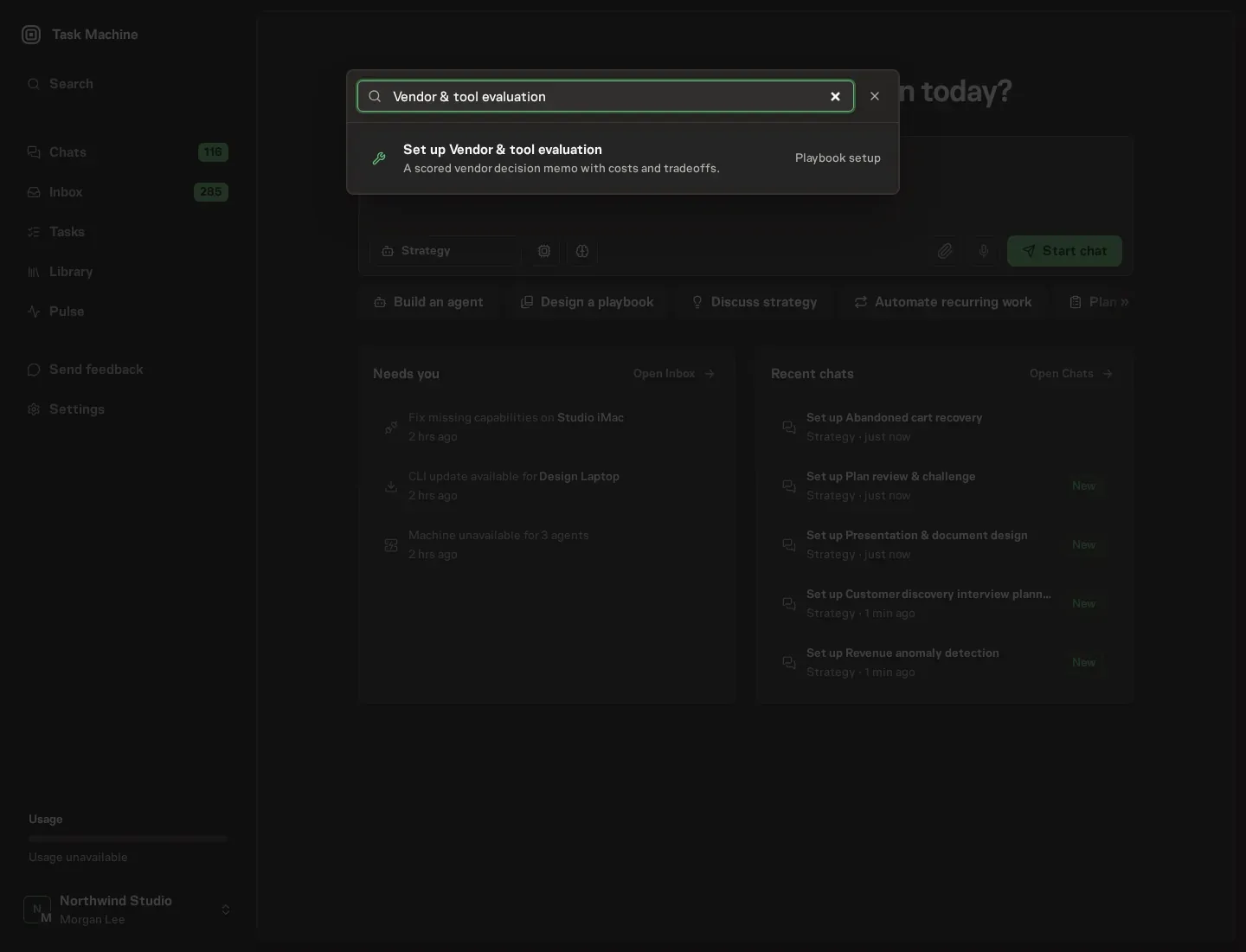
Open Search in your workspace and enter "Vendor & tool evaluation". The command center lists Set up Vendor & tool evaluation under Playbook setup.
2. Start the conversation
Choose Set up Vendor & tool evaluation. Task Machine opens a dedicated Chat with the Playbook card and an editable, unsent request. Read the intended job and outcome. Add your situation and send it when ready. Opening the draft does not install anything or start work. This walkthrough uses settings that require approval of the proposed Playbook.
3. Agree the working brief
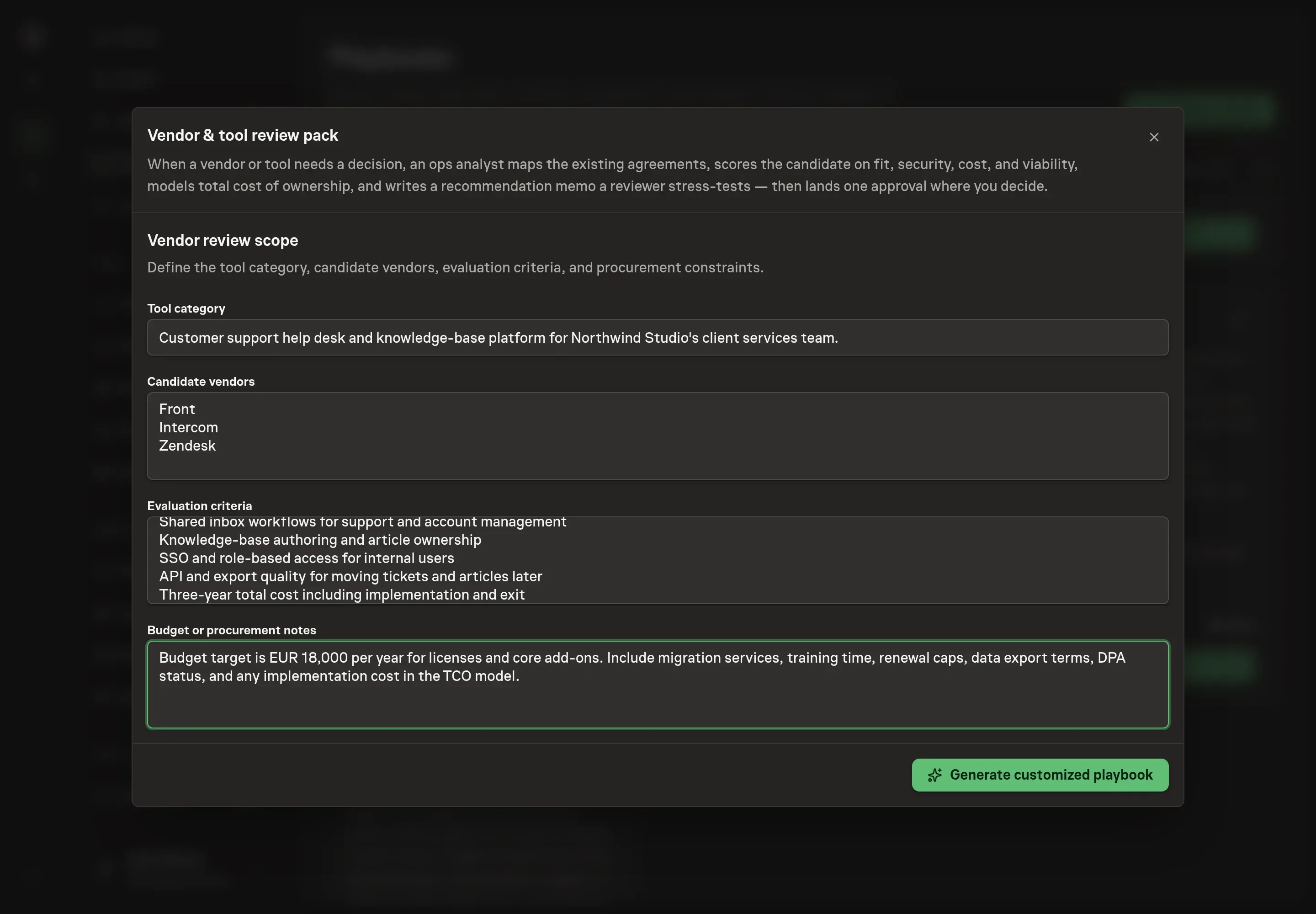
Use Chat to agree the inputs, expected output and limits before asking for a proposal. The Agent needs the tool category, candidate vendors, evaluation criteria, and budget or procurement notes. For criteria, describe the real decision gates, such as GDPR posture, SSO, audit logs, export quality, migration effort, or support terms.
4. Review the proposed Playbook
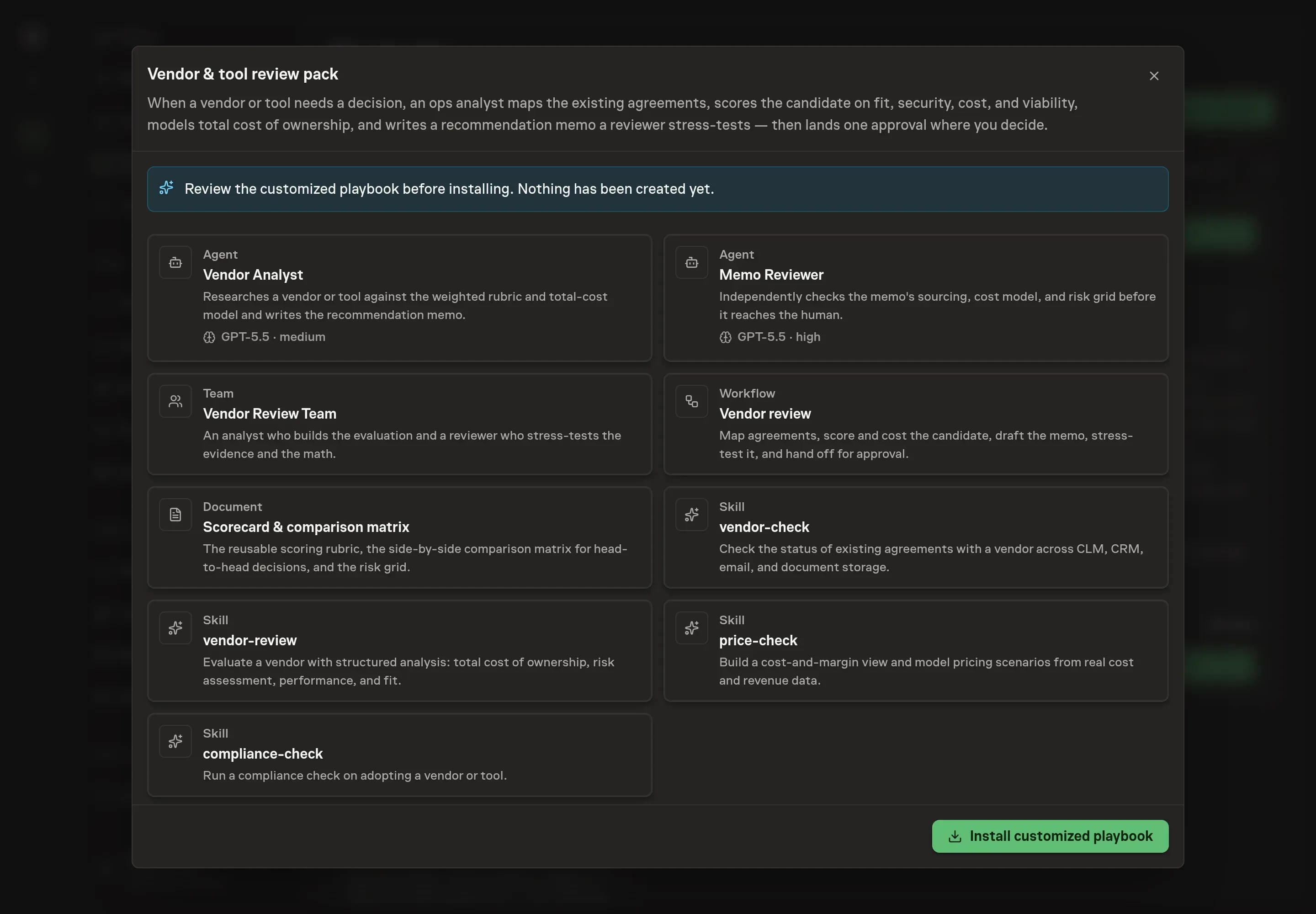
Ask the Agent to generate the Playbook from the agreed brief. Open its proposal in Chat and check the instructions and resources it will install, which carry more detail than the conversational summary. Check that the generated workflow preserves the sequence: agreement footprint, score and cost, recommendation memo, reviewer stress-test, then approval. Ask for a revised proposal if anything is missing or changes the job.
5. Approve and prepare the first work
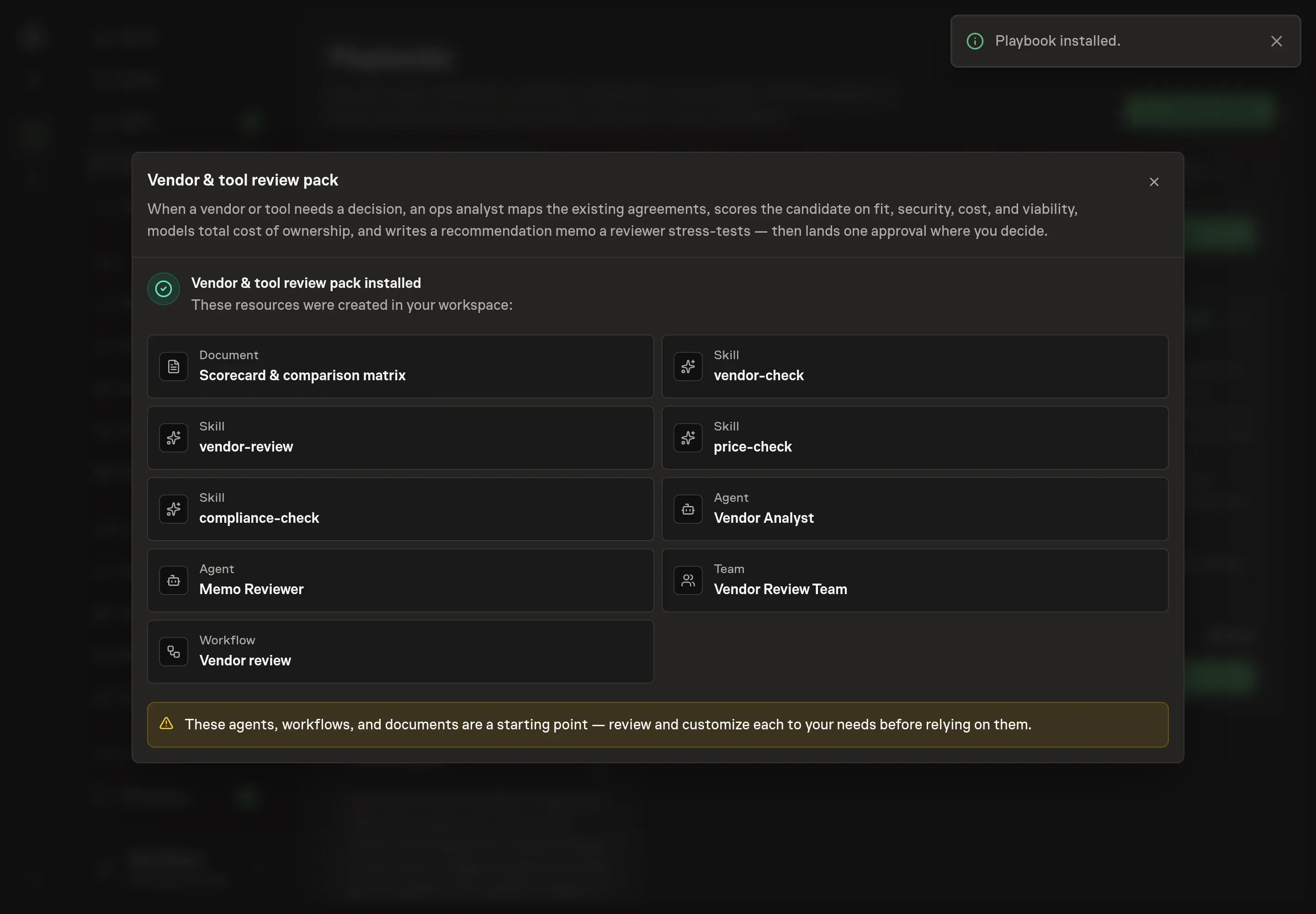
Choose Approve on the proposal in Chat when the configuration matches your brief. Task Machine installs that reviewed configuration. The approved item retains its review details. If your autonomy settings allow direct installation, this approval may not be required. Check the resulting configuration in that case too.
Complete any remaining secure service setup from the installation details in Chat. Inbox keeps those setup items available if you return later. Prepare the source documents and inputs before starting the first Task or Workflow. Installation does not authorize sending, publishing or changing an external service beyond the boundaries you agreed.
What good looks like
Three checks show whether the review is decision-ready:
- Claims are sourced. Every material point cites a source or is labelled unknown.
- Cost is complete. The model includes license, implementation, support, migration, training, ongoing maintenance, and exit cost.
- The recommendation follows the evidence. Proceed, Negotiate, or Pass is backed by the scorecard, risk grid, total cost, and reviewer note.
Common questions
Can the workflow approve a purchase automatically? No. The workflow produces and reviews a recommendation. Purchasing, signing, and committing remain human decisions.
Does the scorecard replace security or legal review? No. It surfaces security, compliance, contract, and privacy questions so qualified reviewers can decide.
Should the incumbent be included in comparisons? Yes. The scorecard template explicitly includes the incumbent, "build it ourselves", or "do nothing" as a comparison option when relevant.
What if the agent cannot access a contract system? It should state which sources could not be checked and work from attached agreements, proposals, and exports instead of guessing.