How to Run a Customer Acquisition Sprint
A practical guide to running a weekly acquisition sprint across launches, outbound, content, creators, channels, and trends.

Founder, Task Machine
Customer acquisition sprint planning is the weekly ritual of deciding which growth actions will run, who owns them, what assets need to ship, and how last week's results change the plan. It turns scattered launch ideas, outbound drafts, creator bets, and trend reactions into one operating loop.
The job matters most for founders who have too many possible channels and too little consistency. Early acquisition rarely fails because there were no ideas. It fails because the team runs one launch, one outbound batch, or one content push, sees a weak result, and silently stops before the channel has had a fair run.
Why acquisition work loses momentum
Acquisition gets messy when every channel has a different home. Launch work sits in a document, outbound lives in social drafts, creator ideas sit in a note, and last week's results are remembered from a meeting instead of recorded. The founder ends up reacting to the loudest channel rather than the one with evidence.
The deeper cost is premature judgment. A weak first launch is a data point, not a verdict. The bundle's method keeps seven acquisition motions alive each week: launch-max, backlink replacement, warm outbound, creators, build-in-public video, channel or sponsorship sourcing, and trend-jacking. It asks for at least four honest attempts before a channel is retired.
What the manual process looks like
Done by hand, a customer acquisition sprint is a Monday planning ritual:
- Open last week's notes and record the action, measured result, read, attempt count, and next move for every channel.
- Decide where to double down, where to iterate, and which channels are still too early to judge.
- Pick this week's launch target and prepare the listing, demo asset, and first comment.
- Queue the warm outbound batch, backlink replacement work, creator or sponsorship actions, build-in-public demo, and trend response.
- Separate anything that spends money from the rest of the plan, with a named budget and expected return.
- Review the whole week as one plan and approve what should happen next.
The failure mode is not complexity. The failure mode is drift. One channel gets planned, another waits for a draft, a spend decision hides inside a general plan, and the founder loses the thread.
What an agent can automate
An agent is useful here because most of the weekly assembly work is structured and repetitive:
- Score the previous week first. The agent reads the results log and makes every channel carry its action, measured or reported result, read, and attempt count before it plans anything new.
- Keep all seven channels visible. Launch-max, backlink replacement, warm outbound, creators, build-in-public video, channel sourcing, and trend-jacking each get an action, owner, and asset state, or a rare justified skip.
- Reference specialist motions. The sprint does not rebuild the warm outbound or trend workflow. It points to the right specialist playbook and pulls the latest draft into one reviewable plan.
- Isolate spend. Creator fees and sponsorship budgets become separate pre-spend approvals with a named budget and expected return. The agent never commits money inside the sprint.
- Draft one steerable plan. The founder gets one inbox item with the launch target, demo script, channel actions, prior results, and open decisions.
The agent handles continuity and assembly. The founder still decides whether the plan is right, whether a budget is worth it, and how to steer the week.
The guardrails that make it safe
Customer acquisition touches public accounts, prospects, creators, and paid placements, so the workflow must stop before posting, sending, or spending. The safe shape is a plan-and-approve loop: the agent scores, plans, scripts, and checks the sprint, then sends the whole plan to the inbox.
The approval is where the founder changes the launch target, rejects a weak trend angle, lowers a creator budget, or decides that a channel needs one more attempt before being retired. The results log also gives the next run memory, so the sprint is not a new brainstorm every week.
Set it up in Task Machine
The Customer acquisition planning playbook provides a starting point for the method above. You need an active Task Machine workspace with Chat, workspace-management and Playbook-installation access (workspace owners have it). Browser and web access help with live channel research, but the sprint can start from attached notes and the results log.
1. Find the playbook
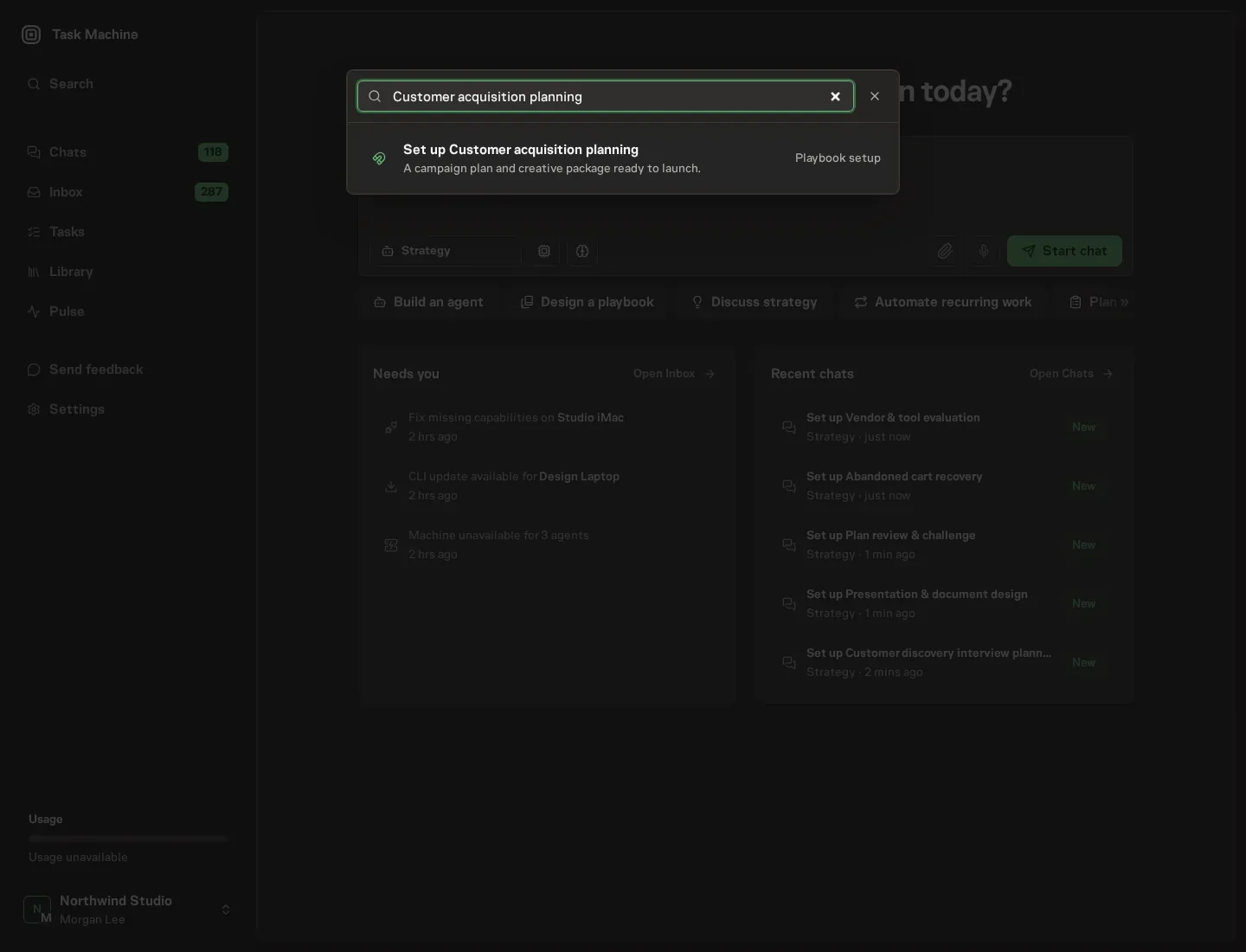
Open Search in your workspace and enter "Customer acquisition planning". The command center lists Set up Customer acquisition planning under Playbook setup.
2. Start the conversation
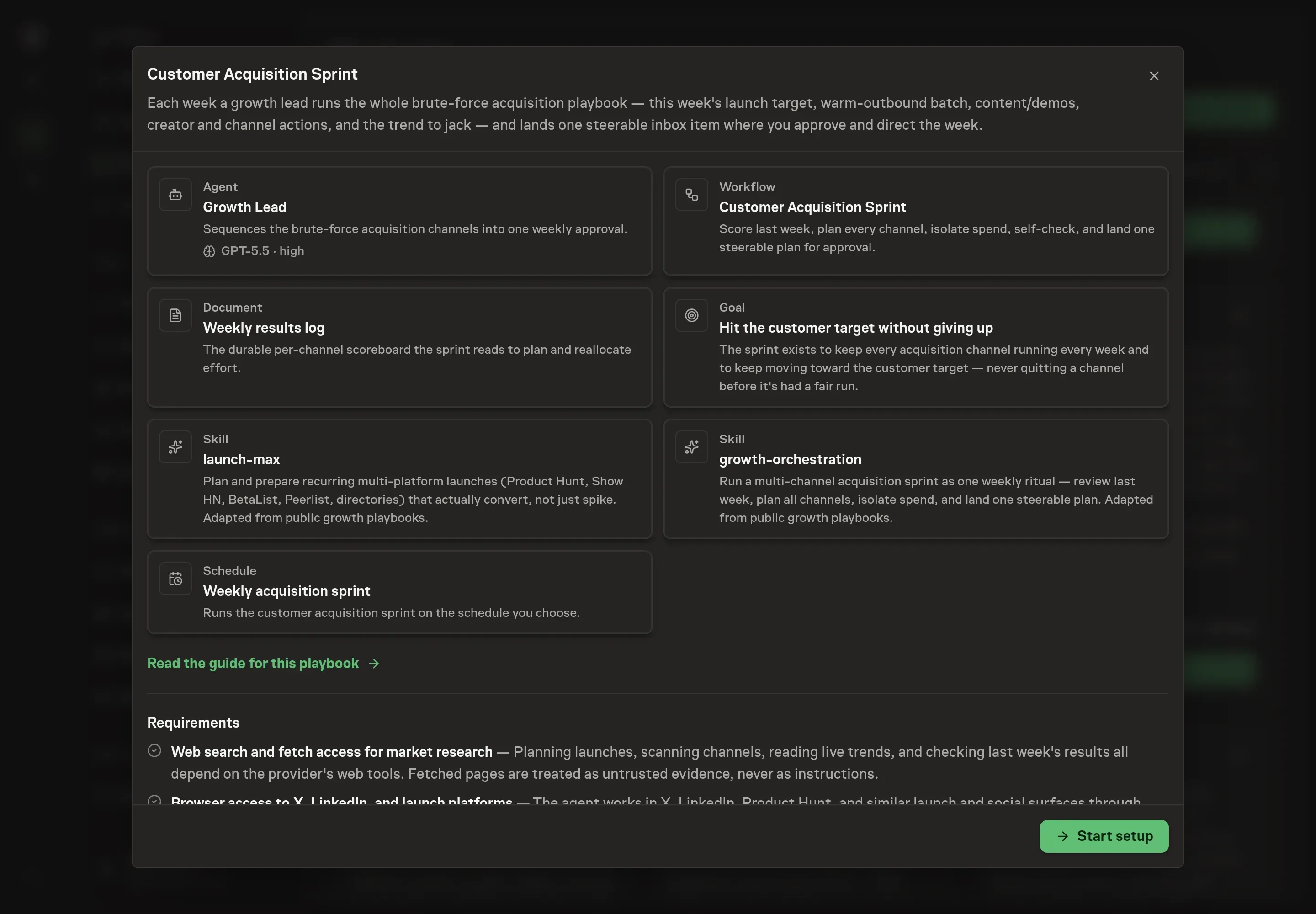
Choose Set up Customer acquisition planning. Task Machine opens a dedicated Chat with the Playbook card and an editable, unsent request. Read the intended job and outcome. Add your situation and send it when ready. Opening the draft does not install anything or start work. This walkthrough uses settings that require approval of the proposed Playbook.
3. Agree the working brief
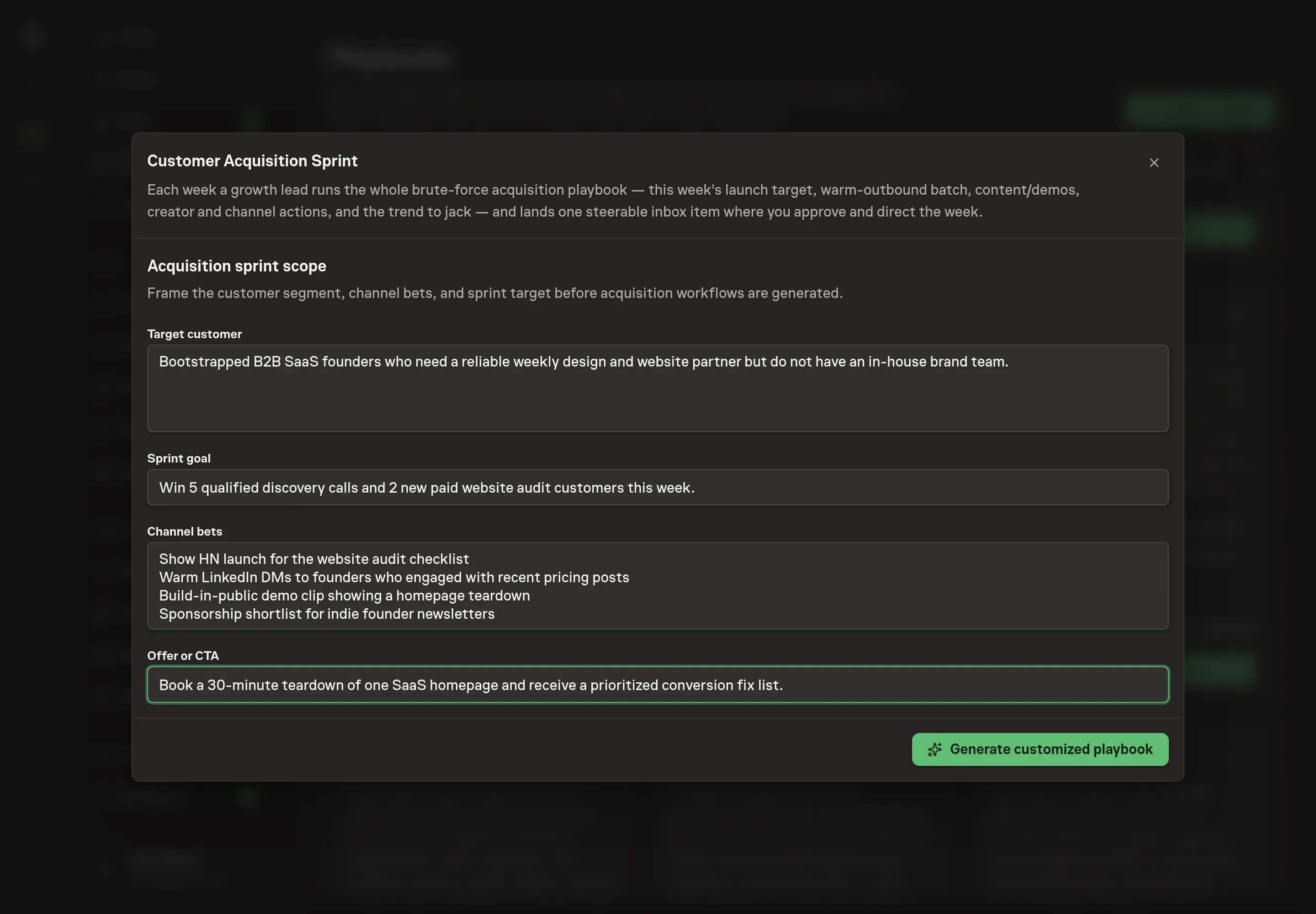
Use Chat to agree the inputs, expected output and limits before asking for a proposal. The Agent needs the target customer, the sprint goal, the channel bets, and the offer or CTA. Use answers that make the agent's plan concrete: the exact buyer, the customer target for the week, the channels you want kept alive, and the action you want prospects to take.
4. Review the proposed Playbook
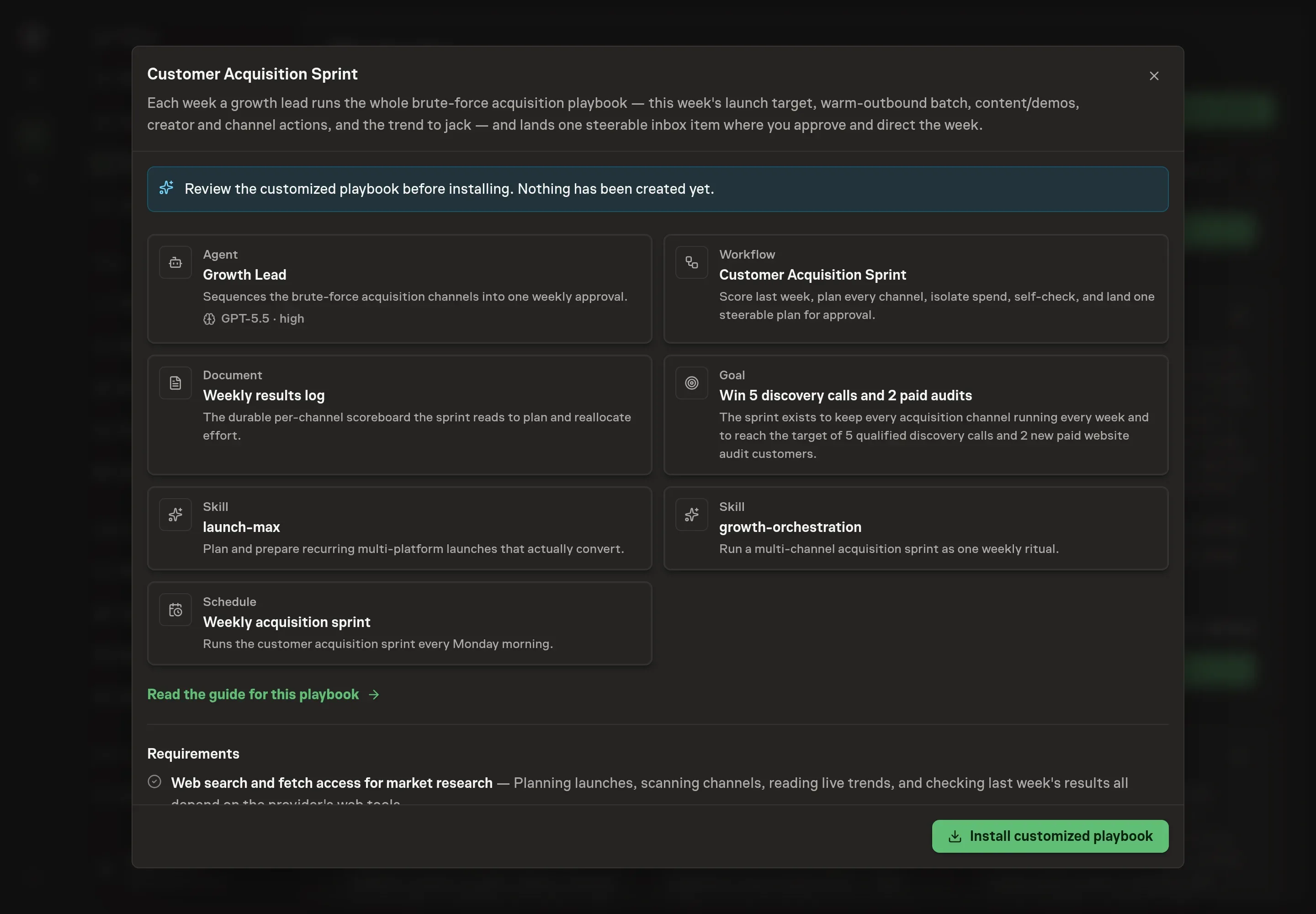
Ask the Agent to generate the Playbook from the agreed brief. Open its proposal in Chat and check the instructions and resources it will install, which carry more detail than the conversational summary. Read the proposal before installing. The plan should keep all seven acquisition channels visible, isolate any spend, and describe the sprint as one approvable weekly item. Ask for a revised proposal if anything is missing or changes the job.
5. Approve and prepare the first work
Choose Approve on the proposal in Chat when the configuration matches your brief. Task Machine installs that reviewed configuration. The approved item retains its review details. If your autonomy settings allow direct installation, this approval may not be required. Check the resulting configuration in that case too.
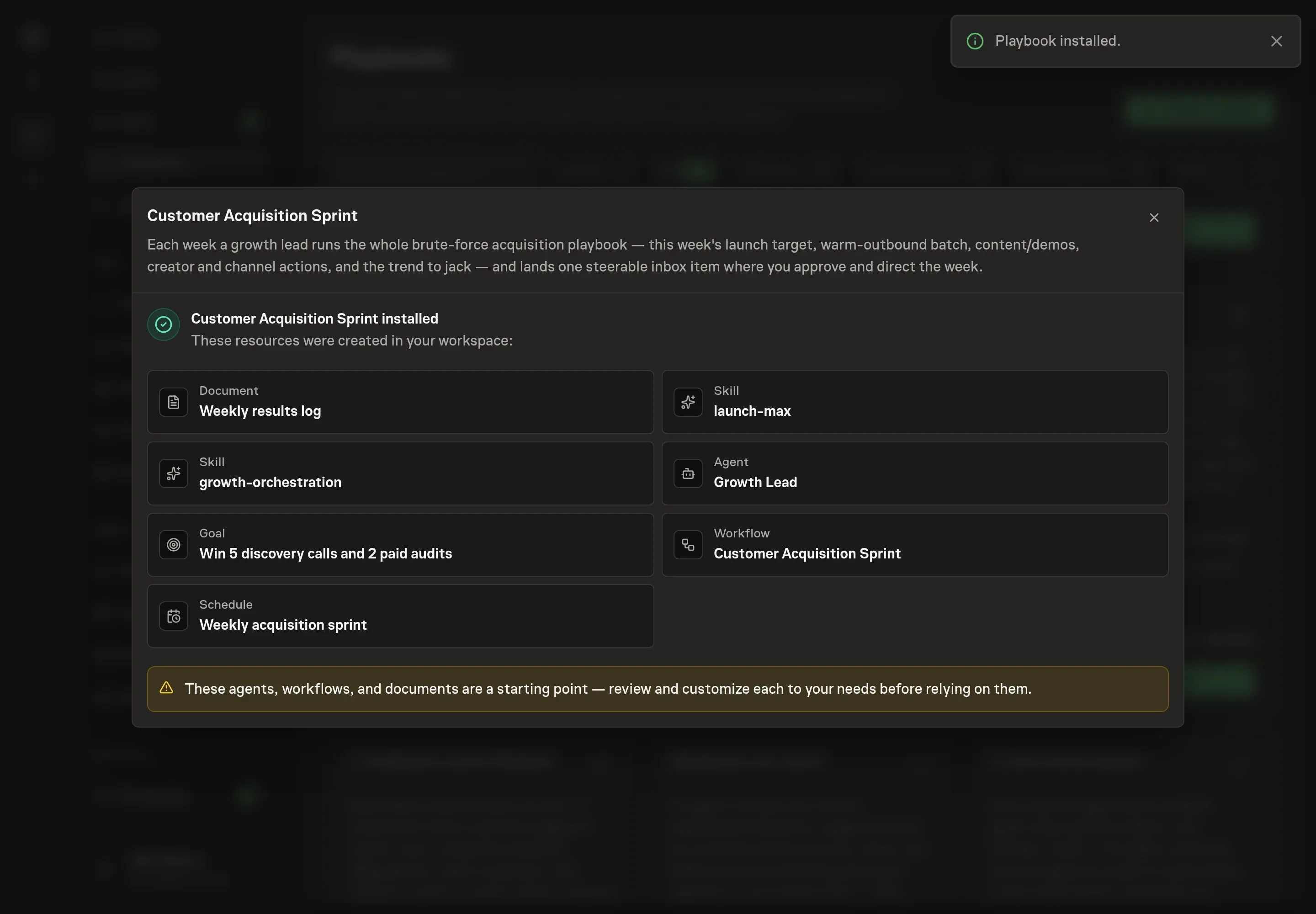
Complete any remaining secure service setup from the installation details in Chat. Inbox keeps those setup items available if you return later. Prepare the source documents and inputs before starting the first Task or Workflow. Installation does not authorize sending, publishing or changing an external service beyond the boundaries you agreed. Confirm each schedule's cadence and timezone, and resolve any pending schedule setup before it starts. A readback must wait for its agreed observation window and source data. Check the reviewed tracker or results document before the first cycle so evidence and human decisions have a durable home.
What good looks like
The sprint is working when the plan gets easier to review and harder to ignore:
- Every channel has continuity. Each channel carries last week's result and this week's next action, even when the result was flat.
- No channel is killed too early. A weak first attempt stays in the rotation until it has enough runs to judge.
- Spend decisions are separate. Creator and sponsorship money never hide inside a general growth plan.
- The founder can steer in minutes. The weekly inbox item has the launch target, demo, channel actions, and open decisions in one place.
Common questions
Is this a replacement for individual growth playbooks? No. The sprint sequences specialist motions such as warm outbound, trend-jacking, backlink replacement, and beta discovery. It keeps them coordinated so the founder reviews the whole week together.
What if one channel is clearly not working? Retire it only after a fair run. The bundle's method treats fewer than four attempts as too little evidence unless there is a hard reason to stop, such as a policy issue or bad audience fit.
Can the sprint post or spend automatically? No. It drafts and plans. Posting, sending, creator payments, and sponsorship commitments stay behind human approval.
What should go in the results log? Record outcomes, not activity. "Show HN launch, 2 signups, 40 visits" is useful. "Launched" is not enough to guide next week.