How to Run a Customer Health Pulse
A practical guide to reviewing customer health with support themes, usage signals, account risk, and proposed fixes.

Founder, Task Machine
A customer health pulse is a recurring review of support, feedback, product usage, and account context that shows where customers are struggling and which accounts need attention. It turns scattered customer signals into a short report with evidence, health tiers, and proposed fixes.
The job matters because customer risk rarely arrives as one clean alert. It shows up as ticket language, usage drops, billing friction, sponsor changes, quiet churn signals, and small complaints that recur across accounts. A pulse gives someone ownership of reading those signals together.
Why customer health degrades
Support queues are biased toward urgent problems. Product analytics show behavior but not the customer's words. CRM records hold account context but not always the latest frustration. When those sources are reviewed separately, the team either overreacts to the loudest ticket or misses the quieter pattern that predicts churn.
The bundle's method treats the pulse as evidence work. It clusters 3 to 5 themes with verbatim quotes, scores account health across engagement, relationship, financial, and sentiment signals, critiques the read for bias, and produces a top-three fix list. It also keeps customer-facing responses and save outreach behind approval.
What the manual process looks like
Done by hand, the health pulse is a weekly or monthly review:
- Set a consistent date window so each pulse can be compared with the last one.
- Pull support tickets, customer messages, direct feedback, reviews, product usage, churn, and expansion signals where available.
- Count signals by source and note anything missing.
- Cluster recurring themes, attach verbatim quotes, and rate impact.
- Score account health and identify at-risk or critical accounts.
- Decide the three fixes most worth doing this cycle, plus any save outreach to approve.
The work breaks down when the report becomes either a ticket digest or a health-score spreadsheet. The useful version combines customer language, behavior, and account context.
What an agent can automate
An agent is well suited to the evidence assembly and consistency work:
- Gather signals on a cadence. The agent reads the support desk, feedback exports, product-usage signals, and CRM context where available, then notes which sources were missing.
- Cluster with verbatim evidence. Each theme gets a label, signal count, impact rating, and 2 to 3 customer quotes tagged to the source.
- Score account health. Engagement, relationship, financial, and sentiment signals become health tiers: healthy, stable, at-risk, or critical.
- Critique the read. The agent checks whether it overweighted one loud ticket, missed a quiet churn segment, or used counts that do not add up.
- Propose fixes as tasks. The top three issues become concrete task proposals, and save outreach waits for human approval.
The agent does not close tickets, resolve disputes, or write to customers on its own. It prepares the read and the proposed work.
The guardrails that make it safe
Customer health work touches personal customer context and sometimes money. The playbook is read-only by default. It can gather, cluster, score, draft response templates, and propose tasks, but it must not reply to a customer, close a ticket, resolve a dispute, or send save outreach without explicit approval.
The report also limits personal data in customer evidence. The bundle's instructions use first name plus last initial only. That keeps quotes useful while avoiding unnecessary exposure in a broad team report.
Set it up in Task Machine
The Customer feedback & retention monitoring playbook provides a starting point for the method above. You need an active Task Machine workspace with Chat, workspace-management and Playbook-installation access (workspace owners have it). The pulse can start from attached exports before support, analytics, or CRM access is authorized.
1. Find the playbook
Open Search in your workspace and enter "Customer feedback & retention monitoring". The command center lists Set up Customer feedback & retention monitoring under Playbook setup.
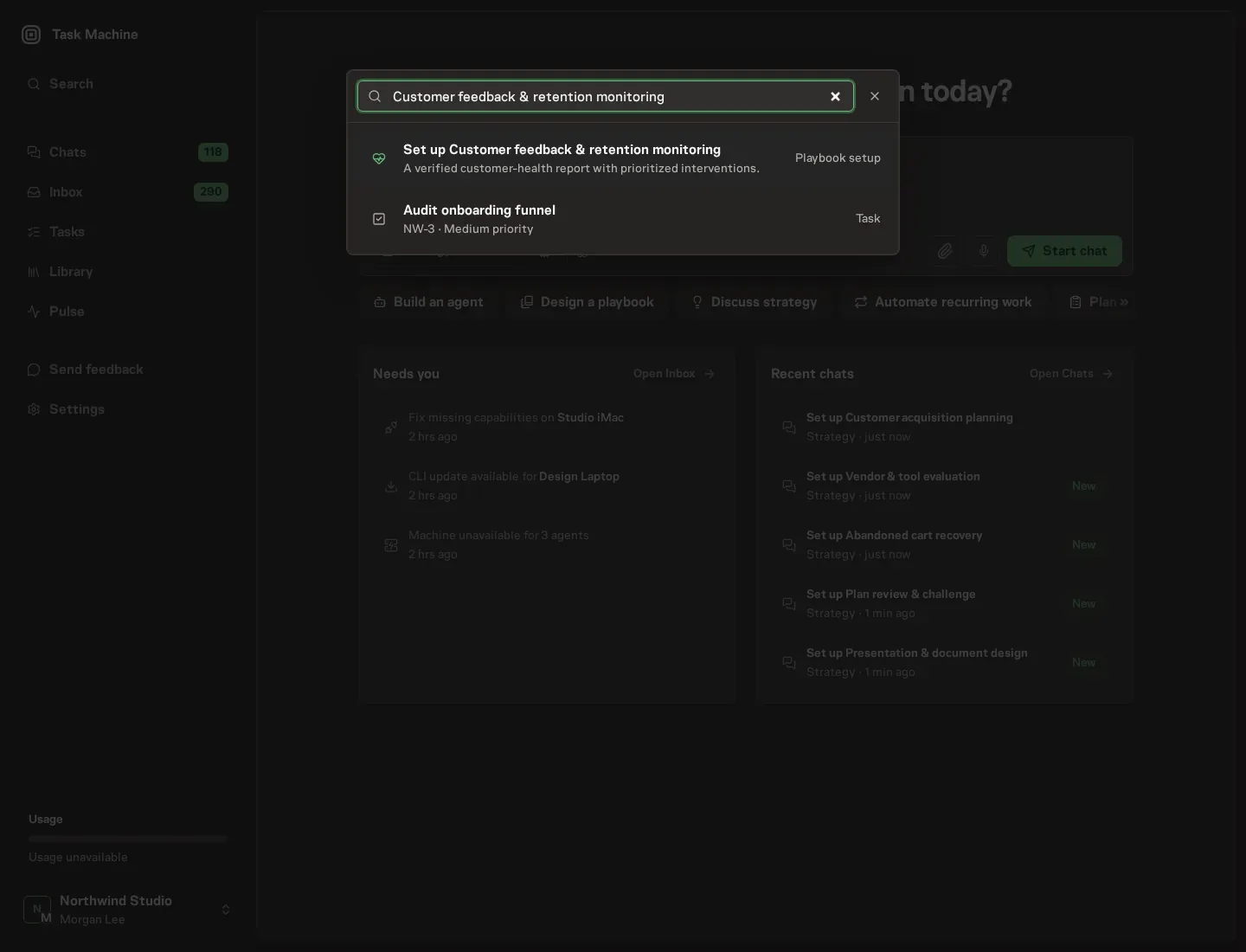
2. Start the conversation
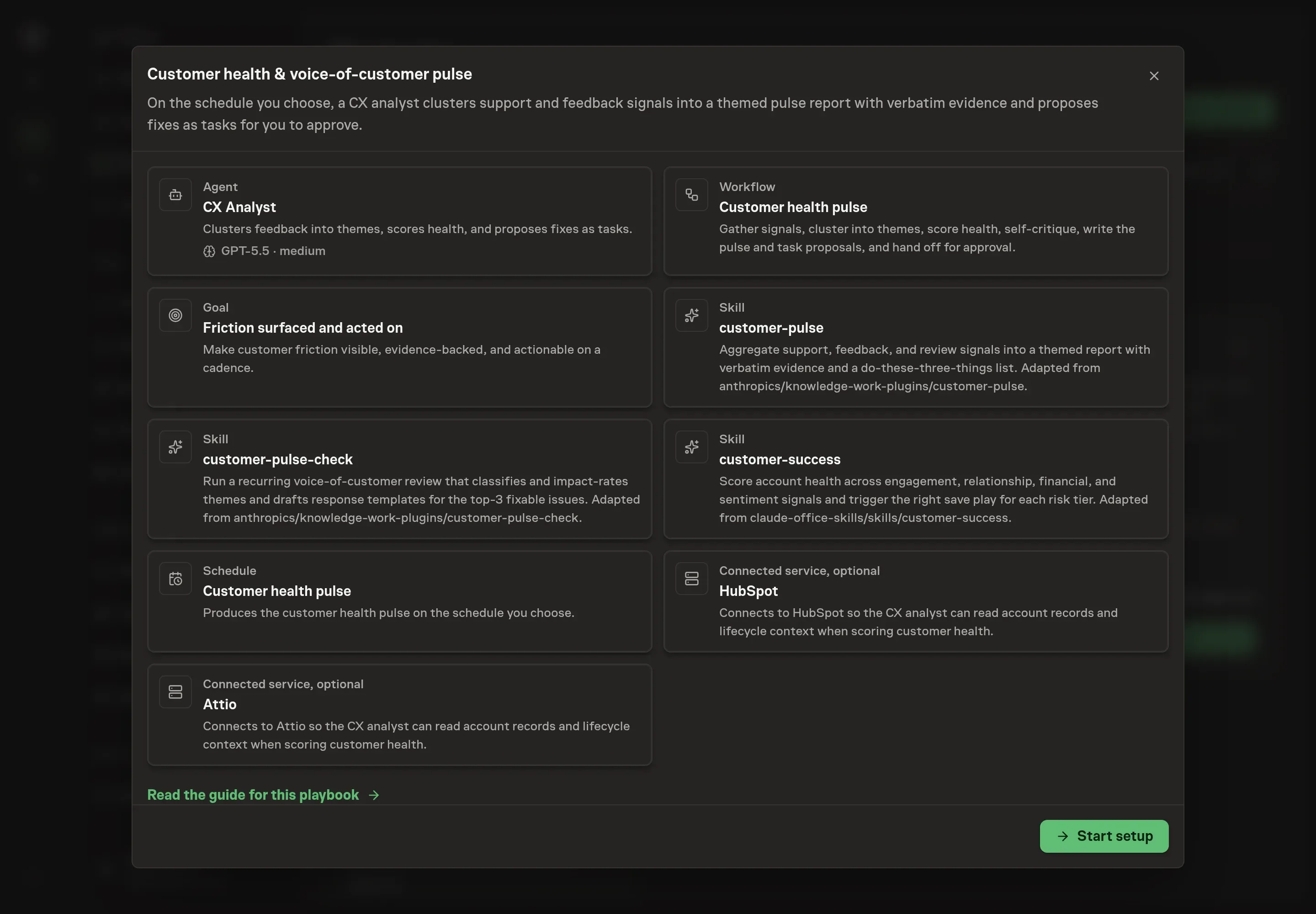
Choose Set up Customer feedback & retention monitoring. Task Machine opens a dedicated Chat with the Playbook card and an editable, unsent request. Read the intended job and outcome. Add your situation and send it when ready. Opening the draft does not install anything or start work. This walkthrough uses settings that require approval of the proposed Playbook.
3. Agree the services
Tell the Agent which services you use. The catalog offers these starting choices:
- CRM to connect: HubSpot, Attio. Optional.
Discuss any missing access or export-based alternative before generation. Check the exact proposal includes only the services you agreed. Enter credentials only through secure setup, never in Chat.
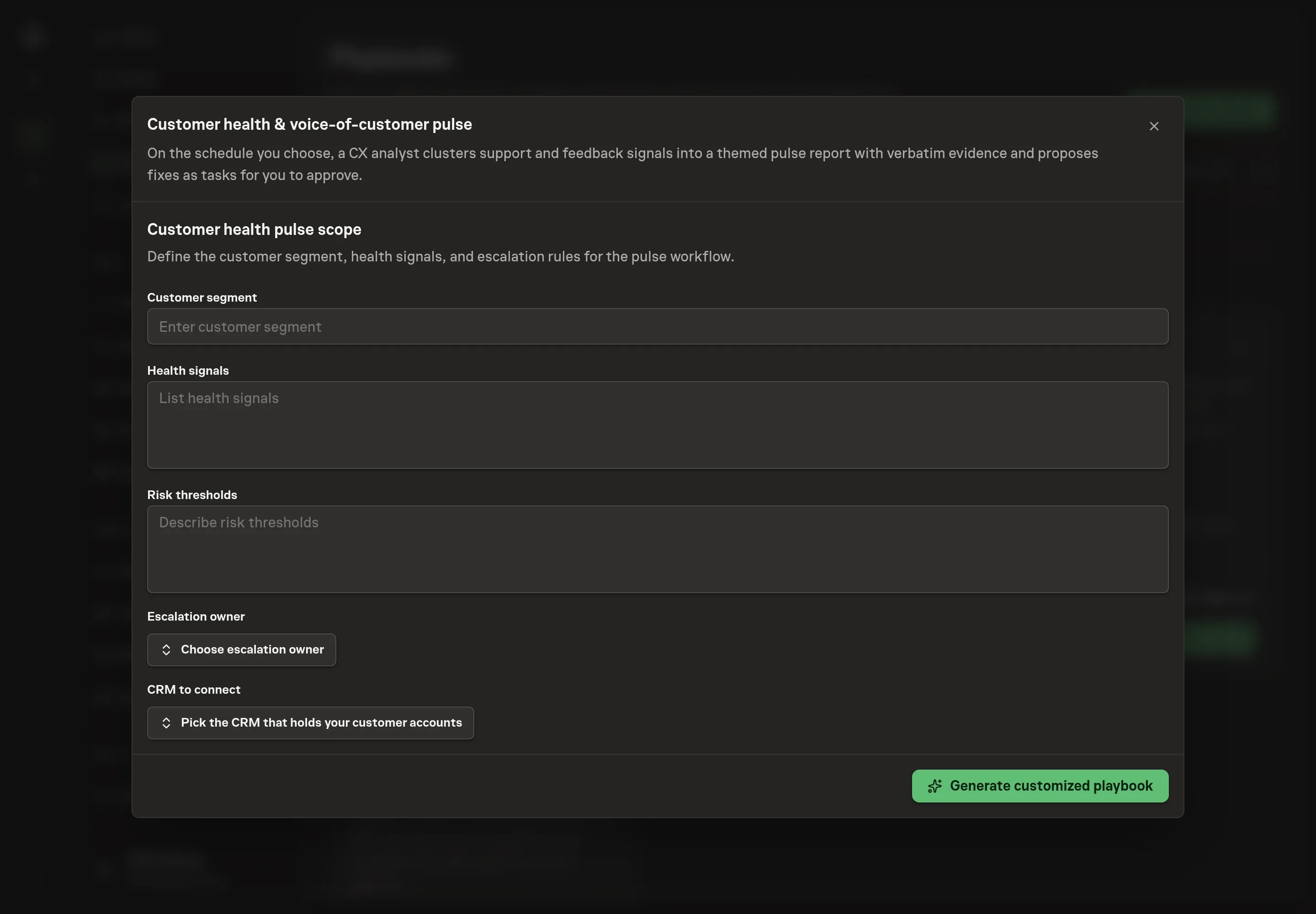
4. Agree the working brief
Use Chat to agree the inputs, expected output and limits before asking for a proposal. Discuss the customer segment, health signals, risk thresholds, and escalation owner. Good answers tell the analyst which customers matter, which signals should move health, when risk becomes urgent, and who should receive the proposed fixes.
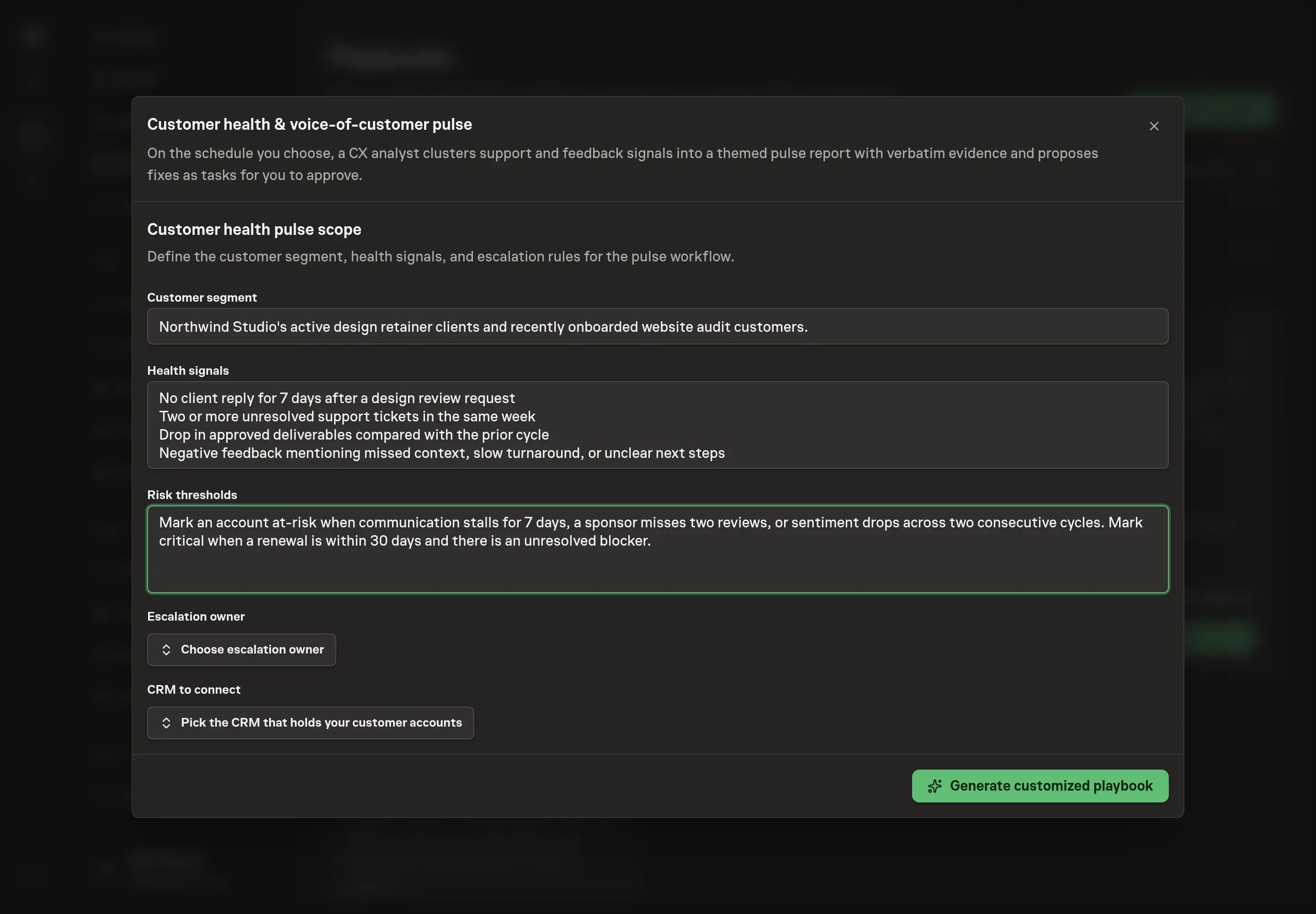
5. Review the proposed Playbook
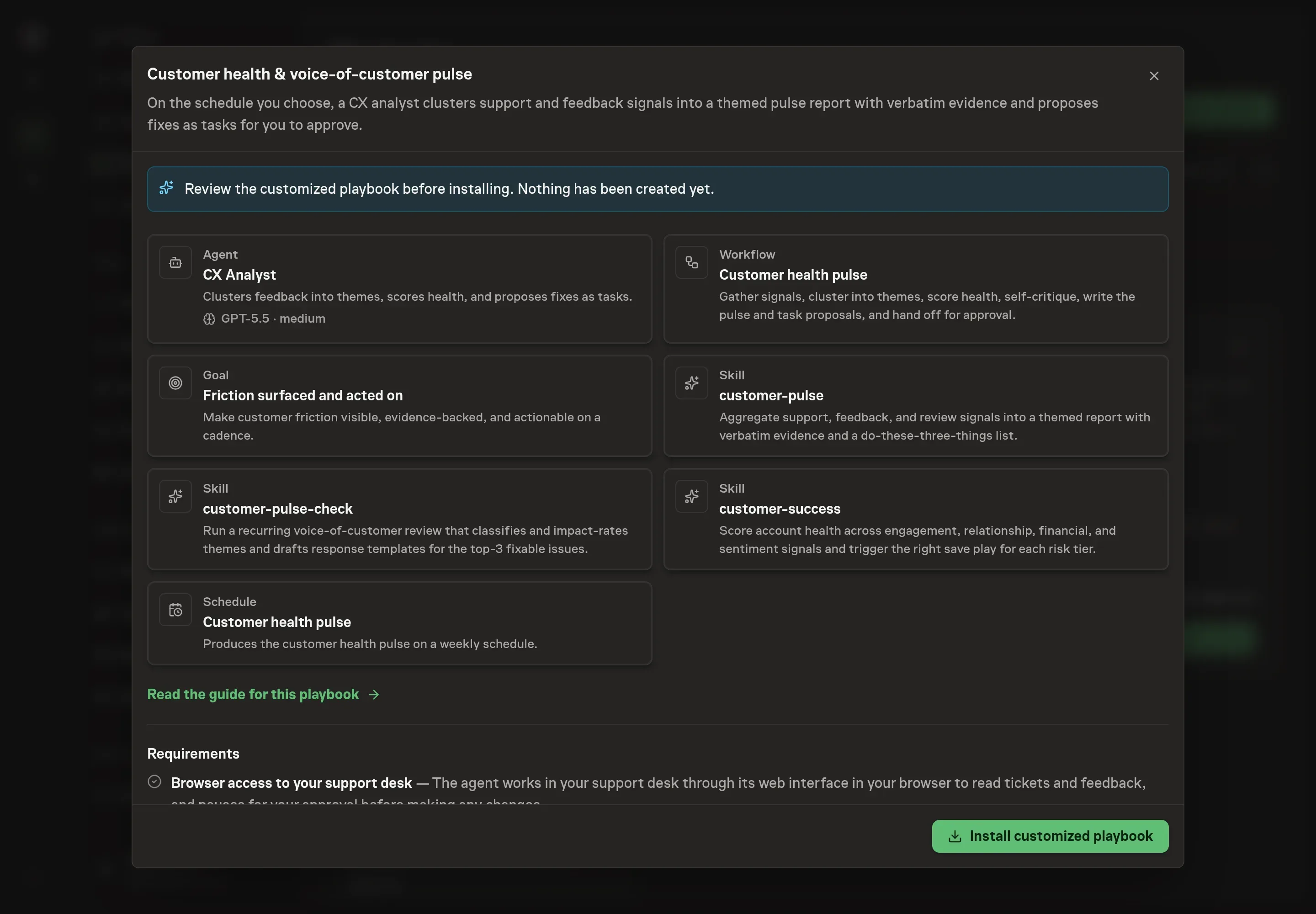
Ask the Agent to generate the Playbook from the agreed brief. Open its proposal in Chat and check the instructions and resources it will install, which carry more detail than the conversational summary. Confirm that the workflow gathers signals, clusters themes, scores health, critiques the read, writes the pulse, proposes tasks, and stops for approval. Ask for a revised proposal if anything is missing or changes the job.
6. Approve and prepare the first work
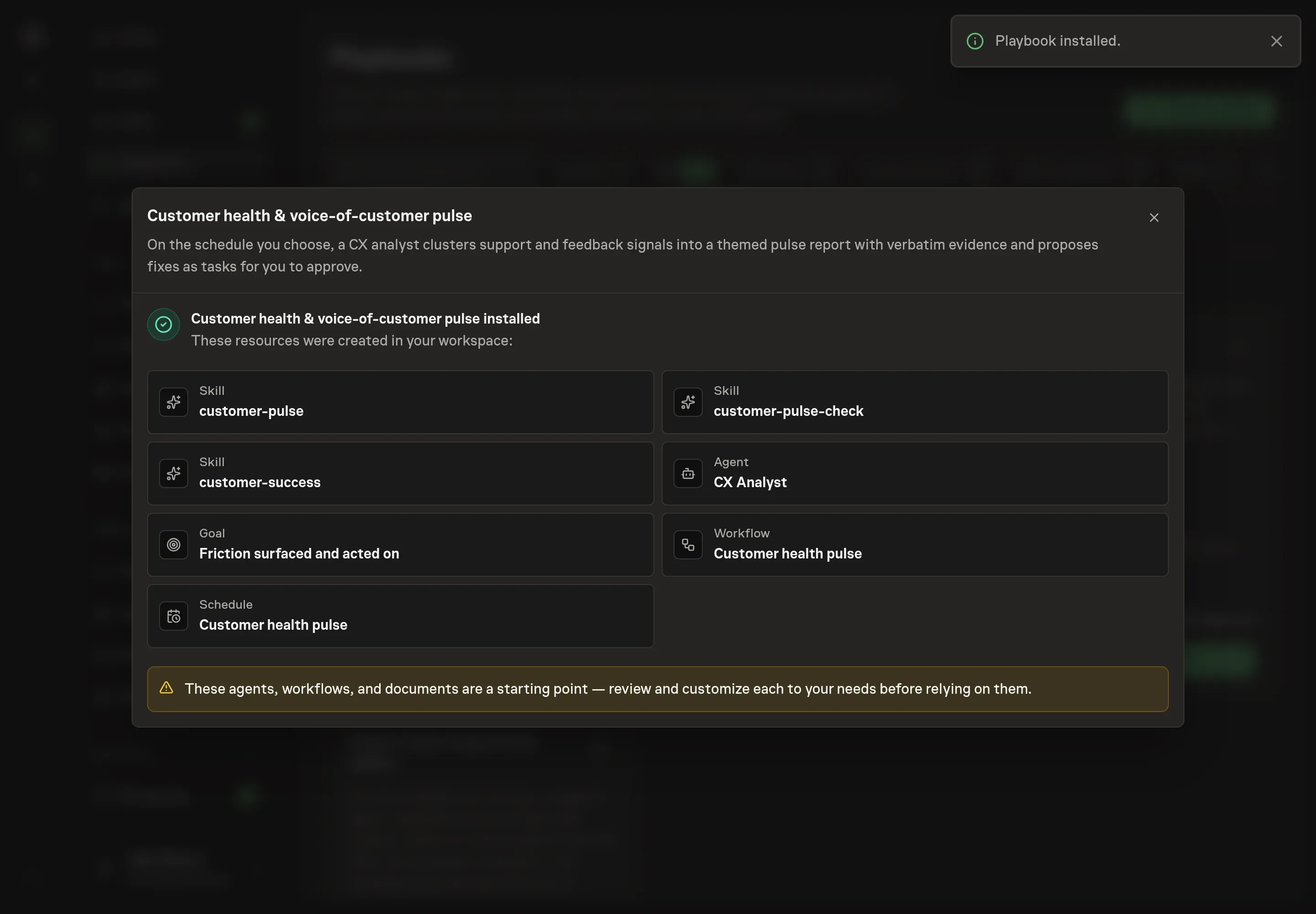
Choose Approve on the proposal in Chat when the configuration matches your brief. Task Machine installs that reviewed configuration. The approved item retains its review details. If your autonomy settings allow direct installation, this approval may not be required. Check the resulting configuration in that case too.
Complete any remaining secure service setup from the installation details in Chat. Inbox keeps those setup items available if you return later. Prepare the source documents and inputs before starting the first Task or Workflow. Installation does not authorize sending, publishing or changing an external service beyond the boundaries you agreed. Confirm each schedule's cadence and timezone, and resolve any pending schedule setup before it starts. A readback must wait for its agreed observation window and source data.
What good looks like
A useful pulse produces decisions along with a report:
- Themes carry proof. Every theme has a signal count and customer quotes from the source material.
- The top three fixes are actionable. Each item has an owner-ready next step, not a vague complaint category.
- Risk tiers match behavior. Critical and at-risk accounts are based on engagement, relationship, financial, and sentiment signals.
- The pulse admits gaps. Missing sources are named so the team knows what was not included.
Common questions
Can this run without CRM access? Yes. It can work from attached exports and available support or feedback signals. CRM access adds account context for health scoring.
Will it send customer replies automatically? No. Response templates and save outreach wait for explicit human approval.
How often should a customer health pulse run? Use a cadence that matches your volume. Weekly is useful when support and usage signals move quickly. Monthly is enough for smaller teams with fewer accounts.
What if one customer complains loudly? The self-critique step checks for that bias. A loud ticket can be important, but recurring themes and behavior-revealed signals should carry more weight.