How to Run a Procurement RFP Process
A practical guide to turning a purchase need into a weighted brief, RFP, supplier shortlist, and approval-ready pack.

Founder, Task Machine
A procurement RFP process turns a purchase need into a structured request suppliers can answer and stakeholders can score. The output is a set of documents: a requirements brief, questionnaire, scoring rubric, workback plan, supplier comparison, and decision record.
The point is comparability. A vague request produces proposals with different scopes, assumptions, and price bases. A precise process fixes the evaluation rules before offers arrive, so the team can compare suppliers without arguing about what should have mattered after the fact.
Vague requests produce proposals nobody can compare
Most sourcing problems start before the first supplier reply. The team asks for "a better tool", suppliers interpret that in their own language, and the buyer receives polished proposals that cannot be scored side by side.
The hidden cost is time. Security asks for evidence late, finance notices the total cost model is incomplete, legal finds missing DPA or MSA coverage, and the preferred supplier starts looking inevitable because nobody published weights before the responses arrived. That is how procurement turns into preference management instead of decision support.
What the manual process looks like
Done by hand, a defensible RFP process has six steps:
- Translate the purchase need into a weighted requirements brief: problem, outcome, must-haves, ranked nice-to-haves, budget, timeline, constraints, and mandatory evidence.
- Choose the right instrument: quote request for simple low-spend buys, RFI for market scanning, or full RFP for complex and higher-stakes purchases.
- Draft the questionnaire, evidence index, scoring rubric, and workback plan before suppliers see the request.
- Research suppliers against the must-haves and include the incumbent or "do nothing" as a comparison column.
- Label pricing estimates, flag missing or expired security evidence, and build a side-by-side comparison matrix.
- Send the pack for review and approval before any outreach, commitment, or signature.
The work is mostly assembly and consistency. The judgment comes from deciding which requirements are non-negotiable and whether the scoring model is fair.
What an agent can automate
A procurement agent is useful when it keeps the process structured and refuses to blur the rules:
- Intake the need into a weighted brief. The agent turns the raw purchase request into must-haves, ranked nice-to-haves, constraints, evidence needs, budget, timeline, and approval triggers.
- Choose and draft the instrument. It decides whether the situation calls for a quote request, RFI, or RFP, then drafts the questionnaire, rubric, security evidence index, and workback plan.
- Research the market. It searches supplier sites, pricing pages, security pages, and public materials to shortlist three to five candidates against the must-haves.
- Keep the comparison honest. The agent includes the incumbent or "do nothing", labels estimated prices, and flags missing certifications or expired evidence.
- Run an independent review. A reviewer agent checks whether requirements are answerable, weights are set before offers arrive, and the scoring model does not favor a preferred supplier.
The agent does not send supplier outreach, commit budget, accept terms, or sign anything. It prepares the pack so the human decision is better grounded.
The guardrails that make it safe
Procurement automation fails when it hides assumptions. The safe shape is a workflow that makes the rules visible: requirements, weights, evidence, workback dates, shortlist rationale, and reviewer notes all land before approval.
Human approval sits after the sourcing reviewer checks the pack. The approval request covers the requirements brief, RFP, supplier shortlist, and reviewer note. If a must-have is vague, a certification is missing, or a price is only an estimate, the pack should say so plainly before anything is sent.
Set it up in Task Machine
The Procurement and RFP responses playbook provides a starting point for the method above. You need an active Task Machine workspace with Chat, workspace-management and Playbook-installation access (workspace owners have it). Web research and email access can be authorized later. Until then, the agent drafts the supplier pack and outreach text into the document for manual sending.
1. Find the playbook
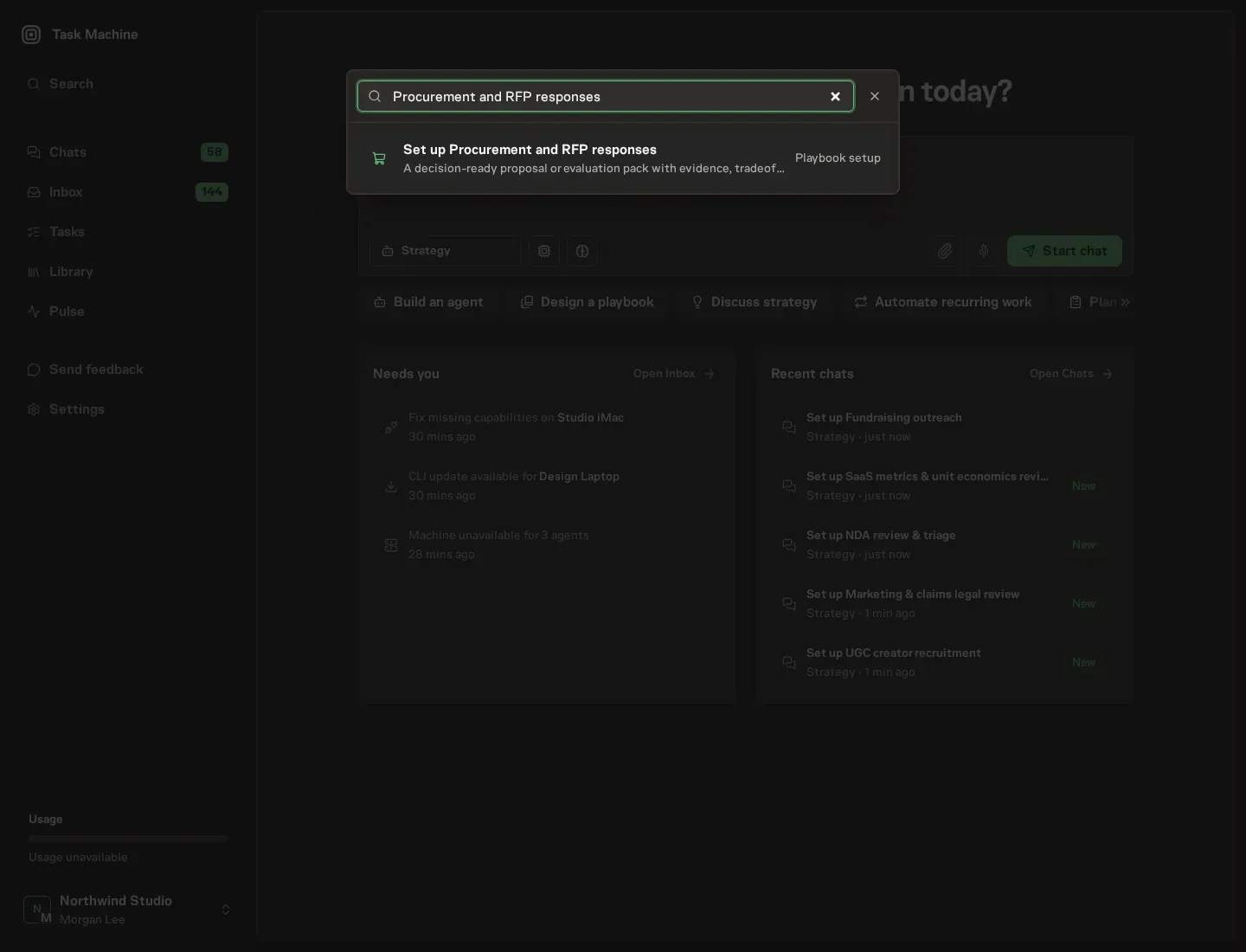
Open Search in your workspace and enter "Procurement and RFP responses". The command center lists Set up Procurement and RFP responses under Playbook setup.
2. Start the conversation
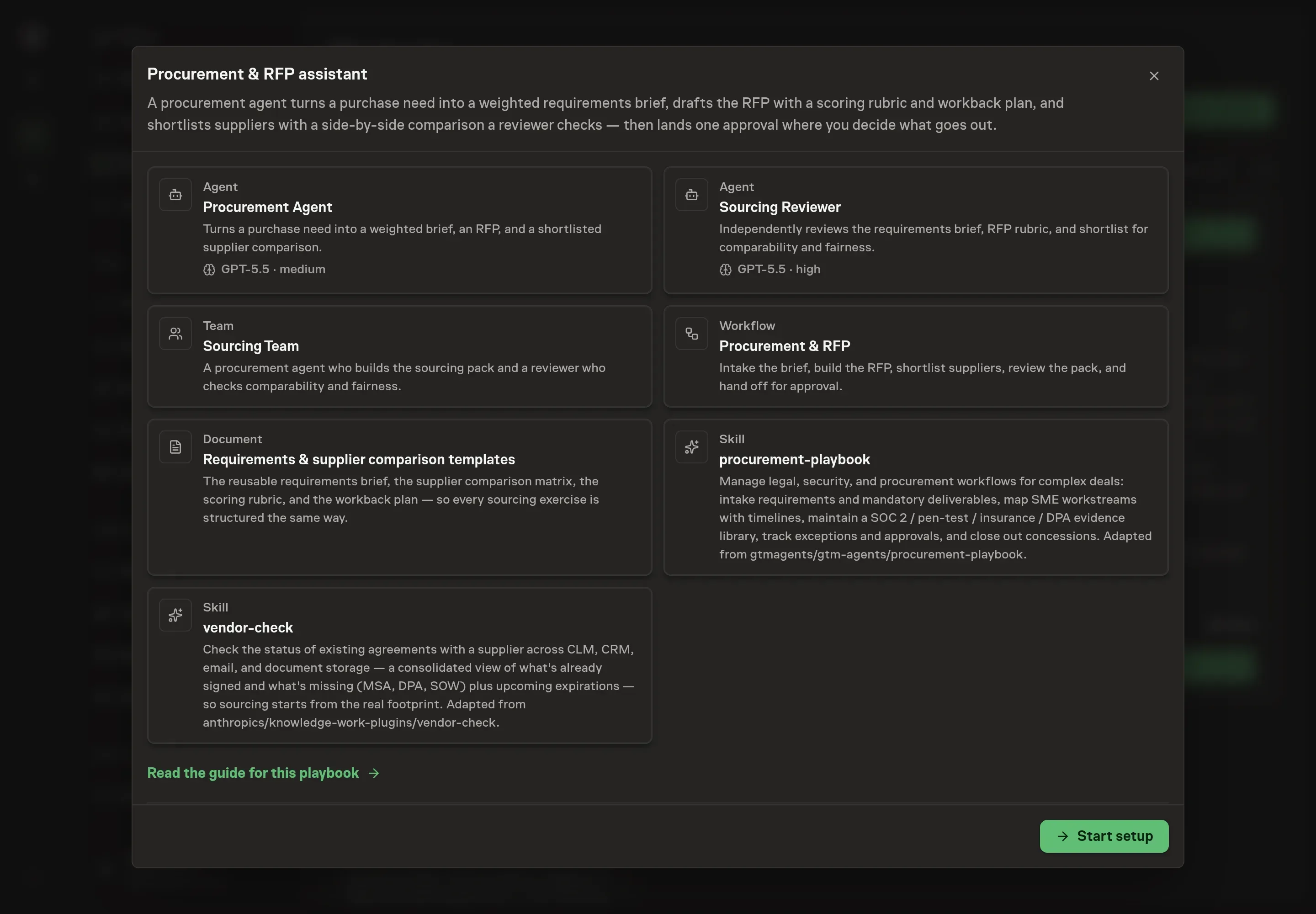
Choose Set up Procurement and RFP responses. Task Machine opens a dedicated Chat with the Playbook card and an editable, unsent request. Read the intended job and outcome. Add your situation and send it when ready. Opening the draft does not install anything or start work. This walkthrough uses settings that require approval of the proposed Playbook.
3. Agree the working brief
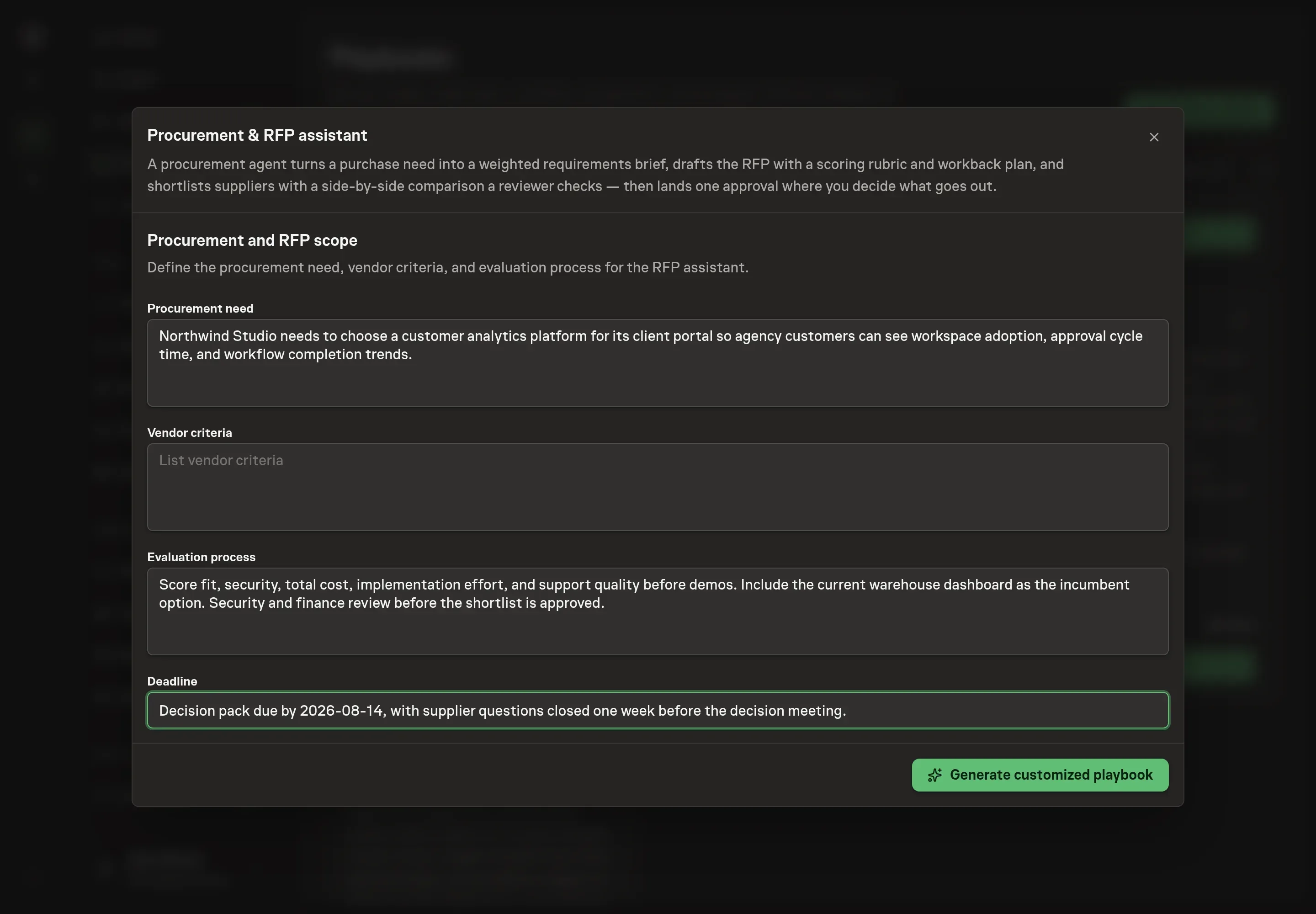
Use Chat to agree the inputs, expected output and limits before asking for a proposal. The Agent needs the procurement need, vendor criteria, evaluation process, and deadline. Enter the business outcome, the non-negotiable supplier criteria, who needs to review, and when the decision must be ready.
4. Review the proposed Playbook
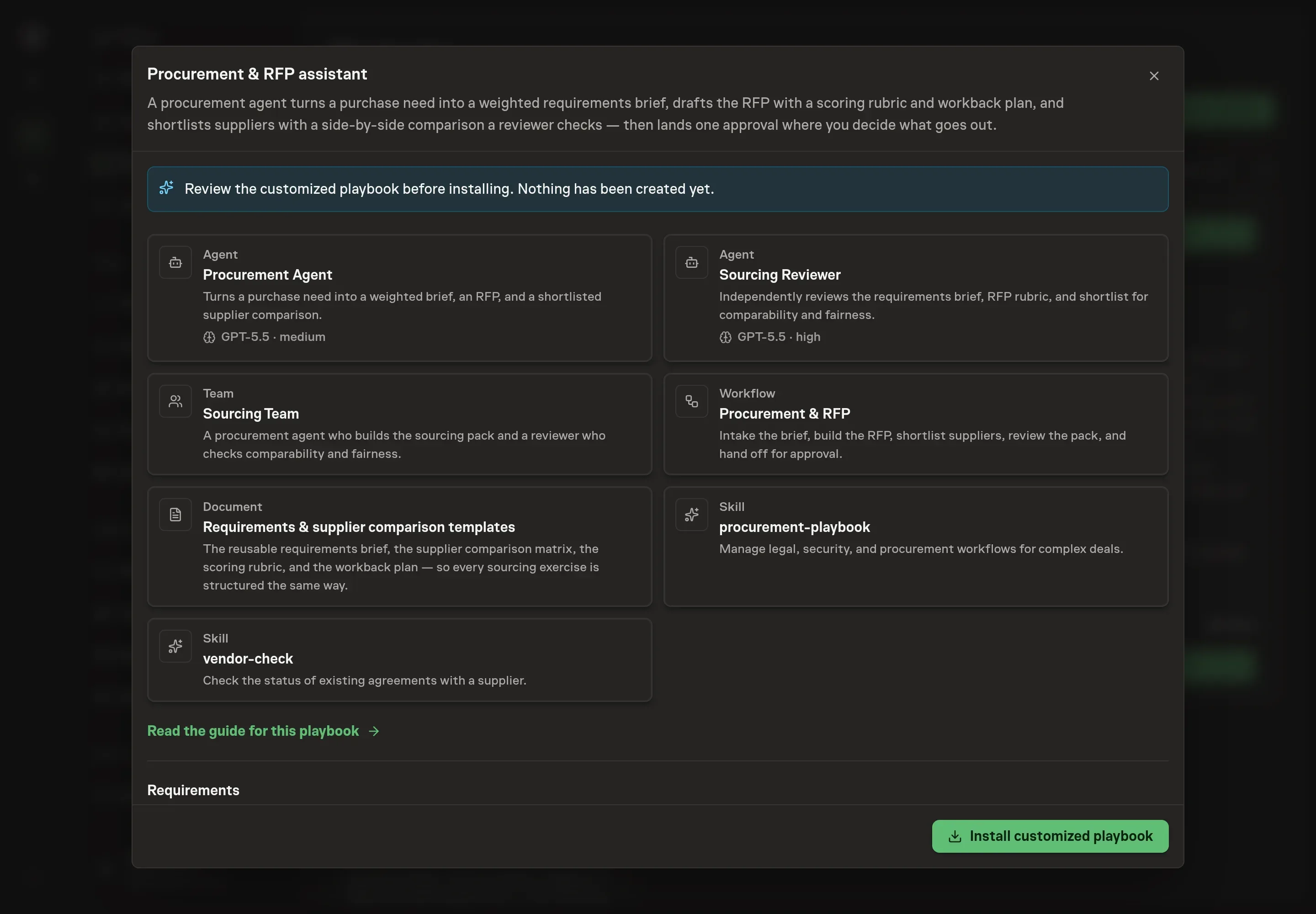
Ask the Agent to generate the Playbook from the agreed brief. Open its proposal in Chat and check the instructions and resources it will install, which carry more detail than the conversational summary. Review the cards before install. The first node should intake requirements, the second should build the RFP and workback plan, the third should shortlist suppliers, and the reviewer should check comparability and fairness before approval. Ask for a revised proposal if anything is missing or changes the job.
5. Approve and prepare the first work
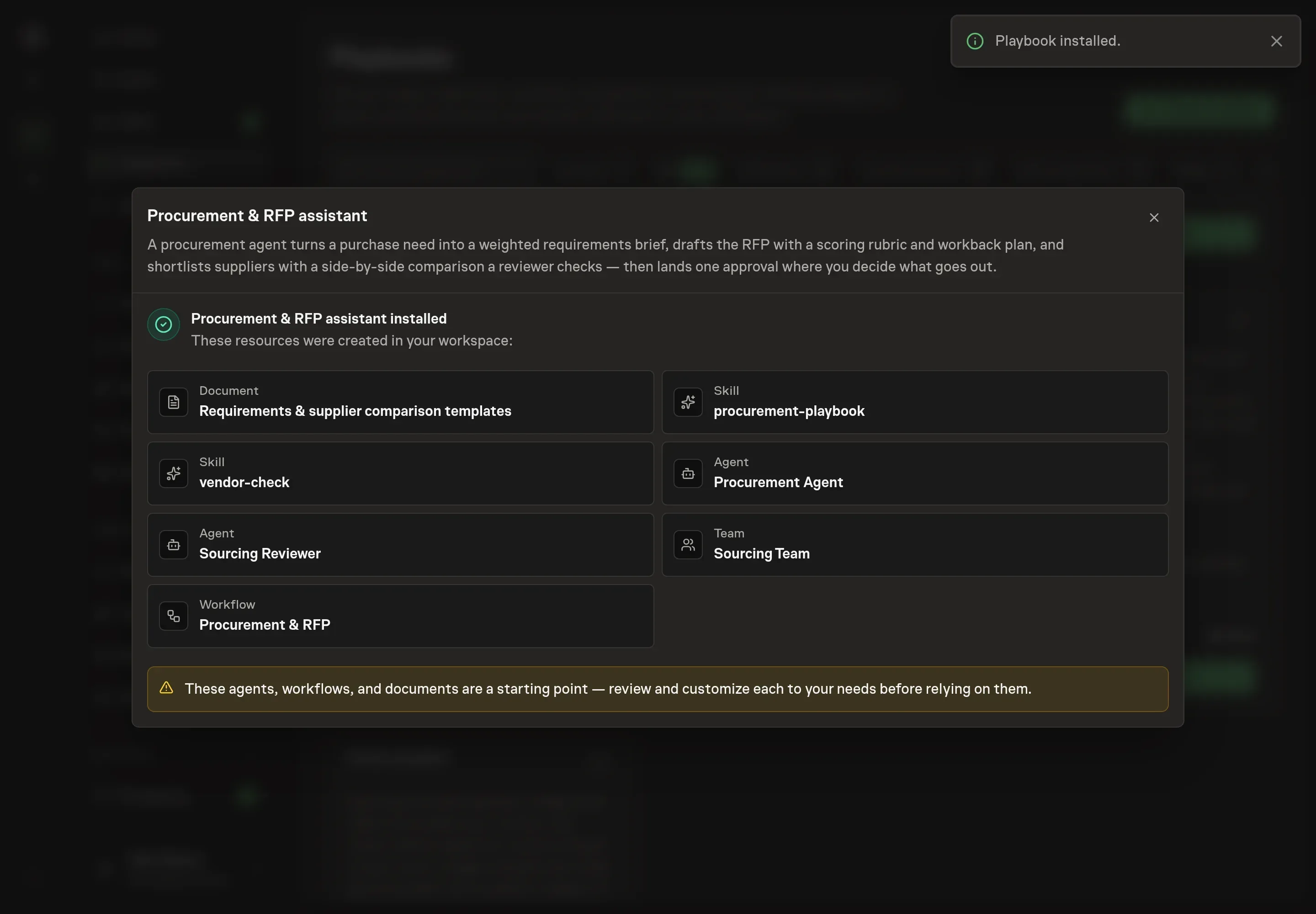
Choose Approve on the proposal in Chat when the configuration matches your brief. Task Machine installs that reviewed configuration. The approved item retains its review details. If your autonomy settings allow direct installation, this approval may not be required. Check the resulting configuration in that case too.
Complete any remaining secure service setup from the installation details in Chat. Inbox keeps those setup items available if you return later. Prepare the source documents and inputs before starting the first Task or Workflow. Installation does not authorize sending, publishing or changing an external service beyond the boundaries you agreed.
What good looks like
Three checks tell you whether the process is working:
- The requirements are answerable. A supplier can respond to each must-have directly, and the answer maps to the scoring rubric.
- Weights are fixed early. Evaluation weights are set before offers arrive and are not edited to fit a favorite supplier.
- The comparison includes reality. The incumbent or "do nothing" is a column, pricing estimates are labeled, and missing security evidence is visible.
Common questions
When should this be an RFP instead of a quote request? Use a quote request for simple purchases with low spend and clear scope. Use an RFI when you need to learn the market. Use an RFP when the purchase is complex, has multiple stakeholders, or needs a scored decision record.
Should suppliers see the scoring rubric? Yes. Publishing the rubric forces clearer answers and reduces disputes later. The team should decide weights before offers arrive.
Can the agent pick the winning supplier? No. The agent prepares the brief, RFP, shortlist, comparison, and reviewer note. The buyer decides what goes out and which supplier wins.
What if security evidence is missing? Keep it visible in the comparison. Missing SOC 2 reports, DPAs, insurance certificates, or pen-test summaries should affect the risk view before the team reaches approval.