How to Run a Product Launch
A practical guide to planning a product launch with asset checks, listing copy, launch-day owners, and approval gates.

Founder, Task Machine
A product launch is the planned release of a new product, major feature, or company moment across the channels where your buyers, users, and supporters already pay attention. Good launches turn a shipping date into a coordinated sequence: the page is ready, the listing copy is approved, the audience is mobilized, the team knows who owns each hour, and public replies do not get invented in the heat of the day.
The work is worth systematizing because launches usually fail in the weeks before launch day. A broken signup flow, a weak Product Hunt tagline, a missing demo asset, or an unclear owner can waste the one day when people are most willing to look.
Why launches lose momentum
Most small teams treat launch as a checklist they remember too late. They have a product, a date, and a few channels, but the channel model is fuzzy, the launch phase is not named, the assets are half-done, and nobody has separated launch blockers from nice-to-have polish.
Besides missed tasks, the risk is spreading attention too thin. A launch needs owned channels that compound, one or two rented platforms that fit the audience, and borrowed opportunities that point back to owned channels. Without that structure, the team posts everywhere, follows up nowhere, and learns little from the result.
What the manual process looks like
Done by hand, launch planning is a sequence of decisions and checks:
- Pin what is launching, when it ships, the target region, the budget, and the existing audience that can support day one.
- Choose the channel mix across owned, rented, and borrowed channels, then decide which phase of launch the product is in.
- Audit the launch assets: landing page, screenshots, demo video, Open Graph image, Product Hunt listing, Show HN draft, social posts, and onboarding path.
- Draft the Product Hunt tagline, description, gallery callouts, maker first comment, Show HN title, and Show HN maker comment.
- Turn launch day into dated tasks with owners, hours, reply templates, and check-ins.
- Review the plan, approve public listing copy, and make the final launch decision.
The ritual is manageable, but it cuts across strategy, copy, site readiness, and operations. That is why teams either under-plan it or create a spreadsheet nobody wants to update.
What an agent can automate
The useful role for an agent is to assemble the launch plan and force the right gates before anything public happens:
- Frame the launch. The agent reads the launch plan and pins the launch type, date, budget, existing audience, target regions, channel model, and launch phase. If the brief is incomplete, it asks instead of guessing.
- Build the asset checklist. It checks the actual launch assets: brand files, visuals, social posts, listings, pages, redirects, SEO files, social previews, favicons, performance, accessibility, and visible copy.
- Draft listing copy. It produces Product Hunt tagline and description variants, gallery and demo callouts, a maker first comment, a Show HN title, and a maker comment that leads with substance.
- Break down launch day. It turns the plan into morning, through-the-day, and evening tasks with owners, hours, reply templates, and check-ins.
- Critique the plan before approval. It checks whether the channel mix feeds owned channels, the listing is ready, the Show HN copy is not hype, and launch blockers are owned.
Human judgment stays on positioning, final copy approval, and the go or no-go decision.
The guardrails that make it safe
Launch work is public. Product Hunt and Hacker News copy can create durable first impressions, so the workflow should never post by default.
The safe shape is a launch crew that drafts and verifies, then waits. Product Hunt and Hacker News copy has its own approval gate before posting, and the full plan has a final human approval before launch day. The agent can prepare the listing, the task breakdown, and the readiness report, but the team decides whether the copy is right and whether the blockers are acceptable.
Set it up in Task Machine
The Product launch coordination playbook provides a starting point for the method above. You need an active Task Machine workspace with Chat, workspace-management and Playbook-installation access (workspace owners have it). Browser access is useful for Product Hunt, Hacker News, and social channels, but the playbook can draft from your plan before those services are authorized.
1. Find the playbook
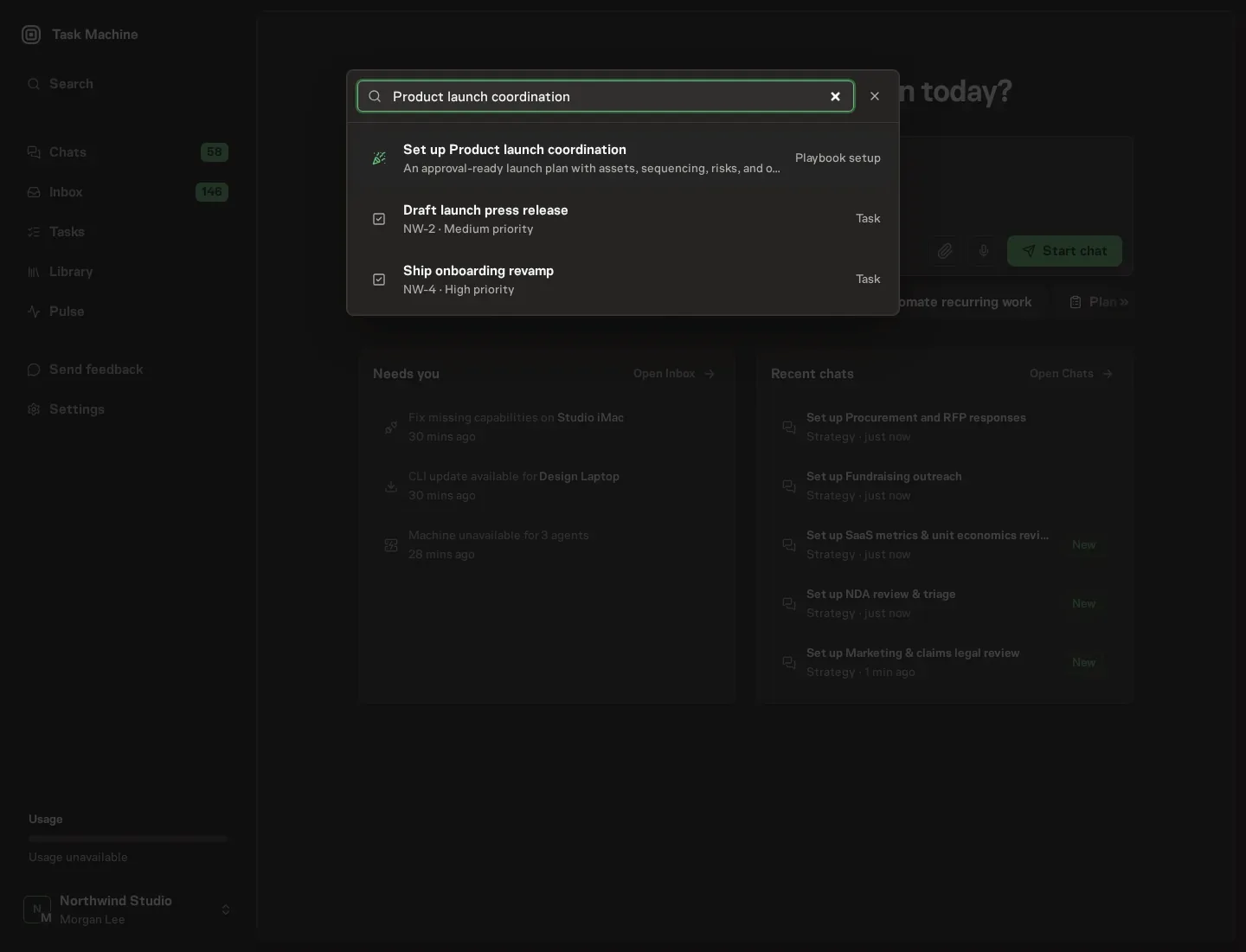
Open Search in your workspace and enter "Product launch coordination". The command center lists Set up Product launch coordination under Playbook setup.
2. Start the conversation
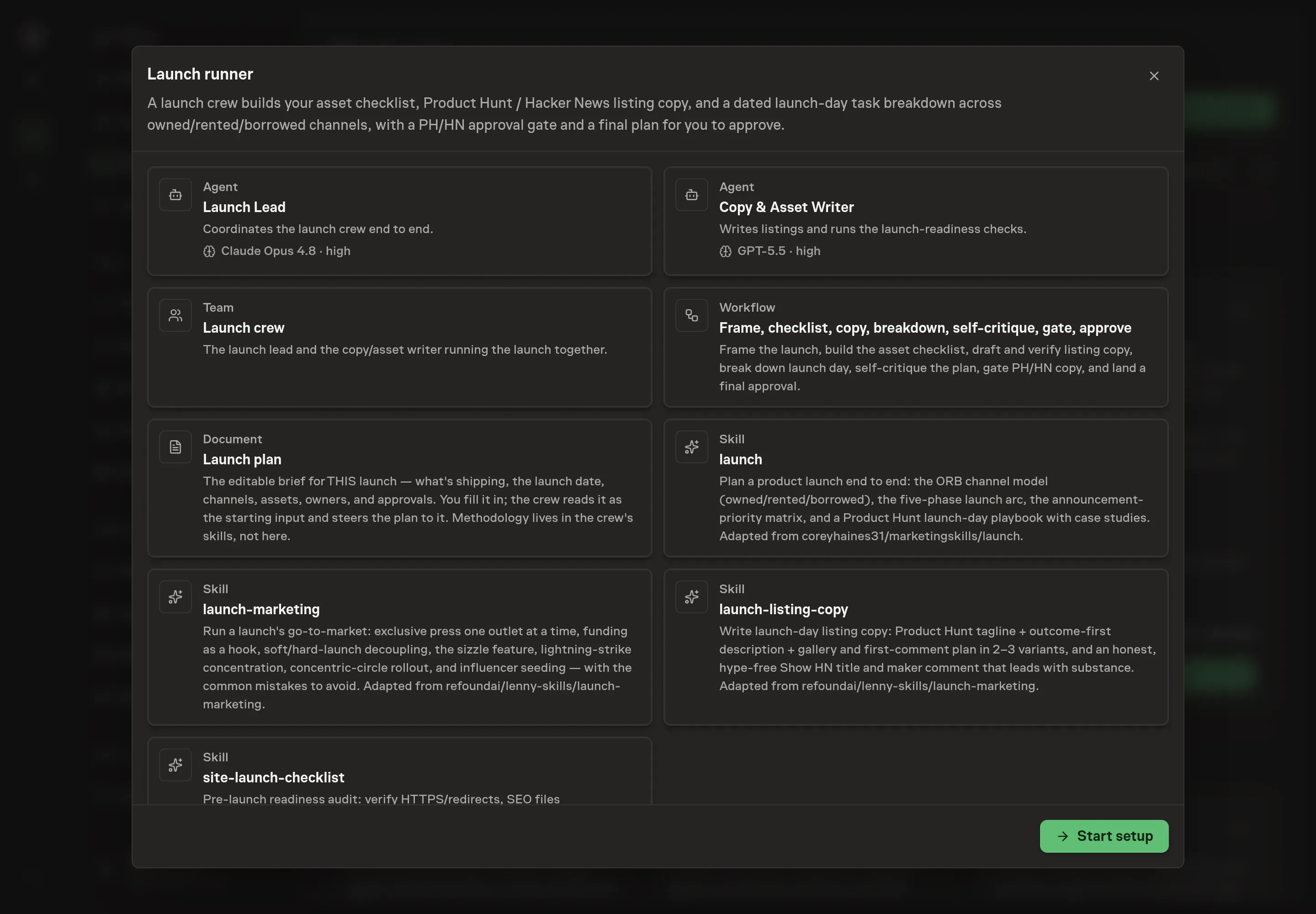
Choose Set up Product launch coordination. Task Machine opens a dedicated Chat with the Playbook card and an editable, unsent request. Read the intended job and outcome. Add your situation and send it when ready. Opening the draft does not install anything or start work. This walkthrough uses settings that require approval of the proposed Playbook.
3. Agree the working brief
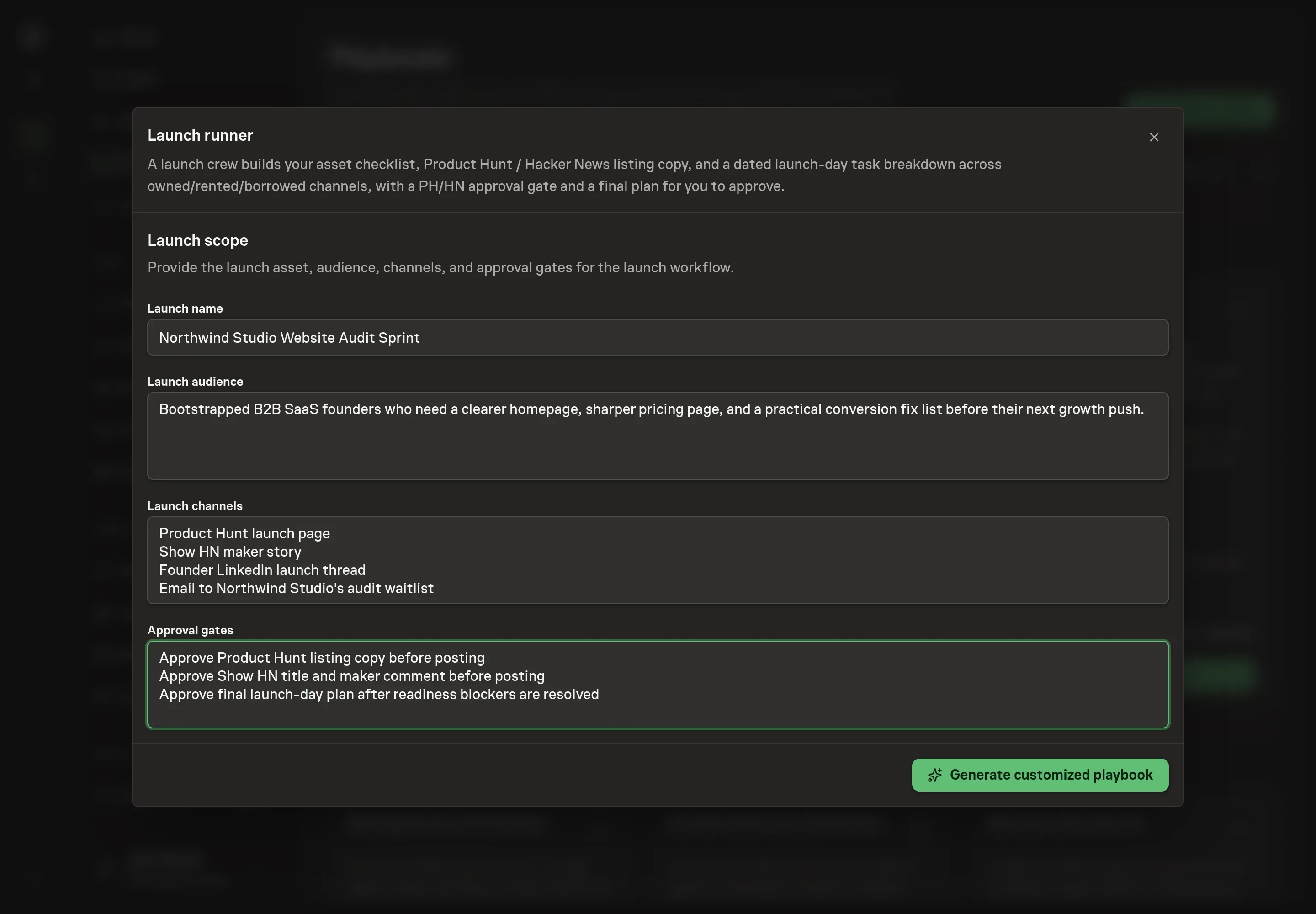
Use Chat to agree the inputs, expected output and limits before asking for a proposal. The Agent needs the launch name, audience, launch channels, and approval gates. Use the conversation to name the actual product moment, the buyer or community you care about, the channels you are willing to work, and the decisions that need human sign-off.
4. Review the proposed Playbook
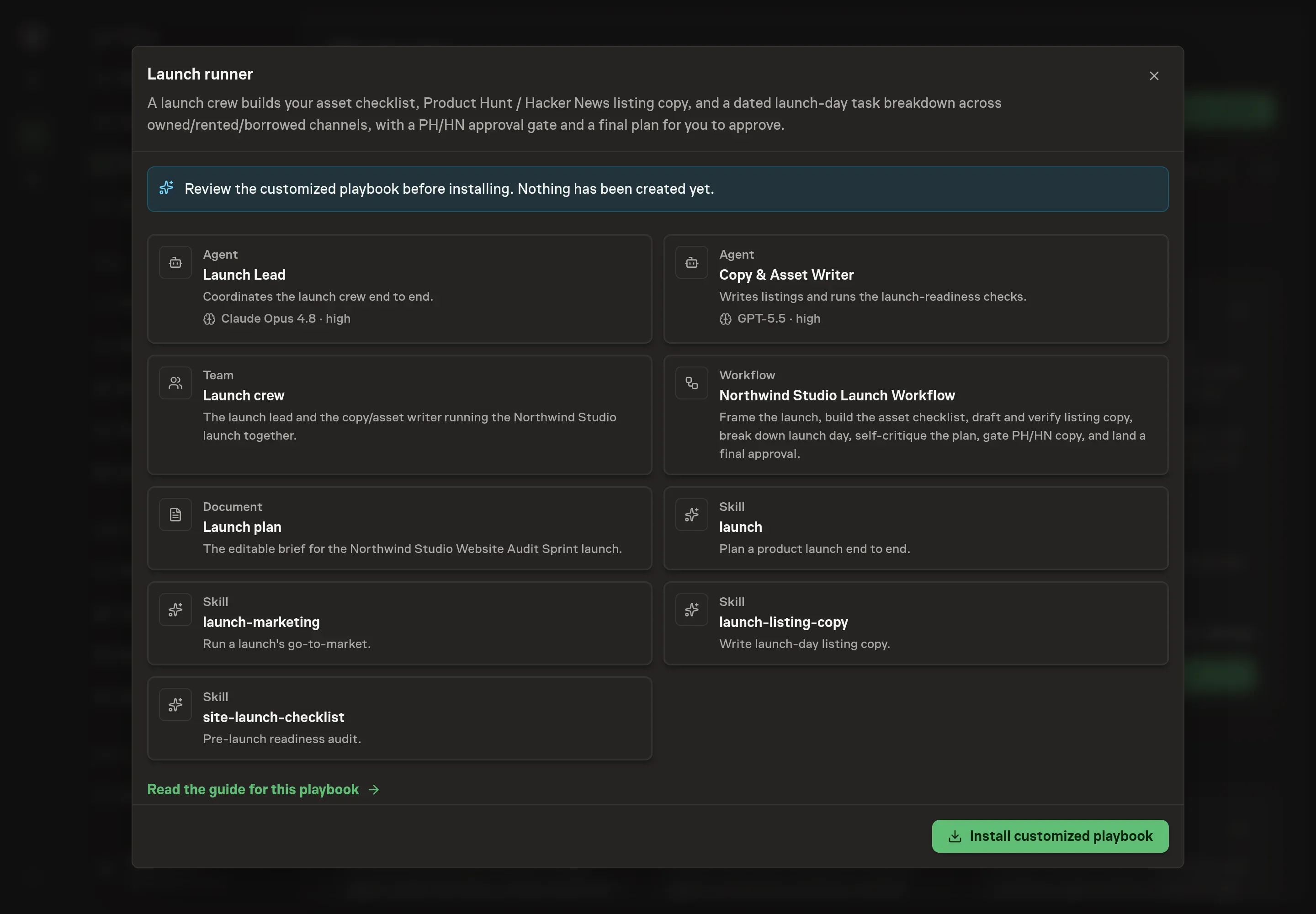
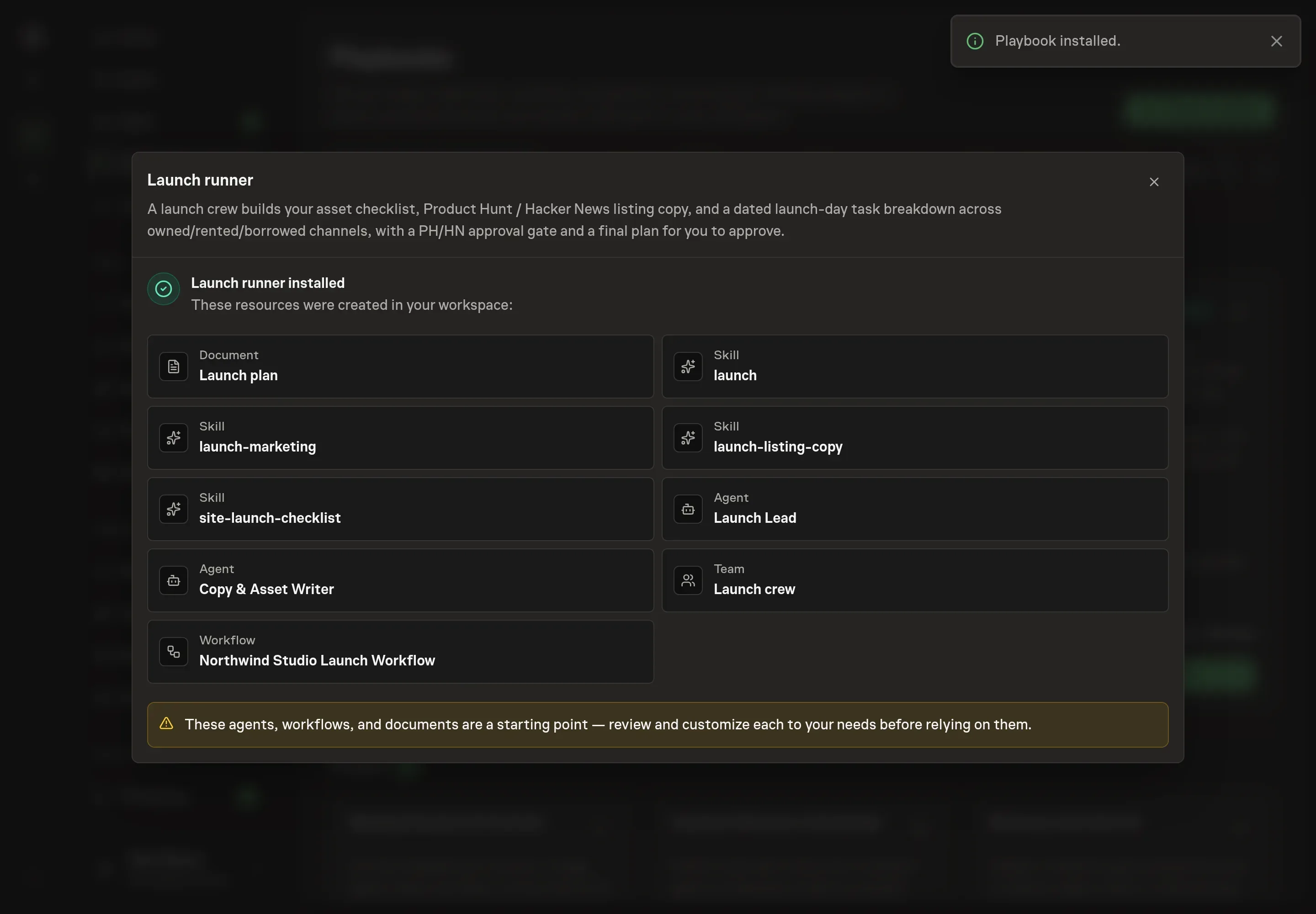
Ask the Agent to generate the Playbook from the agreed brief. Open its proposal in Chat and check the instructions and resources it will install, which carry more detail than the conversational summary. Review the crew instructions, the Launch plan, and the workflow cards. Check that the approval gates match how your team wants to handle Product Hunt, Hacker News, and the final plan. Ask for a revised proposal if anything is missing or changes the job.
5. Approve and prepare the first work
Choose Approve on the proposal in Chat when the configuration matches your brief. Task Machine installs that reviewed configuration. The approved item retains its review details. If your autonomy settings allow direct installation, this approval may not be required. Check the resulting configuration in that case too.
Complete any remaining secure service setup from the installation details in Chat. Inbox keeps those setup items available if you return later. Prepare the source documents and inputs before starting the first Task or Workflow. Installation does not authorize sending, publishing or changing an external service beyond the boundaries you agreed. Check the reviewed tracker or results document before the first cycle so evidence and human decisions have a durable home.
What good looks like
Three numbers tell you whether the launch process is healthy:
- Asset readiness before launch day. The landing page, demo, social previews, listing copy, and onboarding path should be checked before the launch window opens.
- Owner coverage. Every launch-day task should have one owner and a time, including replies, metrics checks, public updates, and follow-up.
- Owned-channel capture. Rented and borrowed attention should route into email, product signup, community, or another owned surface the team can keep working after the spike.
Common questions
Should Product Hunt and Hacker News be in every launch plan? No. They are rented channels with distinct norms. Use them when the audience fit is real, the product is ready for public scrutiny, and the team can handle comments all day.
Can an agent post launch copy directly? No. The playbook drafts Product Hunt and Hacker News copy, then waits at an approval gate. A person reviews the public copy and decides whether it is ready.
What if the site is not ready? The readiness check separates launch blockers from recommended improvements. A broken signup, bad redirect, dead listing, or missing Open Graph image is a blocker, while smaller polish items can be owned without stopping the whole launch.
Does this replace a launch owner? No. The playbook gives the launch owner a crew, a checklist, and a dated task breakdown. The owner still decides strategy, accepts risk, and approves the public plan.