How to Run a Technical SEO Audit
A practical guide to auditing crawlability, indexability, Core Web Vitals, schema, internal links, and on-page tags.

Founder, Task Machine
A technical SEO audit is the process of checking whether search engines can crawl, index, understand, and rank the pages that matter. It covers infrastructure and page signals together: robots rules, sitemaps, canonicals, Core Web Vitals, mobile fit, HTTPS, structured data, internal links, and on-page tags.
The work is valuable because SEO defects compound silently. One stray noindex, broken canonical pattern, deep orphan page, or slow mobile template can suppress an entire section of a site. A good audit does not produce a long list of observations. It produces a prioritized fix queue with evidence, severity, and effort.
Technical SEO problems rarely look like one failure
Technical SEO issues rarely announce themselves as a single clean failure. Rankings dip after a migration. Product pages stay discovered but not indexed. A template change creates duplicate canonicals across hundreds of URLs. Core Web Vitals degrade on mobile, but only on the page type that drives demos.
The cost comes from poor prioritization. Teams spend time polishing titles while revenue pages are blocked from indexing, or they inspect individual URLs when the real defect lives in a shared template. A useful audit separates measured evidence from estimates, then puts blocking indexation and revenue risks first.
What the manual process looks like
A disciplined technical SEO audit follows a repeatable sequence:
- Define the site scope: primary domain, subdomains, priority URLs, templates, known symptoms, and available Search Console exports.
- Crawl the scoped URLs and collect status codes, robots and sitemap signals, titles, metas, headings, canonicals, schema, and internal links.
- For large URL sets, group pages by template and sample two or three URLs per pattern instead of auditing every URL by hand.
- Run the nine audit areas: crawlability, indexability, Core Web Vitals, mobile, HTTPS/security, URL structure, structured data, internal linking, and on-page tags.
- Label every metric as Measured, User-provided, Estimated, or N/A.
- Score each area and rank issues P0, P1, or P2 with impact and effort.
- Send the report for approval before anyone schedules fixes.
The audit is only as good as its evidence labels. An estimated crawl-depth issue and a measured noindex on a money page should not carry the same confidence.
What an agent can automate
The technical SEO audit playbook turns the audit into a workflow with explicit evidence handling:
- Crawl and scope. The agent reads the site map document, crawls public URLs, and prioritizes money pages and high-traffic templates.
- Sample by pattern. For five or more URLs sharing a template, it switches to bulk mode and reports pattern-level findings.
- Run the nine-area audit. It checks crawlability, indexability, Core Web Vitals, mobile, HTTPS/security, URL structure, structured data, internal links, and on-page tags.
- Respect decision gates. If the AI-crawler stance is unstated, it asks whether to allow all, block all, or allow retrieval while blocking training. It does not promise deprecated FAQ or HowTo rich results.
- Prioritize fixes. It ranks P0 blockers first, then P1 and P2 issues by impact, affected URLs, and effort.
- Compile the approval report. It produces a scorecard, one fix queue, quick wins, and monitoring plan without applying changes.
The agent reads public pages and available exports. It does not change the site.
The guardrails that make it safe
The first guardrail is evidence labeling. Every metric must be Measured, User-provided, Estimated, or N/A. If Search Console or PageSpeed data is missing, the agent says so instead of inventing a number.
The second guardrail is severity discipline. P0 means a blocker or revenue risk, not "important sounding". The self-check step forces every issue to carry concrete evidence, an exact fix, and a defensible severity before the report is written.
The third guardrail is human approval. The workflow ends with a report approval step. The human decides which fixes to schedule, which AI-crawler stance to take, and which recommendations fit the business.
Set it up in Task Machine
The Technical SEO audit playbook provides a starting point for the method above. You need an active Task Machine workspace with Chat, workspace-management and Playbook-installation access (workspace owners have it). Search Console access can be added later. Until then, the agent works from attached exports and public-page crawl evidence.
1. Find the playbook
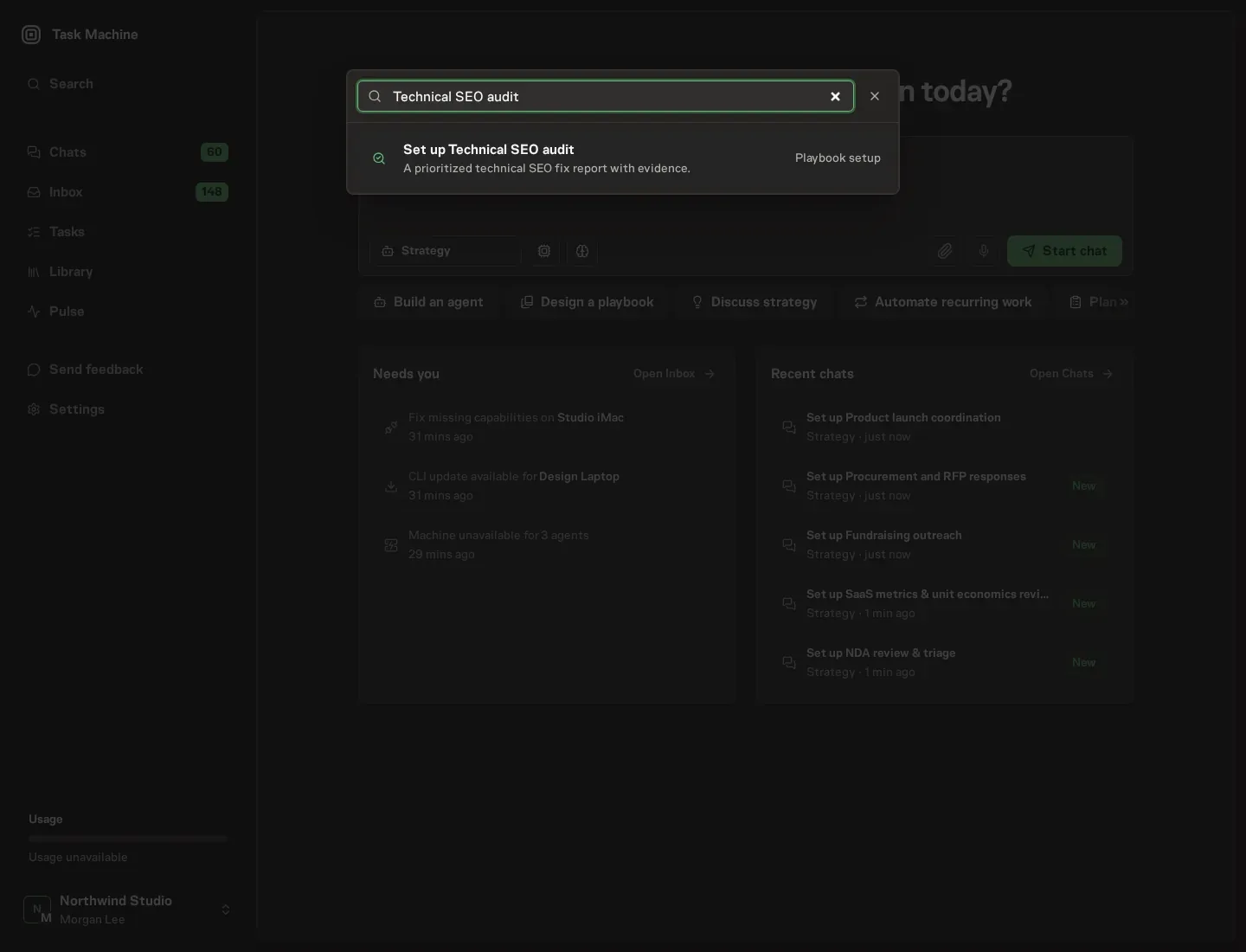
Open Search in your workspace and enter "Technical SEO audit". The command center lists Set up Technical SEO audit under Playbook setup.
2. Start the conversation
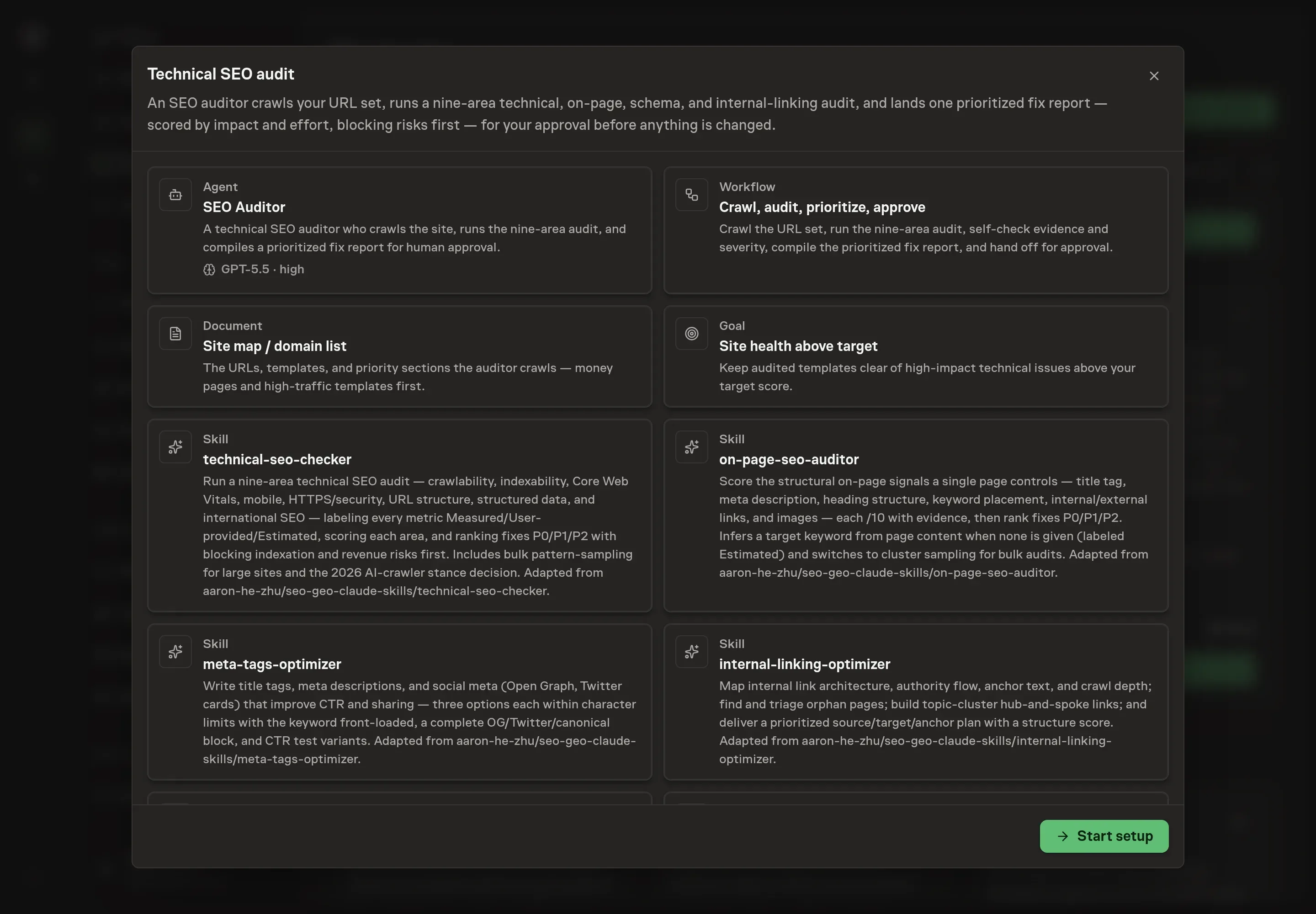
Choose Set up Technical SEO audit. Task Machine opens a dedicated Chat with the Playbook card and an editable, unsent request. Read the intended job and outcome. Add your situation and send it when ready. Opening the draft does not install anything or start work. This walkthrough uses settings that require approval of the proposed Playbook.
3. Agree the services
Tell the Agent which services you use. The catalog offers these starting choices:
- SEO data providers: Ahrefs, Semrush. Optional.
Discuss any missing access or export-based alternative before generation. Check the exact proposal includes only the services you agreed. Enter credentials only through secure setup, never in Chat.
4. Agree the working brief
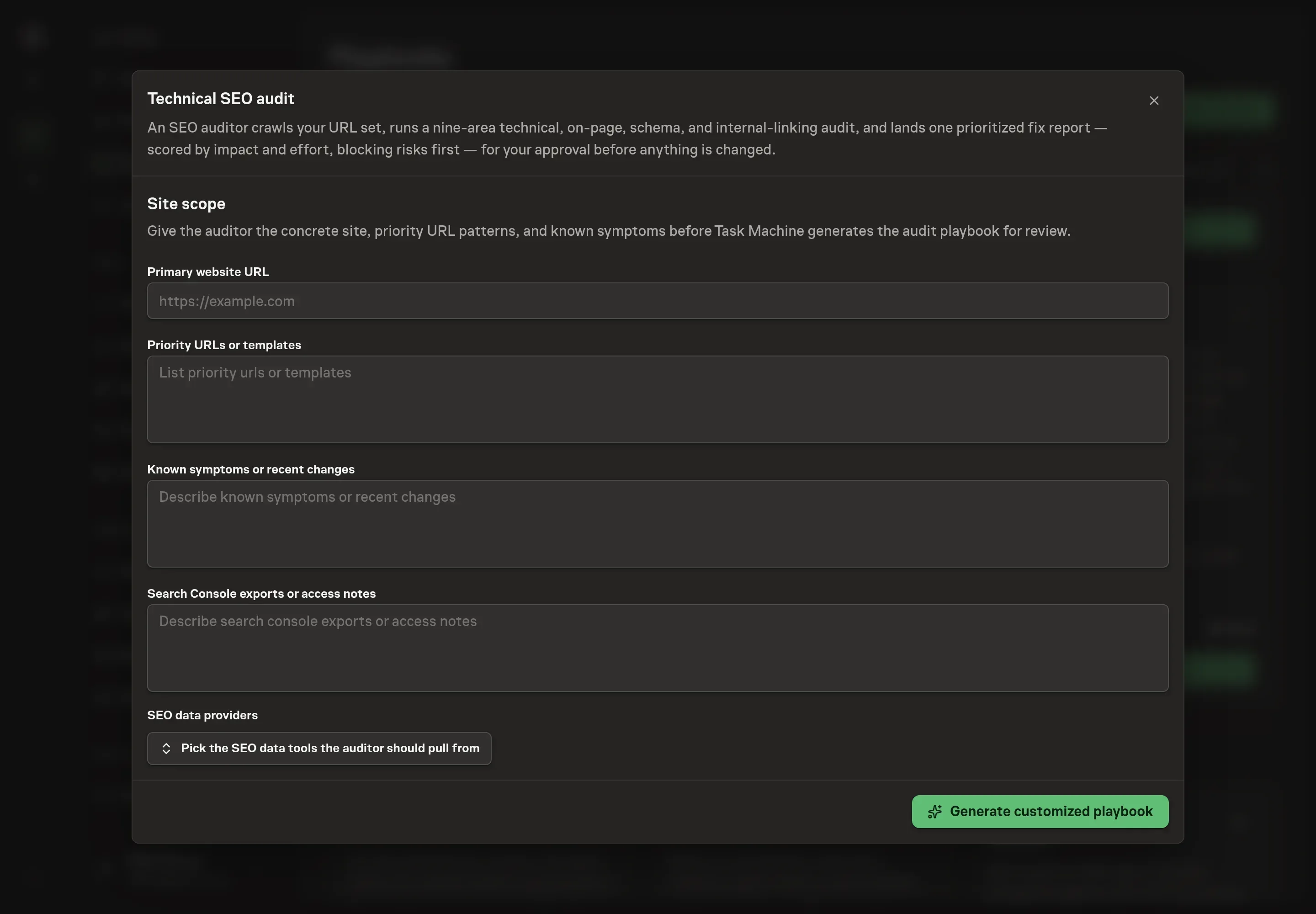
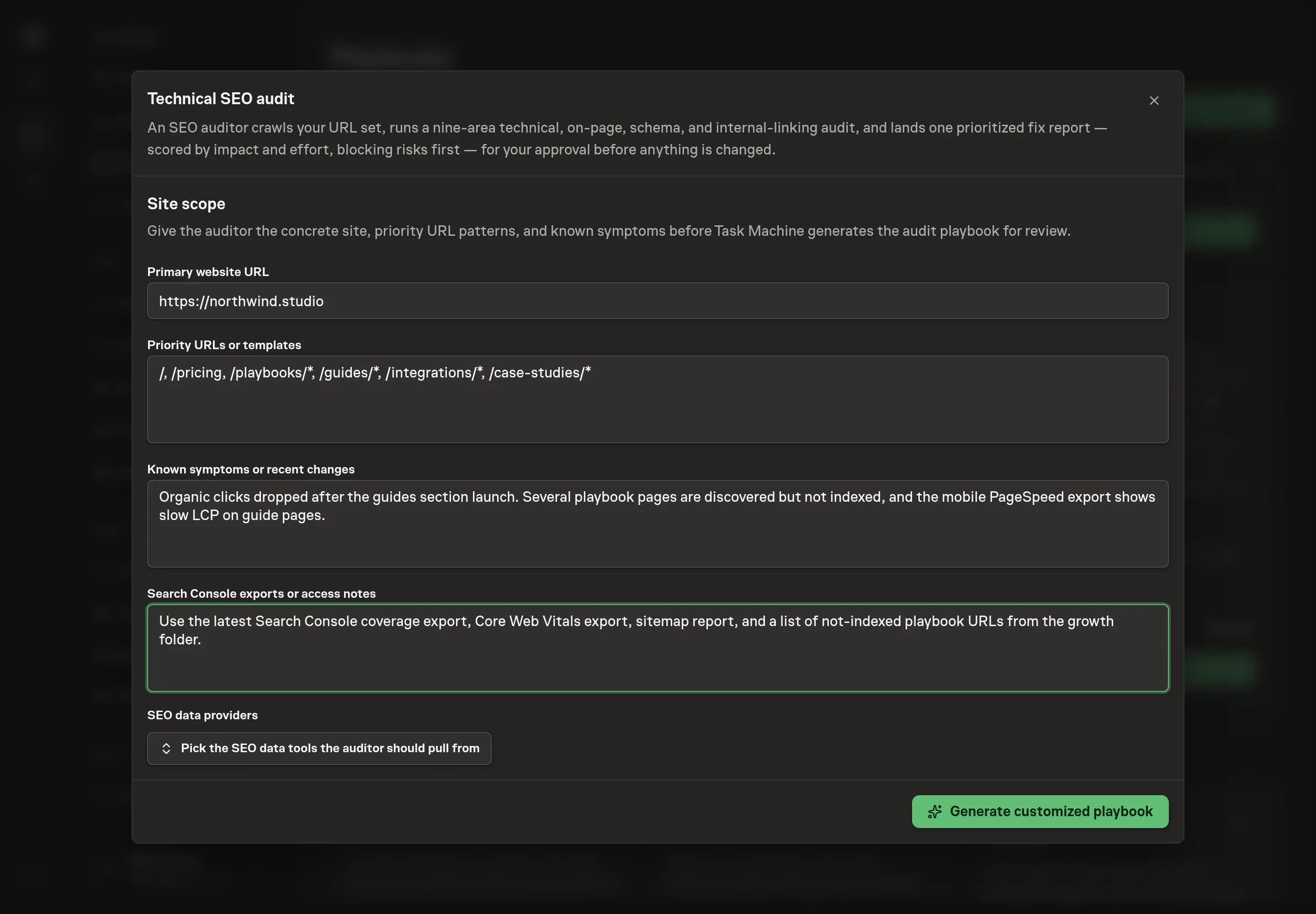
Use Chat to agree the inputs, expected output and limits before asking for a proposal. Discuss the primary website URL, priority URLs or templates, known symptoms, and Search Console export notes. Put the highest-value templates first so the agent samples the right patterns before it inspects lower-impact pages.
5. Review the proposed Playbook
Ask the Agent to generate the Playbook from the agreed brief. Open its proposal in Chat and check the instructions and resources it will install, which carry more detail than the conversational summary. Check that the generated workflow includes the evidence labels, nine audit areas, P0/P1/P2 severity model, AI-crawler decision gate, and human approval step. Ask for a revised proposal if anything is missing or changes the job.
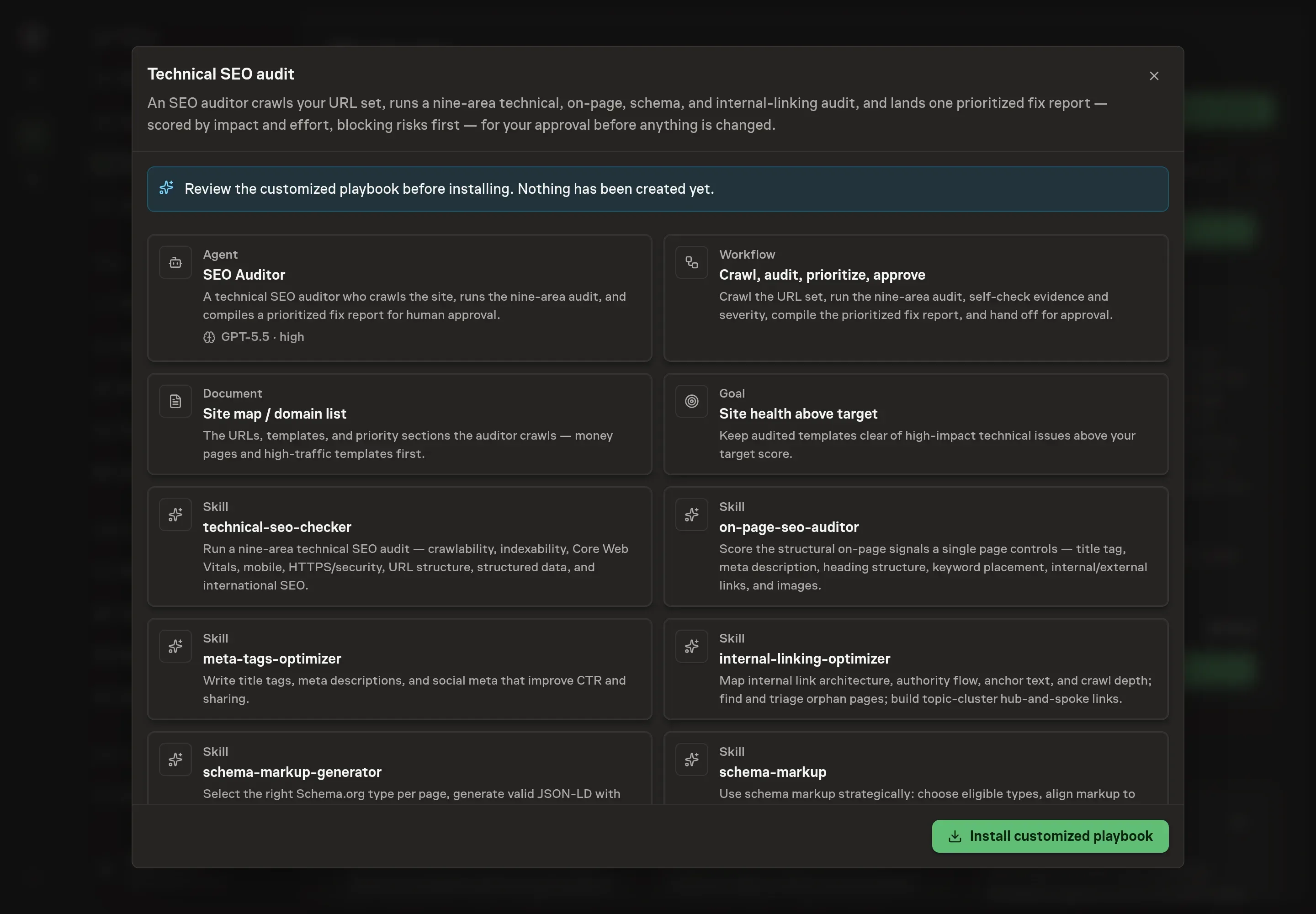
6. Approve and prepare the first work
Choose Approve on the proposal in Chat when the configuration matches your brief. Task Machine installs that reviewed configuration. The approved item retains its review details. If your autonomy settings allow direct installation, this approval may not be required. Check the resulting configuration in that case too.
Complete any remaining secure service setup from the installation details in Chat. Inbox keeps those setup items available if you return later. Prepare the source documents and inputs before starting the first Task or Workflow. Installation does not authorize sending, publishing or changing an external service beyond the boundaries you agreed.
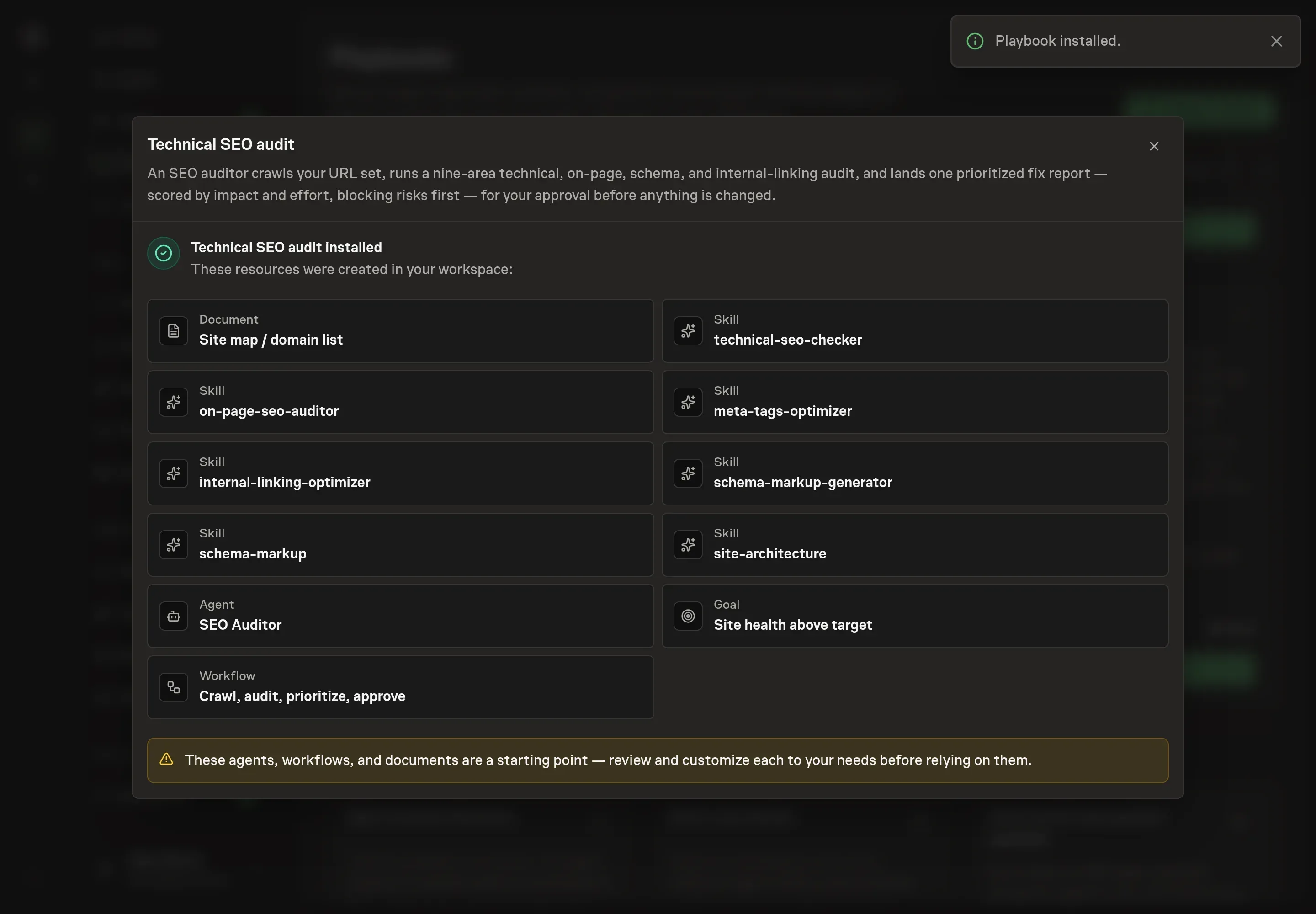
What good looks like
The audit is useful when three outputs are clear:
- A scorecard with evidence labels. The reader can tell what was measured, supplied, estimated, or unavailable.
- One prioritized fix queue. P0 indexation or revenue blockers appear before lower-impact polish.
- Template-level recommendations. Shared defects are tied to the affected template and URL count, not scattered as disconnected page notes.
Common questions
Does the agent change SEO tags or site code? No. It produces an audit report and fix queue for approval. Scheduling or applying fixes is a separate human decision.
Can it run without Search Console access? Yes. It can use public-page crawl evidence and attached exports. Missing field data is marked N/A instead of guessed.
Why does the playbook include Ahrefs and Semrush choices? Those services can add backlink, keyword, and site-health context alongside crawl evidence. Pick only the services you use.
Should the audit inspect every URL? For small sites, it can inspect the scoped URL set. For larger sites, template sampling is better because one shared template fix can affect many pages.