How to Run a Y Combinator Launch Playbook
Turn YC-style first-customer work into a weekly launch rhythm with seven motions and approval before posting, sending, or spending.

Founder, Task Machine
A Y Combinator-style launch playbook is a weekly customer-acquisition system for doing the unscalable work before one channel is predictable. It combines repeated launches, competitor backlink outreach, warm outbound, creator recruitment, build-in-public video, channel sponsorships, and relevant trend-jacking into one operating rhythm.
The point is to keep the founder from quitting after one weak attempt, confusing activity with customers, or spreading risky actions across chat threads with no approval boundary.
Why early launch work stalls
Early-stage teams often run one visible launch, get a mixed result, and move on. That makes the channel look like it failed when the real failure was under-sampling. A launch platform, a community post, a creator brief, and a competitor backlink request all need repetition and measurement before they teach you anything.
The other failure is mixing planning and execution authority. A founder wants aggressive customer work, but not accidental posts, spammy outreach, or unapproved sponsorship spend. The process needs to push hard while isolating every posting, sending, and spending decision.
What the manual process looks like
The weekly ritual has five parts:
- Score last week's seven motions by customer outcomes, not effort.
- Keep any channel alive until it has at least four honest attempts unless it is unsafe or irrelevant.
- Plan this week's launch-max, backlink, warm outbound, creator, build-in-public, sponsorship, and trend motions.
- Draft the assets, outreach, briefs, and spend packets each motion needs.
- Approve posting, sending, and pre-spend decisions separately before anything leaves the workspace.
The scoreboard is the memory. Without it, every week starts from opinion again.
What an agent can automate
This playbook works well as a planning agent because the weekly shape is fixed:
- Score the prior week. The agent reads the scoreboard and records action, outcome, attempt count, and next move for every motion.
- Plan all seven motions. The agent names the exact action, asset, customer path, owner or specialist playbook, and approval type for launch-max, backlink replacement, warm outbound, UGC creators, build-in-public video, channel sponsorship, and trend-jacking.
- Separate approvals. The agent creates distinct packets for posting, sending, and pre-spend decisions, including worst-case cost and remaining cap when money is involved.
- Self-check before handoff. The agent confirms the plan covers every motion, uses customer outcomes instead of activity, and keeps channels alive long enough to learn.
The result is a founder-reviewable plan with the risky parts clearly separated.
The guardrails that make it safe
The playbook is intentionally aggressive about doing work, but conservative about authority. Nothing posts, sends, books, pays, or commits spend without approval.
The agent also stops when a surface forbids promotion, a claim is unverified, an ICP is unclear, a target list looks scraped beyond owned engagement, or a creator or sponsor needs a cap decision. That stop rule is what lets the weekly plan include many channels without turning into uncontrolled execution.
Set it up in Task Machine
The Y Combinator launch planning playbook provides a starting point for the method above. You need an active Task Machine workspace with Chat, workspace-management and Playbook-installation access (workspace owners have it). Web and browser access help with research and platform work, but every post, send, and spend still waits for approval.
1. Find the playbook
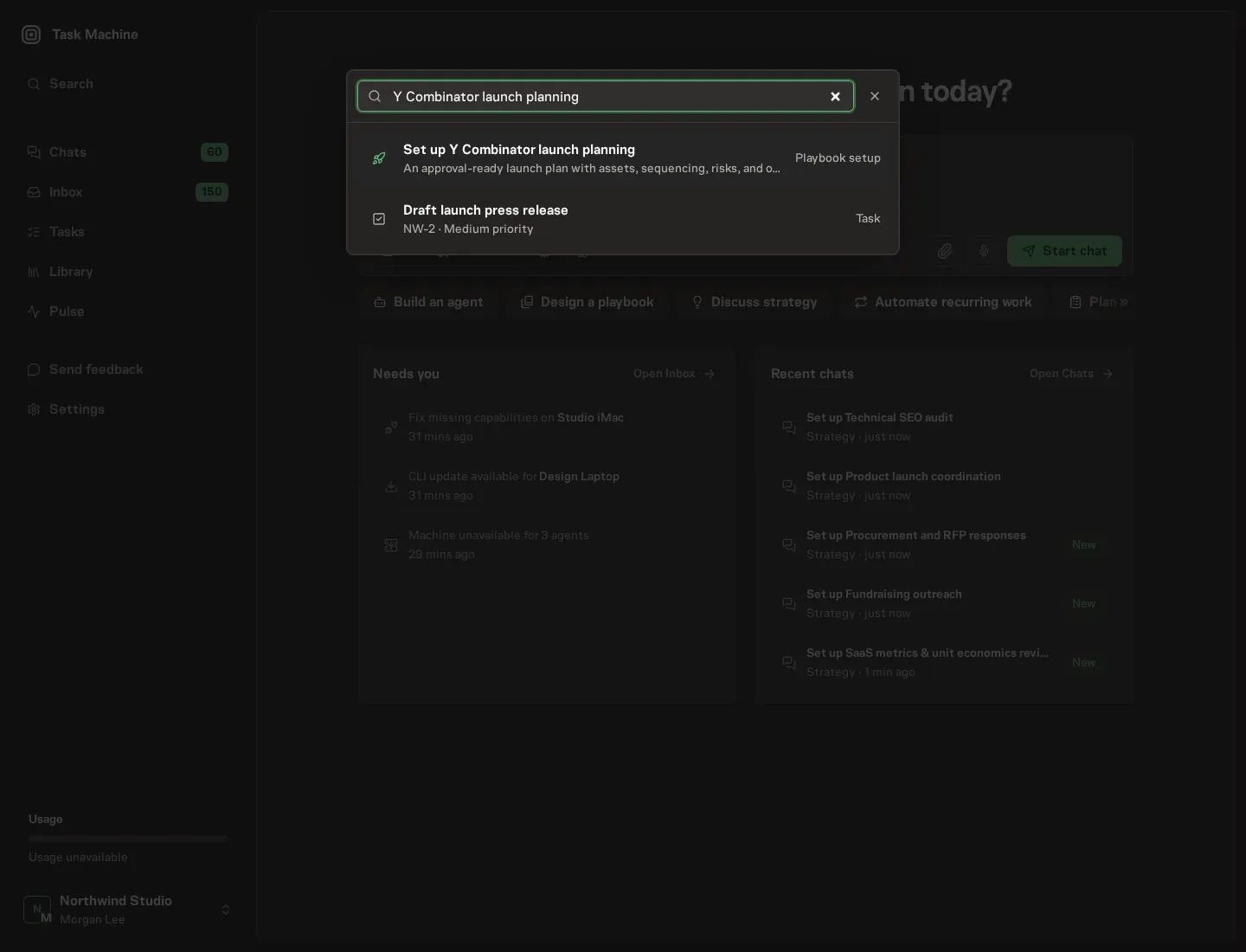
Open Search in your workspace and enter "Y Combinator launch planning". The command center lists Set up Y Combinator launch planning under Playbook setup.
2. Start the conversation
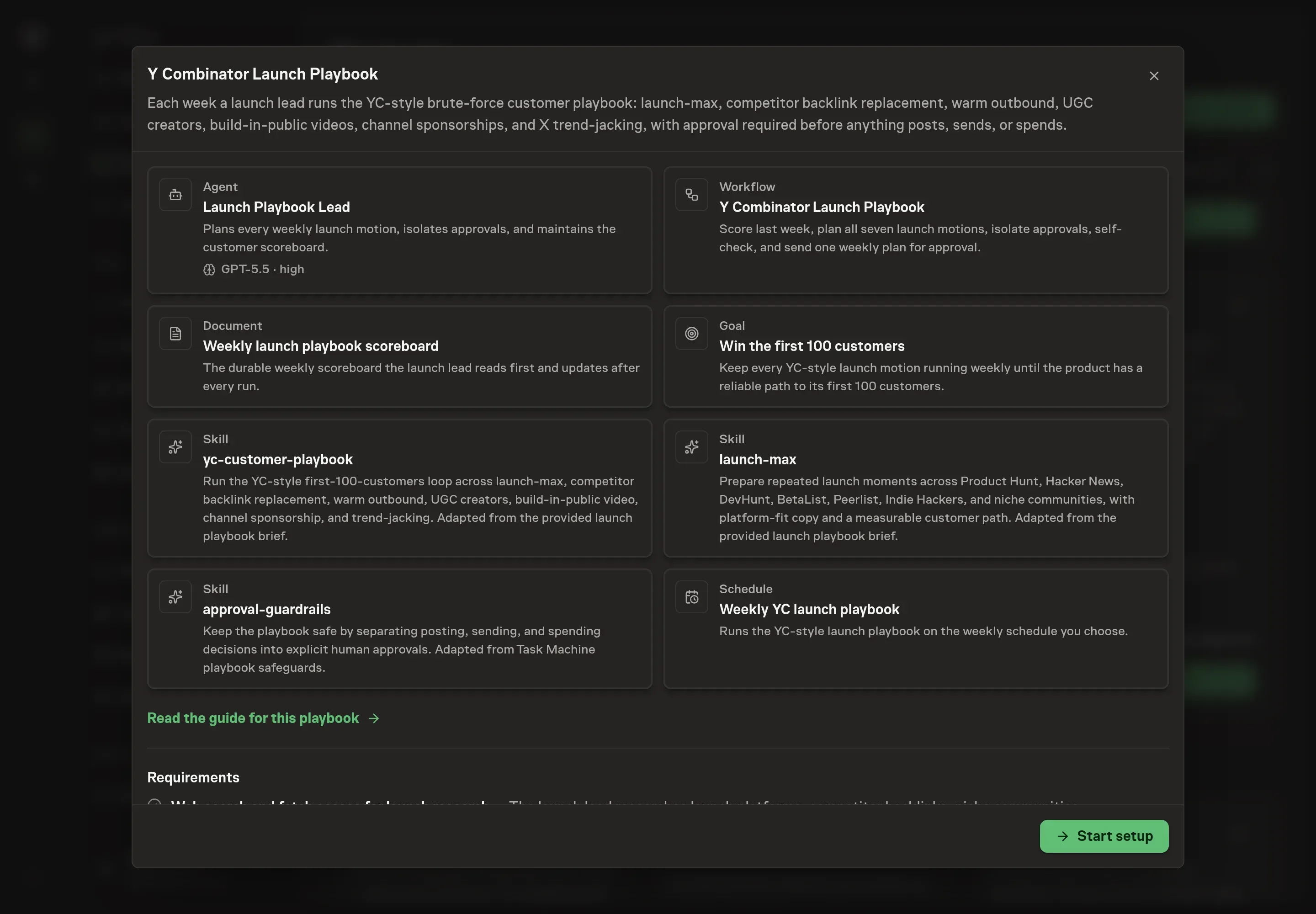
Choose Set up Y Combinator launch planning. Task Machine opens a dedicated Chat with the Playbook card and an editable, unsent request. Read the intended job and outcome. Add your situation and send it when ready. Opening the draft does not install anything or start work. This walkthrough uses settings that require approval of the proposed Playbook.
3. Agree the working brief
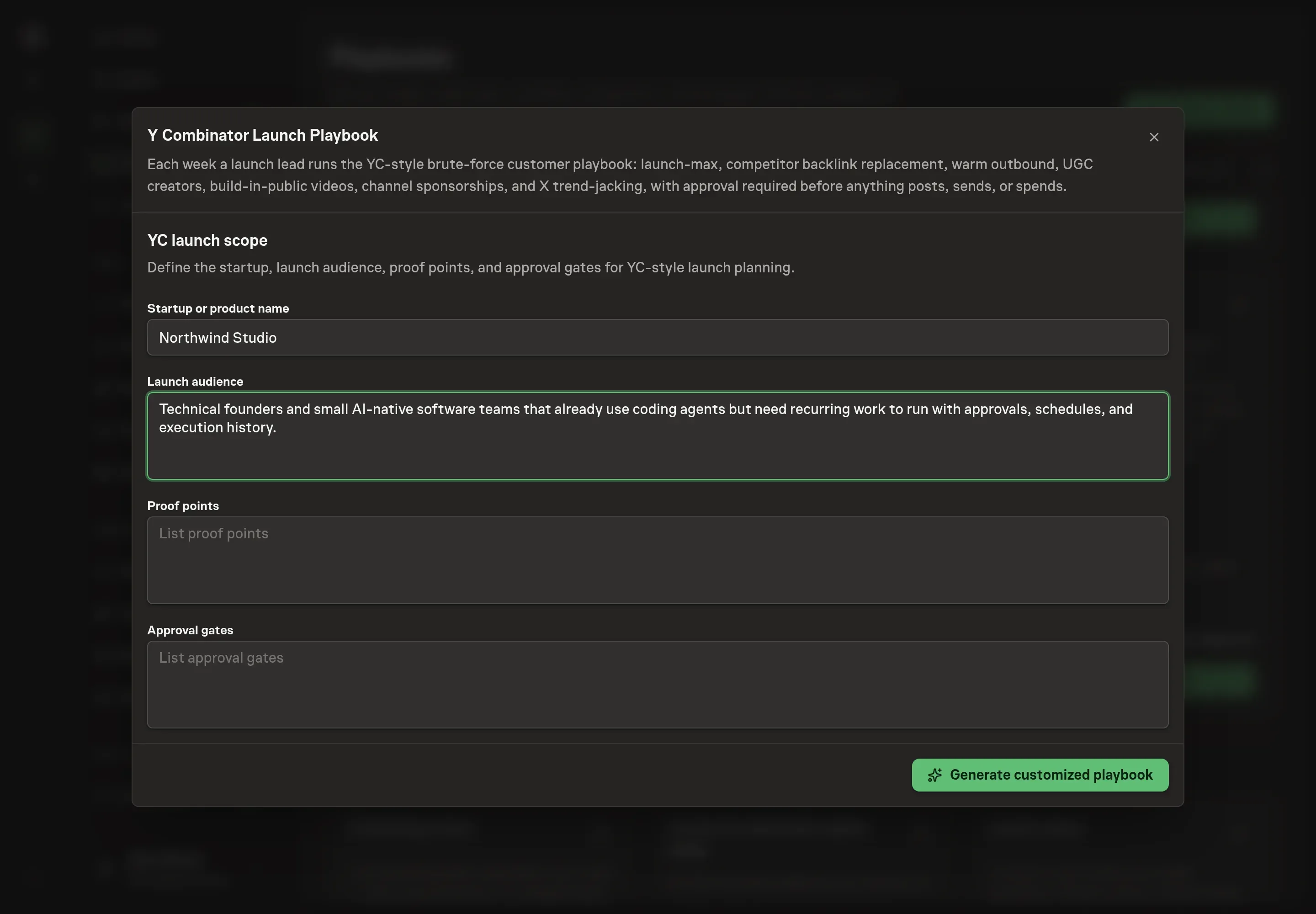
Use Chat to agree the inputs, expected output and limits before asking for a proposal. Discuss the startup or product name, launch audience, proof points, and approval gates. These answers keep the weekly plan tied to a real offer and explicit decision boundaries.
4. Review the proposed Playbook
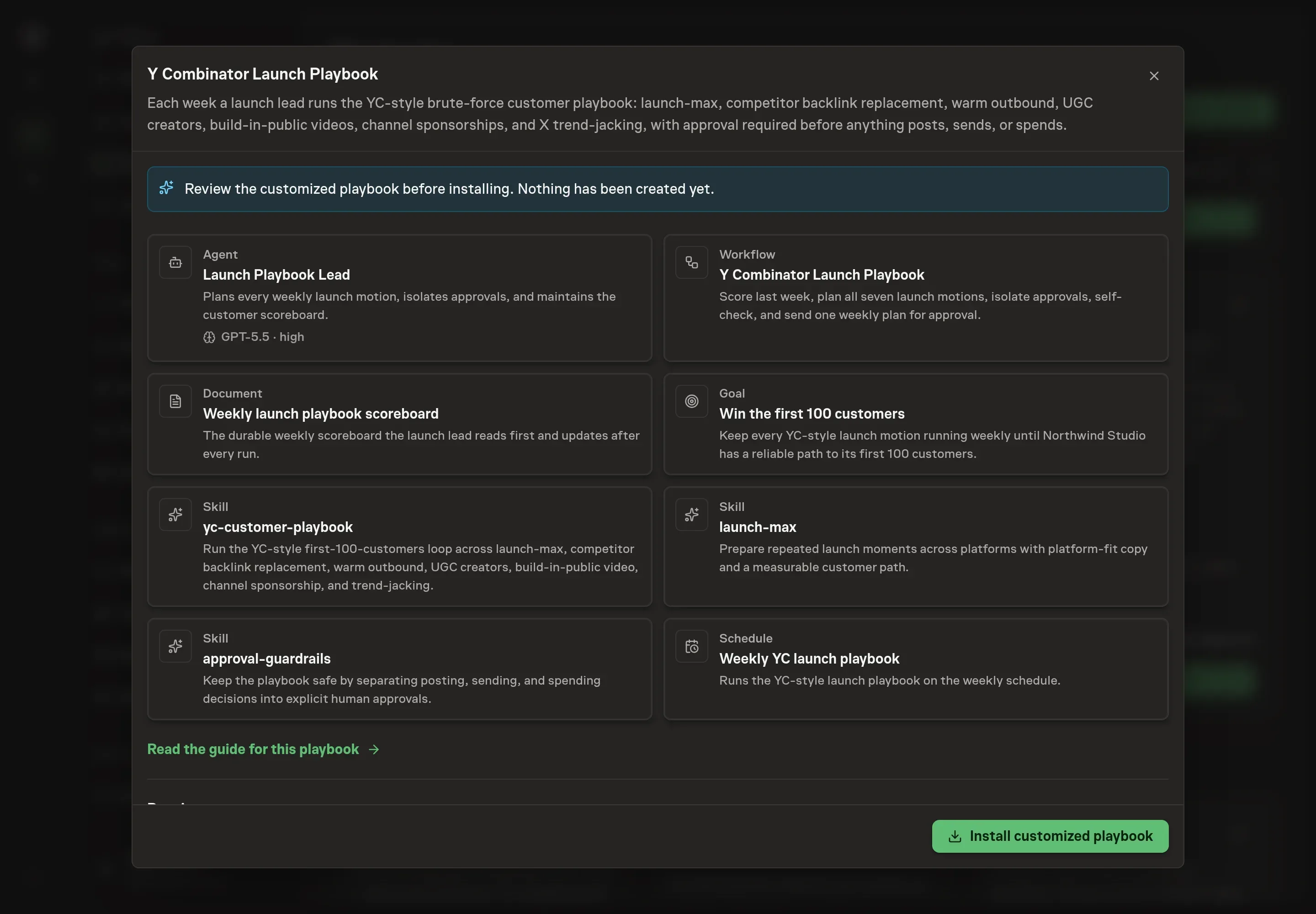
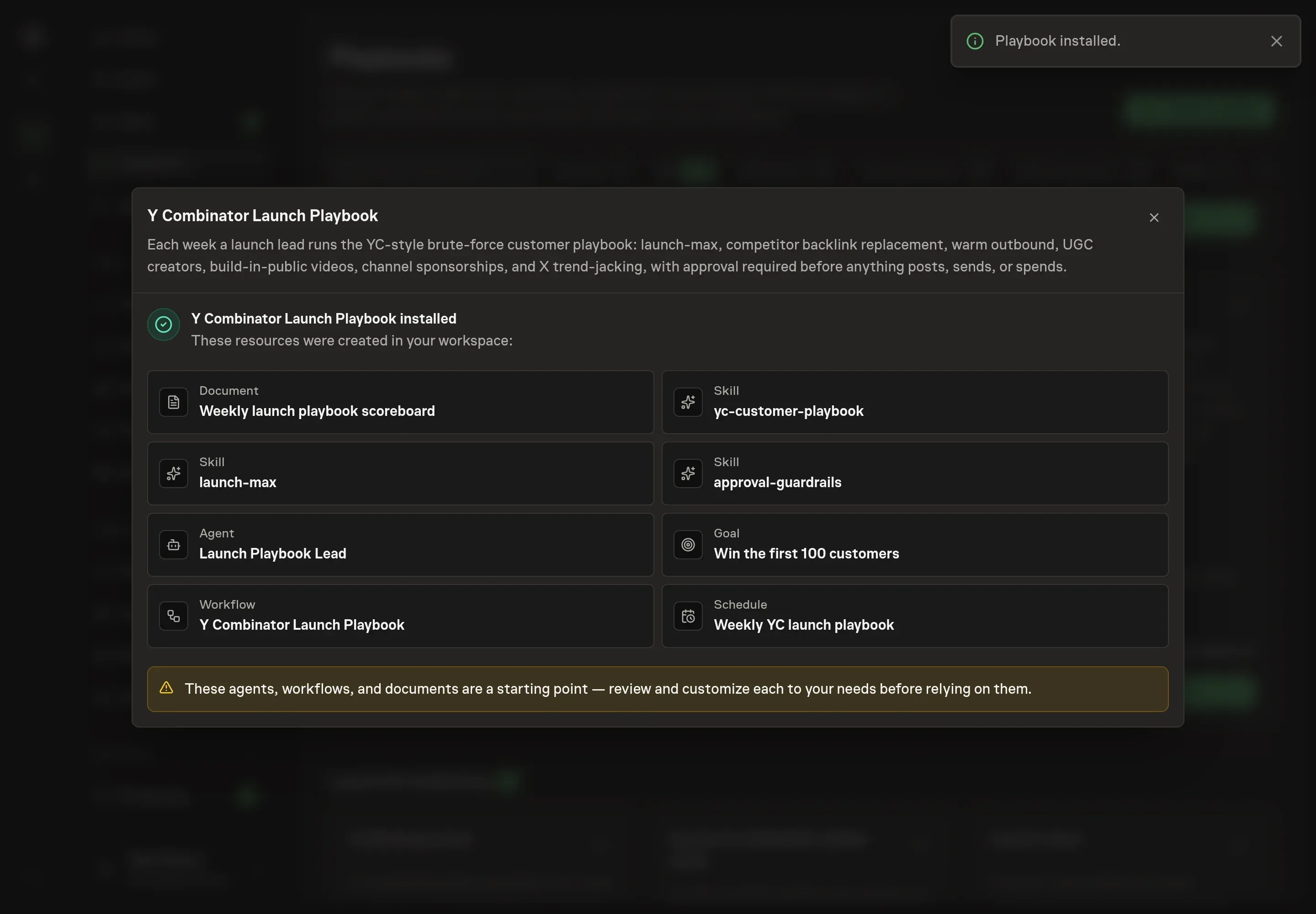
Ask the Agent to generate the Playbook from the agreed brief. Open its proposal in Chat and check the instructions and resources it will install, which carry more detail than the conversational summary. Review the launch lead, scoreboard, workflow, skills, goal, and schedule. Confirm that the approval gates cover all posting, sending, and pre-spend actions. Ask for a revised proposal if anything is missing or changes the job.
5. Approve and prepare the first work
Choose Approve on the proposal in Chat when the configuration matches your brief. Task Machine installs that reviewed configuration. The approved item retains its review details. If your autonomy settings allow direct installation, this approval may not be required. Check the resulting configuration in that case too.
Complete any remaining secure service setup from the installation details in Chat. Inbox keeps those setup items available if you return later. Prepare the source documents and inputs before starting the first Task or Workflow. Installation does not authorize sending, publishing or changing an external service beyond the boundaries you agreed. Confirm each schedule's cadence and timezone, and resolve any pending schedule setup before it starts. A readback must wait for its agreed observation window and source data.
What good looks like
The scoreboard should show customer outcomes as well as activity. Good weekly rows name signups, qualified replies, demos, referrals, or customers, plus the attempt count and next move.
The approval packets should also be separate. If one approval request mixes a Product Hunt post, a DM batch, and a paid creator brief, it is too hard to review safely.
Common questions
Is this only for startups applying to YC? No. The workflow is for YC-style early customer acquisition, especially the habit of doing repeated unscalable work until a channel teaches you something.
Does the playbook run all seven motions every week? Yes, unless there is a written reason to skip one. A channel usually needs at least four honest attempts before it is retired.
Can the agent commit sponsorship or creator spend? No. It can draft a spend packet and expected economics. A human approves before any rate, placement, or payment is committed.
What if one channel clearly works better than the others? The next weekly plan should double down on the working channel while still keeping the other motions alive until the stop rule or attempt threshold says otherwise.