How to Summarize Meeting Notes
A practical guide to summarizing meetings with decisions, action items, owners, due dates, follow-ups, and human approval.

Founder, Task Machine
Meeting notes summarization is the process of turning a transcript or rough notes into a faithful record: context, decisions, discussion points, open questions, and action items with owners and due dates. A good summary lets a non-attendee understand what happened and act without re-listening to the call.
The job matters because meetings often fail after they end. A decision is buried in discussion, a customer concern is remembered by only one person, or an action item has an owner but no due date. The meeting happened, but the commitment never became work.
Why meeting notes lose commitments
Raw transcripts preserve words, not accountability. They are too long to scan, they mix decisions with debate, and they often leave "we should" statements without a named owner.
The bundle's method treats commitment capture as the center of the job. It identifies the meeting type, uses the matching structure, separates decisions from discussion, extracts every action item, keeps your-side and their-side owners distinct, and flags missing owners or dates instead of inventing them.
What the manual process looks like
Done by hand, a useful meeting summary follows a familiar sequence:
- Collect the transcript, rough notes, attendee list, meeting type, and any relevant deal or project context.
- Clean up the transcript enough to identify speakers, timestamps, and major topic changes.
- Write the summary in the right shape for the meeting: standup, client meeting, project review, discovery call, or sales call.
- Separate discussion points, decisions, objections, open questions, customer priorities, and competitive mentions.
- Extract every action item with owner, due date, and status, flagging gaps where the source is incomplete.
- Draft any customer-facing follow-up in plain text and route the summary and task proposals for approval.
The repeated failure is turning notes into prose without turning commitments into owned work.
What an agent can automate
A notetaker agent can handle the extraction and drafting work while the meeting owner approves the record:
- Ingest transcripts or rough notes. The agent can work from a full transcript, bullet notes, or a description, and it flags poor transcript quality when the input is unreliable.
- Pick the right structure. Standups, client meetings, project reviews, and discovery calls need different sections.
- Separate decisions from discussion. The summary makes decisions visible instead of burying them under topic notes.
- Extract action items. Each task proposal includes owner, concrete action, and due date, or an explicit gap when the source does not say.
- Draft follow-ups plainly. Customer-facing follow-ups stay concise, plain text, and focused on commitments and next steps.
The agent proposes the summary and tasks. The human confirms that the record is faithful before anything is created.
The guardrails that make it safe
Meeting summaries become organizational memory, so faithfulness matters more than polish. The first guardrail is source discipline: every decision must trace to the transcript or notes, and missing owners or due dates are flagged rather than guessed.
The second guardrail is approval. The agent self-critiques whether a non-attendee could act from the summary, whether every action is owned and dated or explicitly incomplete, and whether decisions trace to the source. Then the meeting owner approves the summary and proposed tasks.
Set it up in Task Machine
The Meeting & call summarization playbook provides a starting point for the method above. You need an active Task Machine workspace with Chat, workspace-management and Playbook-installation access (workspace owners have it). The workflow can start from attached transcripts or rough notes.
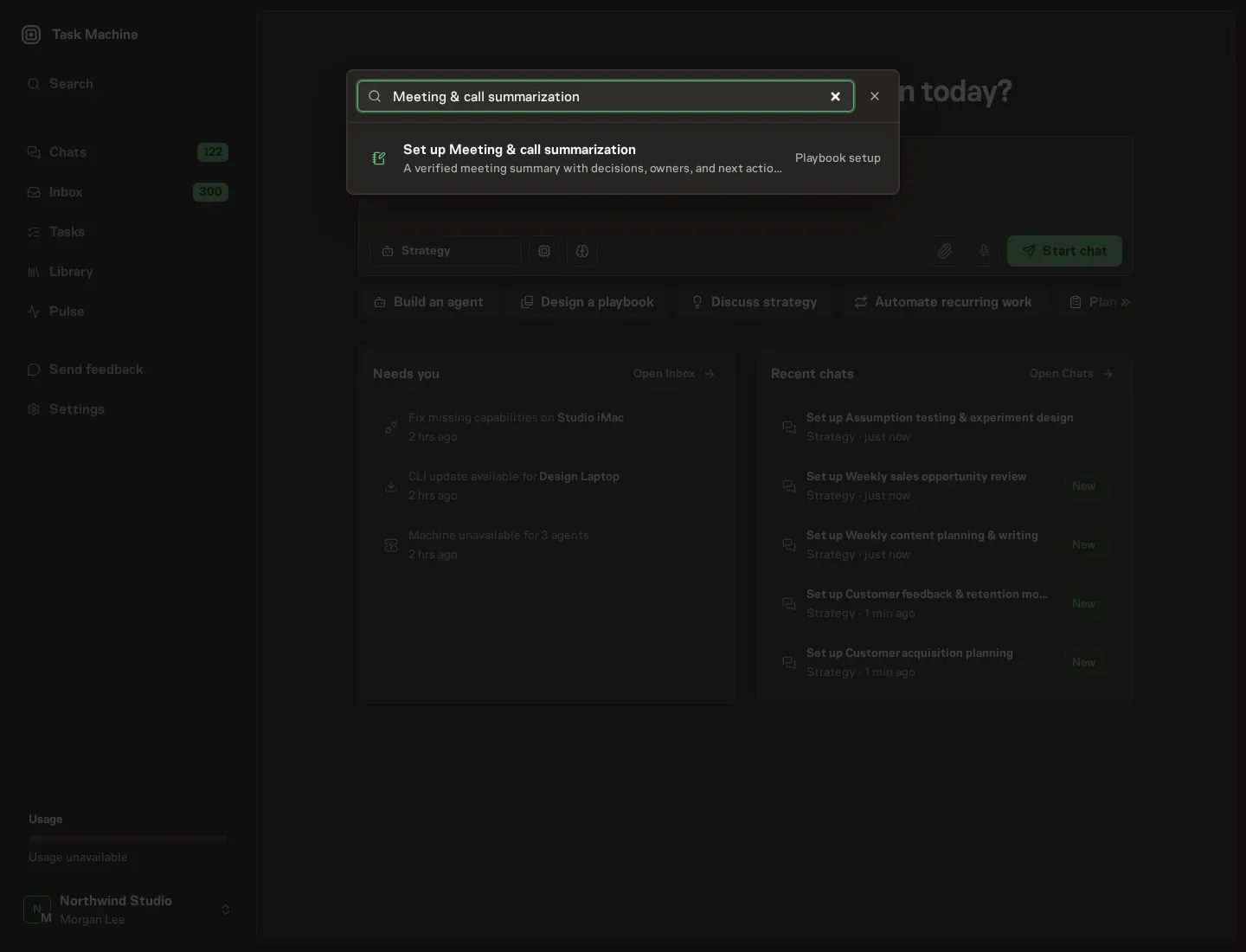
1. Find the playbook
Open Search in your workspace and enter "Meeting & call summarization". The command center lists Set up Meeting & call summarization under Playbook setup.
2. Start the conversation
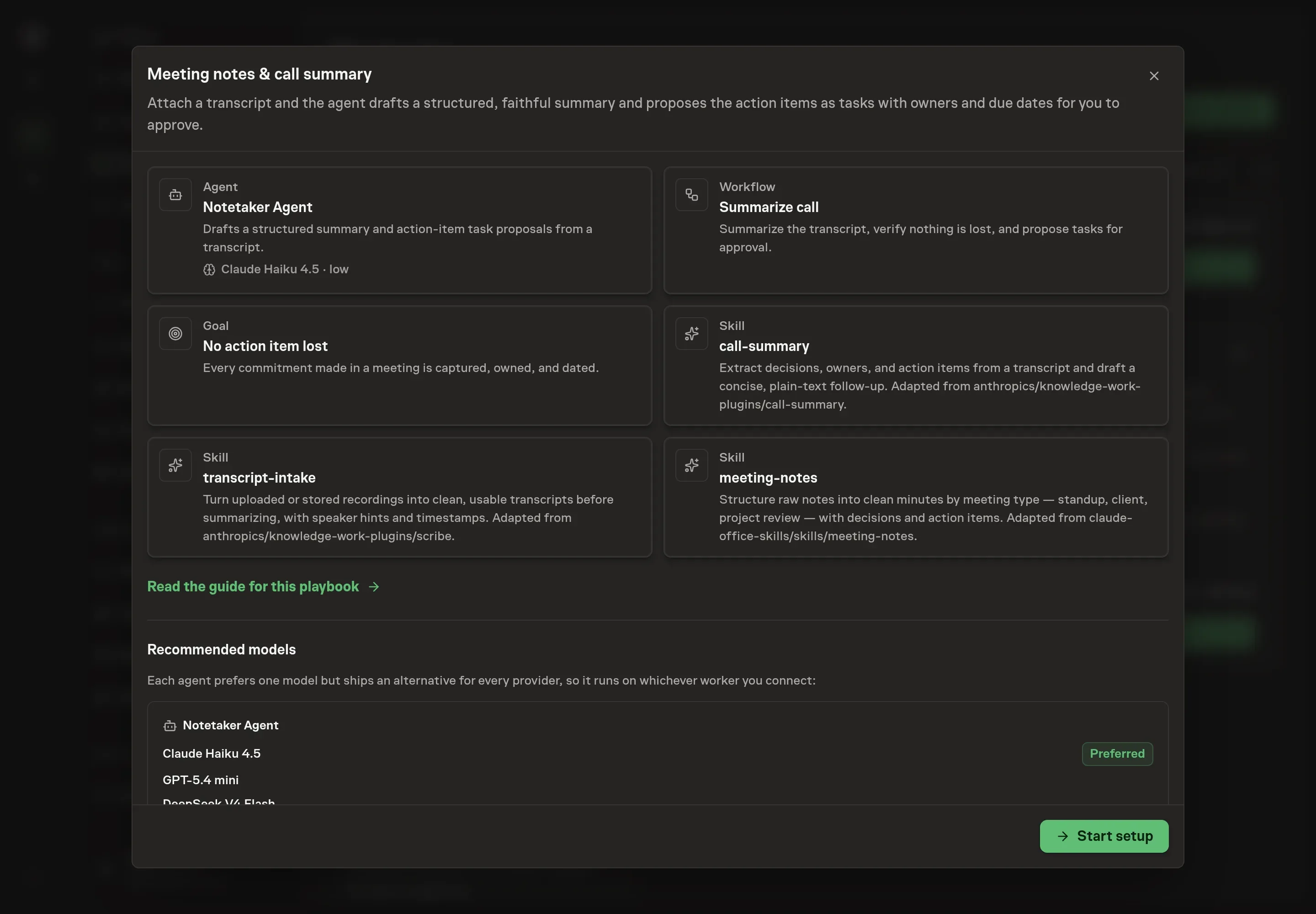
Choose Set up Meeting & call summarization. Task Machine opens a dedicated Chat with the Playbook card and an editable, unsent request. Read the intended job and outcome. Add your situation and send it when ready. Opening the draft does not install anything or start work. This walkthrough uses settings that require approval of the proposed Playbook.
3. Agree the working brief
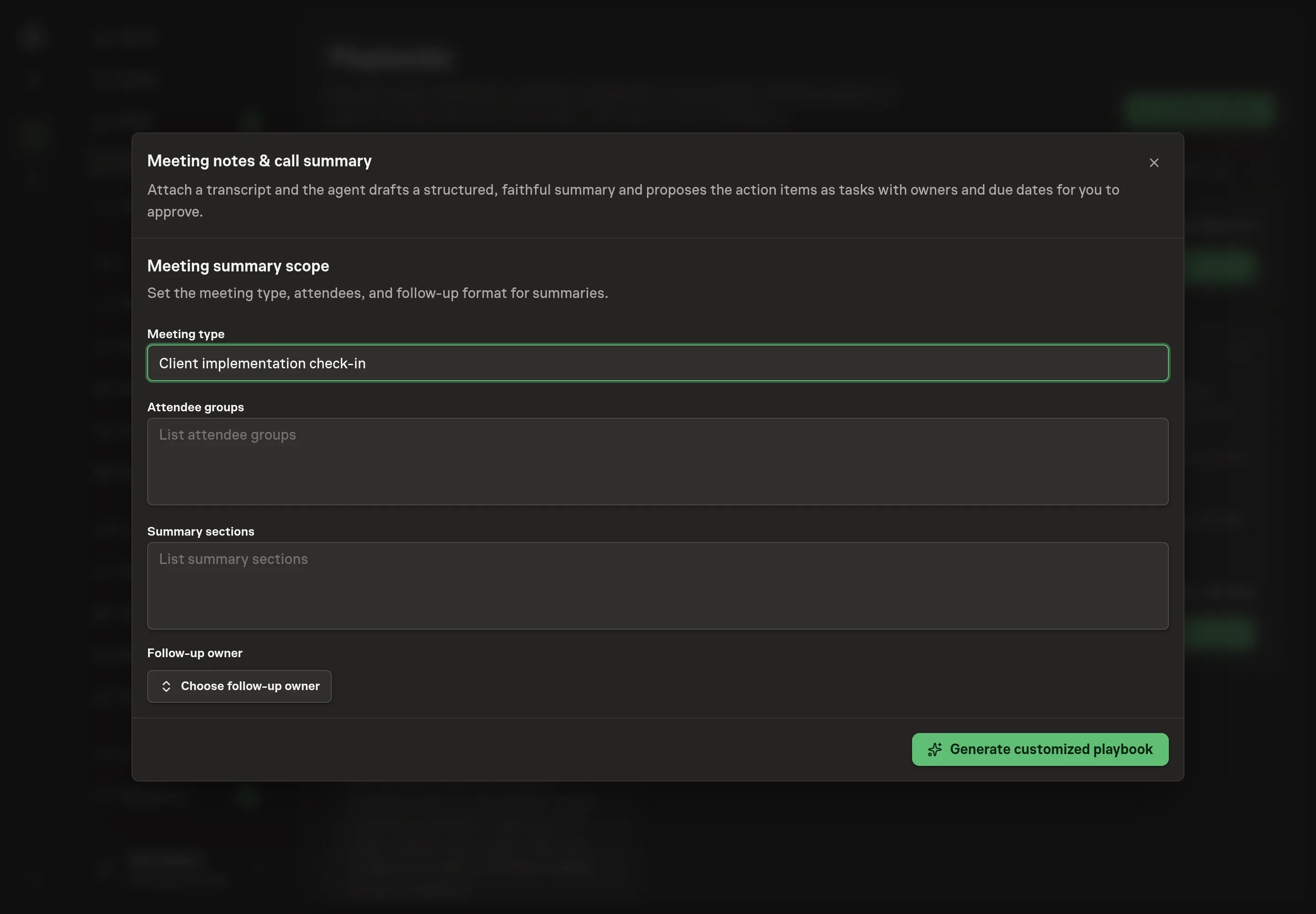
Use Chat to agree the inputs, expected output and limits before asking for a proposal. Discuss the meeting type, attendee groups, summary sections, and follow-up owner. Use the same language your team uses for meetings so the generated summary fits the way people review it.
4. Review the proposed Playbook
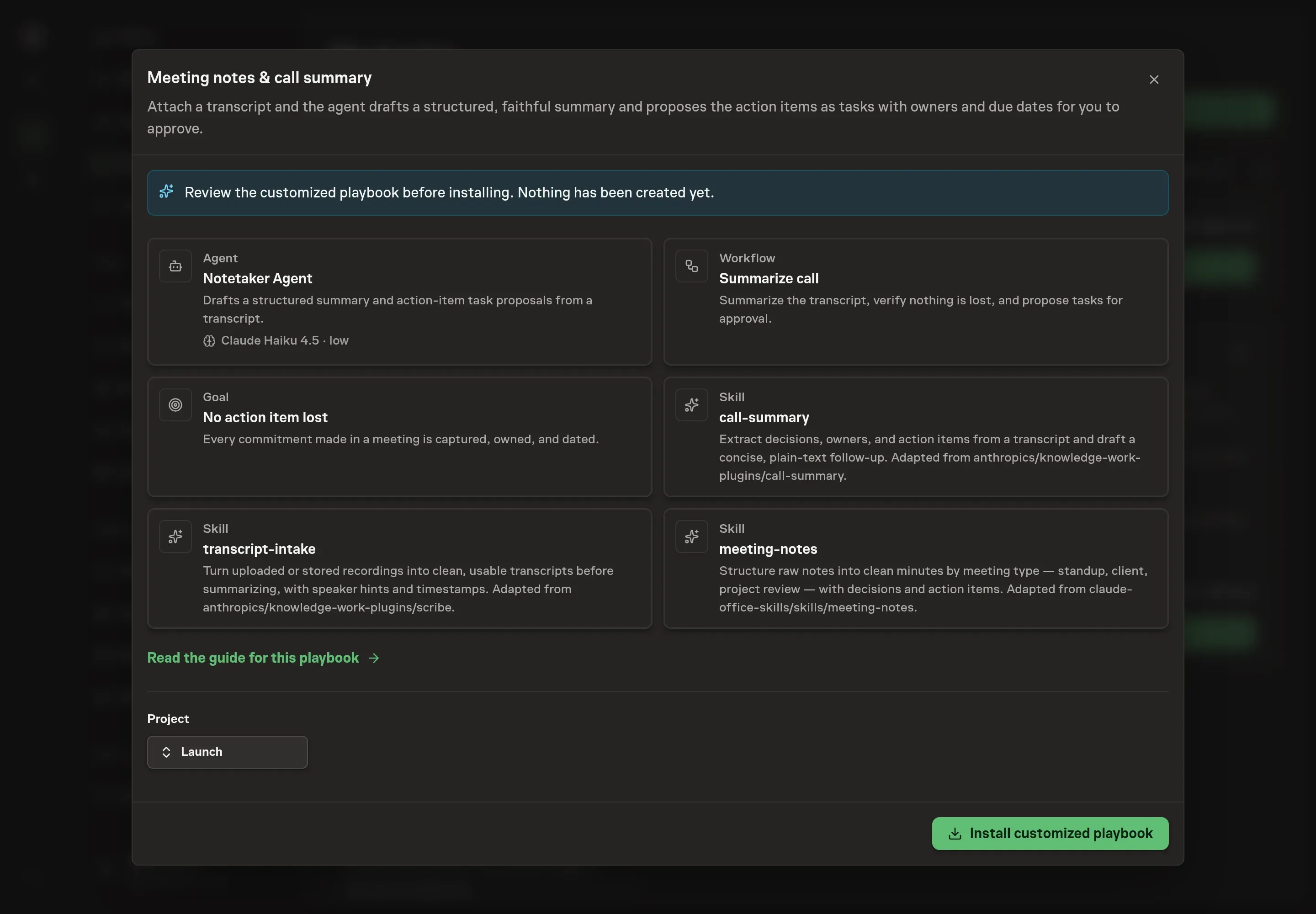
Ask the Agent to generate the Playbook from the agreed brief. Open its proposal in Chat and check the instructions and resources it will install, which carry more detail than the conversational summary. Confirm that the workflow summarizes the transcript, extracts actions, verifies completeness, and waits for approval. Ask for a revised proposal if anything is missing or changes the job.
5. Approve and prepare the first work
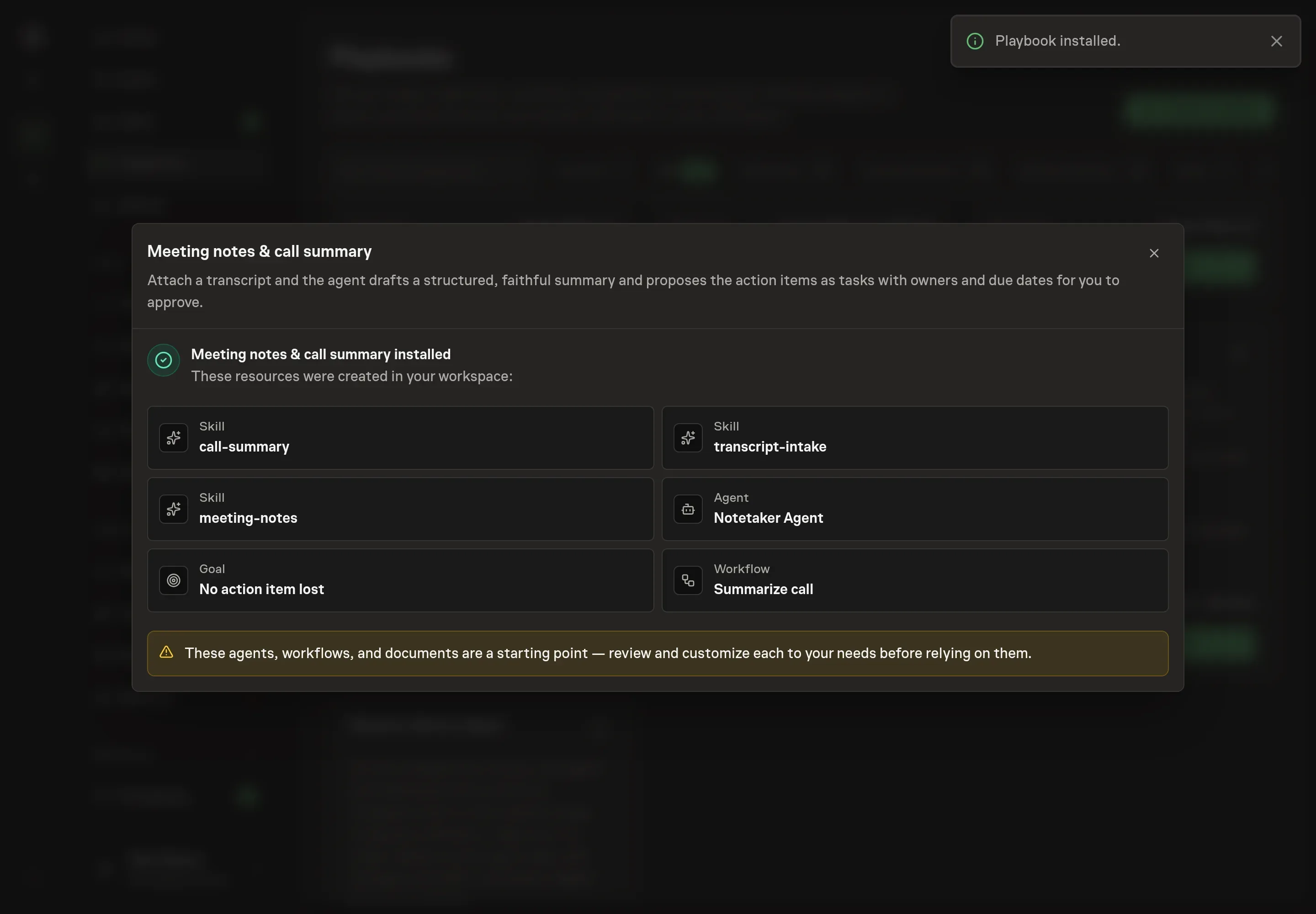
Choose Approve on the proposal in Chat when the configuration matches your brief. Task Machine installs that reviewed configuration. The approved item retains its review details. If your autonomy settings allow direct installation, this approval may not be required. Check the resulting configuration in that case too.
Complete any remaining secure service setup from the installation details in Chat. Inbox keeps those setup items available if you return later. Prepare the source documents and inputs before starting the first Task or Workflow. Installation does not authorize sending, publishing or changing an external service beyond the boundaries you agreed.
What good looks like
A good meeting summary is action-oriented without losing context:
- Decisions are separate from discussion. Readers can see what was decided without scanning every topic.
- Every action has an owner and date. Missing details are flagged instead of filled in from guesswork.
- The meeting type fits the structure. A client call, standup, and project review should not produce the same shape.
- Follow-up is plain text. Customer-facing summaries are concise and readable in any email client.
Common questions
Can it summarize rough notes instead of a transcript? Yes. More detail improves the output, but the workflow can start from rough notes and flag uncertainty.
What if the transcript is too messy? The agent should say so and identify the unreliable parts instead of producing a confident but unfaithful summary.
Can it create tasks automatically? It proposes action items as tasks. A human approves them before they are created.
Should the follow-up email use markdown? No. The bundle's method keeps customer-facing follow-ups in plain text with short paragraphs and simple dashes.