How to Synthesize Customer Discovery Interviews
A practical guide to turning interview notes into evidence-backed patterns, quotes, JTBD maps, and follow-up tasks.

Founder, Task Machine
Customer discovery synthesis is the process of turning raw interview notes into a durable model of what customers are trying to do, where they struggle, what language they use, and which assumptions no longer hold. The result is a living evidence base for product decisions.
The work is worth doing because discovery loses value when it stays trapped in transcripts. A founder remembers the loudest quote, a product lead remembers the last interview, and the team treats a single opinion like a pattern. Good synthesis keeps every claim tied to a source.
Interview notes turn into decisions too early
Interview notes feel useful immediately after the call. The risk appears later, when the team turns them into decisions without checking sample size, source evidence, or whether two independent customers said the same thing.
The common failure is validation theater. Teams ask what customers want built, collect polite feature requests, and then summarize those requests as demand. The bundle's method takes the opposite stance: collect stories, weight switching over complaining, look for disconfirming evidence, and treat every feature request as a clue to the job underneath it.
What the manual process looks like
Done by hand, discovery synthesis is a careful research pass:
- Read every note or transcript before writing conclusions.
- Extract verbatim quotes, participant context, current tools, pains, and surprises.
- Promote a finding only when at least two independent interviews support it.
- Map the Jobs-to-be-Done layers: functional, social, and emotional jobs, then pains and gains.
- Label confidence based on sample size, specificity, and contradictions.
- Update the living discovery doc and propose follow-up tasks or questions.
The manual version takes discipline because the shortcut is always tempting. A neat theme with one strong quote sounds convincing, but it is still an anecdote.
What an agent can automate
An agent can do the reading and structure work while keeping the evidence visible:
- Read the whole batch. The agent reviews attached notes or transcripts before it writes, so it can compare across interviews instead of summarizing one file at a time.
- Separate stories from opinions. Past-tense behavior, switching stories, workarounds, and churn reasons get more weight than hypothetical requests.
- Build the JTBD map. The agent translates requests into functional, social, and emotional jobs, then ranks pains by intensity and splits gains into must-have and nice-to-have.
- Maintain the living doc. New evidence updates the existing discovery document rather than appending another standalone report.
- Verify every claim. The workflow checks that each pattern names its supporting interviews and carries an attributed quote. Unsupported claims get fixed or downgraded to hypotheses.
The agent does not decide product strategy. It prepares the evidence so the human can make a better call.
The guardrails that make it safe
Discovery synthesis can create false confidence if the workflow writes more certainty than the notes support. The guardrail is source verification before approval. Every pattern must trace to the attached notes, every quote must support the claim beside it, and confidence labels must match the sample.
The human approval step matters because a surprising finding may change the roadmap, the interview sample may be too thin, or a proposed follow-up may commit real effort. The agent surfaces those decisions instead of hiding them inside the synthesis.
Set it up in Task Machine
The Customer discovery synthesis playbook provides a starting point for the method above. You need an active Task Machine workspace with Chat, workspace-management and Playbook-installation access (workspace owners have it). No connected service is required. The workflow starts from notes or transcripts attached to a run.
1. Find the playbook
Open Search in your workspace and enter "Customer discovery synthesis". The command center lists Set up Customer discovery synthesis under Playbook setup.
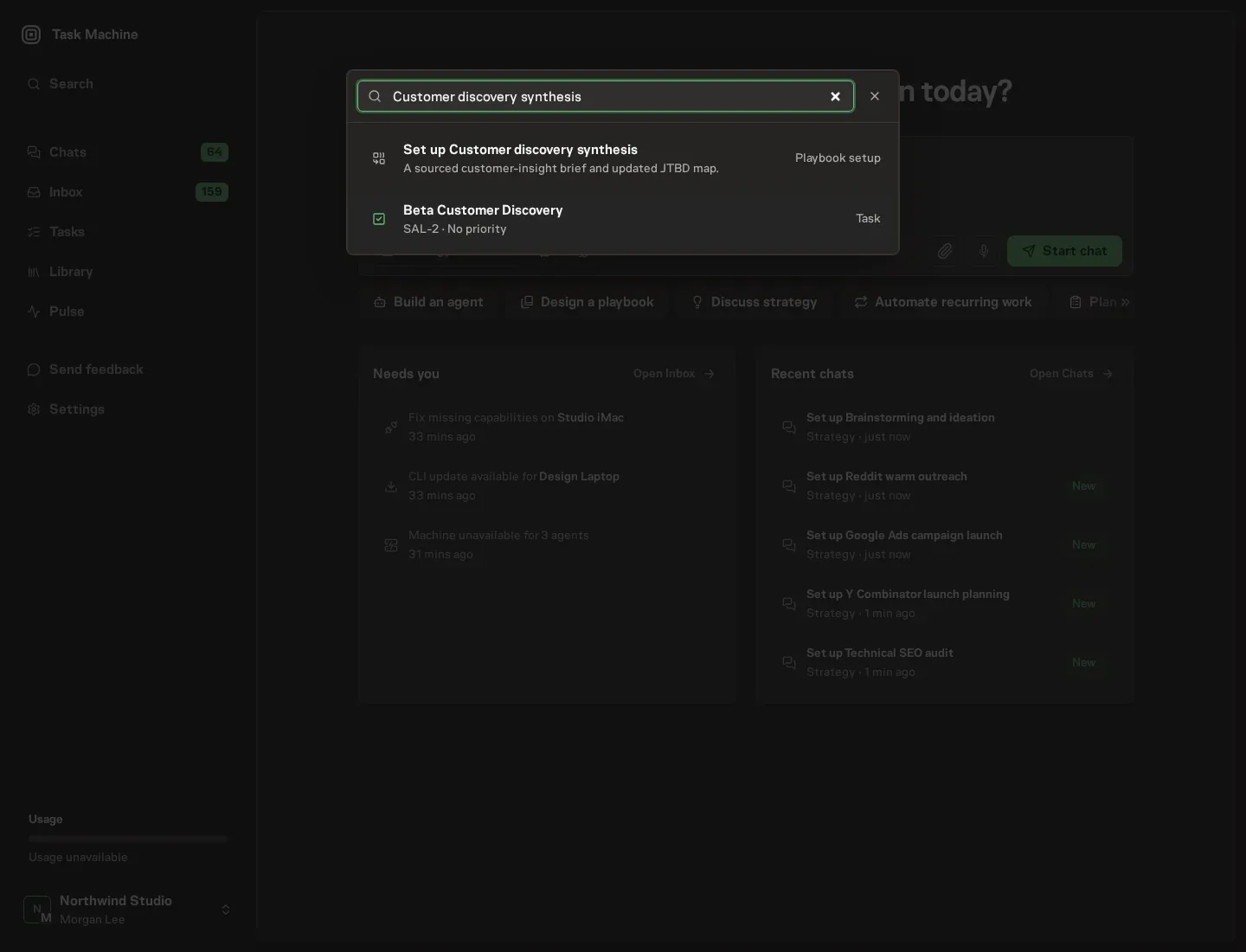
2. Start the conversation
Choose Set up Customer discovery synthesis. Task Machine opens a dedicated Chat with the Playbook card and an editable, unsent request. Read the intended job and outcome. Add your situation and send it when ready. Opening the draft does not install anything or start work. This walkthrough uses settings that require approval of the proposed Playbook.
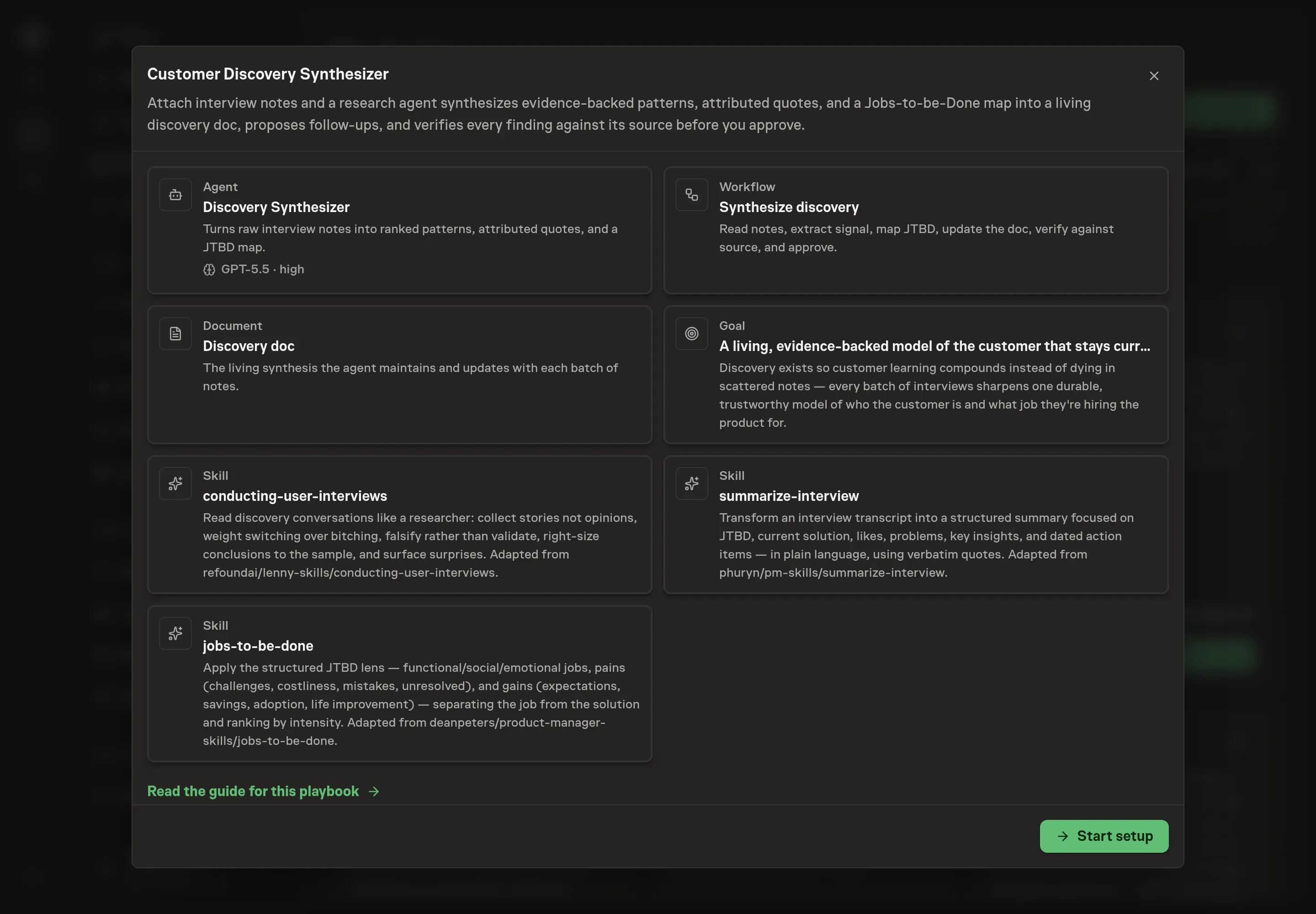
3. Agree the working brief
Use Chat to agree the inputs, expected output and limits before asking for a proposal. The Agent needs the customer segment, interview sources, hypotheses to evaluate, and the decision the synthesis should support. Name the segment narrowly, list the source batch clearly, and state the product decision so the agent knows what evidence to organize.
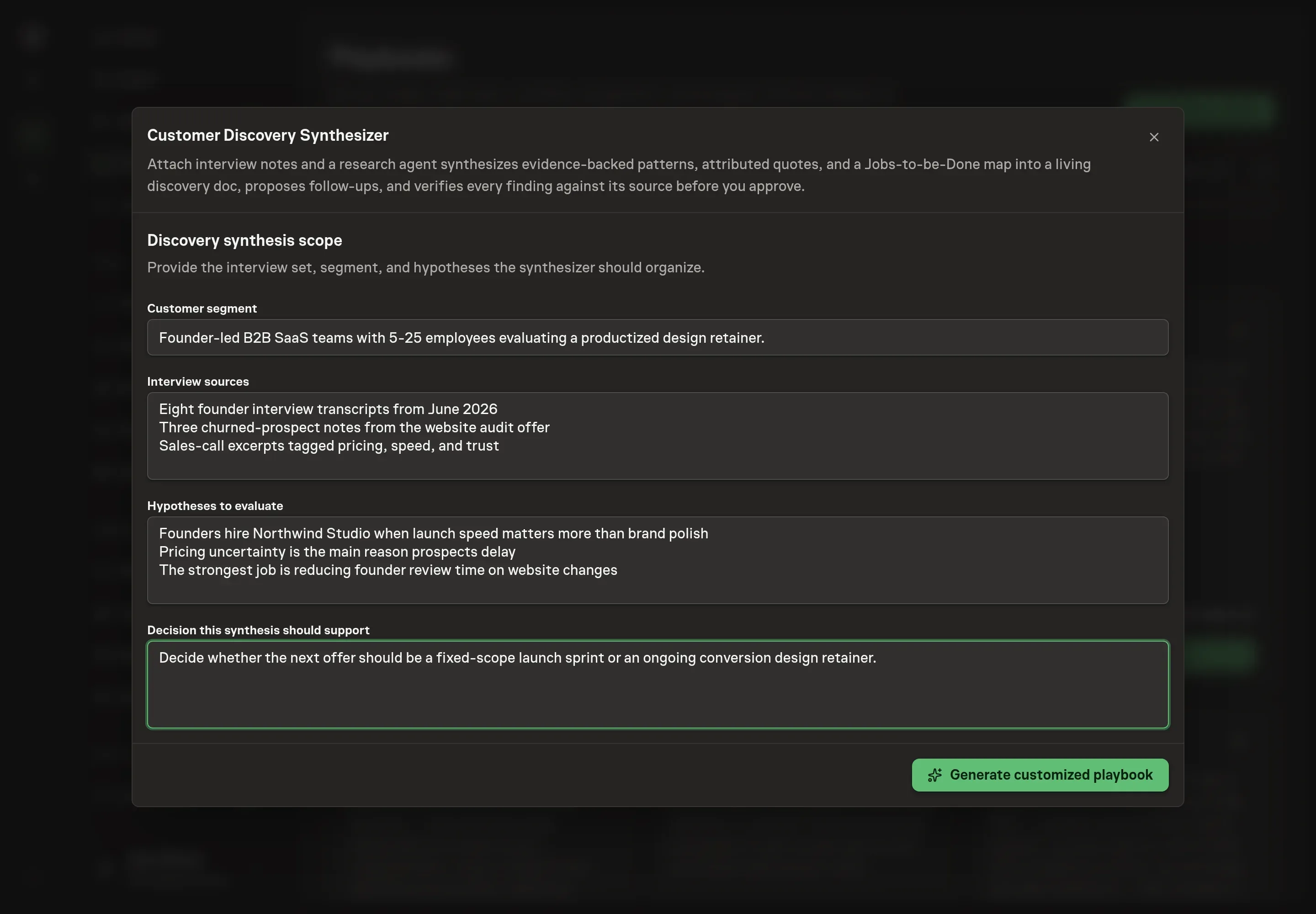
4. Review the proposed Playbook
Ask the Agent to generate the Playbook from the agreed brief. Open its proposal in Chat and check the instructions and resources it will install, which carry more detail than the conversational summary. Check that the workflow reads notes first, maps Jobs-to-be-Done, updates the living doc, verifies against source material, and ends at approval. Ask for a revised proposal if anything is missing or changes the job.
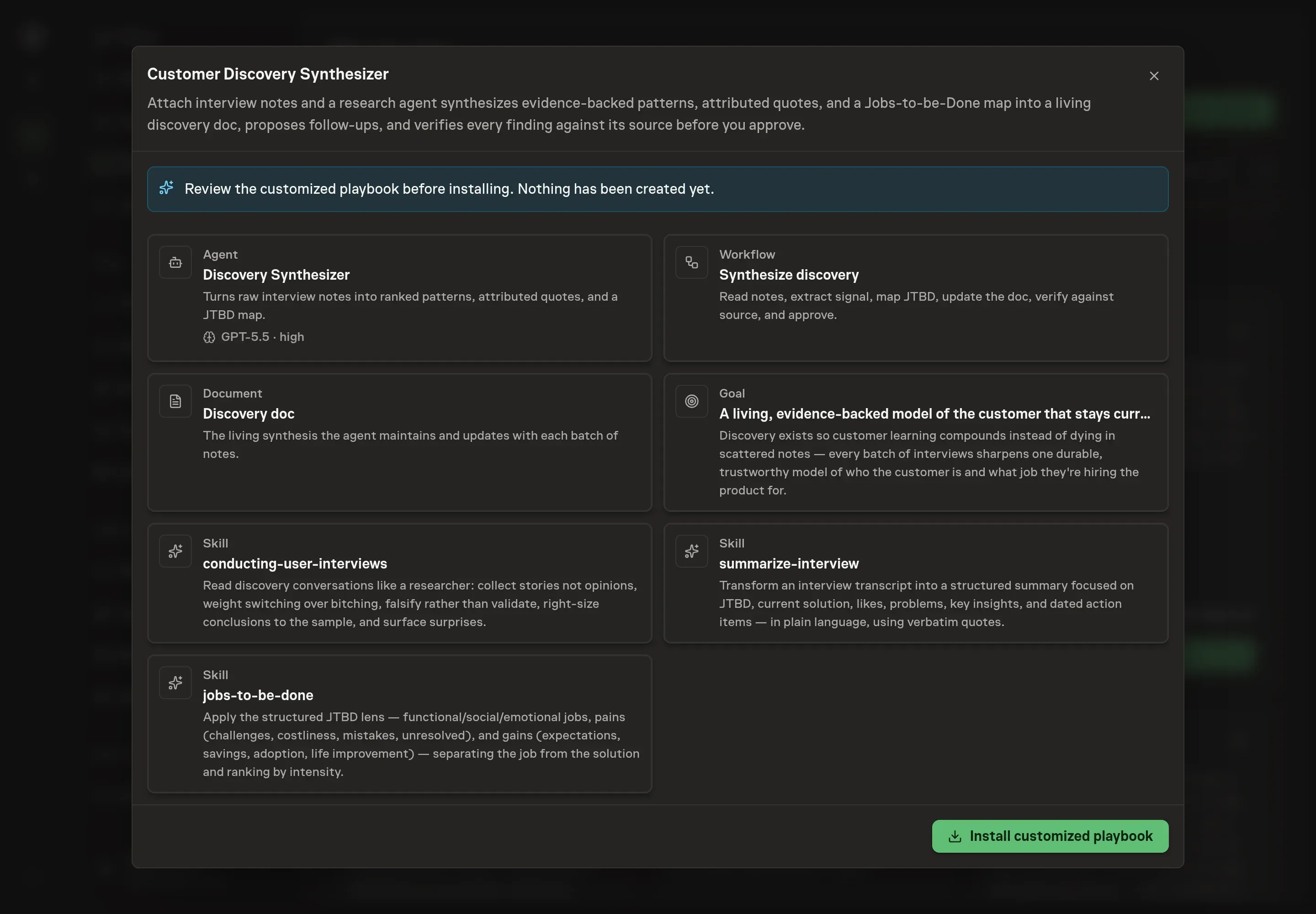
5. Approve and prepare the first work
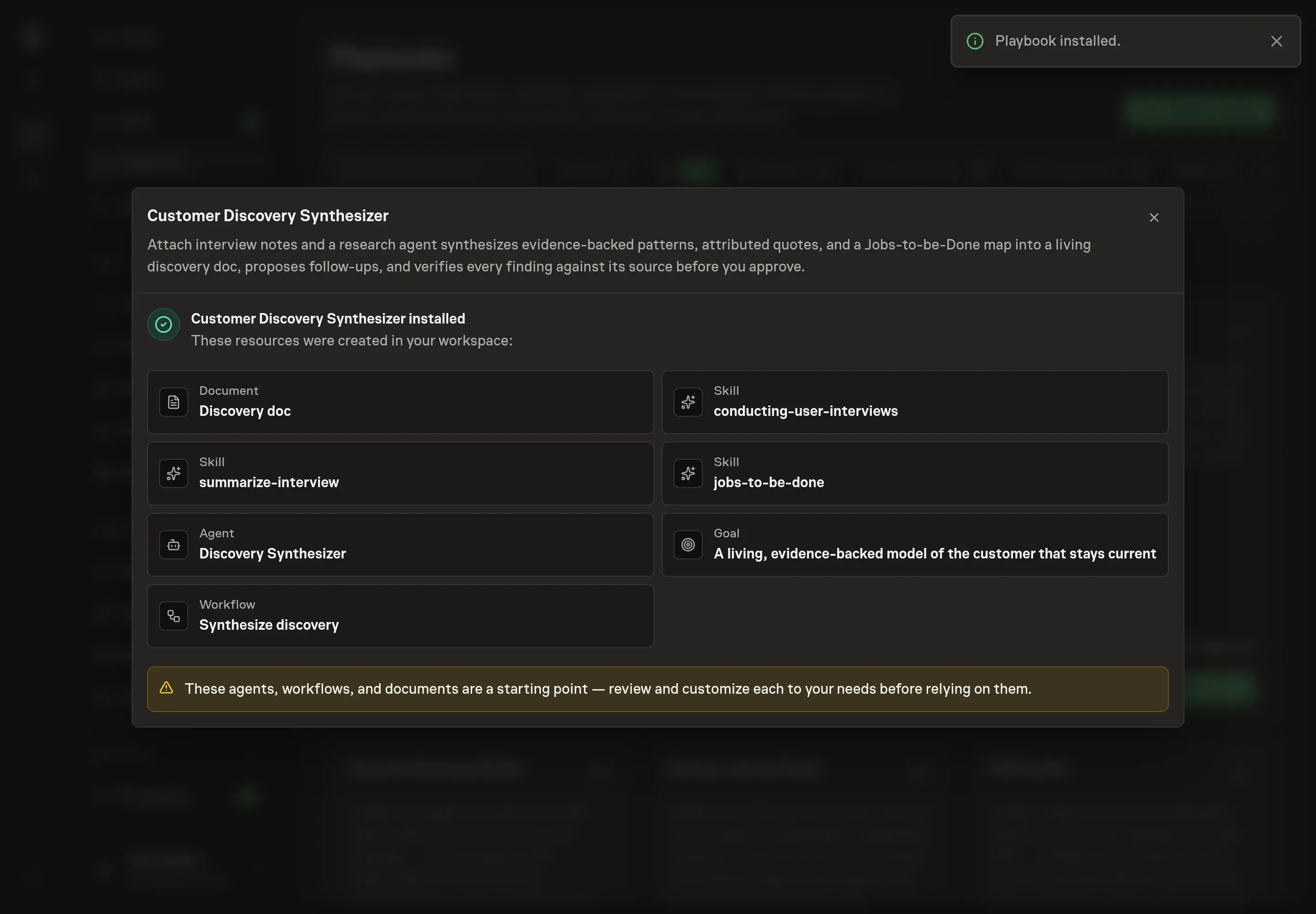
Choose Approve on the proposal in Chat when the configuration matches your brief. Task Machine installs that reviewed configuration. The approved item retains its review details. If your autonomy settings allow direct installation, this approval may not be required. Check the resulting configuration in that case too.
Complete any remaining secure service setup from the installation details in Chat. Inbox keeps those setup items available if you return later. Prepare the source documents and inputs before starting the first Task or Workflow. Installation does not authorize sending, publishing or changing an external service beyond the boundaries you agreed.
What good looks like
The synthesis is working when decisions stop depending on memory:
- Every pattern has evidence. A finding names the supporting interviews and includes an attributed quote.
- Confidence is honest. One loud interview stays a hypothesis. Repeated behavior across independent interviews becomes a pattern.
- Jobs are separated from tools. "Use Slack" becomes a clue. The doc names the underlying job and the context around it.
- Surprises are visible. Contradictions and assumption breaks are not buried at the end.
Common questions
How many interviews are enough to synthesize? You can synthesize any batch, but confidence must match the sample. A small batch is useful for hypotheses and follow-up questions, not sweeping claims.
Should the agent summarize every interview separately? It can summarize individual interviews, but the value is cross-interview synthesis. The living doc should show patterns, quotes, JTBD mapping, surprises, and open questions.
Can it work from rough notes instead of transcripts? Yes, but verbatim source material is better. The stronger the quotes and stories in the notes, the stronger the evidence trail in the synthesis.
What happens when interviews contradict each other? The doc should keep the contradiction visible. A belief can be demoted, a confidence label can change, and the next interview plan should probe the gap.