How to Test Persona Journeys With an Agent
A practical guide to running skeptical ICP personas through landing pages, onboarding, checkout, or product flows.

Founder, Task Machine
Persona journey testing is the process of sending a defined ICP persona through a landing page, onboarding flow, checkout, or product path and recording where that persona understands, trusts, hesitates, or leaves. The goal is evidence about whether a specific buyer or user sees enough value to continue.
This work is especially useful when the team is too close to the product. Internal reviewers know what the copy means, where the value appears, and why the setup asks for context. A skeptical persona starts cold and judges the journey by what the product shows.
Conversion reviews drift toward general taste
Most conversion reviews drift toward general taste. Someone thinks the headline is unclear. Someone else thinks the onboarding is too long. The team ships a copy tweak without knowing which persona was blocked, which claim caused doubt, or which step prevented first value.
The cost is a backlog of vague improvements. A persona journey test creates sharper evidence: what the persona thought the product did after the first screen, where trust dropped, which setup step felt premature, whether the first-value moment arrived, and which follow-up task would change the outcome.
What the manual process looks like
Done by hand, persona journey testing is structured research:
- Define each persona with background, pain points, skepticism, buying trigger, and evaluation criteria.
- Choose the target page and product flow, including a safe test account for authenticated areas.
- Start from cold entry and narrate what the persona thinks the product does.
- Move only as far as that persona plausibly would through the journey.
- Capture evidence at confusion points, trust drops, setup friction, and first-value moments.
- Score the journey for clarity, relevance, trust, setup friction, first value, differentiation, and conversion likelihood.
- Turn the findings into prioritized product tasks with evidence and acceptance criteria.
The research gets weaker when personas are generic, when the reviewer fills in missing context, or when findings stop at prose instead of becoming follow-up work.
What an agent can automate
The Persona Journey Tester playbook gives the work a repeatable structure:
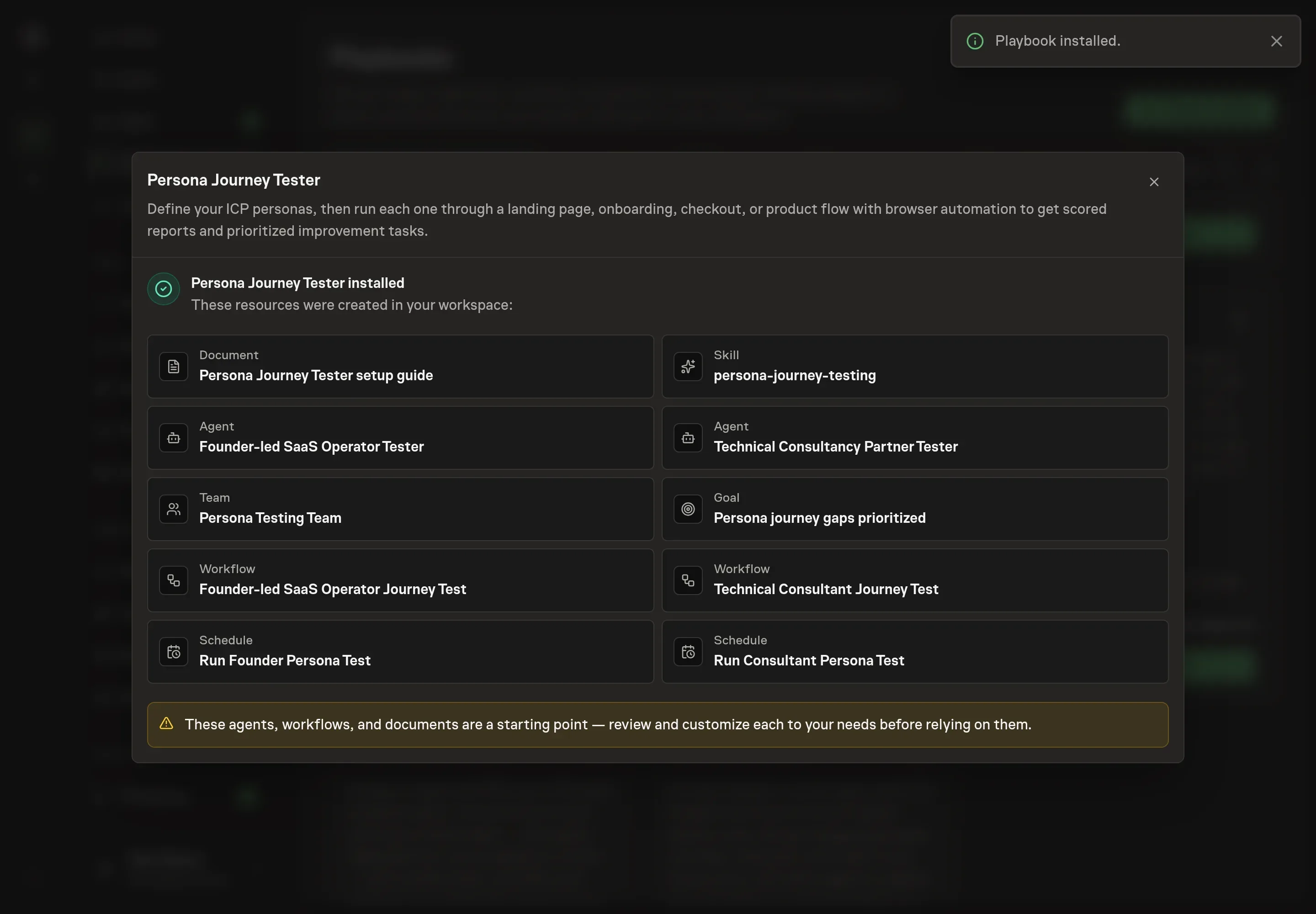
- Turn setup personas into testers. The customized bundle creates one tester agent and one startable workflow per persona, with the persona's background, pain points, skepticism, buying trigger, and evaluation criteria embedded in that agent.
- Run the journey with browser automation. Each tester starts from the target URL, continues to login, onboarding, checkout, or product flow only when plausible, and uses only supplied safe credentials.
- Stay skeptical and evidence-led. The agent does not assume missing context. If the page does not explain value, proof, setup, or differentiation, the report names the gap.
- Score the same rubric every time. Clarity, relevance, trust, setup friction, first-value moment, differentiation, and conversion likelihood are scored from one to five with evidence.
- Create follow-up tasks. Findings become grouped tasks for bugs, UX or copy issues, onboarding improvements, and conversion improvements.
The agent can create structured research pressure. The human still decides which tasks are worth pursuing.
The guardrails that make it safe
The main safety rule is to use test data. Authenticated flows should use disposable accounts or sandbox credentials, never real customer accounts, payment methods, or private production records.
The approval step is the second guardrail. The agent can propose or create follow-up tasks from the report, but the backlog waits for human review. The reviewer approves useful tasks, rejects duplicates, and adjusts priorities before implementation work begins.
Set it up in Task Machine
The Persona journey testing playbook provides a starting point for the method above. You need an active Task Machine workspace with Chat, workspace-management and Playbook-installation access (workspace owners have it). Browser access to the target journey and a safe test account are needed before running authenticated journeys.
1. Find the playbook
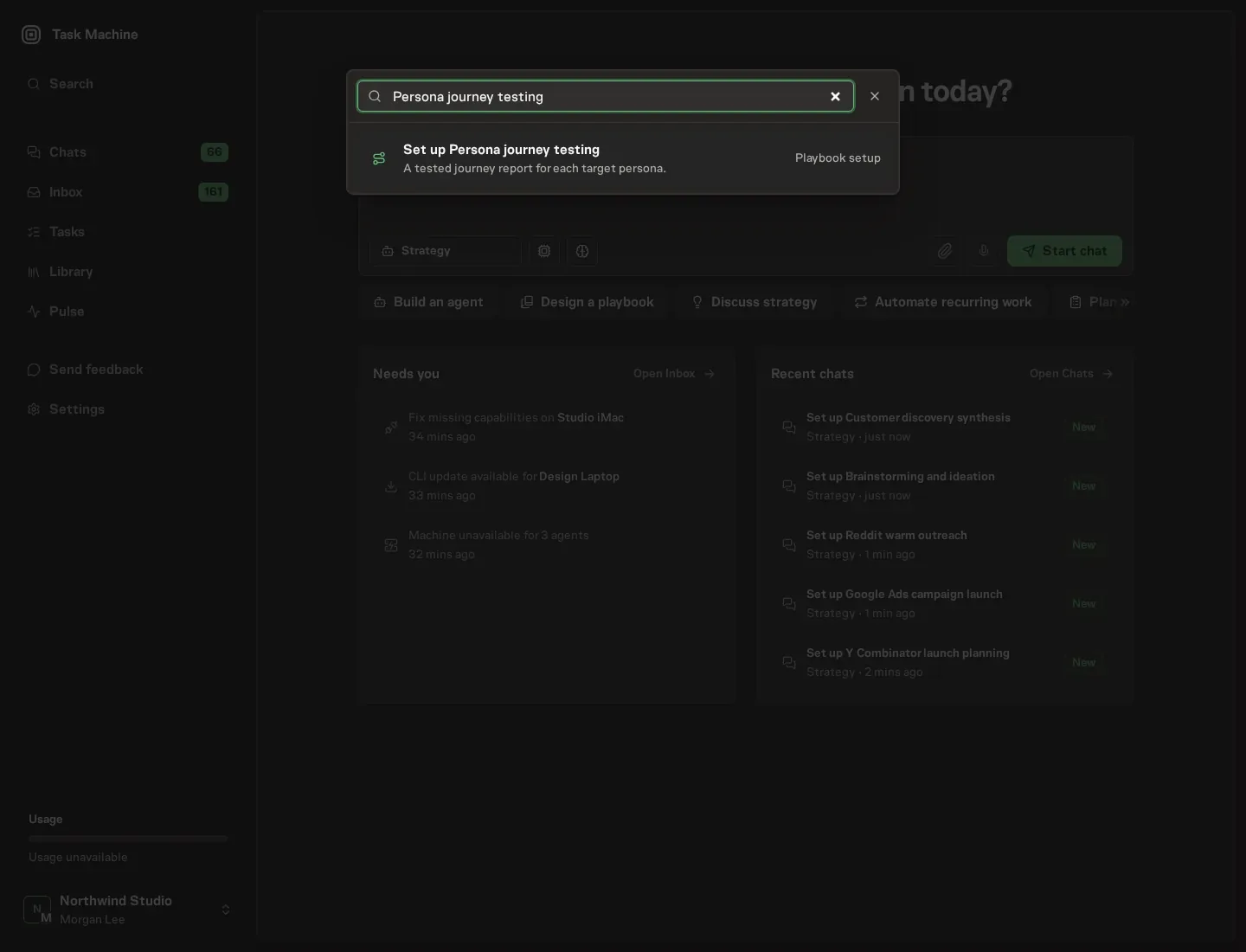
Open Search in your workspace and enter "Persona journey testing". The command center lists Set up Persona journey testing under Playbook setup.
2. Start the conversation
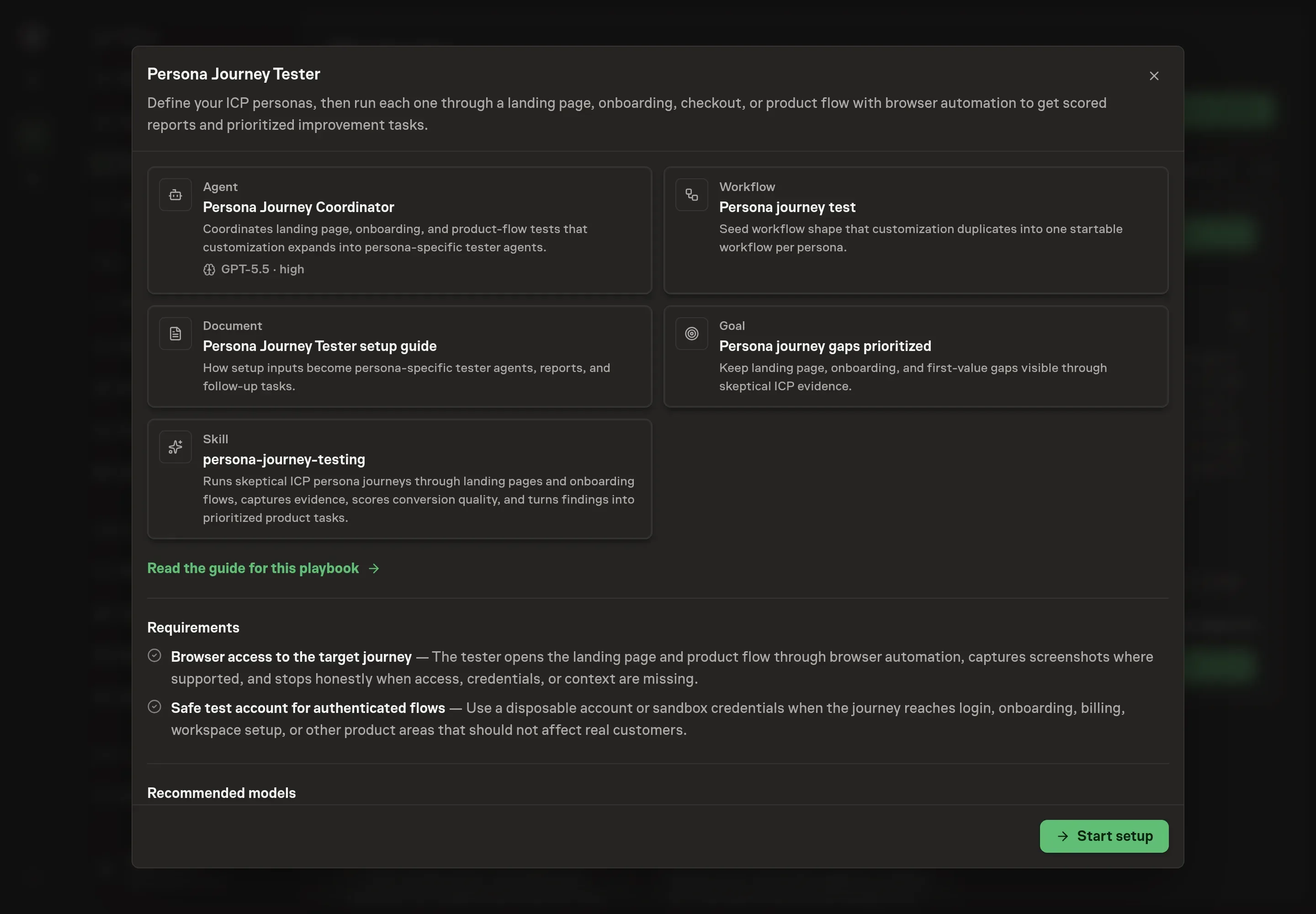
Choose Set up Persona journey testing. Task Machine opens a dedicated Chat with the Playbook card and an editable, unsent request. Read the intended job and outcome. Add your situation and send it when ready. Opening the draft does not install anything or start work. This walkthrough uses settings that require approval of the proposed Playbook.
3. Agree the working brief
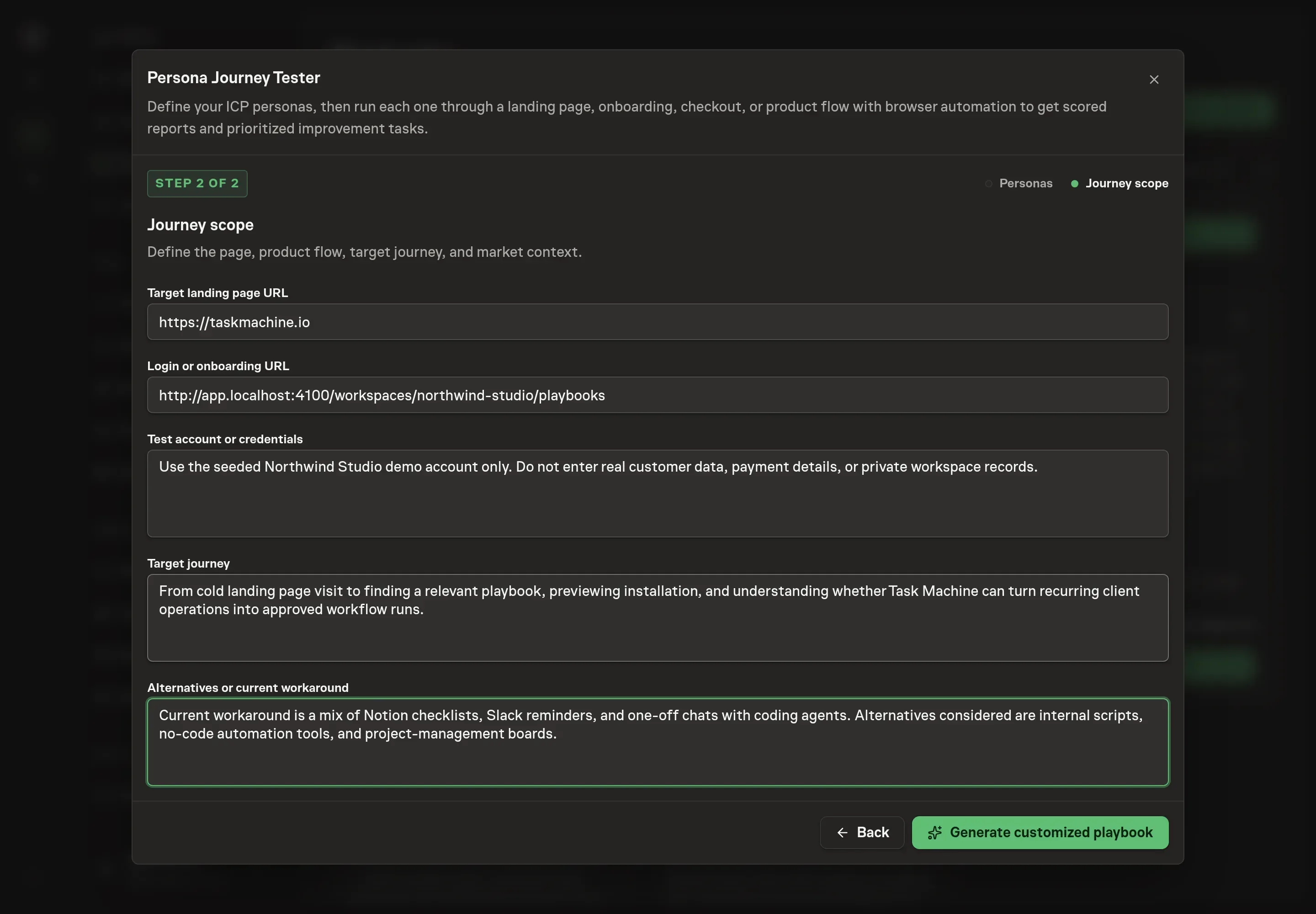
Use Chat to agree the inputs, expected output and limits before asking for a proposal. The Agent needs persona definitions first, then the journey scope. Define one persona per block with background, pain points, skepticism, buying trigger, and evaluation criteria. Then add the target landing page, optional product-flow URL, test-account access requirements, target journey, and alternatives or current workaround. Provide any test credentials through secure setup, never Chat.
4. Review the proposed Playbook
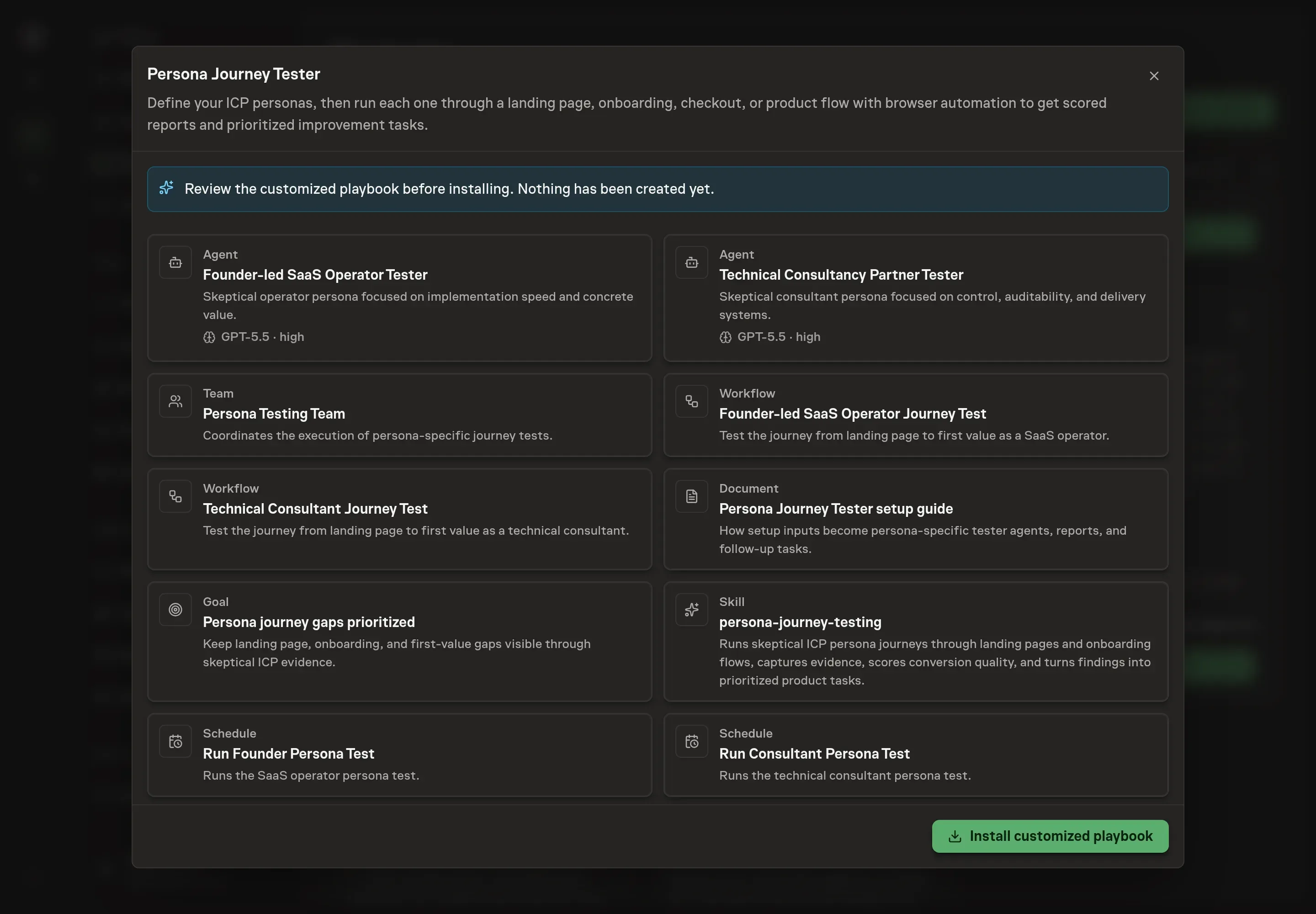
Ask the Agent to generate the Playbook from the agreed brief. Open its proposal in Chat and check the instructions and resources it will install, which carry more detail than the conversational summary. Confirm that each persona keeps its own context and that the workflow covers browser testing, report writing, follow-up task creation, and human backlog approval. Ask for a revised proposal if anything is missing or changes the job.
5. Approve and prepare the first work
Choose Approve on the proposal in Chat when the configuration matches your brief. Task Machine installs that reviewed configuration. The approved item retains its review details. If your autonomy settings allow direct installation, this approval may not be required. Check the resulting configuration in that case too.
Complete any remaining secure service setup from the installation details in Chat. Inbox keeps those setup items available if you return later. Prepare the source documents and inputs before starting the first Task or Workflow. Installation does not authorize sending, publishing or changing an external service beyond the boundaries you agreed.
What good looks like
Good persona journey testing creates evidence you can act on:
- Each persona is specific. Background, pain, skepticism, trigger, and evaluation criteria are present before the run starts.
- Scores cite evidence. A low trust score points to a claim, screen, missing proof, or setup step.
- The report includes a verdict. Continue or abandon is stated with the reason.
- Tasks are implementation-ready. Each follow-up has persona evidence, impact, a recommended fix, and acceptance criteria.
Common questions
Is this the same as usability testing? No. It borrows some usability discipline, but the focus is an ICP persona deciding whether the journey is worth continuing. Conversion quality, trust, differentiation, and first value matter as much as interface friction.
Can one tester cover several personas? The playbook is designed to create one tester and one workflow per persona. That keeps the research from averaging different pains and buying triggers into a generic report.
Should the agent use real customer accounts? No. Use disposable accounts or sandbox credentials for authenticated flows. The agent should stop when safe access is missing.
What happens when two personas find the same issue? The follow-up task step deduplicates shared root causes while preserving the persona-specific evidence that explains why the issue matters.