How to Triage Issues With an Agent
A practical guide to classifying, deduplicating, verifying, routing, and approving issue-triage updates.

Founder, Task Machine
Issue triage is the recurring process of turning incoming reports into clear next states: ready for an agent, ready for a human, waiting on more information, duplicate, archive, or rejected with a reason. The best triage makes the queue smaller without losing real bugs.
The work matters because untriaged issues hide both risk and opportunity. A confirmed bug waits beside a vague feature request, a duplicate, and browser noise, and every engineer has to re-read the same pile before choosing work.
Why issue queues decay
Issue queues decay when classification and verification are treated as optional admin. Labels get applied from titles. Duplicates remain separate. Bugs are marked ready without reproduction. Noise gets archived without a reason, or left open because nobody wants to make the call.
The bundle's method turns triage into a state machine. Each issue gets one category, one proposed state, duplicate context, verification notes where needed, and a reason for any archive or rejection. Nothing is applied until a human approves the plan.
What the manual process looks like
Done by hand, a useful triage pass has a predictable shape:
- Read the issue body, comments, prior labels, author context, and any linked pull request.
- Search for duplicates, prior rejection, and existing behavior that already covers the request.
- Classify the issue as a bug or enhancement.
- Propose a state: needs triage, needs info, ready for agent, ready for human, or wontfix.
- Verify actionable bugs by reproducing the reporter's steps or explaining why detail is insufficient.
- Split oversized reports into thin, independently grabbable slices.
- Draft a triage summary and apply changes only after approval.
The value is a queue where the next person or agent can act without reconstructing the reasoning.
What an agent can automate
An agent can do the repetitive reading, checking, and summarizing while leaving queue-changing actions under review:
- Classify each issue. The agent applies a defined state machine and explains the category and proposed state for every item.
- Deduplicate by behavior. It searches for existing reports and implementations by domain concept, then links duplicates to a canonical issue.
- Verify before marking ready. For bugs, it attempts to reproduce the claim or marks the report as insufficient detail.
- Handle noise safely. It proposes archive-only actions for third-party noise, browser extension issues, single-event flukes, wrong-project reports, and similar categories, always with a reason.
- Split thick reports. When one report contains several independent problems, it proposes vertical slices with acceptance criteria and honest blocking order.
The agent proposes. It does not relabel, close, archive, or publish issue changes without approval.
The guardrails that make it safe
The first guardrail is the state machine. Every issue ends with exactly one category and one state, and conflicting signals cause the agent to stop and ask instead of forcing a label.
The second guardrail is approval. The workflow produces a triage summary table with counts, reasons, verification notes, label suggestions, routing, and archive proposals. The human approves the plan, a subset, or nothing. When in doubt, the agent skips the issue rather than burying a real bug.
Set it up in Task Machine
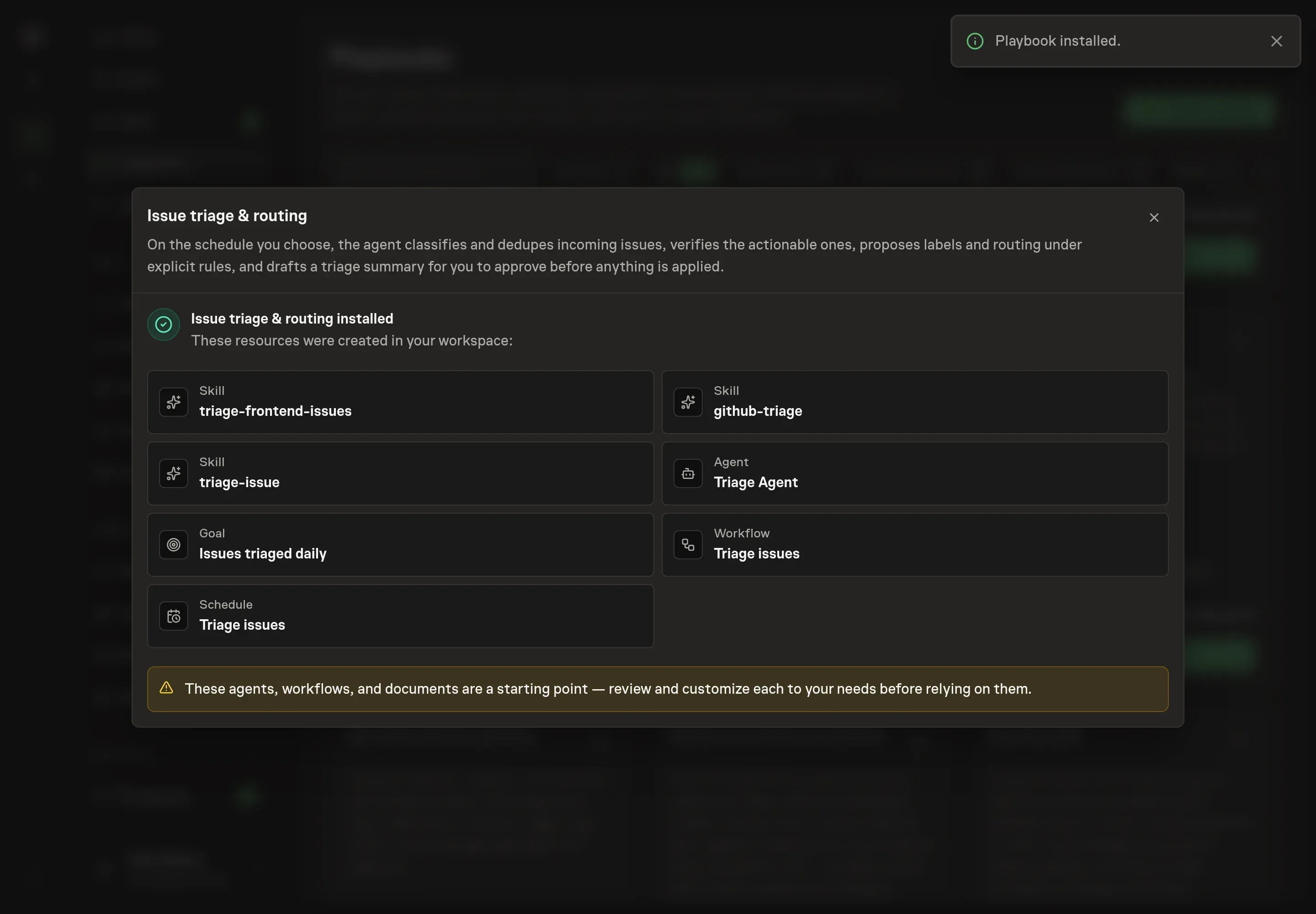
The Issue triage & routing playbook provides a starting point for the method above. You need an active Task Machine workspace with Chat, workspace-management and Playbook-installation access (workspace owners have it). A connected repository is required for live issue access. Until it is authorized, use attached exports or a manual issue list for dry runs.
1. Find the playbook
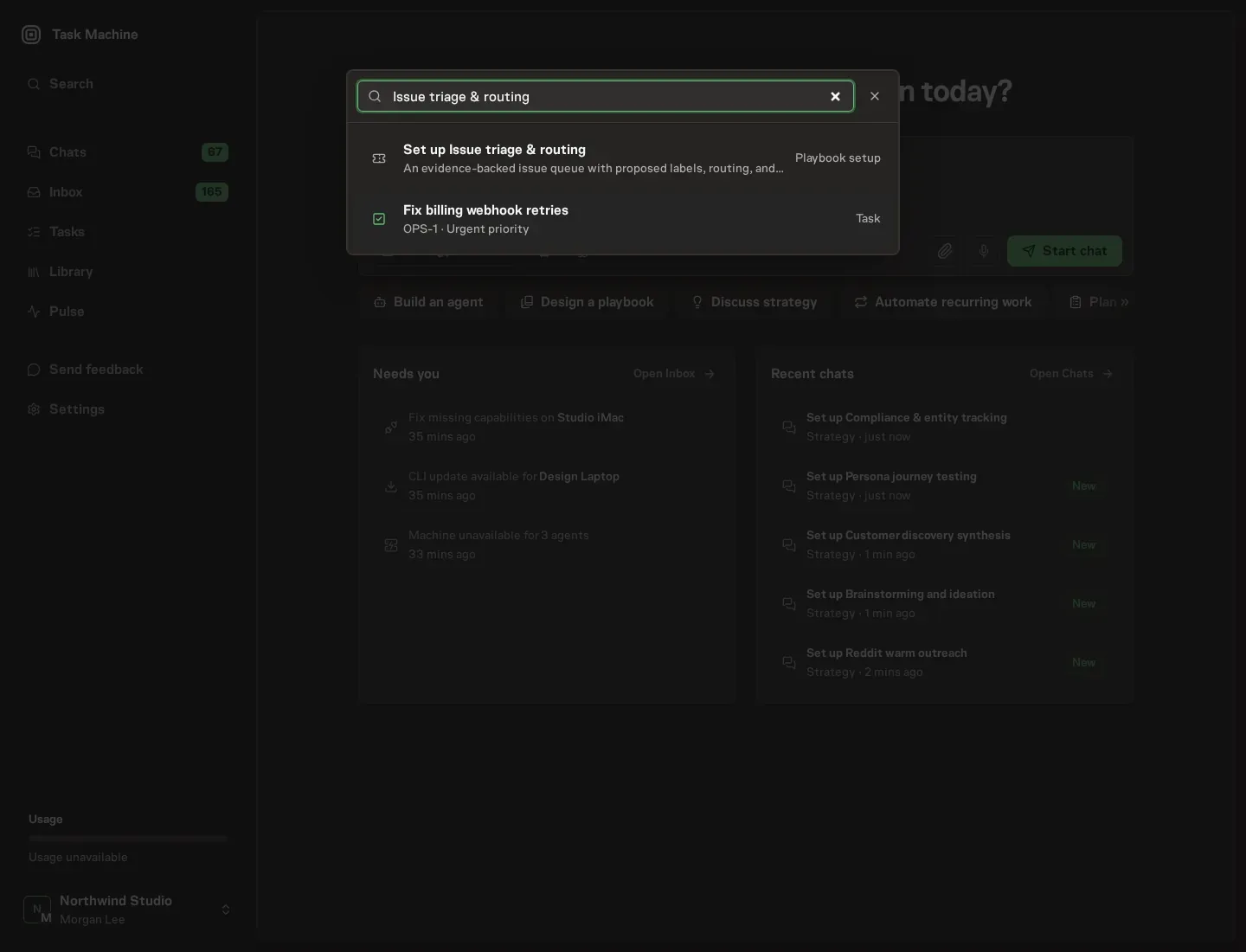
Open Search in your workspace and enter "Issue triage & routing". The command center lists Set up Issue triage & routing under Playbook setup.
2. Start the conversation
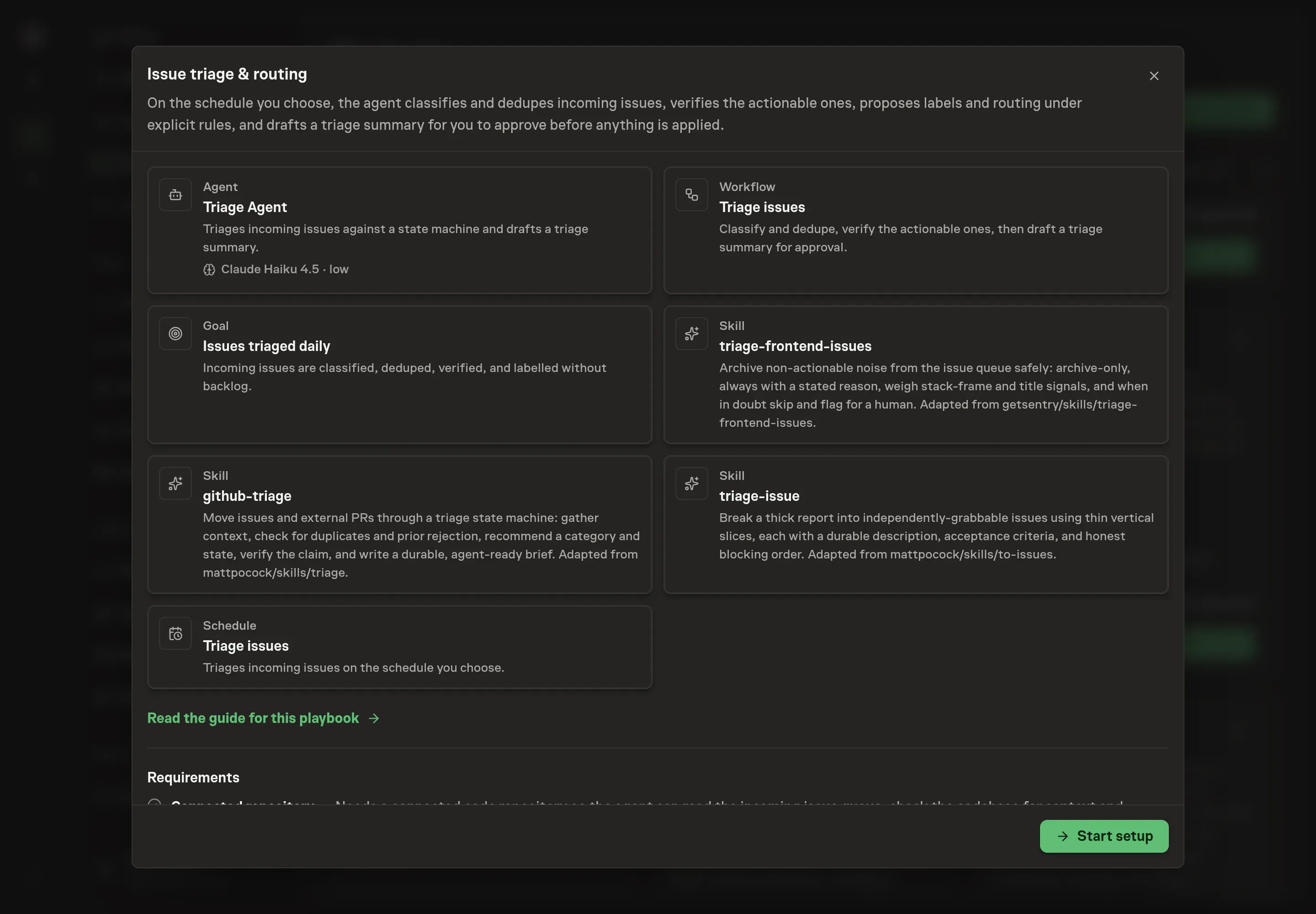
Choose Set up Issue triage & routing. Task Machine opens a dedicated Chat with the Playbook card and an editable, unsent request. Read the intended job and outcome. Add your situation and send it when ready. Opening the draft does not install anything or start work. This walkthrough uses settings that require approval of the proposed Playbook.
3. Agree the working brief
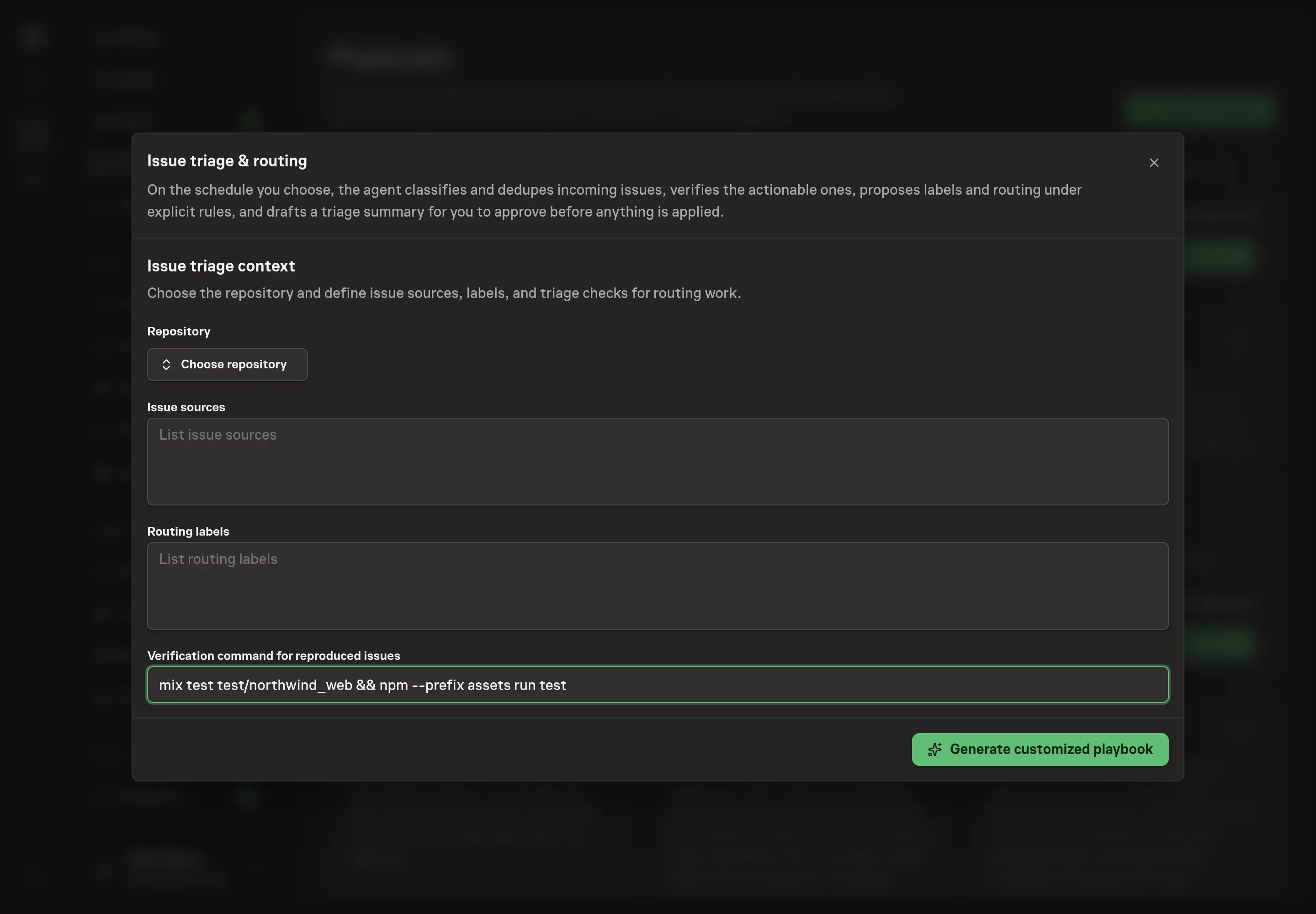
Use Chat to agree the inputs, expected output and limits before asking for a proposal. The Agent needs the repository, issue sources, routing labels, verification command, triage schedule, and timezone. Use the labels your team already uses for ownership and state, and choose a verification command that is safe for reproduced issues.
4. Review the proposed Playbook
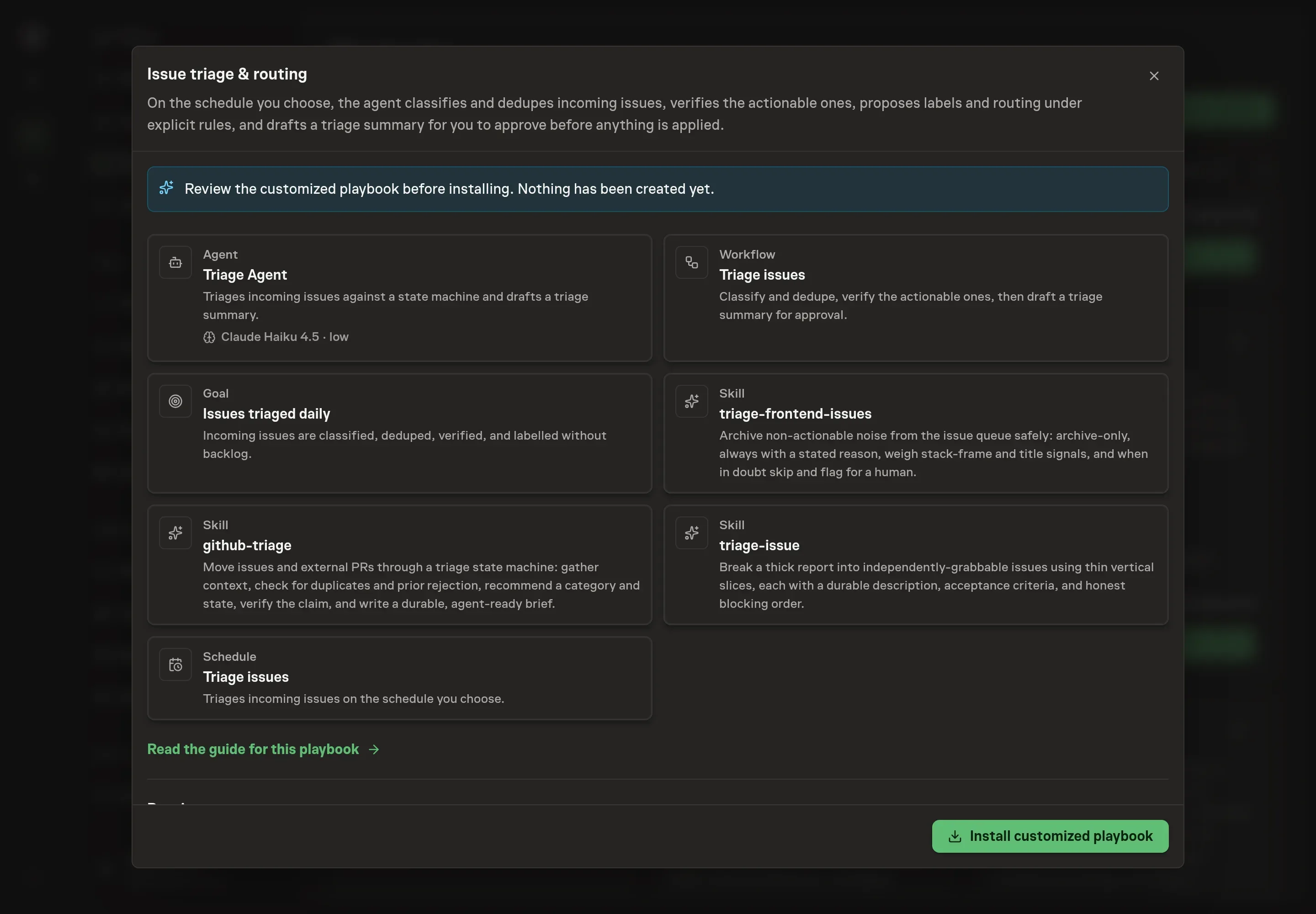
Ask the Agent to generate the Playbook from the agreed brief. Open its proposal in Chat and check the instructions and resources it will install, which carry more detail than the conversational summary. Check that the workflow classifies and deduplicates, verifies actionable reports, drafts the triage summary, and waits for approval before issue changes are applied. Ask for a revised proposal if anything is missing or changes the job.
5. Approve and prepare the first work
Choose Approve on the proposal in Chat when the configuration matches your brief. Task Machine installs that reviewed configuration. The approved item retains its review details. If your autonomy settings allow direct installation, this approval may not be required. Check the resulting configuration in that case too.
Complete any remaining secure service setup from the installation details in Chat. Inbox keeps those setup items available if you return later. Prepare the source documents and inputs before starting the first Task or Workflow. Installation does not authorize sending, publishing or changing an external service beyond the boundaries you agreed. Confirm each schedule's cadence and timezone, and resolve any pending schedule setup before it starts. A readback must wait for its agreed observation window and source data.
What good looks like
Good triage turns a queue into a set of next actions:
- Every issue has a reasoned state. Category, proposed state, and label changes are explained.
- Ready means verified. Bugs marked ready have reproduction notes or a clear reason why verification failed.
- Duplicates are linked. Related reports point to a canonical issue instead of creating parallel work.
- Noise is conservative. Archive proposals include reasons, and uncertain reports stay visible for human review.
Common questions
Can the agent close or archive issues by itself? No. It proposes changes and waits for approval before labels, routing, closure, or archive actions are applied.
What happens when an issue lacks enough detail? The agent should propose needs-info and draft specific questions for the reporter, not a vague request for more information.
Can it split one large issue into several smaller ones? Yes. The issue-splitting skill turns a thick report into thin vertical slices with acceptance criteria and blocking order.
What if the repository is not connected yet? The playbook can be reviewed and installed, but live triage needs repository access. Before that, use attached issue exports or sample reports for dry runs.