How to Write Investor Updates With an Agent
A practical guide to drafting candid investor updates from KPIs, shipped work, risks, asks, and approval gates.

Founder, Task Machine
Investor update writing is the recurring process of turning a month's metrics, shipped work, lowlights, risks, and asks into a short stakeholder note. The useful update is candid, skimmable, consistent month over month, and clear about what help the company needs.
The work matters because investors and advisors cannot help with information they do not have. A late or vague update turns the company into a memory test. A consistent update creates a shared record of progress, risk, and asks without forcing the founder to rebuild the story every month.
Why investor updates slip
Investor updates slip because the writing is only the visible part. Before the draft exists, someone has to gather KPIs, reconcile definitions, read product progress, decide what belongs in lowlights, and turn loose needs into specific asks.
When that preparation lives in the founder's head, the update competes with sales calls, product deadlines, hiring, and finance work. The result is usually one of three failures: no update, a metrics table with no narrative, or a polished note that hides the hard parts investors most need to see.
What the manual process looks like
Done by hand, a monthly investor update has a repeatable sequence:
- Pull the same KPIs as last month and compare them against last month and plan.
- Check the KPI definitions so every trend means the same thing it meant before.
- Gather shipped work, customer signals, pipeline context, and risks from the month.
- Synthesize the month like a small business review: what changed, why it changed, and what might happen next.
- Draft the update in the founder's voice with a TL;DR, metrics, wins, lowlights, risks, next milestones, and asks.
- Review every number, caveat, and ask before sending.
The hardest part is maintaining the discipline to report the same numbers, name lowlights without spin, and ask for concrete help before the next month starts.
What an agent can automate
An agent can do the collection and first-pass synthesis while leaving the founder in charge of judgment:
- Gather the month. The agent reads metrics tools, billing, CRM, project trackers, meeting notes, or attached exports and flags sources it cannot access.
- Keep KPI definitions steady. It uses the KPI definitions document as the source of truth, reports the same metrics month over month, and calls out any definition change instead of hiding it.
- Synthesize before drafting. It looks for the revenue story, margin story, customer story, three opportunities, and three risks before writing the update.
- Write in founder voice. The agent follows the editable update format and voice document, including audience notes, banned phrasing, status color, and preferred sections.
- Run the quality gate. It checks that the TL;DR is real, lowlights include mitigations, asks are specific, and unsourced numbers are flagged.
The agent drafts and prepares. The founder still decides what is true, what is too sensitive to include, and when the update is ready to send.
The guardrails that make it safe
Investor updates are high-trust communication. The safe workflow makes the agent accountable for preparation and makes the founder accountable for sending.
The guardrails are explicit: the agent never invents a missing metric, never silently changes a definition, never emails stakeholders automatically, and always hands the draft to a human approval step. The workflow record also shows what sources were used, what gaps were flagged, and what changed during self-check, so the update can be defended when an investor asks a follow-up.
Set it up in Task Machine
The Investor & stakeholder reporting playbook provides a starting point for the method above. You need an active Task Machine workspace with Chat, workspace-management and Playbook-installation access (workspace owners have it). Metrics and email access are useful later, but the playbook can draft from attached exports and documents until those services are authorized.
1. Find the playbook
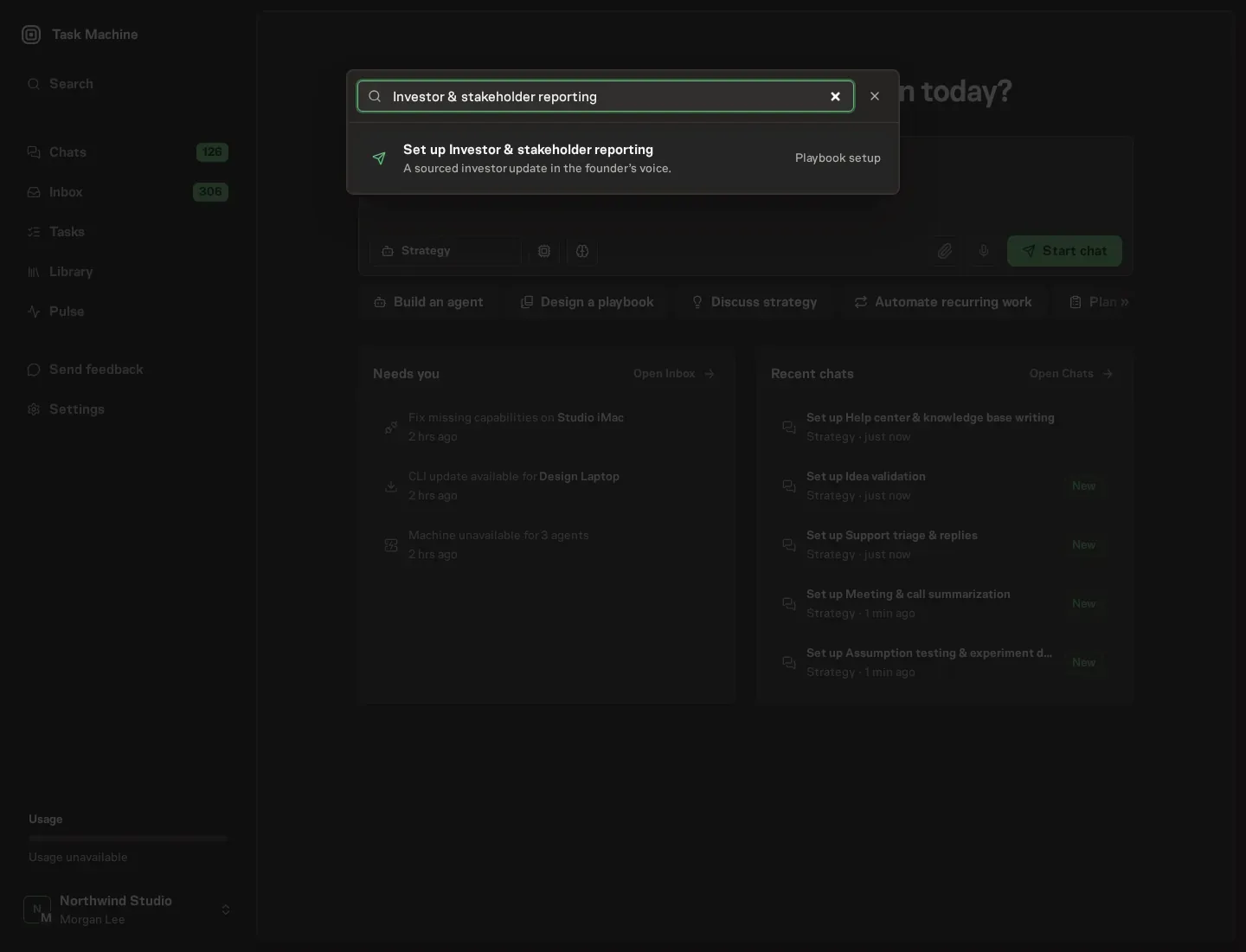
Open Search in your workspace and enter "Investor & stakeholder reporting". The command center lists Set up Investor & stakeholder reporting under Playbook setup.
2. Start the conversation
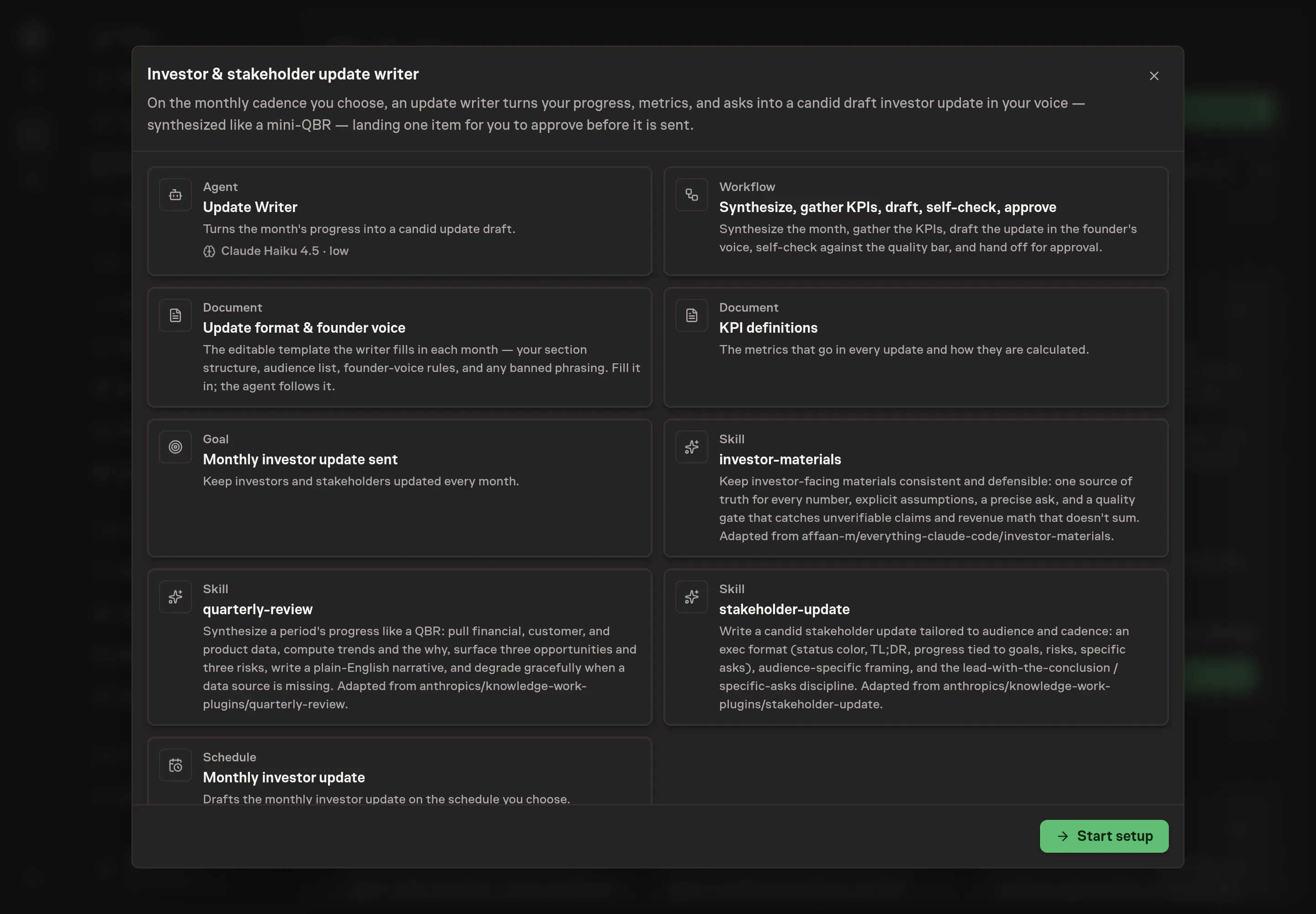
Choose Set up Investor & stakeholder reporting. Task Machine opens a dedicated Chat with the Playbook card and an editable, unsent request. Read the intended job and outcome. Add your situation and send it when ready. Opening the draft does not install anything or start work. This walkthrough uses settings that require approval of the proposed Playbook.
3. Agree the working brief
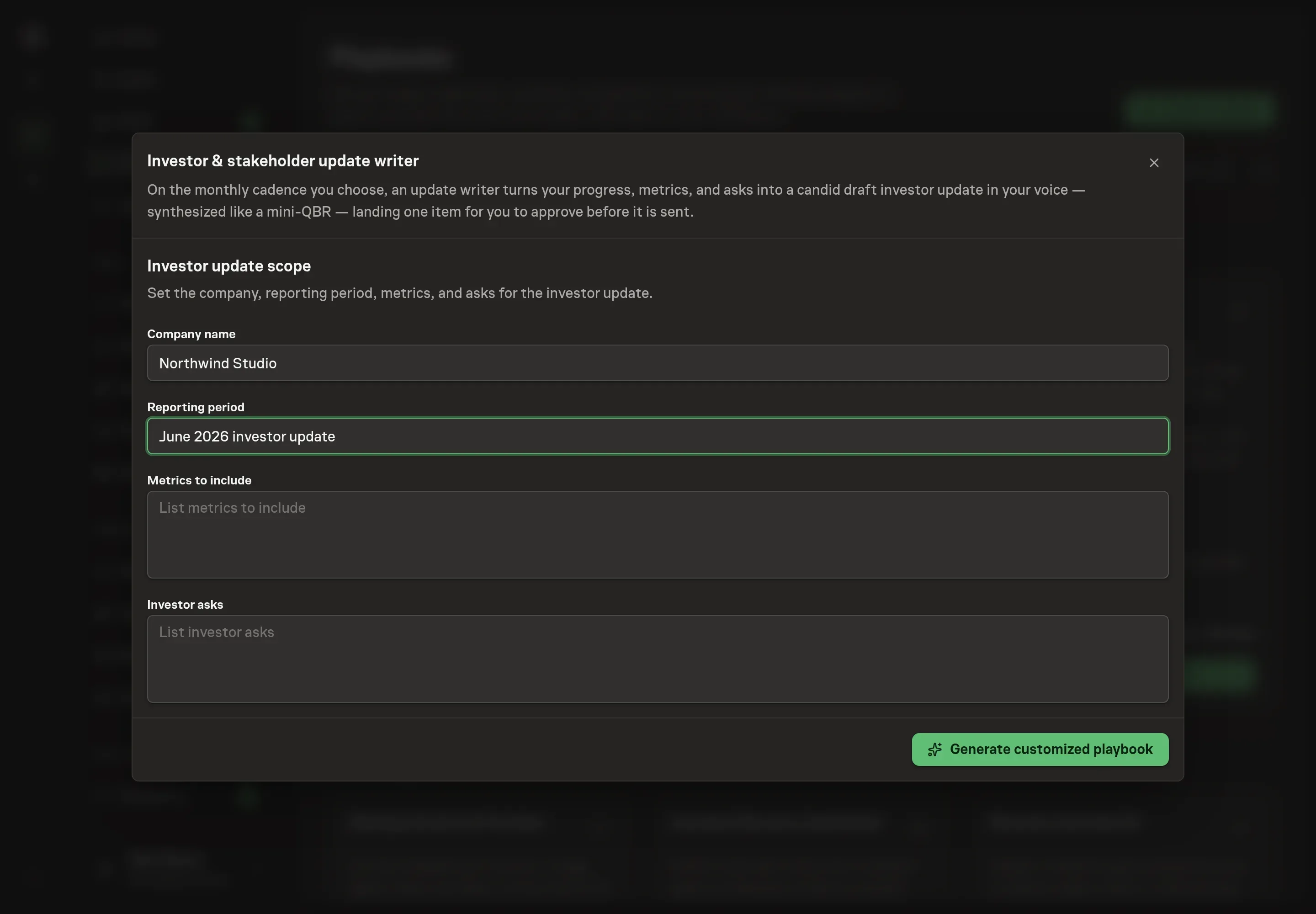
Use Chat to agree the inputs, expected output and limits before asking for a proposal. The Agent needs the company name, reporting period, metrics to include, investor asks, monthly schedule, and timezone. Use the same KPI names you want to report every month, and write asks as concrete requests rather than broad themes.
4. Review the proposed Playbook
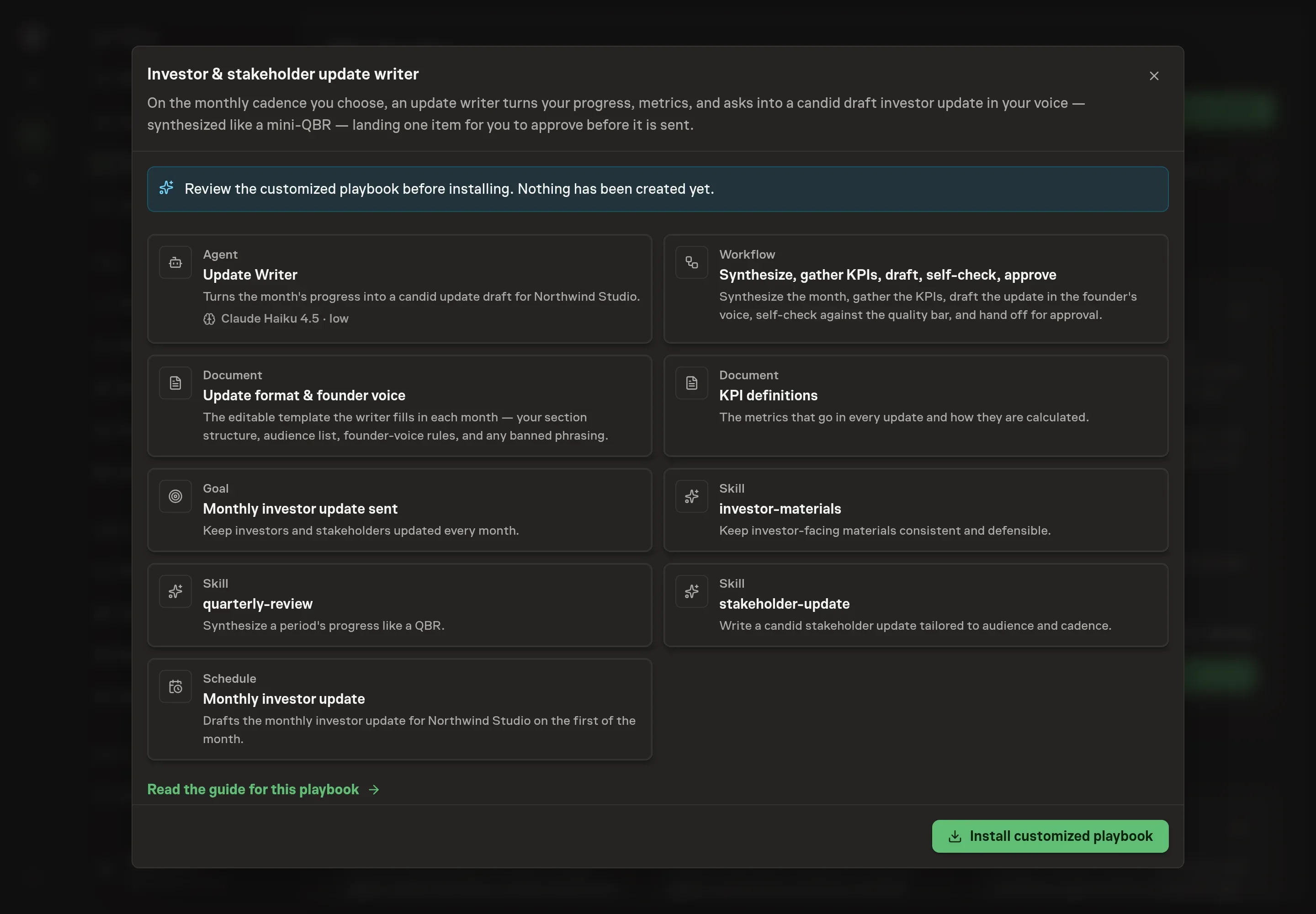
Ask the Agent to generate the Playbook from the agreed brief. Open its proposal in Chat and check the instructions and resources it will install, which carry more detail than the conversational summary. Check that the workflow synthesizes the month before drafting, gathers KPIs from the definitions document, self-checks the update, and waits for approval. Ask for a revised proposal if anything is missing or changes the job.
5. Approve and prepare the first work
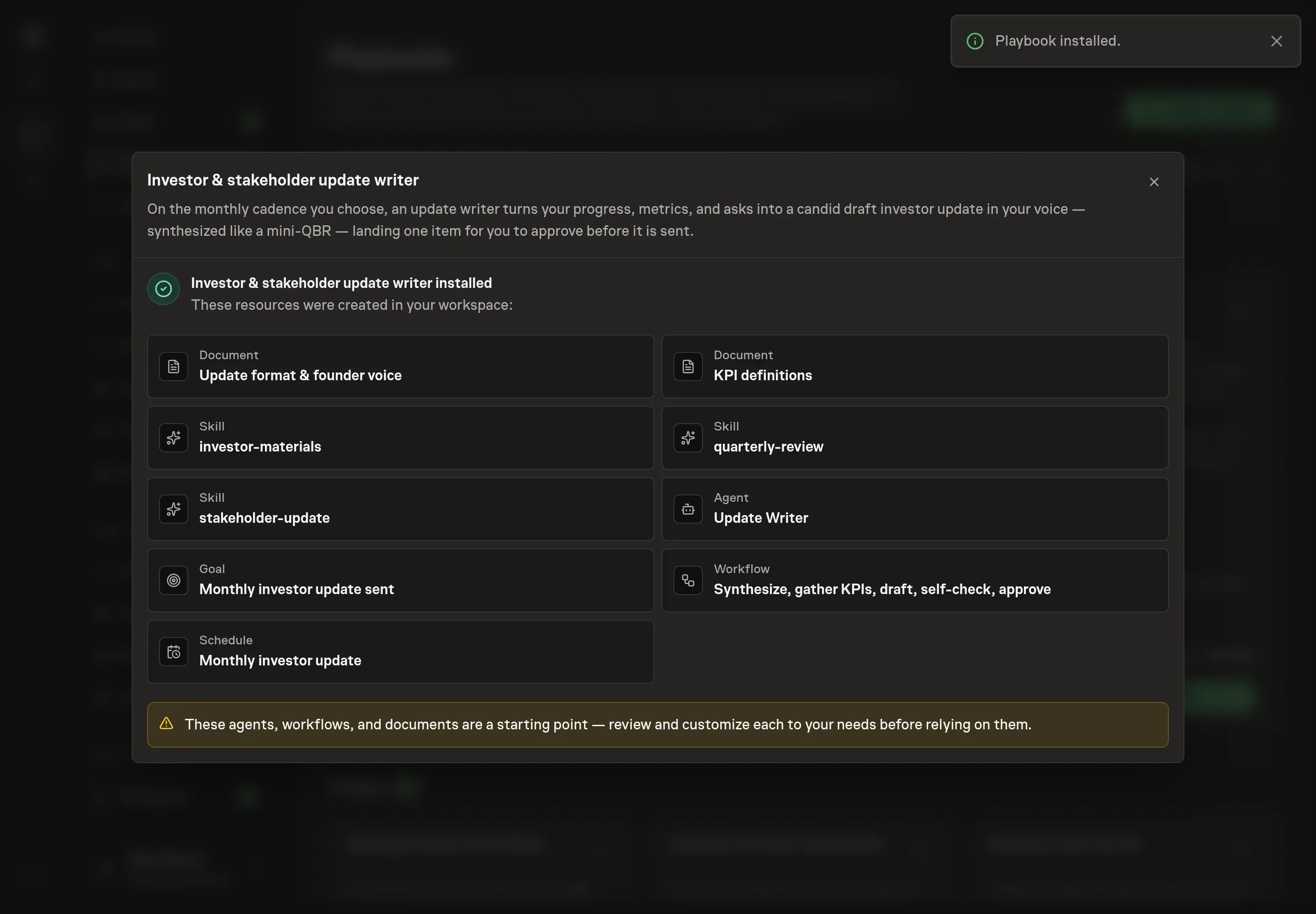
Choose Approve on the proposal in Chat when the configuration matches your brief. Task Machine installs that reviewed configuration. The approved item retains its review details. If your autonomy settings allow direct installation, this approval may not be required. Check the resulting configuration in that case too.
Complete any remaining secure service setup from the installation details in Chat. Inbox keeps those setup items available if you return later. Prepare the source documents and inputs before starting the first Task or Workflow. Installation does not authorize sending, publishing or changing an external service beyond the boundaries you agreed. Confirm each schedule's cadence and timezone, and resolve any pending schedule setup before it starts. A readback must wait for its agreed observation window and source data.
What good looks like
A good investor update is easy to review and hard to misunderstand:
- The same KPIs recur. Metrics use stable definitions and compare against last month and plan.
- The lowlights are specific. Each material risk or slip has a mitigation, owner, or ask.
- The asks are actionable. Investors can tell whether you need an introduction, decision, candidate referral, or advice by a certain date.
- Every gap is visible. Missing sources are named instead of replaced with guesses.
Common questions
Can the agent send the update automatically? No. The agent drafts and prepares the update, then waits for human approval. Sending stays with the founder or approved operator.
What if a KPI is unavailable this month? The agent should flag the missing source and explain the gap. It should not estimate the number or silently remove it from the update.
Can the update use different sections for different audiences? Yes. The editable update format and founder voice document includes audience notes for investors, leadership, employees, and external stakeholders.
How long should the update be? The bundle's default voice guidance keeps executive updates tight, roughly 200 to 300 words, with the most important conclusion first.