How to Write Release Notes With an Agent
A practical guide to turning merged work into clear release notes with repository context, house voice, and approval.

Founder, Task Machine
Release notes are the user-facing account of what changed in a product, who it affects, and what action the reader should take. Good notes translate merged pull requests, commits, and closed issues into benefits, fixes, and breaking changes that a customer can understand.
They matter because silent releases create support load and vague changelogs create confusion. The work is rarely hard once the source material is gathered, but it is easy to skip when a release is already late.
Why release notes become committer-speak
Engineering artifacts are written for the people who built the change. They carry ticket titles, implementation nouns, internal codenames, and chores that do not matter to customers. A changelog assembled from that raw material reads like a build log.
The bigger risk is omission. A breaking change without an action note, a feature without an audience, or a fix described in internal language forces users to infer what changed. That inference becomes a support conversation.
What the manual process looks like
Done by hand, release-note writing has five steps:
- Pull the merged pull requests, commits, and closed issues since the last release.
- For each change, decide what changed, who it affects, and why it matters.
- Drop internal refactors and chores unless they change user-visible behavior.
- Categorize the remaining changes into Highlights, New Features, Improvements, Bug Fixes, Breaking Changes, and Deprecations.
- Rewrite each entry in the product's house voice, flag required actions, and send the notes for approval.
The tedious part is the sorting, excluding, rewriting, and checking that every user-facing change is covered.
What an agent can automate
An agent can own the repeatable drafting pass while the team keeps the publish decision:
- Gather release material. The agent reads repository history through the connected repository or works from release exports attached to the run. It captures what changed, who is affected, and why each item matters.
- Separate customer value from internal work. The agent drops internal-only refactors and chores, but keeps technical changes that require customer action.
- Categorize consistently. New work, improvements, fixes, breaking changes, and deprecations land in predictable sections. The most important one or two changes become Highlights.
- Apply house voice. The agent uses the editable Product-writing voice guide to match tone, banned words, preferred phrasings, and product naming conventions.
- Self-edit before approval. The draft is checked for benefit-led entries, jargon, codenames, ticket numbers, missing breaking-change actions, unsupported performance claims, and AI-sounding prose.
The agent should never publish. It should produce a draft that a product owner or engineering lead can approve with context.
The guardrails that make it safe
Release notes are public product communication, so the workflow puts approval after self-editing. The agent asks when a change is ambiguous, when a breaking-change migration note needs engineering input, or when it cannot tell whether a change is internal or user-facing.
That boundary keeps the agent from inventing meaning. It can assemble, rewrite, and flag uncertainty. The human decides whether the release is ready to publish.
Set it up in Task Machine
The Release note writing playbook provides a starting point for the method above. You need an active Task Machine workspace with Chat, workspace-management and Playbook-installation access (workspace owners have it). Repository access is not required up front. Until it is authorized, the agent works from release exports you attach.
1. Find the playbook
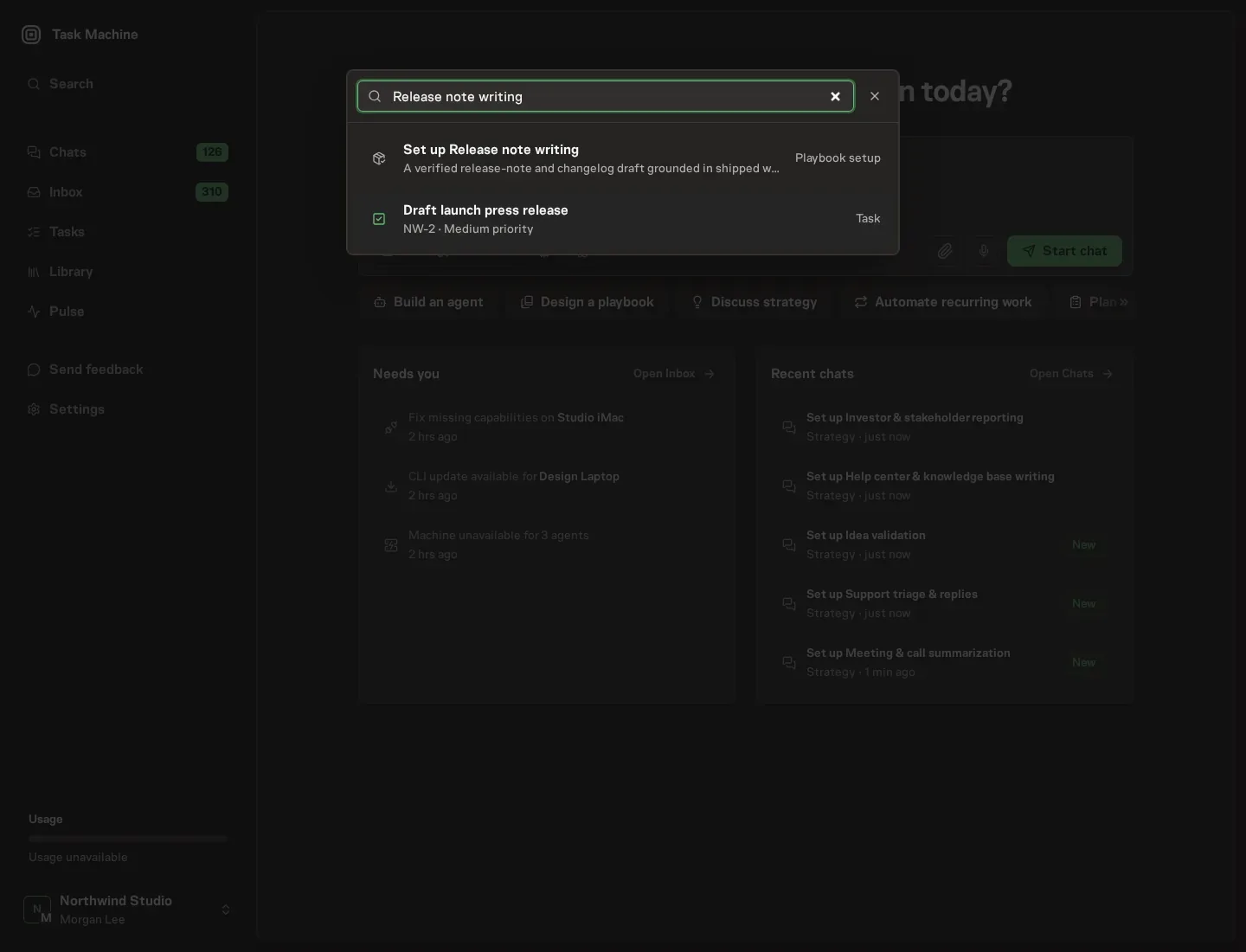
Open Search in your workspace and enter "Release note writing". The command center lists Set up Release note writing under Playbook setup.
2. Start the conversation
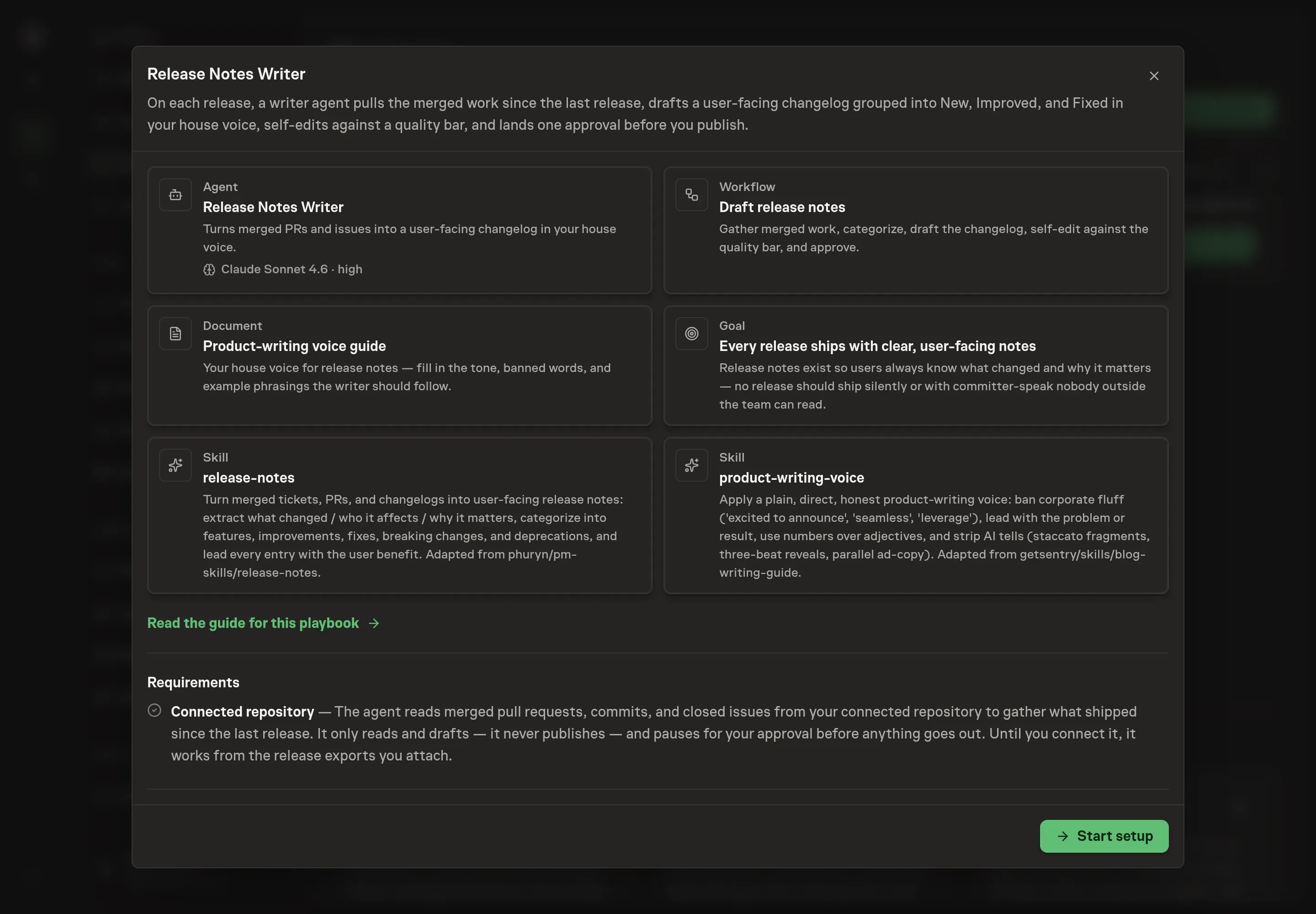
Choose Set up Release note writing. Task Machine opens a dedicated Chat with the Playbook card and an editable, unsent request. Read the intended job and outcome. Add your situation and send it when ready. Opening the draft does not install anything or start work. This walkthrough uses settings that require approval of the proposed Playbook.
3. Agree the working brief
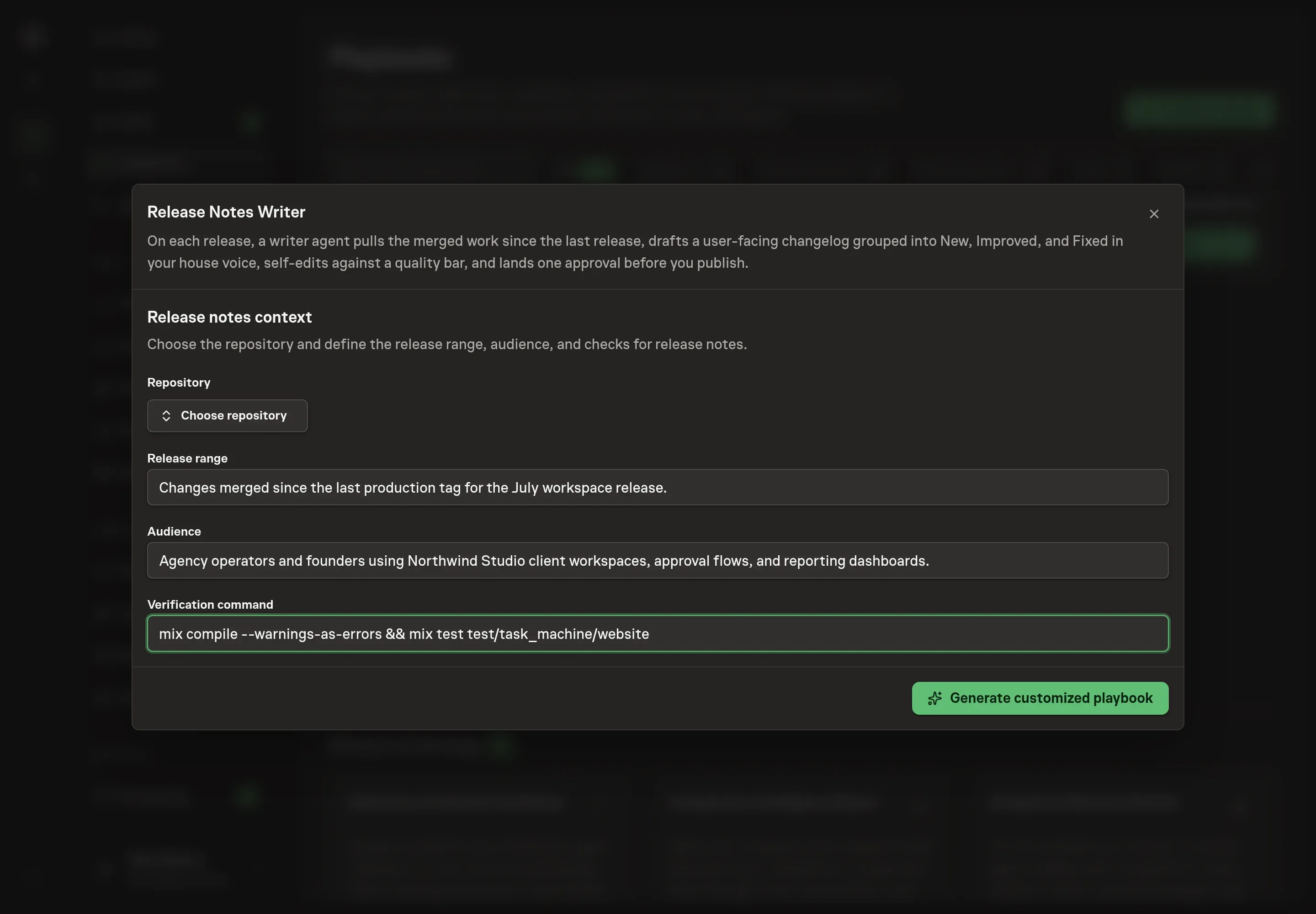
Use Chat to agree the inputs, expected output and limits before asking for a proposal. Discuss the delivery context: repository, release range, audience, and verification command. For Northwind Studio, the release range might be the current web app release, the audience might be agency operators using client workspaces, and the verification command might be the command already used before a release.
4. Review the proposed Playbook
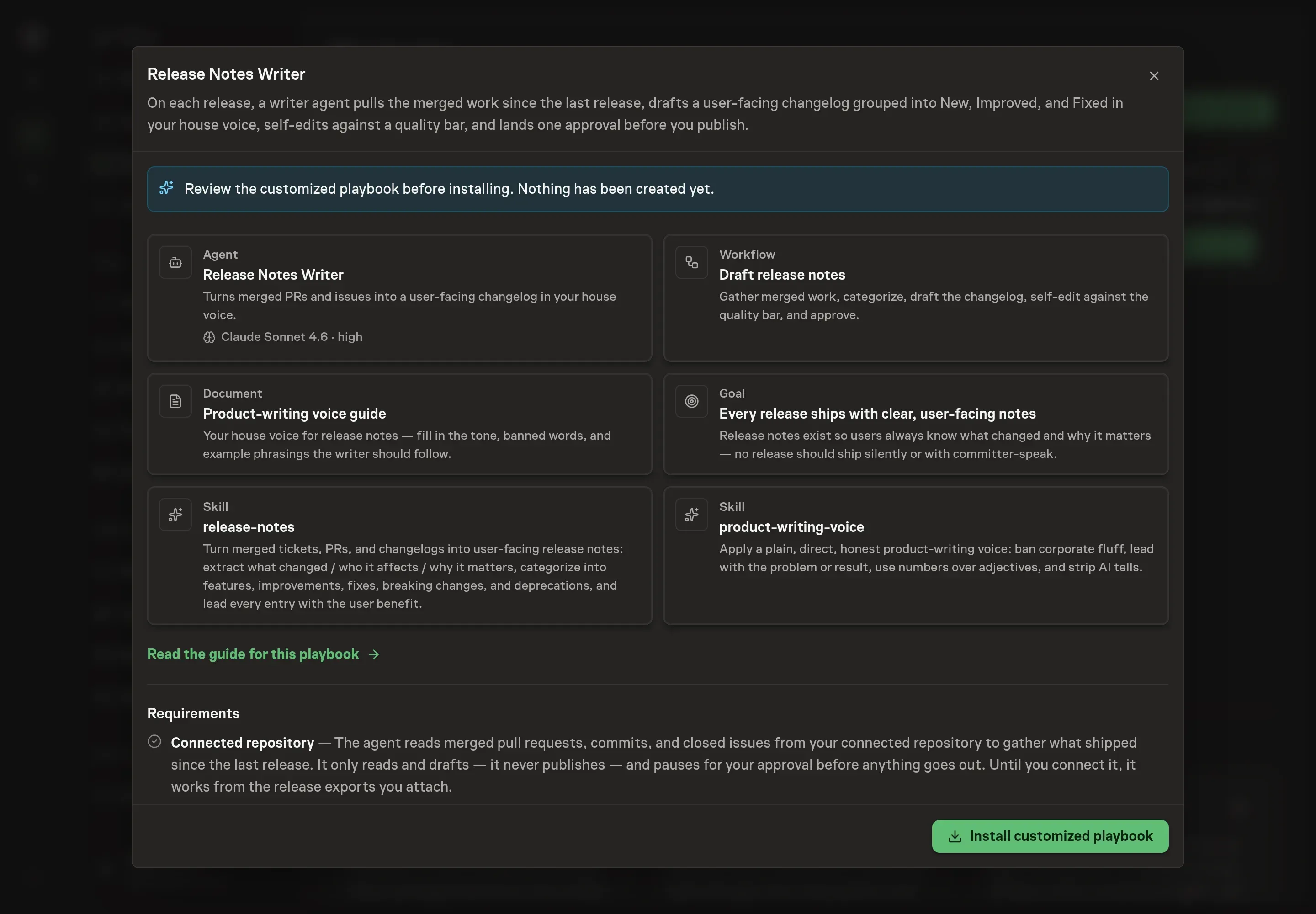
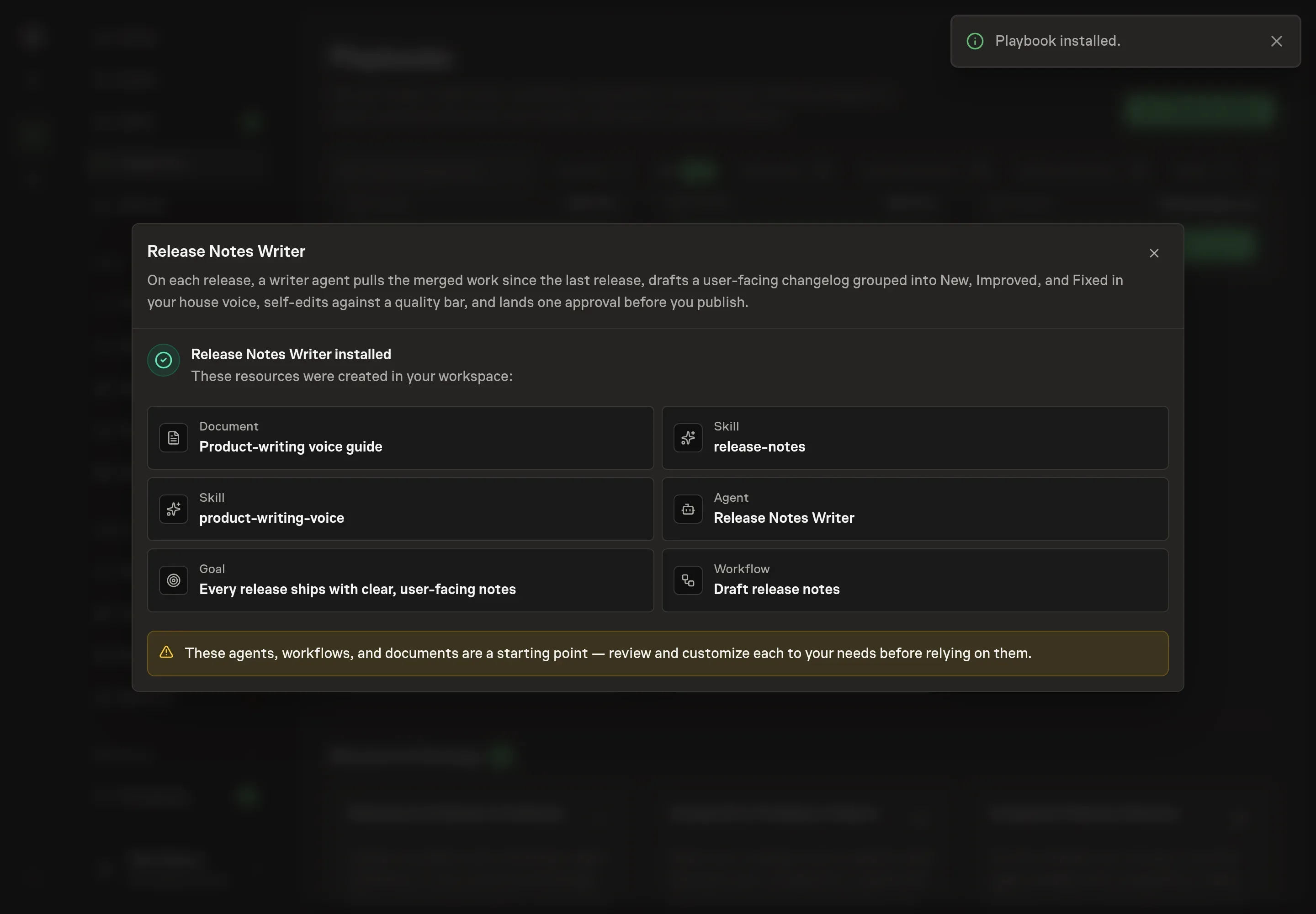
Ask the Agent to generate the Playbook from the agreed brief. Open its proposal in Chat and check the instructions and resources it will install, which carry more detail than the conversational summary. Review the customized writer instructions, workflow prompts, Product-writing voice guide, and goal. Confirm the workflow gathers merged work, categorizes it, drafts in the house voice, self-edits, and waits for approval. Ask for a revised proposal if anything is missing or changes the job.
5. Approve and prepare the first work
Choose Approve on the proposal in Chat when the configuration matches your brief. Task Machine installs that reviewed configuration. The approved item retains its review details. If your autonomy settings allow direct installation, this approval may not be required. Check the resulting configuration in that case too.
Complete any remaining secure service setup from the installation details in Chat. Inbox keeps those setup items available if you return later. Prepare the source documents and inputs before starting the first Task or Workflow. Installation does not authorize sending, publishing or changing an external service beyond the boundaries you agreed.
What good looks like
Release notes are working when the reader can scan them and know what changed:
- Coverage without noise. User-visible changes are included, internal-only chores are excluded, and breaking changes always carry an action.
- Benefit-led entries. Each item starts with what the user can do or what problem is fixed, not the implementation detail.
- One approval, not a rewrite. The approver should be checking judgment and accuracy, not rebuilding the changelog from raw commits.
Common questions
Can the agent write release notes without repository access? Yes. It can work from attached release exports until repository access is authorized. Repository access removes the export step.
Should release notes include every commit? No. The workflow excludes internal refactors and chores unless they change user-visible behavior or require customer action.
How are breaking changes handled? Breaking changes are grouped separately and start with the required action. If the action is unclear, the agent asks instead of guessing.
Who should approve the notes? The person accountable for release communication should approve them, usually a founder, product lead, or engineering lead in a small team.