How to Automate ASO Audits and Competitor Tracking
A practical guide to recurring ASO audits with an agent: a weighted listing scorecard, dated competitor deltas, chart movers, and approvals.

Founder, Task Machine
An ASO audit scores an app's store listing against the factors that drive search ranking and conversion: the title and subtitle, keyword coverage, the description, screenshots and preview video, ratings and reviews, and freshness signals. Competitor tracking is the recurring half of the same job: watching the listings that compete for your keywords and catching their metadata changes, keyword shifts, rating drops, and chart moves.
App store search is comparative. Your listing does not rank on its own merits but against whoever else targets the same terms, so a competitor's new subtitle or upgraded screenshots can cost you position while your own listing sits untouched. Watching those moves as they happen is the difference between responding this week and diagnosing an install dip next quarter.
Competitor listings change without telling you
Listing changes are silent. There is no announcement when a competitor retitles around your best keyword, ships a new screenshot direction, or starts responding to reviews. The store just re-ranks, and the first signal you get is a chart position or an install curve that has already moved.
Each competitor move also has a right response with a time window. A dropped shared keyword is an opening while nobody holds it. A rating slide below 4.0 is a moment to highlight your own stability. A new entrant rising into your category's top ten deserves a full analysis before it settles in. When nobody owns the watching, the openings pass unnoticed and the threats get named in a postmortem.
What the manual process looks like
Done by hand, the job is a recurring ritual with five steps:
- Score your own listing factor by factor: title, subtitle, keywords, description, creative, ratings, and freshness.
- Open each tracked competitor's listing and compare it against your notes from last time, looking for metadata, keyword, creative, and rating changes.
- Check the shared keywords where you and the competitors rank, and note who moved.
- Scan the category chart for gainers, losers, new entries, and apps that dropped out.
- Write up what changed, what it means, and what to do about it.
None of it is hard, but all of it rewards consistency. The comparison step only works if last time's snapshot exists, the chart scan only means something as a trend, and the whole ritual is the first thing skipped in a release week, which is exactly when competitors are moving too.
What an agent can automate
Almost every step of that loop is mechanical observation and structured comparison, which makes it a good fit for an agent running a fixed workflow:
- Score your own listing. The agent classifies your brand-maturity tier first (a challenger app gets strict textbook scoring, a dominant brand gets credit for deliberate choices), then scores six weighted dimensions to a graded scorecard: title and subtitle, description, visual assets, ratings and reviews, metadata freshness, and conversion signals. Every fix comes back specific, with character counts, never "improve the title".
- Diff the watchlist. The agent reads the competitor watchlist and compares each tracked listing's metadata, keywords, creative, ratings, and chart position against the last snapshot. This is delta work: the report states only what changed since the last audit's baseline date, not a re-discovered tour of each listing.
- Scan chart movers. Gainers, losers, new entries, and dropped-out apps in your category, each with a likely cause, whether that is an update, featuring, a seasonal swing, or a launch, and whether it is a spike or a sustained move.
- Attach a response to every finding. The findings net into opportunities and threats, and each one carries a recommended response from a fixed playbook. A competitor targeting your top keyword means defending your metadata. A dropped shared keyword means doubling down. Upgraded competitor screenshots trigger a re-audit of yours.
- Critique its own report. Before handoff, the agent verifies that every change is dated against the correct baseline, every threat and opportunity has a concrete response, and metrics that only paid ASO tools can supply are flagged as unavailable rather than invented.
What stays with you is the judgment: which responses to act on, in what order, and whether a flagged threat is worth a roadmap change.
The guardrails that make it safe
An agent that watches listings is low risk. An agent that acts on your listing is not, so the two are separated by an explicit approval step.
The workflow runs the audit, the competitor scan, the findings report, and the self-critique, then stops. The full report waits in your inbox, and the agent recommends responses but never touches the listing until you approve. After approval, the confirmed competitor changes are folded back into the watchlist snapshot, so the next run diffs against a true baseline instead of re-reporting the same moves. Every run is recorded, so you can always answer what was found, when, and what you decided.
Set it up in Task Machine
The App Store Optimization audit playbook provides a starting point for the method above. You need an active Task Machine workspace with Chat, workspace-management and Playbook-installation access (workspace owners have it). App Store Connect access is not required up front. Until you connect it, the agent works from exports you attach to each run and from the watchlist document.
1. Find the playbook
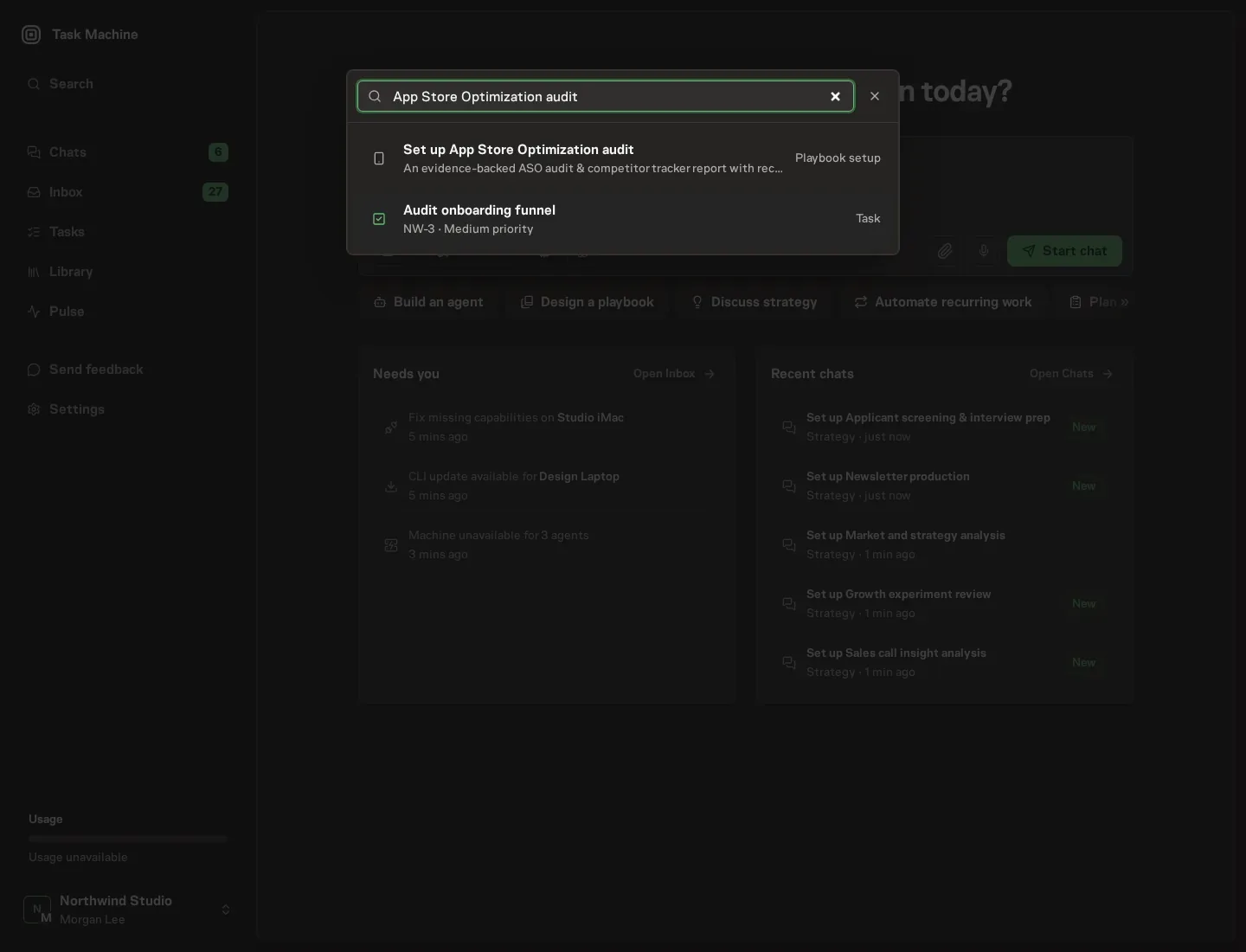
Open Search in your workspace and enter "App Store Optimization audit". The command center lists Set up App Store Optimization audit under Playbook setup.
2. Start the conversation
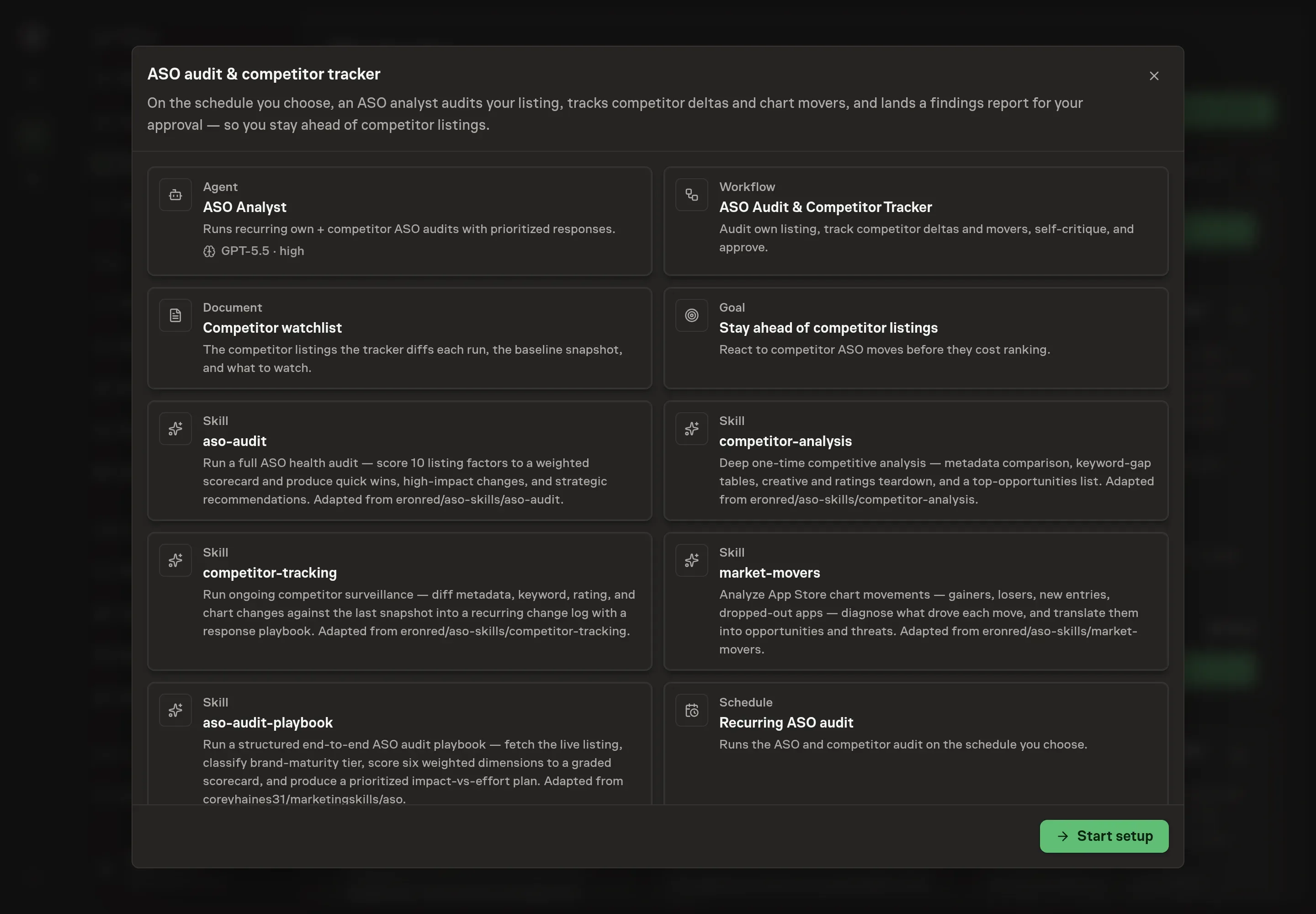
Choose Set up App Store Optimization audit. Task Machine opens a dedicated Chat with the Playbook card and an editable, unsent request. Read the intended job and outcome. Add your situation and send it when ready. Opening the draft does not install anything or start work. This walkthrough uses settings that require approval of the proposed Playbook.
3. Agree the working brief
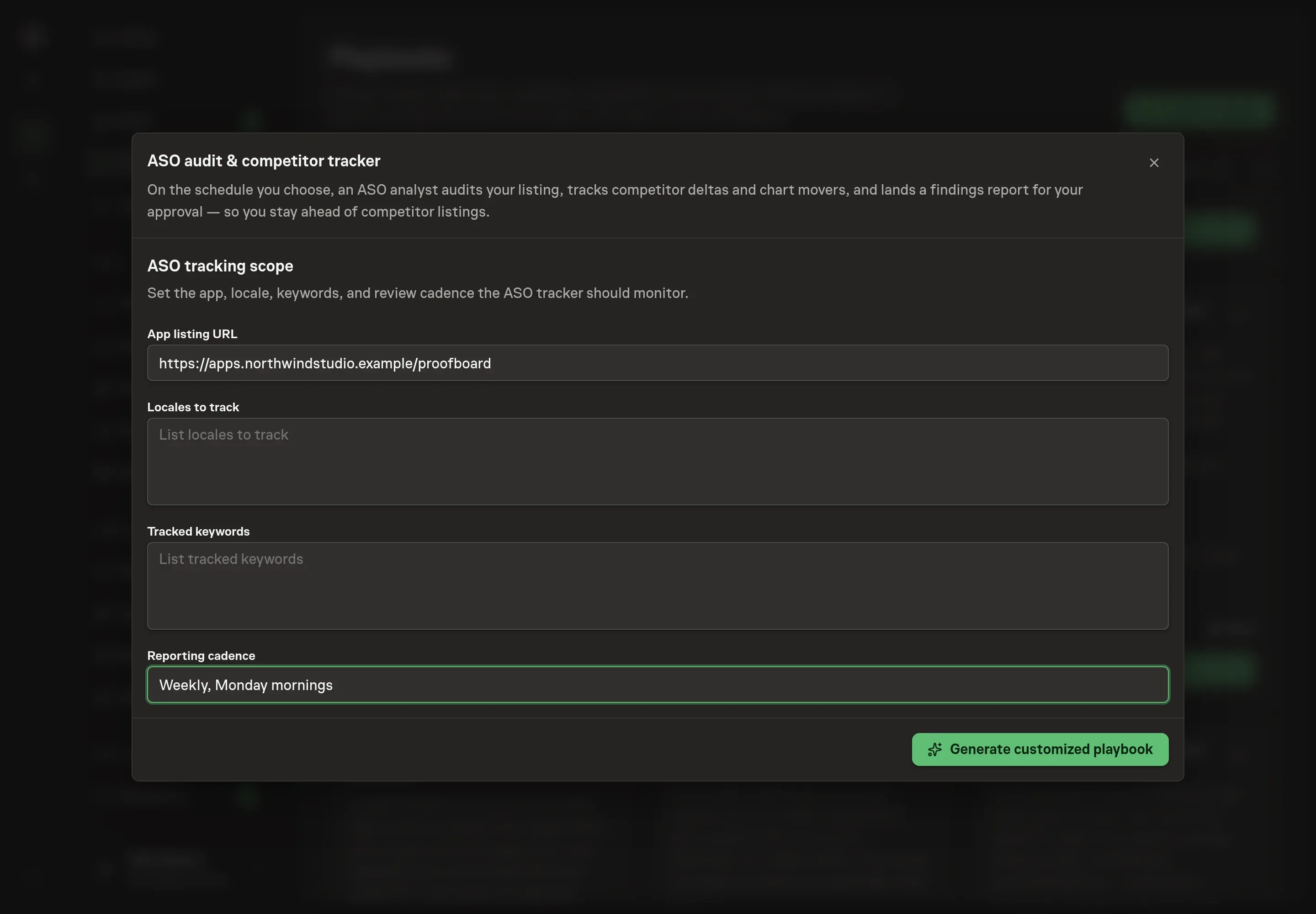
Use Chat to agree the inputs, expected output and limits before asking for a proposal. The Agent needs the details every run depends on. App listing URL names the listing the agent audits. Locales to track sets the storefront languages the audit covers. Tracked keywords lists the terms whose rankings the agent watches across your listing and the watchlist. Reporting cadence shapes how each report frames its deltas and how urgent the findings read.
4. Review the proposed Playbook
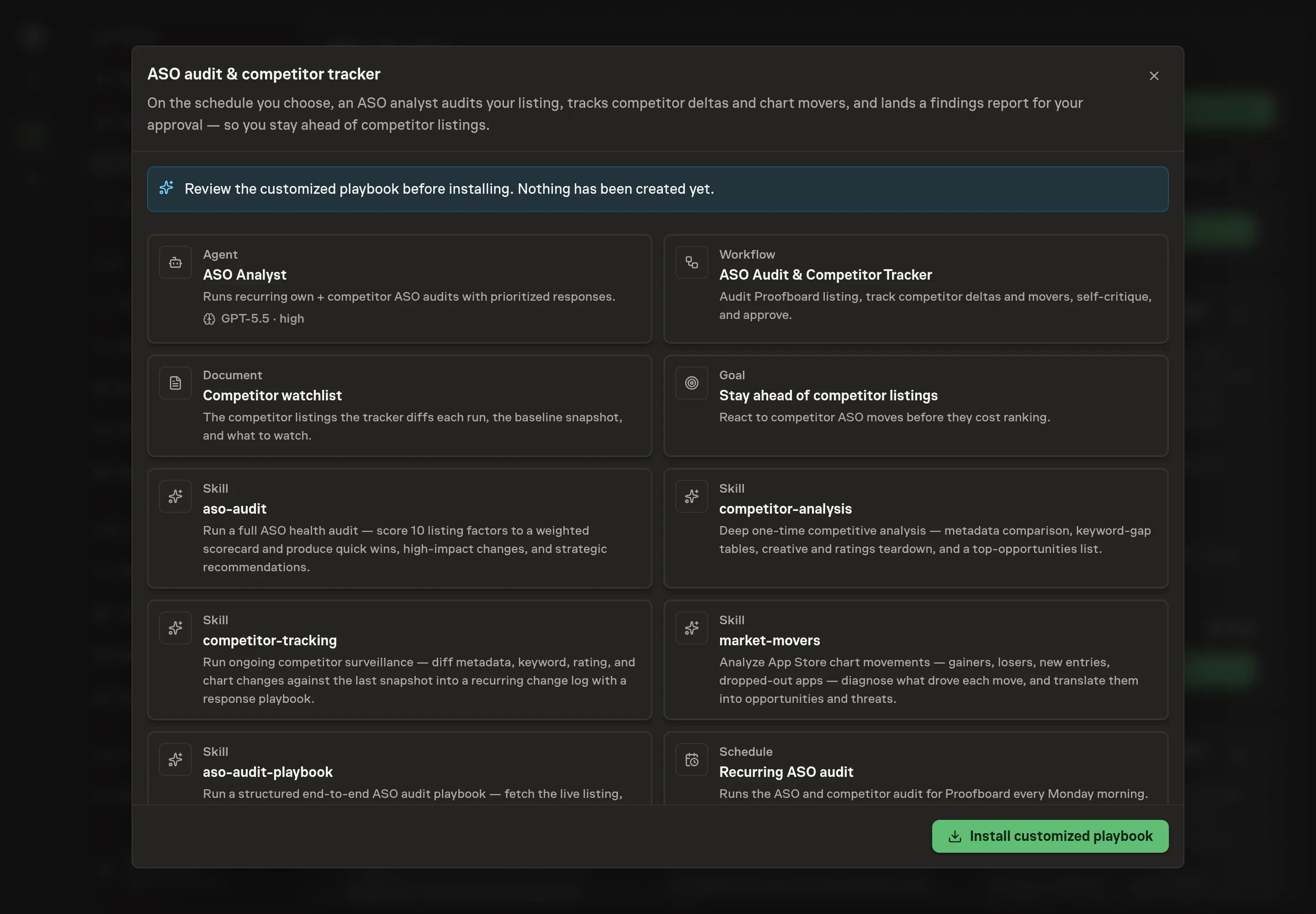
Ask the Agent to generate the Playbook from the agreed brief. Open its proposal in Chat and check the instructions and resources it will install, which carry more detail than the conversational summary. Read the agent and workflow cards and confirm the app, locales, and keywords you agreed appear where the method needs them. Ask for a revised proposal if anything is missing or changes the job.
5. Approve and prepare the first work
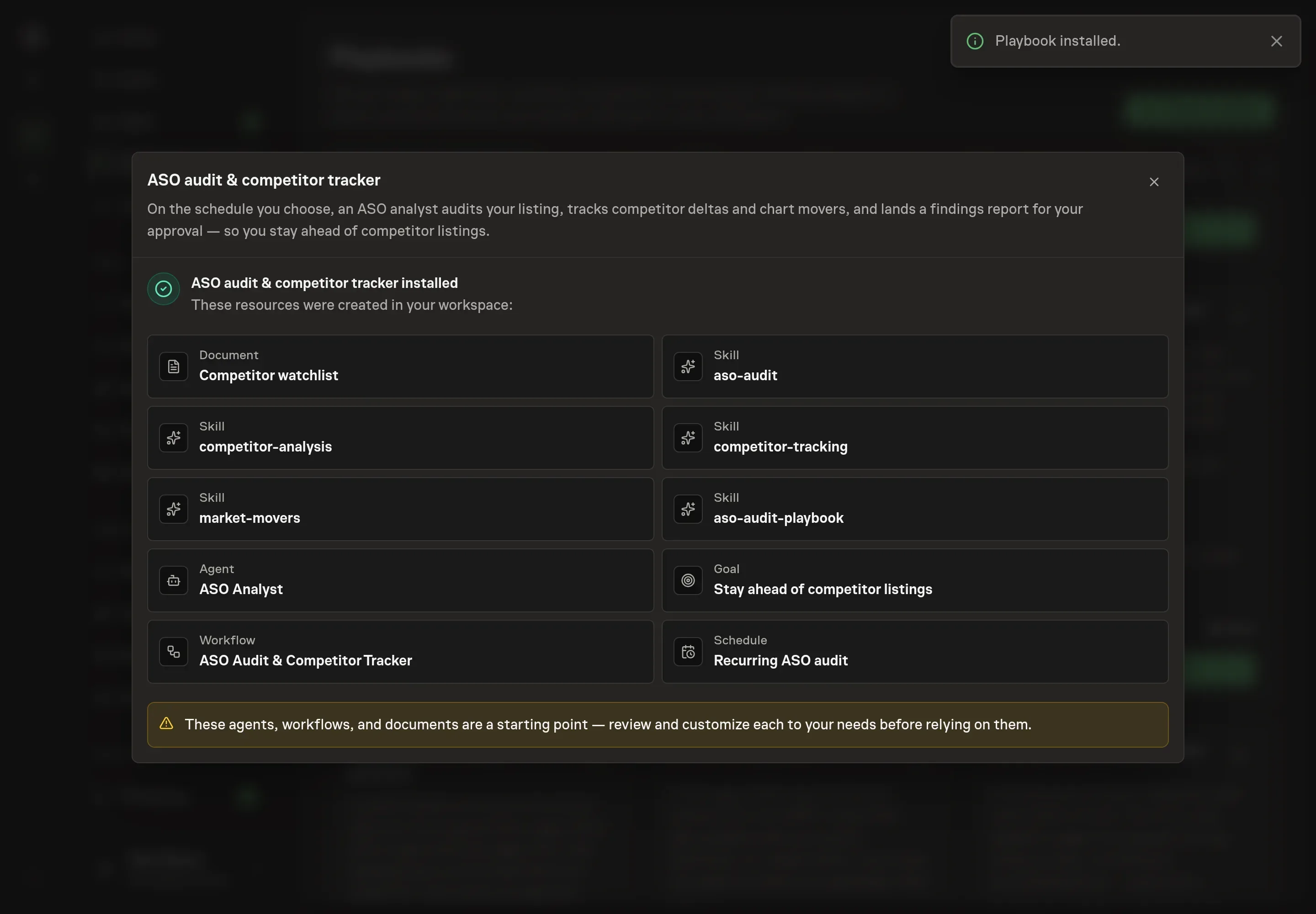
Choose Approve on the proposal in Chat when the configuration matches your brief. Task Machine installs that reviewed configuration. The approved item retains its review details. If your autonomy settings allow direct installation, this approval may not be required. Check the resulting configuration in that case too.
Complete any remaining secure service setup from the installation details in Chat. Inbox keeps those setup items available if you return later. Prepare the source documents and inputs before starting the first Task or Workflow. Installation does not authorize sending, publishing or changing an external service beyond the boundaries you agreed. Confirm each schedule's cadence and timezone, and resolve any pending schedule setup before it starts. A readback must wait for its agreed observation window and source data. Check the reviewed tracker or results document before the first cycle so evidence and human decisions have a durable home.
What good looks like
Three checks tell you whether the process works:
- A scorecard that moves. The six-dimension audit grades from A (85 to 100) down to F. The absolute grade matters less than the trend: quick wins should ship within days of being flagged, and the next run's scorecard should show it.
- Deltas, not re-discoveries. Every competitor change should be dated against the last baseline. A report that keeps re-announcing the same subtitle change means approved findings are not being folded back into the watchlist snapshot.
- No orphan findings. Every threat and opportunity carries a concrete response, and any deep-dive trigger (a ten-plus position chart jump, a title change, a new top-ten entrant, or a keyword overtake) escalates to a full competitor analysis in the same run.
Common questions
How many competitors should an ASO watchlist track? Three to five: two direct competitors, one or two aspirational apps larger than you, and one emerging app. Fewer misses the market, and more dilutes the diff work. If you do not know your competitors, find them through the category chart, keyword overlap, the store's "you might also like", and the question of what your users would use if your app did not exist.
How often should the audit run? Weekly is the recommended cadence for delta tracking, because metadata, keyword, and rating changes move on that timescale. Pricing and paywall changes move slowly and only need a re-check every four to six weeks, which the watchlist notes so the agent does not over-report them.
Can the agent report exact keyword search volumes? No. Exact search volume and precise ranking positions come from paid ASO tools. The workflow's self-critique step checks that the report flags those metrics as unavailable instead of inventing numbers, which is the honest failure mode to design for.
Does this work without connecting App Store Connect? Yes. The agent works from exports you attach to each run and from the watchlist document. Connecting App Store Connect lets the agent work in the listing through its web interface in your browser, and it still pauses for your approval before making any changes.
What is the difference between tracking and a full competitor analysis? Tracking is recurring delta work: a change log of what moved since the last snapshot, with a response attached to each move. A full competitor analysis is a one-time deep read of metadata, keyword gaps, creative strategy, ratings, and monetization. The tracker escalates from one to the other when a deep-dive trigger fires.