How to Automate Contract and Agreement Review
A practical guide to reviewing contracts with an agent: deal-breaker checks, clause-by-clause analysis, dual-severity redlines, and attorney approval.

Founder, Task Machine
Contract review is the process of reading an agreement before you sign it, comparing each material clause to the positions your business can accept, and turning every gap into a specific requested change. A full review covers the terms that decide who carries the risk: limitation of liability, indemnification, intellectual property ownership, data protection, term and termination, and governing law.
The terms signed today decide what happens when a project goes wrong, who owns the work product, and how hard it is to leave a vendor. Most small teams sign anyway, because a careful review takes time they do not have and expertise they rent by the hour. The result is a stack of agreements nobody has read past the price.
A contract's worst terms surface too late
A contract's worst terms rarely announce themselves. An auto-renewal clause is harmless until nobody notices the notice-to-cancel window and the company is locked in for another year at a higher price. A liability cap looks protective until the carve-outs put data breach, IP, and confidentiality claims above it, which makes the cap nominal for the claims that arise.
Some of the damage surfaces years later. A weak or missing IP assignment shows up in M&A diligence, financing, and litigation long after signing, when it is hard to fix. And a newer class of terms grows in the background: clauses that let a vendor use your data and content to train machine-learning models, sometimes through an incorporated privacy policy the vendor can update on its own.
None of this requires a hostile counterparty. It requires only that nobody on your side read the whole document against a written standard.
What the manual process looks like
Done carefully by hand, a contract review is a ritual with six steps:
- Orient. Identify the agreement type, which side you are on, the counterparty, the dollar value, the term, and whether a data processing agreement is attached, referenced by a link, or missing.
- Check your deal-breaker first. If the one term your team never accepts is present, the detailed review is moot until it is resolved.
- Read the entire contract, then compare each material clause to your standard positions. Clauses interact, so an uncapped indemnity may be softened by a broad liability limit, and flagging before the full read produces false alarms.
- Draft the requested changes: the current language quoted verbatim, the proposed replacement, and a short rationale you could share with the other side.
- Write up the findings with severities and a negotiation plan, so whoever negotiates knows what is a must-have and what can be traded away.
- Verify every quote and citation, then route the whole package to the person who decides.
Each step depends on the one before it, and the whole sequence rewards thoroughness over speed. That is exactly why, in a week with a deadline, the review shrinks to a skim of the liability clause and a signature.
What an agent can automate
Everything in that ritual except the decision to sign is structured reading and drafting, which an agent can run the same way every time:
- Orient and triage. The agent identifies the agreement type, your side, the counterparty, the value, the term, and the DPA status. It follows hard stop rules instead of guessing: if only an order form carries the price, it asks for the contract value rather than assuming one, and a DPA referenced by a link is labeled unread rather than treated as absent.
- Run the deal-breaker check first. Before any detailed work, the agent checks for your team's never-accept term. If it is present, it flags it at the top with a push-back-or-walk recommendation instead of burying it under forty smaller findings.
- Review clause by clause with the right overlay. SaaS and subscription agreements get checks for auto-renewal windows, price escalation, data portability and exit, service-level commitments, subprocessor changes, and AI training rights. Data processing agreements get a controller-or-processor direction check, because getting the direction wrong inverts every recommendation. IP-heavy agreements get the assignment-gap check first, looking for present-tense assignment language rather than a bare promise to assign later.
- Draft the memo and redlines. Every finding carries two severities, legal risk and business friction, because a data-exit clause can be legally mild and operationally painful at the same time. Each deviation gets the contract language quoted verbatim, a ready-to-paste redline, a rationale fit for external sharing, a fallback, and a priority. The memo closes with a tiered negotiation strategy: lead with the must-haves, trade the concession candidates for the should-haves.
- Verify its own work. A second agent independently checks the memo before anyone reads it. It confirms every quote against the attached document, treats pinpoint citations as high fabrication risk, re-derives the liability-cap analysis, and confirms the direction calls that invert recommendations.
What stays with a person is the judgment: whether the risk is worth the deal, which concessions to trade, and the decision to sign.
The guardrails that make it safe
An agent reading contracts drafts analysis. It does not give legal advice, and the process has to enforce that distinction rather than assert it.
The first guardrail is honest sourcing. Every citation in the memo carries a tag: settled for stable references, verify for regulator guidance and case holdings, verify-pinpoint for subsection letters and clause numbers, where fabrication risk is highest. When research comes back thin, the agent reports the gap and stops rather than filling it from model knowledge.
The second is independent verification. The reviewer's memo goes to a separate verifier agent that assumes nothing is correct until confirmed. Its report lists what was confirmed, what was corrected, and what could not be verified and must be checked by the attorney before anyone relies on it.
The third is the approval step. The workflow ends with an attorney approval that waits in the inbox: nothing is signed, sent, or relied on until a person reads the memo and approves it. Even after approval, the agent only prepares the signature request in your e-signature tool and pauses again before anything goes out for signature.
Set it up in Task Machine
The Contract & agreement review playbook provides a starting point for the method above. You need an active Task Machine workspace with Chat, workspace-management and Playbook-installation access (workspace owners have it). Access to your e-signature tool is not required up front. Until you connect it, the agents work from the agreements you attach and your written standard positions.
1. Find the playbook
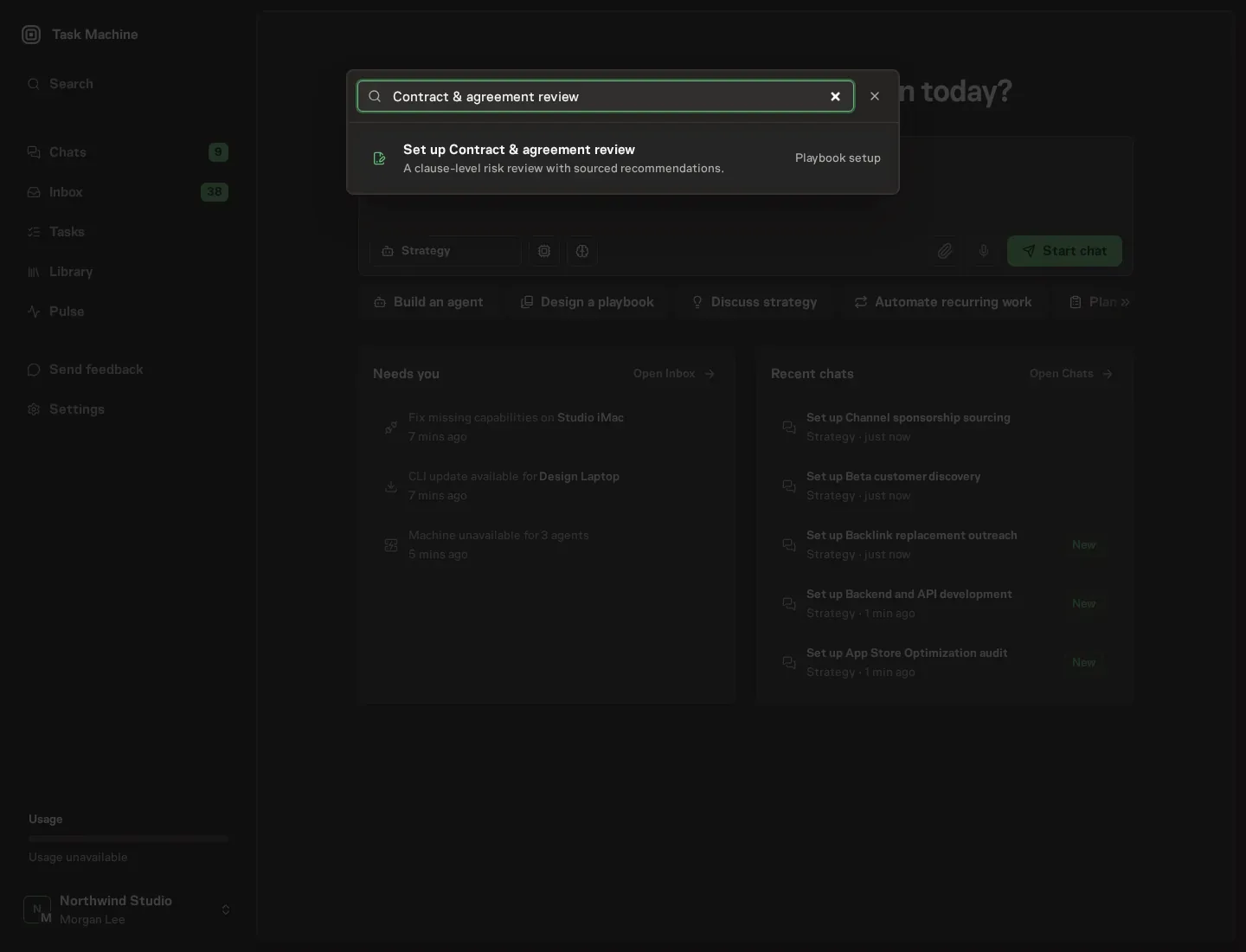
Open Search in your workspace and enter "Contract & agreement review". The command center lists Set up Contract & agreement review under Playbook setup.
2. Start the conversation
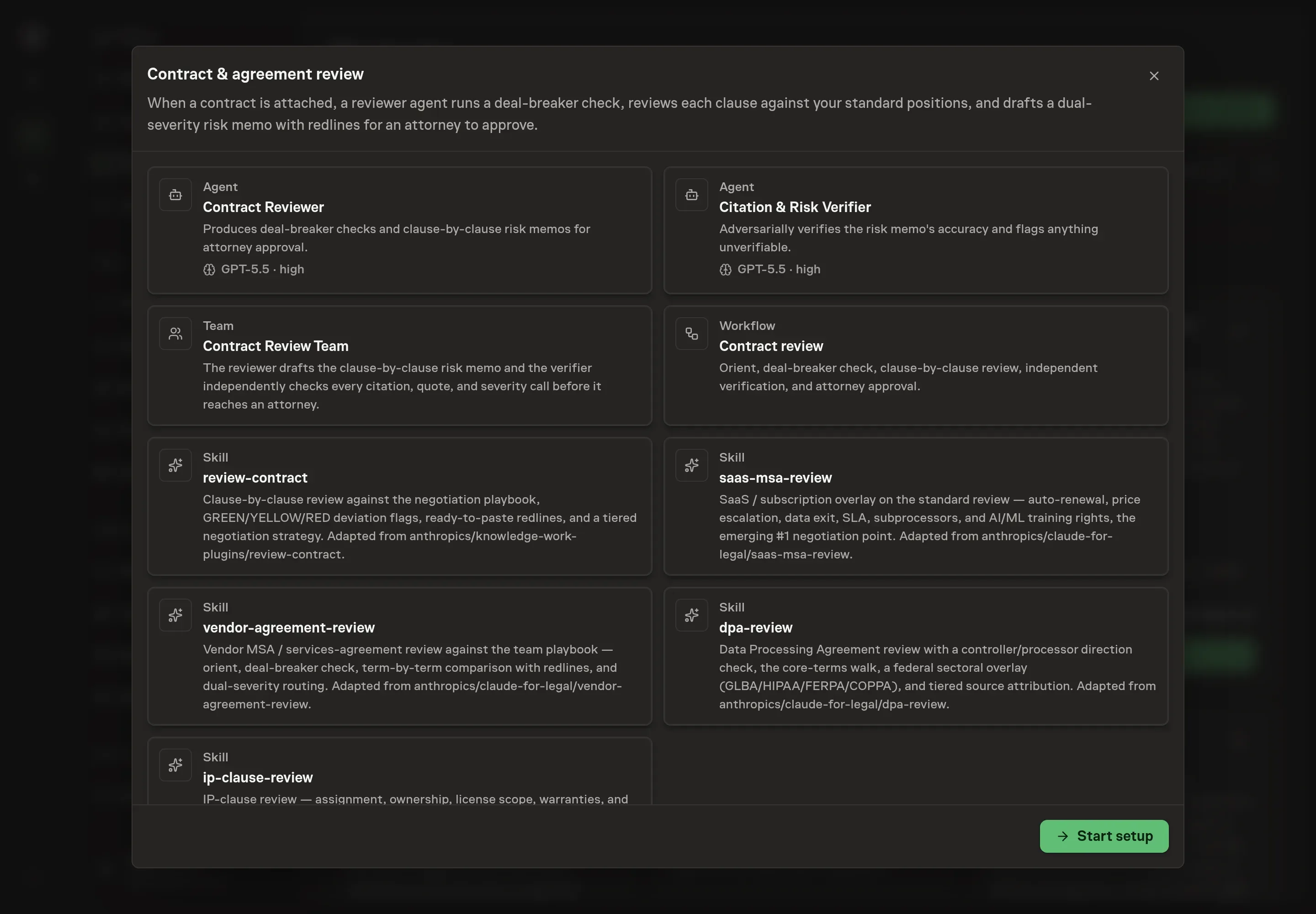
Choose Set up Contract & agreement review. Task Machine opens a dedicated Chat with the Playbook card and an editable, unsent request. Read the intended job and outcome. Add your situation and send it when ready. Opening the draft does not install anything or start work. This walkthrough uses settings that require approval of the proposed Playbook.
3. Agree the working brief
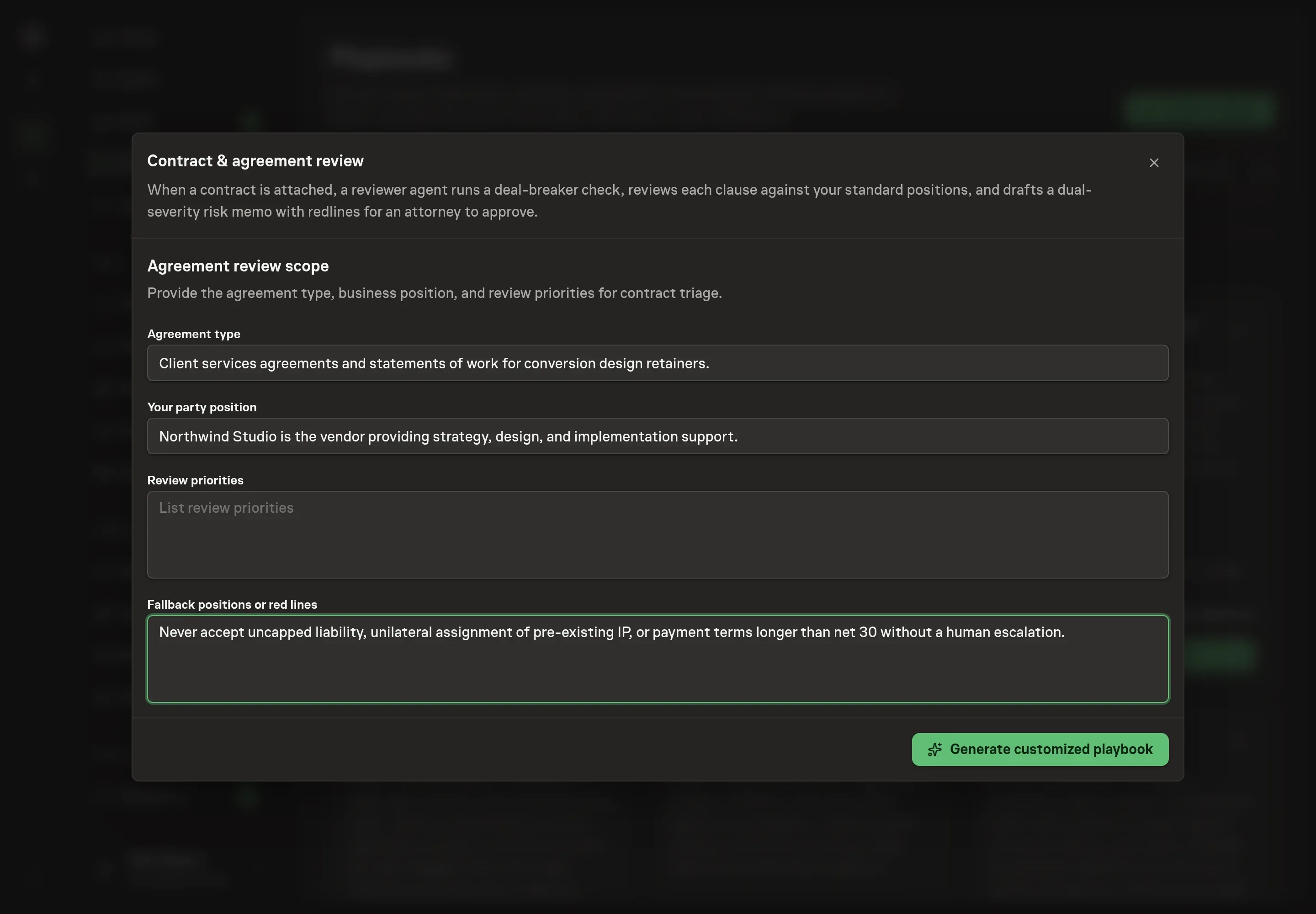
Use Chat to agree the inputs, expected output and limits before asking for a proposal. The Agent needs the details that shape every review. Agreement type names the contracts you see most, so the reviewer applies the right overlay by default. Your party position states which side you usually sit on, which decides the direction of every recommendation. Review priorities lists the clauses you care about most, and those findings lead the memo. Fallback positions or red lines records what you can accept under pressure and what you never sign, which is where the deal-breaker check comes from.
4. Review the proposed Playbook
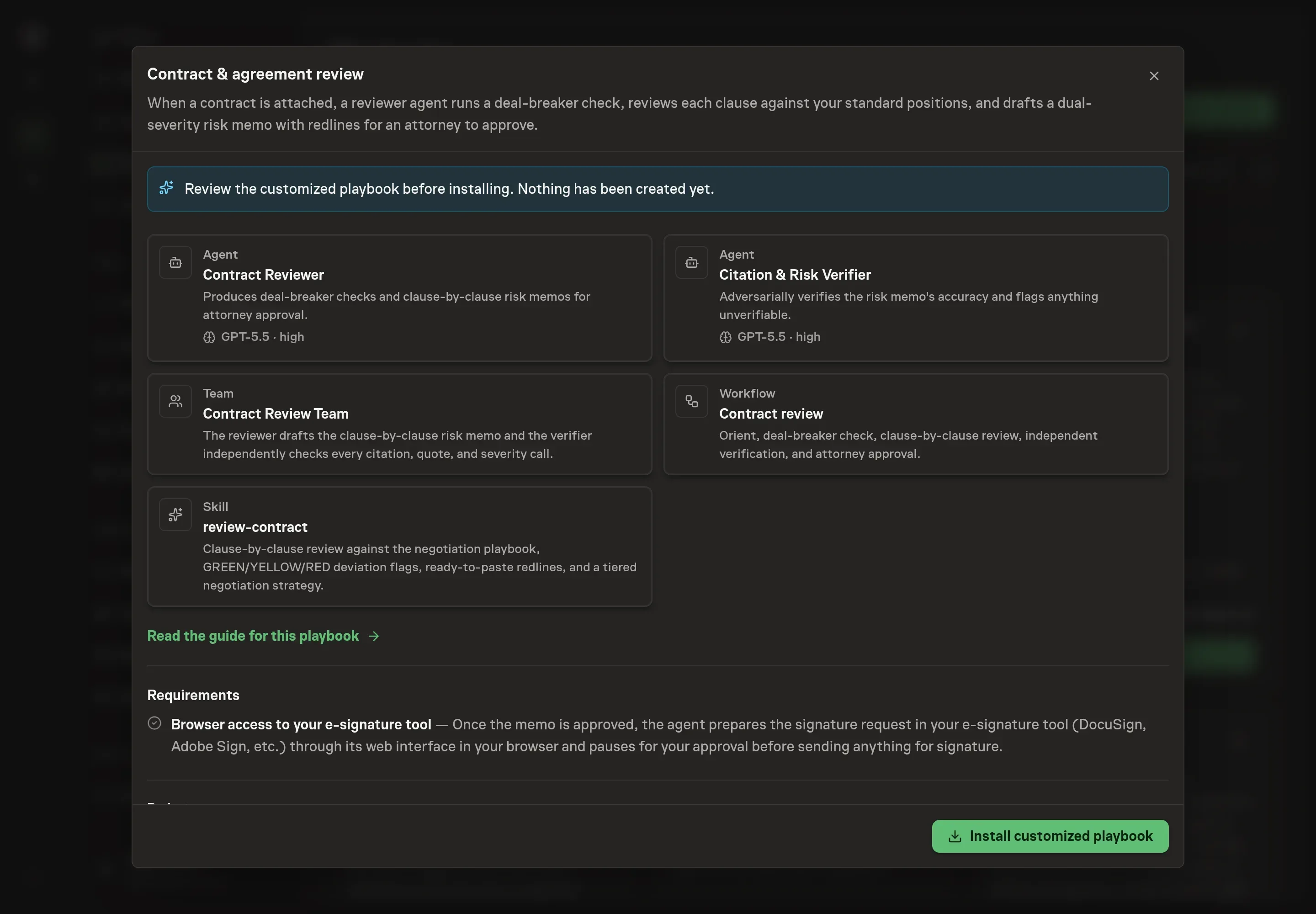
Ask the Agent to generate the Playbook from the agreed brief. Open its proposal in Chat and check the instructions and resources it will install, which carry more detail than the conversational summary. Read through the reviewer and verifier cards, confirm the party position matches how your deals run, and check that your red lines appear in the deal-breaker check. Ask for a revised proposal if anything is missing or changes the job.
5. Approve and prepare the first work
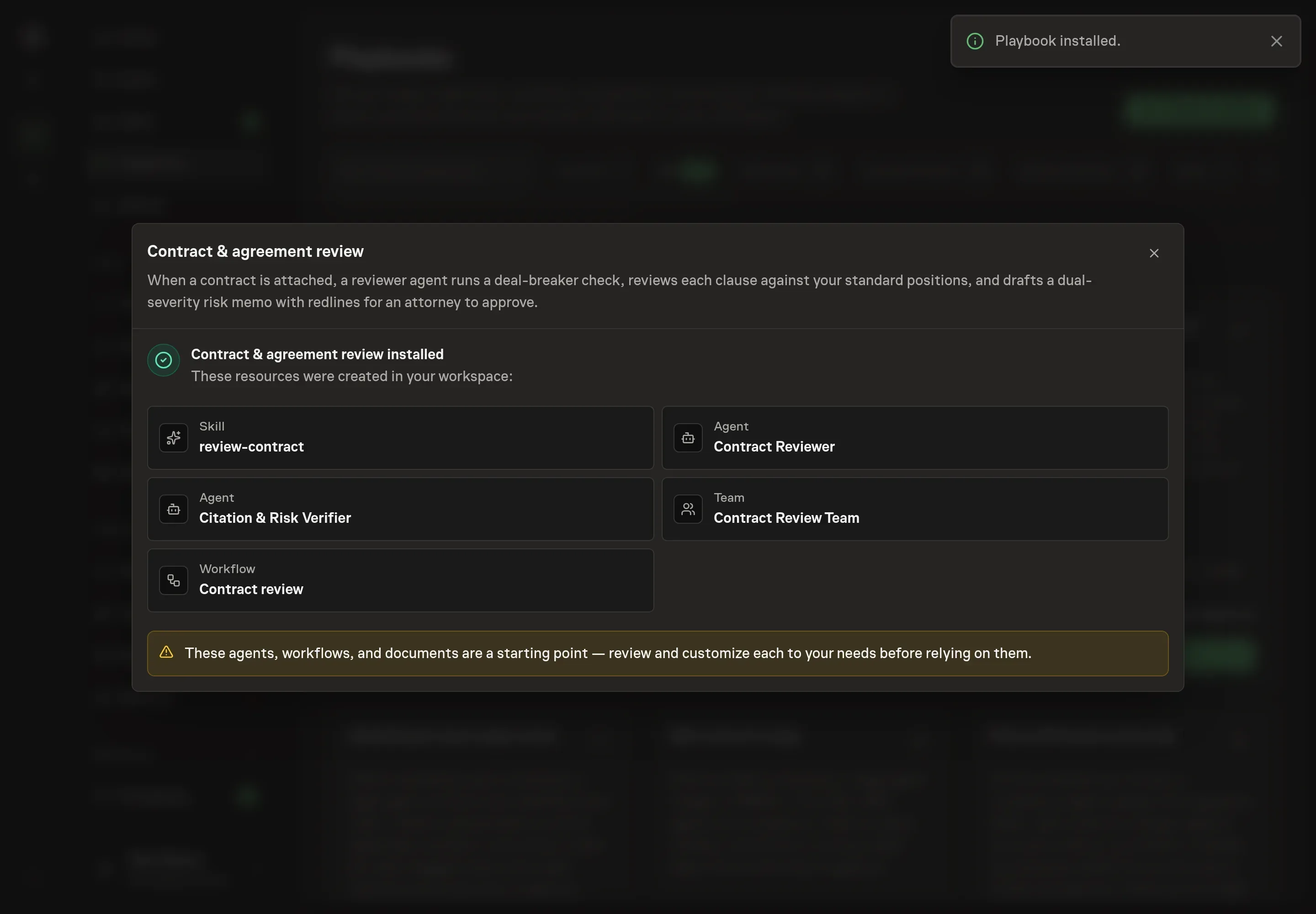
Choose Approve on the proposal in Chat when the configuration matches your brief. Task Machine installs that reviewed configuration. The approved item retains its review details. If your autonomy settings allow direct installation, this approval may not be required. Check the resulting configuration in that case too.
Complete any remaining secure service setup from the installation details in Chat. Inbox keeps those setup items available if you return later. Prepare the source documents and inputs before starting the first Task or Workflow. Installation does not authorize sending, publishing or changing an external service beyond the boundaries you agreed.
What good looks like
Three signals tell you whether the process works:
- The memo is actionable in one pass. Every finding has a severity, a business-impact line in plain English, a ready-to-paste redline, and an escalation call where one is needed. A memo full of "consider revising" is a review that has to be done twice.
- The verification report is honest. It names what was confirmed, what was corrected, and what the attorney must check against a primary source. A report that confirms everything on every contract deserves suspicion.
- The dates leave the memo. The renewal date and the notice-to-cancel window are extracted on every subscription agreement, whether or not anything else is flagged, so the person who tracks renewals gets them before the window closes.
Common questions
Is the agent's memo legal advice? No. The memo is a draft for a qualified attorney, and the workflow enforces that: it ends in an attorney approval, and any citation tagged for verification must be checked against a primary source before anyone relies on it.
What if there are no written standard positions? The review still runs. The agent says the standard is missing and reviews against widely accepted commercial standards, with every finding flagged as generic. Writing down even a short list of positions and one never-accept term makes each subsequent review sharper, because severity is applied against your standard rather than the market's.
Which agreements can it review? MSAs, SaaS and subscription agreements, vendor and services agreements, data processing agreements, and IP-heavy documents such as consulting and statement-of-work agreements. Each type gets its own overlay, and the side you are on is established per document rather than assumed from setup.
How does the process avoid invented citations? Two ways. Every citation carries a tier tag, and the pinpoint tier (subsection letters, clause numbers) is treated as the highest fabrication risk. Then a separate verifier agent confirms each tag against a primary source or marks the item unverified, so nothing unchecked passes as settled.
Does it need access to the e-signature tool? Not up front. Reviews run from the agreements you attach. Once a memo is approved, connecting your e-signature tool lets the agent prepare the signature request in your browser, and it pauses again for your approval before anything is sent for signature.