How to Automate CRM Hygiene and Pipeline Maintenance
A practical guide to keeping CRM data clean with an agent: stale-deal audits, duplicate detection, pipeline scoring, and per-item approvals.

Founder, Task Machine
CRM hygiene is the recurring work of keeping customer records accurate and the sales pipeline honest. It covers finding deals that have gone quiet, resolving duplicate contacts, filling in missing fields, and making sure every deal sits in a stage whose criteria it meets. Pipeline maintenance is the same discipline applied to the forecast: scoring how healthy the pipeline is and picking the deals that deserve attention this week.
The work matters because every downstream decision reads from the CRM. The forecast, the week's call list, and the judgment of whether the quarter is on track all inherit whatever the records say. Clean data is the foundation of a credible forecast, and hygiene is the only thing that keeps it clean.
Why CRM data decays faster than anyone cleans it
Pipeline health decays fast. A deal that died in a conversation stays open in the CRM, a contact gets entered a second time under a slightly different name, a close date slides into the past without anyone updating it. None of these is a crisis on its own, which is exactly why nobody fixes them.
The costs show up later and somewhere else. Stale deals sit in the forecast as revenue that will never arrive. Duplicates split a customer's history across two records, so nobody sees the full picture before a call. A deal with no next step is drifting, and no report will say so. And when nobody owns the cleanup, it happens once a quarter in a rush before a review, under exactly the time pressure that produces sloppy merges and hasty close-lost calls.
What the manual process looks like
Done by hand, CRM hygiene is a recurring ritual with six steps:
- Pull every open deal and sort by last activity, flagging the ones that have gone quiet.
- Hunt for duplicate contacts: the same email twice, similar names, the same company spelled three ways.
- Walk the open deals for missing fields such as owner, amount, close date, and next step.
- Check stage discipline, looking for deals that meet a stage's exit criteria but never advanced and deals that have sat in one stage far past a reasonable threshold.
- Take stock of pipeline health and decide which deals get attention this week.
- Re-rank the inbound leads into a call list, so the freshest and best-fitting ones get the first call.
Each check is mechanical. Together they take a serious chunk of a morning, they reward consistency over cleverness, and they get skipped in any busy week, which is when the pipeline drifts fastest.
What an agent can automate
Every step of that ritual except the final judgment is pattern matching against rules you can write down, which makes it a good fit for an agent running a fixed workflow:
- Audit records. The agent reads deals and contacts against your data rules and flags stale deals (no logged activity inside the staleness window, 14 days by default), likely duplicate contacts shown side by side, and a table of records with missing required fields.
- Enforce stage discipline. Each pipeline stage carries entry criteria, exit criteria, mandatory fields, and an aging threshold. The agent flags deals that meet their stage's exit criteria but have not advanced, deals missing their stage's mandatory fields, and deals past the aging threshold. A stuck deal (no stage movement) is tracked separately from a stale one (no activity).
- Score pipeline health. The score runs to 100 across four dimensions worth 25 points each: stage progression, activity recency, close-date accuracy, and contact coverage. From the same pass the agent picks the week's priority actions as specific deals, each with the reason and the amount at stake.
- Triage inbound leads. Leads are scored on engagement, company fit, urgency, and recency, then ranked into a call list with a talking point per lead. The agent can draft one follow-up per lead and propose meeting slots, but drafts stay drafts and slots stay proposals.
- Draft the cleanup plan. Everything above lands in one reviewable plan, with each proposed change carrying a reason and a side-by-side diff of the current and proposed values.
What stays with you is judgment: which duplicate record survives a merge, whether a stale deal gets re-engaged or closed lost, and when a deal changes stage.
The guardrails that make it safe
A tool that can edit your CRM unattended is a tool that can wreck it without anyone noticing. The safe shape is propose, never act.
The agent never deletes a record, merges a duplicate, changes a deal stage, or closes a deal on its own, even when the evidence is overwhelming. Deletion is never offered at all: if a record should go, that stays a human action taken in the CRM. Every proposed change arrives with a side-by-side diff, and you approve or reject changes one item at a time.
The whole plan waits in your inbox as a single approval. If the CRM or the export is unavailable, the agent stops and asks instead of guessing, because the CRM is the source of truth. That combination is what makes the sweep safe to run unattended on a schedule.
Set it up in Task Machine
The CRM data maintenance playbook provides a starting point for the method above. You need an active Task Machine workspace with Chat, workspace-management and Playbook-installation access (workspace owners have it). CRM access is not required up front. Until you connect one, the agent works from deal and contact exports you attach to each run.
1. Find the playbook
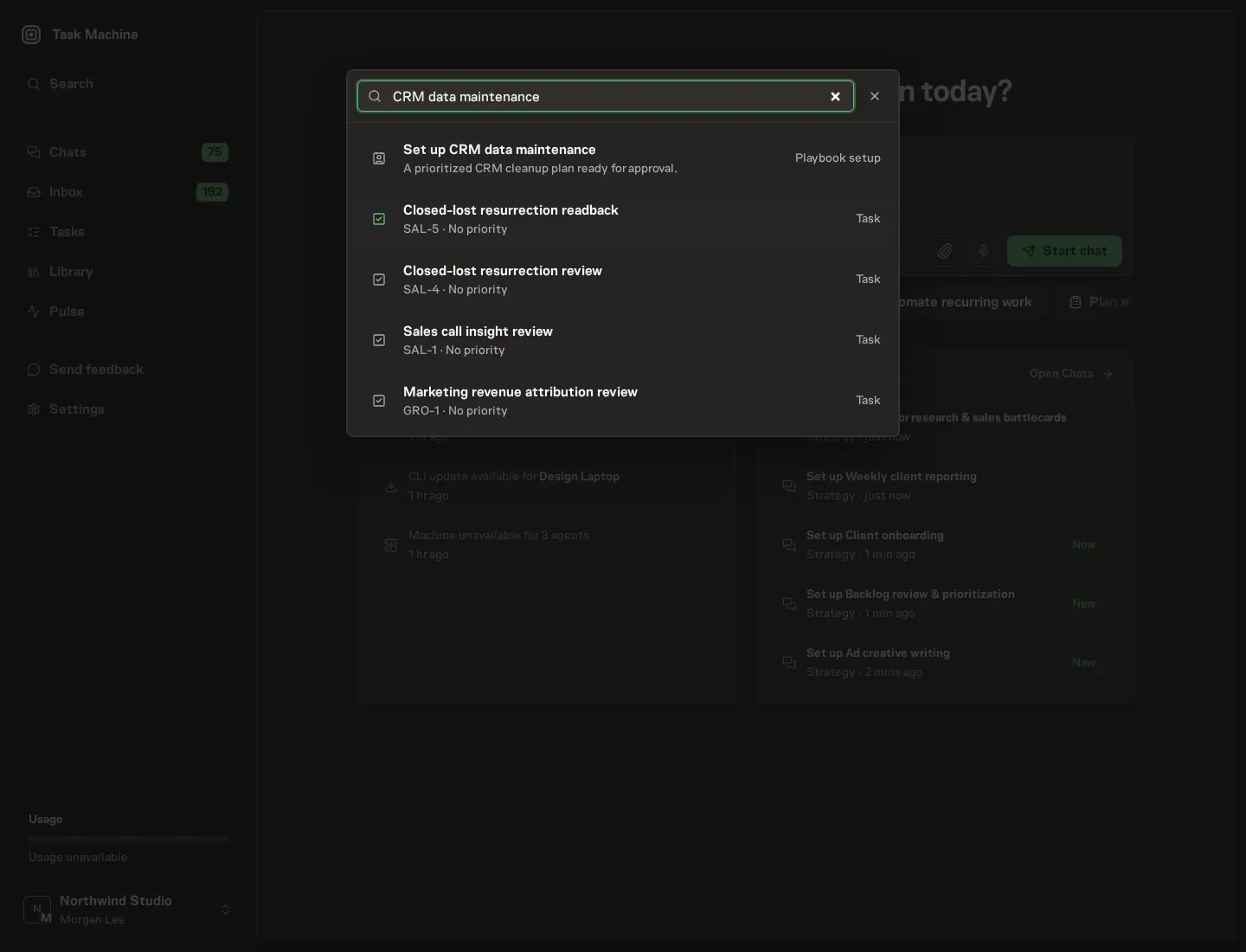
Open Search in your workspace and enter "CRM data maintenance". The command center lists Set up CRM data maintenance under Playbook setup.
2. Start the conversation
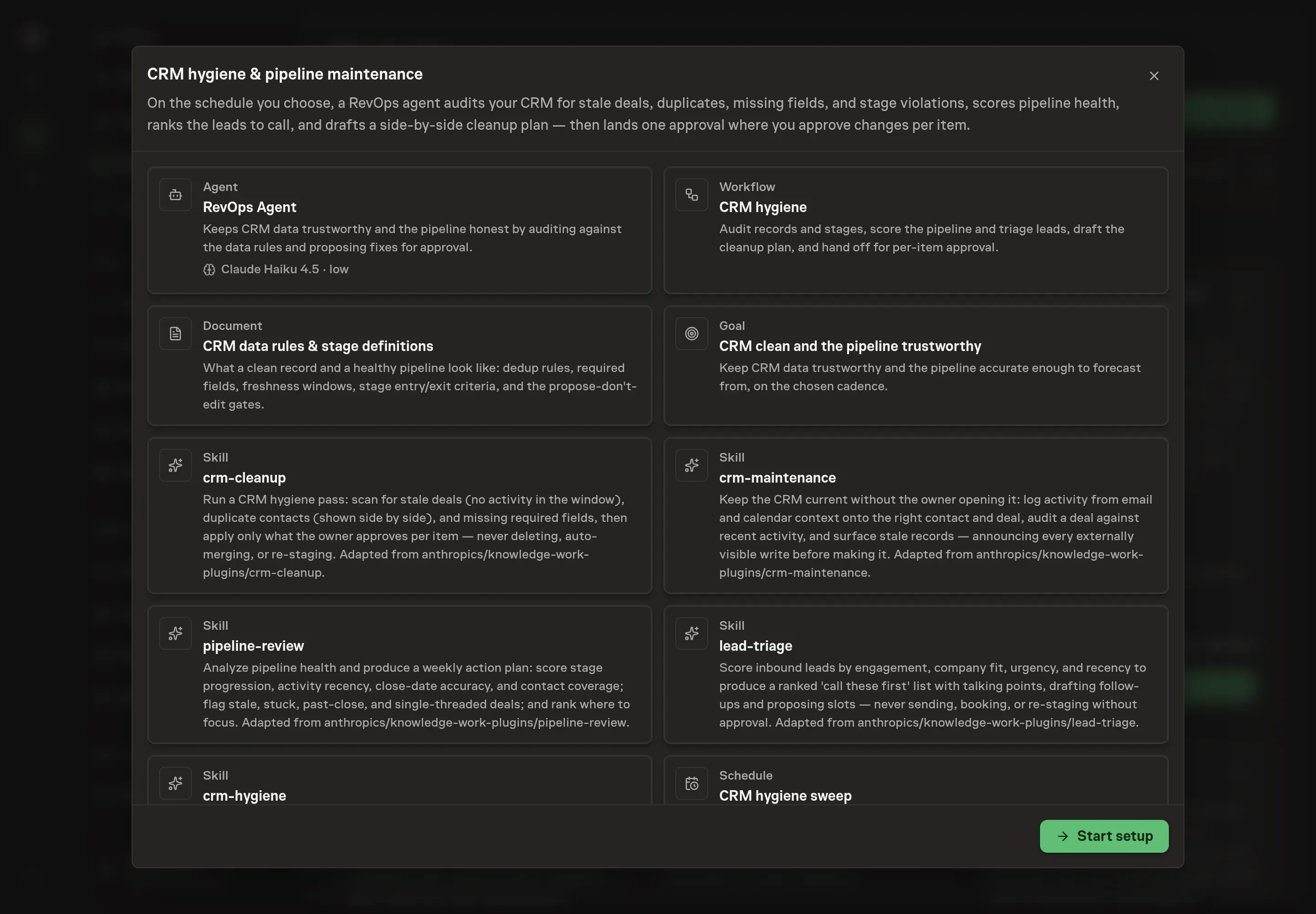
Choose Set up CRM data maintenance. Task Machine opens a dedicated Chat with the Playbook card and an editable, unsent request. Read the intended job and outcome. Add your situation and send it when ready. Opening the draft does not install anything or start work. This walkthrough uses settings that require approval of the proposed Playbook.
3. Agree the services
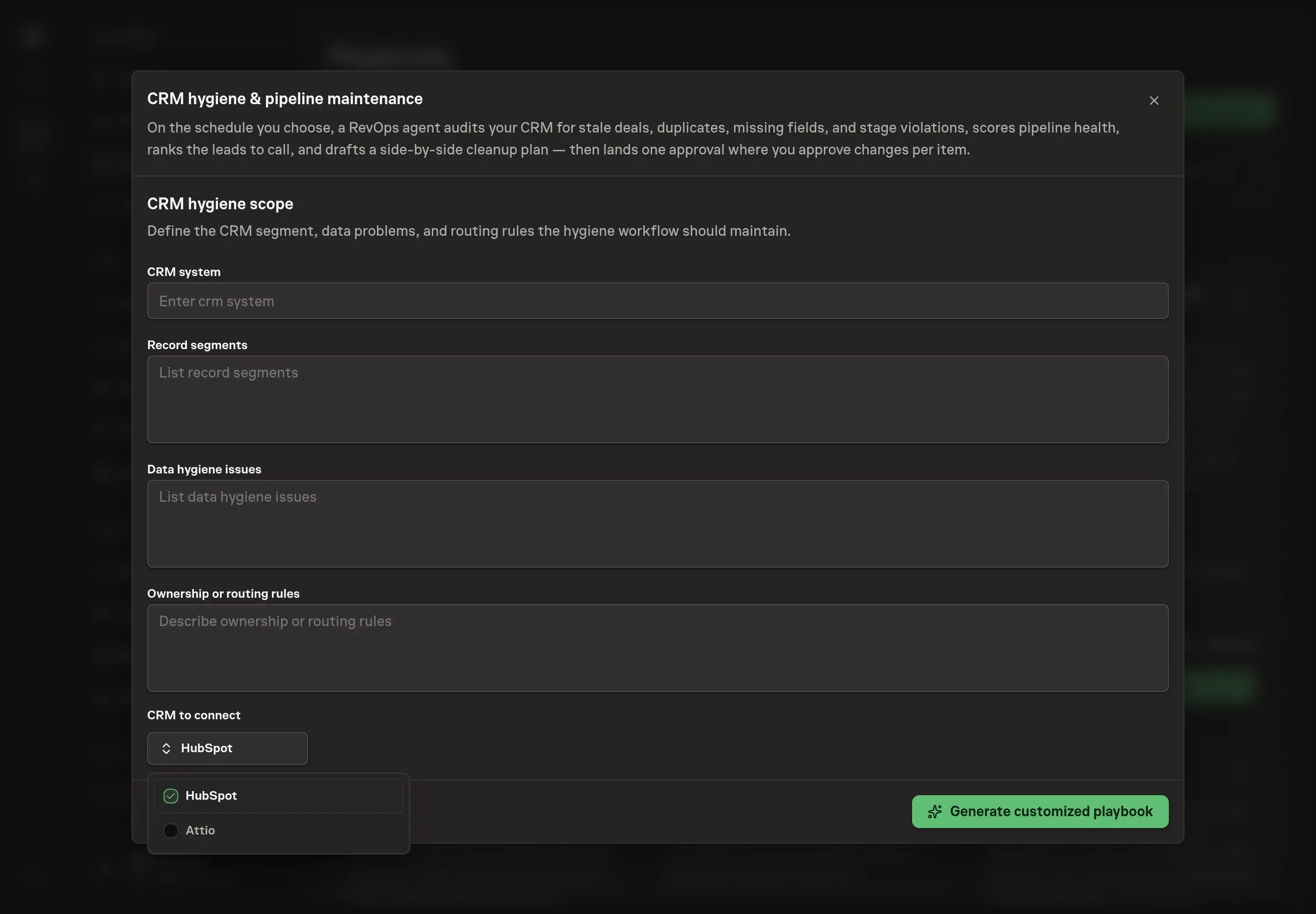
Tell the Agent which services you use. The catalog offers these starting choices:
- CRM to connect: HubSpot, Attio. Optional.
Discuss any missing access or export-based alternative before generation. Check the exact proposal includes only the services you agreed. Enter credentials only through secure setup, never in Chat.
4. Agree the working brief
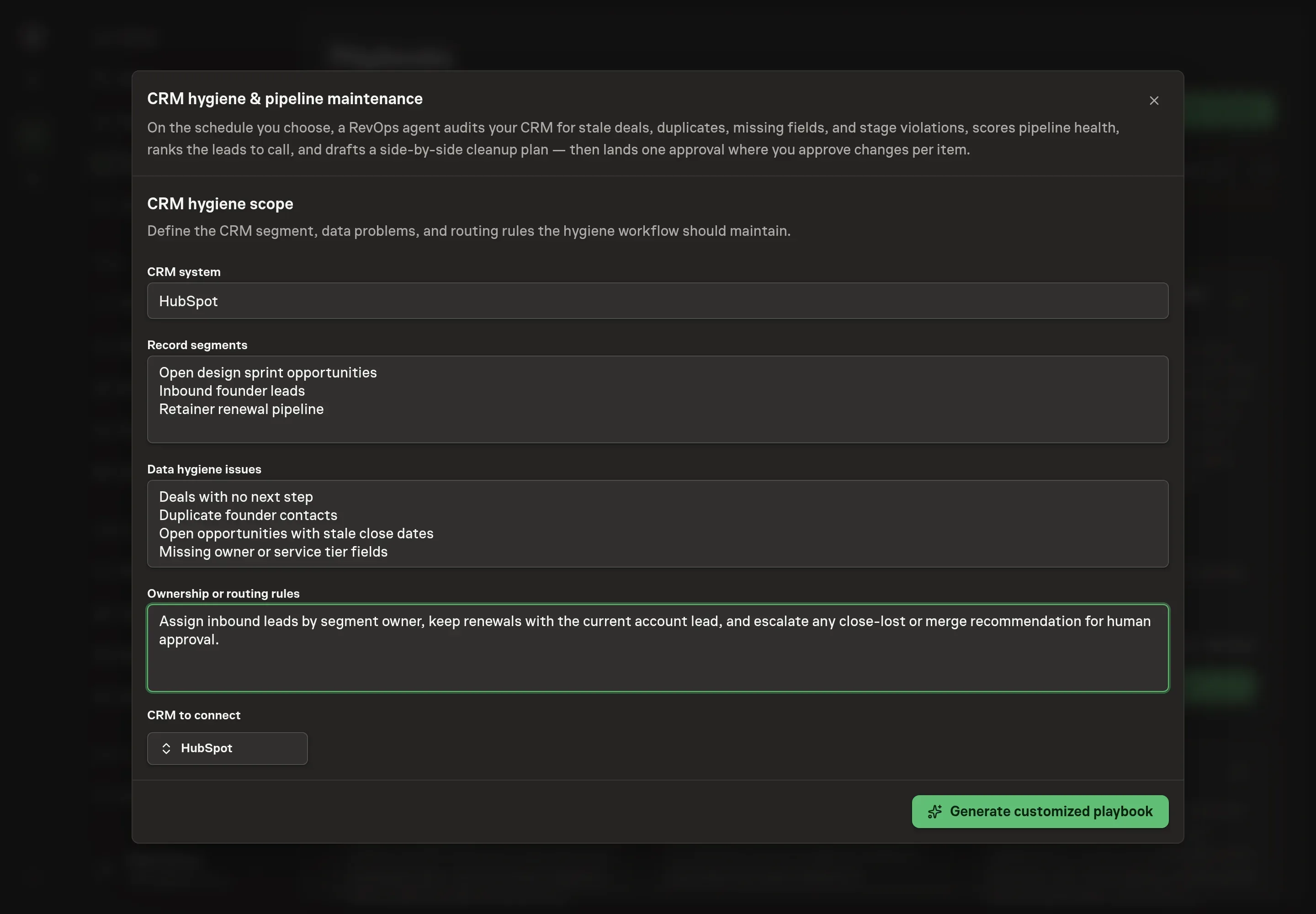
Use Chat to agree the inputs, expected output and limits before asking for a proposal. Four details scope the sweep. CRM system names the system your rules are written for. Record segments lists which records the sweep covers. Data hygiene issues lists the problems it hunts for, such as stale deals, duplicates, or missing next steps. Ownership or routing rules describes who owns deals and where inbound leads go, so the cleanup plan routes findings to the right person.
5. Review the proposed Playbook
Ask the Agent to generate the Playbook from the agreed brief. Open its proposal in Chat and check the instructions and resources it will install, which carry more detail than the conversational summary. Read the agent and workflow cards, check the rules match how your team runs the pipeline, and confirm that only the CRM you requested appears as a connected service. Ask for a revised proposal if anything is missing or changes the job.
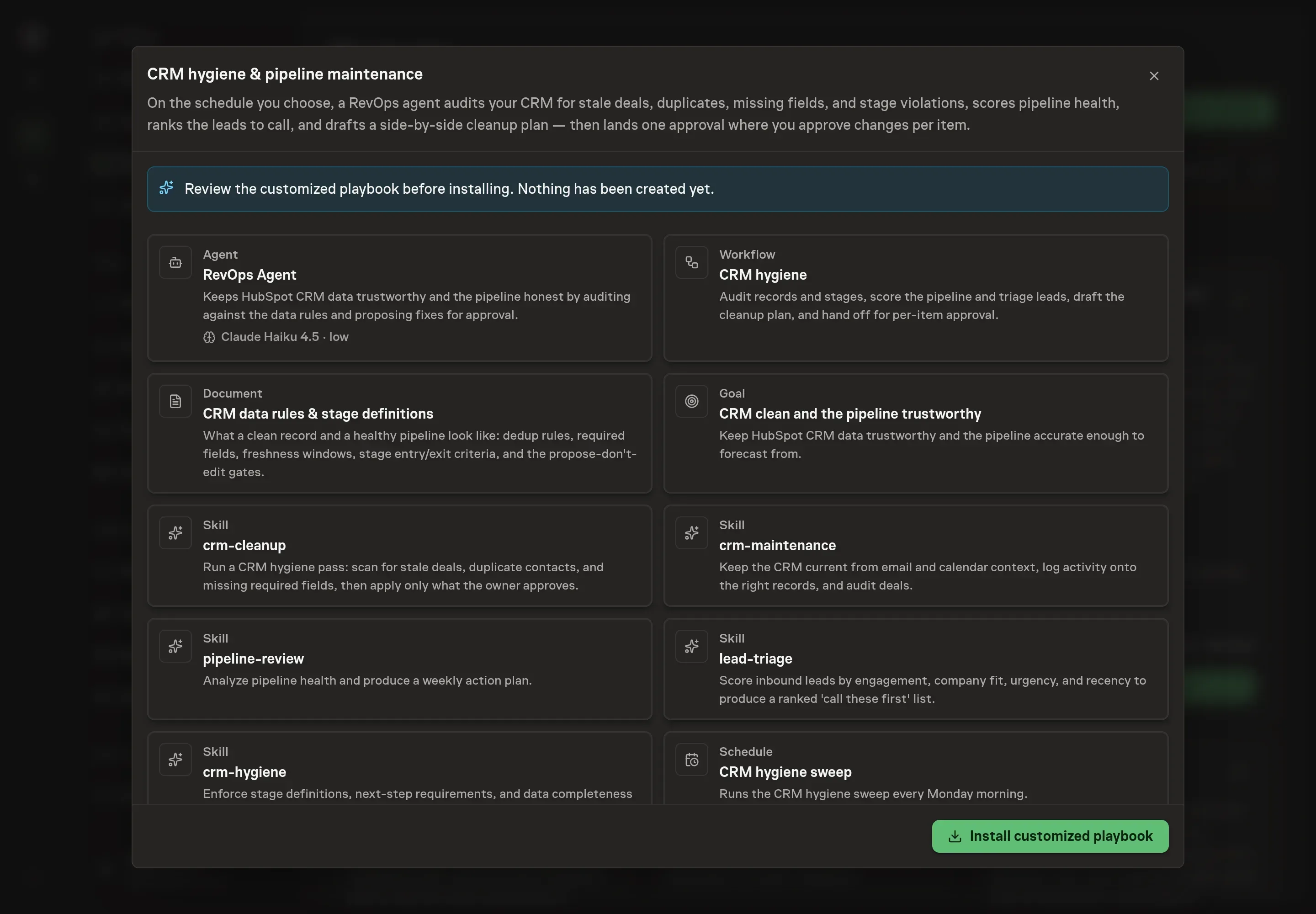
6. Approve and prepare the first work
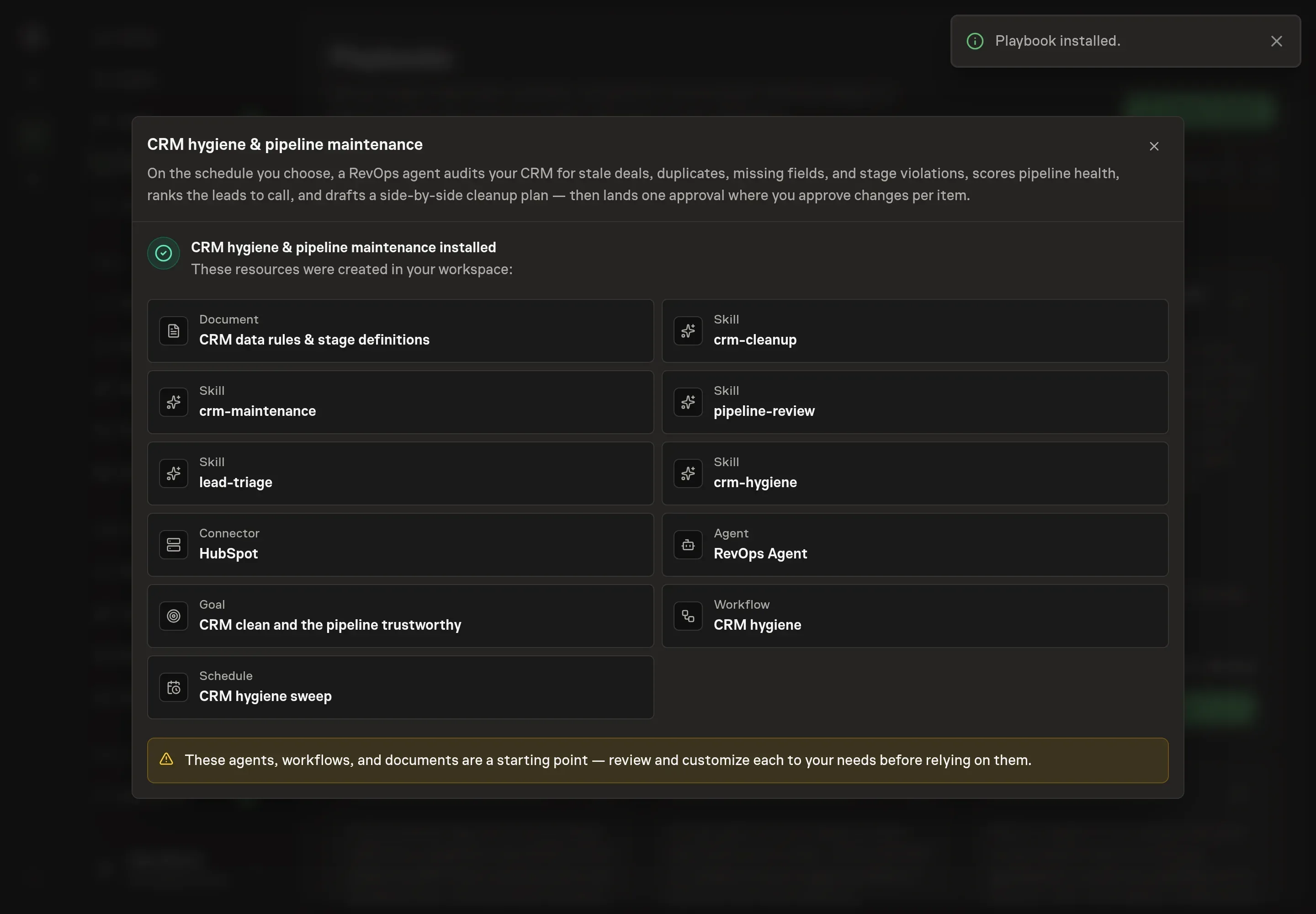
Choose Approve on the proposal in Chat when the configuration matches your brief. Task Machine installs that reviewed configuration. The approved item retains its review details. If your autonomy settings allow direct installation, this approval may not be required. Check the resulting configuration in that case too.
Complete any remaining secure service setup from the installation details in Chat. Inbox keeps those setup items available if you return later. Prepare the source documents and inputs before starting the first Task or Workflow. Installation does not authorize sending, publishing or changing an external service beyond the boundaries you agreed. Confirm each schedule's cadence and timezone, and resolve any pending schedule setup before it starts. A readback must wait for its agreed observation window and source data.
What good looks like
Three signals tell you whether the process works:
- The pipeline health score. Out of 100, built from four dimensions worth 25 points each. Watch it cycle over cycle rather than as a one-off grade. A falling score names its own cause, because each dimension is a specific failure mode.
- Stale and stuck counts. A healthy cycle ends with no deal past the staleness window without a logged decision, and no deal past its stage's aging threshold without an escalation.
- Completeness. Required fields and a defined next step on every open deal, and no unresolved duplicate sets. When those hold, the forecast is a number you can plan around.
Common questions
Will the agent change my CRM on its own? No. Every change is proposed with a side-by-side diff and approved per item. The agent never deletes, merges, re-stages, or closes anything on its own, and deletion is never offered at all.
What is the difference between a stale deal and a stuck deal? A stale deal has no logged activity (email, call, meeting, or note) inside the staleness window, 14 days by default. A stuck deal has not moved stage past its stage's aging threshold. A deal can be both, and the distinction matters because the fixes differ. Stale calls for re-engagement or a close decision, stuck calls for a push, more stakeholders, or qualifying out.
Can this run without connecting a CRM? Yes. The sweep runs from deal and contact exports attached to each run, audited against the same data rules document. Connecting HubSpot or Attio removes the manual export and lets approved fixes be applied straight from the plan.
Does the lead triage contact anyone? No. It produces a ranked call list with talking points. Follow-ups are drafted but never sent, and meeting slots are proposed but never booked. Sending and booking stay with you.
How often should the sweep run? Weekly is the standard cadence, because pipeline health decays fast and a week of drift is cheap to fix. The schedule is yours to set, and running the sweep before a forecast call or an important review is the natural anchor.