How to Automate Cold Email Outreach
A practical guide to running cold outreach with an agent: prospect qualification, peer-voice drafts, follow-up sequences, and approval on every send.

Founder, Task Machine
Cold email outreach is the recurring process of finding companies that match your ideal customer profile, verifying that the right person there is reachable, writing outreach that person might answer, following up without nagging, and tracking every prospect from first research to booked meeting. It is one system, not five separate chores, and it only produces meetings when every part runs every week.
For a small team, outbound is the acquisition channel that does not depend on an algorithm or an ad budget. It rewards consistency over cleverness: a modest number of well-qualified prospects contacted every week beats a burst of mass email once a quarter. The catch is that doing it well takes hours of careful research, and doing it badly damages the sender reputation you need for it to work at all.
Most outreach problems are qualification problems
Most sales problems are qualification problems. Low conversion usually means the list is full of leads that were never going to close, not that the emails were badly written. When nobody owns the qualification step, the list fills with polite leads who reply warmly and never buy, and every hour spent on a bad lead is an hour stolen from a good one.
The bigger competitor is indecision. Somewhere between 40 and 60% of B2B purchases end in no decision at all, so thin, sporadic outreach loses to the status quo by default. Outreach that runs weekly, keeps enough qualified prospects in flight, and follows up on schedule is what keeps deals from evaporating unnoticed. Outreach that runs whenever someone finds a free afternoon does not.
What the manual process looks like
Done by hand, cold email outreach is a weekly ritual with six steps:
- Define or reconfirm the ideal customer profile as a pass/fail checklist, including the why-now buying signal and the explicit disqualifiers.
- Build a candidate list at two to three times your weekly target, combining at least two sources so entries cross-verify each other.
- Qualify each candidate against the checklist with evidence, verify that the contact's email is deliverable, and record the source and the date for every contact.
- Score the survivors Hot, Warm, Cold, or Skip, where Hot requires a buying signal rather than mere fit.
- Write a personalized opener for each top target and a follow-up sequence of three to five touches behind it.
- Update the tracker: what stage each prospect is in, when the next touch is due, and what the single next action is.
Each step is teachable. Together they take the better part of a day, and the research steps are exactly the ones that get cut when the week is busy, which is how an outreach list fills with names nobody verified.
What an agent can automate
Most of that ritual is disciplined repetition, which is what an agent running a fixed workflow is good at:
- Build and qualify the list. The agent runs the same five phases a careful SDR would: confirm the ICP, source two to three times the target in candidates, qualify each one with evidence and an honest confidence level (high confidence needs at least two independent sources), verify email deliverability before adding any contact, and score the results. Twenty-five verified prospects beat 250 junk rows.
- Draft peer-voice openers. Each draft leads with the prospect's world rather than an introduction, ties the personalization to the problem it solves, and makes one low-friction ask. Subject lines stay short, lowercase, and internal-looking. Anything that reads like marketing copy gets rewritten.
- Design the follow-up sequence. Three to five touches with increasing gaps, on the pattern of day zero, plus three, plus seven, plus fourteen, plus twenty-one. Every touch adds a new angle (a fresh problem framing, new proof, a useful resource) and the sequence closes with an honest breakup email rather than another "just checking in".
- Keep the tracker current. One row per prospect with score, stage, current touch and next-touch date, the buying signal that justified pursuing them, the next action, and the source lineage.
- Critique its own work. Before anything reaches you, the agent runs the quality bars from its own method against the batch: it downgrades any Hot lead without a buying signal, cuts any sequence touch that repeats an earlier angle, and flags every contact whose email failed verification.
- Record owner feedback. The approval preserves keep, change, avoid, and reason for the ICP slice, source, buying signal, opener, proof, CTA, cadence, and offer.
- Read back outcomes. A separate workflow waits for the full post-sequence window, then measures positive replies, meetings, qualified opportunities, delivery diagnostics, and reputation guardrails.
Two things stay with you. Whether the batch goes out is your call, and so are the ambiguous judgment cases: an unclear ICP boundary, a prospect only reachable through a non-public channel, or a lead that looks Hot without a verifiable signal. The agent stops and asks on those instead of guessing.
The guardrails that make it safe
Cold email is regulated, reputation-sensitive work, so the boundaries matter as much as the method. The agent treats the browser as an assisted research tool, never a scraper. That means no bulk extraction from LinkedIn or Google Maps, no bypassing login walls or CAPTCHAs, and public business contact channels only. Every contact carries a source URL and a verification date, which is the lineage you need to answer a CAN-SPAM or GDPR question later.
The other guardrail is two approval gates. The first covers the exact contacts, copy, sequence, fixed result plan, exclusions, and owner feedback before the cohort enters the tracker. A human then stages and sends it. The second evaluates the complete outcomes and approves a narrow learning. Neither approval sends, pauses, removes, or repeats outreach.
Set it up in Task Machine
The Cold email outreach playbook provides a starting point for the method above. You need an active Task Machine workspace with Chat, workspace-management and Playbook-installation access (workspace owners have it). A CRM is optional here. Until you connect one, the outreach tracker holds every prospect and next action.
1. Find the playbook
Open Search in your workspace and enter "Cold email outreach". The command center lists Set up Cold email outreach under Playbook setup.
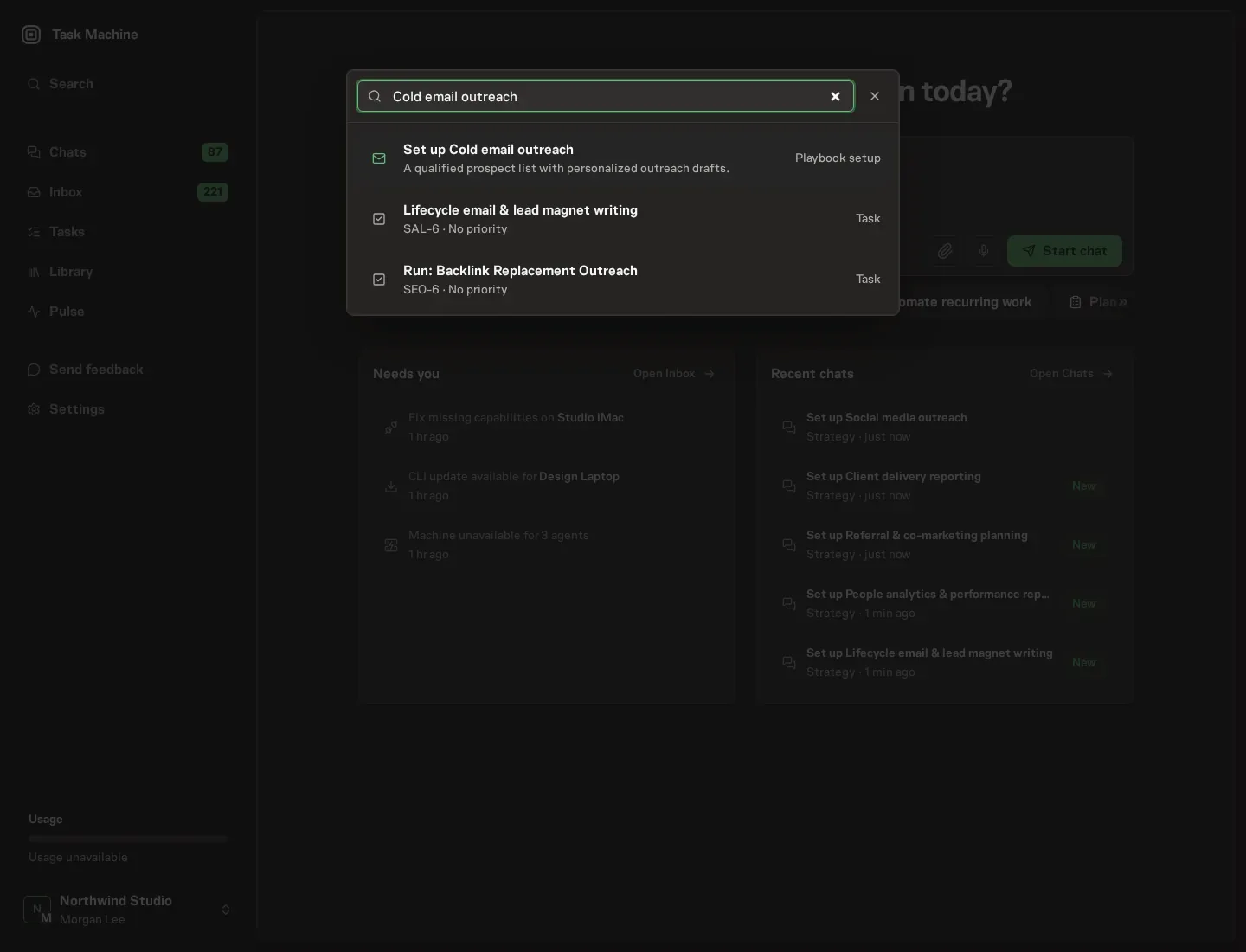
2. Start the conversation
Choose Set up Cold email outreach. Task Machine opens a dedicated Chat with the Playbook card and an editable, unsent request. Read the intended job and outcome, add your situation, and send it when ready. Opening the draft does not install anything or start work. This walkthrough uses settings that require approval of the proposed Playbook.
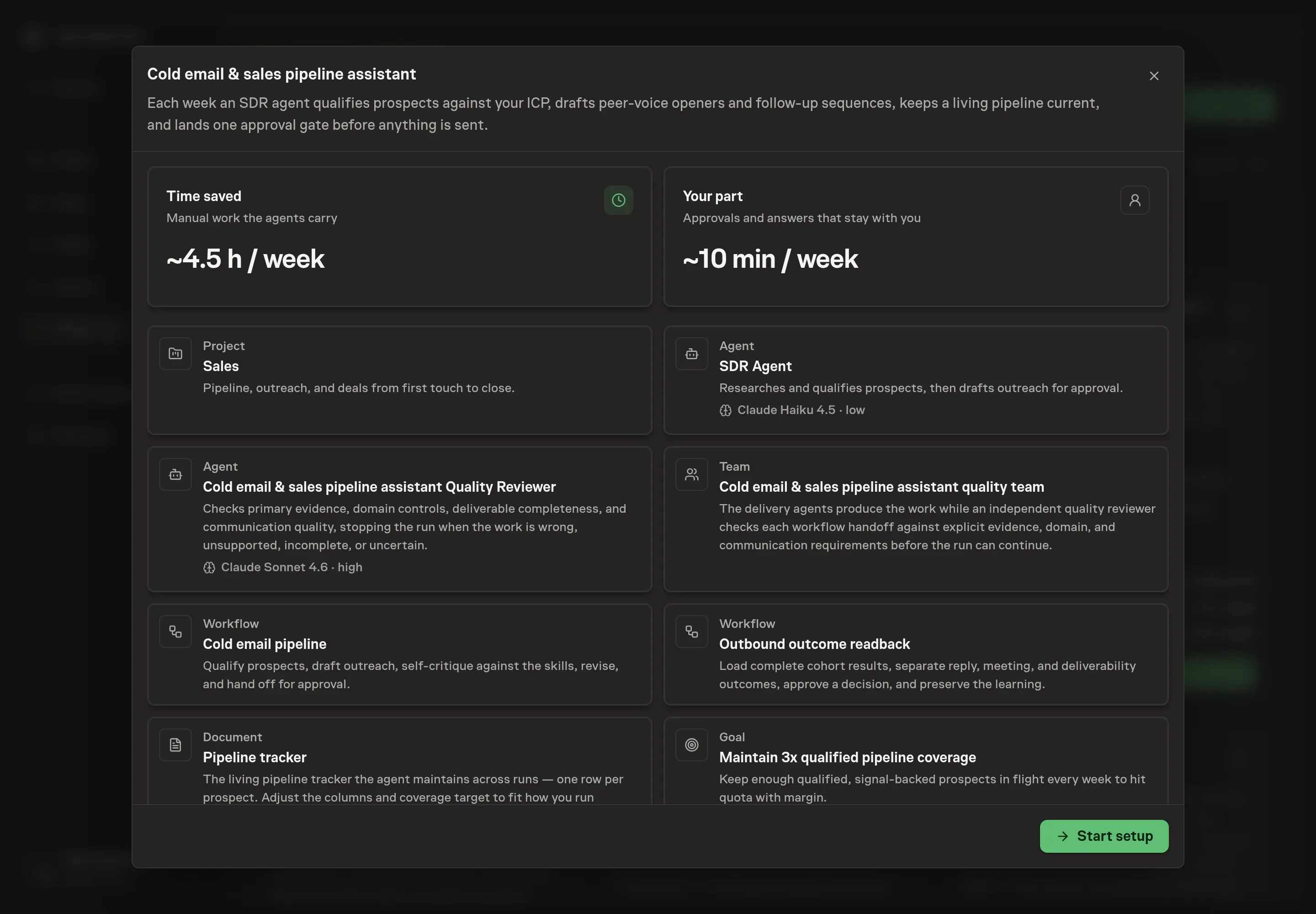
3. Agree the services
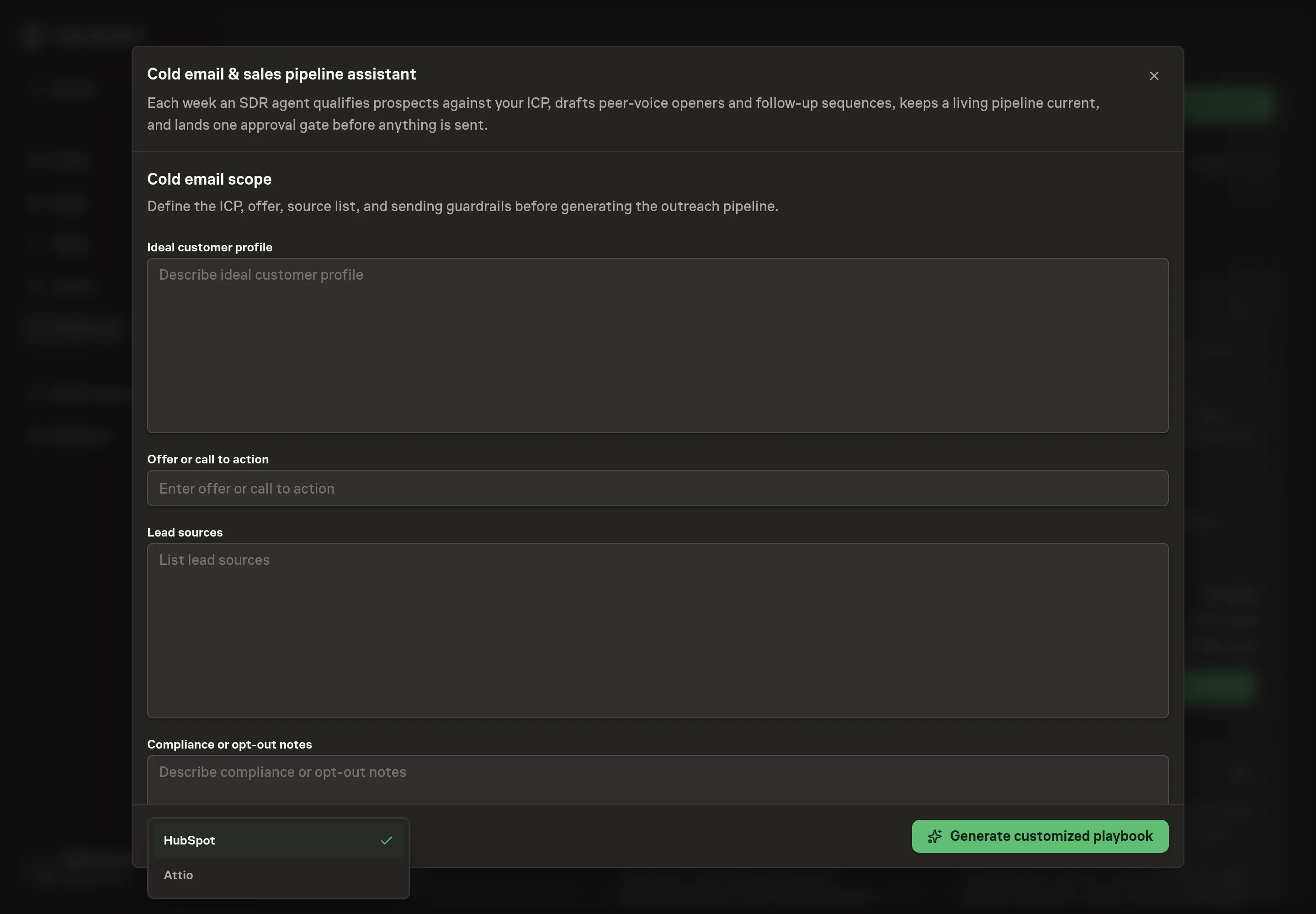
Tell the Agent which services you use. The catalog offers these starting choices:
- CRM to connect: HubSpot, Attio. Optional.
Discuss any missing access or export-based alternative before generation. Check the exact proposal includes only the services you agreed. Enter credentials only through secure setup, never in Chat.
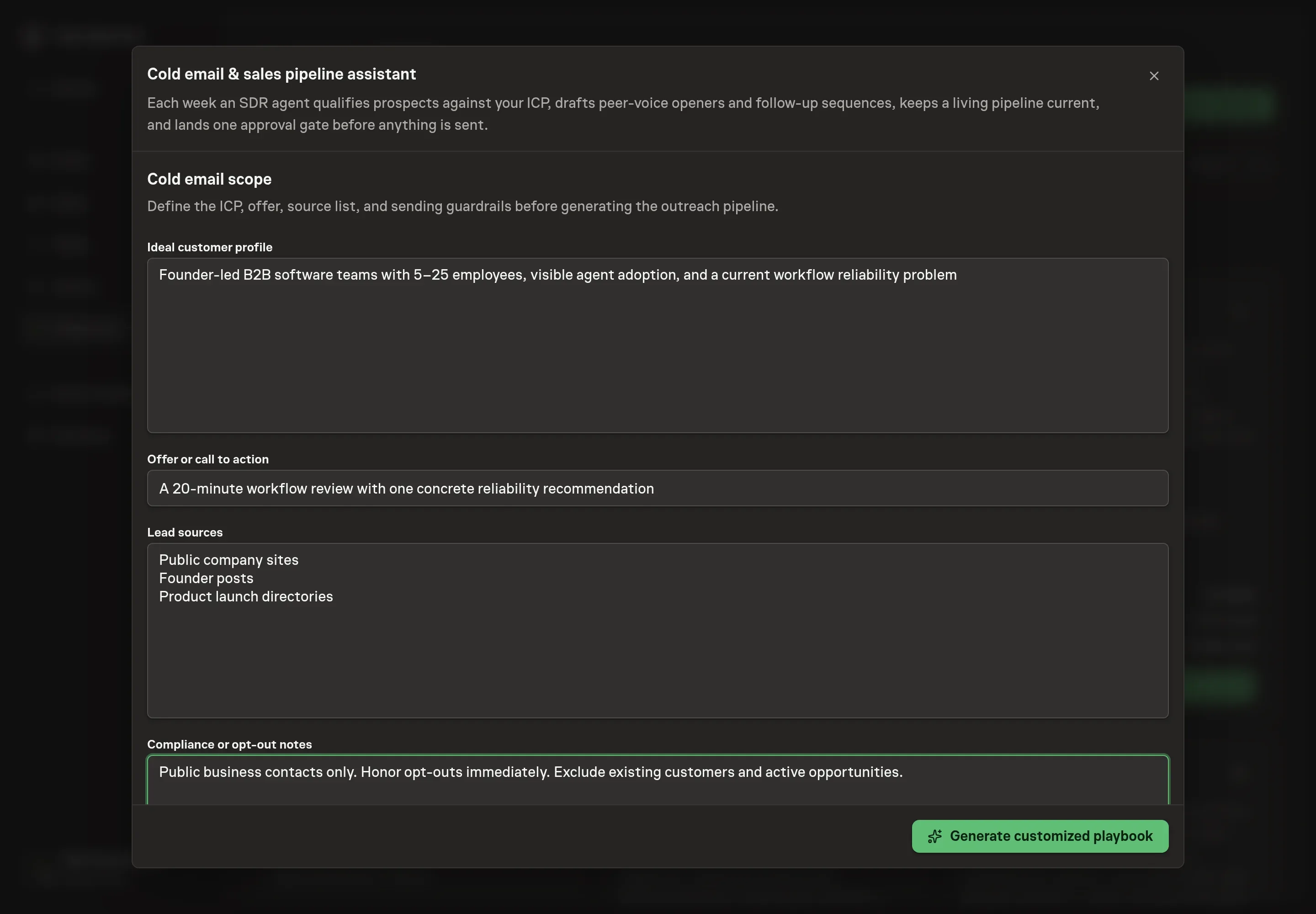
4. Agree the working brief
Use Chat to agree the inputs, expected output and limits before asking for a proposal. Discuss the context that shapes every run: the ideal customer profile (who the agent qualifies against, including the disqualifiers), the offer or call to action (the one ask every sequence works toward), the lead sources (where candidate lists start), and the compliance or opt-out notes (the rules every draft and every contact lookup must respect).
5. Review the proposed Playbook
Ask the Agent to generate the Playbook from the agreed brief. Open its proposal in Chat and check the instructions and resources it will install, which carry more detail than the conversational summary. Confirm the ICP and offer, the fixed post-sequence window, positive-reply outcome, deliverability guardrails, and both approval gates. Check that only the CRM you requested appears as a connected service. Ask for a revised proposal if anything is missing or changes the job.
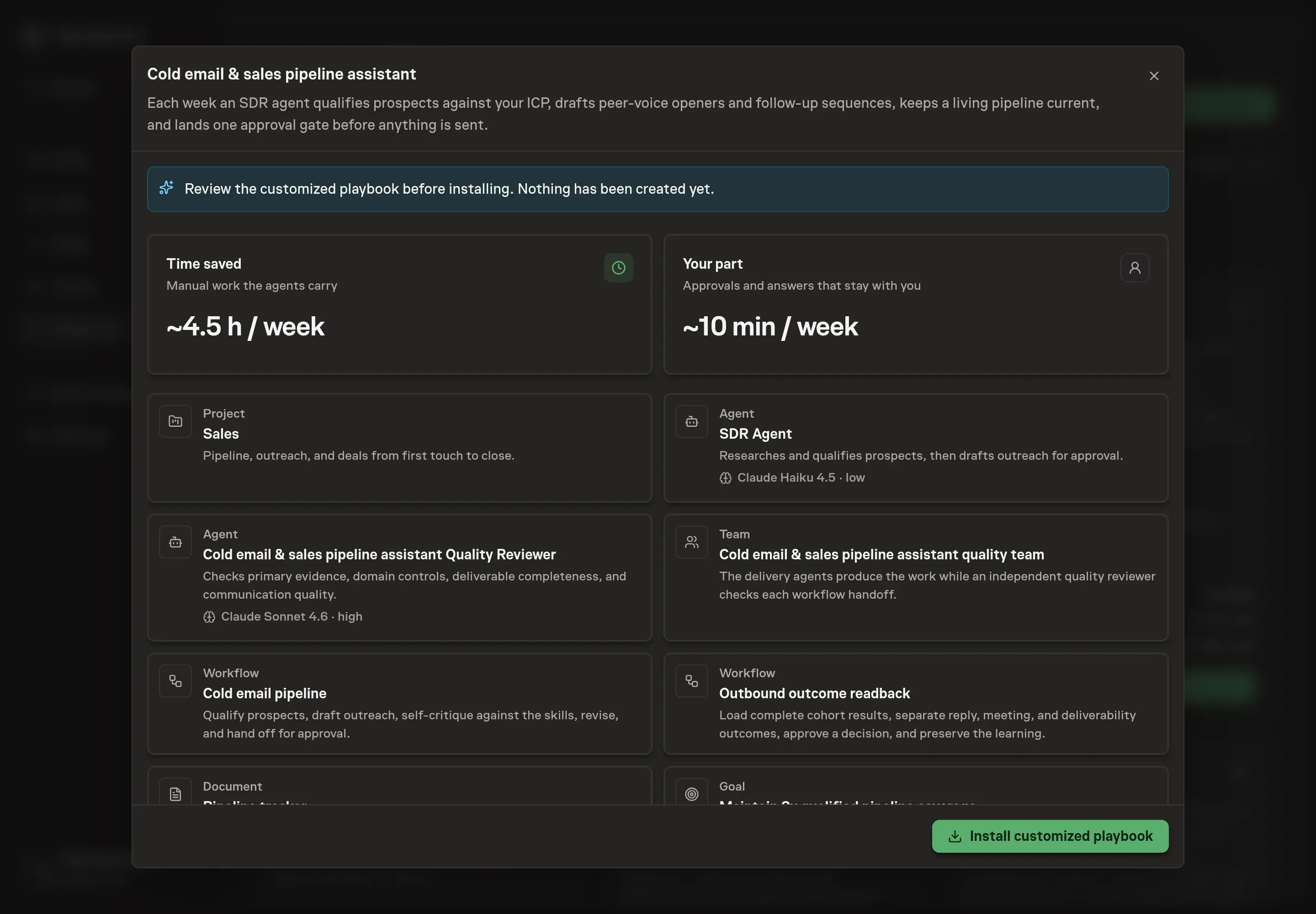
6. Approve and prepare the first work
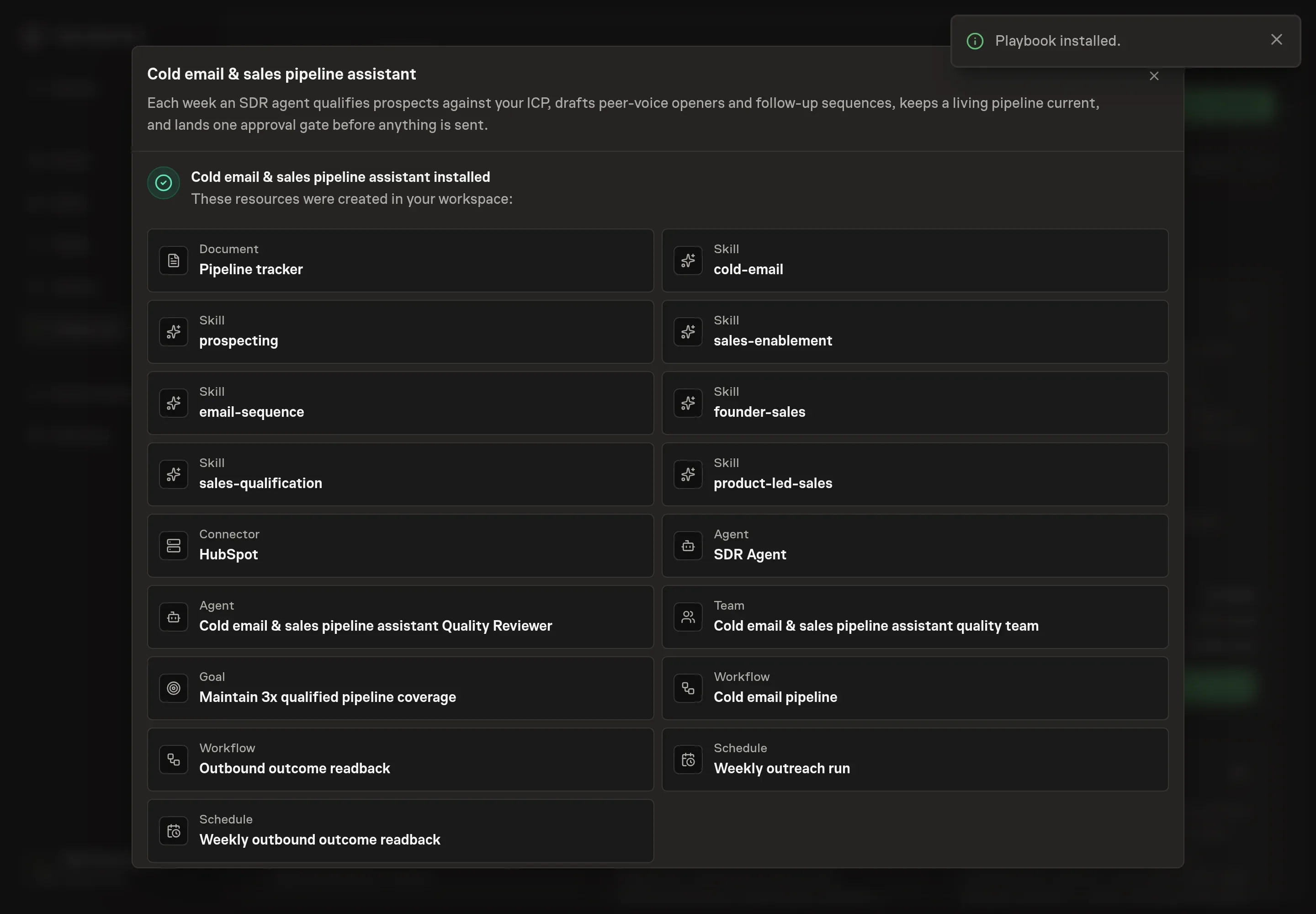
Choose Approve on the proposal in Chat when the configuration matches your brief. Task Machine installs that reviewed configuration. The approved item retains its review details. If your autonomy settings allow direct installation, this approval may not be required. Check the resulting configuration in that case too.
Complete any remaining secure service setup from the installation details in Chat. Inbox keeps those setup items available if you return later. Prepare the source documents and inputs before starting the first Task or Workflow. Installation does not authorize sending, publishing or changing an external service beyond the boundaries you agreed. Confirm each schedule's cadence and timezone, and resolve any pending schedule setup before it starts. A readback must wait for its agreed observation window and source data. Check the reviewed tracker or results document before the first cycle so evidence and human decisions have a durable home.
What good looks like
These signals tell you whether outreach works:
- Coverage. Start with roughly three times the qualified prospects you need to hit quota in flight, then replace that setting with your measured conversion history. Below the required coverage, one bad week can leave you without enough prospects.
- Score distribution. Use 20% Hot and 30% Warm as an initial scoring calibration, not an industry benchmark. Every Hot lead needs a verified contact and named buying signal. If most leads score Hot, inspect the scoring rules before assuming the market changed.
- Quality over volume. Every contact has a source and a verification date, and no email that failed verification makes the sheet. If weekly runs grow the list faster than the confidence levels can keep up, tighten the ICP instead of celebrating the count.
- Outcomes stay distinct. Positive reply rate among delivered prospects is the primary outcome. Meetings, qualified opportunities, and attributable revenue are downstream signals. Delivery rate is diagnostic. Bounces, spam complaints, opt-outs, negative replies, and policy violations are guardrails.
How the loop learns
Before the first send, the tracker records the cohort owner, ICP and source mix, offer, CTA, sequence version, exact approved contacts and copy, structured owner feedback, a comparable historical baseline cohort and its complete window when one exists, planned send period, final-touch date, fixed readback date, positive-reply outcome, business signals, guardrails, and sources. The default readback waits seven complete days after the final scheduled touch.
The readback uses sending-platform exports and the selected CRM when authorized. It checks list-source and ICP mix, mailbox and domain reputation, warmup, volume, timing, seasonality, offer changes, duplicate contacts, tracking gaps, and simultaneous edits. Opens never count as success. A human chooses reuse, keep testing, retire, or unproven and approves the exact narrow learning. Losing and inconclusive cohorts remain in the tracker, and no decision changes live outreach automatically.
Common questions
Does cold email still work, or does it just read as spam? It works when it does not look like the rest of the inbox. The method here writes like a peer who noticed something relevant: personalization tied to a real problem, one low-friction ask, and short, boring subject lines. Generic template blasts fail, which is why the agent qualifies twenty-five real prospects instead of assembling 250 junk rows.
Does the agent send the emails? No. Every run ends at a human approval step. The agent researches, qualifies, drafts, and self-critiques, then the lead sheet, drafts, and tracker update wait in your inbox. Nothing is sent without your sign-off.
How many prospects should a weekly run produce? Fewer than you think. The agent sources two to three times the run target in candidates and qualifies them down, and a Hot label requires a buying signal on top of ICP fit. A small, verified, signal-backed list converts better than a long unverified one.
Do you need a CRM connected for this to work? No. The outreach tracker document is the durable memory: one row per prospect with score, stage, next touch, signal, and lineage. Connecting HubSpot or Attio lets the agent log qualified prospects and keep deal stages current alongside the tracker.
Is automated prospecting compliant? The guardrails are built into the method. The agent never bulk-scrapes, never bypasses login walls or CAPTCHAs, and only uses public business contact channels. Every contact carries a source URL and a verification date, which gives you the lineage CAN-SPAM and GDPR questions ask for.