How to Build Job Posts and JDs With an Agent
A practical guide to drafting role-specific job descriptions and public job posts with market research and approval.

Founder, Task Machine
Building a job post and job description means turning a role brief into two connected artifacts: an internal description that defines the work and a public post that helps the right candidates self-select. The best version is specific about outcomes, honest about constraints, and careful about language that filters people out for the wrong reasons.
This work matters because the post sets the top of the hiring funnel. A vague role attracts volume. A specific role attracts better matches, gives screeners a clearer bar, and reduces disagreement later in the process.
Why job posts underperform
Most weak posts fail before anyone applies. They describe a fantasy role, stack too many must-haves, hide compensation even when it should be stated, or use coded language that makes qualified candidates opt out.
The bundle's method starts with the role, not the copy. It confirms responsibilities, must-haves, location, compensation notes, and team context, then researches comparable live postings so the draft is market-aware. The agent self-critiques before approval, with a bias-language check and a cap on true requirements.
What the manual process looks like
Done by hand, a careful job-post build has six steps:
- Gather the role title, team, reporting line, employment type, location policy, and compensation notes.
- Define 3 to 5 owned responsibilities and the outcomes expected in the first 6 to 12 months.
- Separate genuine must-haves from nice-to-haves, keeping must-haves tight.
- Research 3 to 5 comparable live postings and compare scope, qualifications, and framing.
- Draft the structured job description and the public post in employer-brand voice.
- Check the draft for inclusive language, inflated requirements, vague responsibilities, and compensation review needs.
The skipped step is usually research or self-critique. That is how a post ends up looking like every other post while still carrying accidental bias.
What an agent can automate
An agent can assemble the hiring packet while leaving the final hiring and publishing decisions with people:
- Extract the role brief. The agent turns a messy brief into title, team context, responsibilities, must-haves, nice-to-haves, location, and compensation notes.
- Research comparable roles. It reads 3 to 5 live postings where web search is available and notes common responsibilities, qualifications, and framing.
- Structure the JD. It builds mission, responsibilities, must-haves, nice-to-haves, and what success looks like over the first 6 to 12 months.
- Write the public post. It leads with mission and impact, uses "you", and mirrors the employer-brand voice document.
- Self-critique for bias and clarity. It replaces coded language, trims excessive requirements, turns vague chores into owned outcomes, and flags compensation for HR review.
The agent does not screen applicants, rank people, invent compensation, or publish the post.
The guardrails that make it safe
Hiring content affects who applies, so the guardrails focus on scope, language, and approval. The agent must omit compensation if it was not provided, flag that compensation needs HR sign-off, and note that salary ranges may be legally required in some jurisdictions.
The workflow also forces a self-critique before approval. That critique catches coded language, inflated must-haves, unclear responsibilities, and weak openings. The final packet waits for human approval before any post is published or sent to a job board.
Set it up in Task Machine
The Job description writing playbook provides a starting point for the method above. You need an active Task Machine workspace with Chat, workspace-management and Playbook-installation access (workspace owners have it). Web search improves comparable-posting research, but the workflow can draft from the role brief and employer-brand voice document when research tools are unavailable.
1. Find the playbook
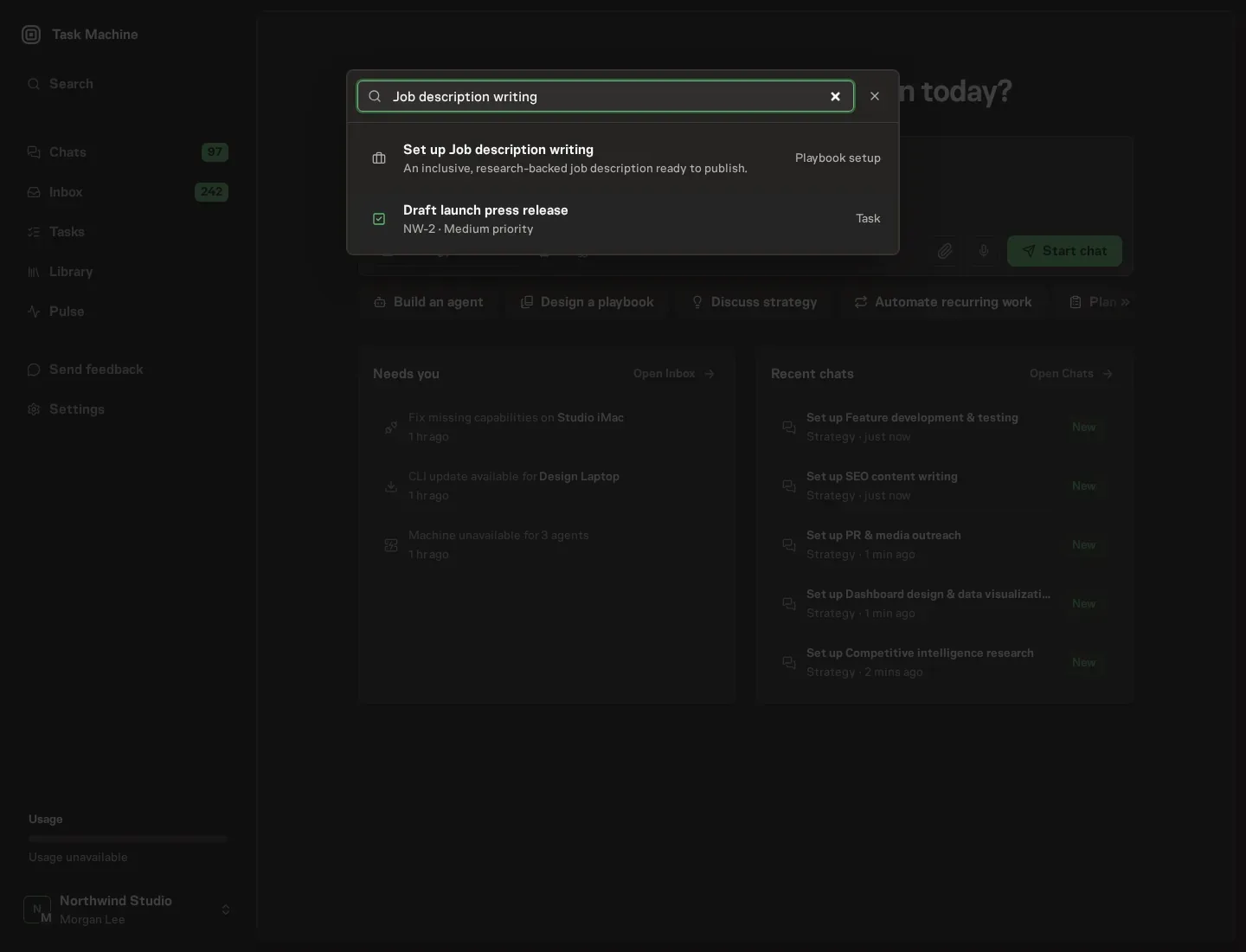
Open Search in your workspace and enter "Job description writing". The command center lists Set up Job description writing under Playbook setup.
2. Start the conversation
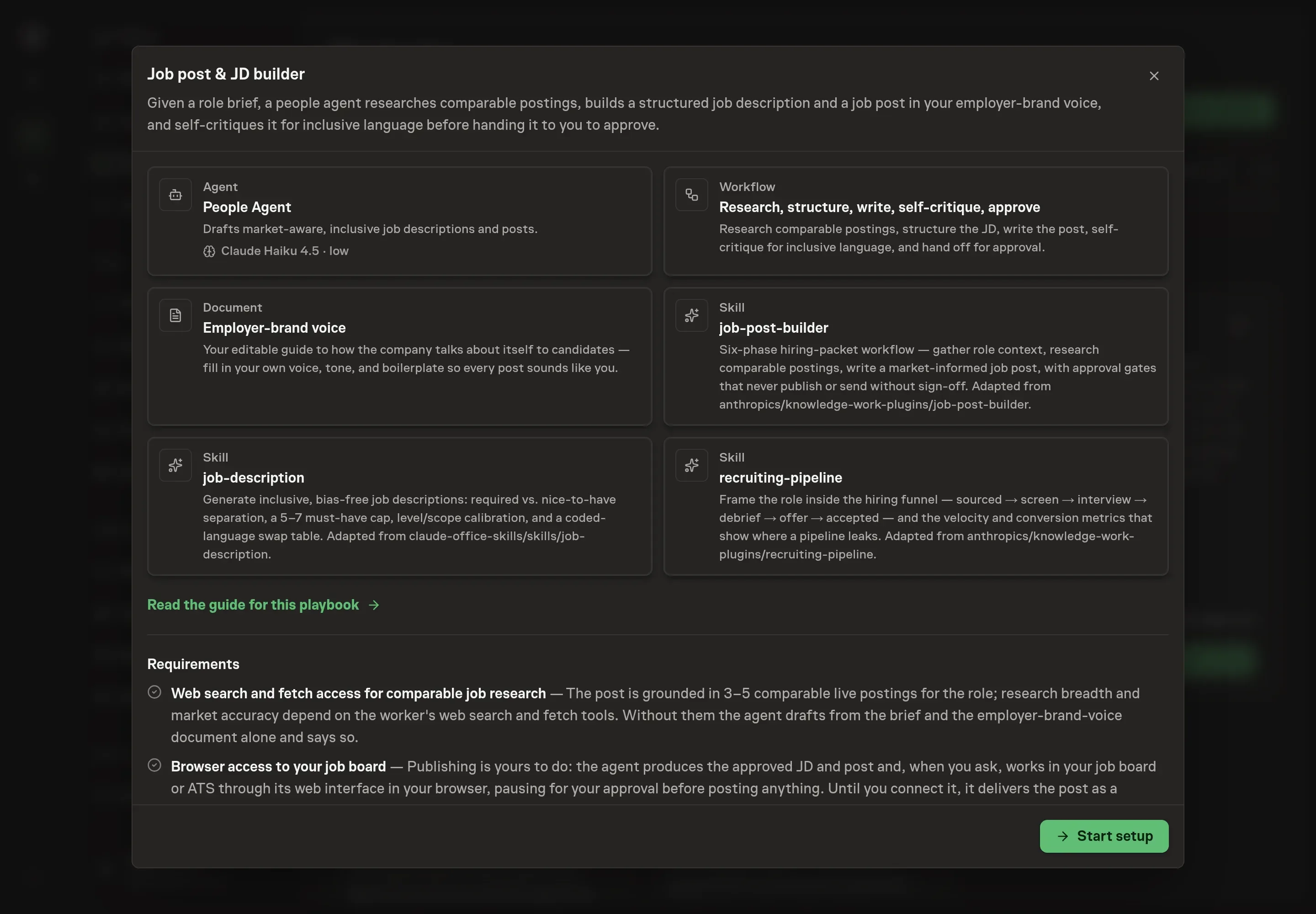
Choose Set up Job description writing. Task Machine opens a dedicated Chat with the Playbook card and an editable, unsent request. Read the intended job and outcome. Add your situation and send it when ready. Opening the draft does not install anything or start work. This walkthrough uses settings that require approval of the proposed Playbook.
3. Agree the working brief
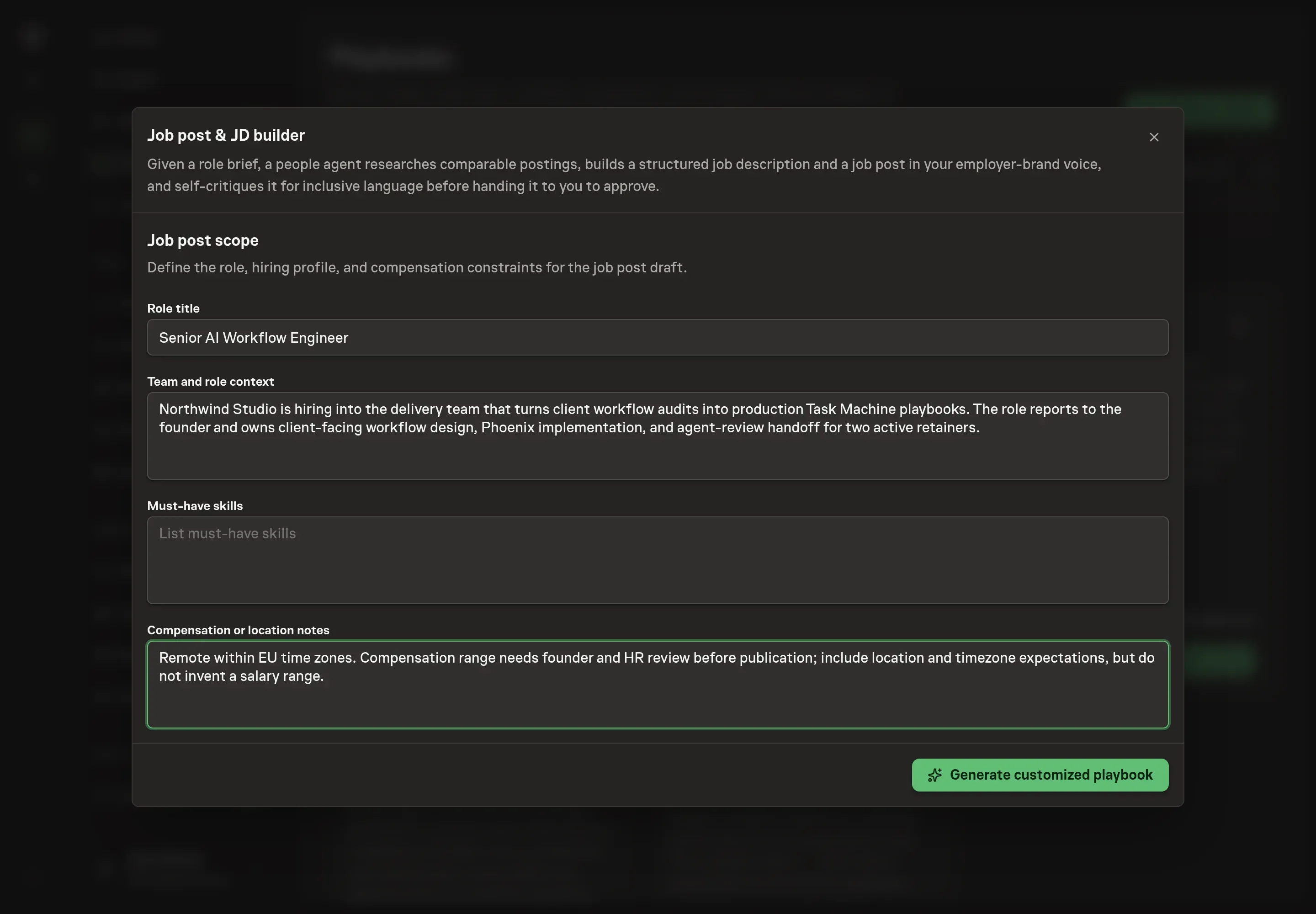
Use Chat to agree the inputs, expected output and limits before asking for a proposal. The Agent needs the role title, team and role context, must-have skills, and compensation or location notes. Strong answers name the team, reporting line, core outcomes, real constraints, and whether compensation needs HR review before publication.
4. Review the proposed Playbook
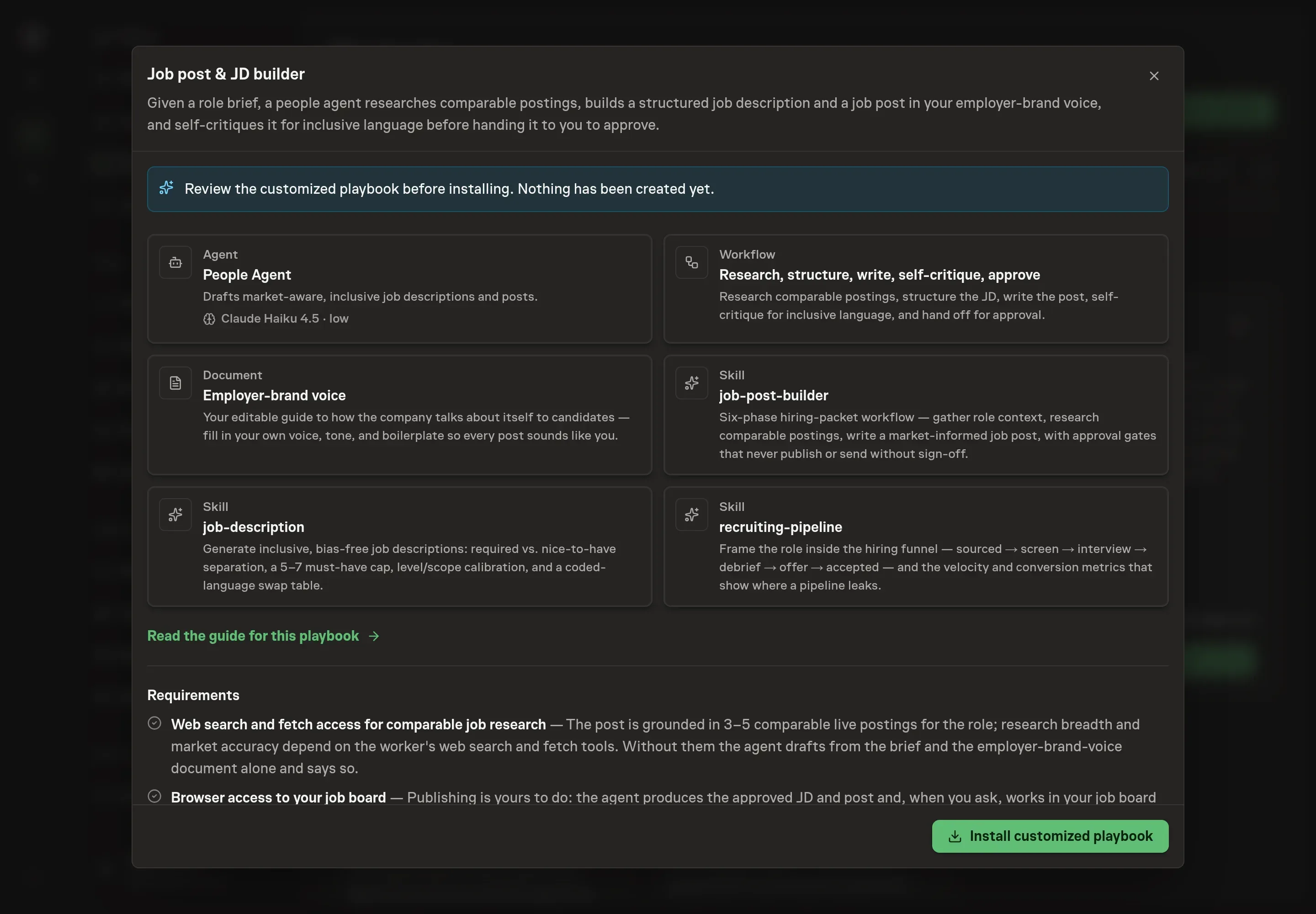
Ask the Agent to generate the Playbook from the agreed brief. Open its proposal in Chat and check the instructions and resources it will install, which carry more detail than the conversational summary. Check that the workflow researches comparable postings, structures the JD, writes the post, self-critiques for bias, and waits for approval. Ask for a revised proposal if anything is missing or changes the job.
5. Approve and prepare the first work
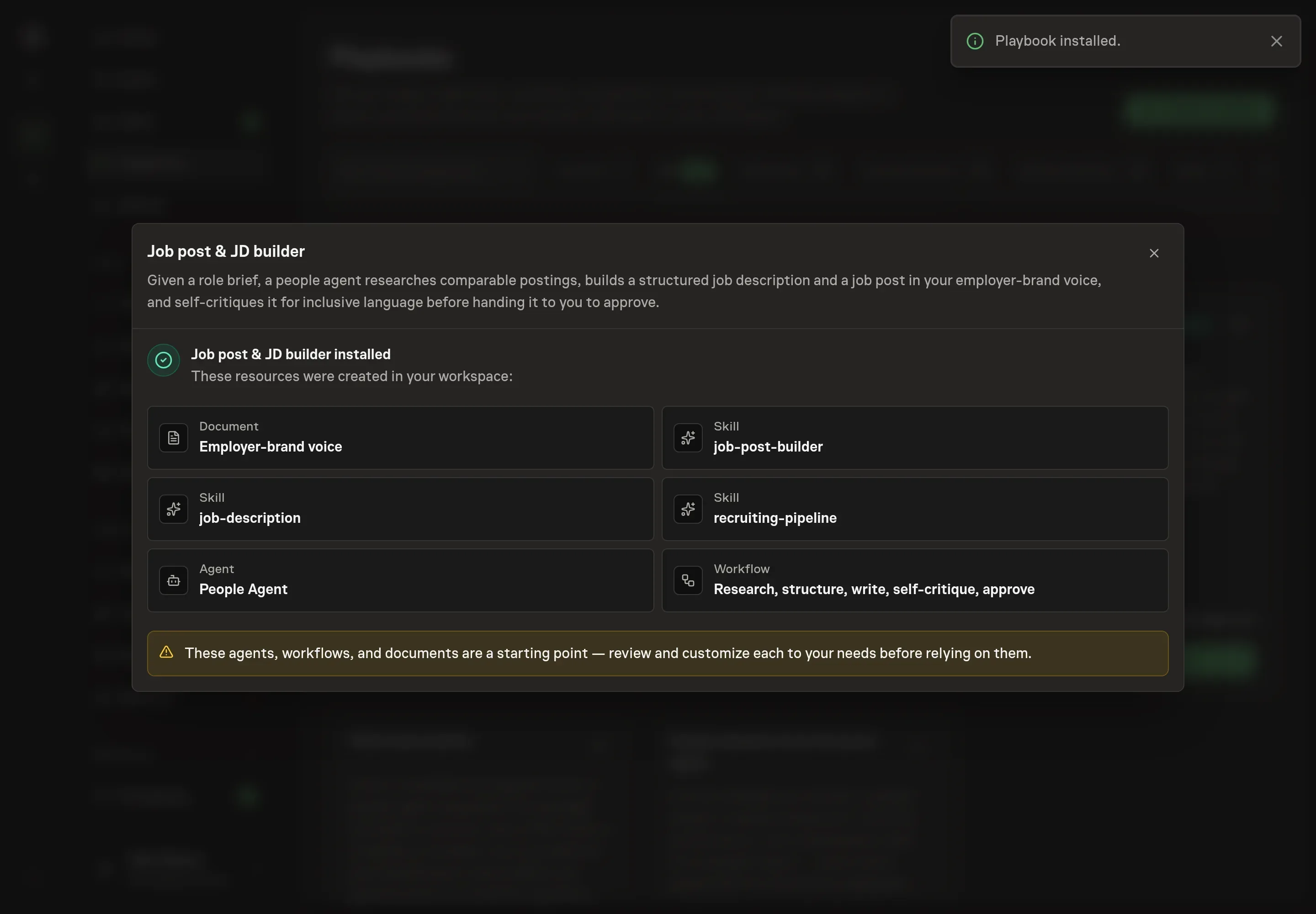
Choose Approve on the proposal in Chat when the configuration matches your brief. Task Machine installs that reviewed configuration. The approved item retains its review details. If your autonomy settings allow direct installation, this approval may not be required. Check the resulting configuration in that case too.
Complete any remaining secure service setup from the installation details in Chat. Inbox keeps those setup items available if you return later. Prepare the source documents and inputs before starting the first Task or Workflow. Installation does not authorize sending, publishing or changing an external service beyond the boundaries you agreed.
What good looks like
A strong hiring packet gives candidates and reviewers the same picture:
- Responsibilities are outcomes. The post describes owned work, not a grab bag of tasks.
- Must-haves are limited. Requirements are real filters, not every skill someone might use.
- The post is market-aware. Comparable postings inform scope and language without being copied.
- Approval catches risk. Compensation, inclusive language, and external publishing all get human review.
Common questions
Can the agent publish the role to a job board? No. It prepares the JD and public post and waits for approval. Publishing stays with the hiring owner.
What if compensation is not known yet? The agent should omit the range rather than invent one and flag that compensation needs HR sign-off before publication.
Does this replace recruiting judgment? No. It prepares a better packet. Hiring criteria, candidate evaluation, and final approval stay with people.
Can it use an existing company JD template? Yes. If a prior JD or template is available, the agent uses it as the structural baseline and surfaces gaps before adding new sections.