How to Catch Content Decay Before Rankings Drop
A practical guide to finding content decay, approving refresh plans, and measuring what changed after publication.

Founder, Task Machine
Content decay is the slow loss of rankings and traffic that published pages suffer as they age. A page that earned its position keeps it only while its facts stay current, its coverage matches what searchers want now, and no competitor publishes something better. When any of those slip, the page slides a few positions at a time, long before the drop shows up as a line anyone questions in a traffic report.
Content refresh is the maintenance process that counters it: reviewing the published inventory on a regular cadence, catching the pages that are slipping, working out why, and deciding for each one whether to update it in place, merge it with overlapping pages, or retire it. For any site with an established archive, the traffic it already earns is the cheapest traffic to keep, and this is the process that keeps it.
Content decay spreads too thin to notice
The loss is spread thin, which makes it invisible. No single page collapses. One post slips from third to fifth, another loses clicks because the search results page changed shape around it, a third quotes a statistic that a rival has since updated. Any one of these is trivial. Across a full archive they compound into a steady drain.
The causes are just as quiet. Facts, prices, and screenshots go stale. Links break. A competitor refreshes their page on the same query and pulls ahead. The query's intent shifts, so the results page starts rewarding a comparison table or a tool where your page offers an essay. None of this announces itself. By the time a traffic report looks wrong, the decay has usually been compounding for months, and the recovery is a project instead of an errand. That is what happens when nobody owns the checking.
What the manual process looks like
Done by hand, watching for decay is a recurring ritual with seven steps:
- Pull rankings, clicks, and impressions from Search Console and compare each tracked page against its baseline (peak rank, peak clicks, and when they happened).
- Flag the pages showing decay signals: slipping rank on the target keyword, declining clicks or impressions, stale statistics and dates, broken links.
- Check the live search results page for each flagged page. Has the intent shifted, did a competitor update, and which People-Also-Ask questions does the page no longer cover.
- Diagnose why each page is slipping and give it a verdict: refresh in place, consolidate with overlapping pages, or retire it with a redirect.
- Plan the specific updates and republish treatment, then obtain human approval.
- Before implementation, log the owner, approved action, fixed comparison windows, one primary outcome, business signal, guardrails, sources, and readback date. Add the actual live change and date when the owner publishes it.
- Once the candidate window matures, compare it with the baseline, review confounders, and decide whether to retain the change, keep observing, prepare a restoration plan, or call the result unproven.
Every step is legible. Together they take real hours, reward consistency over cleverness, and get skipped in any busy month, which is exactly when a growing archive produces the most decay.
What an agent can automate
Most of that loop is mechanical comparison and evidence-gathering, which makes it a good fit for an agent running a fixed workflow:
- Scan the inventory. The agent reads rank, clicks, and impressions against each page's baseline, flags the decay signals, and tags every metric by its source: Measured from an export, User-provided, or Estimated from on-page signals. The tagging matters because a click drop with a stable rank usually points to a title or results-page problem rather than a content problem, and the fix is different.
- Diagnose each decaying page. The agent compares the page roughly six months ago against today: keyword deltas, intent shifts on the results page, competitor updates, and the sub-questions the page no longer answers. A quick quality score across the eight CORE-EEAT dimensions shows whether the problem is freshness or trust.
- Recommend a verdict per page. Refresh, consolidate, or retire, with the specific changes for each refresh (updated facts and sources, new sections for coverage gaps, standalone definitions and Q&A that answer engines can quote), a republish-date treatment keyed to how much changes, and an ROI priority so the highest-value pages get worked first.
- Self-check the set. Before anything reaches you, the agent drops recommendations that lack decay evidence, rejects date-only edits, and flags any verdict that still needs an export to confirm.
- Record approved plans. Each approved recommendation enters a change log with its page owner, exact action, fixed windows, chosen primary outcome, business signal, guardrails, source systems, and due date. Approval records the plan. It does not change the page.
- Read back live changes. On schedule, the agent loads due entries whose actual change and publication date are complete, compares only the recorded windows, checks guardrails and confounders, and prepares a bounded decision for approval.
What stays with you is the judgment: which pages are worth the rework, the rework itself, and the measured decision. The agent proposes the work and builds the case for it. It never edits or restores a live page.
The guardrails that make it safe
Content changes move rankings, which means a bad refresh can do more damage than the decay it was meant to fix. That is why the drafting and the deciding stay separate.
The safe shape has two explicit approval points. First, the agent scans, diagnoses, and recommends, then the set waits in your inbox. You approve which plans may enter the change log. The agent never edits a page itself. After a human implements the approved work and records what went live, a second workflow compares the fixed result windows. You approve whether to retain, keep observing, restore, or mark the result unproven. That decision records evidence only and never triggers a redirect, noindex, edit, removal, or restoration.
Two evidence rules back that up: every metric carries its source label, and an observed change is never reported as a confirmed cause without corroboration. When a page is decayed enough that a rewrite may beat a refresh (an outdated premise, shifted intent, or more than half the content stale), the agent surfaces that call instead of making it.
Set it up in Task Machine
The Content refresh and decay monitoring playbook provides a starting point for the method above. You need an active Task Machine workspace with Chat, workspace-management and Playbook-installation access (workspace owners have it). Search Console access is not required up front. Until you connect it, the analyst works from the ranking and analytics exports you attach and from the content inventory document.
1. Find the playbook
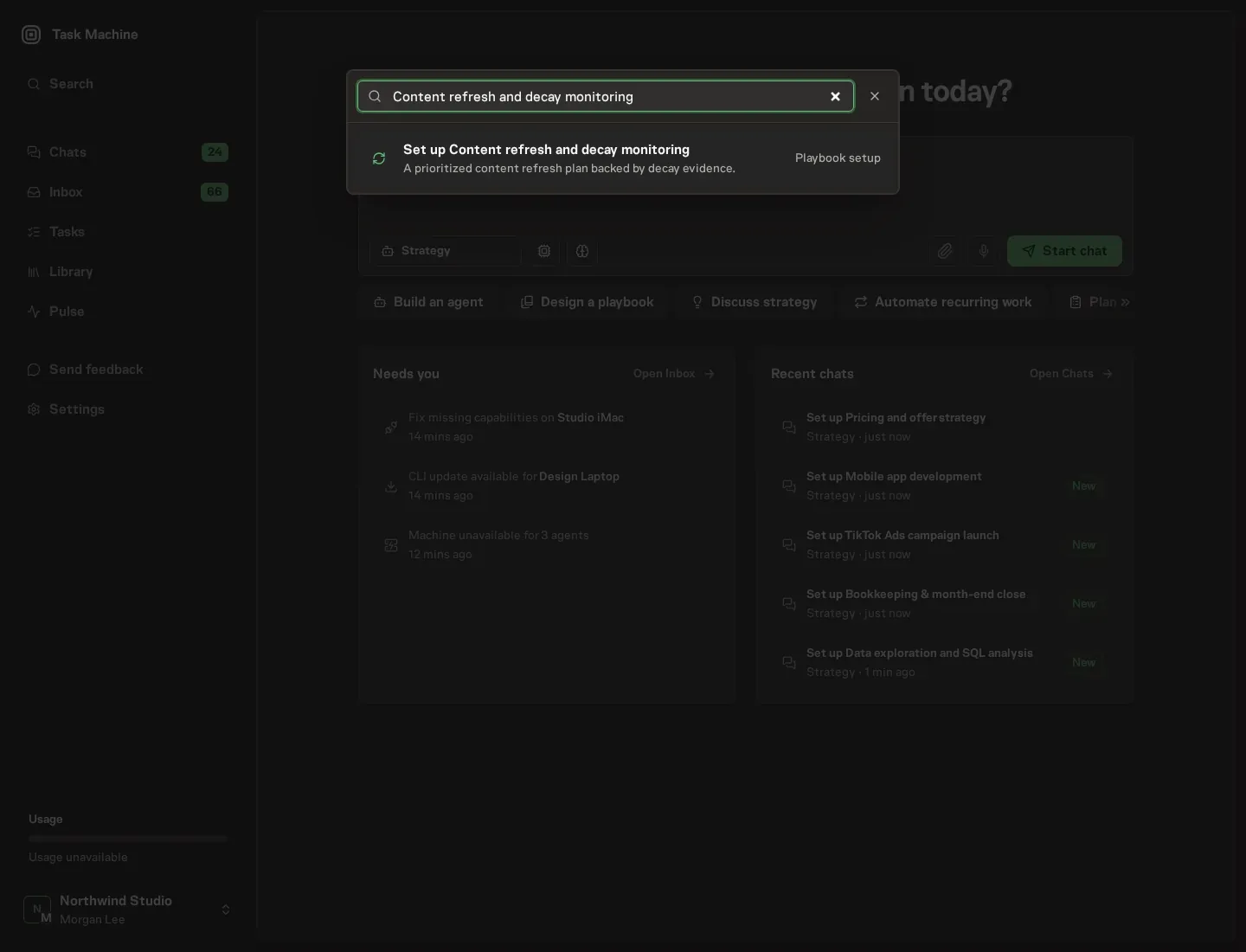
Open Search in your workspace and enter "Content refresh and decay monitoring". The command center lists Set up Content refresh and decay monitoring under Playbook setup.
2. Start the conversation
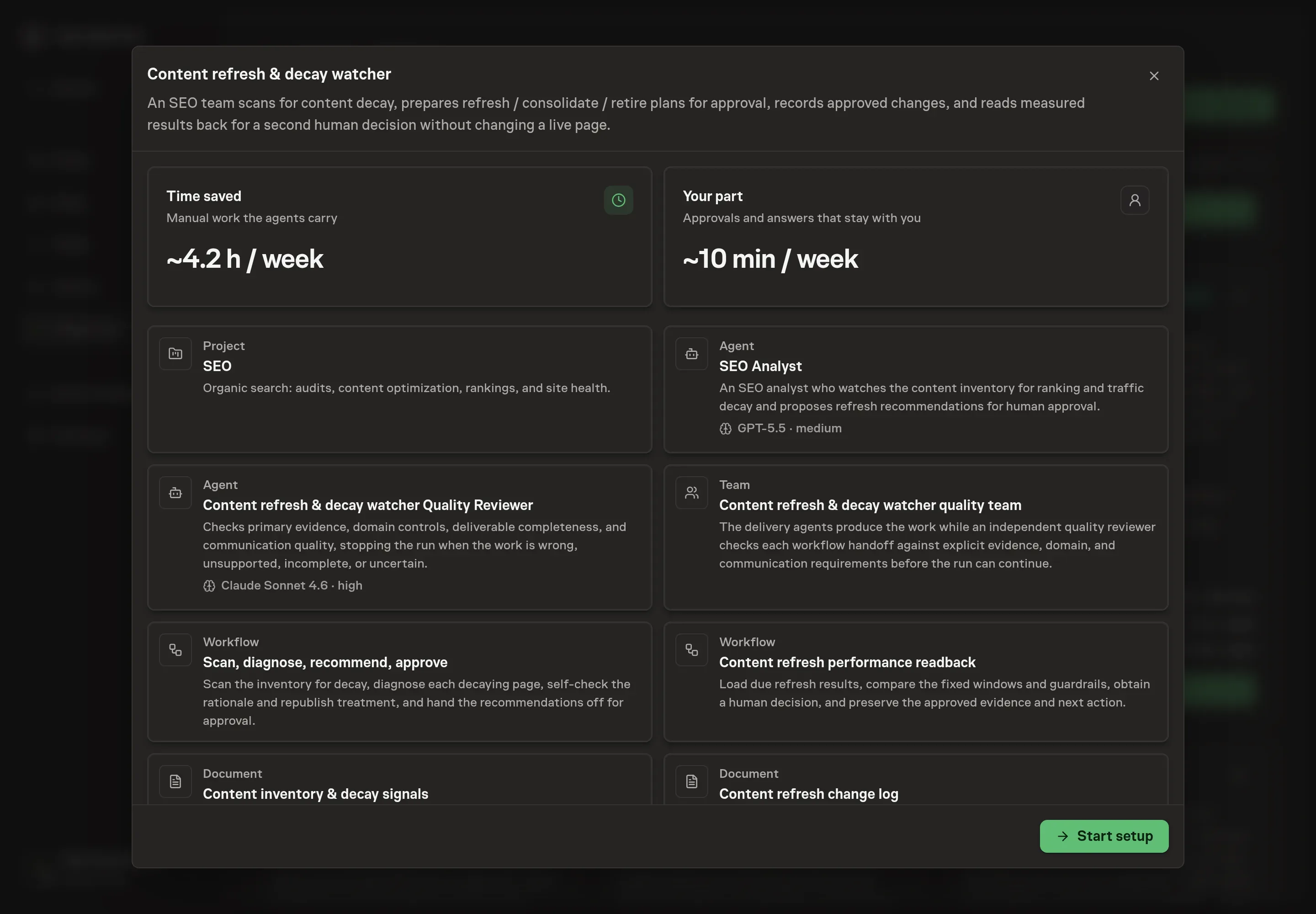
Choose Set up Content refresh and decay monitoring. Task Machine opens a dedicated Chat with the Playbook card and an editable, unsent request. Read the intended job and outcome. Add your situation and send it when ready. Opening the draft does not install anything or start work. This walkthrough uses settings that require approval of the proposed Playbook.
3. Agree the services
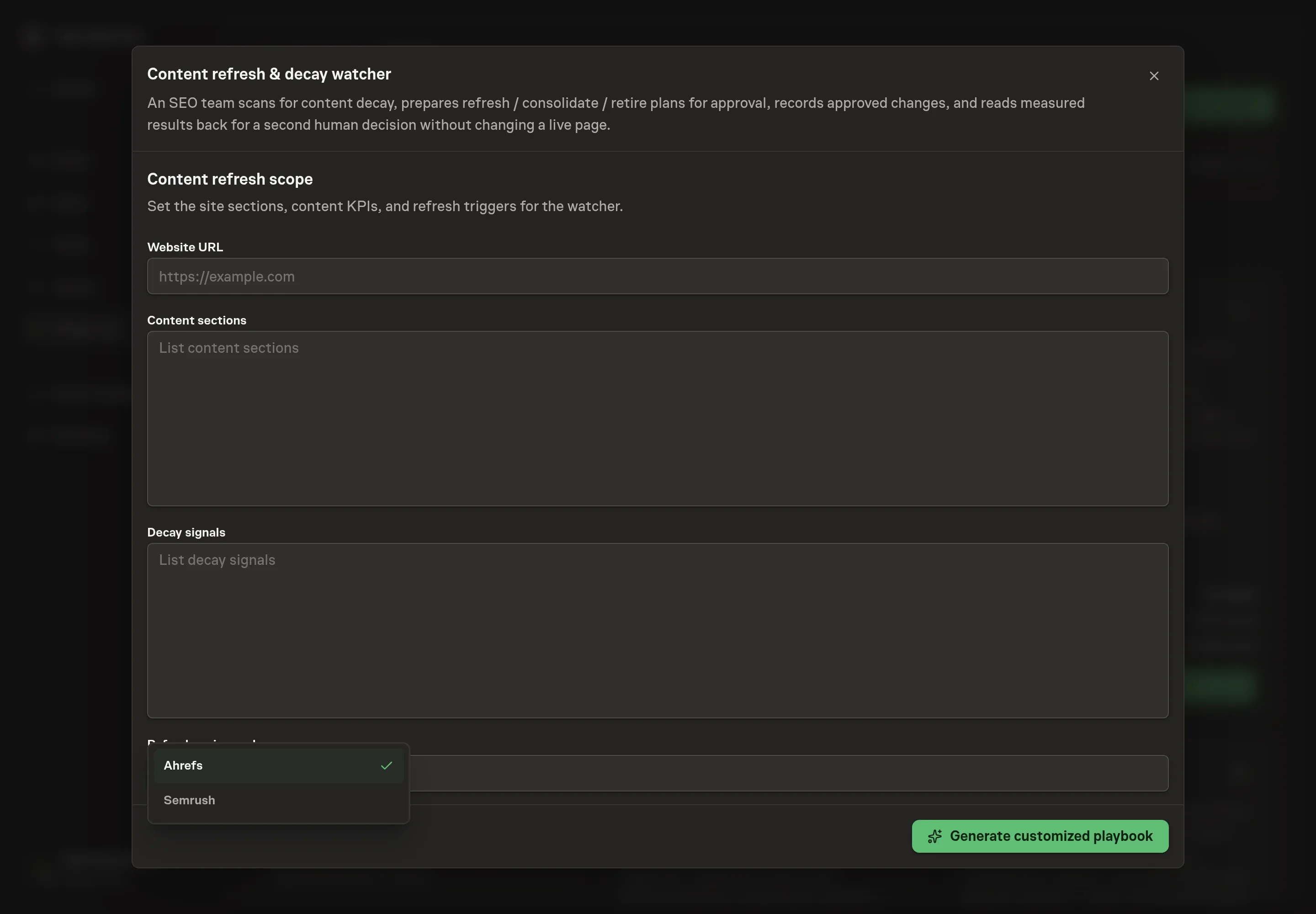
Tell the Agent which services you use. The catalog offers these starting choices:
- SEO data providers: Ahrefs, Semrush. Optional.
Discuss any missing access or export-based alternative before generation. Check the exact proposal includes only the services you agreed. Enter credentials only through secure setup, never in Chat.
4. Agree the working brief
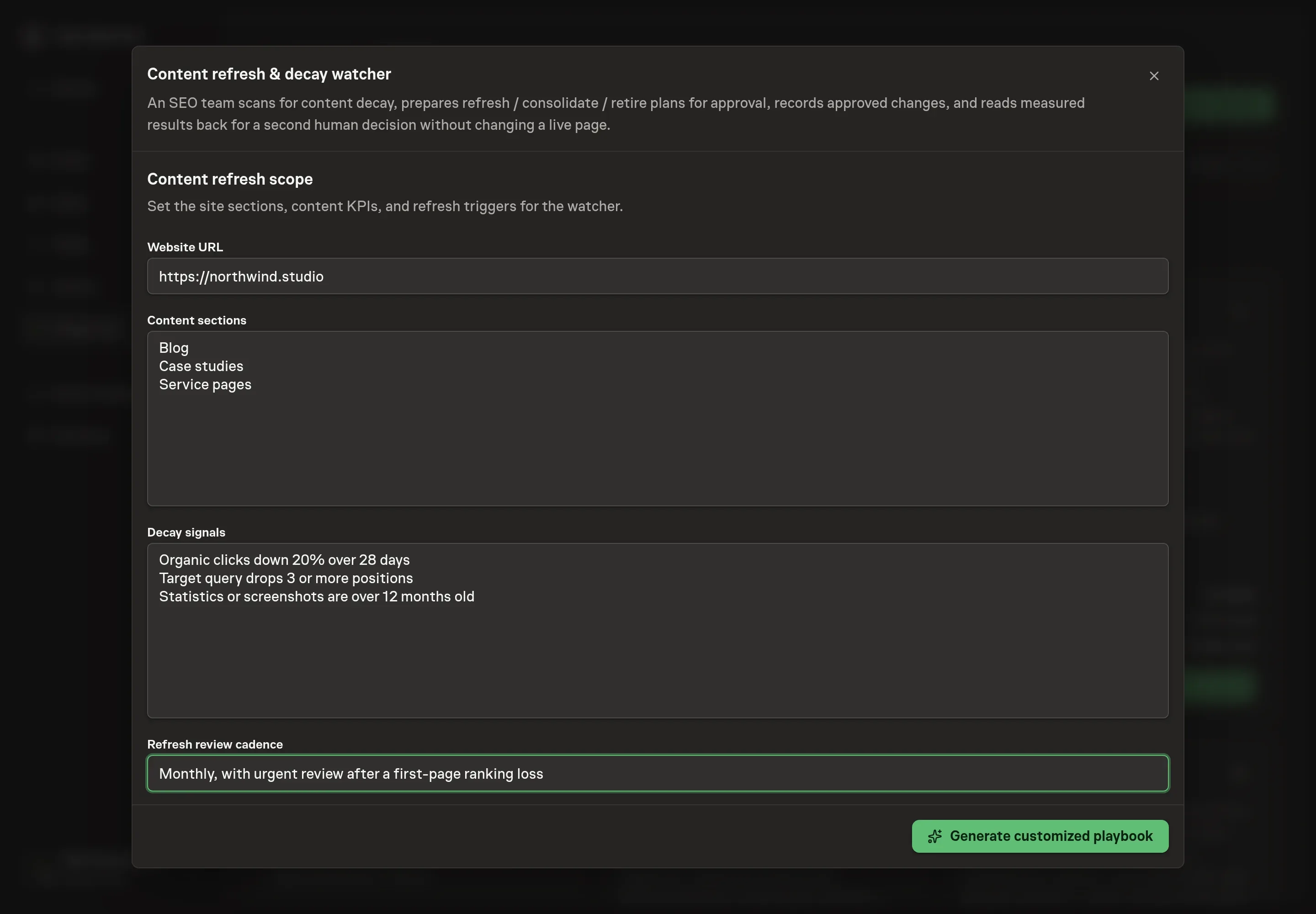
Use Chat to agree the inputs, expected output and limits before asking for a proposal. Four details shape every sweep: Website URL (the site the watcher tracks), Content sections (the parts of the site it covers, like the blog or case studies), Decay signals (the signals that should trigger a recommendation for your site), and Refresh review cadence (how often you want to sit down with the recommendation set).
5. Review the proposed Playbook
Ask the Agent to generate the Playbook from the agreed brief. Open its proposal in Chat and check the instructions and resources it will install, which carry more detail than the conversational summary. Confirm the scan records approved plans without touching live pages, the readback uses fixed windows and a second approval, the scope matches your sections, and only the selected ranking tools appear. Ask for a revised proposal if anything is missing or changes the job.
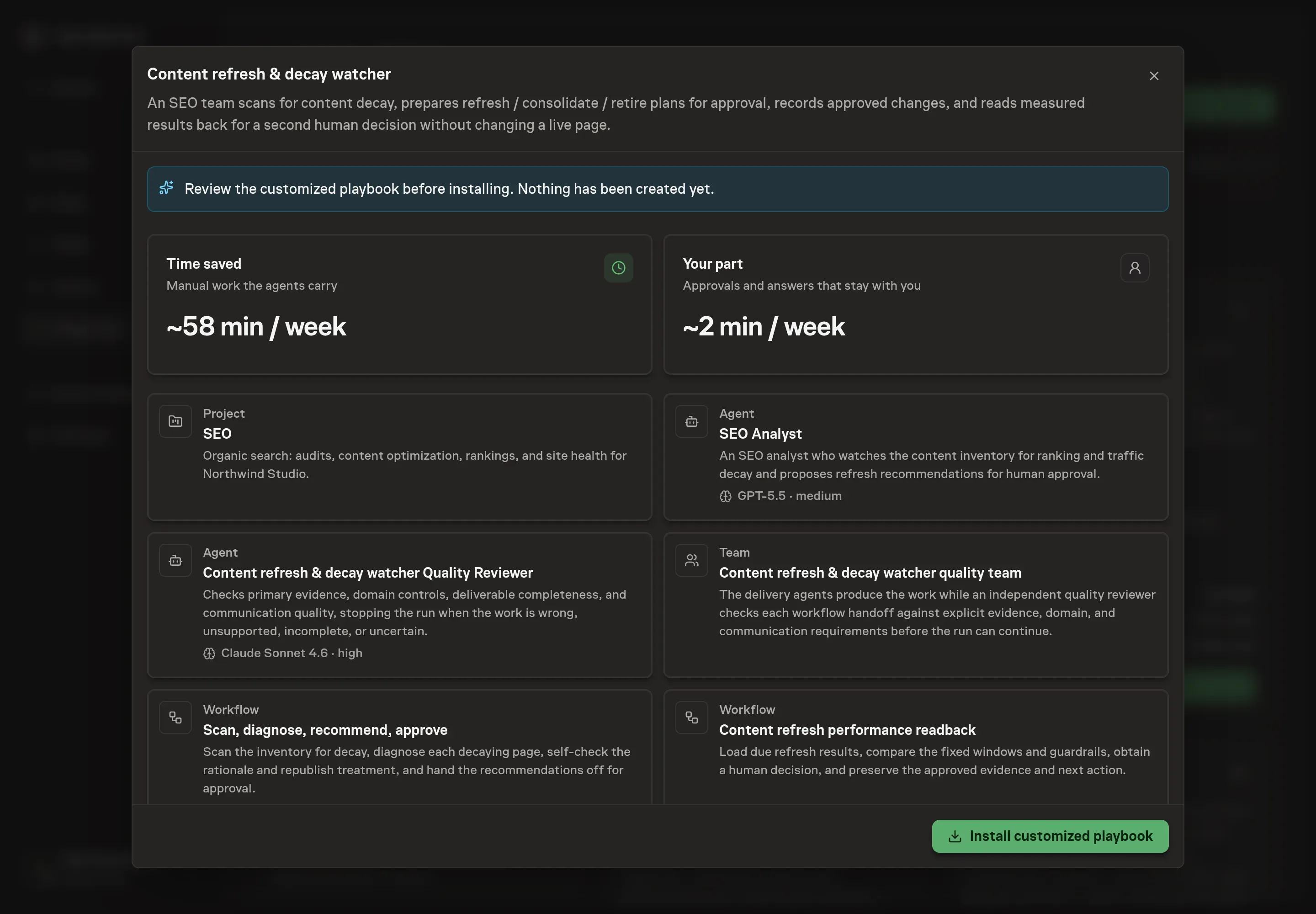
6. Approve and prepare the first work
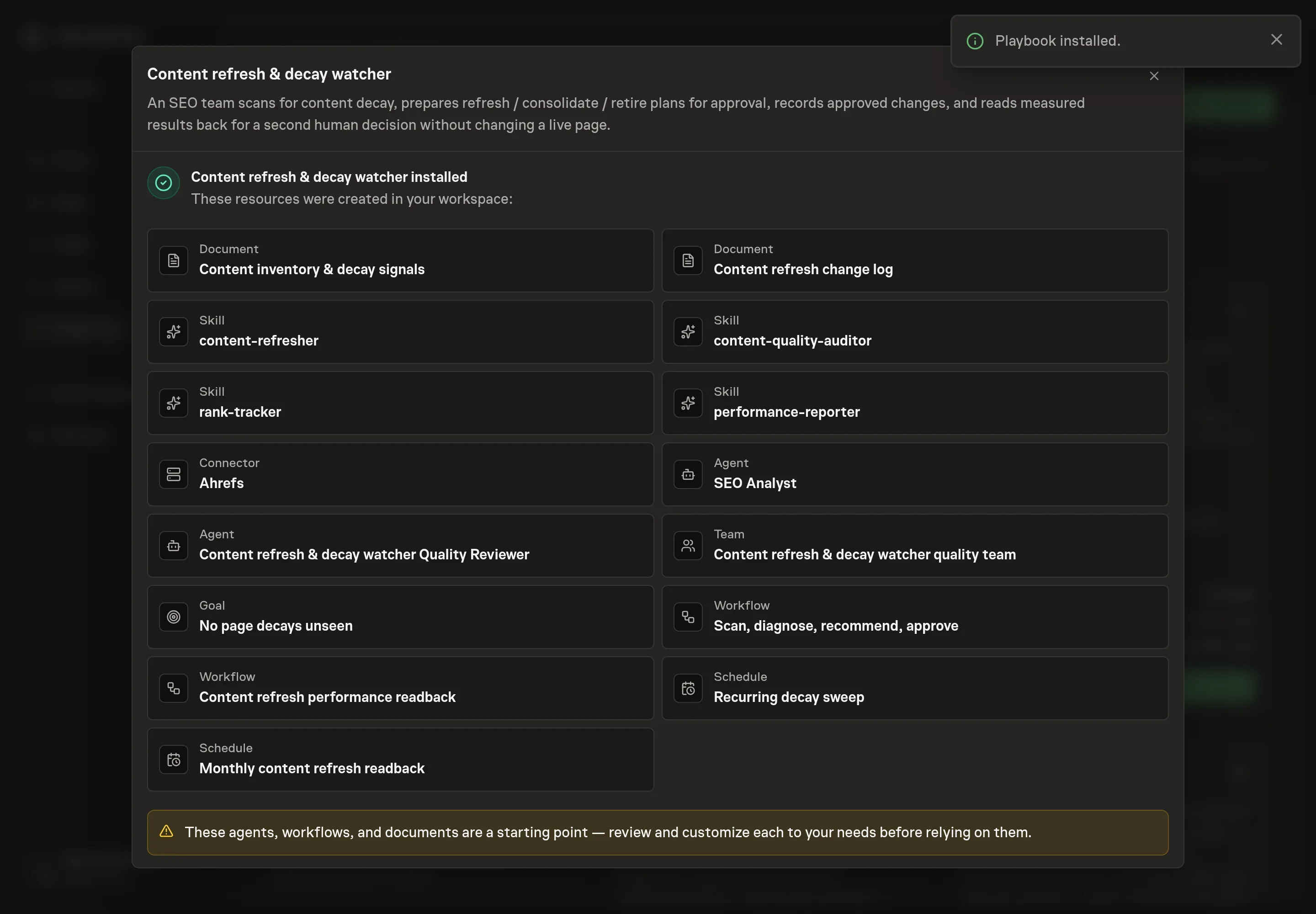
Choose Approve on the proposal in Chat when the configuration matches your brief. Task Machine installs that reviewed configuration. The approved item retains its review details. If your autonomy settings allow direct installation, this approval may not be required. Check the resulting configuration in that case too.
Complete any remaining secure service setup from the installation details in Chat. Inbox keeps those setup items available if you return later. Prepare the source documents and inputs before starting the first Task or Workflow. Installation does not authorize sending, publishing or changing an external service beyond the boundaries you agreed. Confirm each schedule's cadence and timezone, and resolve any pending schedule setup before it starts. A readback must wait for its agreed observation window and source data. Check the reviewed tracker or results document before the first cycle so evidence and human decisions have a durable home.
What good looks like
Three checks tell you whether the process works:
- Coverage per sweep. Every tracked page gets reviewed each sweep, and every page showing decay leaves the sweep with a verdict. A decaying page that goes a sweep without one is the failure mode this process exists to prevent.
- Response matched to the drop. A slip of one to three positions is usually normal fluctuation and gets watched for a week or two. A drop of three to five positions deserves investigation within the week. Five to ten calls for an immediate diagnostic, and a page that falls off the first results page is an emergency.
- Substantive refreshes. No date-only edits. A new published date only when half or more of the content is new, a last-updated date for meaningful partial changes, and the original date otherwise.
- Primary outcome. Pick organic clicks for the page/query pair or average position for the target query before the change. Compare a fixed 28-day baseline with a complete 28-day candidate window after the indexing allowance.
- Business signal and guardrails. Track conversions or qualified leads separately. Indexation, non-brand coverage, conversion rate, broken links, redirect integrity, and cannibalization must not materially worsen.
How the loop learns
The refresh change log records the page owner, approved action, proposed change, fixed baseline and candidate windows, one primary outcome, downstream business signal, guardrails, source systems, and readback date before implementation. Once the owner publishes the work, they add the actual live change and date. The default compares the 28 complete days before publication with days 8–35 after it, leaving seven days for discovery and indexing. Search Console supplies page-and-query clicks, average position, and indexation evidence. Approved analytics exports or selected SEO data services supply the other named measures.
At readback, the analyst uses those exact windows and checks indexing delay, seasonality, campaigns, branded-query shifts, search-results changes, simultaneous site work, tracking changes, migration effects, cannibalization, and low volume. The human then chooses retain, keep observing, restore, or unproven. Restore approves a repair or rollback plan for separate execution. It does not change the page automatically. Negative and inconclusive evidence stays in the log, preventing the same unsupported refresh tactic from becoming a default recommendation.
Common questions
How often should the sweep run? Monthly is a sensible starting point and the default cadence the playbook ships with. Sites in fast-moving niches or with large archives can shorten it. The point of a fixed schedule is that the sweep happens in busy months too, because those are the months the checking gets skipped by hand.
When is a rewrite better than a refresh? When the premise is outdated, the query's intent has shifted, or more than half the content is stale. The refresh method treats that as an explicit gate: the agent surfaces the page and asks whether to refresh in place or rewrite as new content, rather than deciding on its own.
Should the published date change on a refresh? Only when the change is real. The strategy keys the date to the depth of the update: a new published date when half or more of the content is new, a last-updated date for changes between a fifth and a half, and the original date for anything smaller. Changing the date without changing the content is exactly the kind of edit the self-check step rejects.
Can this run without Search Console access? Yes. The analyst works from the ranking and analytics exports you attach to each run and from the content inventory document. When history is missing entirely, it scores decay from on-page signals and labels those metrics Estimated, so you always know which numbers are measured and which are inferred.
Does the agent rewrite the pages? No. It recommends and measures. Every sweep ends in approval before a plan is recorded, and every readback ends in a separate decision. A human implements any refresh, redirect, restoration, or removal outside these workflows.
How soon should I judge a refresh? Use the observation rule fixed before publication. The default leaves seven days for discovery and indexing, then compares 28 complete candidate days with the previous 28 days. If the page has too little volume or a material confounder, keep observing or mark it unproven rather than stretching the window after seeing results.